
Ask Iris: Private AI
Your Knowledge, On Device
Entwickelt für iPhone, iPad, Mac
Kostenlos · In-App-Käufe
- Altersfreigabe12+
- KategorieProduktivität
- SprachenEnglisch
- Größe55,5 MB
Verlinkt auf die offizielle App Store-Seite
Download.org hostet keine Datei von Ask Iris: Private AI. Die Schaltfläche öffnet die App-Seite bei App Store, wo die App veröffentlicht. Eintrag zuletzt geprüft am 11.11.2026.
Screenshots


Info
Der Entwickler hat diesen Text nicht in Ihrer Sprache bereitgestellt.
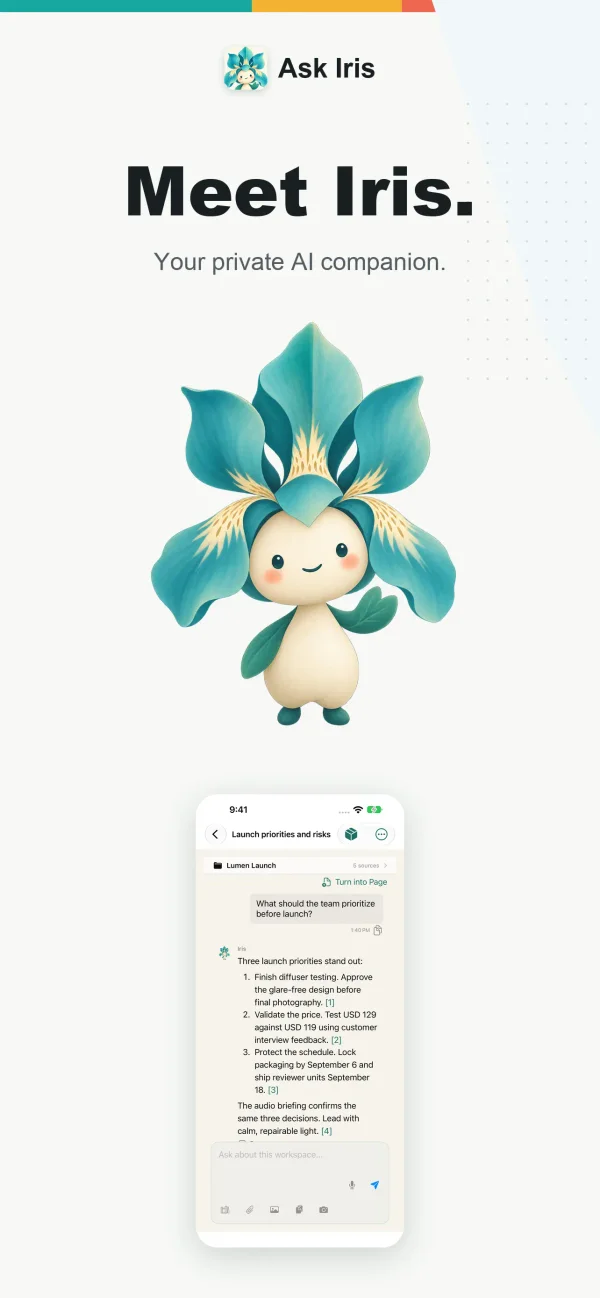
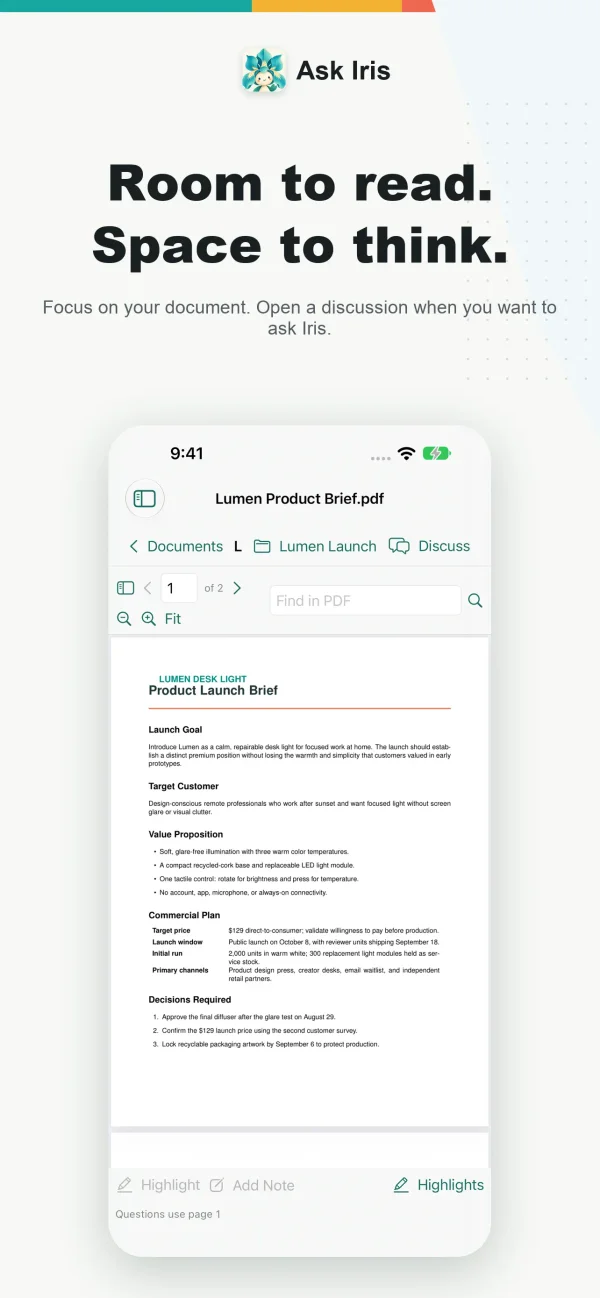
Ask questions about your files and build a wiki you control—with AI that runs on your device.
Ask Iris brings documents, images, recordings, folders, and conversations into a private workspace on iPhone, iPad, and Mac. Find answers with source citations, turn ideas into useful pages, and keep the results in a format you can edit and take with you.
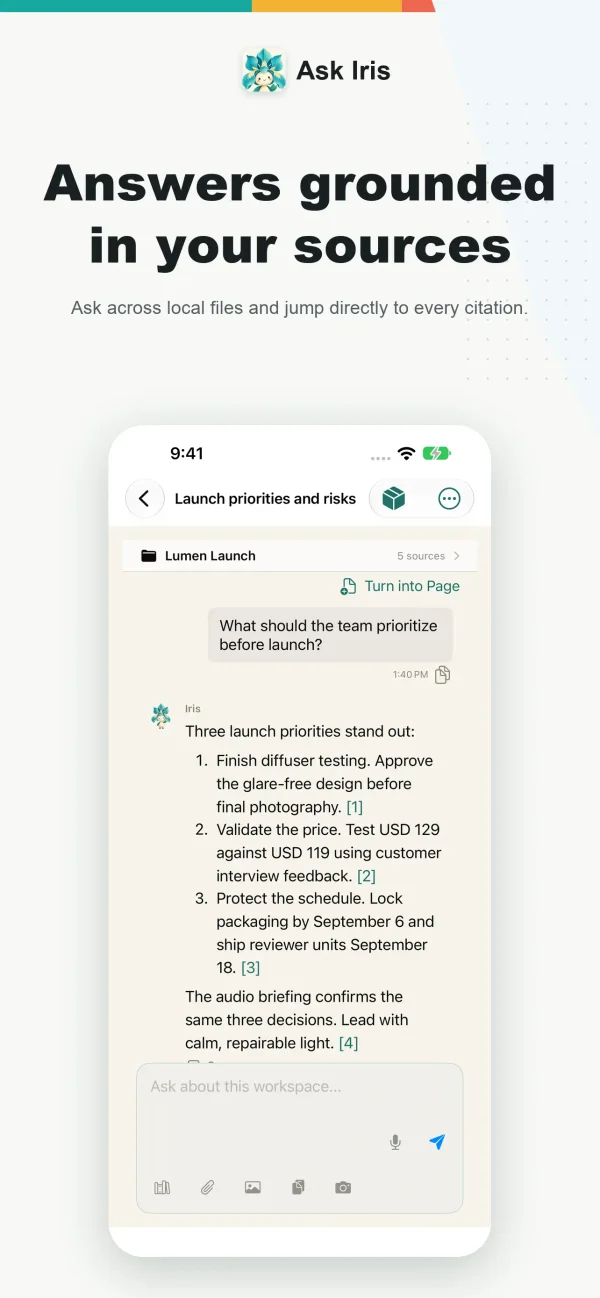
ASK WITH YOUR SOURCES
Add PDFs, text documents, spreadsheets, Word files, images, audio, or video clips. Ask about one source or compare material across a workspace. Answers can link to original files, PDF pages, and timestamped transcripts so you can check the evidence.
READ WITH ROOM TO THINK
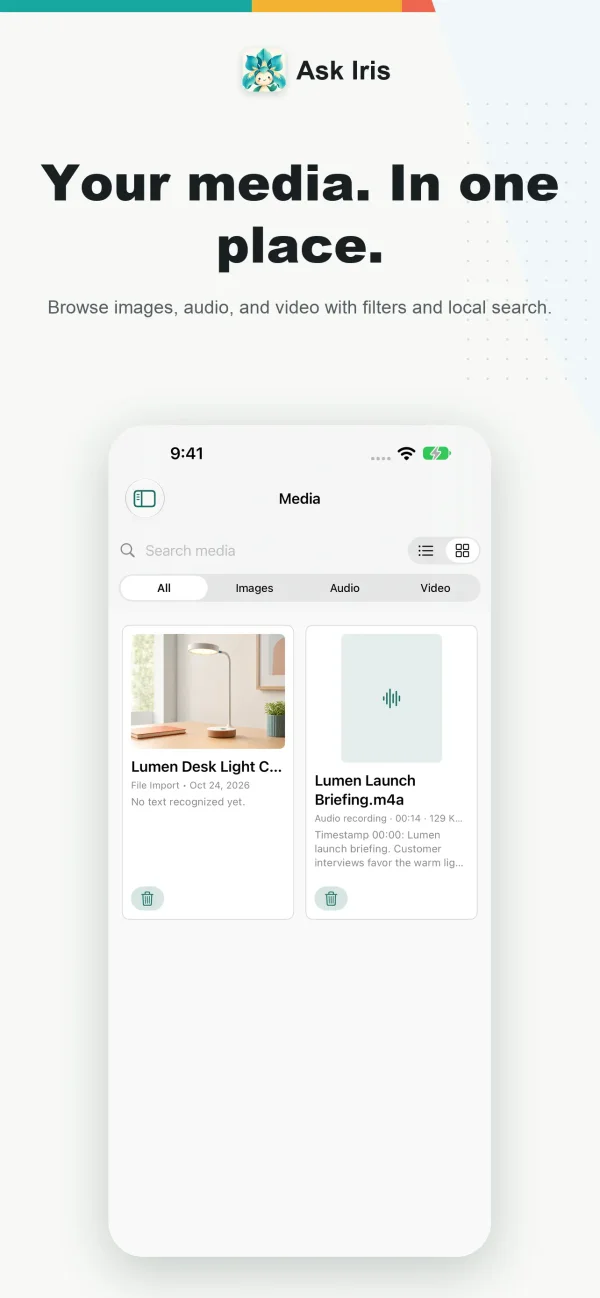
Open PDFs and documents in a dedicated reader. Follow citations, highlight passages, and open a discussion when you want to ask Iris a question. Browse images, audio, and video together in Media. A navigation rail on Mac and iPad keeps your views within easy reach.
BUILD A LIVING WIKI
Create pages from selected sources or turn a workspace conversation into a page. Write with rich formatting, ask Iris to suggest revisions, and review changes before applying them. Organize pages, follow source links, and restore earlier edits with Page History.
CHOOSE WHERE YOUR WIKI LIVES
Keep the wiki inside Iris or save its Markdown pages and attachments in a local folder or iCloud Drive. Edit the same files in other apps. Optional Obsidian shortcuts open pages in your vault without a plugin or Sync login. Iris verifies copies before switching storage, checks for conflicting edits, and retains pending drafts when files are unavailable.
FIND AND SHARE WHAT MATTERS
Private Search finds chats, notes, documents, PDF pages, transcripts, and images without uploading a search index. Export selected wiki pages as a PDF report, Markdown, a web page, or a portable wiki bundle. Preview PDF reports and optionally include chat transcripts.
WORK WITH IMAGES AND AUDIO
Explain an image, extract visible text, or ask about a clip with a compatible model. Transcribe supported recordings on-device, play the audio, and jump through timestamped transcript segments. Use Photos and Camera on iPhone and iPad, or capture a screen or window on Mac.
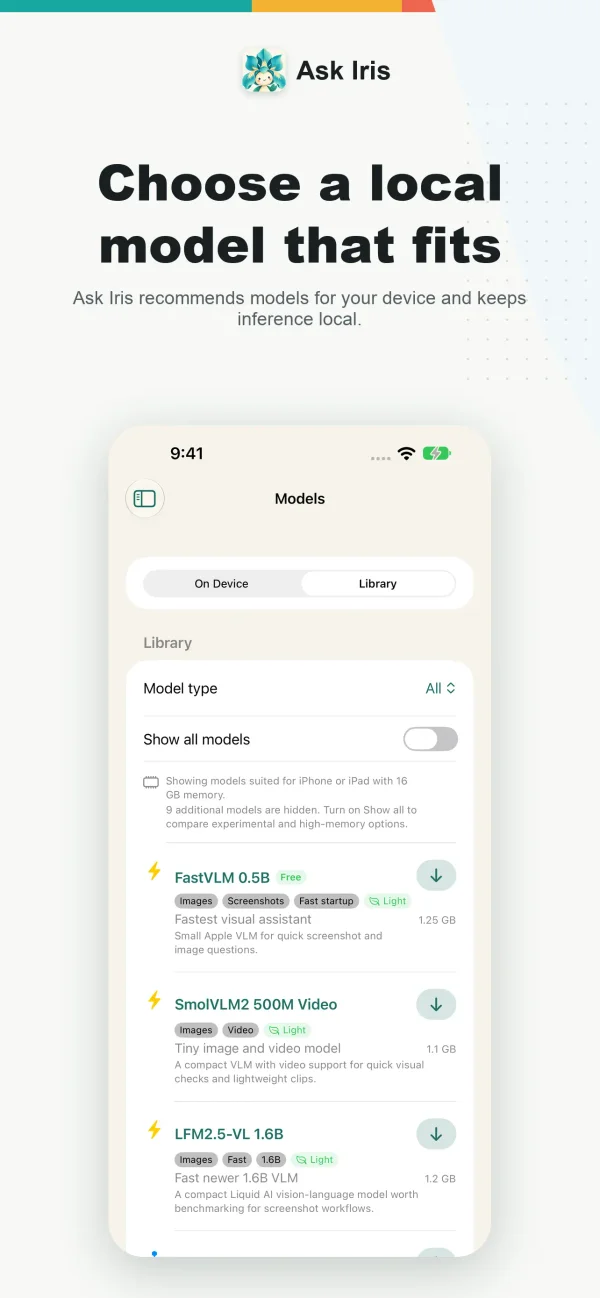
CHOOSE YOUR LOCAL MODEL
Use Apple Intelligence on supported devices without a separate model download, or browse and download compatible MLX models. Choose a model per chat. Use your app default for workspace summaries and wiki generation, or set a model for an individual workspace. On Mac, you can also connect to a compatible inference server running on the same computer. Capabilities and performance depend on your device, model, language, and OS.
PRIVATE BY DEFAULT
Apple Intelligence and compatible downloaded models run on your device. Workspace storage is local by default. If you choose iCloud Drive or another synchronized folder, that provider stores and synchronizes the wiki files and attachments. Changing Wiki Storage does not move chats or model settings. Downloads, optional web search, and connected tools can use the network. No Iris account is required.
TRY THE FULL LIBRARY, KEEP A FREE MODEL
Explore the full compatible model library free for 100 days, starting with your first message. After the trial, keep using a basic model for free, including Apple Intelligence when available. Unlock Pro with a one-time purchase for full model access and supported custom Hugging Face models. No subscription.
Neue Funktionen
Version 1.26.0 · 02.11.2026
A familiar face for Ask Iris.
• Iris is now the app icon on Mac, iPhone, and iPad, with matching branding throughout the app.
• A brief wave and blink welcome you on iPhone and iPad. Tap to skip, or use Reduce Motion to skip the greeting automatically.
• Smaller navigation icons and more space around the buttons make the left rail feel calmer on Mac and iPad.
App-Datenschutz
Was im App Store zum Umgang dieser App mit Daten angibt.
-
Keine Daten erfasst
Der Entwickler erfasst keine Daten von dieser App.
Die Datenschutzpraktiken können variieren, zum Beispiel je nach den von Ihnen verwendeten Funktionen oder Ihrem Alter.
Informationen
- Anbieter
- Abhishek Kulkarni
- Kategorie
- Produktivität
- Version
- 1.26.0
- Aktualisiert
- 02.11.2026
- Veröffentlicht
- 26.06.2026
- Größe
- 55,5 MB
- Erfordert
- iOS 18.0 oder neuer
- Altersfreigabe
- 12+
- Preis
- Kostenlos
- In-App-Käufe
- Ja
- Sprachen
- Englisch
- Copyright
- © 2026 tessellateAI
Das könnte Ihnen auch gefallen
-
 ModelDock LocalPrivate Local AI Chat
-
 My PromptHubProduktivität
-
 XeNo: AI Files AssistantProduktivität
-
 MindVault AIProduktivität
-
 SigmaNoteProduktivität
-
 bam remindersWeniger im Kopf. Mehr Ruhe.
-
 Chores Tracker+Produktivität
-
 Text zu Sprache: ProTTSPDFs, EPUBs & 70.000+ Bücher
-
 eScan EMMProduktivität
-
 FastBot - AI HUBProduktivität