
AsterBridge: Mind Map, Outline
Brainstorm, Visual Notes, Plan
Entwickelt für iPhone, iPad, Mac
Kostenlos · In-App-Käufe
- Altersfreigabe4+
- KategorieProduktivität
- EntwicklerKanchalika Kongyong
- SprachenEnglisch+ 3 weitere
- Größe6,5 MB
Verlinkt auf die offizielle App Store-Seite
Download.org hostet keine Datei von AsterBridge: Mind Map, Outline. Die Schaltfläche öffnet die App-Seite bei App Store, wo Kanchalika Kongyong die App veröffentlicht. Eintrag zuletzt geprüft am 23.11.2026.
Screenshots
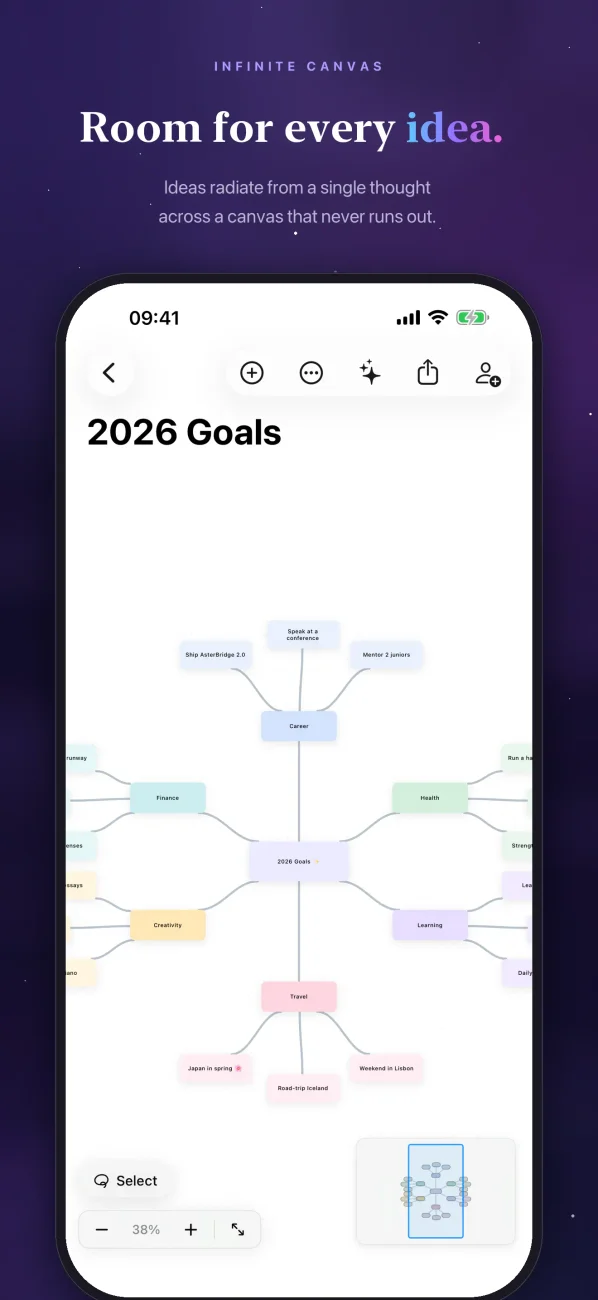
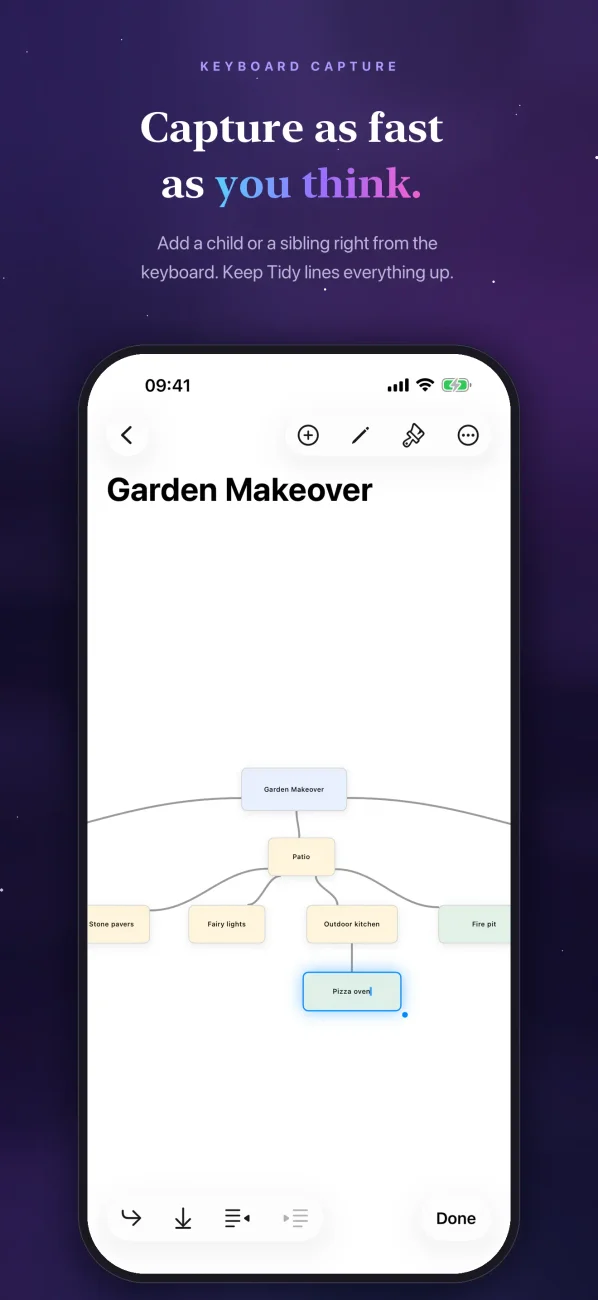
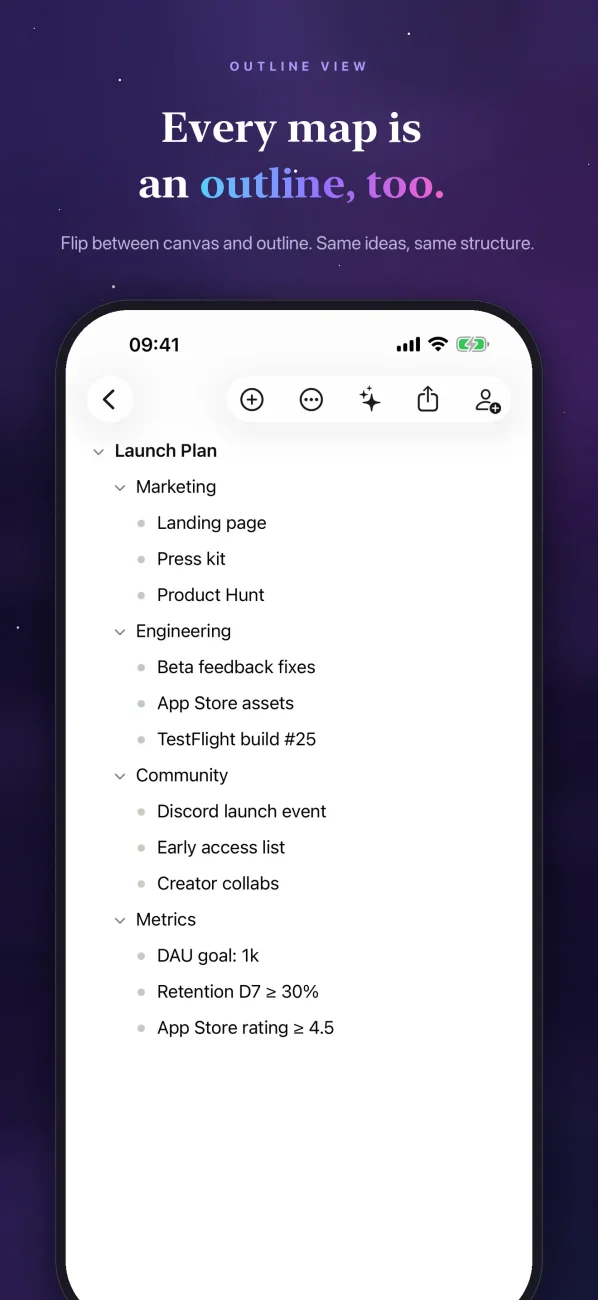
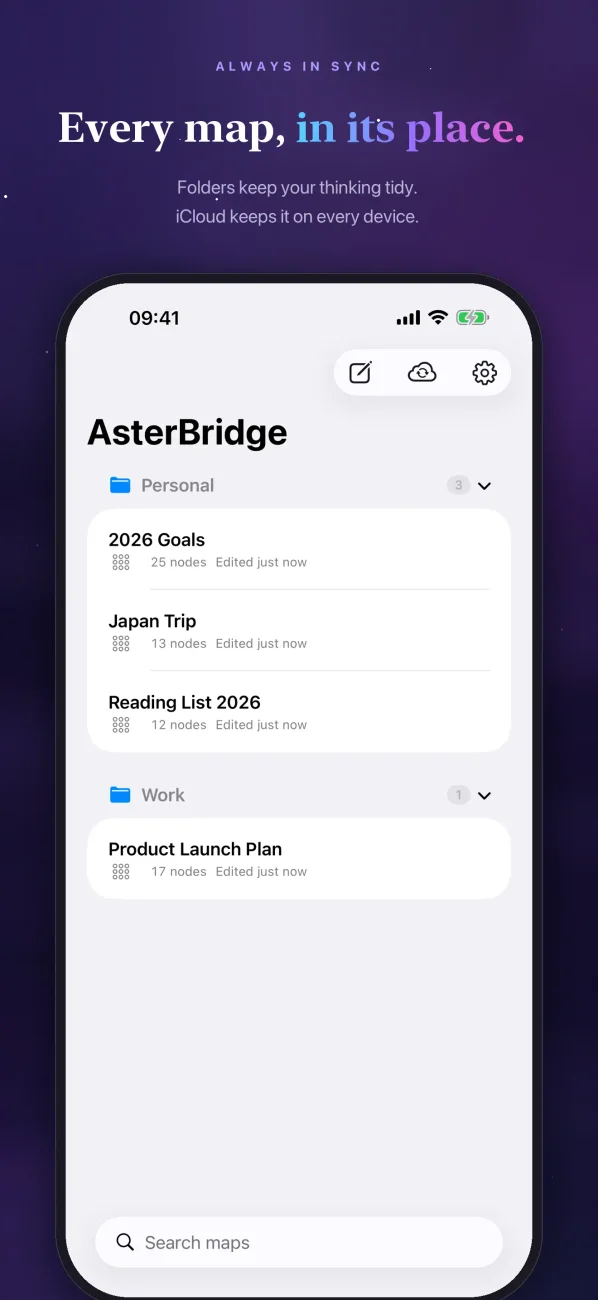

Info
Der Entwickler hat diesen Text nicht in Ihrer Sprache bereitgestellt.
AsterBridge is a mind mapping app for iPhone, iPad and Mac. Capture an idea, branch it into related thoughts, and watch your thinking take shape — on an infinite canvas or as a clean outline.
Plan a launch, outline an essay, organize a trip, or just clear your head. AsterBridge gives you room to think visually and the polish to share what you make.
—— WHY ASTERBRIDGE ——
• Fast to capture. Type a whole branch without leaving the keyboard: Return adds the next idea; indent and outdent from the keyboard bar.
• Canvas or outline. The same map as a zoomable canvas or an editable outline — side by side on iPad and Mac.
• Keep Tidy. Maps lay themselves out as you add, move and delete ideas.
• Native on every Apple device, synced with iCloud.
• Private by design. No analytics, no ads, no tracking.
—— FEATURES ——
CANVAS & OUTLINE
• Infinite canvas with mini-map, zoom to fit and alignment guides
• Tree, radial and force-directed layouts, or Keep Tidy automatic layout
• Outline view with indent, outdent, reordering and collapsible branches
• Apple Pencil: sketch inside a node, or draw from one node to another to connect them
NODES
• Text, headings, images, links, checklists, code and Pencil sketches
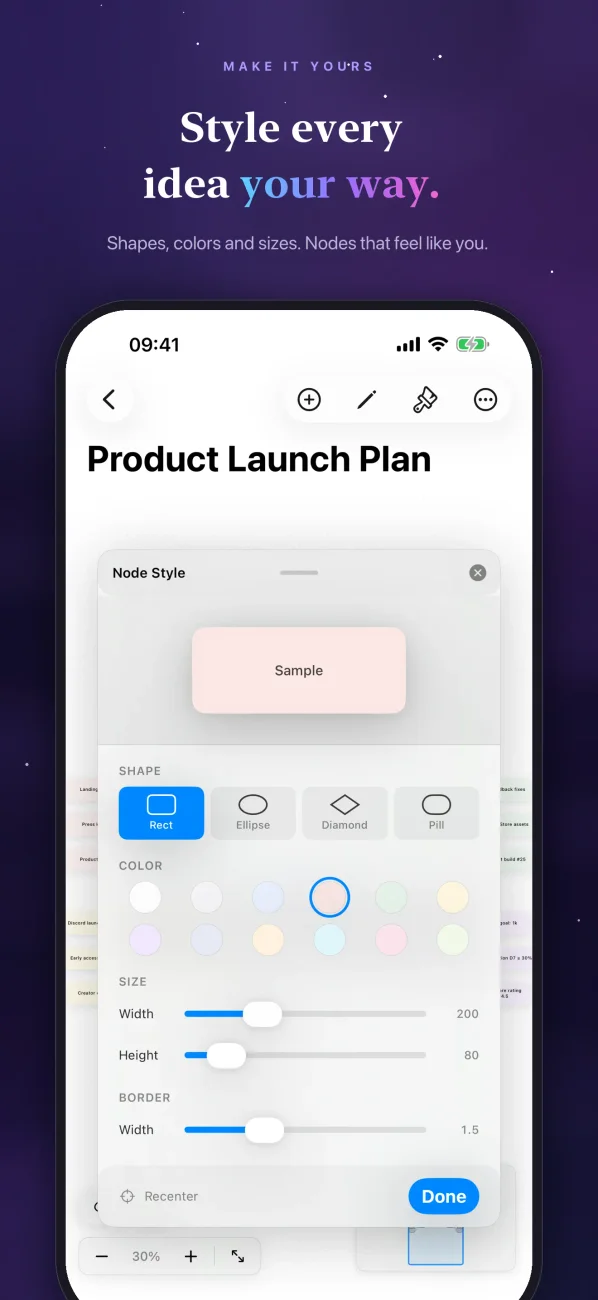
• Shapes, colors and connection styles, with live preview
• Undo and redo for every edit
BRING YOUR IDEAS IN
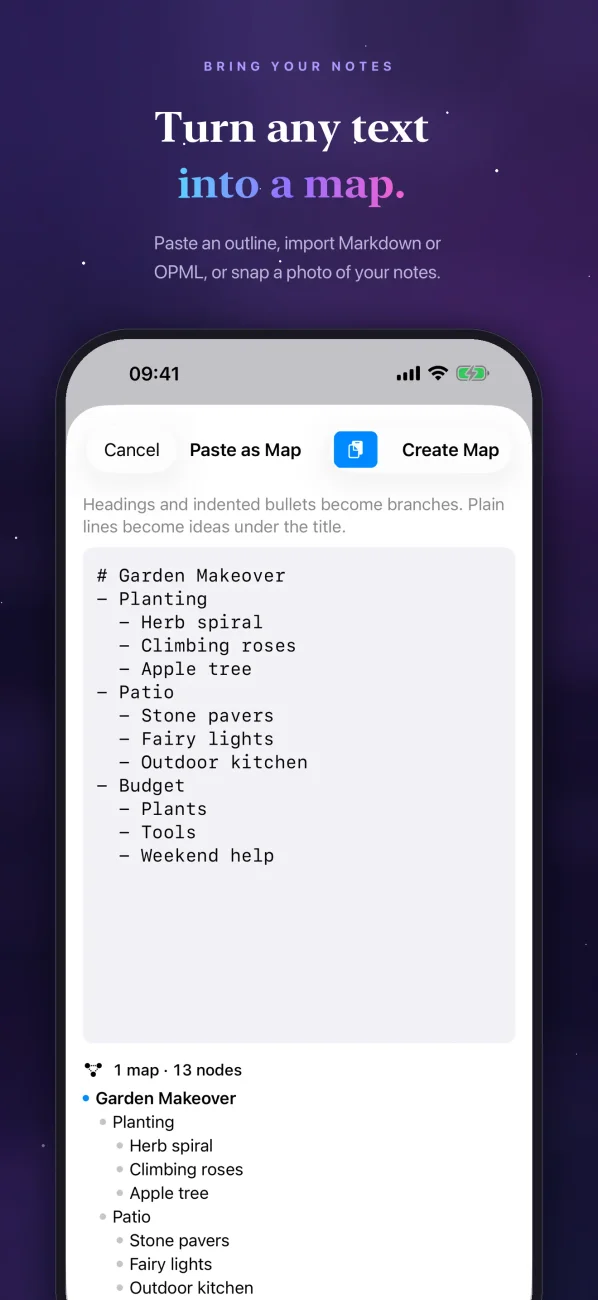
• Paste notes or Markdown and get a map
• Photograph handwritten or printed notes — text is recognized on your device
• Import OPML, FreeMind (.mm) and XMind files
PRESENT & SHARE
• Focus Mode and Presentation Mode
• Export to PNG, plus PDF, Markdown, OPML and AsterBridge files with Pro
• Invite people to view or edit a map through iCloud — changes sync within moments
• SharePlay: map together live during a FaceTime call
EVERYWHERE ON YOUR DEVICE
• Home Screen and desktop widgets for a pinned map or your recent maps
• Shortcuts and Siri: add an idea to a map, open a map, or turn text into a map
• Share text or links from any app into a map
• Find maps and ideas in Spotlight; continue on another device with Handoff
VERSION HISTORY
• Earlier versions of each map are kept on your device
• Preview any version, restore it, or save it as a copy
AI ASSISTANT (Pro)
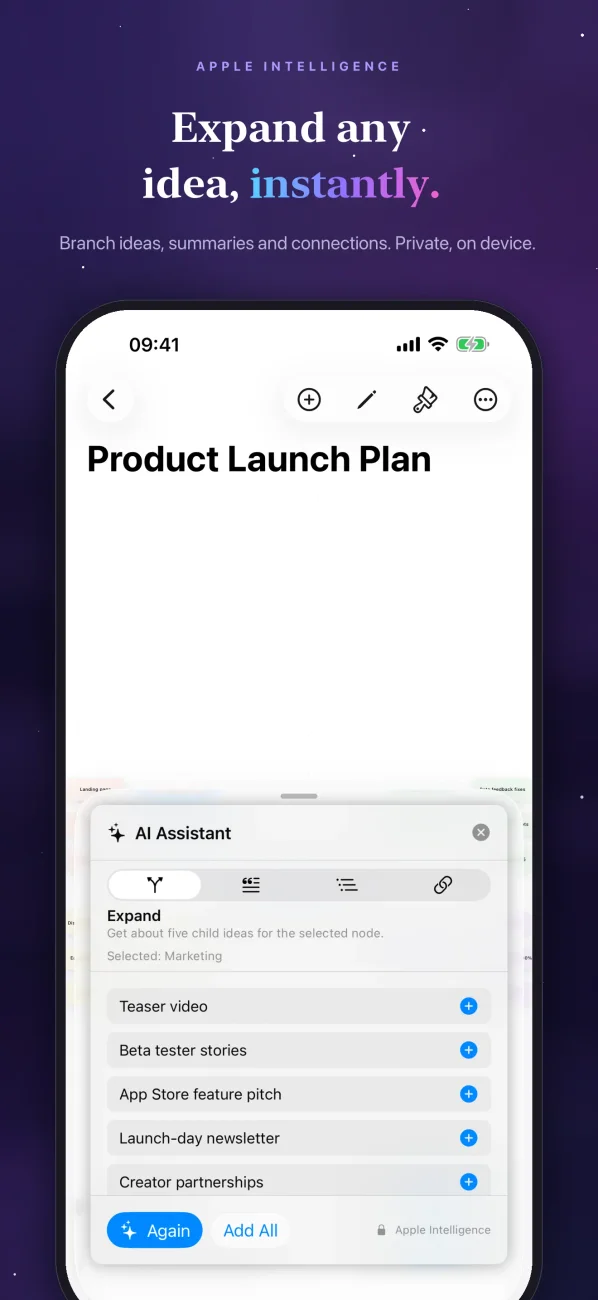
• Expand an idea into new branches, summarize a branch, suggest connections, or turn pasted text into a map
• Uses Apple Intelligence on supported devices — private and on-device
• Or connect your own OpenAI, Anthropic, Ollama or LM Studio account
—— ASTERBRIDGE PRO ——
Without a subscription you can keep up to 3 maps and export PNG. A monthly or yearly AsterBridge Pro subscription unlocks:
• Unlimited maps
• AI assistant
• PDF, Markdown, OPML and AsterBridge file export
• Inviting people to maps through iCloud
Subscriptions auto-renew until canceled. Payment is charged to your Apple Account at confirmation of purchase. The subscription renews automatically unless turned off at least 24 hours before the end of the current period. You can manage your subscription and turn off auto-renewal in your Apple Account settings.
Privacy policy: https://kk-studio.ch/privacy/
Terms of use: https://kk-studio.ch/terms/
—— SUPPORT ——
Questions, feedback, feature requests? Email welcome@kk-studio.ch — we read every message.
Happy mapping.
Neue Funktionen
Version 2.0.1 · 18.11.2026
AsterBridge 2.0 is our biggest update yet.
• Capture faster: Return adds the next idea, and a keyboard bar adds children, indents and outdents — build a whole branch without lifting your hands.
• Outline view: see and edit any map as an indented outline. On iPad and Mac, use the canvas and outline side by side.
• Keep Tidy: maps lay themselves out automatically as you edit.
• Apple Intelligence: expand ideas, summarize branches, suggest connections and turn pasted text into a map — privately, on your device (Pro).
• Import: paste notes or Markdown, photograph your handwritten notes, or open OPML, FreeMind and XMind files.
• Version History: preview and restore earlier versions of any map.
• Widgets, Shortcuts, a Share extension, Spotlight search and Handoff.
• Apple Pencil: sketch inside nodes and draw lines to connect ideas.
• Now in German, French and Japanese.
• Many fixes: Undo works reliably, counts and sync status are always accurate, and the paywall explains what's included.
App-Datenschutz
Was Kanchalika Kongyong im App Store zum Umgang dieser App mit Daten angibt.
-
Keine Daten erfasst
Der Entwickler erfasst keine Daten von dieser App.
Die Datenschutzpraktiken können variieren, zum Beispiel je nach den von Ihnen verwendeten Funktionen oder Ihrem Alter.
Informationen
- Anbieter
- Kanchalika Kongyong
- Kategorie
- Produktivität
- Version
- 2.0.1
- Aktualisiert
- 18.11.2026
- Veröffentlicht
- 30.04.2026
- Größe
- 6,5 MB
- Erfordert
- iOS 18.0 oder neuer
- Altersfreigabe
- 4+
- Preis
- Kostenlos
- In-App-Käufe
- Ja
- Sprachen
- Englisch, Französisch, Deutsch, Japanisch
- Copyright
- © 2026 AsterBridge by KK-Studio.ch. All rights reserved
Das könnte Ihnen auch gefallen
-
 IKT-Minimalstandard AuditCyber-Reifegrad selbst prüfen
-
 KMU Cyber-AuditIT-Sicherheits-Check für KMU
-
 K37 Simple FlowsProduktivität
-
 Weft: Mind MapsProduktivität
-
 Gift - Micro HabitsProduktivität
-
 AZNote: Notizen & AufgabenGliederung, To-dos, Agenda
-
 ThinkStowProduktivität
-
 MindSkyProduktivität
-
 Mosf - Tasks AppProduktivität
-
 WatchPomo - Focus TimerProduktivität