
Bloom - Face Timelapse
A daily photo, a growing story
Entwickelt für iPhone
Kostenlos · In-App-Käufe
- Altersfreigabe4+
- KategorieFoto und Video
- EntwicklerRobert Hasna
- SprachenEnglisch
- Größe58,0 MB
Verlinkt auf die offizielle App Store-Seite
Download.org hostet keine Datei von Bloom - Face Timelapse. Die Schaltfläche öffnet die App-Seite bei App Store, wo Robert Hasna die App veröffentlicht. Eintrag zuletzt geprüft am 18.11.2026.
Screenshots


Info
Der Entwickler hat diesen Text nicht in Ihrer Sprache bereitgestellt.
One photo a day. A story for a lifetime.
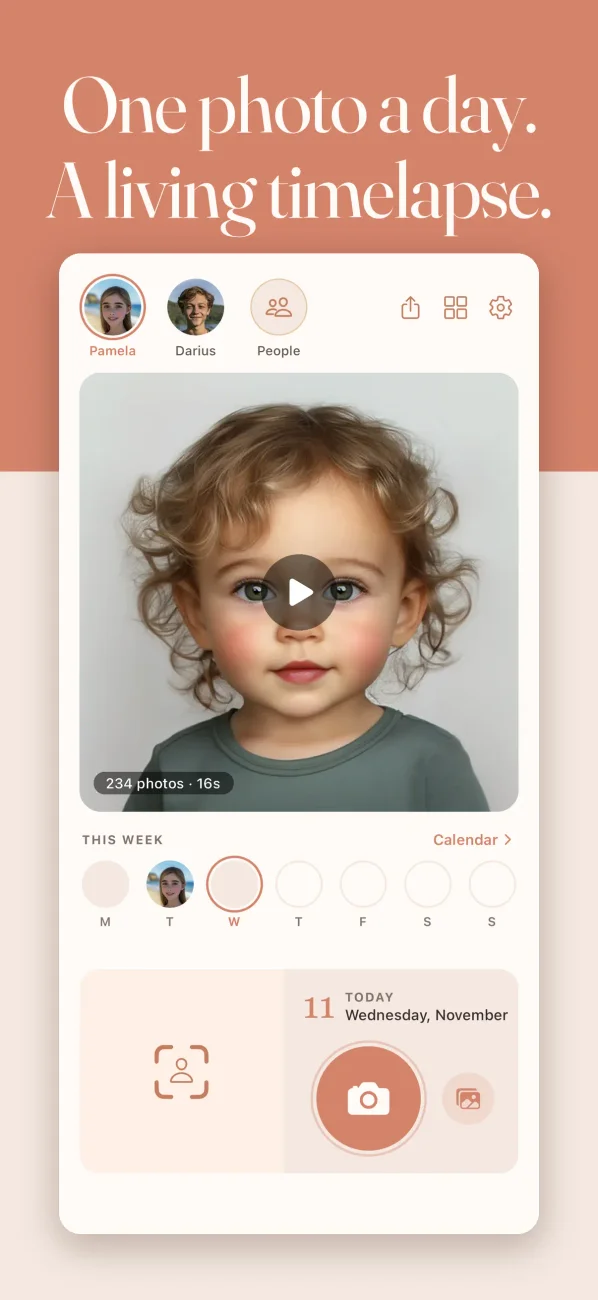
Bloom turns everyday photos of your child — or yourself — into a beautiful, ever-growing timelapse. Take a quick photo each day; Bloom aligns every face automatically and builds a smooth video of how they change, week by week, year by year.
HOW IT WORKS
1. Snap today's photo, or pick one from your gallery.
2. Bloom detects the face and aligns it with every other day.
3. Watch the timelapse grow — one day at a time.
WHAT YOU GET
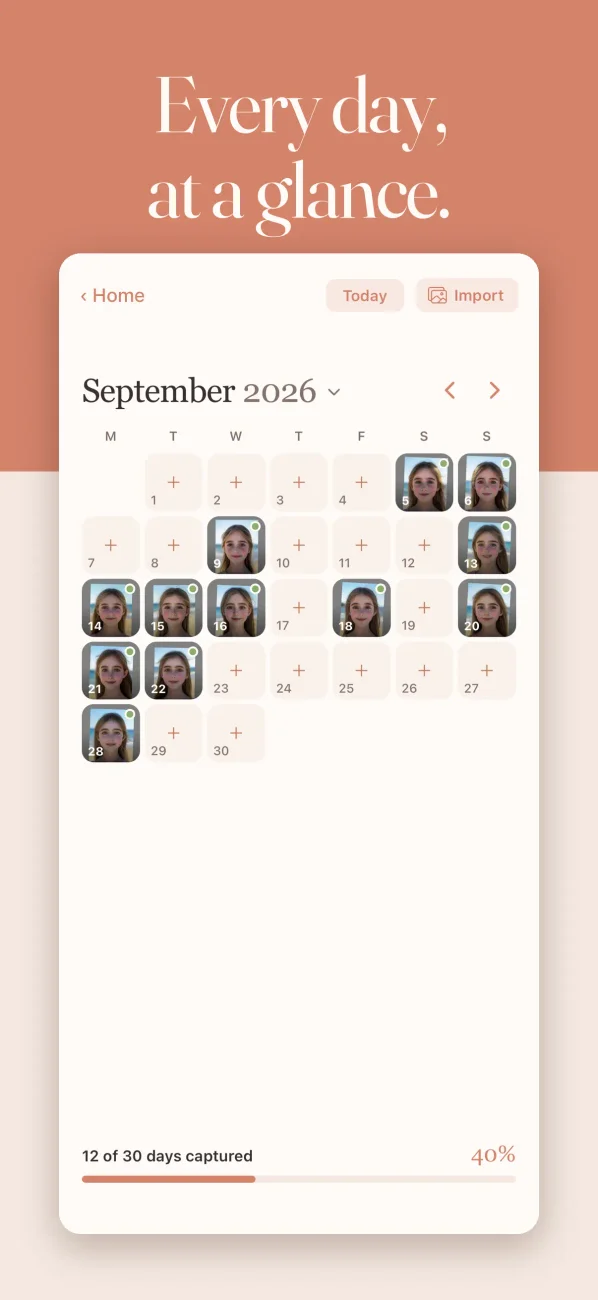
• A daily photo journal with a calendar of every day you've captured
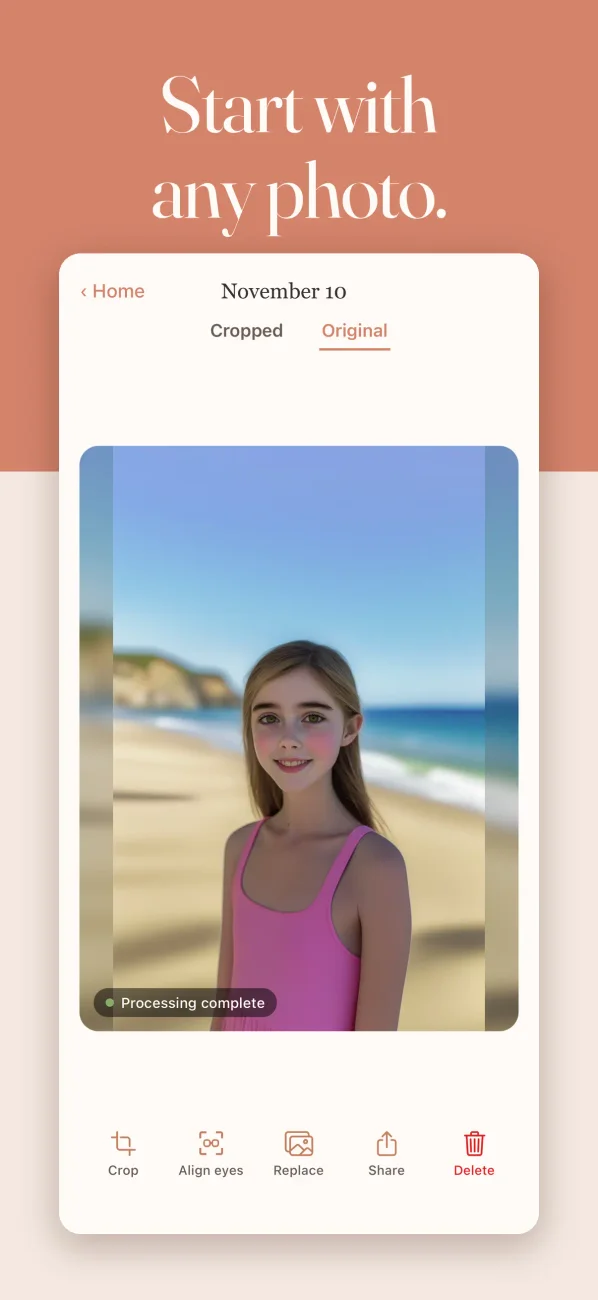
• Automatic face detection and alignment, plus a Crop and an Align eyes tool for the rare photo that needs a hand
• Import up to 50 photos from your gallery at once; each lands on the day it was taken
• A timelapse video that updates as you add photos
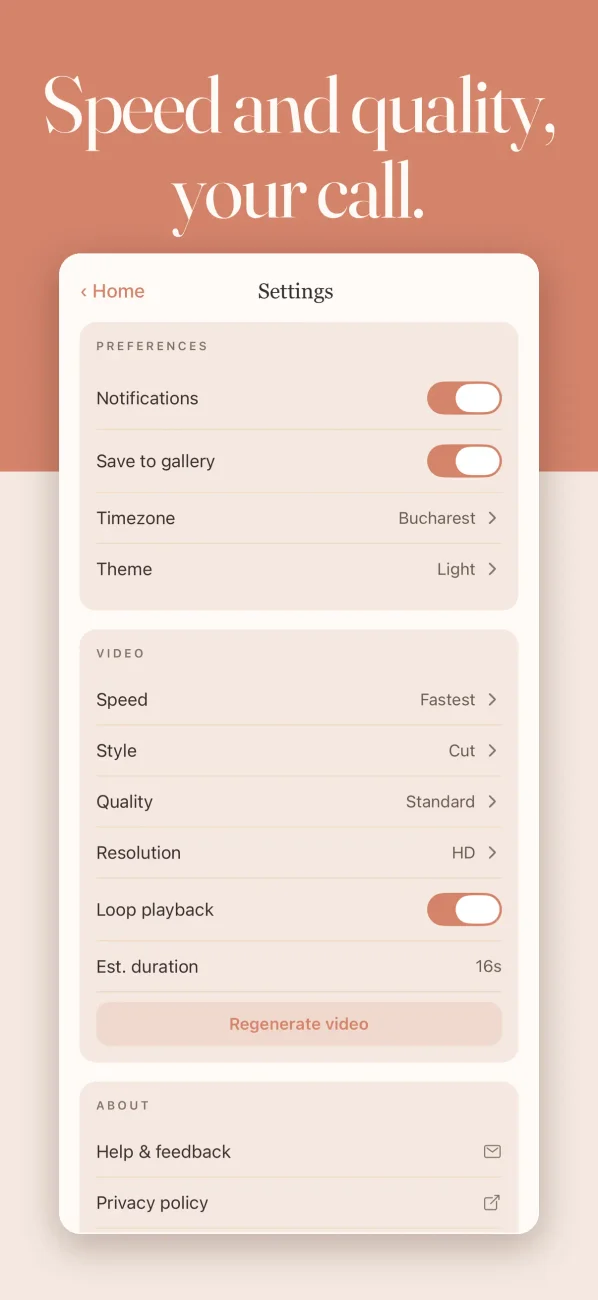
• Five speeds, from Gentle to Fastest, included in every plan
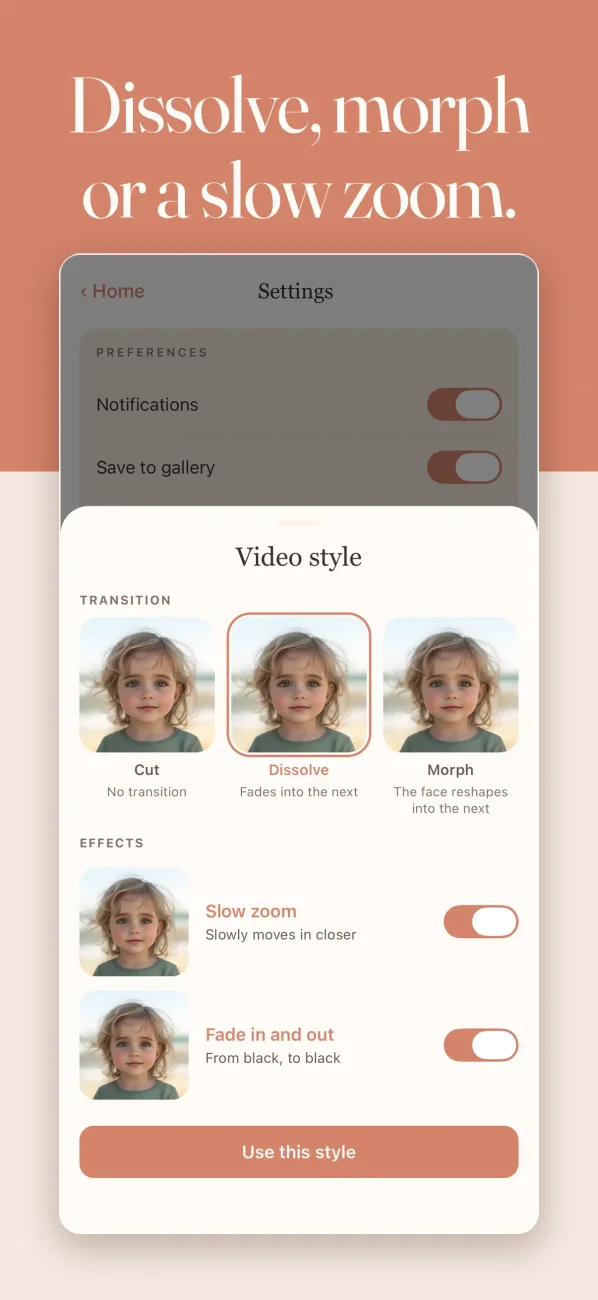
• Dissolve and Morph transitions, slow zoom and fade effects, higher quality and crisp UHD with Premium
• Track up to five people, each with their own timelapse, with Family
• Gentle daily reminders, only if you want them
• The six months before you joined are yours to fill in, so the story can start before today
YOUR PHOTOS STAY YOURS
Bloom is built for families first. Your photos are stored securely in the EU and used only to create your timelapses — never for ads, never to train AI, never shared. You can delete your account and every photo right in the app.
PLANS
Bloom is free to try — up to 90 days and 20 photos, no payment details needed. When you're ready to keep going, pick the plan that fits: Basic, Premium, or Family, billed monthly or yearly through your App Store account. The price is always shown in the app before you confirm.
Terms of Use: https://dailybloom.app/terms.html
Privacy Policy: https://dailybloom.app/privacy.html
Neue Funktionen
Version 1.1.0 · 14.11.2026
Bloom 1.1 is the biggest update yet.
• Import: pick up to 50 photos from your gallery at once. Bloom reads when each was taken and puts it on its day; you only sort out the ones it can't place.
• Crop and Align eyes: when a face is hard to find, crop the photo yourself or place the two eyes by hand and Bloom crops around your points.
• Video style: Dissolve and Morph transitions, a slow zoom and a fade in and out, with live samples to compare. Premium and Family.
• Speeds: five named speeds, Gentle to Fastest, now included in every plan.
• A new dashboard: switch between people with one tap, see this week at a glance, and today's photo within the thumb's reach.
• A refreshed calendar and photo screen.
• Loop the timelapse or stop at the end, every timezone in Settings, and a Support ID for help requests.
• The six months before you joined are free to fill in.
• Many fixes, including the video controls on iOS 27.
App-Datenschutz
Was Robert Hasna im App Store zum Umgang dieser App mit Daten angibt.
-
Mit Ihnen verknüpfte Daten
Können erfasst und mit Ihrer Identität verknüpft werden.
- Käufe
- Kontaktinformationen
- Benutzerinhalte
- Kennungen
Die Datenschutzpraktiken können variieren, zum Beispiel je nach den von Ihnen verwendeten Funktionen oder Ihrem Alter.
Informationen
- Anbieter
- Robert Hasna
- Kategorie
- Foto und Video
- Version
- 1.1.0
- Aktualisiert
- 14.11.2026
- Veröffentlicht
- 25.09.2026
- Größe
- 58,0 MB
- Erfordert
- iOS 16.4 oder neuer
- Altersfreigabe
- 4+
- Preis
- Kostenlos
- In-App-Käufe
- Ja
- Sprachen
- Englisch
- Copyright
- © 2026 Robert Hasna
Das könnte Ihnen auch gefallen
-
 Chrono-PhotoFoto und Video
-
 AfterImage: Daily TimelapseFoto und Video
-
 Lineup: Photo a DayFoto und Video
-
 BabyLapse: Baby Growth CameraFoto und Video
-
 Baby Wachstum: Morph VideoZeitraffer Fotos & Gesichter
-
 TinyLapse: Baby ZeitrafferEin Foto pro Tag, ein Video
-
 Real Estate Studio: ImmobilienVirtuelles Home Staging & KI
-
 Pawgress: Watch Them GrowHaustier Tagebuch & Fotos
-
 ChronosFace : Face Time-lapseFoto und Video
-
 GhostFrameFoto und Video