BlurData
Hide sensitive data from image
Entwickelt für iPhone, iPad, iPod touch
Kostenlos · In-App-Käufe
- Altersfreigabe4+
- KategorieDienstprogramme
- EntwicklerIvan Ancona
- SprachenEnglisch
- Größe6,6 MB
Verlinkt auf die offizielle App Store-Seite
Download.org hostet keine Datei von BlurData. Die Schaltfläche öffnet die App-Seite bei App Store, wo Ivan Ancona die App veröffentlicht. Eintrag zuletzt geprüft am 16.11.2026.
Screenshots

Info
Der Entwickler hat diesen Text nicht in Ihrer Sprache bereitgestellt.
Redact sensitive data from photos and PDFs — automatically, in seconds.
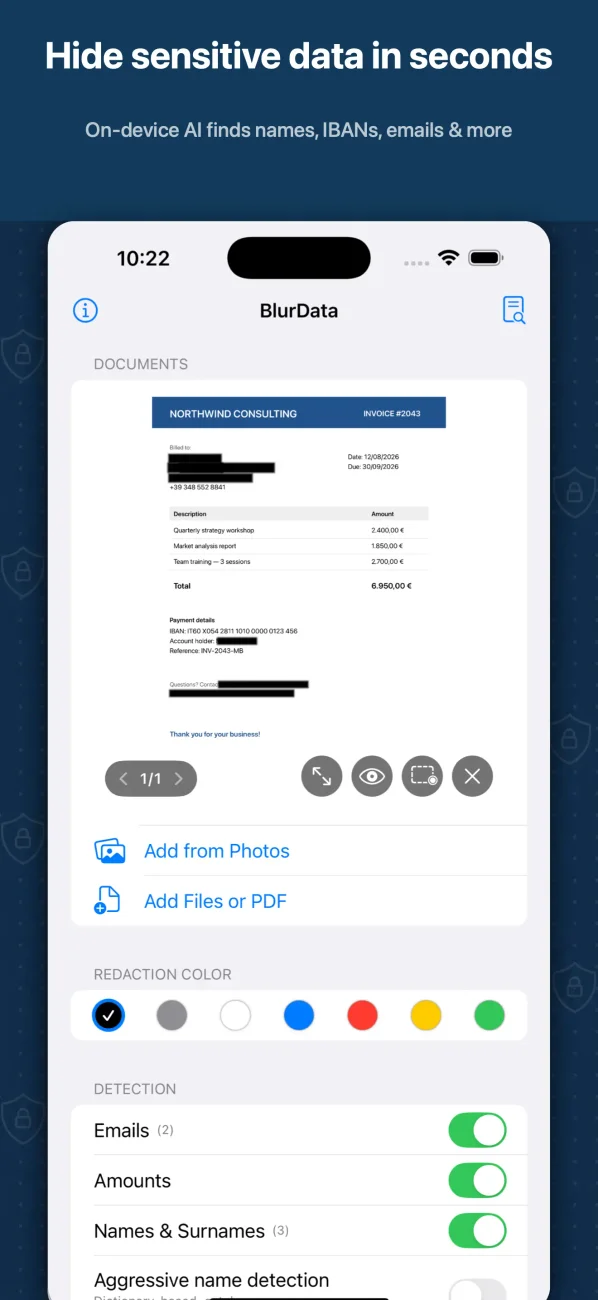
Point BlurData at a photo, a scan or a multi-page PDF: on-device AI detects names and surnames, email addresses, IBAN and account numbers, amounts, home addresses, URLs, IP addresses and license plates. Everything gets covered with clean redaction boxes, ready to share safely.
TRUE PDF REDACTION
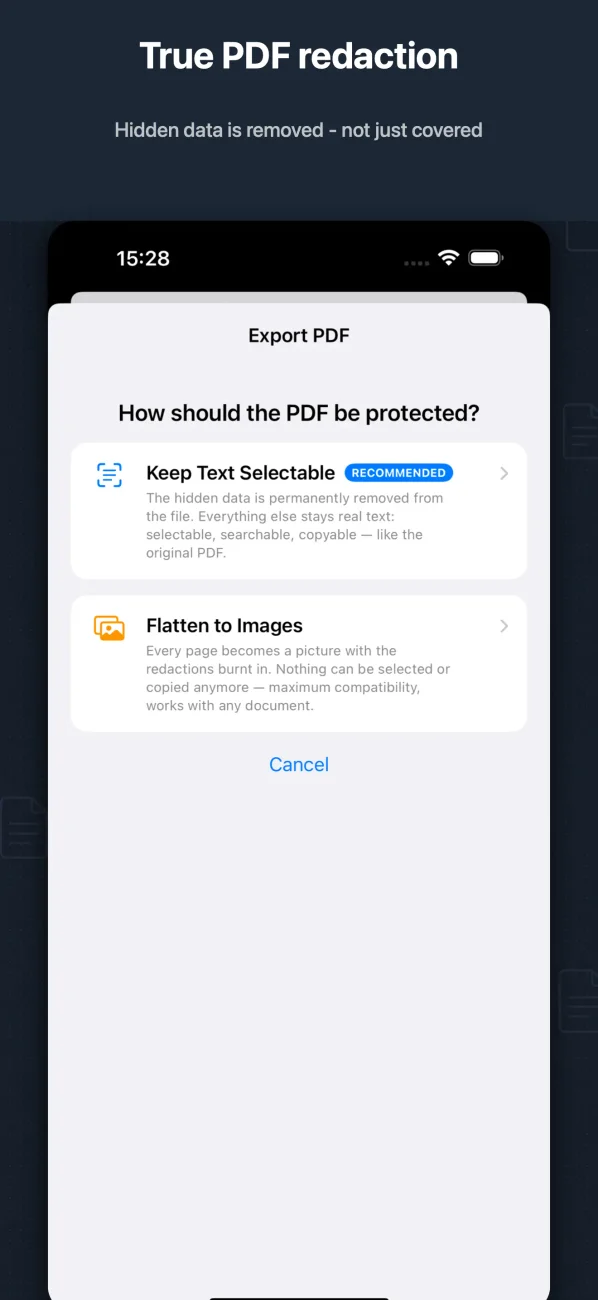
Most apps just draw a box on top. BlurData can remove the hidden text from the PDF file itself: what you redact cannot be selected, copied or recovered — while the rest of the document stays real, searchable text. Or flatten every page to images for maximum compatibility.
BUILT FOR REAL DOCUMENTS
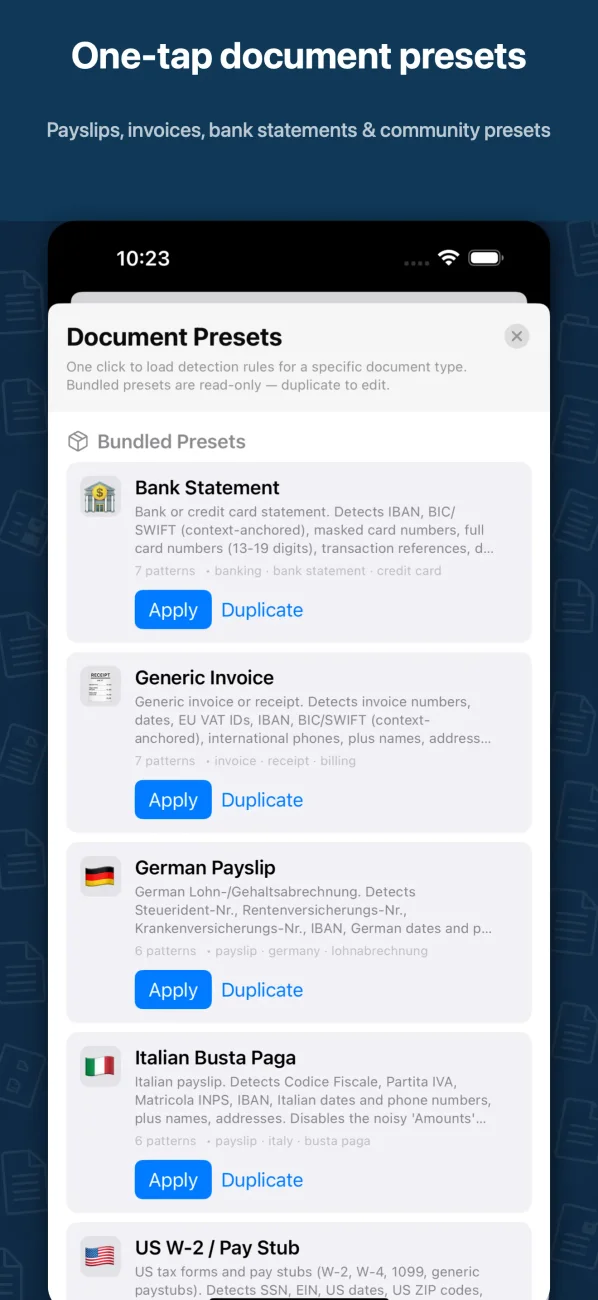
• One-tap presets for payslips, invoices and bank statements (Italian, German, US) plus community presets
• Custom patterns: hide any word, sequential IDs like Bates numbers, or full regular expressions
• Smart name detection: multi-language first-name dictionary, honorifics (Mr., Dr., Sig.), middle initials and surname propagation
• Draw to redact stamps, signatures and anything OCR can't read
• Multi-page PDFs: every page scanned and redacted automatically
• Double-tap any word in the preview to hide it everywhere
• 7 redaction colors, pinch-to-zoom inspection, hold-to-reveal comparison
PRIVATE BY DESIGN
All processing happens on your iPhone and iPad. Your documents never leave the device — no uploads, no cloud, no account required.
FREE TO TRY, PRO TO EXPORT
Load documents, run detection and preview redactions for free. Unlock PRO (or grab a one-time Saves Pack) to save unlimited pages to Photos and export protected PDFs.
Perfect for landlords, lawyers, accountants, HR, real estate, freelancers and anyone sharing documents online.
Also available for Mac — visit blurdata.app
Terms of Use (EULA): https://www.apple.com/legal/internet-services/itunes/dev/stdeula/
Privacy Policy: https://blurdata.app/privacy-policy
Neue Funktionen
Version 2.0 · 17.08.2026
BlurData 2.0 — the biggest update ever.
• PDF support: open multi-page PDFs, detect sensitive data on every page, export a protected PDF (true redaction: hidden text is removed, the rest stays selectable)
• Document Presets: one tap to load rules for payslips, invoices, bank statements — plus community presets
• Custom patterns: hide any word, sequential IDs (like Bates numbers) or regex across every page
• Smarter name detection: multi-language dictionary, honorifics, middle initials, surname propagation
• New detectors: addresses, IBAN/account numbers, URLs, IP addresses
• Draw to redact stamps and signatures, hold-to-reveal, pinch-to-zoom viewer
• Full iPad redesign with a desktop-class layout
• Everything is free to try — saving and exporting require PRO
App-Datenschutz
Was Ivan Ancona im App Store zum Umgang dieser App mit Daten angibt.
-
Keine Daten erfasst
Der Entwickler erfasst keine Daten von dieser App.
Die Datenschutzpraktiken können variieren, zum Beispiel je nach den von Ihnen verwendeten Funktionen oder Ihrem Alter.
Informationen
- Anbieter
- Ivan Ancona
- Kategorie
- Dienstprogramme
- Version
- 2.0
- Aktualisiert
- 17.08.2026
- Veröffentlicht
- 04.03.2024
- Größe
- 6,6 MB
- Erfordert
- iOS 15.0 oder neuer
- Altersfreigabe
- 4+
- Preis
- Kostenlos
- In-App-Käufe
- Ja
- Sprachen
- Englisch
- Copyright
- © IYIA 2026
Das könnte Ihnen auch gefallen
-
 CamDocScanner- Scan DocumentsDienstprogramme
-
 Online Protector check a siteWebsite safe checker
-
 Cleanup # Hide Photos VideosDienstprogramme
-
 PDF2JPG - Convert PDF 2 JPGDienstprogramme
-
 Imagio - Reverse Image SearchDienstprogramme
-
 Website Blocker for ParentsDienstprogramme
-
 Snap Swipe - Fotos löschenGalerie aufräumen, Duplikate
-
 Octofile 3Dienstprogramme
-
 Multi Angle Meter For WatchDienstprogramme
-
 ShareFi - Phone to PC TransferDienstprogramme