- Altersfreigabe4+
- KategorieFoto und Video
- EntwicklerSEYED SAM SHAYEGAN SALEK
- SprachenEnglisch
- Größe843,0 KB
Verlinkt auf die offizielle App Store-Seite
Download.org hostet keine Datei von Borderz. Die Schaltfläche öffnet die App-Seite bei App Store, wo SEYED SAM SHAYEGAN SALEK die App veröffentlicht. Eintrag zuletzt geprüft am 18.11.2026.
Screenshots
Info
Der Entwickler hat diesen Text nicht in Ihrer Sprache bereitgestellt.
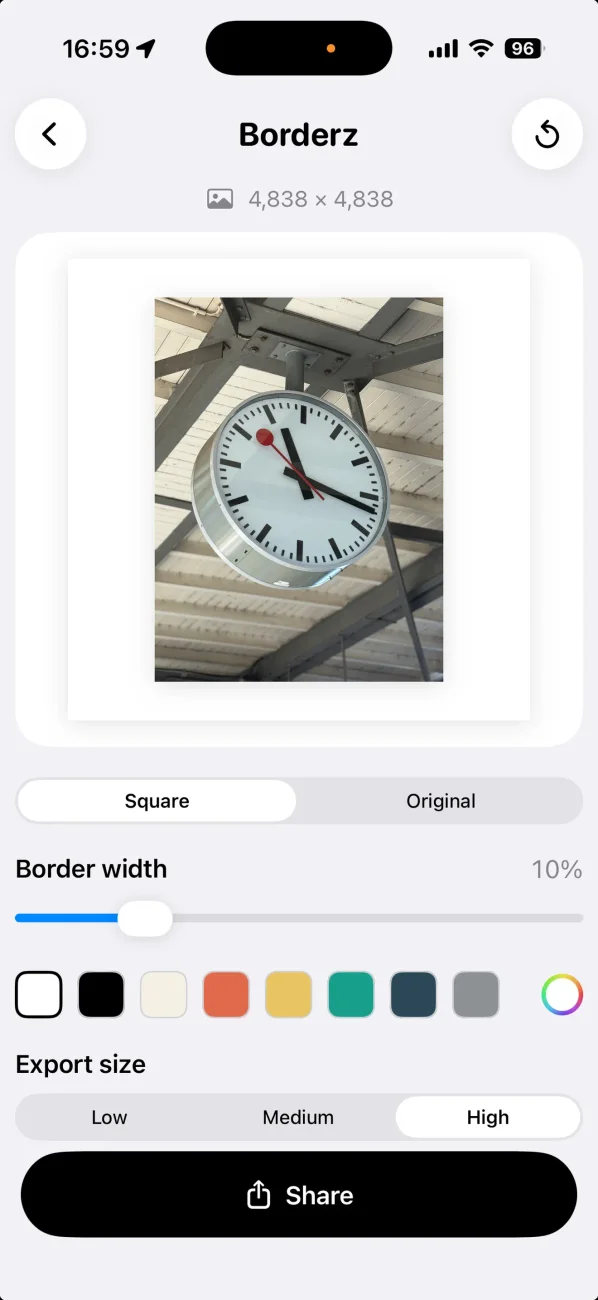
Borderz puts a clean, adjustable border around your photos — one at a time, or a whole trip at once.
A photo in a frame reads differently than a photo on its own. A mat or border isn't decoration; it's what turns an image into something you stop and look at. Borderz brings that idea to the photos in your pocket.
HOW IT WORKS
1. Pick one photo, or up to 50. No setup, no account.
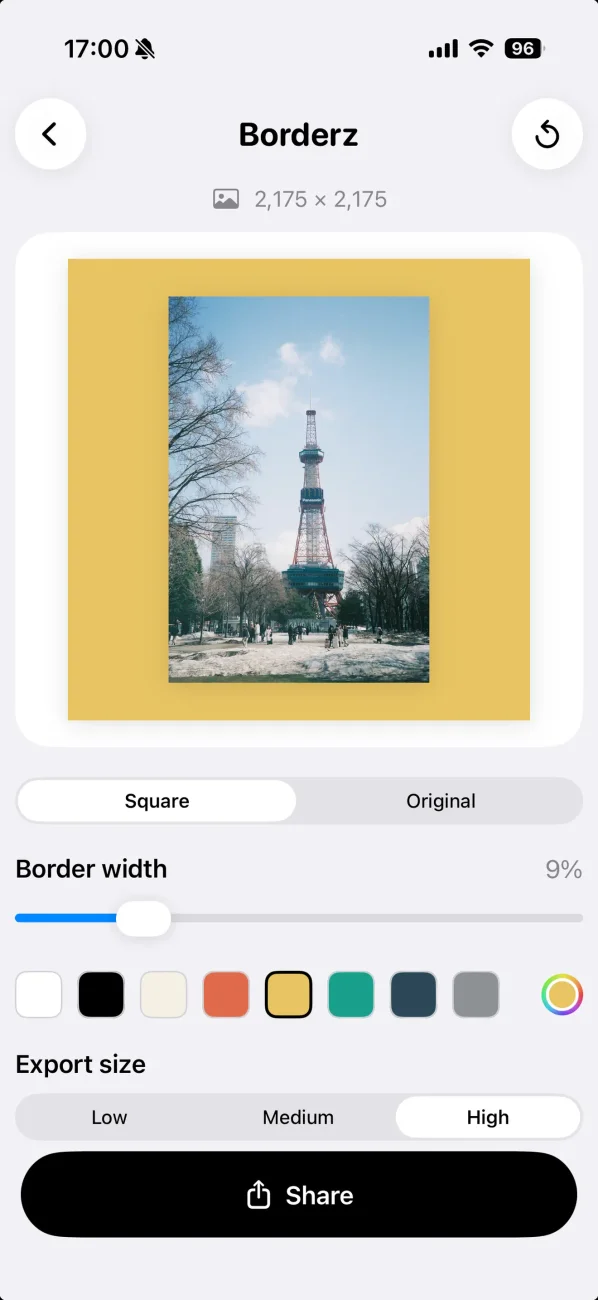
2. Frame them. Choose Square or Original, drag the border width, pick a color, and add a caption. The preview updates instantly.
3. Share. Export at Low, Medium, or High resolution to Photos, Messages, or any app.
BATCH EDITING
• Give a whole set of photos the same look in one go
• Tweak any single photo on top, such as a different color or caption, without touching the rest
• Share every photo at once
CROP & ROTATE
• Zoom, reposition, and rotate right in the app
• Popular aspect ratios: 1:1, 4:5, 9:16, 16:9 and more
• Cropping is applied at full resolution when you export
SMART CAPTIONS
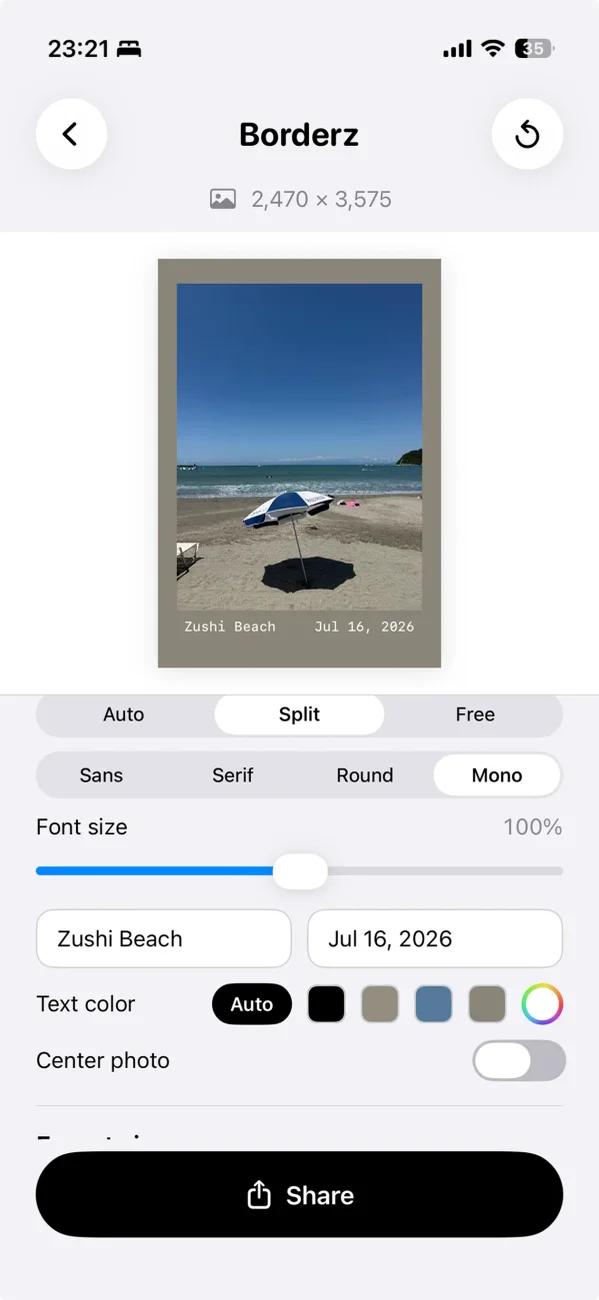
• Three layouts: Auto, Split (location on the left, date on the right), and Free placement
• Text sizes itself to fit your photo, with a slider to fine-tune
• 20 fonts, from clean sans to typewriter and script
• Dates fill in automatically from when each photo was taken
• Text colors picked from your photo, or any color you like
• The preview zooms in on your caption as you type
PRESETS
• Save a look you love and apply it to any photo in one tap
MAKE IT YOURS
• Border width from a hairline to a wide gallery mat
• Photo outline in any color, from a hairline to bold
• Border colors suggested from your photo, plus presets and a full color wheel
• Center Photo option for perfectly balanced borders with captions
• Tap the preview to see it fullscreen and zoom in
PRIVATE BY DESIGN
Your photos never leave your device. There is no Borderz server, no account, no analytics, no ads.
COMPLETELY FREE
No subscription, no in-app purchases, no locked features.
Questions or ideas? Write to pallyapp.help@gmail.com.
Neue Funktionen
Version 1.2 · 10.10.2026
Frame a whole trip in one go! This update brings batch editing, cropping, presets, and lots of new fonts.
BATCH EDITING
• Choose up to 50 photos and give them all the same frame
• Tweak any single photo on top, such as a different color or caption, without touching the rest
• Share them all at once
CROP & ROTATE
• Reframe photos right in the app: zoom, reposition, and rotate
• Popular aspect ratios: 1:1, 4:5, 9:16, 16:9 and more
PHOTO OUTLINE
• Add an outline around your photo in any color, from a hairline to bold, which looks great on colored borders
PRESETS
• Save your favorite look and reuse it on any photo in one tap
SMARTER CAPTIONS
• 20 fonts to choose from, including Futura, Didot, Typewriter and Script
• Captions now fill in the date each photo was taken, so every photo in a batch gets its own date
• The preview zooms in on your caption while you type, so you can see exactly how it looks
TIDIER CONTROLS
• Settings are grouped into sections you can collapse, and the app remembers how you left them
Every photo deserves a frame — now the whole album does too.
App-Datenschutz
Was SEYED SAM SHAYEGAN SALEK im App Store zum Umgang dieser App mit Daten angibt.
-
Keine Daten erfasst
Der Entwickler erfasst keine Daten von dieser App.
Die Datenschutzpraktiken können variieren, zum Beispiel je nach den von Ihnen verwendeten Funktionen oder Ihrem Alter.
Informationen
- Anbieter
- SEYED SAM SHAYEGAN SALEK
- Kategorie
- Foto und Video
- Version
- 1.2
- Aktualisiert
- 10.10.2026
- Veröffentlicht
- 13.07.2026
- Größe
- 843,0 KB
- Erfordert
- iOS 16.6 oder neuer
- Altersfreigabe
- 4+
- Preis
- Kostenlos
- Sprachen
- Englisch
- Copyright
- © 2026 Sam Salek
Das könnte Ihnen auch gefallen
-
 PhotoBorder: EXIF-RahmenWeißer Rand mit Aufnahmedaten
-
 MemoframeFoto und Video
-
 FrameTales: Photo Frame & EXIFFoto und Video
-
 Rand hinzufügen – FotoIdeal für Insta-Posts & Storys
-
 gaku - Photo FramesFoto und Video
-
 Framo: Simply FramedFoto und Video
-
 Matelo: Photo BordersFoto und Video
-
 Frame Mark: Frame for photosFoto und Video
-
 LucidFrameFoto und Video
-
 Video Player & EditorFoto und Video