
BrickRecon
Masonry inspections & leads
Entwickelt für iPhone, iPad
Kostenlos · In-App-Käufe
- Altersfreigabe4+
- KategorieWirtschaft
- EntwicklerJoseph Vega
- SprachenEnglisch
- Größe108,4 MB
Verlinkt auf die offizielle App Store-Seite
Download.org hostet keine Datei von BrickRecon. Die Schaltfläche öffnet die App-Seite bei App Store, wo Joseph Vega die App veröffentlicht. Eintrag zuletzt geprüft am 20.11.2026.
Screenshots



Info
Der Entwickler hat diesen Text nicht in Ihrer Sprache bereitgestellt.
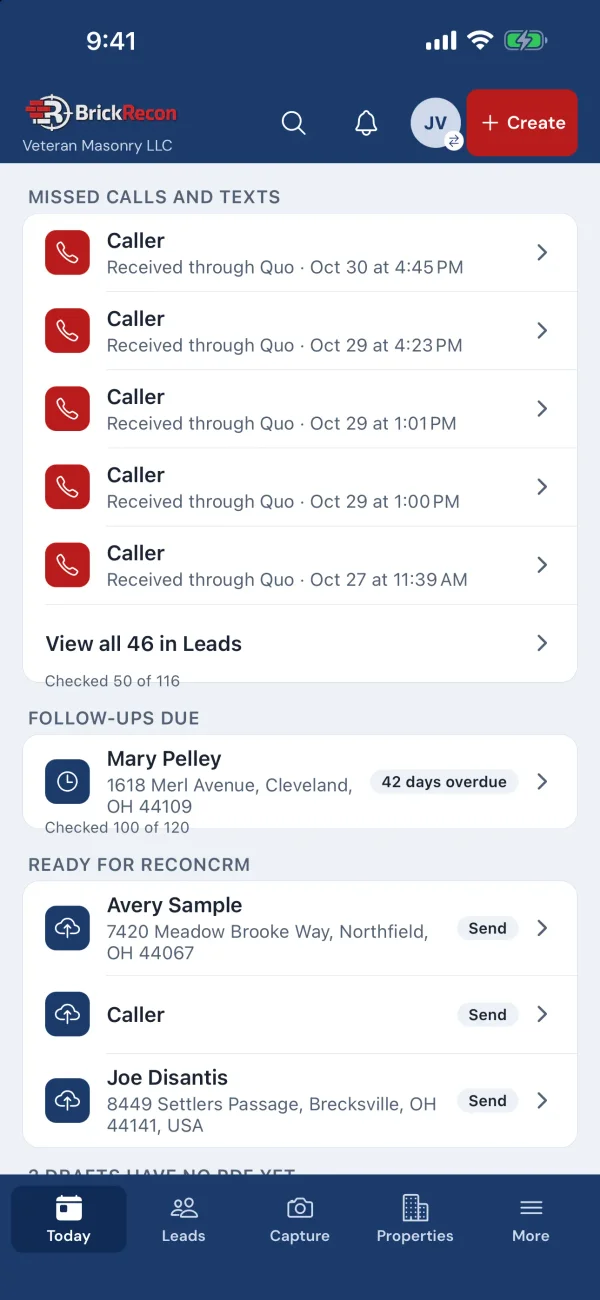
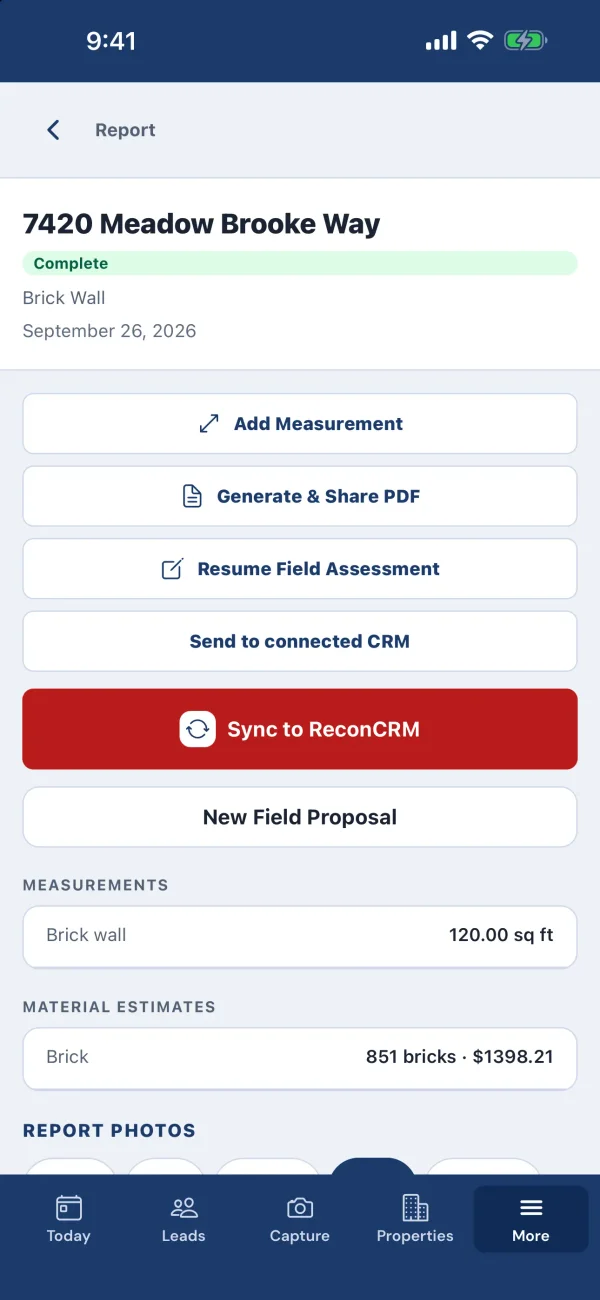
BrickRecon is a connected field workspace for masonry contractors. Capture and qualify leads, document properties, run construction quality checks, inspect masonry, and complete reports from an iPhone or iPad. The same company-scoped records are available in the BrickRecon web workspace.
FIELD LEADS
- Capture field leads from door-to-door canvassing, CSV imports, pasted conversations, and quote-request link submissions
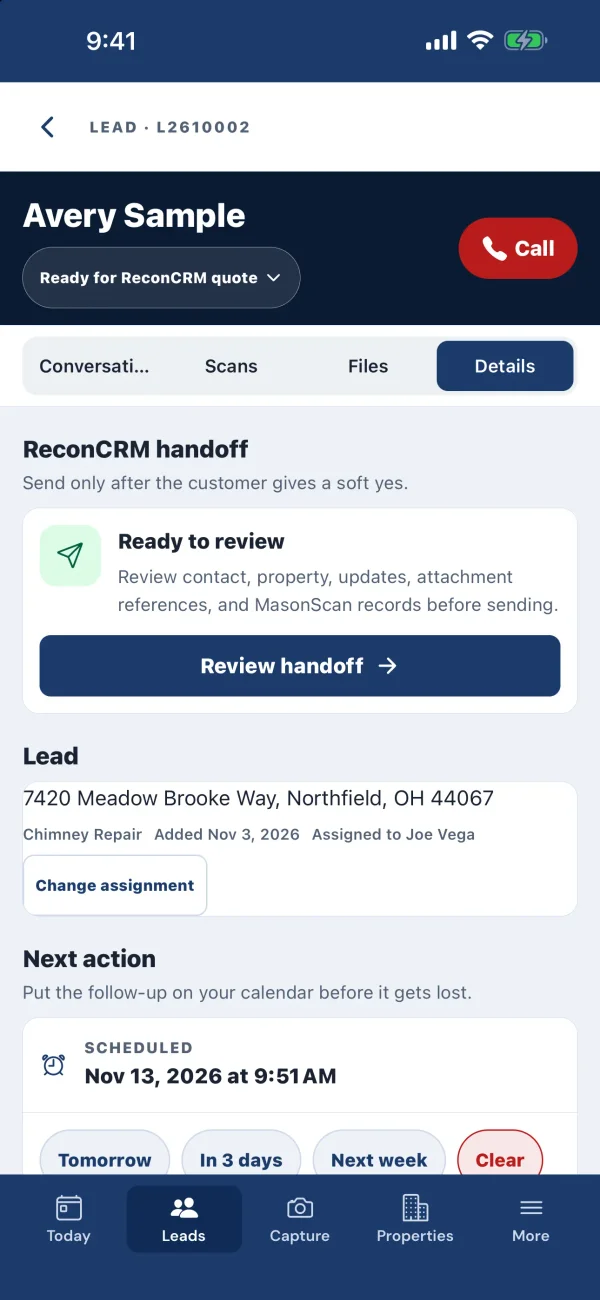
- Classify each lead as a prospect or customer, record follow-up notes, and keep the full activity history together
- Open a lead's text history, review delivery status, and send follow-ups through the company's connected Quo line when texting is configured and permitted
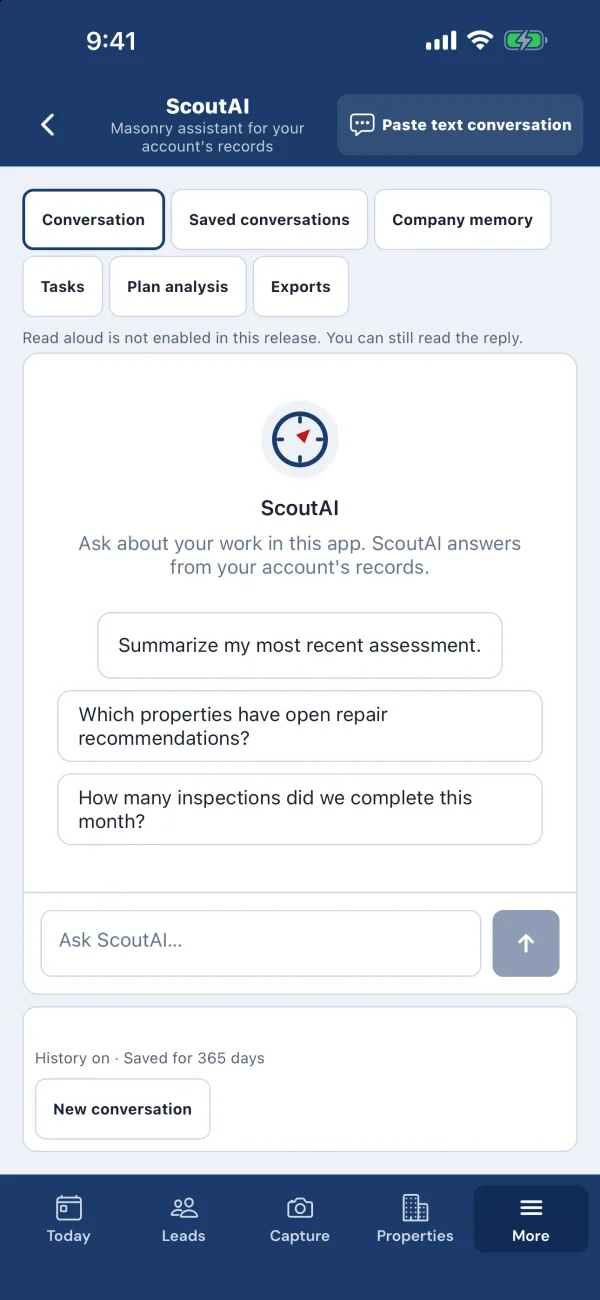
- Paste a multi-message text conversation into ScoutAI, review the extracted name, email, address, work request, and notes, and confirm the details before anything is saved
- Enter a complete phone number so BrickRecon can check for an existing contact or create a new prospect
- Attach lead photos, documents, exported voicemails, and other customer audio
CONSTRUCTION QA
- Create project QA records from a 219-item masonry checklist organized into Parts I–IV
- Record Pass, Fail, or N/A for each item and track progress by checklist part
- Complete Exhibit A discrepancy details, review the Exhibit B resolution log, record QC and owner approvals, and close or reopen QA records
- Continue the same company-scoped QA record on iPhone, iPad, or web
PROPERTIES AND FIELD WORK
- Use address autocomplete to create accurate property records
- View properties on a map and keep property, inspection, report, MasonScan, and field history together
- Complete masonry inspections and canvassing work, and review existing field assessments
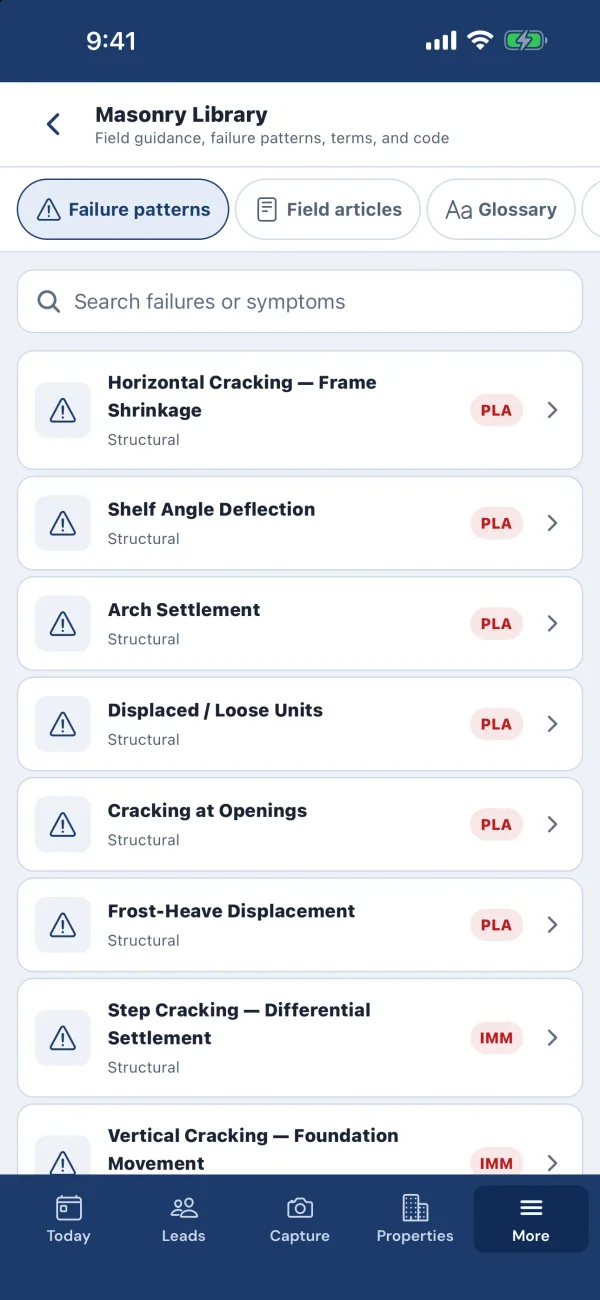
- Use trade calculators, masonry tools, and the reference library in the field
MASONSCAN AND REPORTS
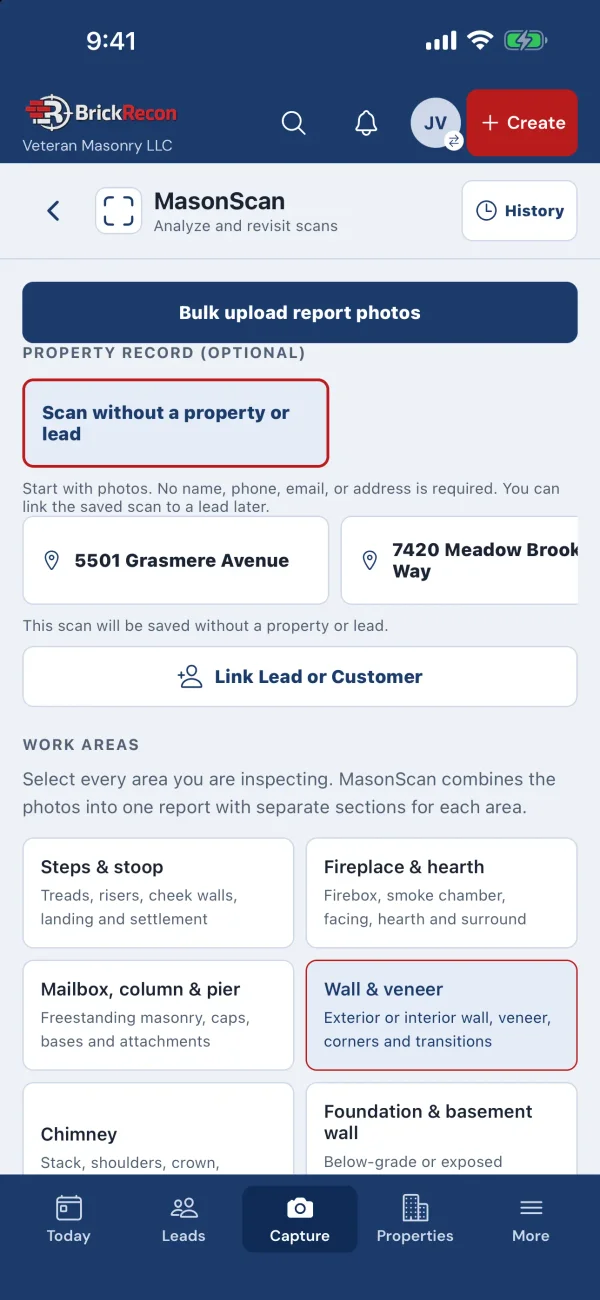
- Submit multiple masonry photos up to the limit shown for the current plan and review the documented conditions
- Group multiple views of the same assembly while keeping different visible assemblies in separate named sections, such as Chimney A, Front Steps, or North Retaining Wall
- Open selected and saved photos at full resolution and use pinch to zoom for close field review
- Build a comprehensive, field-reviewable report organized by assembly, finding, severity, location, and source photo
- Keep MasonScan results and completed field reports with the property record
RECONCRM HANDOFF
BrickRecon documents and qualifies field work. Qualified leads and completed field records can be handed off to ReconCRM, where office teams handle quotes and the commercial workflow.
APP STORE SUBSCRIPTIONS
Eligible monthly plans can be purchased through the App Store from More > Subscription. Existing App Store purchases can be restored there, and active subscriptions can be managed through the App Store account controls linked inside the app.
A BrickRecon account is required.
Terms of Use: https://www.brickrecon.app/terms
Privacy Policy: https://www.brickrecon.app/privacy
Terms of Use (EULA): https://www.apple.com/legal/internet-services/itunes/dev/stdeula/
Neue Funktionen
Version 1.2.0 · 13.11.2026
New in BrickRecon 1.2.0:
• Capture jobsite photos, video, and voice notes; work through checklists and punch items. Jobsite tools are available to accounts enabled for the pilot.
• Find Jobsites directly in the iPad navigation when your account has access.
• Ask ScoutAI questions with photos or voice, and recover unfinished questions after an offline restart.
• Save calculator results into a report so the numbers stay with the field record.
• Start a report from a saved company template.
• Send homeowner inspection requests from a lead or property.
• Read field replies in the new Inbox and see when unread messages need attention.
• Scan supported warranty QR stickers to open the matching property.
• Search for a field form and open it directly on your device.
• Browse approved photos in the masonry failure reference library.
• Keep field changes moving after reconnecting with more reliable offline retries.
• Review the updated iPad layouts and confirm before signing out.
• View your selected company's saved dashboard and create one when needed.
• Manage saved company templates for measurement worksheets, material assemblies, and inspection checklists.
App-Datenschutz
Was Joseph Vega im App Store zum Umgang dieser App mit Daten angibt.
-
Keine Daten erfasst
Der Entwickler erfasst keine Daten von dieser App.
Die Datenschutzpraktiken können variieren, zum Beispiel je nach den von Ihnen verwendeten Funktionen oder Ihrem Alter.
Informationen
- Anbieter
- Joseph Vega
- Kategorie
- Wirtschaft
- Version
- 1.2.0
- Aktualisiert
- 13.11.2026
- Veröffentlicht
- 20.08.2026
- Größe
- 108,4 MB
- Erfordert
- iOS 16.4 oder neuer
- Altersfreigabe
- 4+
- Preis
- Kostenlos
- In-App-Käufe
- Ja
- Sprachen
- Englisch
- Copyright
- © 2026 Veteran Built Software
Das könnte Ihnen auch gefallen
-
 Contractor's WorkWirtschaft
-
 Mason WorkforceWirtschaft
-
 Constropedia Brick CalculatorProduktivität
-
 GoSite - #1 Small Business AppWirtschaft
-
 Two Maids TeamsWirtschaft
-
 My Community Credit UnionFinanzen
-
 Werbeanzeigen-DesignerWerbeanzeigen, die verkaufen
-
 Zodel - Book Models, Find JobsWirtschaft
-
 Origami LiveProduktivität
-
 Littlebird AIProduktivität