
BuildTab
Hobby Project Cost Tracker
Entwickelt für iPhone, iPad
Kostenlos · In-App-Käufe
- Altersfreigabe4+
- KategorieProduktivität
- EntwicklerRod Xavier Bondoc
- SprachenEnglisch
- Größe2,2 MB
Verlinkt auf die offizielle App Store-Seite
Download.org hostet keine Datei von BuildTab. Die Schaltfläche öffnet die App-Seite bei App Store, wo Rod Xavier Bondoc die App veröffentlicht. Eintrag zuletzt geprüft am 14.11.2026.
Screenshots


Info
Der Entwickler hat diesen Text nicht in Ihrer Sprache bereitgestellt.
BuildTab helps makers track the true cost of their projects — not just what they bought, but what they actually used.
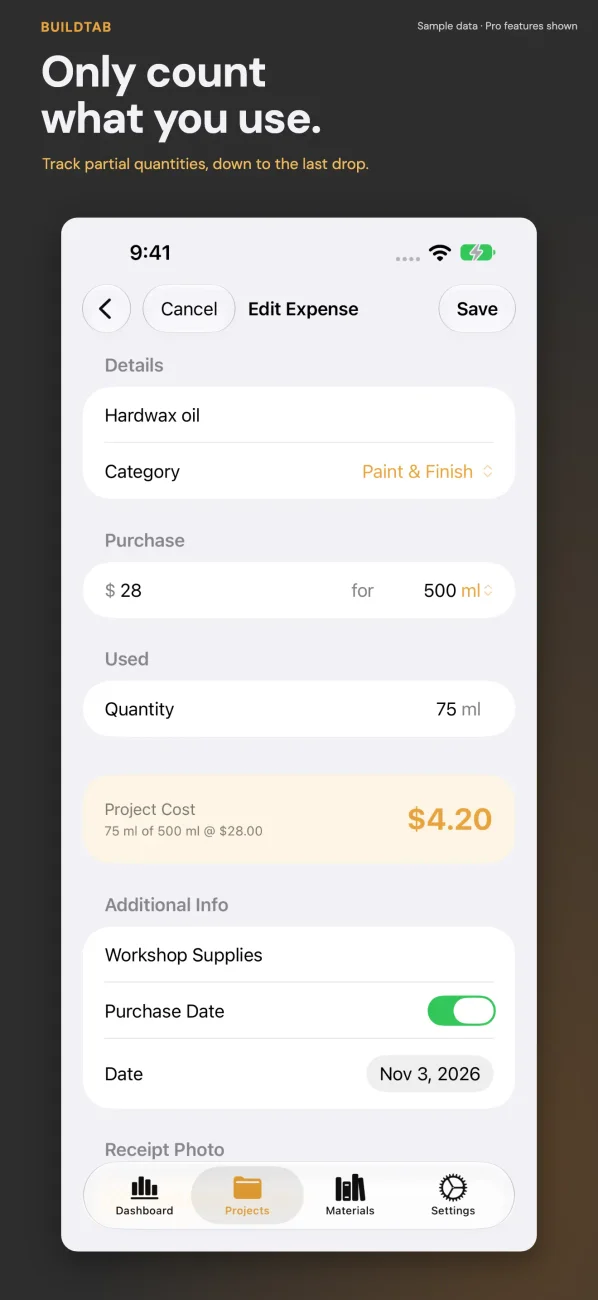
Used 200g of a 1kg spool? BuildTab calculates the $5 it cost your project, not the $25 you paid at the store. That's partial usage tracking, and it's what makes BuildTab different from every spreadsheet, notes app, and generic budgeting tool.
TRACK WHAT MATTERS
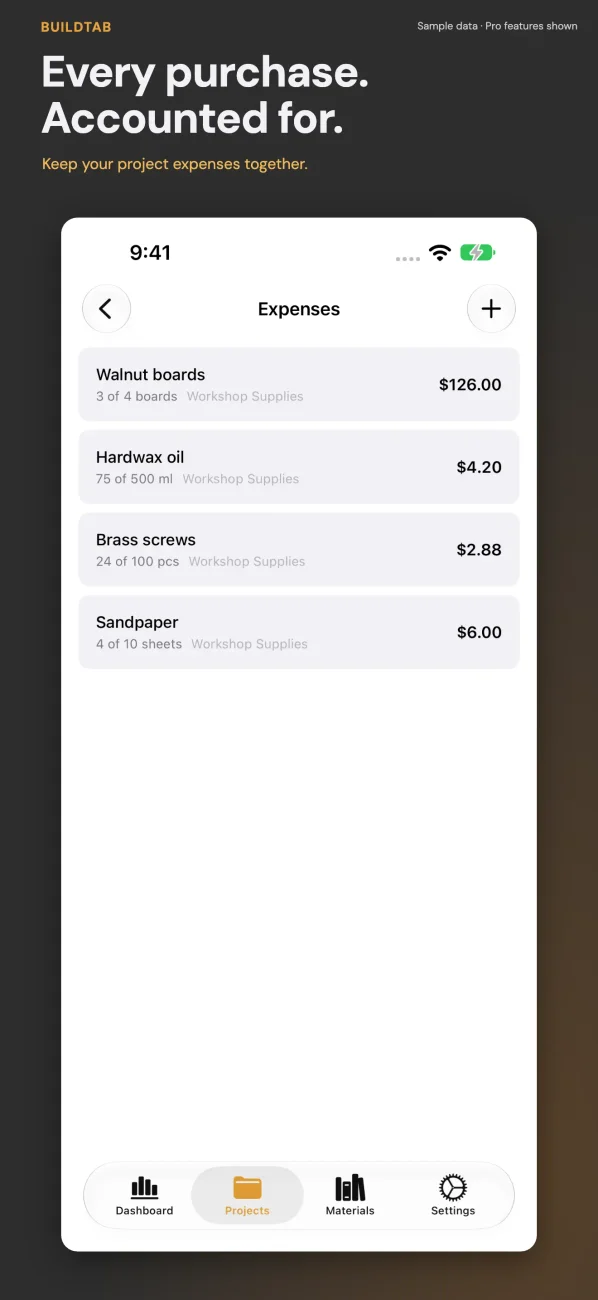
Add expenses with the full purchase details, then enter how much you actually used. BuildTab does the maths instantly and shows you the real project cost.
TIME TRACKING
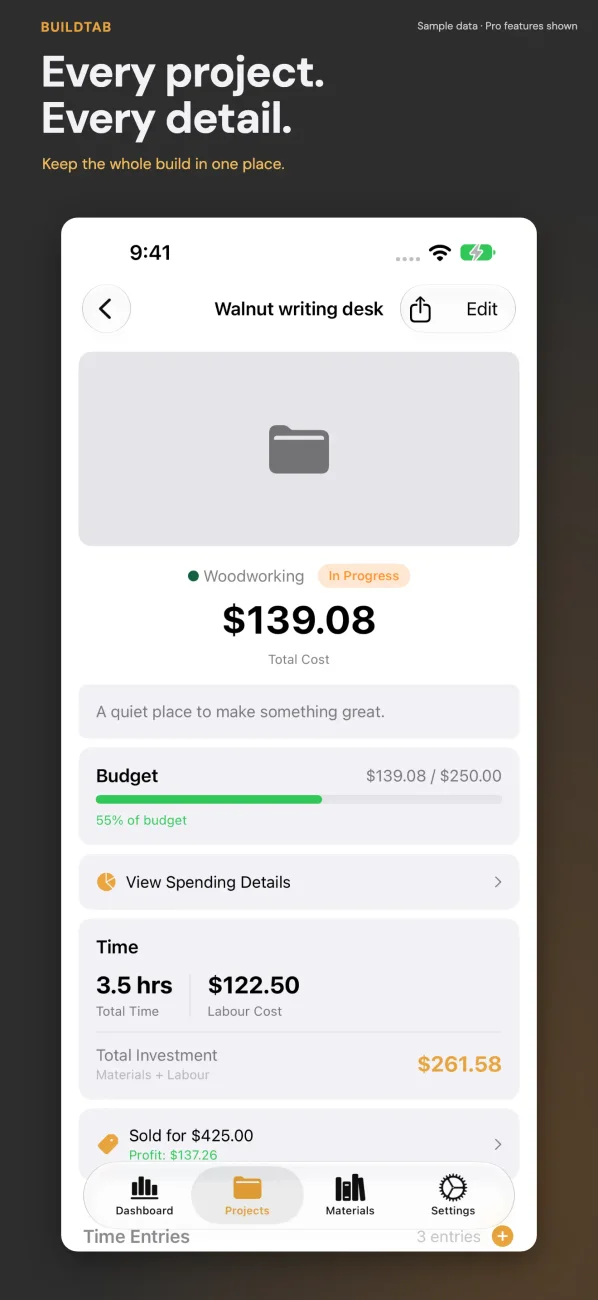
Log hours spent on each project. With Pro, set your hourly rate to calculate labour costs. See your total investment — materials plus time — so you know what your work is really worth. Perfect for makers who sell their creations or just want the complete picture.
KNOW WHAT TO CHARGE
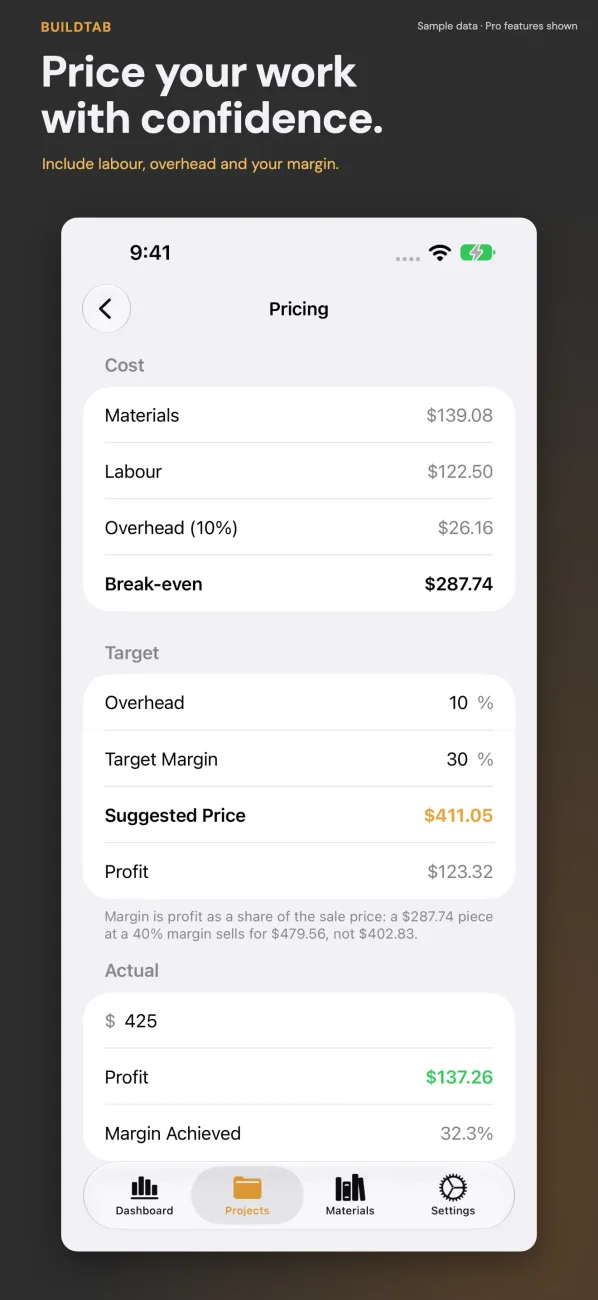
With Pro, if you sell your work, BuildTab suggests a sale price. Set your overhead and a target profit margin, and it builds a price from your true cost — materials, labour, and overhead. Record what a piece actually sold for and see your real profit. It does margin properly, too: profit as a share of the sale price, not a markup on cost.
SHARE YOUR WORK
Generate beautiful social media images to show off your completed projects. Export detailed PDF reports with cover photos, notes, spending breakdowns, expenses, and time entries — perfect for client invoices or personal records.
MATERIALS LIBRARY
Save the materials you use regularly with their default prices and units. Next time you add an expense, pick from your library instead of typing everything again.
BUDGET TRACKING
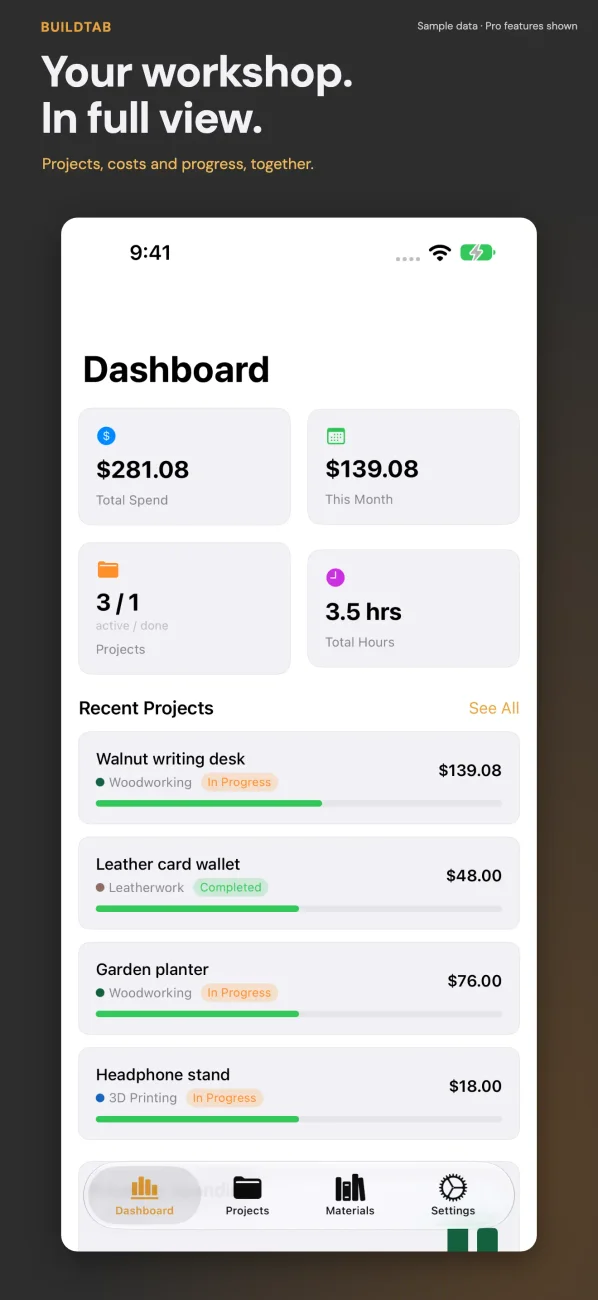
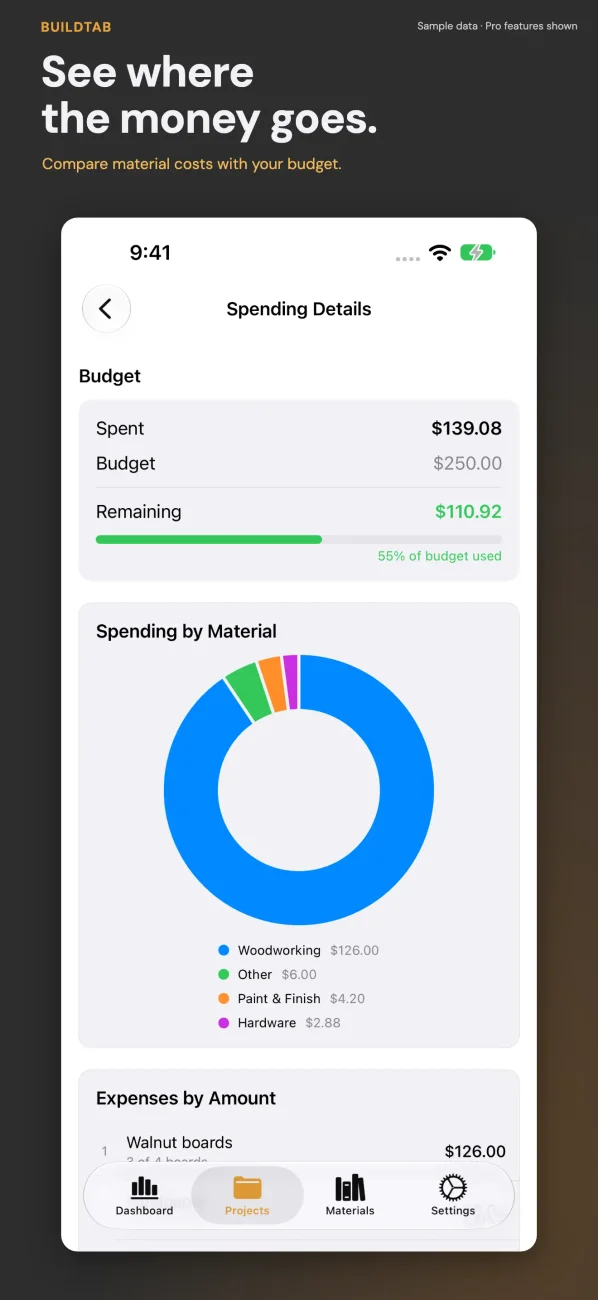
Set a budget for each project and watch your spending in real time. The progress bar shows exactly where you stand — green when you're on track, amber when you're getting close.
BUILT FOR MAKERS
BuildTab is designed for people who build things with their hands — woodworkers, 3D printers, leatherworkers, knitters, miniature painters, electronics tinkerers, resin artists, and every kind of maker. Organise your projects by hobby category and see your spending across all of them.
YOUR DATA, YOUR DEVICE
No account needed. No sign-up. Open the app and start tracking immediately. Your data is stored on your device. With Pro, you can enable private iCloud sync in Settings. You can also choose to share or export your project data.
FREE TO TRY
Create up to three projects for free to see if BuildTab works for you. Upgrade to Pro with a one-time purchase to unlock:
- Unlimited projects
- Unlimited materials library
- Pricing calculator with suggested sale prices
- Labour cost calculation
- PDF export with full project reports
- Optional iCloud sync across iPhone and iPad
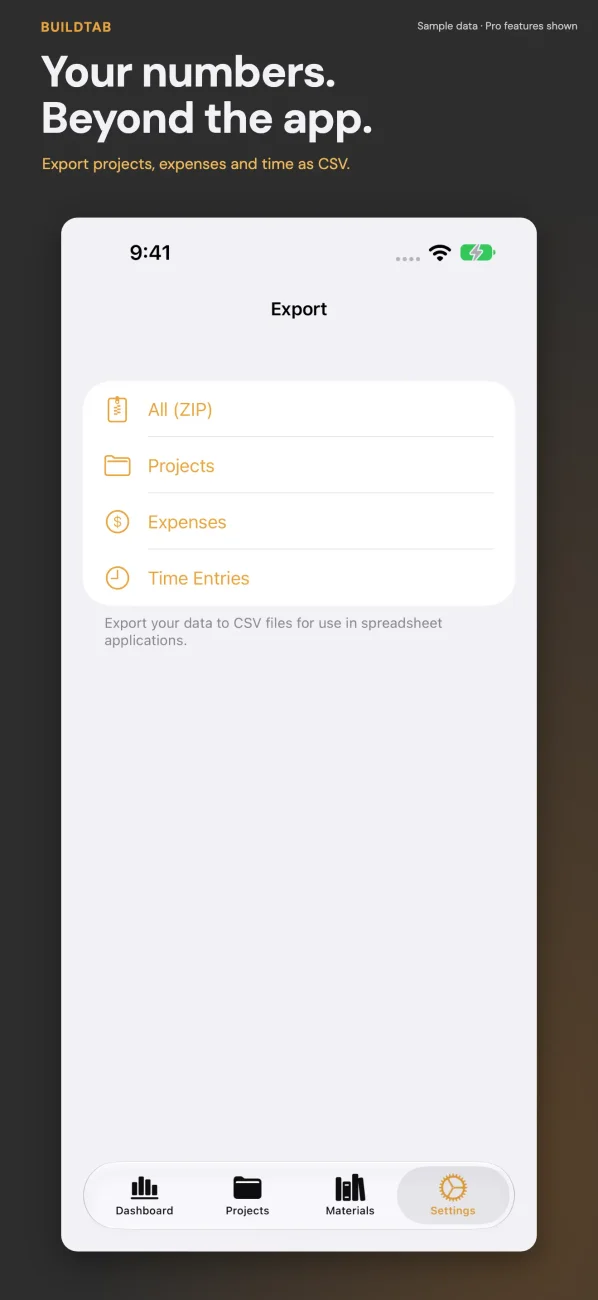
- CSV export for projects, expenses, and time entries
- Full spending charts and insights (Free includes the last three months)
- Multiple photos per project
No subscription. No recurring charges. Pay once, use forever.
Questions or feedback? Reach out at support@buildtab.app — BuildTab is built and maintained by one person, and I read every message.
Neue Funktionen
Version 2026.11.1 · 05.11.2026
This update makes BuildTab more comfortable across screen sizes.
- Support for iPhone Duo, with layouts that adapt as you fold and unfold.
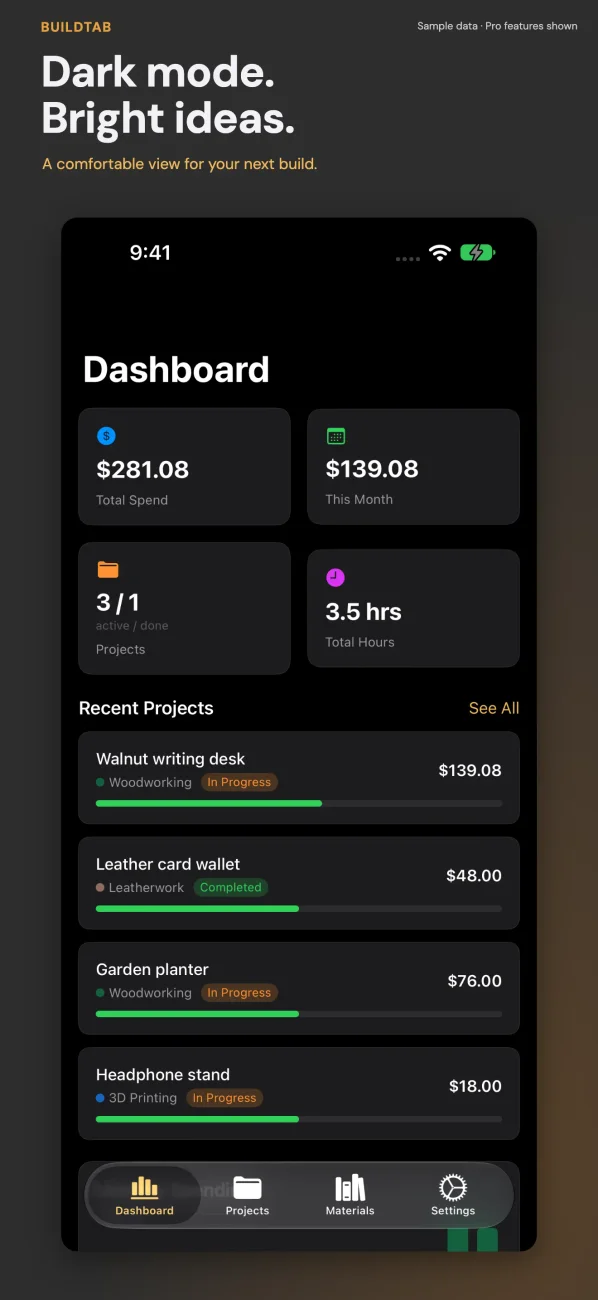
- Improved navigation, dashboard charts, and onboarding on iPhone and iPad.
- Enable or disable iCloud sync in Settings without restarting the app.
- Reliability and security improvements for purchases, exports, and photo handling.
App-Datenschutz
Was Rod Xavier Bondoc im App Store zum Umgang dieser App mit Daten angibt.
-
Keine Daten erfasst
Der Entwickler erfasst keine Daten von dieser App.
Die Datenschutzpraktiken können variieren, zum Beispiel je nach den von Ihnen verwendeten Funktionen oder Ihrem Alter.
Informationen
- Anbieter
- Rod Xavier Bondoc
- Kategorie
- Produktivität
- Version
- 2026.11.1
- Aktualisiert
- 05.11.2026
- Veröffentlicht
- 24.03.2026
- Größe
- 2,2 MB
- Erfordert
- iOS 17.0 oder neuer
- Altersfreigabe
- 4+
- Preis
- Kostenlos
- In-App-Käufe
- Ja
- Sprachen
- Englisch
- Copyright
- © 2026 BuildTab
Das könnte Ihnen auch gefallen
-
 KeptoProduktivität
-
 Goal Setting - MaseerProduktivität
-
 DueDocsProduktivität
-
 My EZ DiaryProduktivität
-
 PDF Genius: PDF bearbeiten KIAusfüllen & unterschreiben
-
 CraftTok - Handmade KostenPreise & Gewinn für Kreative
-
 McArthur WorkLifeProduktivität
-
 DFLOW - Habit TrackerProduktivität
-
 Homsy: Haus & FamilienplanerEinkaufsliste & Essensplaner
-
 Dailies: Habit TrackerStreaks, Tageszähler & Routine