
CAD Viewer Editor
DWG & DXF Drawings: View, Edit
Entwickelt für iPhone, iPad, Mac, iPod touch
Kostenlos · In-App-Käufe
- Altersfreigabe4+
- KategorieGrafik und Design
- EntwicklerHefei Yunyilian Intelligent Technology Co., Ltd
- SprachenEnglisch+ 55 weitere
- Größe111,9 MB
Verlinkt auf die offizielle App Store-Seite
Download.org hostet keine Datei von CAD Viewer Editor. Die Schaltfläche öffnet die App-Seite bei App Store, wo Hefei Yunyilian Intelligent Technology Co., Ltd die App veröffentlicht. Eintrag zuletzt geprüft am 27.11.2026.
Screenshots
Info
Der Entwickler hat diesen Text nicht in Ihrer Sprache bereitgestellt.
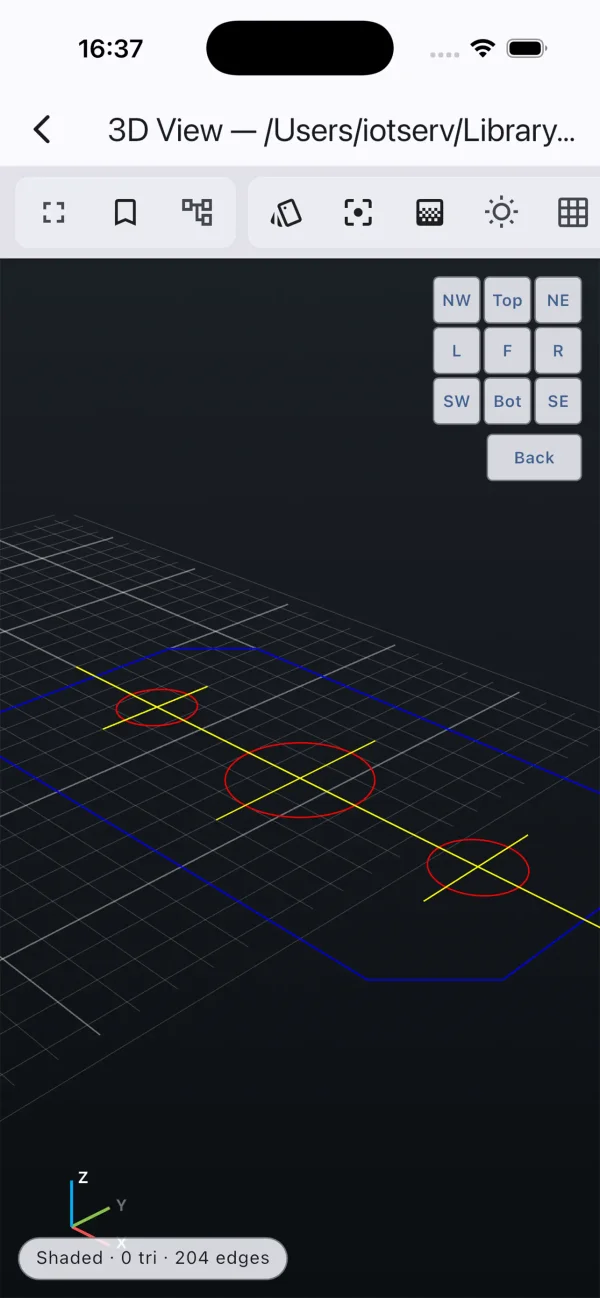
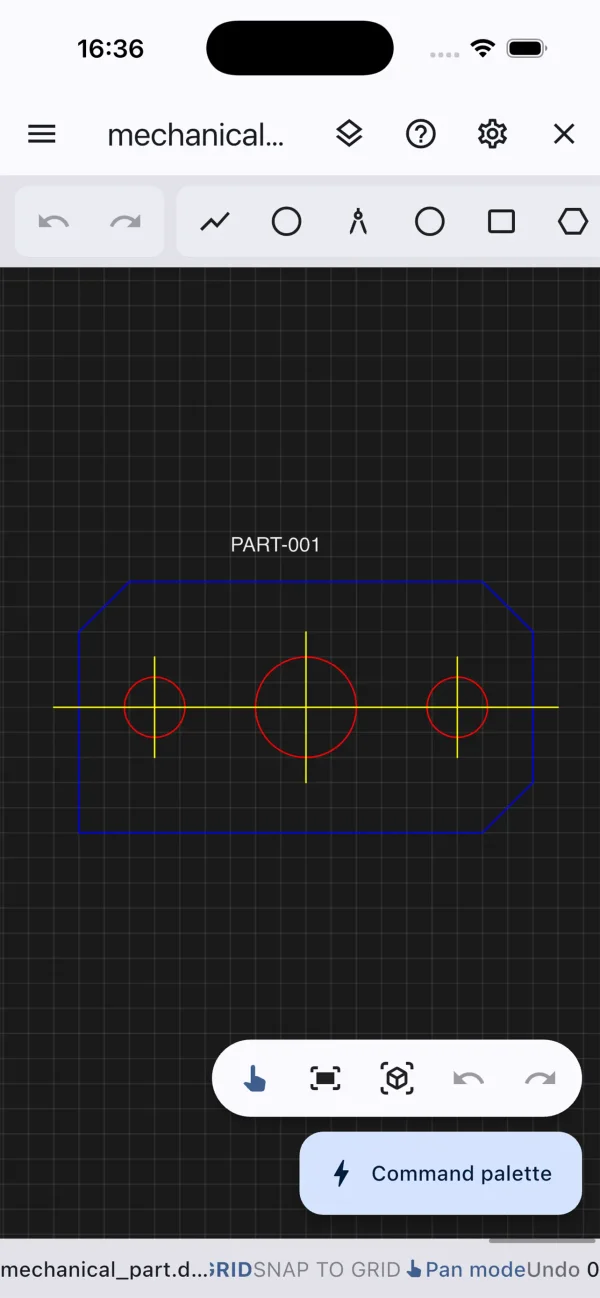
CAD Viewer Editor is a fast, privacy-first DWG & DXF viewer and 2D editor for iPhone, iPad, and Mac. Open AutoCAD-compatible drawings from email, AirDrop, the Files app, iCloud, Dropbox, or Google Drive — and work on them entirely offline. No account, no ads, no uploads.
CAD Viewer Editor renders large drawings smoothly on Apple silicon, with crisp lines, accurate colors, faithful layer rendering, and proper SHX / TTF / Big Font text.
KEY FEATURES
Open DWG & DXF drawings
• DWG R14 through R2018 — every mainstream release
• DXF ASCII read & write — round-trip to AutoCAD, BricsCAD, ZWCAD, GstarCAD, DraftSight
• Multi-document tabs — switch between drawings instantly
• Drag & drop files onto the canvas (iPad / Mac)
• Open from Files, Mail, Safari, AirDrop, Share Sheet
Smooth viewing
• Pinch to zoom, two-finger pan, double-tap to fit
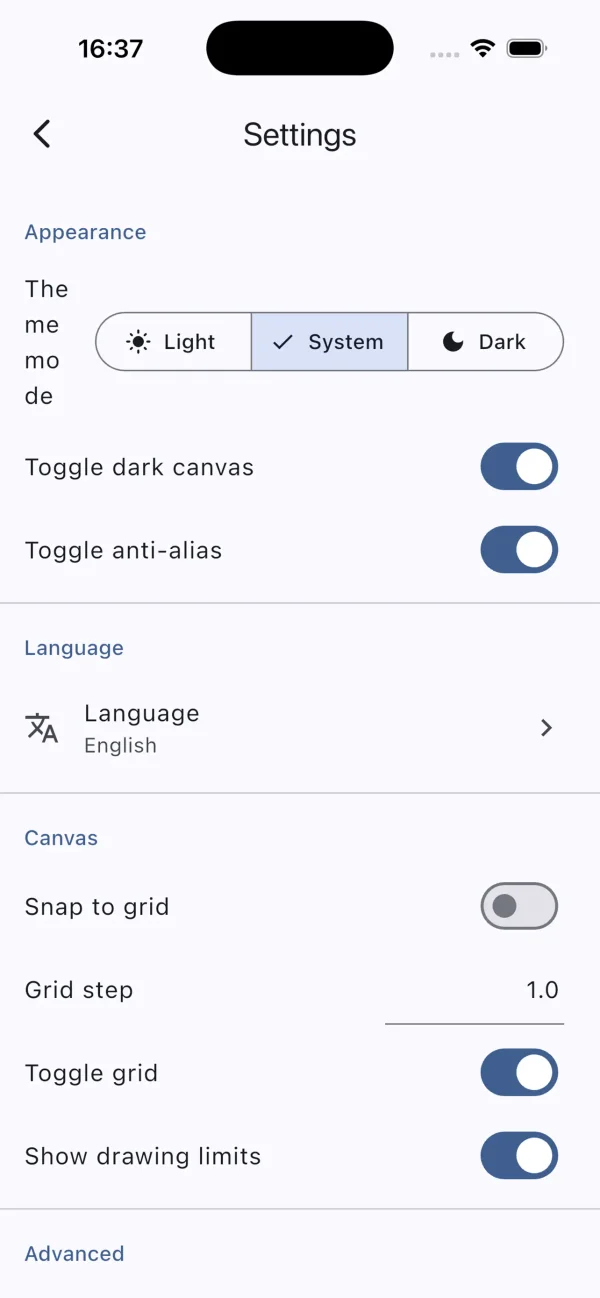
• Configurable grid, axes, and background
• Layer panel: show, hide, isolate, lock
• Block (INSERT) browser — drill into nested blocks
• Object properties: color, layer, linetype, line weight, geometry
2D drafting & editing tools
• Draw lines, polylines, circles, arcs, rectangles, ellipses, splines, text
• Move, copy, rotate, scale, mirror, offset, trim, extend
• Grip-edit selected objects with direct manipulation
• Snap to grid; smart selection (window, crossing, all)
• Multi-level undo & redo
Export & share
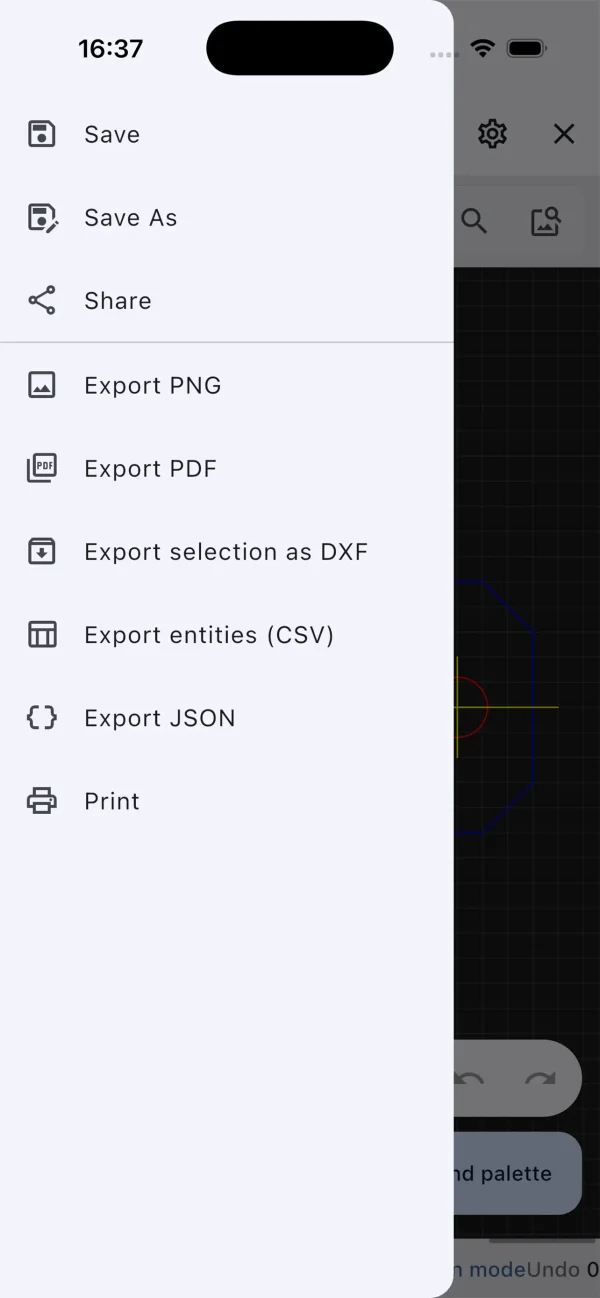
• Export to PDF — single-page or multi-page, custom size
• Export to PNG raster at any resolution
• Export back to DXF for round-tripping to desktop CAD
• Export tables to CSV
• System Share Sheet — Mail, Messages, AirDrop
Designed for privacy
• Fully offline — no internet required to open or edit
• Zero account, zero sign-up, zero ads
• Your drawings never leave the device unless YOU share them
• No telemetry by default; opt-in crash reports only
iPad & Apple Pencil ready
• Layouts optimized for iPhone, iPad, and macOS
• Apple Pencil support for precise selection and markup
• Stage Manager and multitasking on iPad
• Trackpad, mouse, keyboard shortcut support on Mac
57 languages
English, 简体中文, 繁體中文, 日本語, 한국어, Español, Français, Deutsch, Português, Italiano, Русский, العربية, Türkçe, Tiếng Việt, ไทย, हिन्दी, and more.
WHO IT'S FOR
• Architects and structural engineers on site
• Mechanical, electrical, plumbing engineers reviewing shop drawings
• Civil, road, bridge and survey engineers
• Interior designers reviewing floor plans
• Project managers, contractors, foremen
• Real-estate agents reviewing blueprints
• CAD students learning AutoCAD-compatible workflows
COMPATIBILITY
CAD Viewer Editor reads and writes DWG / DXF files produced by AutoCAD, BricsCAD, ZWCAD, GstarCAD, DraftSight, LibreCAD, QCAD, and other CAD applications. Not affiliated with or endorsed by Autodesk, Inc.
FEEDBACK
We read every email. Tap "Send Feedback" in the app, or write to support@iothub.cloud — feature requests welcome.
Give it a try — no account, no commitment.
Terms of Use: https://www.apple.com/legal/internet-services/itunes/dev/stdeula/
Neue Funktionen
Version 1.1.3 · 04.11.2026
Optimize software interface and operational logic
App-Datenschutz
Was Hefei Yunyilian Intelligent Technology Co., Ltd im App Store zum Umgang dieser App mit Daten angibt.
-
Keine Daten erfasst
Der Entwickler erfasst keine Daten von dieser App.
Die Datenschutzpraktiken können variieren, zum Beispiel je nach den von Ihnen verwendeten Funktionen oder Ihrem Alter.
Informationen
- Anbieter
- Hefei Yunyilian Intelligent Technology Co., Ltd
- Kategorie
- Grafik und Design
- Version
- 1.1.3
- Aktualisiert
- 04.11.2026
- Veröffentlicht
- 13.05.2026
- Größe
- 111,9 MB
- Erfordert
- iOS 15.0 oder neuer
- Altersfreigabe
- 4+
- Preis
- Kostenlos
- In-App-Käufe
- Ja
- Sprachen
- Englisch, Albanisch, Arabisch, Bengalisch, Bulgarisch, Burmesisch, Kambodschanisch, Katalanisch, Kroatisch, Tschechisch, Dänisch, Niederländisch + 44 weitere
- Copyright
- © OpenIoTHub
Das könnte Ihnen auch gefallen
-
 CadAuto - DWG CAD ZeichnungenBaupläne ansehen & messen DXF
-
 CAD Import - For PDF to DWGGrafik und Design
-
 DWG Tools Pro- CAD View & EditGrafik und Design
-
 BuildCAD - Design & DWG ViewerGrafik und Design
-
 CAD Converter ViewerGrafik und Design
-
 DWG Tools- CAD Viewer ConveterGrafik und Design
-
 DrafterPro 2D CAD & DWG EditorGrafik und Design
-
 3D Print Designer CADCAD Modeling for 3D Printing
-
 Open3D: STL & 3D Model ViewerGrafik und Design
-
 AI CAD Generator-Auto Draw CADGrafik und Design