Calendar for Lockscreen
Lock & Home Screen Countdowns
Entwickelt für iPhone
Kostenlos · In-App-Käufe
- Altersfreigabe17+
- KategorieDienstprogramme
- EntwicklerTurboCycle Media, LLC
- SprachenEnglisch+ 5 weitere
- Größe17,3 MB
Verlinkt auf die offizielle App Store-Seite
Download.org hostet keine Datei von Calendar for Lockscreen. Die Schaltfläche öffnet die App-Seite bei App Store, wo TurboCycle Media, LLC die App veröffentlicht. Eintrag zuletzt geprüft am 12.11.2026.
Screenshots

Info
Der Entwickler hat diesen Text nicht in Ihrer Sprache bereitgestellt.
Calendar for Lockscreen - Lock Screen & Home Screen Widgets
Transform your Lock Screen and Home Screen with beautiful calendar widgets and countdown timers. Calendar for Lockscreen brings powerful customization to your iPhone with 6 Lock Screen widget styles, 4 full color Home Screen styles, 50+ fonts, and unlimited custom events.
POWERFUL LOCK SCREEN STYLES
Choose from 6 beautifully designed widget styles, each available in small and large sizes:
• Simple Date - Clean, minimalist date display
• Date & Time - See the date and time at a glance
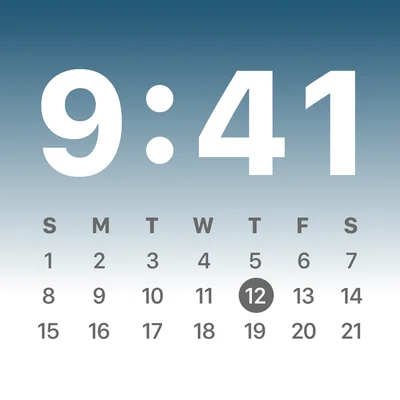
• Calendar - A mini monthly calendar right on your lock screen
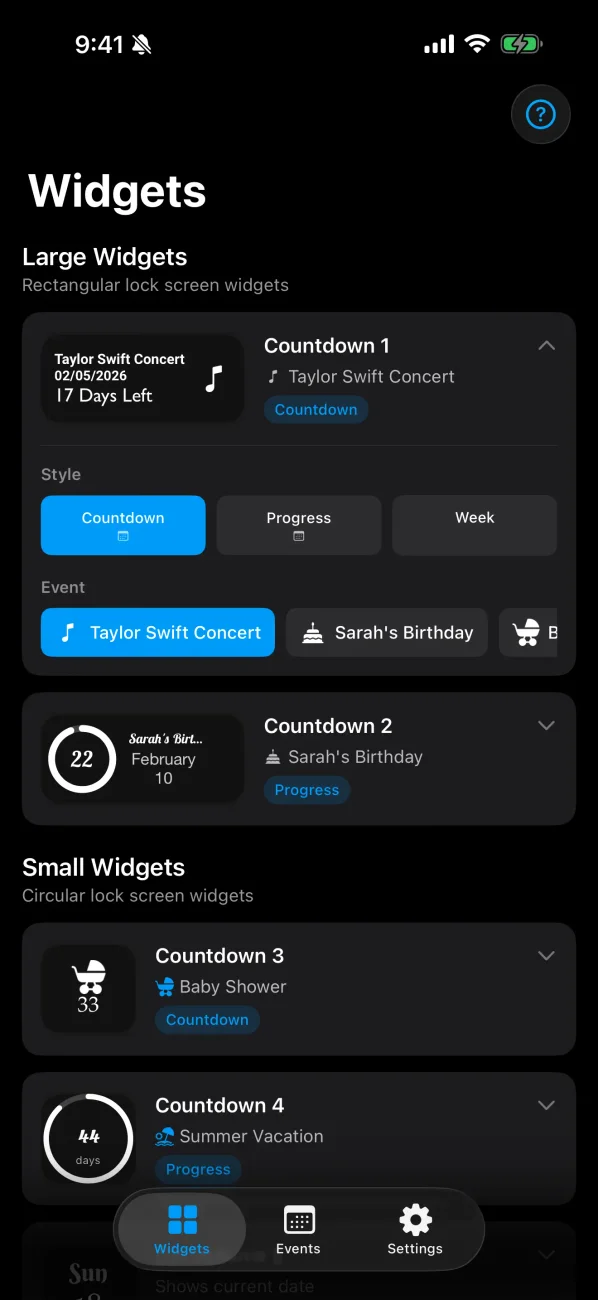
• Countdown - Track days until your important events
• Progress - Visualize how far along you are to your event
• Week Strip - See your entire week at a glance
NEW: HOME SCREEN WIDGETS (PREMIUM)
Add up to four Home Screen widgets in Small, Medium, or Large, each one laid out for the size you choose:
• Countdown - The days remaining until your chosen event
• Progress - A ring that fills up as the event approaches
• Month - This month at a glance, with your events marked
• Up Next - A running list of the events coming up
Dress them up with six color themes: Midnight, Ocean, Sunset, Forest, Orchid, and Snow.
EDIT WIDGETS WITHOUT OPENING THE APP
Touch and hold any Home Screen widget, tap Edit Widget, and change its event, style, or theme right there. Requires iOS 17 or later.
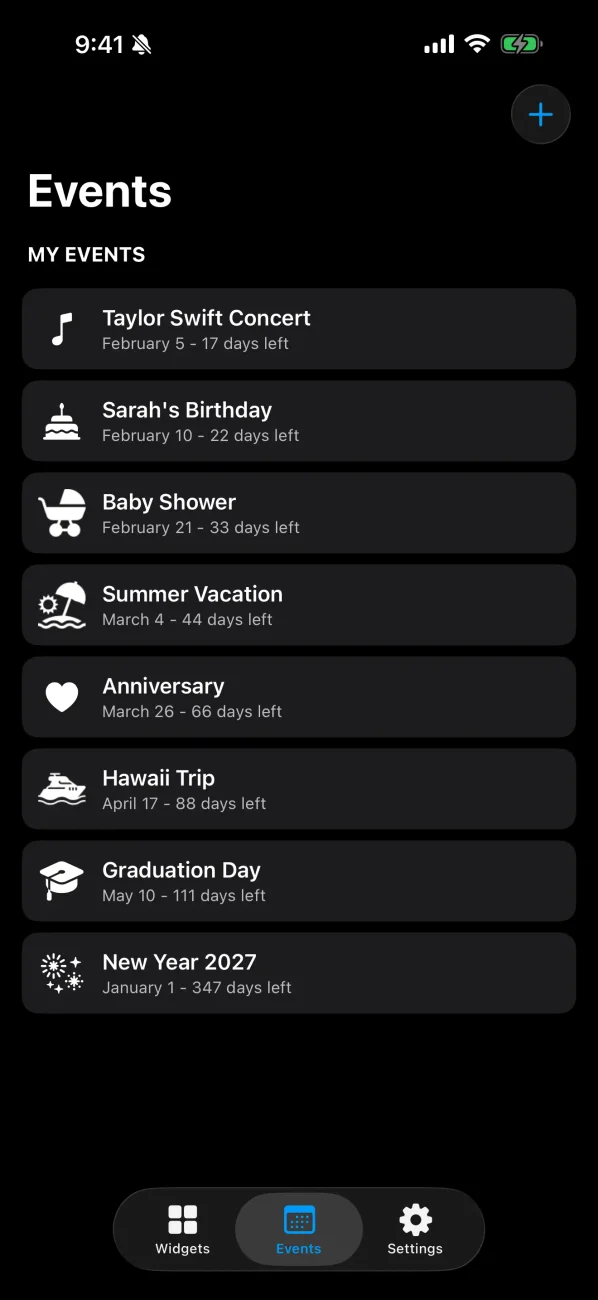
UNLIMITED CUSTOM EVENTS
Create as many countdown events as you want! Perfect for tracking:
• Birthdays and anniversaries
• Vacations and trips
• Holidays and celebrations
• Weddings and special occasions
• Project deadlines
• Any date that matters to you
Each event includes a live preview so you can see exactly how it will look.
NEW: IMPORT FROM YOUR CALENDAR (PREMIUM)
Already have it in Calendar? Import it in a couple of taps. Calendar for Lockscreen shows your upcoming events, suggests a fitting icon for each one, and turns the ones you pick into countdowns. It only ever reads your calendar, and never changes it.
QUICK SELECT HOLIDAYS
Get started instantly with 11 pre-configured holidays:
• Christmas
• Hanukkah
• New Year
• Easter
• Mother's Day
• Father's Day
• Diwali
• Halloween
• Thanksgiving
• Valentine's Day
• Independence Day
PERSONALIZE WITH 50+ FONTS
Make your widgets truly yours with our extensive font library:
• System fonts (San Francisco, SF Rounded, New York, SF Mono)
• Sans Serif (Arial, Avenir, Futura, Helvetica, and more)
• Serif (Baskerville, Georgia, Palatino, Times New Roman, and more)
• Display (American Typewriter, Chalkboard, Copperplate, and more)
• Monospace (Courier, Menlo)
• Premium custom fonts (Roboto, Pacifico, Lobster, and more)
Set different fonts for your title and subtitle to create the perfect look.
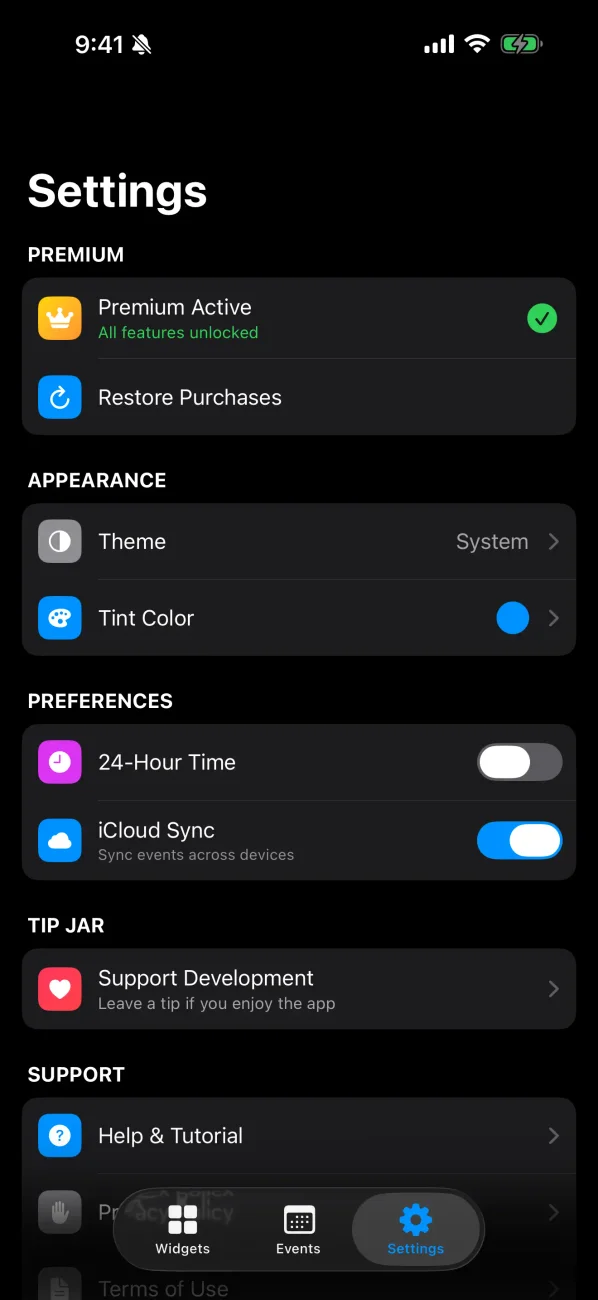
ICLOUD SYNC (PREMIUM)
Your events sync across all your devices. Create an event on your iPhone and see it on your iPad. A sync status screen shows what is stored in iCloud and when your device last synced.
DESIGNED FOR YOU
• Separate Lockscreen and Homescreen tabs
• Widget gallery to preview all styles before choosing
• Live previews at every widget size
• Full dark mode support
• 12-hour or 24-hour time format option
FREE FEATURES
• 3 Lock Screen widget styles: Simple Date, Date & Time, and Countdown
• Unlimited custom events
• 40+ iOS system fonts
• Dark mode support
PREMIUM FEATURES
Upgrade to unlock:
• All 6 Lock Screen widget styles
• 6 configurable Lock Screen widget slots
• 4 Home Screen widgets with 4 styles, 6 themes, and 3 sizes
• Import events from your calendar
• iCloud sync across all your devices
• 9 exclusive premium fonts
• No ads
• Support independent development
Download Calendar for Lockscreen today and make your Lock Screen and Home Screen work for you!
Neue Funktionen
Version 2.3 · 29.10.2026
NEW
• Yearly events: turn on Repeat Every Year for birthdays, anniversaries and holidays, and the countdown starts over the day after. Ages in the title move up too, so "Emma's 11th Birthday" becomes her 12th.
• Siri and Shortcuts: ask "How many days until Christmas in Calendar LS?" or say "Add a countdown in Calendar LS". Your countdowns also show up in Spotlight search.
• Share a countdown: swipe right on any event, or touch and hold it, to share a card like "59 days until Christmas" with friends and family.
• StandBy Countdown: a new widget with a big, easy-to-read day count for when your iPhone is charging on its side. It shows your next event, or pick the one you want.
• Control Center: add a New Countdown button to start an event in one tap, or a Countdown control that shows the days left and opens the event. You can also place them on your Lock Screen or Action button. Requires iOS 18.
• Past events: events that have passed move to their own Past section and show how long ago they were, so your upcoming events stay at the top.
• More colors: eight new Home Screen widget themes (Cherry, Rose, Lavender, Aurora, Mint, Gold, Sky, and Graphite) and four new accent colors (Mint, Cyan, Brown, and Graphite).
• A new Theme screen: choose Auto, Light, or Dark in Settings › Theme. Auto follows your iPhone's appearance.
• Made for iPhone Duo: when unfolded, Calendar LS uses the larger screen to show two columns, with nothing sitting in the fold.
FIXES
• Day counts are now exact. Countdowns could read one day short, and an event tomorrow could show "0 days left".
• Countdowns read naturally: "1 day left" instead of "1 days left", and "Today" on the day itself.
• Changes to an existing event are now saved. Picking a new date or icon for an event you were editing could quietly revert to the old one when you saved.
• Swiping to edit an event now always opens that event. The first edit could open an empty editor instead.
• iCloud Sync now keeps your devices in step. Edits made on one device reach your others, deleted events stay deleted, and changes from other devices are picked up whenever you open the app.
• Home Screen widgets with light themes stay readable in StandBy.
IMPROVEMENTS
• Tap any event in your list to edit it.
• Sharper event icons. Every custom icon has been redrawn so it stays crisp at any size.
• Ages follow the date. Move a birthday like "Emma's 11th Birthday" to the year before, and it becomes her 10th. Works for anniversaries too.
• The app now appears as "Calendar LS" on your Home Screen, with an updated launch screen and tutorial to match.
• New More Apps page in Settings.
• On iOS 26 and later, buttons use Liquid Glass to match the rest of your iPhone.
App-Datenschutz
Was TurboCycle Media, LLC im App Store zum Umgang dieser App mit Daten angibt.
-
Daten, die zum Tracking Ihrer Person verwendet werden
Können verwendet werden, um Sie über Apps und Websites anderer Unternehmen hinweg zu verfolgen.
- Nutzungsdaten
-
Mit Ihnen verknüpfte Daten
Können erfasst und mit Ihrer Identität verknüpft werden.
- Nutzungsdaten
-
Nicht mit Ihnen verknüpfte Daten
Können erfasst werden, sind aber nicht mit Ihrer Identität verknüpft.
- Kennungen
- Diagnose
Die Datenschutzpraktiken können variieren, zum Beispiel je nach den von Ihnen verwendeten Funktionen oder Ihrem Alter.
Informationen
- Anbieter
- TurboCycle Media, LLC
- Kategorie
- Dienstprogramme
- Version
- 2.3
- Aktualisiert
- 29.10.2026
- Veröffentlicht
- 04.12.2022
- Größe
- 17,3 MB
- Erfordert
- iOS 16.0 oder neuer
- Altersfreigabe
- 17+
- Preis
- Kostenlos
- In-App-Käufe
- Ja
- Sprachen
- Englisch, Französisch, Deutsch, Japanisch, Vereinf. Chinesisch, Spanisch
- Copyright
- © 2026 TurboCycle Media, LLC
Das könnte Ihnen auch gefallen
-
 Widgets for LockScreenDienstprogramme
-
 Lock Screen Widgets AppDienstprogramme
-
 Zitate Widget & AffirmationenSperrbildschirm, Akku & Uhr
-
 WidgetalDienstprogramme
-
 jährliche FeiertagskalenderWochentag, Wochennummer
-
 Clocks - A fun standby modeDienstprogramme
-
 TalkingAlarm: Alarm ClockDienstprogramme
-
 Any Text · WidgetsDienstprogramme
-
 Countdown Widget & CounterTimer, Tage Zähler, Urlaub
-
 Countdown Timer – Uhr WidgetZähler für Zeit & Tage