Calibre Sync
All in one Calibre libraries
Entwickelt für iPhone, iPad, iPod touch
5,99 €
- Altersfreigabe4+
- KategorieDienstprogramme
- EntwicklerDUONG THUY PHAM
- SprachenEnglisch
- Größe128,4 MB
Verlinkt auf die offizielle App Store-Seite
Download.org hostet keine Datei von Calibre Sync. Die Schaltfläche öffnet die App-Seite bei App Store, wo DUONG THUY PHAM die App veröffentlicht. Eintrag zuletzt geprüft am 24.11.2026.
Screenshots

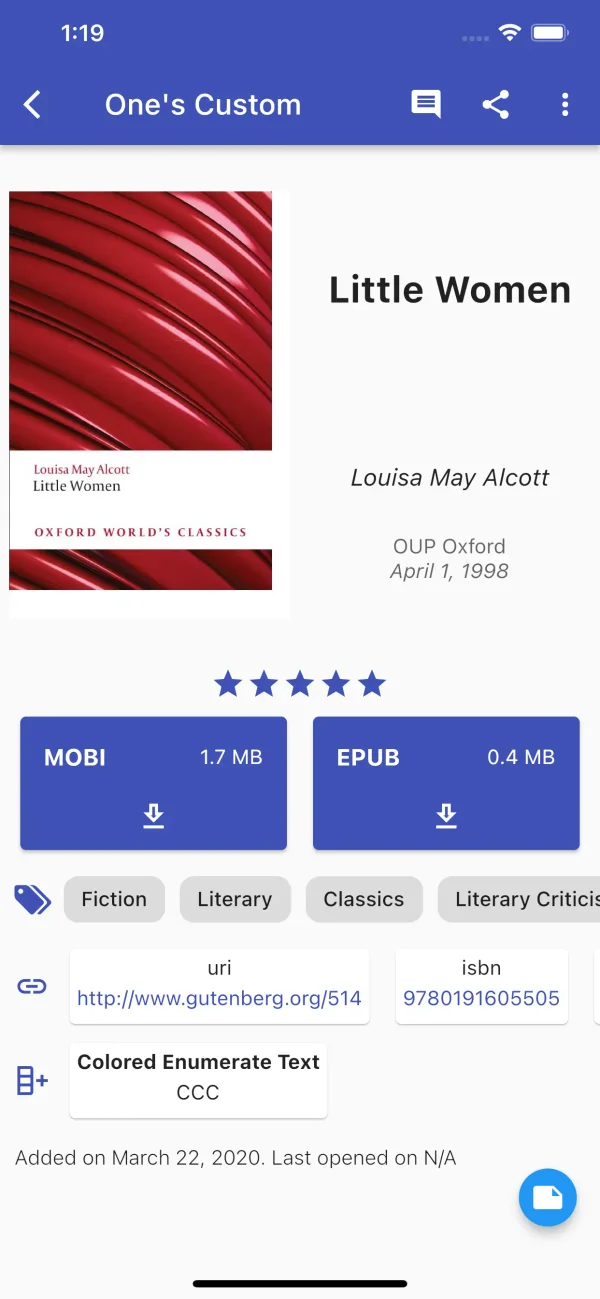


Info
Der Entwickler hat diesen Text nicht in Ihrer Sprache bereitgestellt.
Lifetime support, no extra charge, no subscription fee.
Calibre Sync can:
- help you access full Calibre libraries on most popular personal cloud services, including Google Drive, Dropbox, Microsoft OneDrive, Box, pCloud, MEGA, iCloud, WebDav, Nextcloud, OwnCloud, and TeraBox - simply the most supported for cloud services.
- transform your device to a smart device emulator that connects to Calibre wirelessly. It even supports Calibre libraries on your external storage and from Calibre Content Server or Calibre-web with amazing performance.
Move your Calibre libraries to your favourite cloud providers and access those libraries via Calibre Sync to browse, sort, search, download and read books on your device. Calibre Sync also supports multiple libraries across multiple Drive, Dropbox, OneDrive, Box, pCloud, MEGA, iCloud, WebDav, Nextcloud, OwnCloud, and TeraBox accounts simultaneously.
Features:
- Unlimited Calibre libraries
- Wireless connect to Calibre effortlessly as Smart device
- Easy switch between multiple libraries across multiple accounts
- Automatic check and update libraries when launching the app
- Pull, Refresh or Remove a library from Calibre Sync
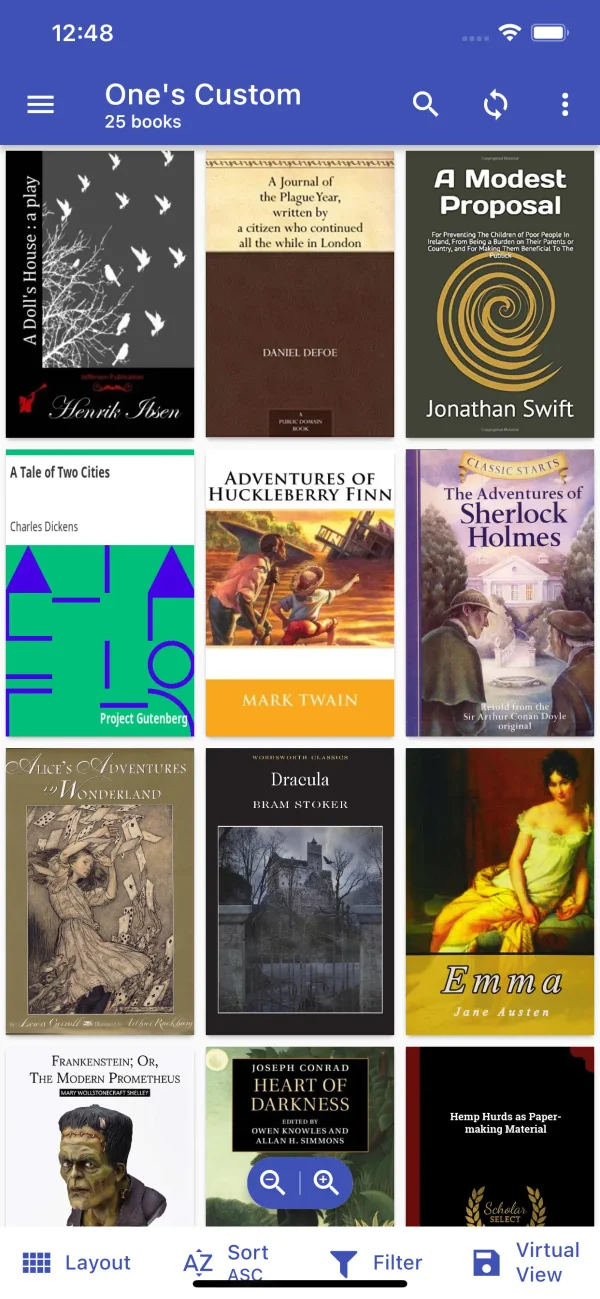
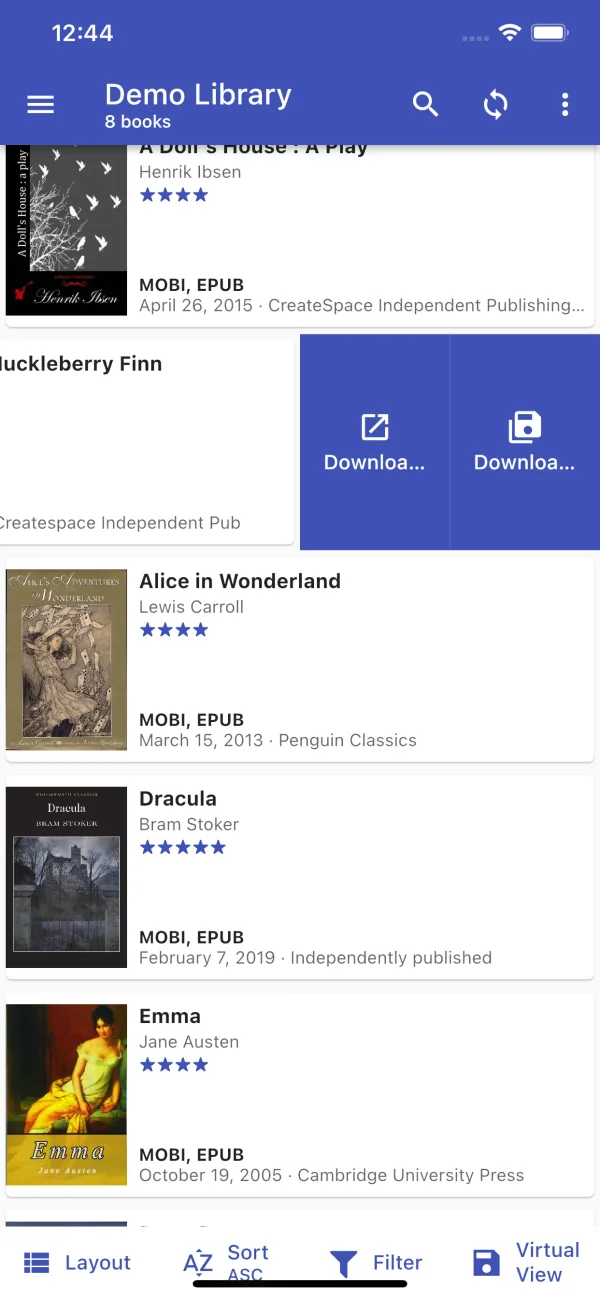
- Support different book list layouts: List - detailed and simple, Grid, and Carousel
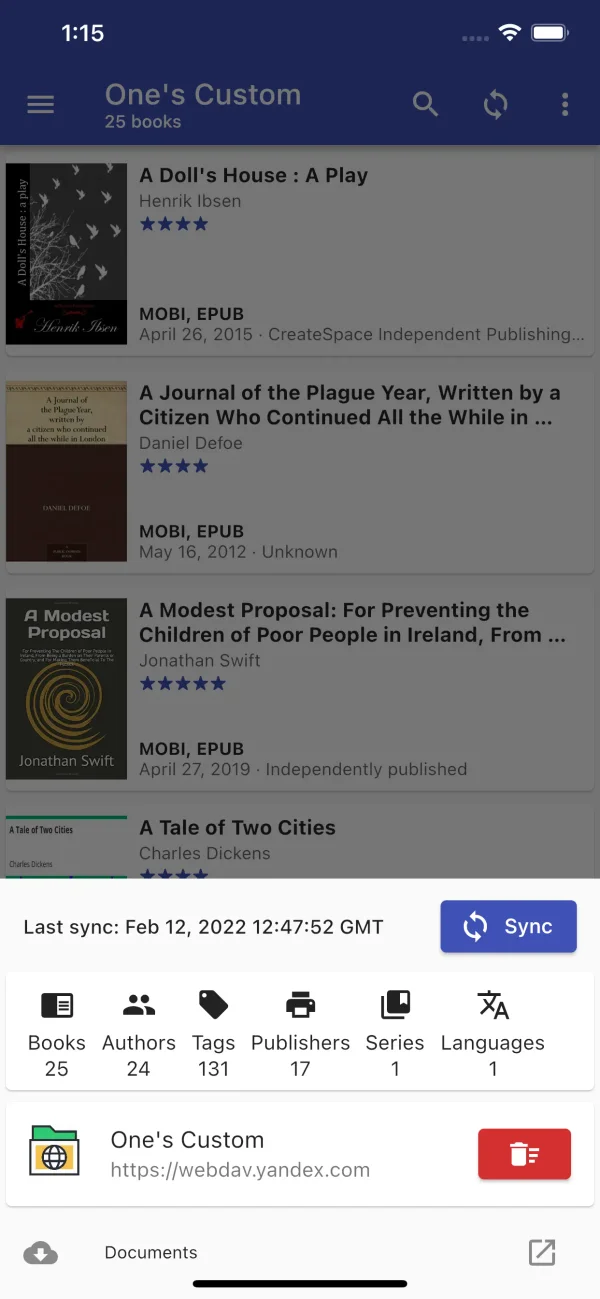
- View your library statistics
- Send books to Kindle with ease
- Search across all of your available libraries
- Search books by title, authors, and even in comments and custom columns
- Filter books on authors, series, tags, language, publishers, formats and in custom columns
- Sort libraries by title, author, ratings, and several Date options - ascending and descending
- Filter downloaded books
- Configuration for each library download location
- Support for custom columns in book details view
- Quick access to book download and share via slideable list view
- Zoom the book cover
- Support "swipe from book to book" in book details view
- Email or share a copy of downloaded book
- Open downloaded book in your book reader application to read a book
- View the file size of each book format
- Show book identifiers and link to source (like ISBN, Amazon, Google Books, Goodreads, etc)
- Dark/light themes
- And many more features...
To move your Calibre library to cloud services:
1) Open Calibre on your Laptop/PC/Desktop
2) Select "Switch/create library..." from the Calibre menu
3) Select an empty folder on your Cloud drive in "New Location" drop down
4) Select "Move current library to new location", then press OK
5) Wait for cloud sync to complete.
6) Then you are ready to use Calibre Sync.
To move your Calibre library to your phone storage, just copy the library directory to your phone storage.
Notes:
- Calibre Sync is not a reader app. You must install and use one of the many excellent reader apps available.
- Only Microsoft OneDrive for Personal accounts (shared) are supported. Please email us if you observe any inconsistencies.
- Due to restriction in Box API, Calibre Sync must acquire write permission in order to download files, download is not a read action on Box. Calibre Sync guarantees that it will not perform any write actions against your data in Box cloud account.
- Calibre Sync use WebDav API of Nextcloud and OwnCloud services, and it requires case sensitive file system to work properly. Therefore, you must make sure that your libraries are set up on case sensitive file system (Linux, recent MacOS, Windows NTFS with case sensitive enabled).
Please leave your reviews and suggestions to help us improve the app. For more information see https://calibresync.bitbucket.io
Calibre is © Kovid Goyal - calibre-ebook.com
Drive is © Google LLC.
Dropbox is © Dropbox inc.
OneDrive is © Microsoft
Box is © Box inc.
pCloud is © pCloud AG
Nextcloud is © Nextcloud GmbH
OwnCloud is © OwnCloud
MEGA is © MEGA
iCloud is © Apple Inc
TeraBox © Flextech Inc
Neue Funktionen
Version 6.13.1 · 22.11.2026
- Improve stability for iOS 27 sync.
- UI fix: Better width for history box for searching
- New feature: Group by filter columns
App-Datenschutz
Was DUONG THUY PHAM im App Store zum Umgang dieser App mit Daten angibt.
-
Nicht mit Ihnen verknüpfte Daten
Können erfasst werden, sind aber nicht mit Ihrer Identität verknüpft.
- Diagnose
Die Datenschutzpraktiken können variieren, zum Beispiel je nach den von Ihnen verwendeten Funktionen oder Ihrem Alter.
Informationen
- Anbieter
- DUONG THUY PHAM
- Kategorie
- Dienstprogramme
- Version
- 6.13.1
- Aktualisiert
- 22.11.2026
- Veröffentlicht
- 16.02.2022
- Größe
- 128,4 MB
- Erfordert
- iOS 15.0 oder neuer
- Altersfreigabe
- 4+
- Preis
- 5,99 €
- Sprachen
- Englisch
- Copyright
- © BIL Studio
Das könnte Ihnen auch gefallen
-
 AstryskDienstprogramme
-
 Ovue for SeerrDienstprogramme
-
 Remote for TautulliÜberwache deinen Plex Server
-
 Varys for PlexDienstprogramme
-
 Unraid ManagerDienstprogramme
-
 Quartermaster: Homelab StackDienstprogramme
-
 iGotifyPush Notifications von Gotify
-
 Das Ebook ConverterKonvertieren EPUB, MOBI, PDF
-
 AdGuard Pro: Safari Ad BlockerPrivacy & Browser Security
-
 TNAS mobileDienstprogramme