- Altersfreigabe4+
- KategorieWirtschaft
- EntwicklerMasayuki Akamatsu
- SprachenEnglisch+ 2 weitere
- Größe1,6 MB
Verlinkt auf die offizielle App Store-Seite
Download.org hostet keine Datei von CameraVision. Die Schaltfläche öffnet die App-Seite bei App Store, wo Masayuki Akamatsu die App veröffentlicht. Eintrag zuletzt geprüft am 06.11.2026.
Screenshots


Info
Der Entwickler hat diesen Text nicht in Ihrer Sprache bereitgestellt.
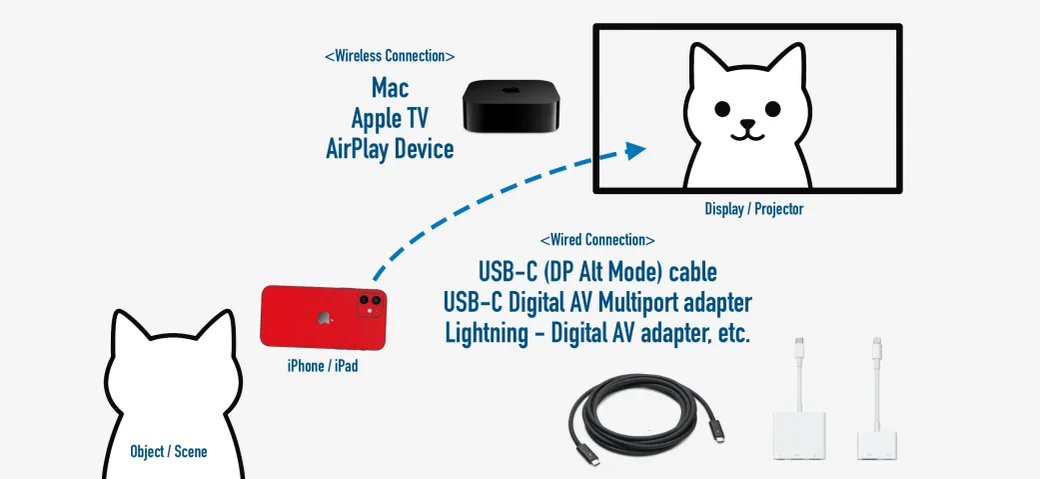
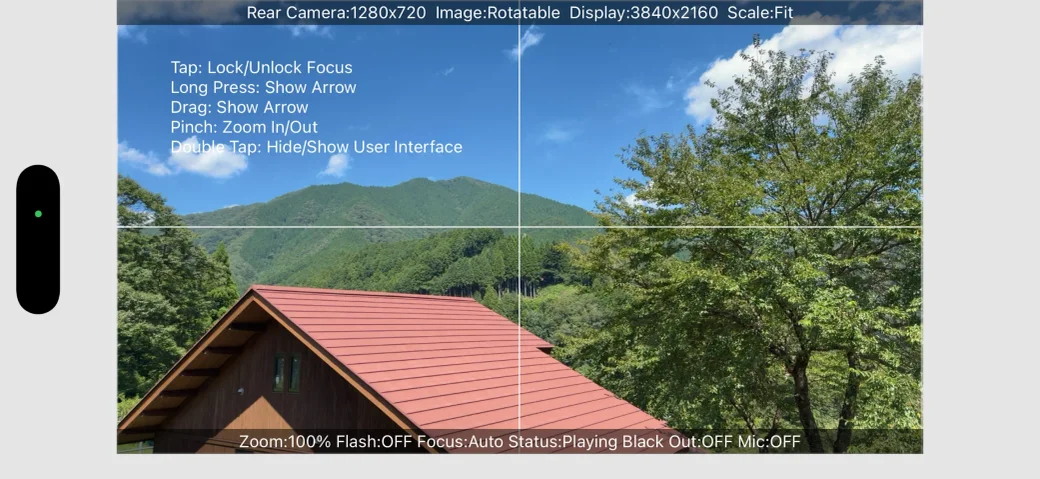
"CameraVision" outputs the images of the built-in camera and the corresponding sounds from the built-in microphone to an external device such as a projector or a TV monitor. This application can be used similar to a "document camera (overhead projector)" or a "live camera" to project documents, objects, people or scenes onto a large screen. In addition, showing a still image from Photo Albums is possible. Wireless transfer to AirPlay supported devices such as Apple TV is supported, as well as connections via various cables and adapters.
The following adapters/cables are supported:
- AirPlay supported devices
- Apple TV (2nd generation and later)
- USB Type-C Cable (video output supported)
- Lightning to VGA Adapter
- Lightning Digital AV Adapter (HDMI)
- Apple VGA Adapter
- Apple Digital AV Adapter (HDMI)
- Apple Composite AV Cable
- Apple Component AV Cable
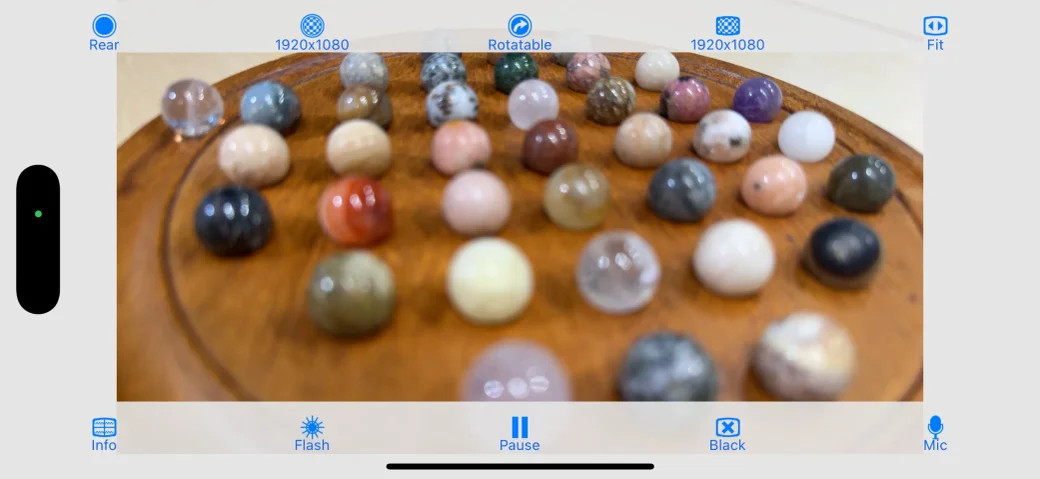
This application has the functions listed below. You can set them up easily using the buttons on the screen.
- Rear camera / front camera switching
- Camera image resolution switching from SD (640x480 pixels) up to Full HD (1920x1080 pixels)
- External display image resolution switching from SD (640x480 pixels) up to Full HD (1920x1080 pixels)
- Scale mode switching of "Fit", "Fill" or "Resize"
- Image rotation switching of "Rotatable" or "Fixed"
- Image pausing or playing
- Flash light switching
- Audio output from microphone
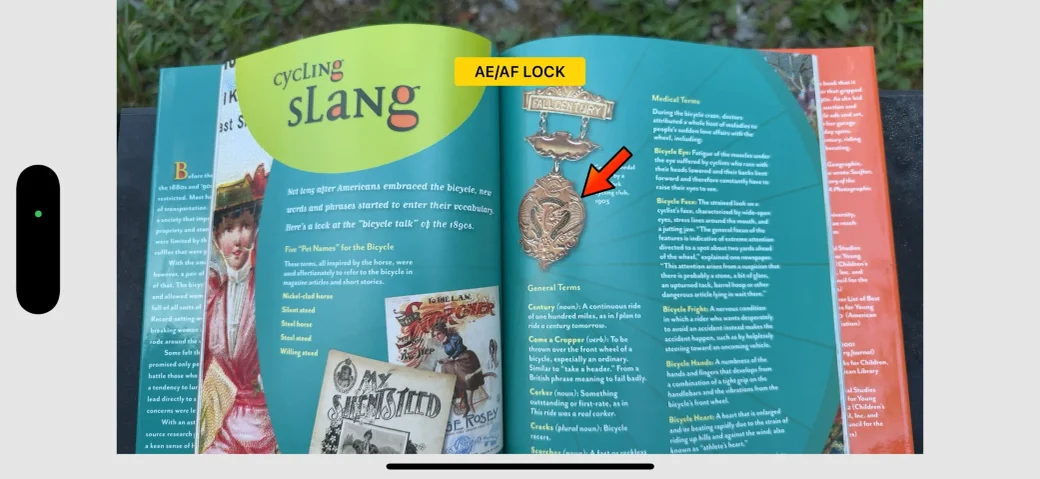
- Tap to lock/unlock focus and exposure
- Double-tap or pinch to zoom image
- Drag to display an on-screen pointer
- Display of a grid image - useful to adjust image projection
- Display of setting information on an external display
- Screen blackout toggle
- Automatic adjustment of focus, exposure and white balance
- Displaying a still image from Photo Albums
- Paused image saving and sharing
* These functions depend on devices and adapter/cables used.
* Please unplug and then plug your dock adapter/cable if no image is shown on the external display properly.
* Microphone input can be sent to an external speaker via HDMI, Composite or Component cable with the camera image. It can be sent wirelessly to AirPlay supported devices or Apple TV. When using a VGA cable, plug an audio cable to iPhone's headphone jack.
* To work with AirPlay supported devices or Apple TV, tap the screen mirroring button in the Control Center. This app treats it as an external display rather than actual mirroring.
https://support.apple.com/en-us/102661#mirroriOS
Neue Funktionen
Version 2.5.1 · 06.07.2026
Minor bugs have been fixed.
App-Datenschutz
Was Masayuki Akamatsu im App Store zum Umgang dieser App mit Daten angibt.
-
Keine Daten erfasst
Der Entwickler erfasst keine Daten von dieser App.
Die Datenschutzpraktiken können variieren, zum Beispiel je nach den von Ihnen verwendeten Funktionen oder Ihrem Alter.
Informationen
- Anbieter
- 正行 Akamatsu
- Kategorie
- Wirtschaft
- Version
- 2.5.1
- Aktualisiert
- 06.07.2026
- Veröffentlicht
- 03.01.2011
- Größe
- 1,6 MB
- Erfordert
- iOS 15.6 oder neuer
- Altersfreigabe
- 4+
- Preis
- 0,99 €
- Sprachen
- Englisch, Japanisch, Koreanisch
- Copyright
- © Masayuki Akamatsu
Das könnte Ihnen auch gefallen
-
 Audio MemosDiktiergerät, Sprach-Notitzen
-
 Präsentation Web FernbedienungPhoto Album Internet Beamer
-
 Call CheckerWirtschaft
-
 Contacts2XLWirtschaft
-
 Liberty Item EntryWirtschaft
-
 Percentages CalculatorWirtschaft
-
 Date & Time Calculator(9 in 1)Wirtschaft
-
 Kontakte zu XLSX Excel TabelleKontakte zu Microsoft Excel
-
 Decimal To Fraction ConverterWirtschaft
-
 ScanBizCardsWirtschaft