- Altersfreigabe4+
- KategorieDienstprogramme
- EntwicklerKevin Marshall
- SprachenEnglisch
- Größe38,2 MB
Verlinkt auf die offizielle App Store-Seite
Download.org hostet keine Datei von CCTV Viewer. Die Schaltfläche öffnet die App-Seite bei App Store, wo Kevin Marshall die App veröffentlicht. Eintrag zuletzt geprüft am 18.11.2026.
Screenshots


Info
Der Entwickler hat diesen Text nicht in Ihrer Sprache bereitgestellt.
*** Be advised there is also a CCTV Viewer App for the Apple TV which you can download for FREE once you own this app ***
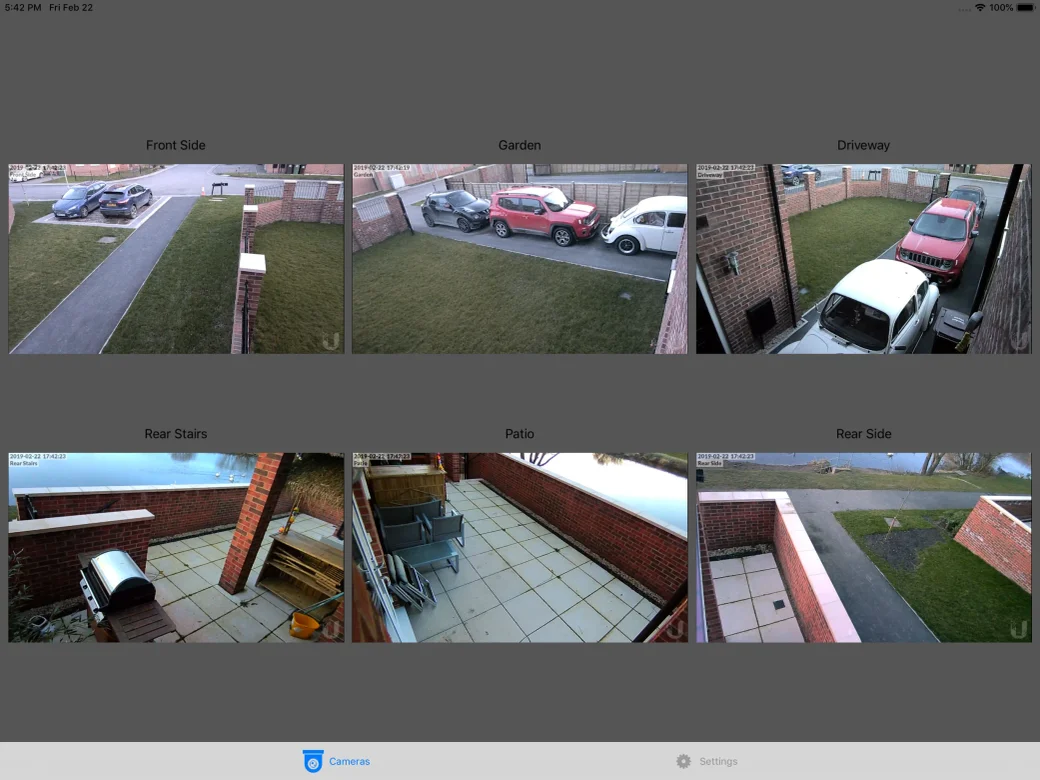
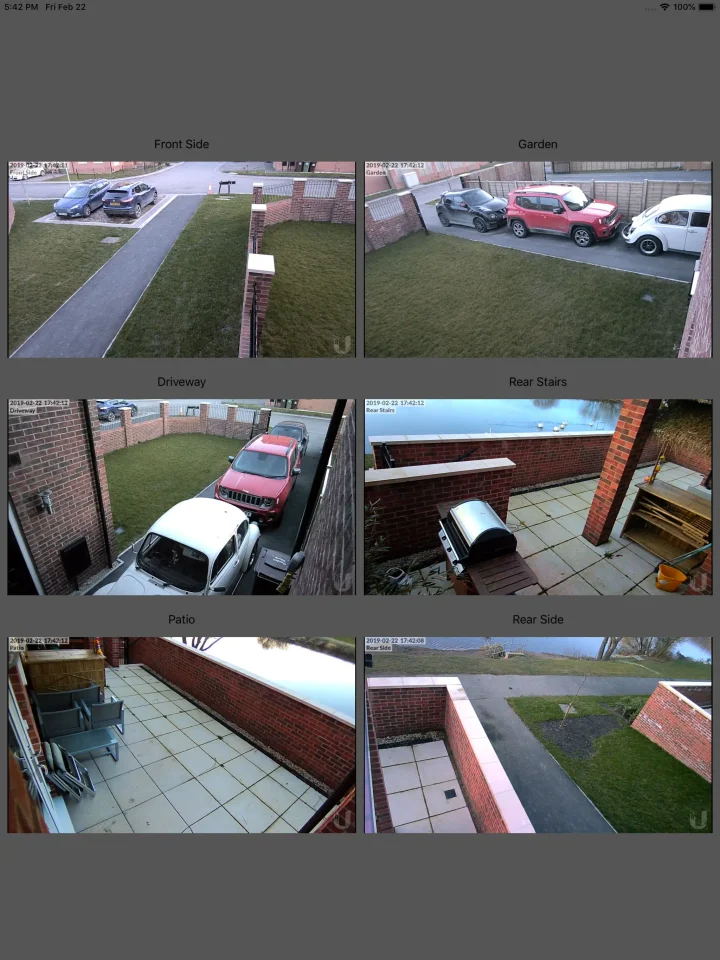
After recently upgrading our CCTV System we realised there wasn't any simple to set up and easy use streaming Apps. So we set about creating one, let me introduce CCTV Viewer. You simply add your Camera names and the stream URLs (be it RTSP or MJPG etc.) and they are presented in a tiled view.
Features:
* Supports MDM
* UniFi Protect, UniFi Video, SWANN and Hikvision Integration
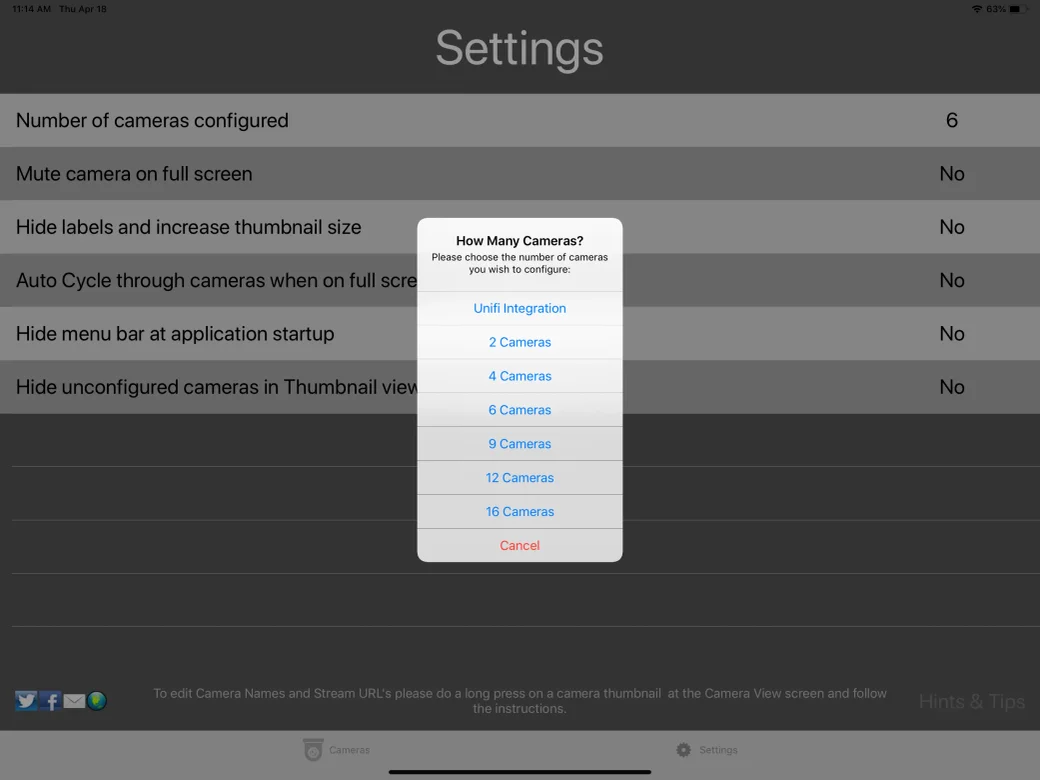
* Support for changing camera numbers up to 16 per Group
* Supports RTSP Authentication (can be set up by GUI or Web Server)
* Swipe between camera's once in full screen mode with continuous scrolling (When you get to the last camera it will load first camera again)
* Toggle mute on / off when in full screen by clicking on remote touch pad or shaking the remote.
* Added option to leave camera muted by default when opening full screen (toggle mute above still works)
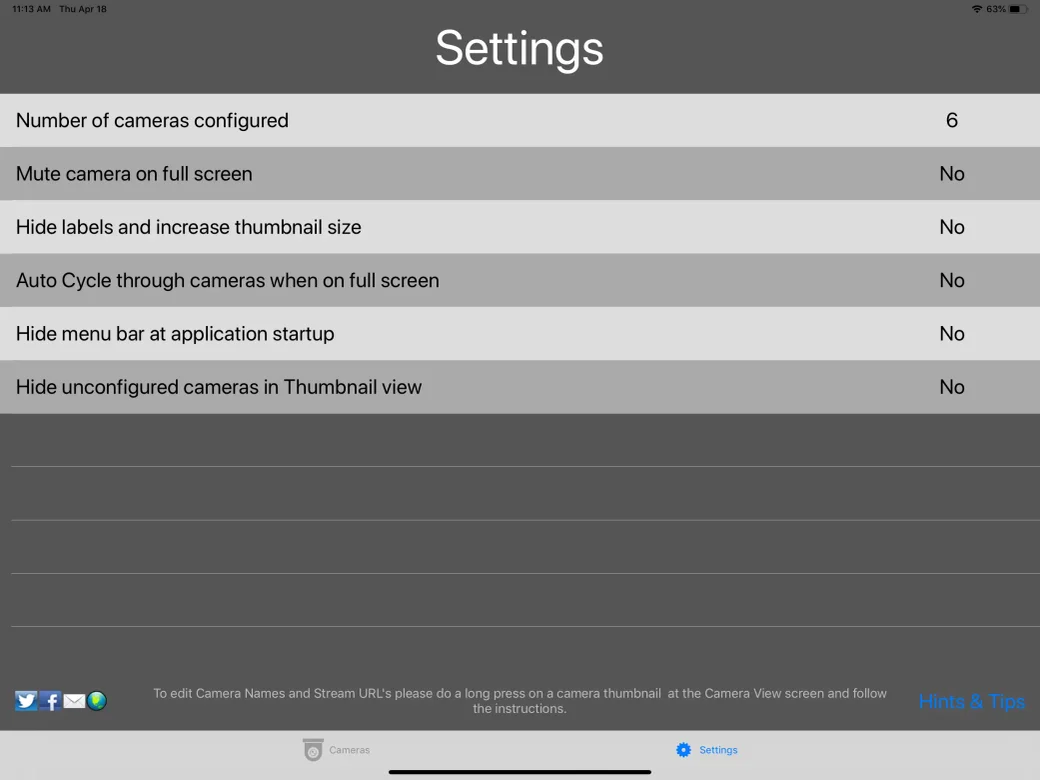
* Turn camera labels off and remove some of the padding (making the Thumbnails bigger)
* Optional full screen camera cycling at various timed intervals up to 30 seconds, and ability to use Play/Pause to hold on a certain camera then resume cycling.
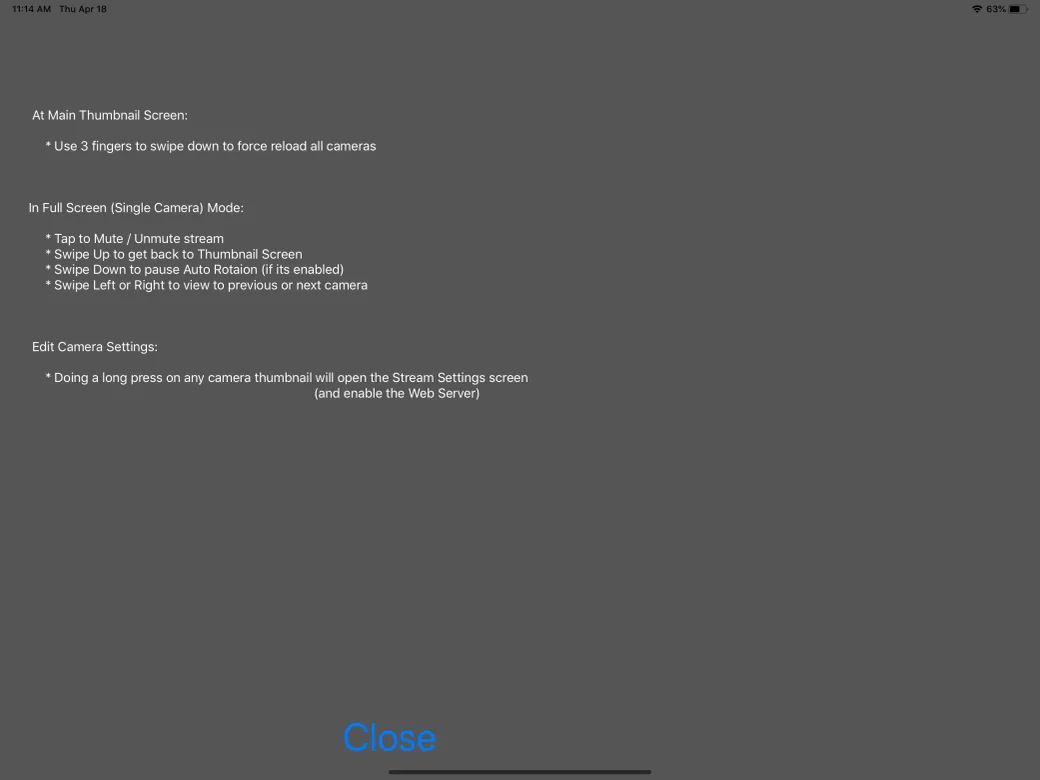
* When at the thumbnail screen, shake the remote to force a reload of all camera streams, useful if one camera locks up or you restart your NVR etc.
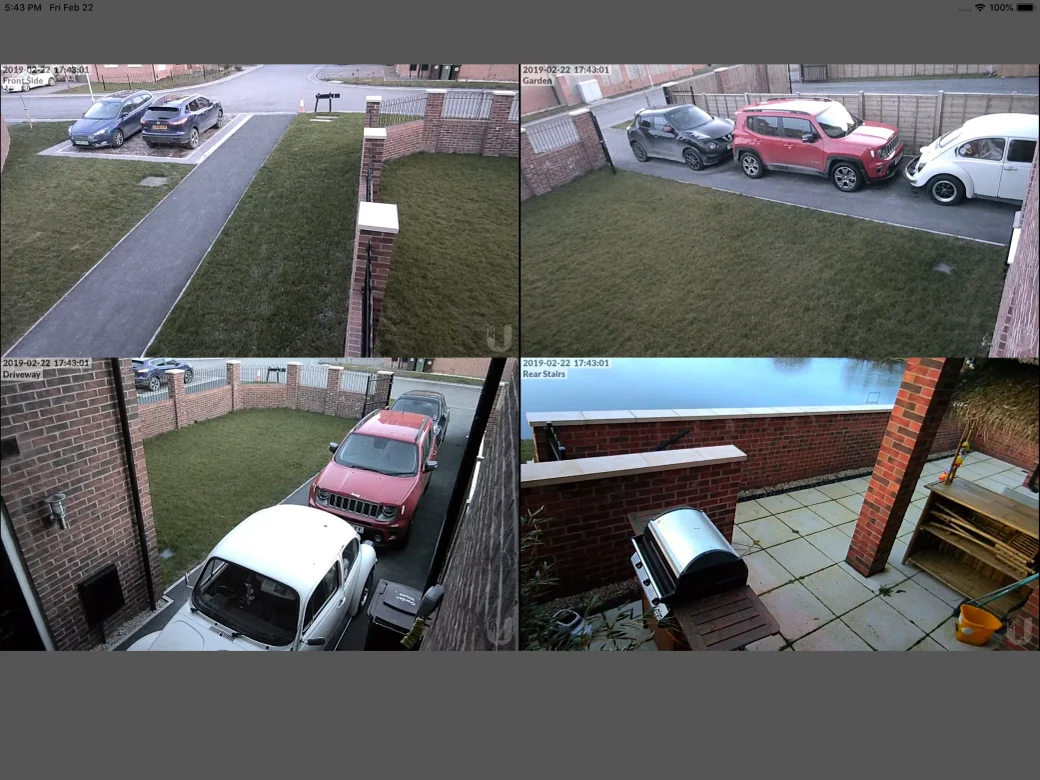
On first run you choose the number of cameras you want to configure (this can easily be changed in settings later). You will then get a screen showing your camera thumbnails and have the option to see them with or without padding around them for dense camera views. From here you can select to go full screen, when viewing a camera full screen if it supports audio then the audio for that camera will be enabled by default (this can be changed in settings). You can also toggle sound on and off when in full screen mode by clicking anywhere on the screen, or shaking the remote. The audio is muted again once you go back to the main camera live view screen using the menu button.
You can swipe left and right to scroll through the cameras when in full screen mode, swipe up or hit back to return to thumbnail screen. It will skip over any camera's without a Stream URL configured, so if you only have 5 camera's it won't include the blank screen when scrolling.
It has been tested with various manufacturers CCTV Systems and WebCams that can do RTSP/M3U8 streaming and performed well with them all.
Setup is a breeze, you can either enter the Camera Names and URL's within the setup screen using the Apple TV (and/or text entry options on your iPhone). However we found this a little cumbersome, so once you have opened the settings screen at the top will be a URL that you can visit and change the settings using a browser on the device of your choice (This device will need to be on the same network as your Apple TV). To get back to this Stream Settings screen and re enable the web setup, simply long press on any camera thumbnail.
As a side note this doesn't just work for CCTV you can also put in public IPTV stream URL's and watch those as well.
We welcome feedback (good/bad) on ways to improve the application and any features you think we should look to add.
In the unlikely event you have any problems with the app please contact us via the support URL on the AppStore or via social media (Twitter: @PlasmaSoftUK / Facebook: PlasmaSoft). We guarantee you will get a quick and personal response to any suggestions and problems.
Note: Older iPads may struggle with multiple high definition streams if you have more than 9 cameras selected. If you have issues with the app randomly crashing please try lower resolution streams.
Acknowledgements:
The video player portion of our app is based on VLCKit , so any stream / camera URL that VLC can display should be usable within our app. CCTV Icon Design vector created by freepik - www.freepik.com
Neue Funktionen
Version 1.4.0 · 26.02.2026
* Updated Video Component with improved stream support
* Fixed UniFi integration (AGAIN!)
* Built with updated SDK's.
App-Datenschutz
Was Kevin Marshall im App Store zum Umgang dieser App mit Daten angibt.
-
Keine Daten erfasst
Der Entwickler erfasst keine Daten von dieser App.
Die Datenschutzpraktiken können variieren, zum Beispiel je nach den von Ihnen verwendeten Funktionen oder Ihrem Alter.
Informationen
- Anbieter
- Kevin Marshall
- Kategorie
- Dienstprogramme
- Version
- 1.4.0
- Aktualisiert
- 26.02.2026
- Veröffentlicht
- 29.01.2019
- Größe
- 38,2 MB
- Erfordert
- iOS 15.6 oder neuer
- Altersfreigabe
- 4+
- Preis
- 2,99 €
- Sprachen
- Englisch
- Copyright
- © 2026 PlasmaSoft
Das könnte Ihnen auch gefallen
-
 IP Kamera Viewer: Cam HeroÜberwachungskamera für Zuhause
-
 UniCam: IP-Kamera ViewerKI-Alarme, CCTV, Babyphone
-
 HomeWatchDienstprogramme
-
 Remote for TautulliÜberwache deinen Plex Server
-
 GLKVMDienstprogramme
-
 Browser: Web Search via GoogleDienstprogramme
-
 Screens 5: VNC Remote-DesktopSchneller und sicherer Zugriff
-
 Netzero for PowerwallDienstprogramme
-
 IP Scanner - Netzwerk ScannerNetwork Scanner WiFi/LAN
-
 NetSpot WLAN AnalyzerWiFi Heatmap & SpeedTest