- Altersfreigabe4+
- KategorieEntwickler-Tools
- Entwickler張 文展
- SprachenEnglisch+ 5 weitere
- Größe18,2 MB
Verlinkt auf die offizielle App Store-Seite
Download.org hostet keine Datei von CekTerm. Die Schaltfläche öffnet die App-Seite bei App Store, wo 張 文展 die App veröffentlicht. Eintrag zuletzt geprüft am 18.11.2026.
Screenshots

Info
Der Entwickler hat diesen Text nicht in Ihrer Sprache bereitgestellt.
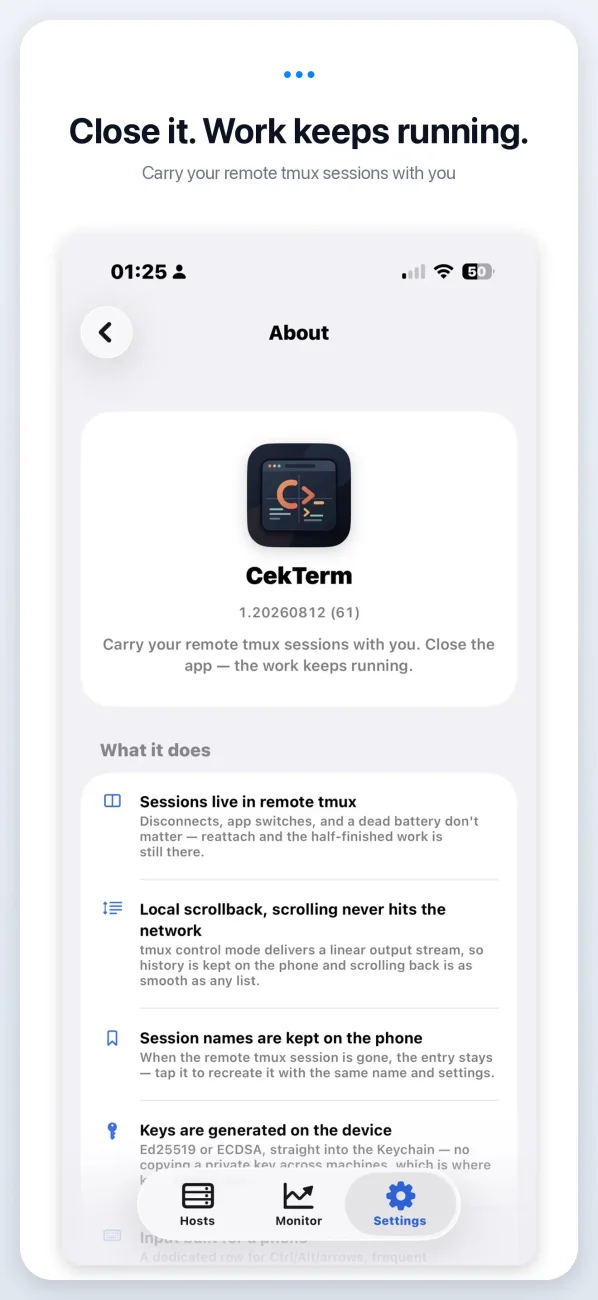
Carry your remote tmux session in your pocket. Close the app; the work keeps running.
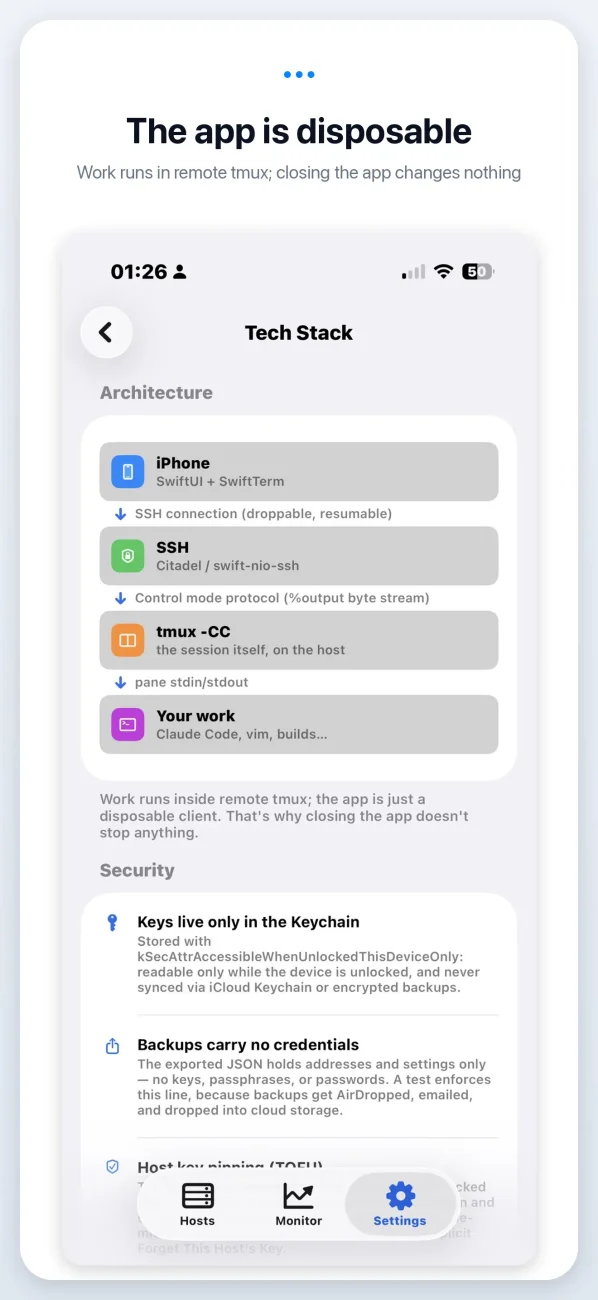
CekTerm is an SSH terminal for iPhone and iPad. It never owns your work — the real thing is the tmux session on the remote host, and the app is just a client you can throw away and reattach at any time.
So switching apps, running out of battery, losing signal underground, even swiping the app out of the multitasking list: that build, training run, deploy or AI agent is still going. Open it again and the screen picks up exactly where you left off.
Features
• Sessions live in remote tmux
Disconnects, app switches and dead batteries do not matter — come back, attach to the same session, and the half-finished work is still there.
• Local scrollback, scrolling never hits the network
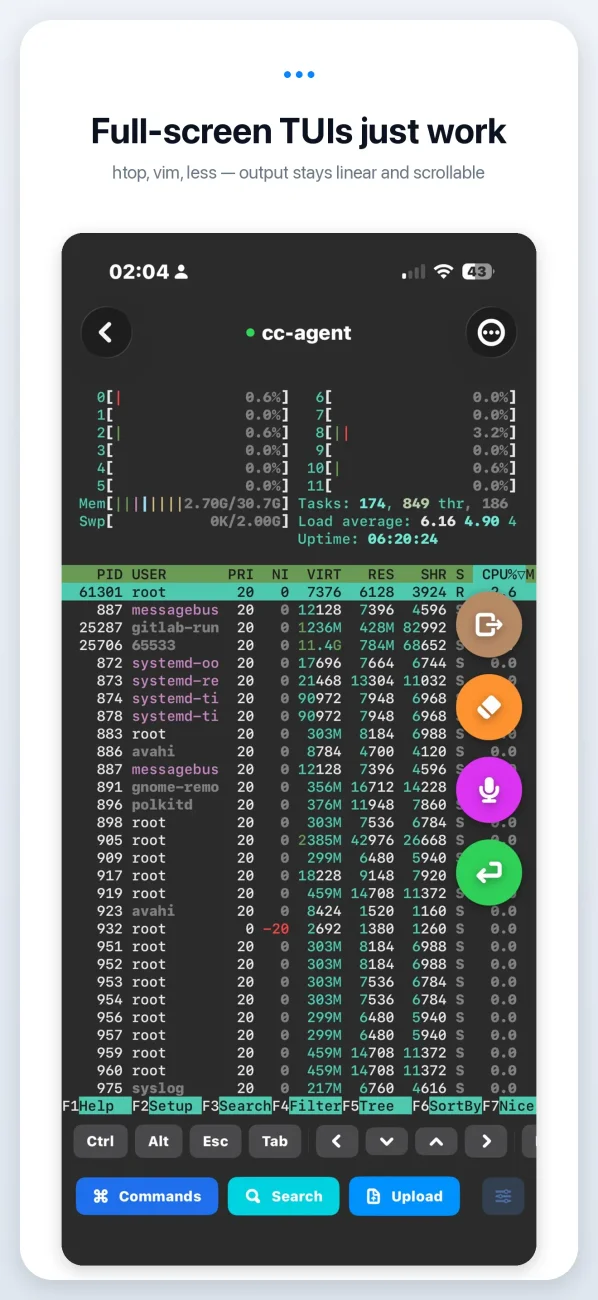
tmux control mode returns a linear output stream, so history is stored on the phone and scrolling back feels like scrolling any other page.
• Session names stay on the phone
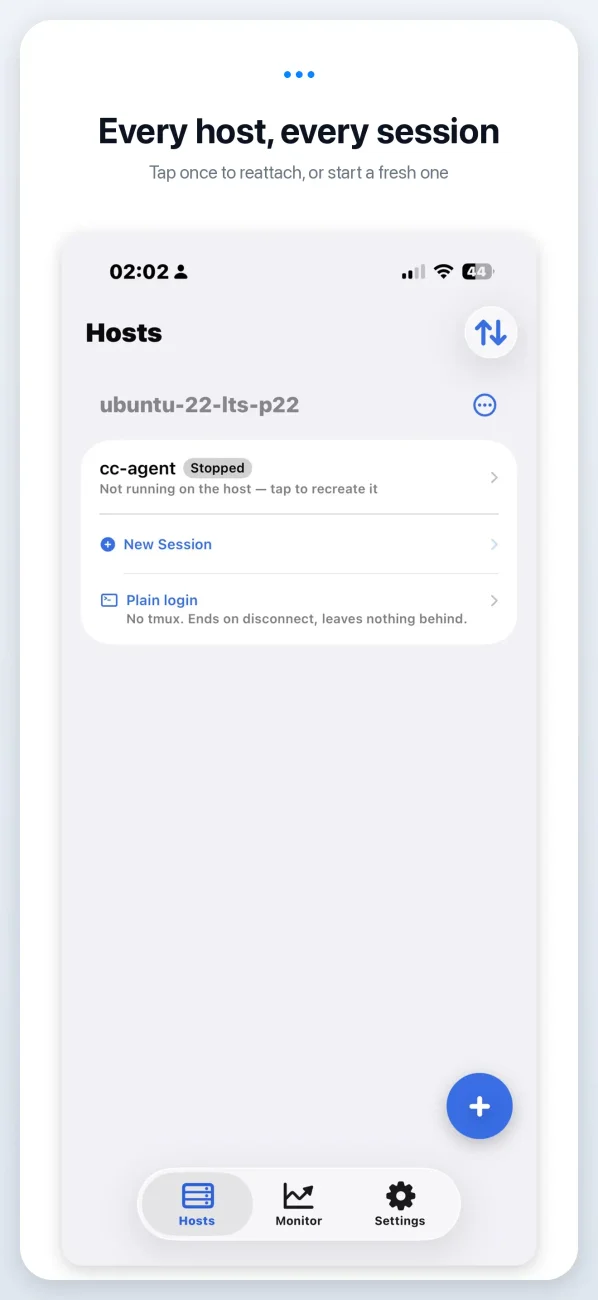
If the remote tmux session is gone, its entry remains in the list — one tap rebuilds it with the same name and settings.
• Keys are generated on the device
Ed25519 or ECDSA, straight into the Keychain — no copying a private key across machines, which is where keys usually leak.
• Input built for a phone
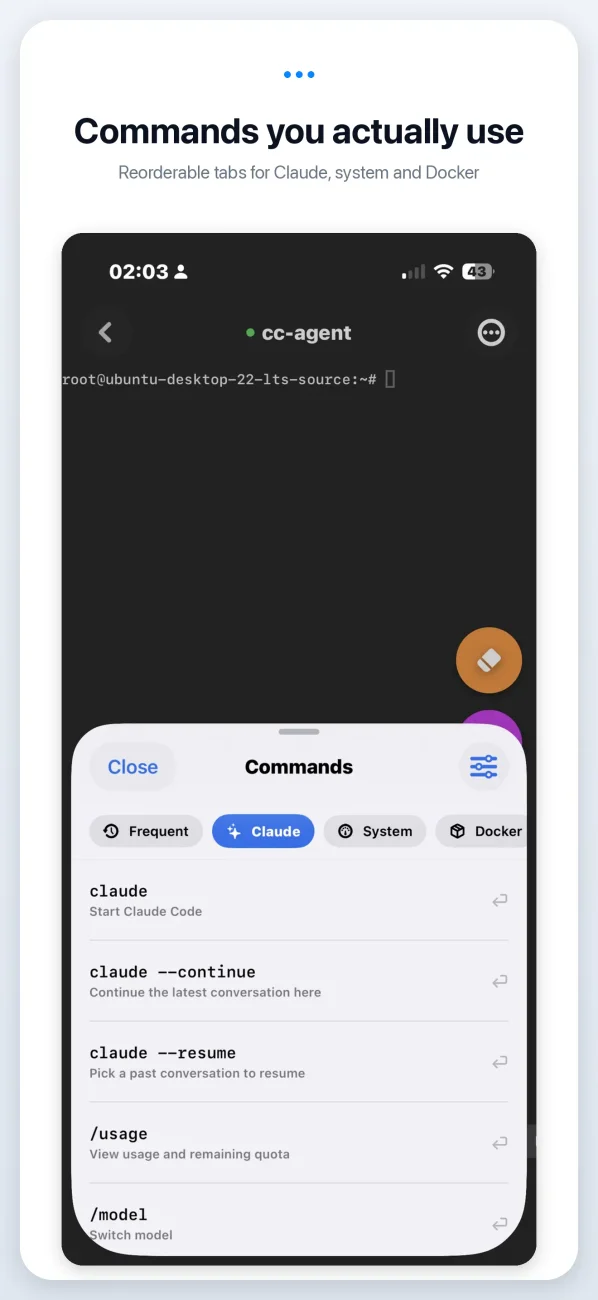
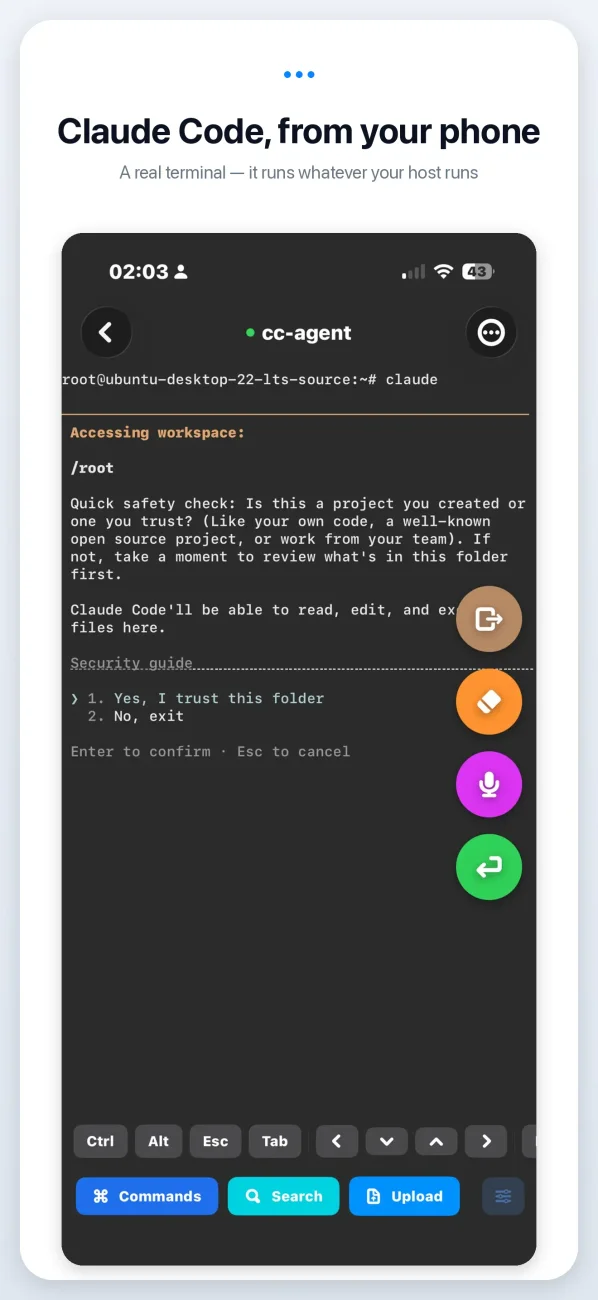
A dedicated row for Ctrl/Alt/arrows, frequent commands as reorderable tabs, and floating Enter and clear buttons you can drag anywhere.
• An exit key that reads the context
It asks the remote what is running first: q for less, Ctrl-D for python, Ctrl-C twice for an agent — and for vim it asks whether to save.
• Pick the remote folder and shell
Browse the remote directory tree while creating a session; the shell list is read from that host, so you do not have to remember paths.
• Upload files over SFTP
Send several files at once to any remote folder and leave the page while it transfers. The file only appears at its final path once complete, so an interruption never leaves half a file behind.
• Voice input
Speak a line, get text, review it before sending — or run it straight away. Long commands are painful to type on a phone.
• Six interface languages and multiple themes
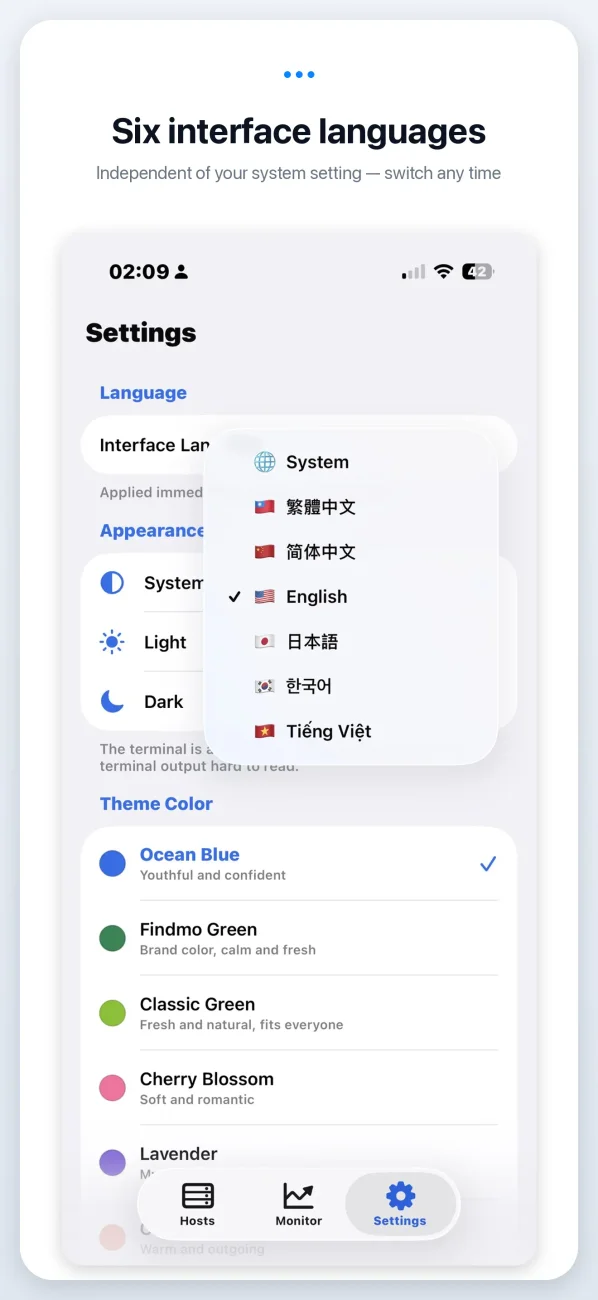
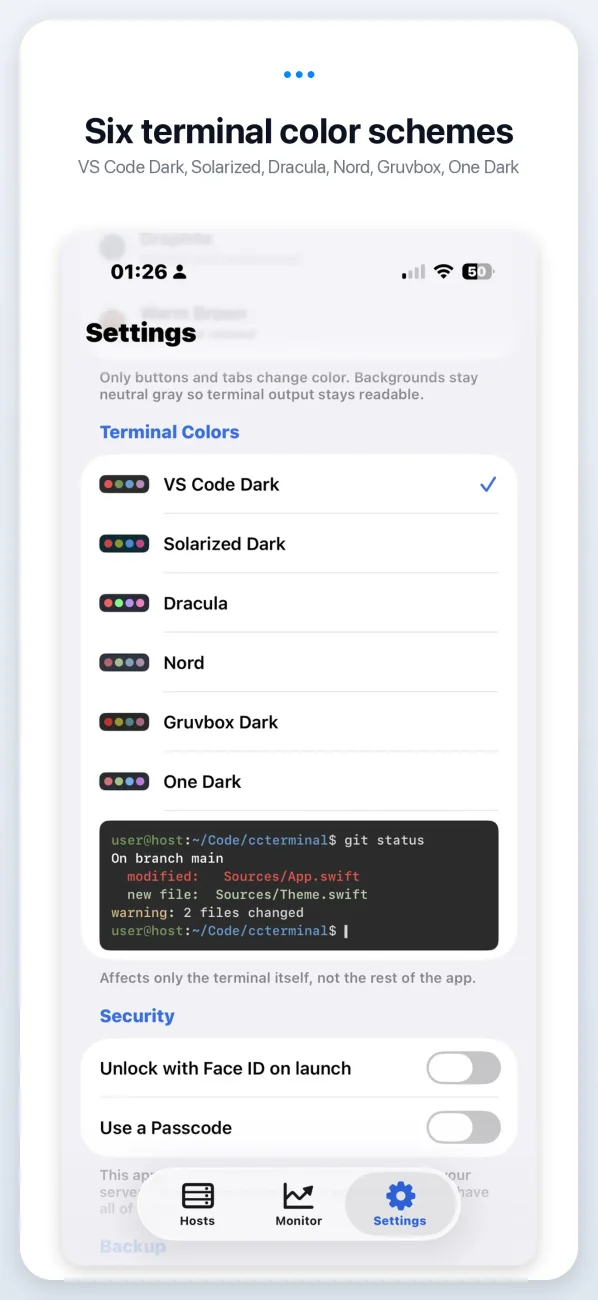
The interface language is independent of the system setting, and the terminal has six colour schemes of its own.
Security
• Private keys, passphrases and passwords live in the Keychain, readable only after the device is unlocked, and never leave this device via iCloud Keychain or encrypted backups.
• Host keys use TOFU: the key is recorded on first connect and must match exactly every time after; a mismatch aborts the connection and shows both fingerprints.
• Biometric lock: protect the app with Face ID or Touch ID and lock it the moment it goes to the background.
• Remote clipboard reads are refused: OSC 52 is implemented for writing only and never answers a read query.
• Settings export contains no private keys or passwords — those stay in the Keychain.
What you need
A remote host you are authorised to log into, with tmux installed (Linux or macOS). Please use Ed25519 keys: RSA private keys can no longer authenticate against OpenSSH 8.8 and later.
This app does not try to be a full SFTP browser or a port-forwarding tool — a desktop SSH client is better at those. It focuses on one thing: watching a long-running session from a phone.
Neue Funktionen
Version 1.0.20260818 · 18.08.2026
Script library
- Keep your operations scripts in the app and run them on any host you have set up
- Pull an existing script down from a host and edit it in the app
- Every run is confirmed first, showing the target host, the script and any destructive commands found in it
- Passwords, tokens and private keys are masked before output is stored on the device
- Each run gets its own result page: re-run it, or export it as an image, PDF or plain text
Share terminal output
- A new Share button in the bottom toolbar: pick the current screen or everything, including output scrolled off the top
- Image, PDF or plain text, each carrying the host, time and line count
Also
- New "Send usage statistics" switch (Settings > Privacy), on by default and can be turned off at any time.
It reports install time, language, launch time and app version only — no accounts, host settings or terminal content
App-Datenschutz
Was 張 文展 im App Store zum Umgang dieser App mit Daten angibt.
-
Nicht mit Ihnen verknüpfte Daten
Können erfasst werden, sind aber nicht mit Ihrer Identität verknüpft.
- Standort
- Kennungen
- Nutzungsdaten
Die Datenschutzpraktiken können variieren, zum Beispiel je nach den von Ihnen verwendeten Funktionen oder Ihrem Alter.
Informationen
- Anbieter
- 張 文展
- Kategorie
- Entwickler-Tools
- Version
- 1.0.20260818
- Aktualisiert
- 18.08.2026
- Veröffentlicht
- 18.08.2026
- Größe
- 18,2 MB
- Erfordert
- iOS 17.0 oder neuer
- Altersfreigabe
- 4+
- Preis
- Kostenlos
- Sprachen
- Englisch, Japanisch, Koreanisch, Vereinf. Chinesisch, Tradit. Chinesisch, Vietnamesisch
- Copyright
- © 2026 CEK
Das könnte Ihnen auch gefallen
-
 vmux Agent ConsoleEntwickler-Tools
-
 Pier ShellEntwickler-Tools
-
 OSH - Zero Trust SSHEntwickler-Tools
-
 Shellter: SSH & SFTP ClientEntwickler-Tools
-
 SSH AppEntwickler-Tools
-
 Termora SSHEntwickler-Tools
-
 Python Code DevelopEntwickler-Tools
-
 Conduit: SSH, Mosh & SFTPEntwickler-Tools
-
 MyServers-Server ManagerEntwickler-Tools
-
 React Native PaperEntwickler-Tools