- Altersfreigabe4+
- KategorieMusik
- EntwicklerKrzysztof Sadowski
- SprachenEnglisch
- Größe107,1 MB
Verlinkt auf die offizielle App Store-Seite
Download.org hostet keine Datei von Chordi. Die Schaltfläche öffnet die App-Seite bei App Store, wo Krzysztof Sadowski die App veröffentlicht. Eintrag zuletzt geprüft am 16.11.2026.
Screenshots
Info
Der Entwickler hat diesen Text nicht in Ihrer Sprache bereitgestellt.
Why I created Chordi?
As a bass and ukulele player, I always found the piano the easiest way to explore theory—if only I could actually play it! But every tool I tried felt too complex and fiddly, getting in the way of creativity. So, my inner nerd took over, and Chordi was born—an app that makes music exploration easier, no matter your skill level. Whether you’re a beginner or a seasoned musician, Chordi helps you unlock new ideas, spark your creativity, and build music effortlessly.
I believe music and education should be accessible to everyone. That’s why Chordi is FREE FOREVER—no subscriptions, no locked features. Just a tool to help you explore and create music without barriers.
What to expect?
Supported Devices (iPadOS/iOS)
- Optimized for iPad in landscape orientation
- iPhone Support (for those who dare to create music on-the-go, even in portrait mode!)
- Light & Dark Mode
Just Play!
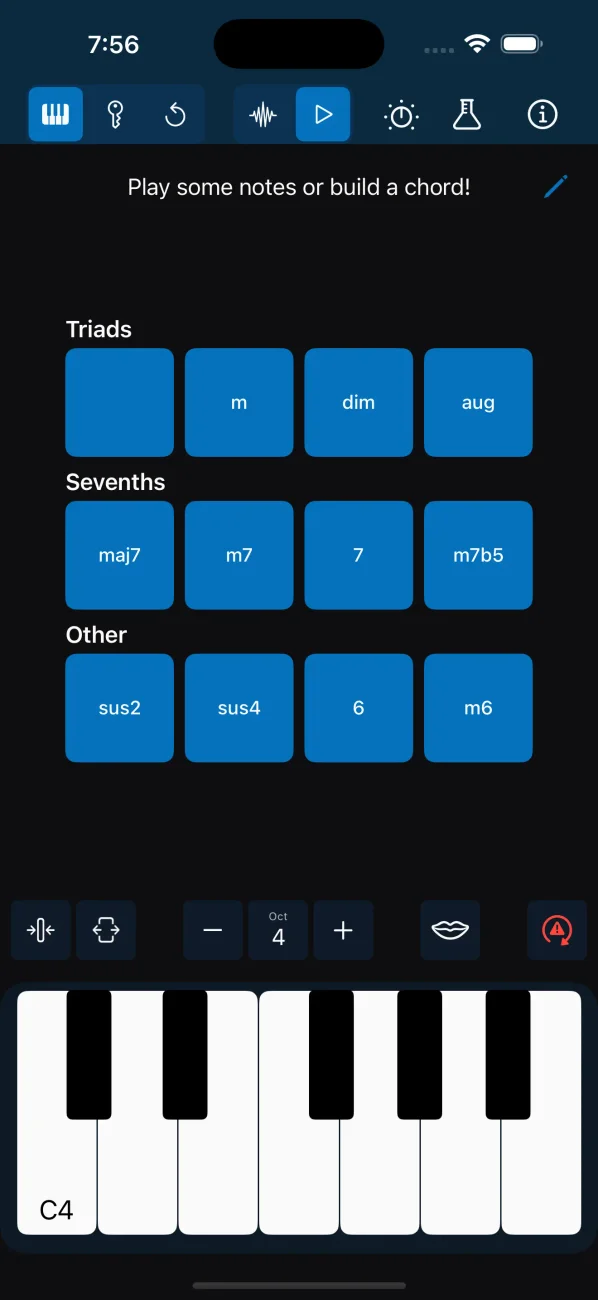
Tap notes on the keyboard or create full chords effortlessly.
- Press and hold chord quality buttons (like maj7 or m) before selecting a root note.
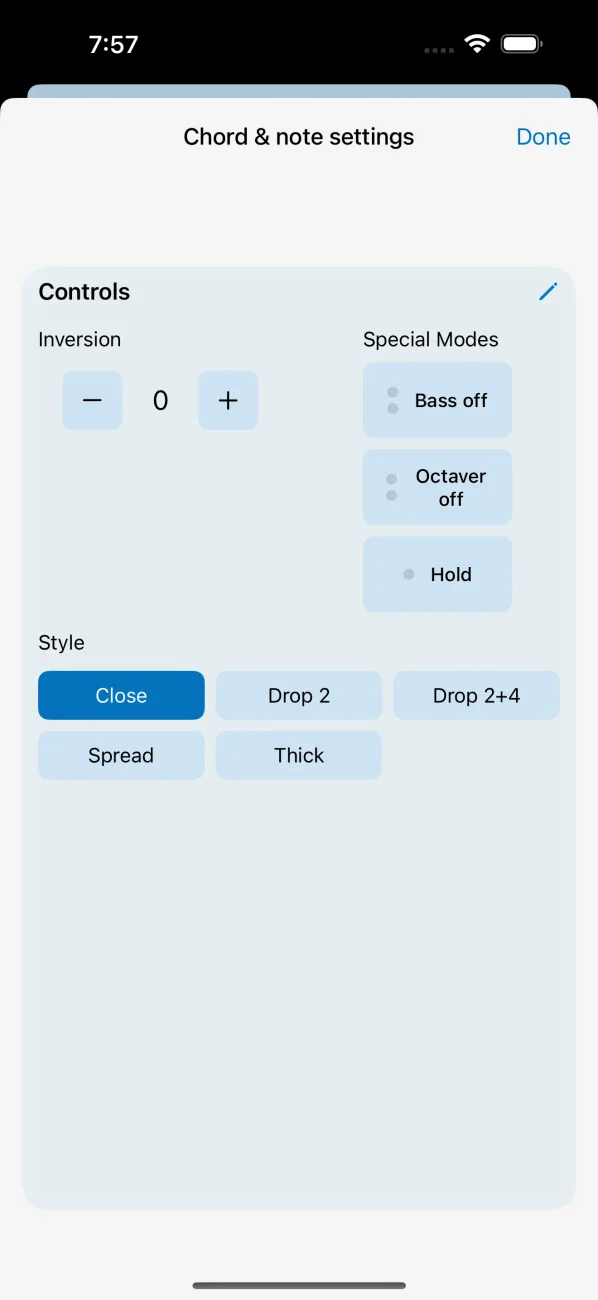
- Choose different chord inversions and voicings.
- Add bass notes or octaves up/down with the Octaver and Bass buttons.
- Experiment with Hold mode to layer melodies over chords.
Creative Modes
Take your creativity even further with these powerful modes:
- Free Mode – Play freely—just tap notes or build chords without any restrictions.
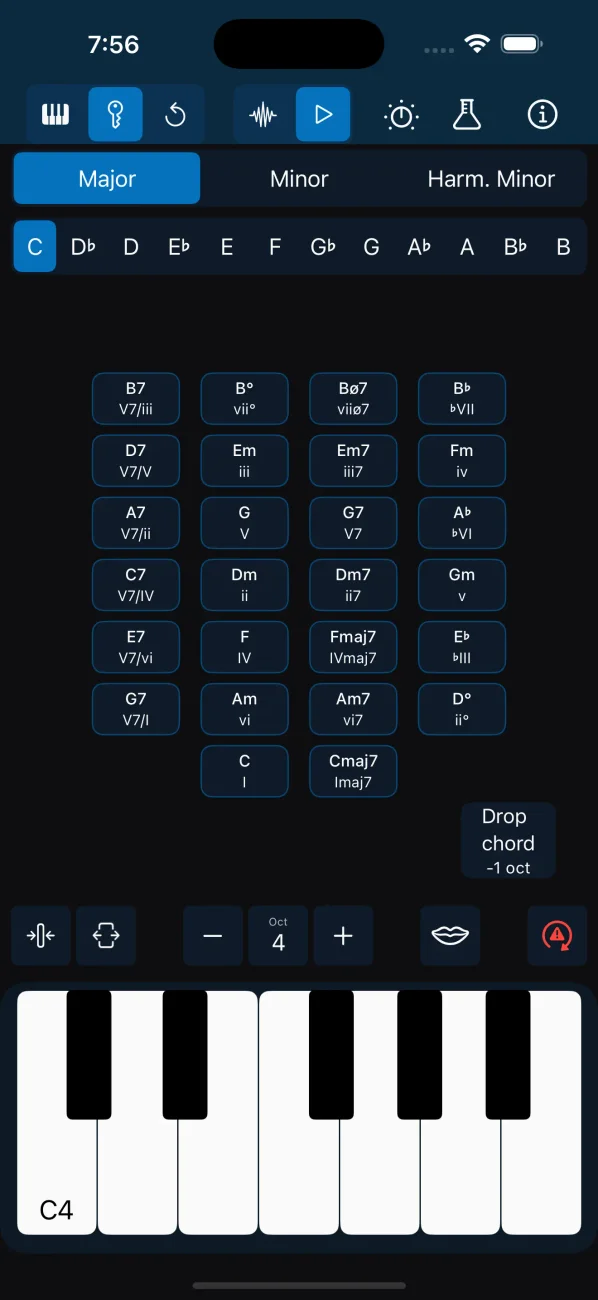
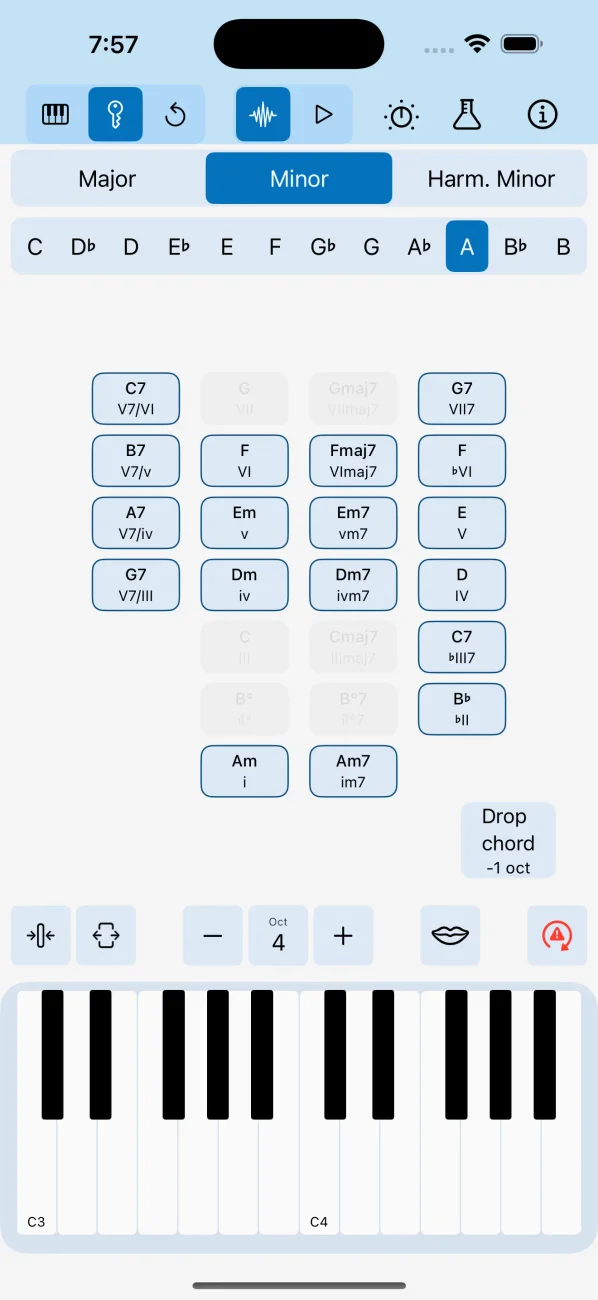
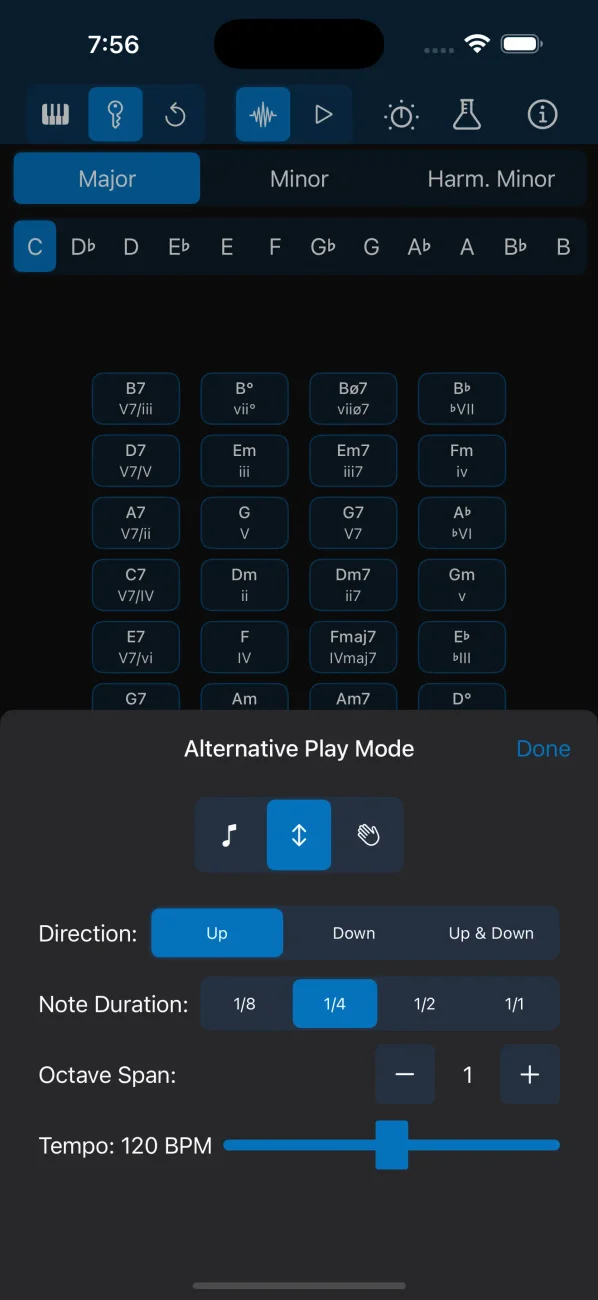
- Key Mode – Select a scale and key, and let Chordi guide you through fitting chords. From triads and sevenths to secondary dominants and modal interchange, you’ll always have the right options at your fingertips. Chordi even suggests what to play next based on chord progression rules.
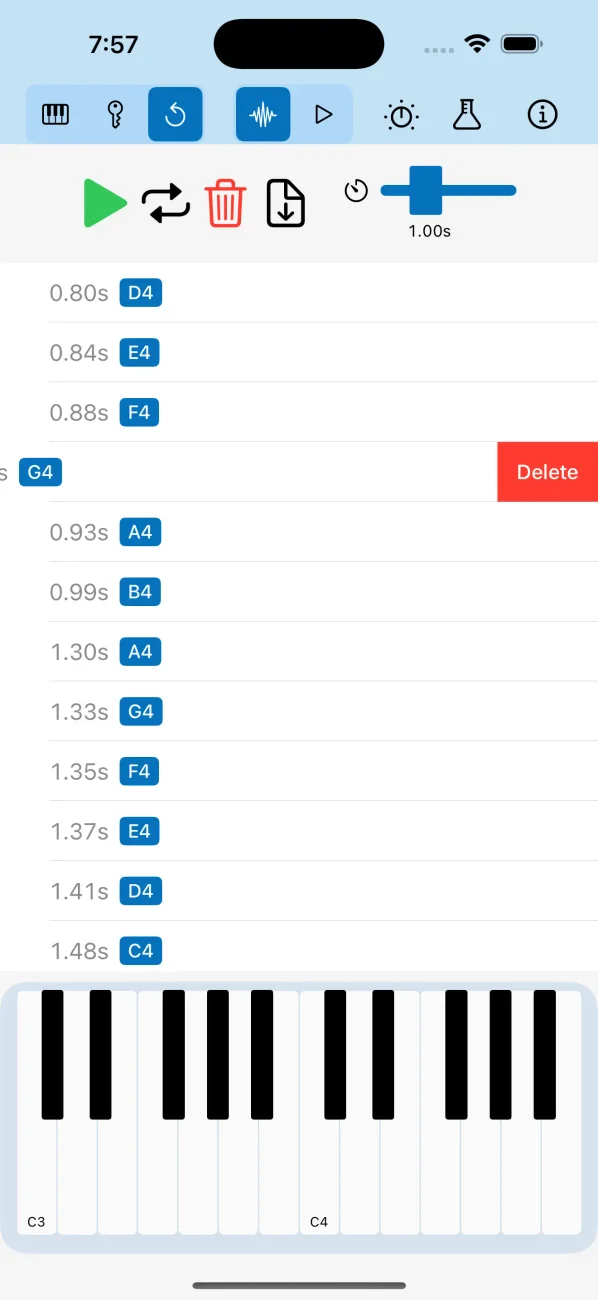
- Replay Mode – A creative alternative to traditional loopers—perfect for those who find the red record button intimidating. Any notes played in Free Mode or Key Mode are automatically stored. Enter Replay Mode to revisit your ideas, delete individual events, add a gap at the end for a smooth loop, or export your session as a MIDI file. Capture inspiration without pressure and refine your ideas with ease. Beware, leaving that mode starts recording again.
Rhythm Modes
Explore chord rhythms and experiment with musical textures in these modes:
- Normal Mode – Play single notes or full chords with available modifiers.
- Arpeggiator Mode – Transform chords into arpeggios. (Experimental)
- Strummer Mode – Strum your chords like a guitar or harp. (Experimental)
Customize
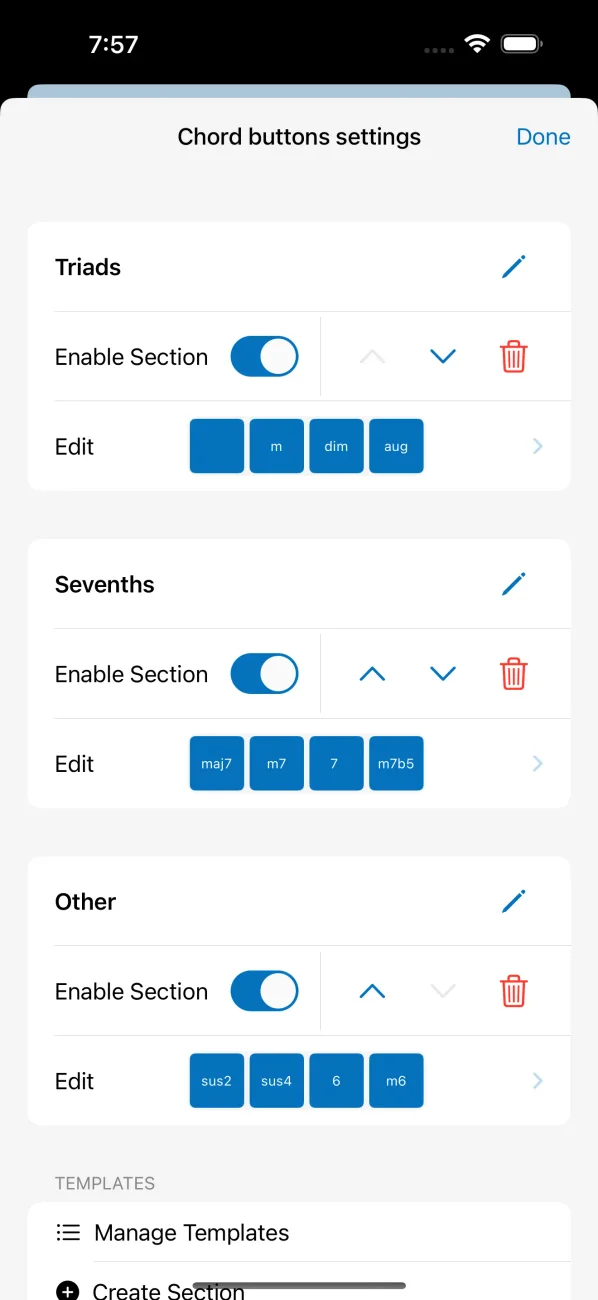
- Fine-tune sections of the app to fit your needs. Reorder, resize, and modify elements to create your perfect workspace.
MIDI Integration
Plug in your MIDI keyboard or connect Chordi to your DAW (USB MIDI input/output supported).
Sound Engines
Let’s make some noise.Let’s make some noise.
- Soundfont Player – Play with handpicked sampled sounds: Rhodes, Wurlitzer, Organ, and Grand Piano.
- Synthesizer – Create your own sounds with Chordi’s built-in synth. (Experimental, may have occasional issues)
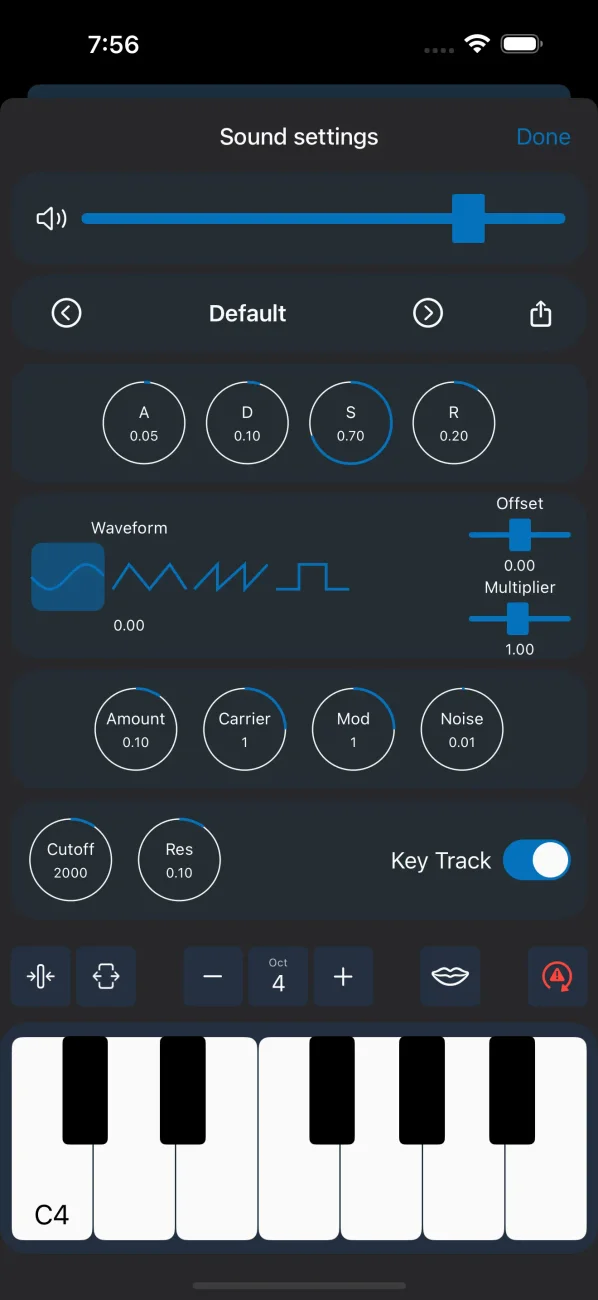
- Sound Settings – Control effects and tweak sound parameters.
Note: For the best audio experience, speakers or wired headphones are recommended. Wireless Bluetooth headphones may introduce small latency.
In case of emergency…
- Panic Button – Instantly stop all sounds, reset the audio engine, and clear any highlights.
- Shake device for Help – Always one shake away from guidance.
- Need More Support? – Check out the support page, or reach out directly—I’m always happy to help.
Privacy policy: https://chordiapp.com/privacy-policy
Terms of use: https://www.apple.com/legal/internet-services/itunes/dev/stdeula/
Neue Funktionen
Version 1.2 · 03.04.2025
I’ve decided to retire the tip jar. A big thank you to everyone who contributed – I truly appreciate it!
App-Datenschutz
Was Krzysztof Sadowski im App Store zum Umgang dieser App mit Daten angibt.
-
Keine Daten erfasst
Der Entwickler erfasst keine Daten von dieser App.
Die Datenschutzpraktiken können variieren, zum Beispiel je nach den von Ihnen verwendeten Funktionen oder Ihrem Alter.
Informationen
- Anbieter
- Krzysztof Sadowski
- Kategorie
- Musik
- Version
- 1.2
- Aktualisiert
- 03.04.2025
- Veröffentlicht
- 03.02.2025
- Größe
- 107,1 MB
- Erfordert
- iOS 18.0 oder neuer
- Altersfreigabe
- 4+
- Preis
- Kostenlos
- Sprachen
- Englisch
- Copyright
- © 2025 Krzysztof Sadowski