
- Altersfreigabe4+
- KategorieDienstprogramme
- EntwicklerDriftwood Studio Software LLC
- SprachenEnglisch+ 1 weitere
- Größe2,2 MB
Verlinkt auf die offizielle App Store-Seite
Download.org hostet keine Datei von Chroniton. Die Schaltfläche öffnet die App-Seite bei App Store, wo Driftwood Studio Software LLC die App veröffentlicht. Eintrag zuletzt geprüft am 20.11.2026.
Screenshots
Info
Der Entwickler hat diesen Text nicht in Ihrer Sprache bereitgestellt.
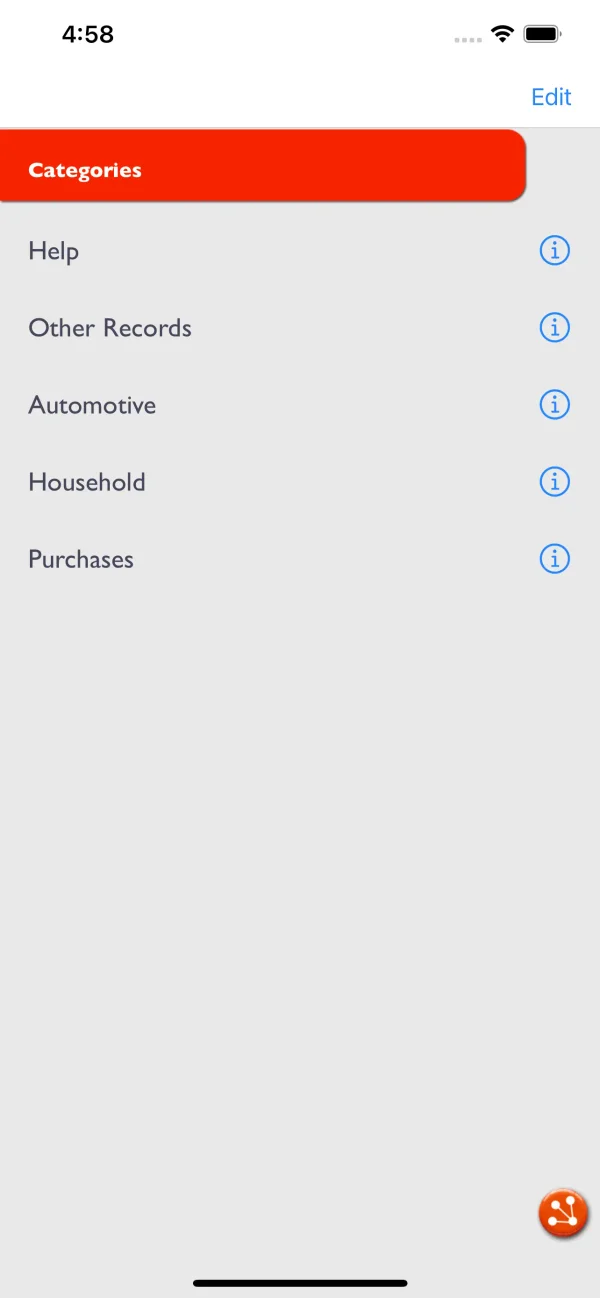
Chroniton is an event and date tracker that helps you remember when something was done and reminds you when you need to revisit it again.
Use Chroniton to:
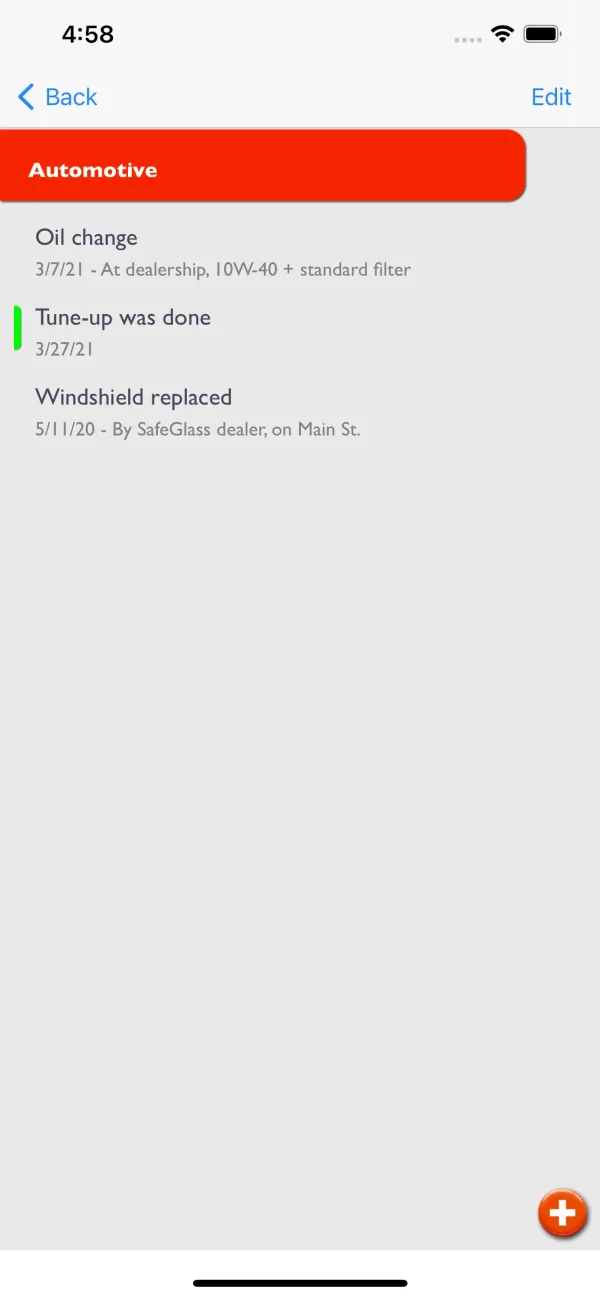
- Keep track of automotive maintenance (oil changes, when tires were last changed, when next regular service is due, etc)
- Track recurring household maintenance needs (furnace/AC filter changes, last gutter cleaning, etc)
- Track purchase dates and warranty expiration dates.
- Keep lists of significant personal events (last eye exam, last dental cleaning, last check of credit reports, etc)
- Remember a history of events for you kids such as the last allowance raise, the last time school portraits were done, etc.
- Track pet-related events like vet visits, immunizations, license/tag registrations, etc.
- Keep a reminder of important financial dates (when you last paid your annual car insurance premium, date you signed your apartment lease, date you signed your cell phone contract, when you last reviewed your W2 status, etc)
- Keep track of any event you want to be able to refer back to!
Key Features:
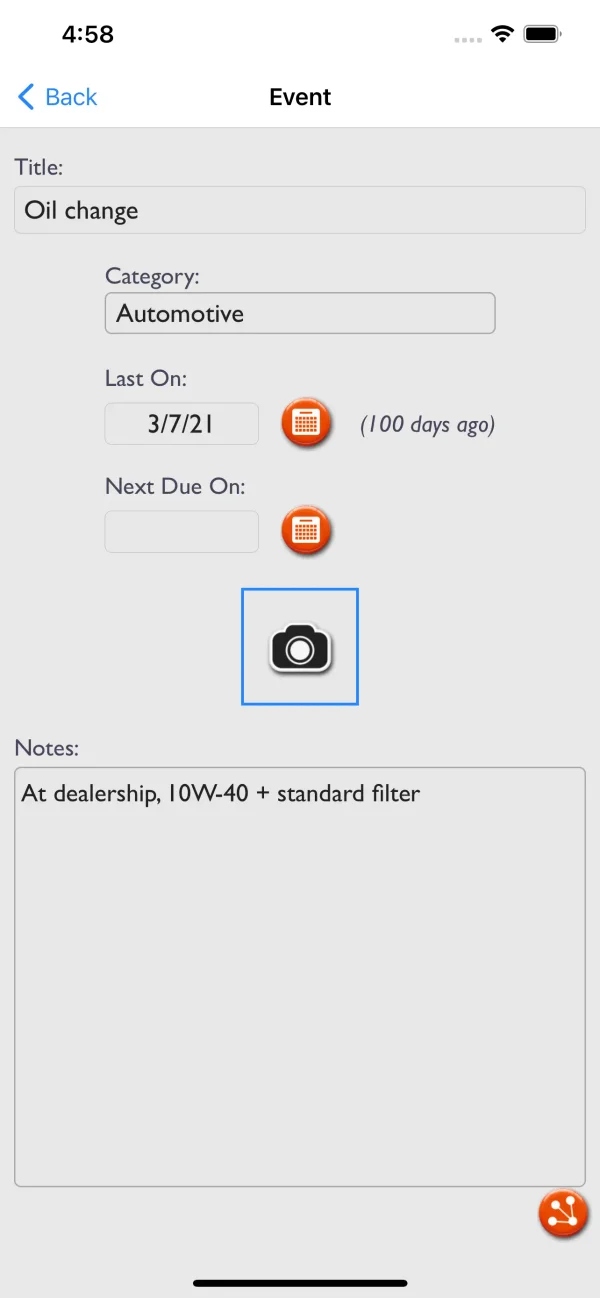
- Add photo to events
- Add unlimited notes to any event
- Define your own categories
- Assign a “next due” date to any event (events due soon show a yellow indicator, events past due show a red indicator)
- Update an event’s date as “done today” with one tap
- Send any event, or your whole list, to an email
- Reorder events and categories to see your most important items at the top
- Quick-entry buttons to set dates a week, a month, or a year in the future
- Easily add or delete events from the main screen
- Portrait and landscape views supported on both iPhone and iPad
- Use multiple devices with automatic iCloud sync
Neue Funktionen
Version 1.1.0 · 21.08.2024
General compatibility updates for recent iOS releases.
App-Datenschutz
Was Driftwood Studio Software LLC im App Store zum Umgang dieser App mit Daten angibt.
-
Keine Daten erfasst
Der Entwickler erfasst keine Daten von dieser App.
Die Datenschutzpraktiken können variieren, zum Beispiel je nach den von Ihnen verwendeten Funktionen oder Ihrem Alter.
Informationen
- Anbieter
- Driftwood Studio Software LLC
- Kategorie
- Dienstprogramme
- Version
- 1.1.0
- Aktualisiert
- 21.08.2024
- Veröffentlicht
- 30.06.2021
- Größe
- 2,2 MB
- Erfordert
- iOS 16.4 oder neuer
- Altersfreigabe
- 4+
- Preis
- Kostenlos
- Sprachen
- Englisch, Spanisch
- Copyright
- © 2021 Driftwood Studio
Das könnte Ihnen auch gefallen
-
 FlipClock: Always On DisplayUhr, Timer, Pomodoro, Beste!
-
 Park AssistDienstprogramme
-
 World Population SimulatorDienstprogramme
-
 Clock SecondsDienstprogramme
-
 Zählerstände: Ablesen & KostenZählerstand per Kamera scannen
-
 PrefixPlus - add the prefixDienstprogramme
-
 TitanRouteDienstprogramme
-
 Dr. Prius / Dr. HybridDienstprogramme
-
 Roadblock - Content BlockerDienstprogramme
-
 Shining MaskDienstprogramme