- Altersfreigabe4+
- KategorieBildung
- EntwicklerOjas Ray
- SprachenEnglisch
- Größe49,8 MB
Verlinkt auf die offizielle App Store-Seite
Download.org hostet keine Datei von ClassBell Alarm. Die Schaltfläche öffnet die App-Seite bei App Store, wo Ojas Ray die App veröffentlicht. Eintrag zuletzt geprüft am 12.11.2026.
Screenshots

Info
Der Entwickler hat diesen Text nicht in Ihrer Sprache bereitgestellt.
Keep track of class transitions with ClassBell Alarm, your personal school bell schedule companion.
CREATE CUSTOM SCHEDULES
Build unlimited bell schedules with as many periods as you need. Whether you have a regular 8-period day, block scheduling, or special assembly days — ClassBell handles it all.
REAL-TIME COUNTDOWN
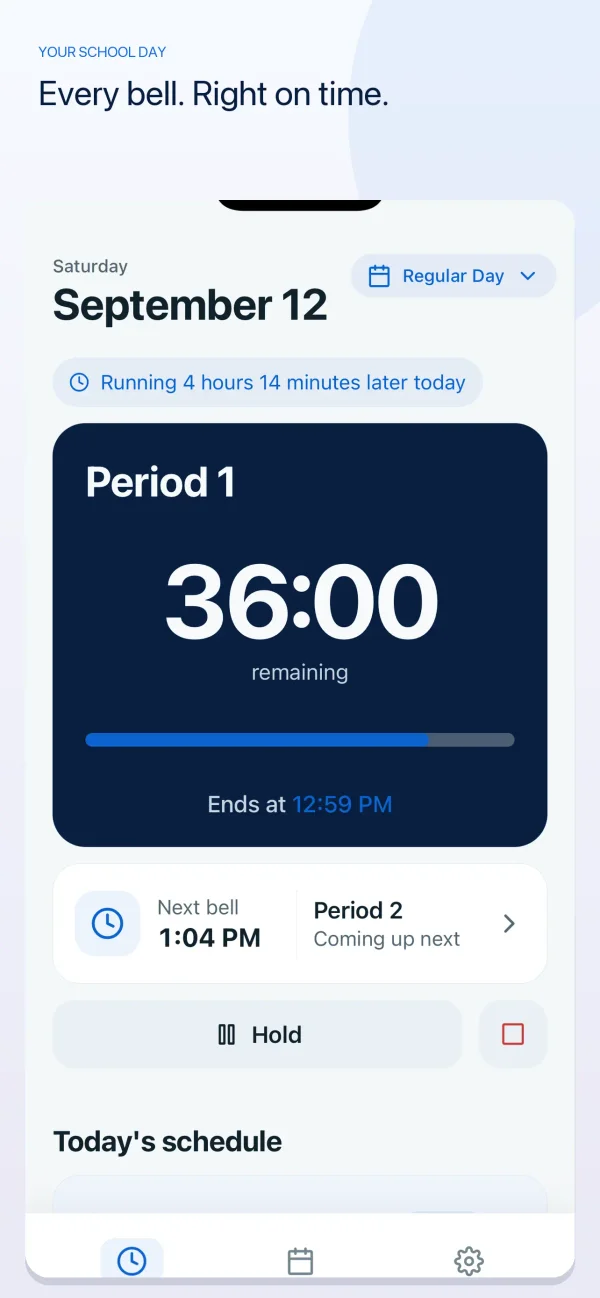
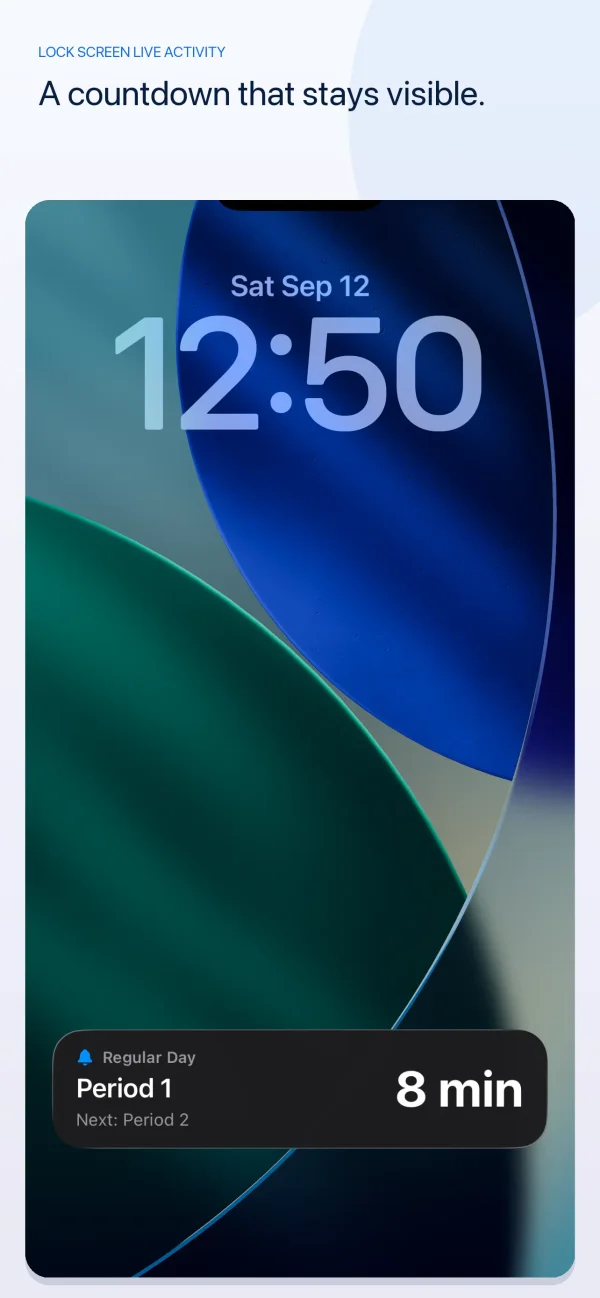
See exactly how much time remains in your current period with a beautiful countdown display. A visual progress bar shows you at a glance where you are in your day.
BELL NOTIFICATIONS
Choose Bell, Chime, or Subtle as iPhone notification sounds for ClassBell's time-sensitive notifications, and add up to three warnings to each period. On iPhone, sounds follow Silent mode, Focus, and notification settings. Apple normally alerts your iPhone or Apple Watch, not both: an unlocked iPhone receives the alert; when the phone is locked, an eligible worn, unlocked Watch normally receives it. A paired Apple Watch uses its own sound and Silent settings, so silence the Watch too when quiet is required. iOS and watchOS control haptics; check your device settings and run a test before class.
AUTOMATIC DAY DETECTION
Assign schedules to weekdays, one-time dates, or an alternating A/B calendar. ClassBell resolves the exact schedule for each school day while still letting you start any schedule manually.
SIRI & SHORTCUTS
Start today's schedule, begin again from Period 1, hold, resume, or end a schedule with Siri or the Shortcuts app. You can also open Confidence Center directly when you want a quick readiness check.
CONFIDENCE CENTER
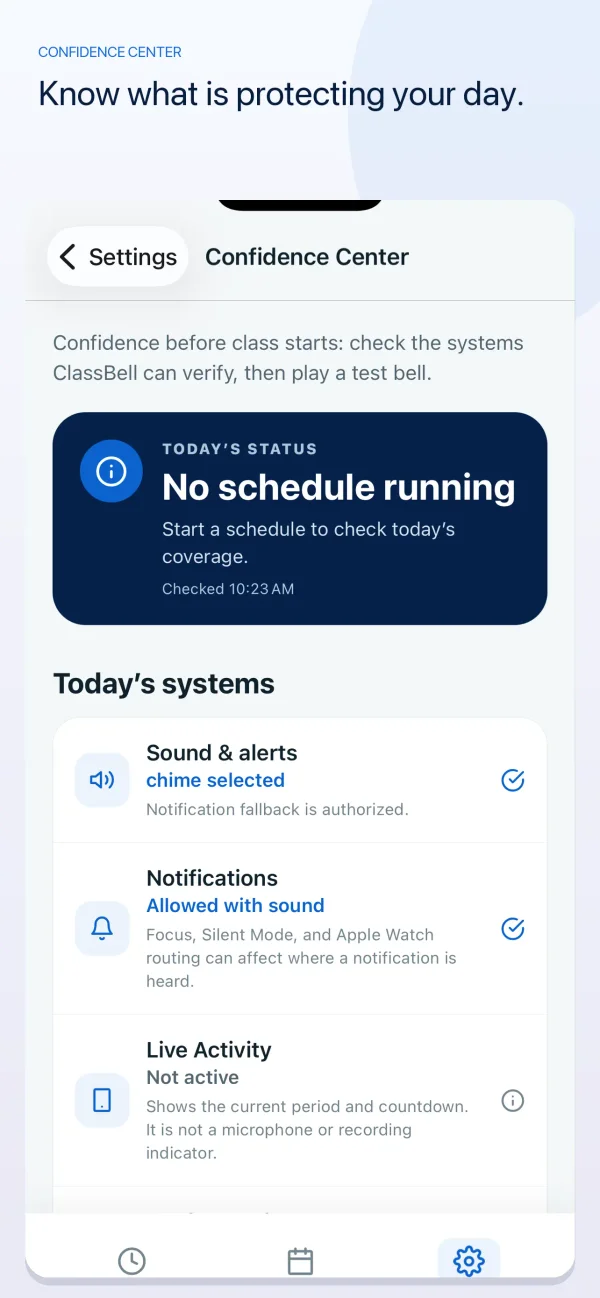
See notification permission and sound status, Live Activity status, and recent scheduling actions in one clear place. ClassBell explains how Silent mode, Focus, and Apple Watch routing can affect delivery without implying that it uses your microphone or records your screen.
BEAUTIFUL DESIGN
Enjoy a clean, modern interface with full dark mode support. Customize your accent color to match your style.
PRIVATE BY DESIGN
ClassBell works offline and does not require an account. Optional manual backups are stored in your private iCloud container, never on ClassBell's servers.
HOME SCREEN WIDGETS
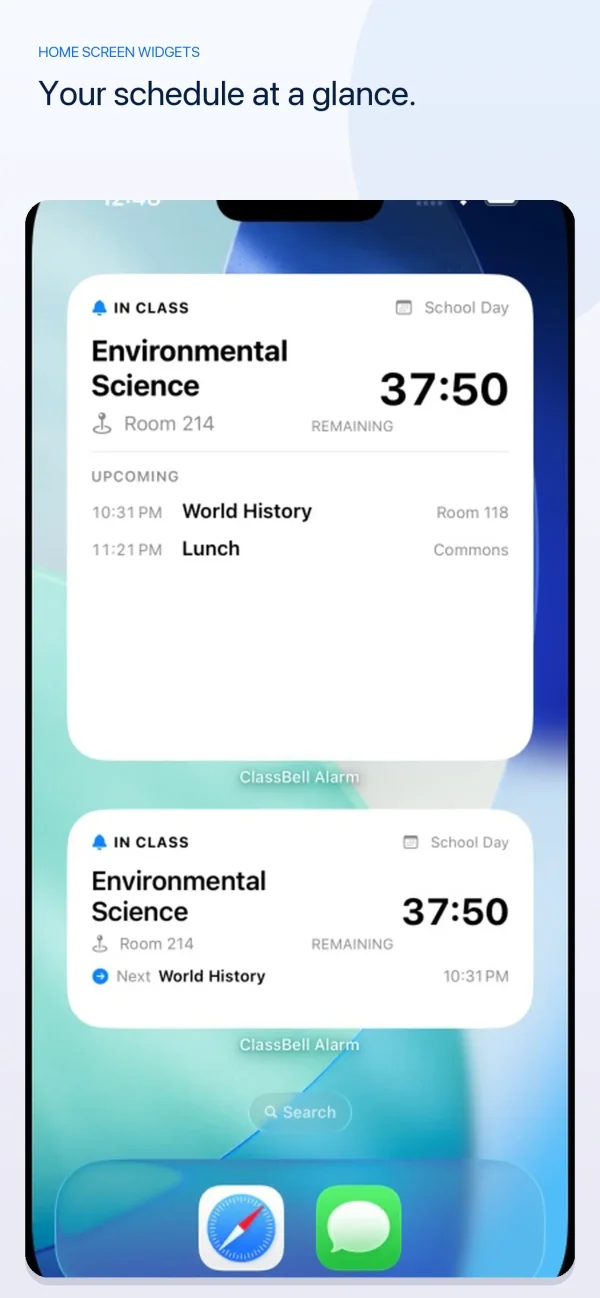
Add small, medium, and large Home Screen widgets for current, next, and upcoming periods. The native period-boundary timelines keep the display aligned with your schedule, and you can tap to open Today.
KEY FEATURES
• Create unlimited schedules and periods
• Live countdown timer with progress bar
• Pre-end warning notifications
• Three iPhone notification sounds: Bell, Chime, and Subtle
• Automatic schedule suggestions by day
• Alternating A/B rotation calendars and date-specific schedules
• Siri and Shortcuts controls
• Confidence Center readiness and recent-action history
• Quick setup wizard for fast schedule creation
• Dark and light theme support
• Small, medium, and large Home Screen widgets
• Works offline — no ClassBell account required
Perfect for students, teachers, and anyone who follows a timed daily routine. Download ClassBell Alarm and take control of your schedule today!
Neue Funktionen
Version 2.6.2 · 14.09.2026
• Protects saved schedules when the app cannot load local data, with a safe retry screen instead of starting setup again.
• Clearer notification settings explain which device alerts and how Silent mode and haptics work. Apple normally alerts your iPhone or Apple Watch, not both.
• Bell, Chime, and Subtle are clearly labeled as iPhone notification sounds for time-sensitive notifications. A paired Apple Watch uses its own sound and Silent settings, so silence the Watch too when quiet is required. Focus, notification settings, and iOS-controlled haptics still apply.
• Expanded Confidence Center guidance covers iPhone haptics, Apple Watch notifications, optional Mac forwarding, and a 15-second test notification. Sound defaults apply to new periods; existing periods keep their own selections.
• Adds alternating A/B rotation calendars, with exact-date schedules taking priority for assemblies, testing days, and other exceptions.
• Adds Siri and Shortcuts controls to start today, start from Period 1, hold, resume, end, or open Confidence Center.
• Fixes Live Activities that could remain on the Lock Screen or Dynamic Island after a schedule ended or the app was relaunched. Live Activities now include an End control and clearer stale-state guidance.
• Keeps the Lock Screen countdown readable when iOS reduces second-by-second updates, without showing confusing masked seconds.
• Includes continued reliability and accessibility improvements across iPhone, Apple Watch, widgets, and schedule controls.
App-Datenschutz
Was Ojas Ray im App Store zum Umgang dieser App mit Daten angibt.
-
Nicht mit Ihnen verknüpfte Daten
Können erfasst werden, sind aber nicht mit Ihrer Identität verknüpft.
- Standort
- Kennungen
- Nutzungsdaten
- Diagnose
Die Datenschutzpraktiken können variieren, zum Beispiel je nach den von Ihnen verwendeten Funktionen oder Ihrem Alter.
Informationen
- Anbieter
- Ojas Ray
- Kategorie
- Bildung
- Version
- 2.6.2
- Aktualisiert
- 14.09.2026
- Veröffentlicht
- 03.12.2025
- Größe
- 49,8 MB
- Erfordert
- iOS 16.1 oder neuer
- Altersfreigabe
- 4+
- Preis
- 0,99 €
- Sprachen
- Englisch
- Copyright
- © 2026 ClassBell Alarm