
ClearTangle: AI Second Brain
Voice Notes, Tasks & Memory
Entwickelt für iPhone, iPod touch
Kostenlos · In-App-Käufe
- Altersfreigabe4+
- KategorieProduktivität
- EntwicklerMahipal Jat
- SprachenEnglisch
- Größe39,3 MB
Verlinkt auf die offizielle App Store-Seite
Download.org hostet keine Datei von ClearTangle: AI Second Brain. Die Schaltfläche öffnet die App-Seite bei App Store, wo Mahipal Jat die App veröffentlicht. Eintrag zuletzt geprüft am 20.11.2026.
Screenshots
Info
Der Entwickler hat diesen Text nicht in Ihrer Sprache bereitgestellt.
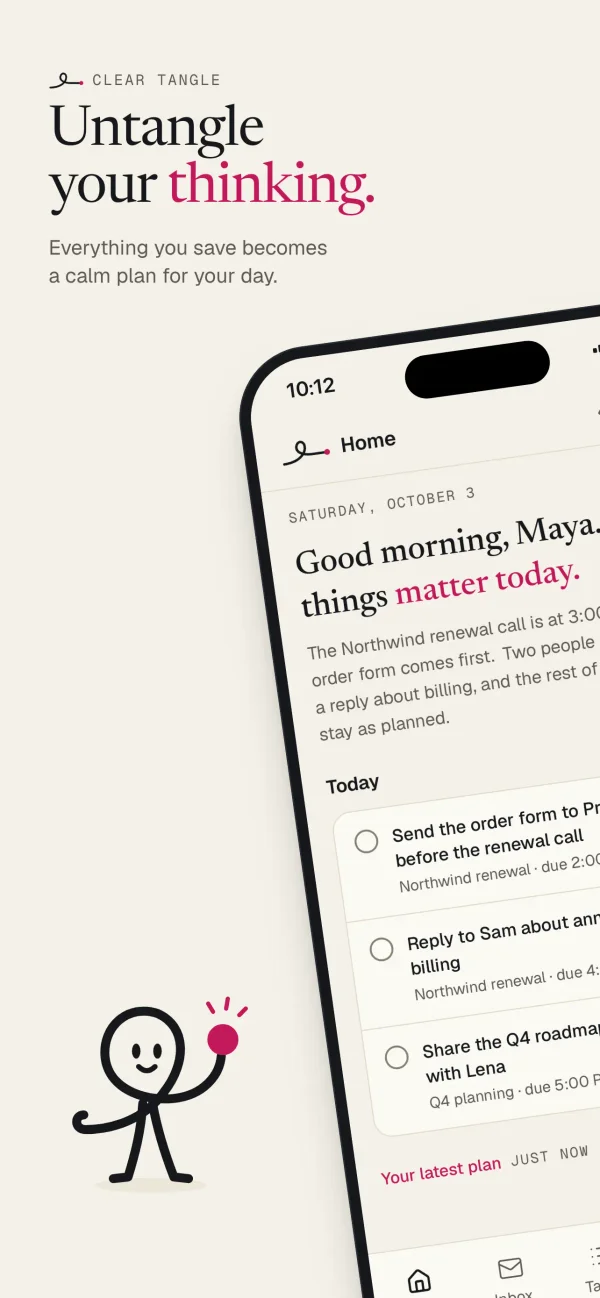
ClearTangle is an AI second brain. Say it, snap it or type it, and ClearTangle turns it into notes, tasks and a plan for your day. It brings in your email, Slack and meetings, and remembers the people and decisions behind them, so you don't have to.
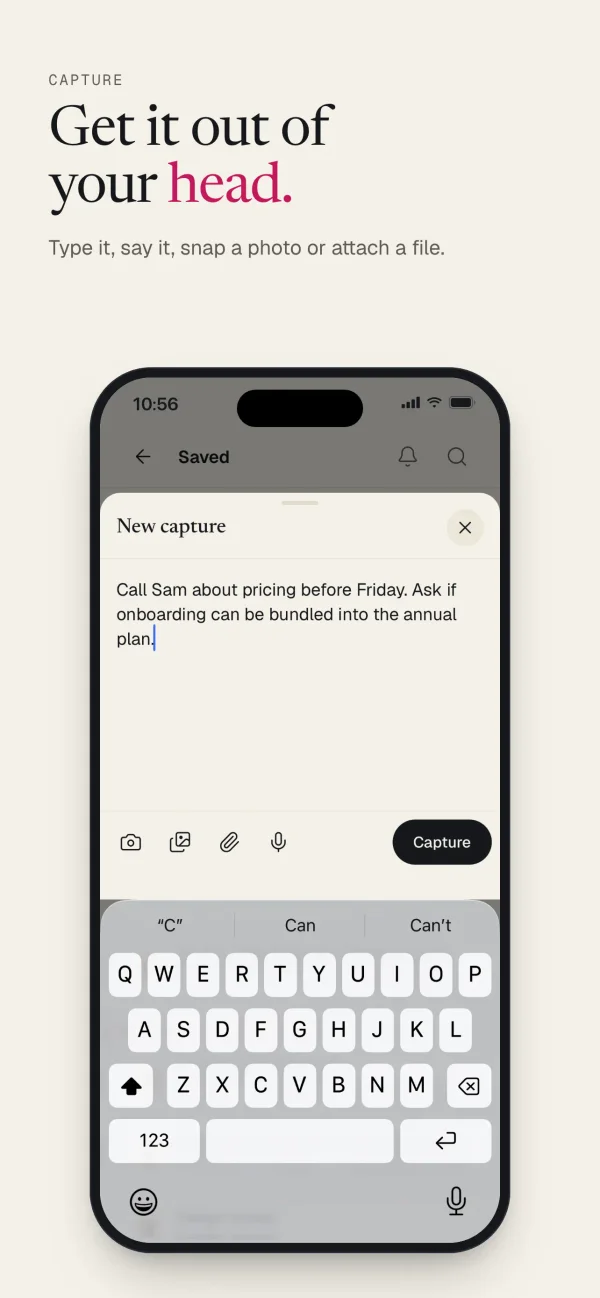
Capture anything
- Record a voice note and watch your words appear as you speak, then get a transcript and summary
- Snap a photo of notes, a whiteboard, a receipt or a document
- Type a quick thought or attach a file before it slips away
On your Home Screen
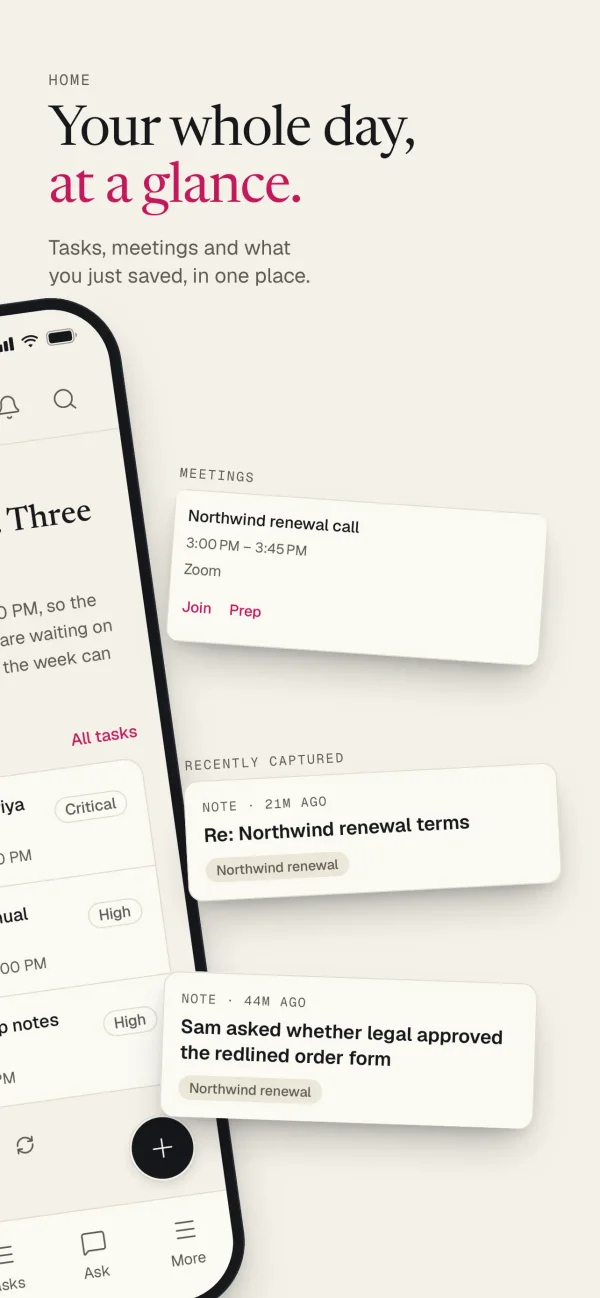
- Widgets for today's tasks, your next meeting and your inbox
- Tick tasks off without opening the app
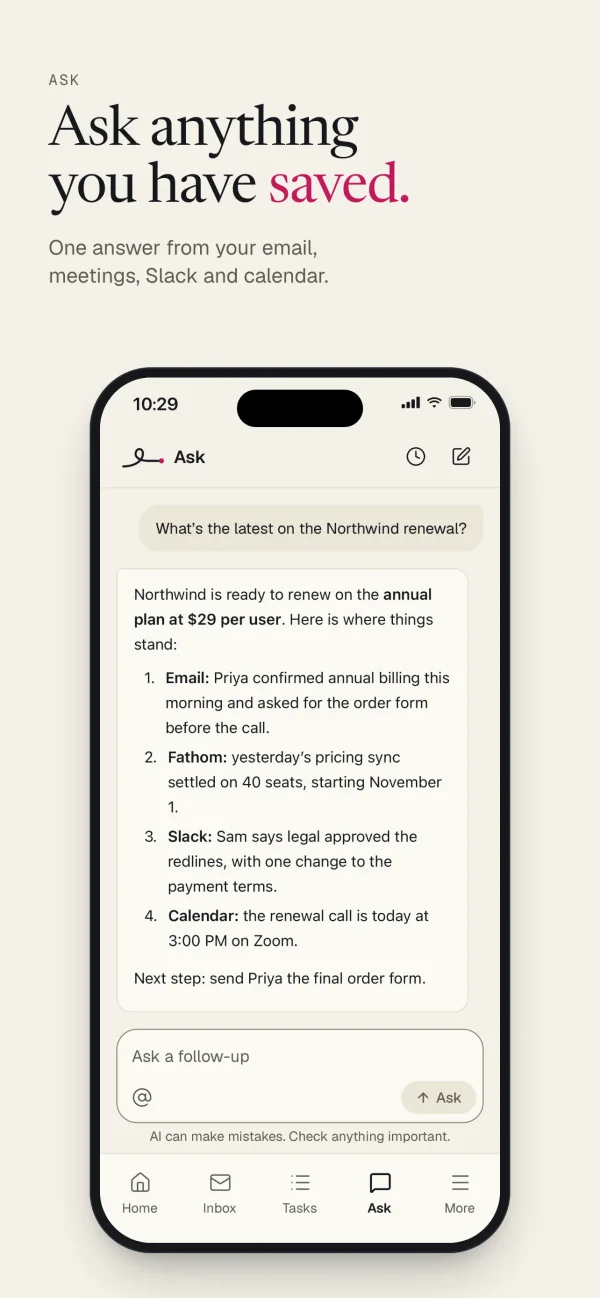
Ask anything you've saved
- Get one answer from your captures, email, meetings, Slack and calendar
- Answers show the sources they used
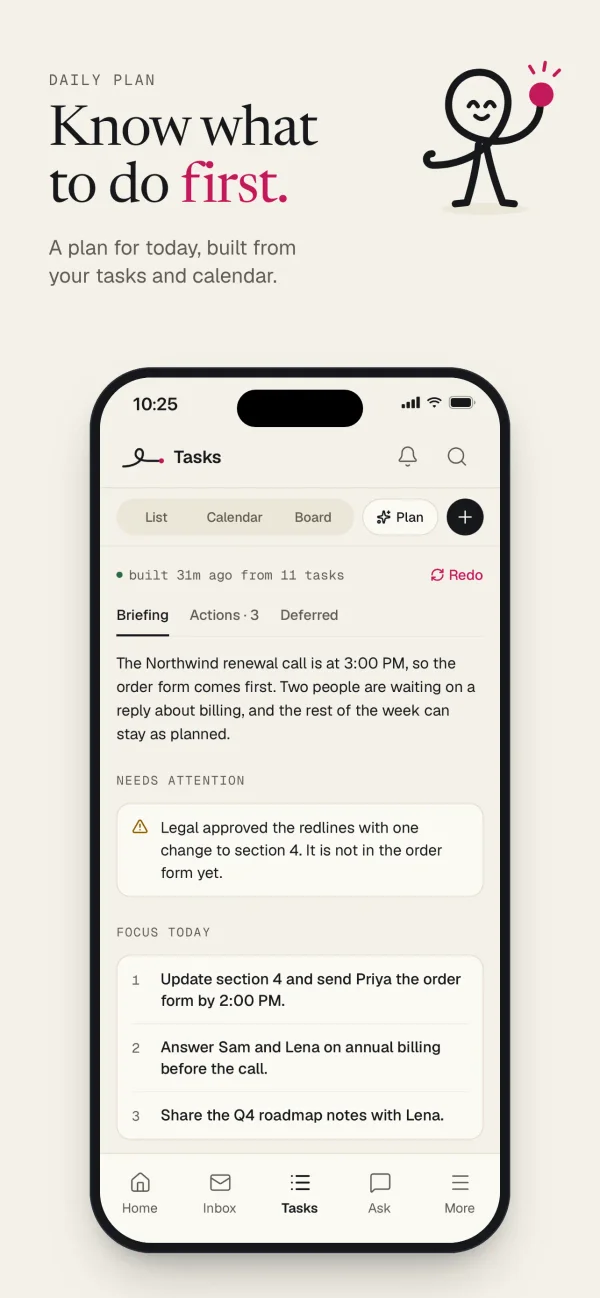
Know what to do first
- A plan for today, built from your tasks and calendar
- Tasks pulled from your captures, with priorities, due dates and reminders
- See your tasks as a list, a board or a calendar
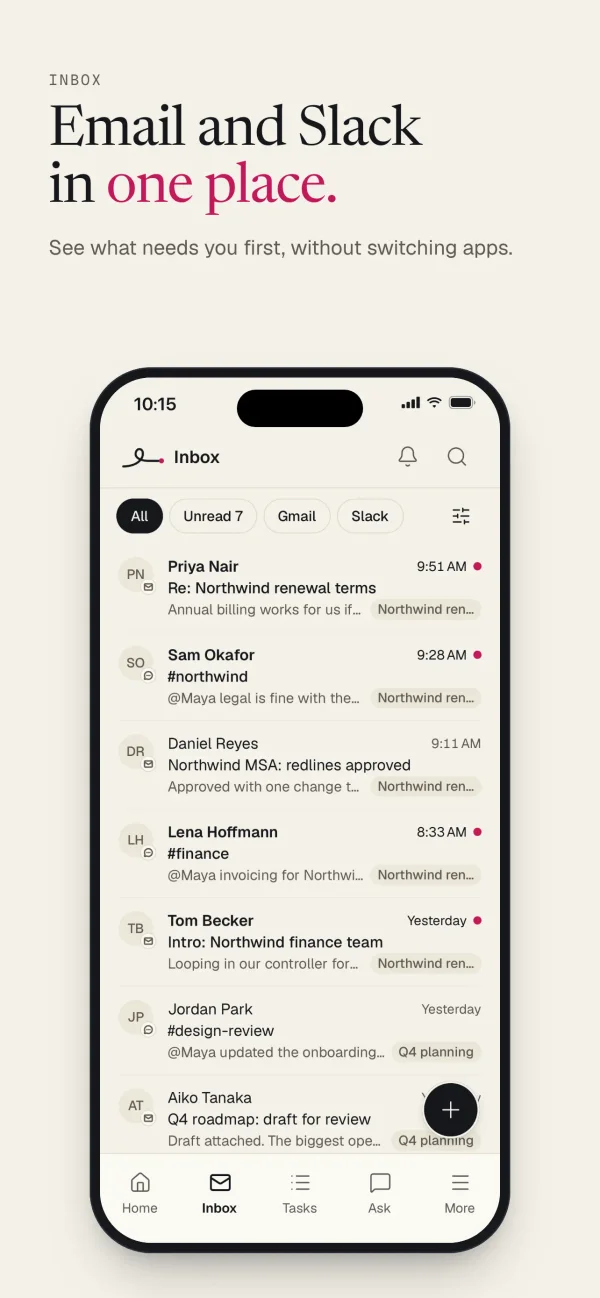
Email and Slack in one place
- Gmail and Slack messages in one inbox, with what needs you first
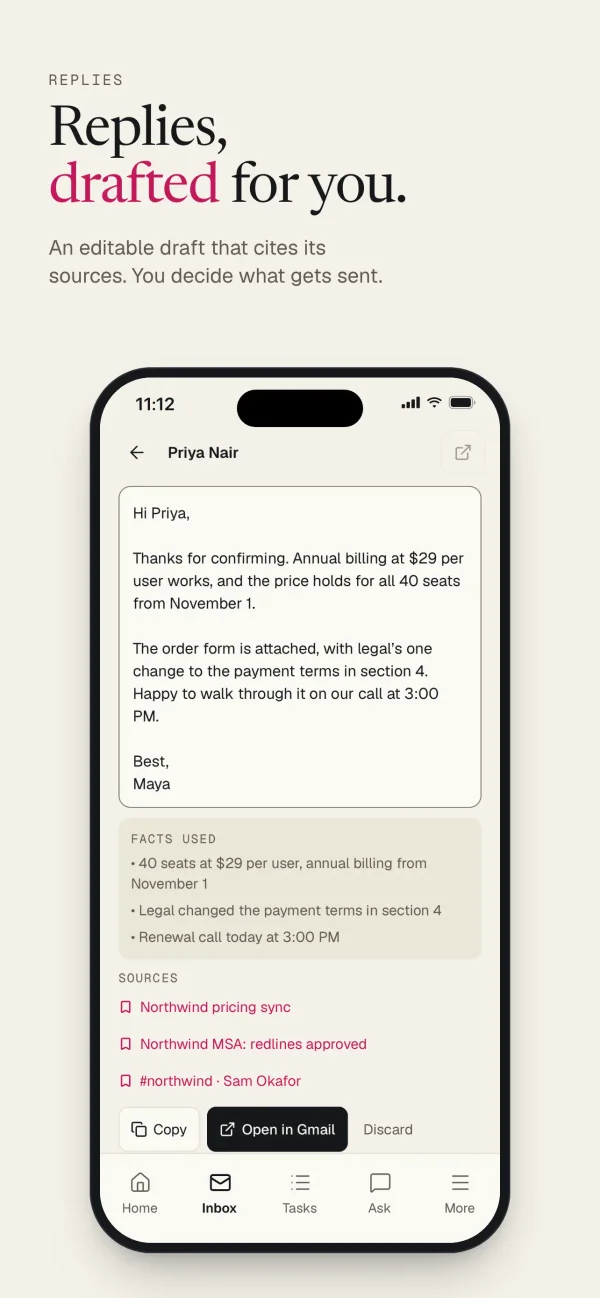
- Get a reply drafted for you, with the facts and sources it used. Edit it and send it from Gmail. Nothing goes out without you.
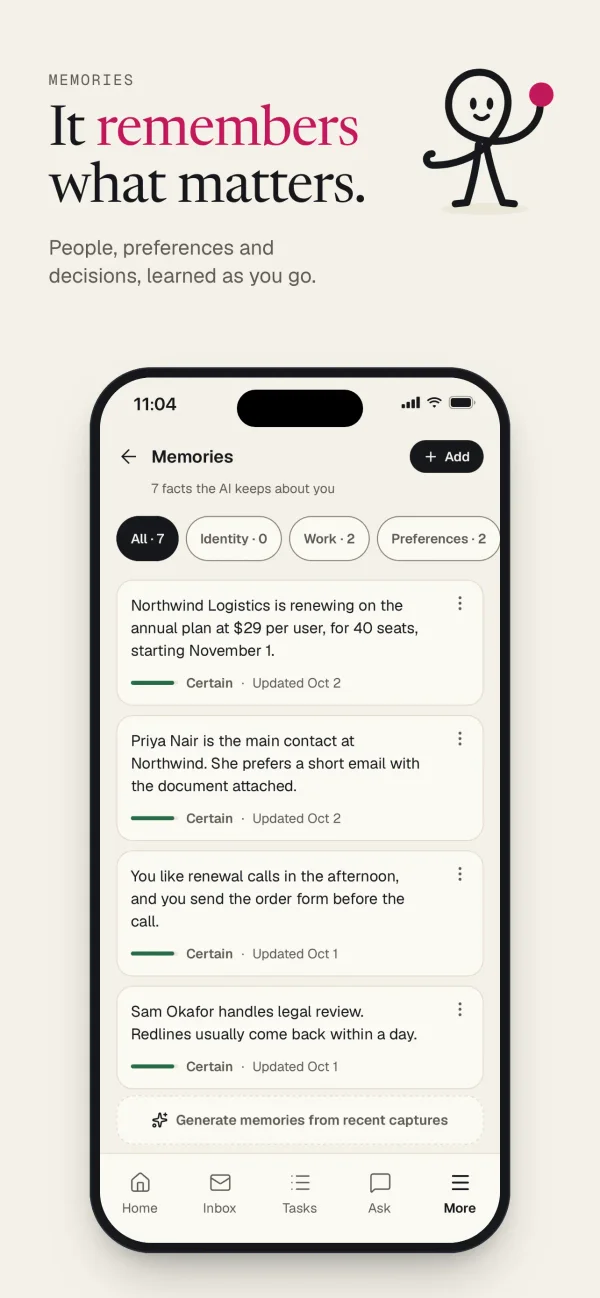
It remembers what matters
- Memories of people, preferences and decisions, learned from your captures
- See how certain each memory is, and add, edit or delete any of them
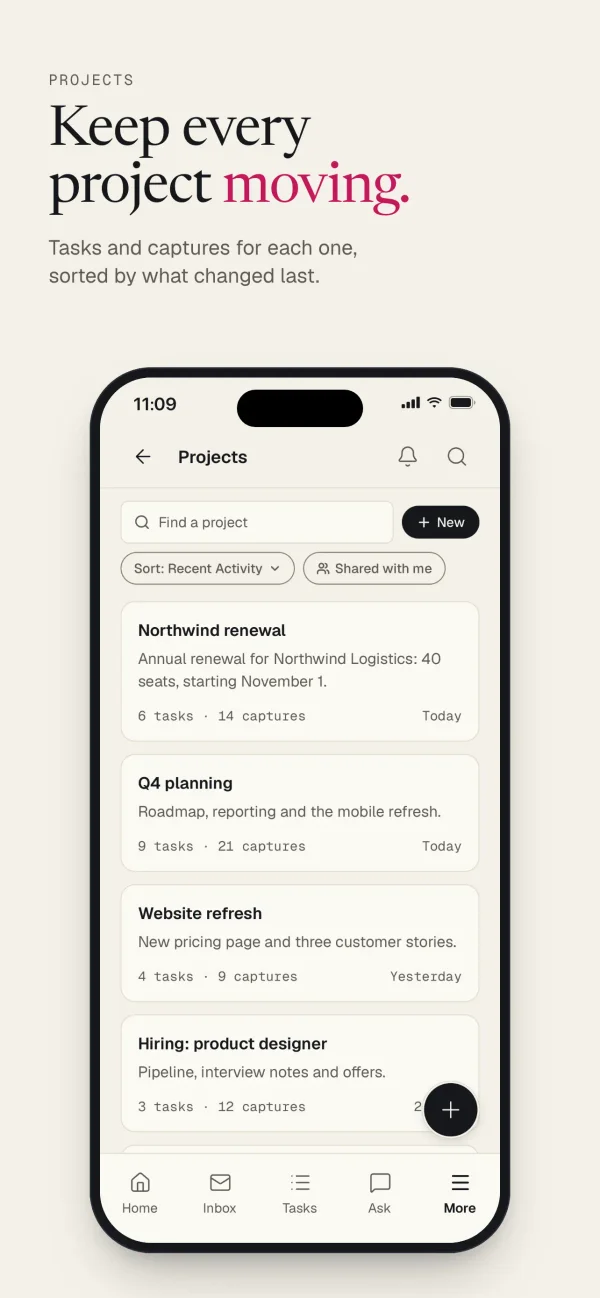
Keep every group moving
- Tasks and captures organized into groups, sorted b
- Share a group with your team
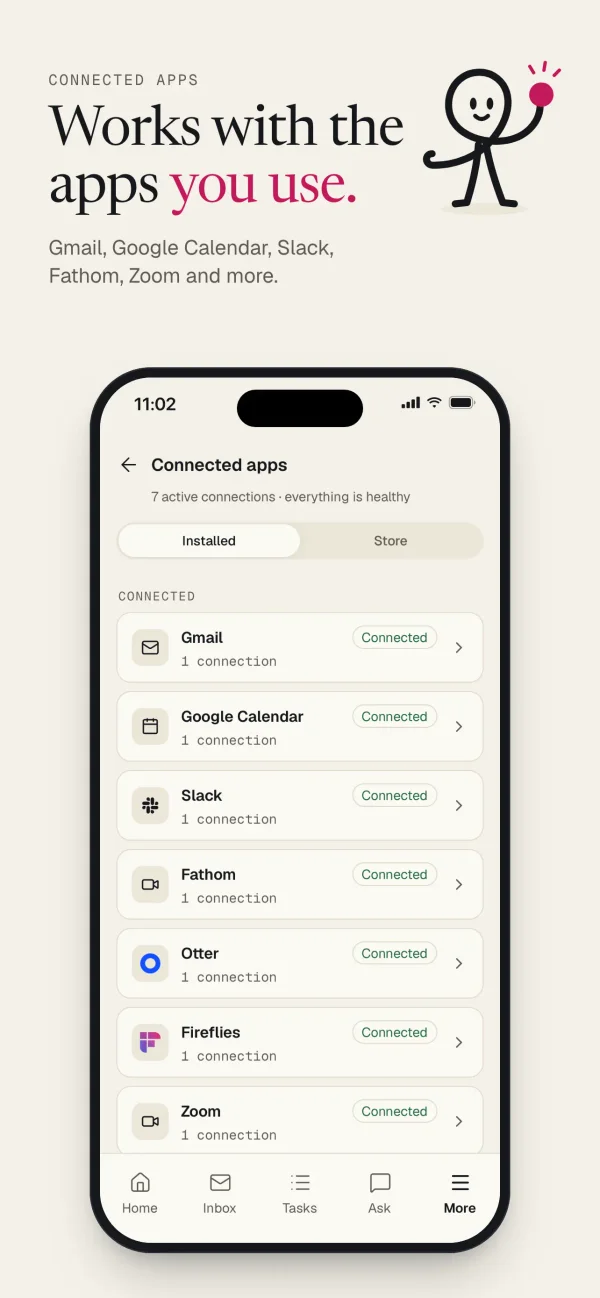
Works with the apps you use
- Connect Gmail, Google Calendar, Slack, Telegram and Fathom from the app
- Zoom, Otter, Fireflies and more connect from Clear
You stay in control
- AI features ask for your consent first, and you can turn them off in settings
For founders, researchers, students and anyone with more ideas than places to put them.
Capture the thought. Let ClearTangle untangle the rest.
Terms of Use (EULA): https://www.apple.com/legal/internet-services/itunes/dev/stdeula/
Privacy Policy: https://www.cleartangle.com/privacy
Neue Funktionen
Version 1.0.7 · 26.10.2026
- Record a voice note from the Action button or Control Center without opening the app. It stops on its own when you finish talking, or tap the recording banner to stop
- A new tab bar on iPhone with the Liquid Glass look
- Voice notes stop on their own when you finish talking, and your note is always saved
- ClearTangle tells you when a new capture clashes with something it already knows, like two meetings at the same time
- A short tour when you're new, with a tip the first time you open each page. Replay it anytime from Settings
- Tell us what you do when you sign up, and ClearTangle starts with examples that fit
- Plans now show your monthly AI credits
- Fixed: deleting a capture sometimes did nothing
- Fixed: a voice note from Home could be lost if you went quiet before tapping stop
App-Datenschutz
Was Mahipal Jat im App Store zum Umgang dieser App mit Daten angibt.
-
Mit Ihnen verknüpfte Daten
Können erfasst und mit Ihrer Identität verknüpft werden.
- Kontaktinformationen
- Diagnose
-
Nicht mit Ihnen verknüpfte Daten
Können erfasst werden, sind aber nicht mit Ihrer Identität verknüpft.
- Diagnose
Die Datenschutzpraktiken können variieren, zum Beispiel je nach den von Ihnen verwendeten Funktionen oder Ihrem Alter.
Informationen
- Anbieter
- Mahipal Jat
- Kategorie
- Produktivität
- Version
- 1.0.7
- Aktualisiert
- 26.10.2026
- Veröffentlicht
- 07.06.2026
- Größe
- 39,3 MB
- Erfordert
- iOS 15.1 oder neuer
- Altersfreigabe
- 4+
- Preis
- Kostenlos
- In-App-Käufe
- Ja
- Sprachen
- Englisch
- Copyright
- © Mahipal Jat
Das könnte Ihnen auch gefallen
-
 Seven: Your Second BrainProduktivität
-
 PoptMerken und teilen, ganz privat
-
 Re:share – KI-LesezeichenLinks sortieren & erinnern
-
 Rationalize Life OrganizerProduktivität
-
 Atomic KBProduktivität
-
 PrivacyNotes: Encrypted NotesProduktivität
-
 VoiceClaw RealtimeProduktivität
-
 Dubai AI Festival 2026Produktivität
-
 StackbyProduktivität
-
 Kaji: Cleaning scheduleProduktivität