
- Altersfreigabe4+
- KategorieProduktivität
- Entwickler仁乐 魏
- SprachenEnglisch+ 1 weitere
- Größe12,0 MB
Verlinkt auf die offizielle App Store-Seite
Download.org hostet keine Datei von Clip. Die Schaltfläche öffnet die App-Seite bei App Store, wo 仁乐 魏 die App veröffentlicht. Eintrag zuletzt geprüft am 24.11.2026.
Screenshots


Info
Der Entwickler hat diesen Text nicht in Ihrer Sprache bereitgestellt.
Clip is a cross-platform clipboard updated in sync.
· Powerful and productive.
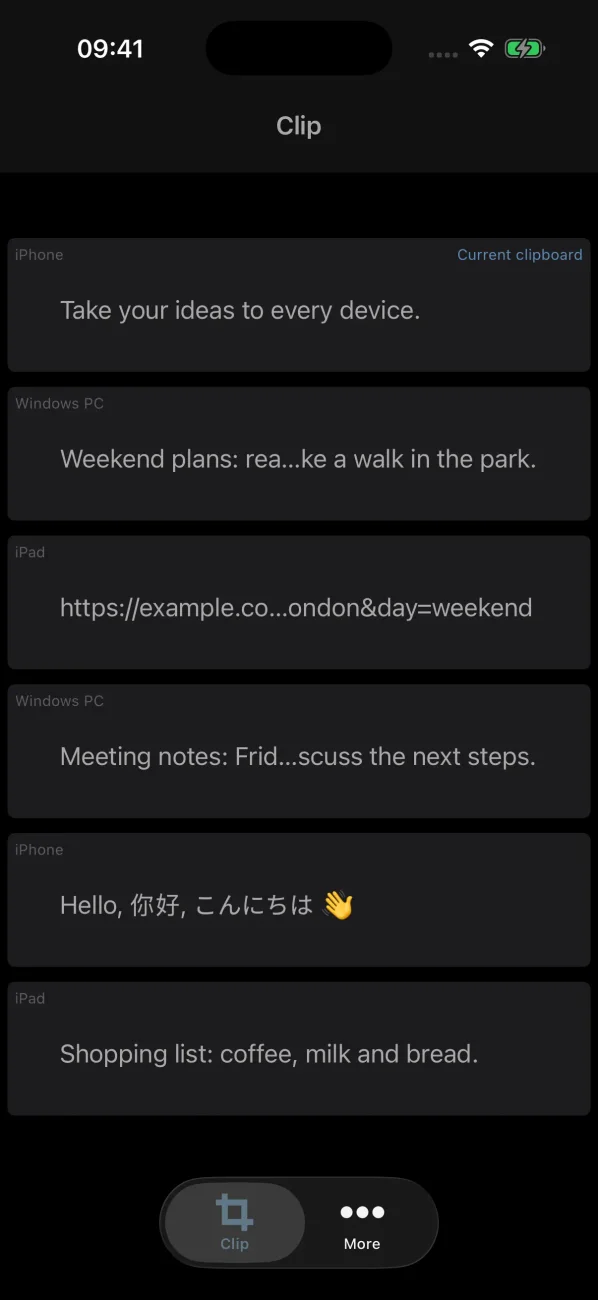
With Clip, you can update the content of clipboard from one device to another easily. For example, copy a piece of text on the iPhone and paste it directly on your PC, and vice versa.
· Simple and smart.
Across multiple devices, Clip synchronizes text, keeps recent clipboard records and recognizes received content to reduce duplicate uploads. You can also tap a history record to copy the text again. We attach great importance to the comprehensive experience of users. So Clip adopts a minimalist design without complex interactive interface and disturbing advertisement. What you need to do is just “copy” - “paste”.
· Privacy and protection.
Hash salt encryption is adopted in Clip to keep your account secure in our servers; it also uses SSL/TLS to encrypt links to secure the transfer of your clipboard content over the Internet. Passwords are stored as salted hashes rather than plain text.
Tips & Advice
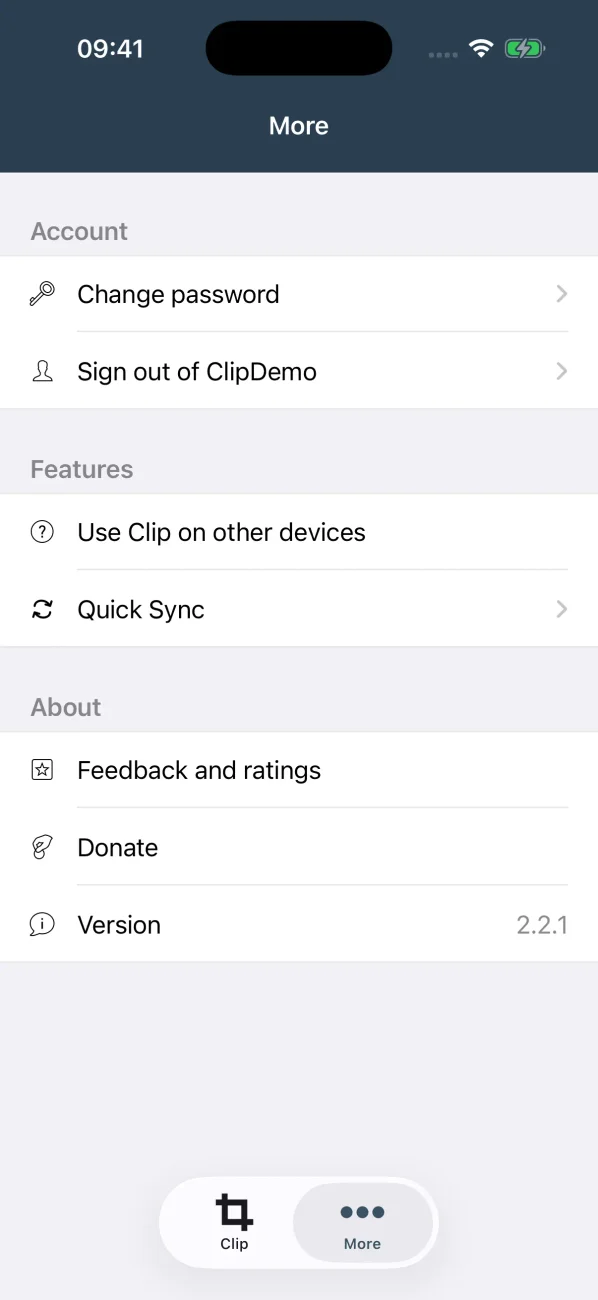
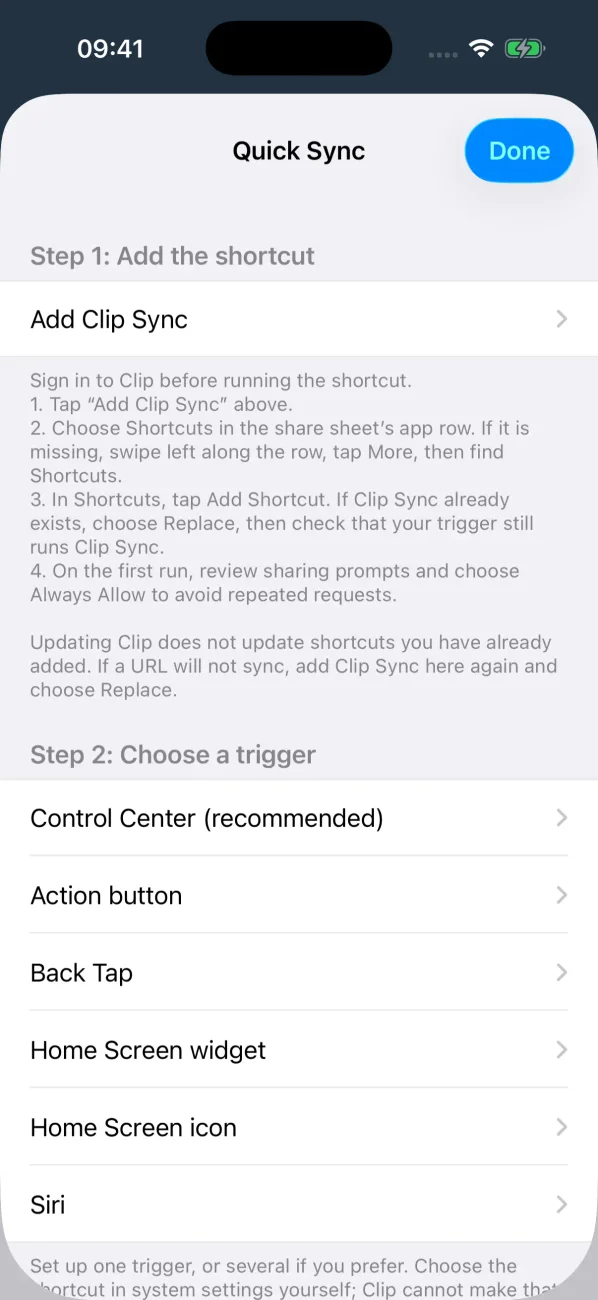
Due to iOS and iPadOS restrictions, Clip cannot continuously read your clipboard in the background. Open Clip after copying or before pasting, or go to “More > Features > Quick Sync” on iOS 16 / iPadOS 16 or later to set up Shortcuts, Control Center, the Action button, Back Tap or Home Screen shortcuts, where supported by your device. The Today widget remains available on iOS 17 / iPadOS 17 or earlier.
Requires iOS 13 / iPadOS 13 or later. Current versions support Unicode text and text synchronization up to 4 MiB. Synchronization with older clients is subject to their existing text limits.
Neue Funktionen
Version 2.2.2 · 23.11.2026
This update improves synchronization reliability after a connection is restored, handles lost upload acknowledgements more reliably to protect newly copied content, and includes bug fixes.
App-Datenschutz
Was 仁乐 魏 im App Store zum Umgang dieser App mit Daten angibt.
-
Nicht mit Ihnen verknüpfte Daten
Können erfasst werden, sind aber nicht mit Ihrer Identität verknüpft.
- Kennungen
- Nutzungsdaten
Die Datenschutzpraktiken können variieren, zum Beispiel je nach den von Ihnen verwendeten Funktionen oder Ihrem Alter.
Informationen
- Anbieter
- 仁乐 魏
- Kategorie
- Produktivität
- Version
- 2.2.2
- Aktualisiert
- 23.11.2026
- Veröffentlicht
- 03.05.2018
- Größe
- 12,0 MB
- Erfordert
- iOS 13.0 oder neuer
- Altersfreigabe
- 4+
- Preis
- 5,99 €
- In-App-Käufe
- Ja
- Sprachen
- Englisch, Vereinf. Chinesisch
- Copyright
- © 2005-2026 StarSoft. All rights reserved.
Das könnte Ihnen auch gefallen
-
 Mimiri NotesProduktivität
-
 PasteQ - Clipboard & LauncherProduktivität
-
 Alarm & Erinnerung: GetNotifyEigene & Gruppen-Erinnerungen
-
 MemoCopy - Schnelles KopierenSparen Sie Zeit!
-
 Link - Connect Related ThingsProduktivität
-
 Intently - Personal CRMProduktivität
-
 Never Forget+Produktivität
-
 FrigoligoIhre Artikel bei Ihnen
-
 Memento - Contact ManagerProduktivität
-
 Pastey - Effizientes ClipboardKopieren, Bearbeiten, Einfügen