
CoPaMemo - Custom Keyboard
Custom keyboard copy & paste
Entwickelt für iPhone
Kostenlos · In-App-Käufe
- Altersfreigabe4+
- KategorieProduktivität
- EntwicklerRyoma Yanagimoto
- SprachenEnglisch+ 6 weitere
- Größe5,8 MB
Verlinkt auf die offizielle App Store-Seite
Download.org hostet keine Datei von CoPaMemo - Custom Keyboard. Die Schaltfläche öffnet die App-Seite bei App Store, wo Ryoma Yanagimoto die App veröffentlicht. Eintrag zuletzt geprüft am 17.11.2026.
Screenshots
Info
Der Entwickler hat diesen Text nicht in Ihrer Sprache bereitgestellt.
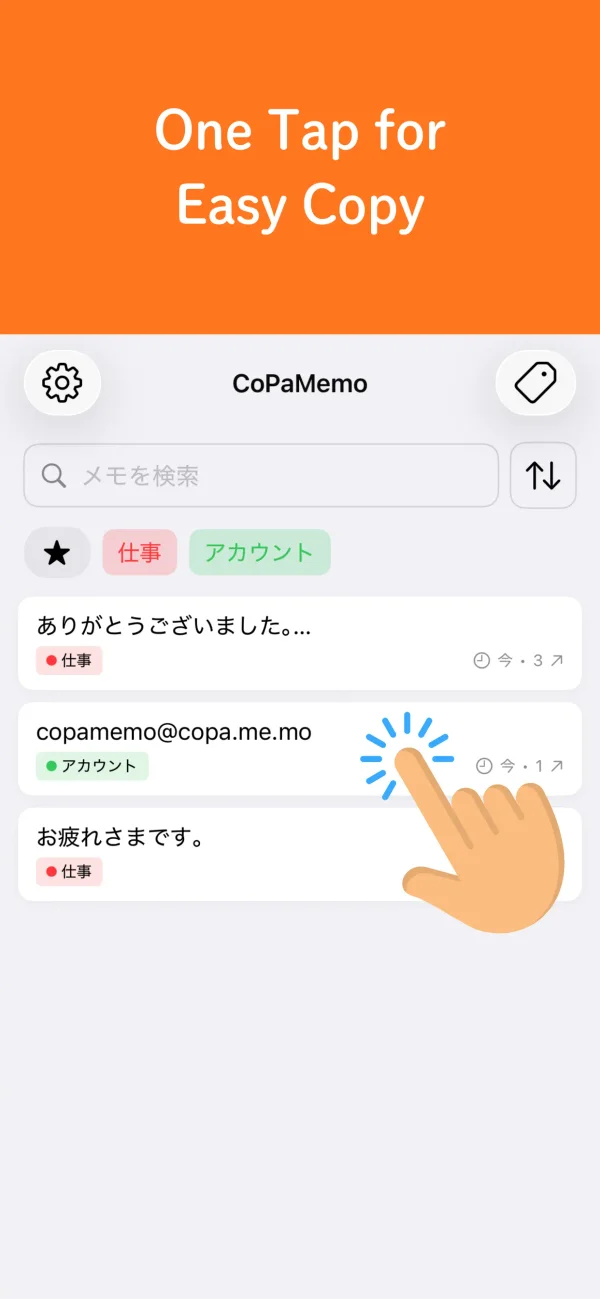
CoPaMemo is a memo app optimized for copy and paste workflows. Quickly save and retrieve text you frequently copy and paste.
KEY FEATURES
Memo Management
- Create, edit, and delete memos
- Separate title and content
- Favorite memos
- Automatic usage statistics (usage count, last used date)
Organization with Tags
- Create multiple tags freely
- Set colors for tags for visual management
- Filter by tags
- Apply multiple tags simultaneously
Create from Clipboard
- Quickly convert clipboard content to memos
- Register multiple lines of text at once
- Split each line into individual memos
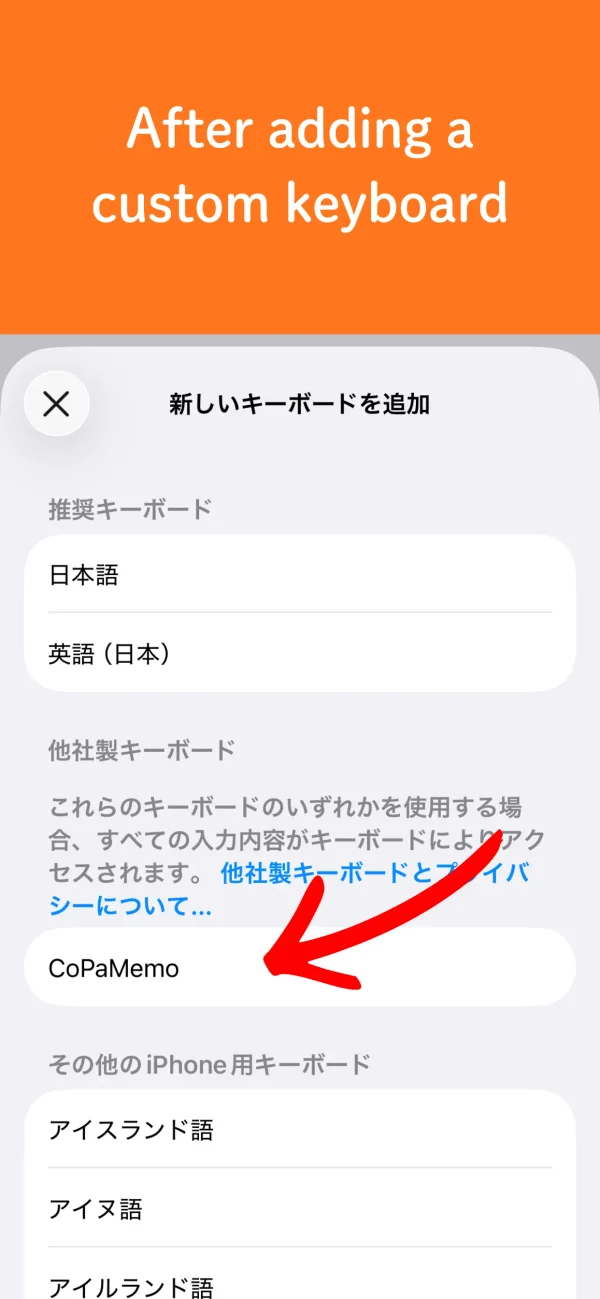
Custom Keyboard Extension
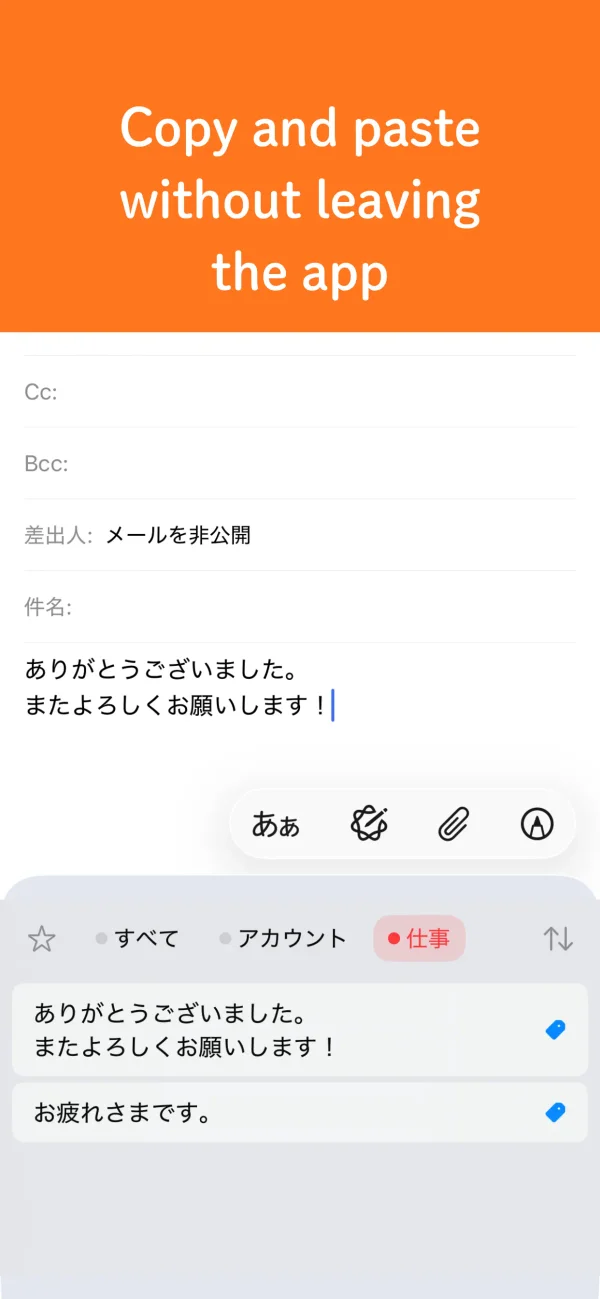
- Access memos while using other apps
- Input memos directly from keyboard
- Paste instantly with a tap
- Priority display for favorites and recently used memos
- Filter by tags
- Customize sort order, display limit, and height
iCloud Sync (New in v1.1)
- Automatic sync across devices
- Seamlessly share data between iPhone and iPad
- Restore data after reinstalling the app
Search and Filtering
- Text search (title and content)
- Filter by tags
- Show favorites only
- Multiple sort options
- By creation date
- By update date
- By usage frequency
- By title
Display Modes
- List view
- Grid view
- Compact overview for quick reference
Multi-language Support
- Supports Japanese, English, Spanish, German, French, Chinese (Simplified), and Korean
- Automatic switching based on system settings
- Can set language individually within the app
Free and Premium Versions
- Free version: Basic memo features (limited memos and tags, with ads)
- Premium version: Unlimited memos and tags, ad-free
PERFECT FOR
- Managing login information (IDs and passwords)
- Inputting templates (email signatures, greetings)
- Code snippets (frequently used code fragments)
- Addresses and phone numbers (for form input)
- Multi-language text (special characters and foreign language templates)
- Shopping lists
- Frequently used URLs
PRIVACY AND SECURITY
- Data stored locally and in iCloud (optional)
- iCloud sync protected by Apple's encryption
- No transmission to external servers
- Data shared only between main app and keyboard via App Groups
- Custom keyboard works without Full Access
ABOUT THE ICON
The pasta icon is derived from the internet slang "copypasta," a portmanteau of "copy paste" and "pasta," meaning text that is copied and pasted repeatedly. It represents the core concept of this app.
Neue Funktionen
Version 1.1.1 · 16.02.2026
Minor bug fixes
App-Datenschutz
Was Ryoma Yanagimoto im App Store zum Umgang dieser App mit Daten angibt.
-
Keine Daten erfasst
Der Entwickler erfasst keine Daten von dieser App.
Die Datenschutzpraktiken können variieren, zum Beispiel je nach den von Ihnen verwendeten Funktionen oder Ihrem Alter.
Informationen
- Anbieter
- Ryoma Yanagimoto
- Kategorie
- Produktivität
- Version
- 1.1.1
- Aktualisiert
- 16.02.2026
- Veröffentlicht
- 09.02.2026
- Größe
- 5,8 MB
- Erfordert
- iOS 17.0 oder neuer
- Altersfreigabe
- 4+
- Preis
- Kostenlos
- In-App-Käufe
- Ja
- Sprachen
- Englisch, Französisch, Deutsch, Japanisch, Koreanisch, Vereinf. Chinesisch, Spanisch
- Copyright
- © 2026 RYC
Das könnte Ihnen auch gefallen
-
 コピペ帳Produktivität
-
 Prompton - Prompt ManagerProduktivität
-
 Levity Markdown NotesProduktivität
-
 コピペ手帳 - 定型文キーボードProduktivität
-
 MonoMemo - 階層型メモ帳&ToDoリストProduktivität
-
 DualTextScannerProduktivität
-
 スニペットくんProduktivität
-
 ぺたキー|コピペ&クリップボードキーボード管理Produktivität
-
 ObsideckProduktivität
-
 Klipo: ZwischenablageTextbausteine & Tastatur