Cramcard: Flashcards Maker
Spaced repetition that speaks
Entwickelt für iPhone, iPad
Kostenlos · In-App-Käufe
- Altersfreigabe4+
- KategorieBildung
- EntwicklerSEUNGHA MOON
- SprachenEnglisch+ 1 weitere
- Größe12,7 MB
Verlinkt auf die offizielle App Store-Seite
Download.org hostet keine Datei von Cramcard: Flashcards Maker. Die Schaltfläche öffnet die App-Seite bei App Store, wo SEUNGHA MOON die App veröffentlicht. Eintrag zuletzt geprüft am 12.11.2026.
Screenshots
Info
Der Entwickler hat diesen Text nicht in Ihrer Sprache bereitgestellt.
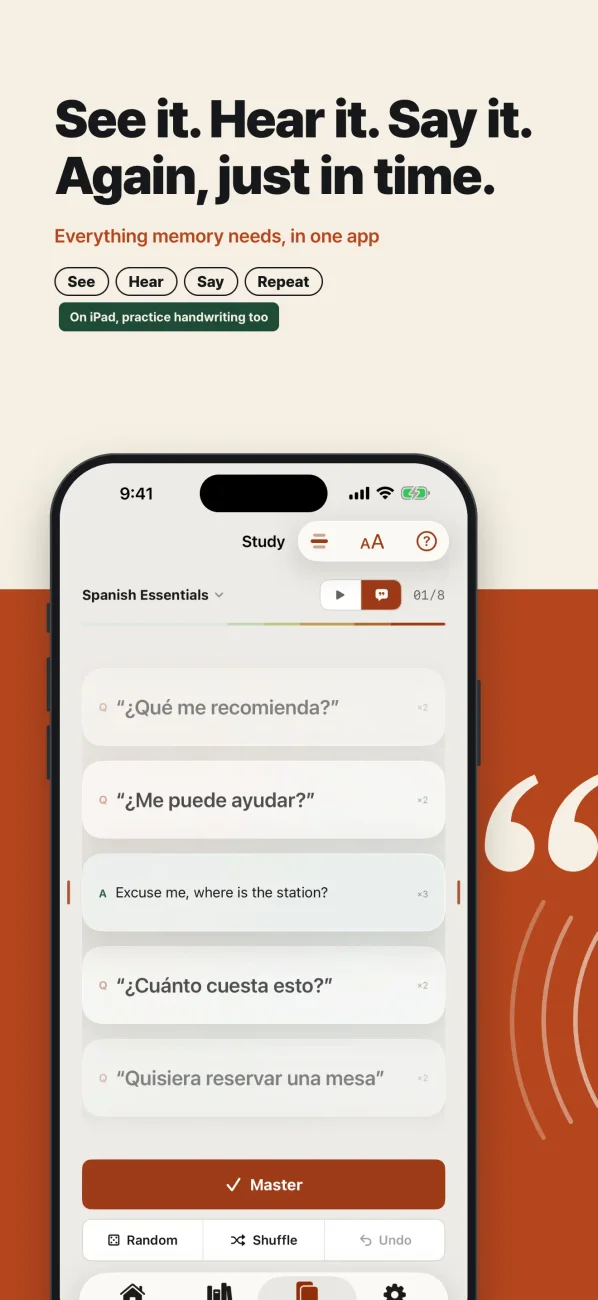
See it. Hear it. Write it. Say it. Then see it again, right before you forget.
Cramcard puts everything memory needs into one flashcard app: your own cards read aloud in a native voice, spaced repetition that brings them back on time, and — on iPad — a notebook beside every card for tracing answers with Apple Pencil.
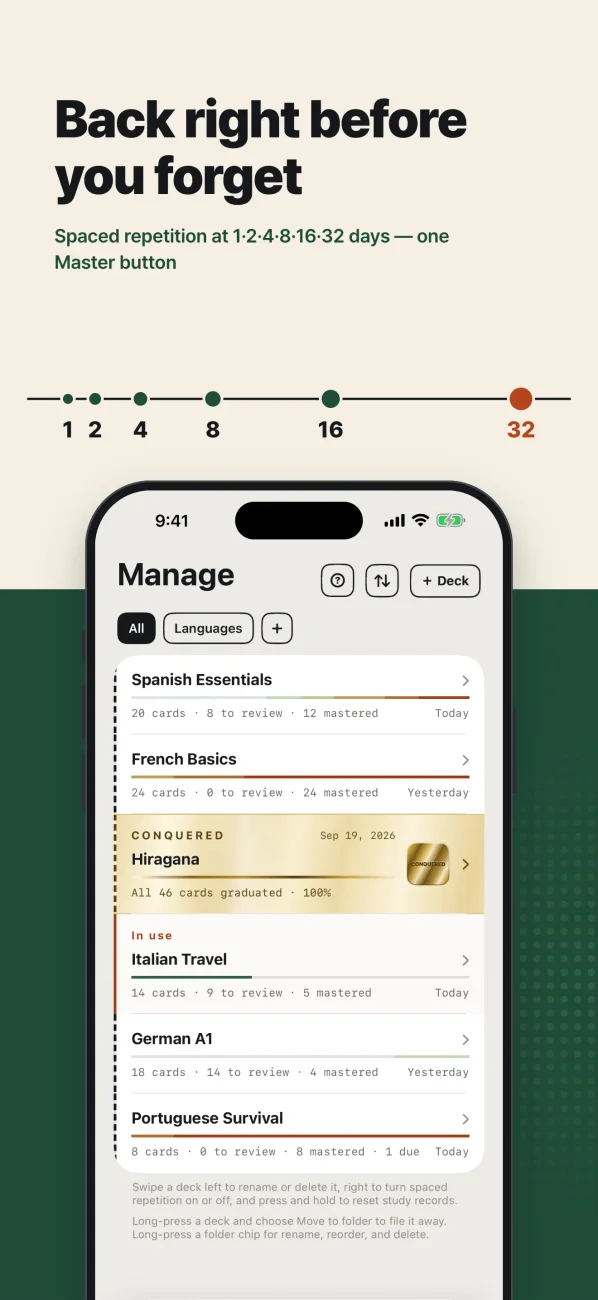
■ Back right before you forget — spaced repetition
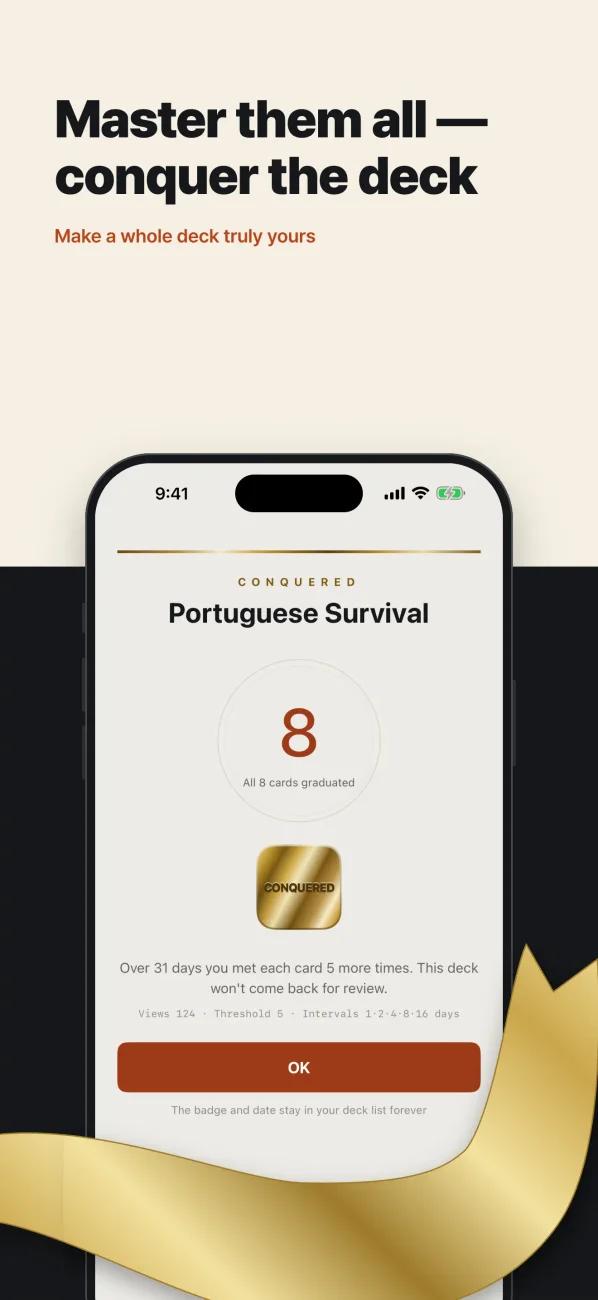
One Master button does it all. Mastered cards come back after 1, 2, 4, 8, 16 and 32 days. Master a card enough times (5 by default) and it graduates for good; graduate a whole deck and you conquer it, with a gold badge to prove it. No "hard / good / easy" grading.
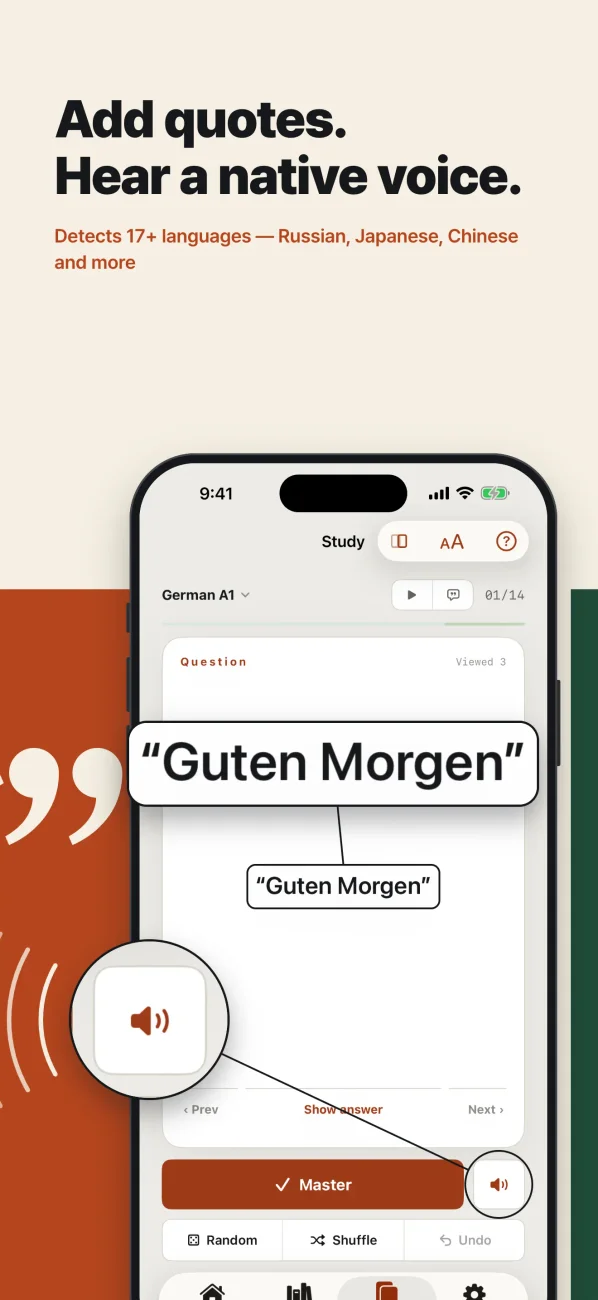
■ Quotation marks make cards speak — hear it, say it
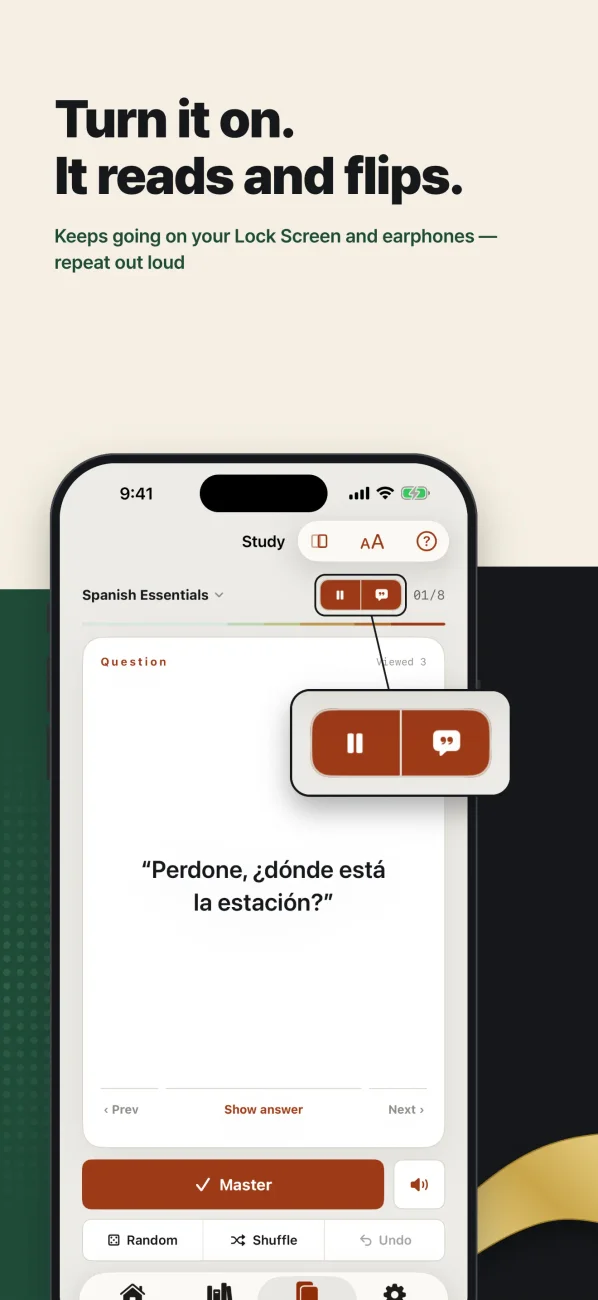
Wrap any phrase in double quotes — like "привет" — and a speaker button appears. Cramcard detects Russian, Japanese, Chinese, English, Spanish and 12+ more languages and reads each phrase in a native voice. Listen, then say it out loud. Set the speech rate per language; it plays even in silent mode.
■ NEW: iPad writing pad — write it
On iPad, a notebook opens next to the card. Write with Apple Pencil; scroll and zoom with a finger.
· The notebook matches the answer's language: Russian school cursive on slanted lines, English 4-line, Japanese grid, Chinese 田字格, Korean manuscript paper
· Write from memory on the question side, then flip — the answer appears as fading guide lines under your writing
· Pens, highlighter, lasso and eraser; choose what a Pencil double-tap does; left-handed layout
■ Hands-free review
Tap Play and cards flow on their own: question → answer → next card, waiting for the voice to finish so long sentences never get cut off. With auto-play on, leave the app and the cards keep going in a picture-in-picture window, with controls on the Lock Screen and your earphones.
■ Let AI build your decks
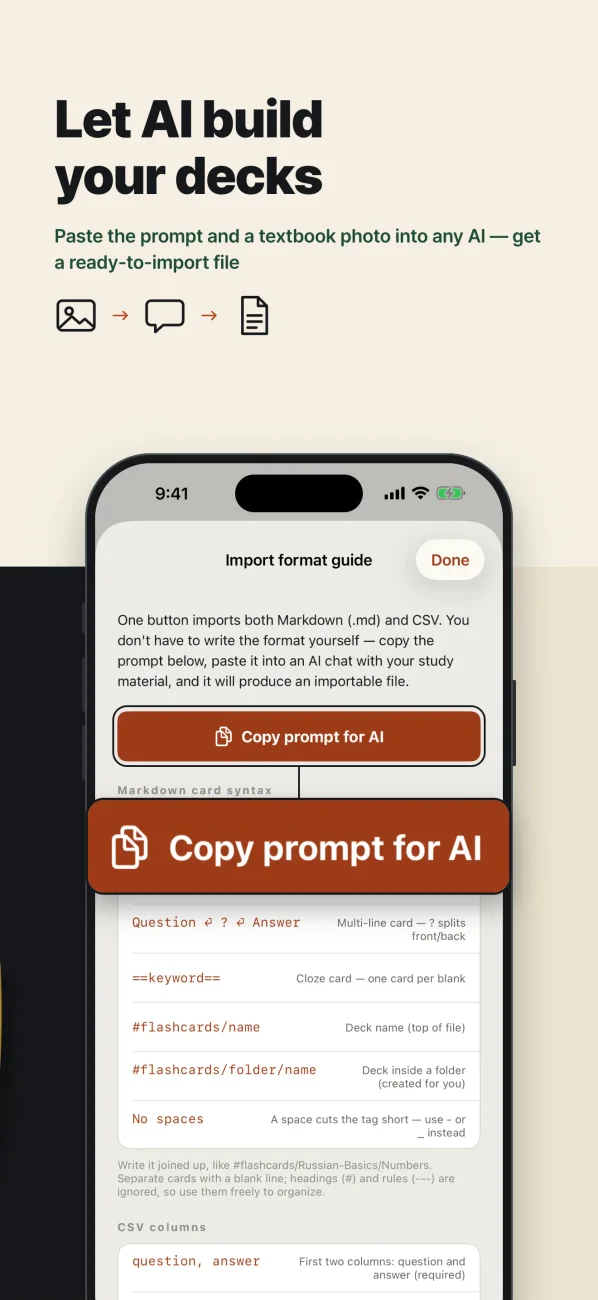
Copy the built-in prompt into any AI chat along with your notes or a photo of your textbook, and get a file ready to import. Obsidian-style Markdown (question::answer) and CSV import as they are, and re-importing an edited file updates only the changed cards — your progress stays. Add photos to questions and answers.
■ Made for daily study
· Card view or list view — pinch to switch
· Random, shuffle and undo; separate text sizes for questions and answers
· Folders, and pick up right where you left off
· iCloud sync between iPhone and iPad
· Hardware keyboard support
· Light and dark mode
■ Free
Every feature is free, with no sign-up. The study screen never shows ads, and one purchase removes the banner on the other screens forever.
Pronunciation tip: download a high-quality voice in Settings > Accessibility > Spoken Content > Voices — Cramcard automatically uses the best one installed.
Neue Funktionen
Version 2.5 · 18.10.2026
New
- Add photos to the writing pad: pick from your library or drag one in from Photos, then move, resize, rotate or crop it. Write right on top.
- Long-press a folder chip and drag it to reorder your folders.
Fixed
- Lasso selections in the writing pad no longer let go right after you draw them.
App-Datenschutz
Was SEUNGHA MOON im App Store zum Umgang dieser App mit Daten angibt.
-
Daten, die zum Tracking Ihrer Person verwendet werden
Können verwendet werden, um Sie über Apps und Websites anderer Unternehmen hinweg zu verfolgen.
- Kennungen
- Nutzungsdaten
-
Nicht mit Ihnen verknüpfte Daten
Können erfasst werden, sind aber nicht mit Ihrer Identität verknüpft.
- Kennungen
- Nutzungsdaten
- Diagnose
Die Datenschutzpraktiken können variieren, zum Beispiel je nach den von Ihnen verwendeten Funktionen oder Ihrem Alter.
Informationen
- Anbieter
- SEUNGHA MOON
- Kategorie
- Bildung
- Version
- 2.5
- Aktualisiert
- 18.10.2026
- Veröffentlicht
- 30.07.2026
- Größe
- 12,7 MB
- Erfordert
- iOS 17.0 oder neuer
- Altersfreigabe
- 4+
- Preis
- Kostenlos
- In-App-Käufe
- Ja
- Sprachen
- Englisch, Koreanisch
- Copyright
- © 2026 Seungha Moon