
CW Decoder
Morse Code Decoder
Entwickelt für iPhone, iPad
Kostenlos · In-App-Käufe
- Altersfreigabe4+
- KategorieUnterhaltung
- EntwicklerKeiya Chiba
- SprachenEnglisch+ 1 weitere
- Größe12,4 MB
Verlinkt auf die offizielle App Store-Seite
Download.org hostet keine Datei von CW Decoder. Die Schaltfläche öffnet die App-Seite bei App Store, wo Keiya Chiba die App veröffentlicht. Eintrag zuletzt geprüft am 12.11.2026.
Screenshots

Info
Der Entwickler hat diesen Text nicht in Ihrer Sprache bereitgestellt.
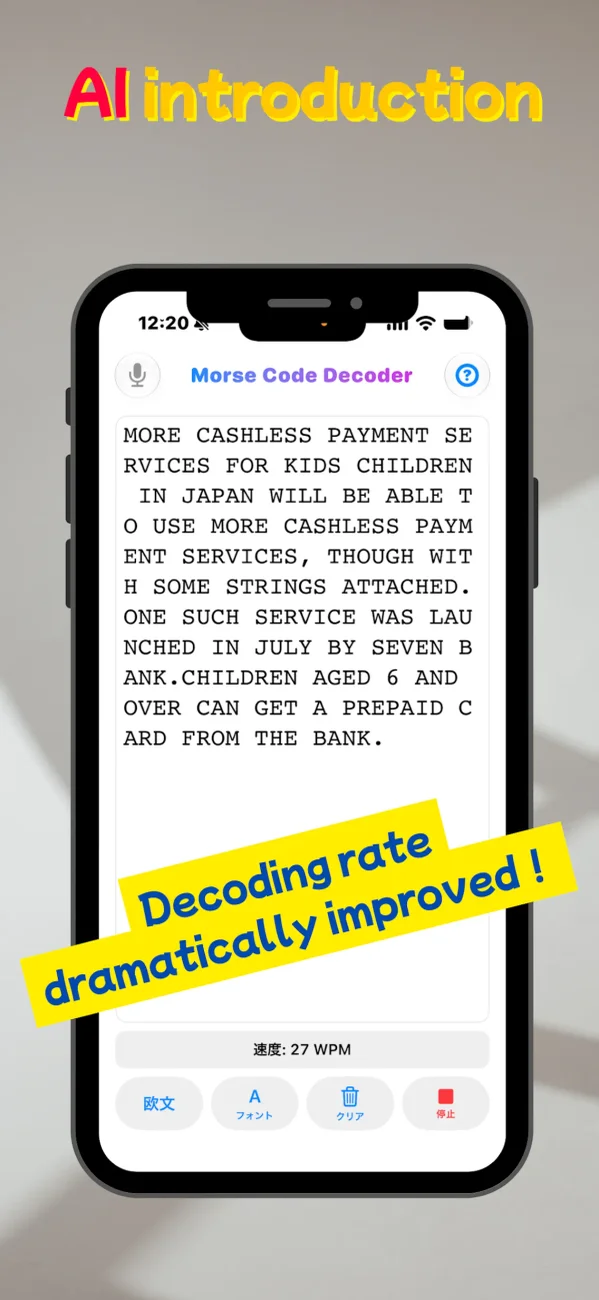
A high-accuracy Morse code decoder
An AI model now drives the decoding, raising the hit rate on real
on-air signals. Sample-by-sample signal processing keeps it steady
in noise. Try the free version first and hear what it can pull out
of the band.
■ Free version vs. Full Version
The decoding engine itself is free for everyone to try.
[Free version]
• Each decoding session runs up to 2 minutes (restart as often as you like)
• Standard font
• Audio input from the built-in microphone only
→ Ideal for trying the app out or checking a short QSO.
[Full Version (paid add-on)]
• No time limit — built for long ragchews and for leaving it running
while you monitor
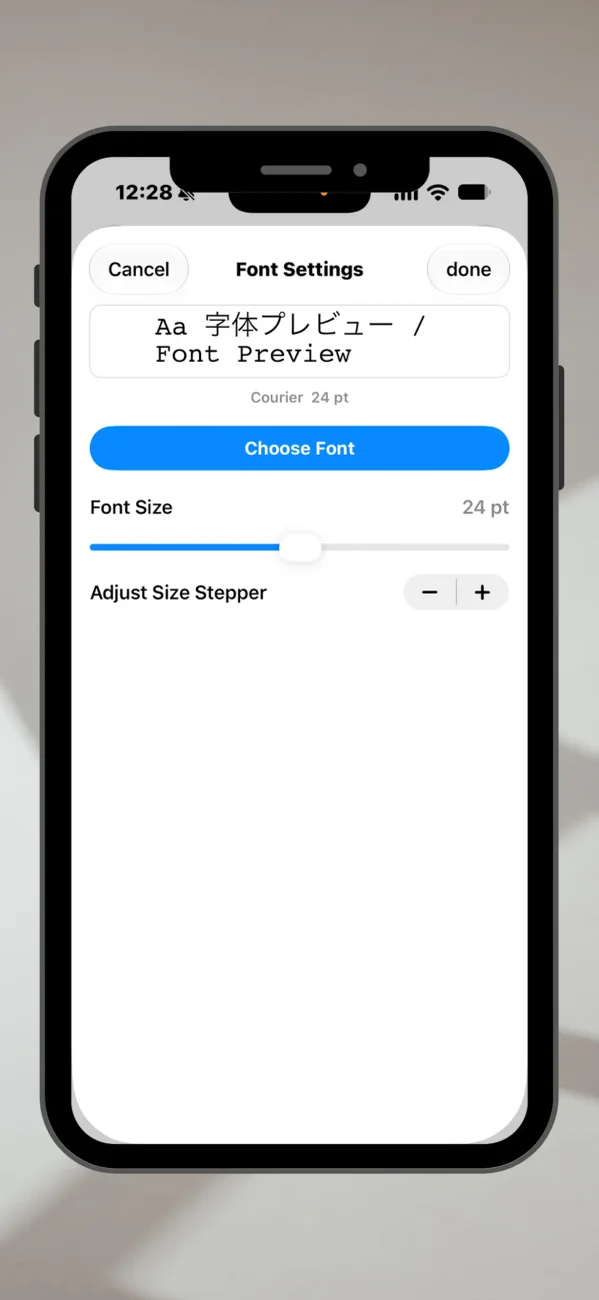
• Font settings — pick the typeface and size that read best for you
• USB-C audio input — wire it straight to your rig and decode without
the room getting in the way
→ Recommended if you want it on the desk for real operating, or a
study setup you never have to babysit.
■ Features and technology
(Real-time decoding)
• Speed range: 5–50 WPM (speed and thresholds adjust themselves)
• Detection range: 400 Hz – 900 Hz (locks onto the strongest signal)
(What it decodes)
• Letters, numerals and punctuation
• Prosigns, and characters run together the way operators actually
send them
(Audio input: built-in microphone or USB-C)
• Built-in microphone: no cable, nothing to set up. Point it at the
speaker and go.
• USB-C input (Full Version): connect any USB Audio Class device with
a cable and it is recognised on the spot. No driver, no settings
screen to find.
• Plugging in switches the input over automatically; unplugging hands
it back to the built-in microphone.
• Taking audio straight from your rig's headphone output or an audio
interface keeps conversation, traffic and household noise out of the
decode.
(Input source indicator)
• The icon at the top left of the screen shows which input is in use
at a glance:
Microphone icon — the built-in microphone
Connector icon — a USB-C device (shown in blue)
• Plug or unplug the cable and the icon follows along on its own.
• Connect a USB device before purchasing and a small lock appears.
Tap it for details about the Full Version.
• In landscape the icon moves to the button row at the bottom.
(Signal processing)
• Band-pass filter: a narrow window that cuts everything you did not
tune for
• AGC: tracks changes in signal strength and rides out fading
• Noise blanker: removes spike noise using median absolute deviation
• State stabilisation: multi-sample buffering so noise does not trip a
false element
■ Built for operating, not just demos
• Scrollable text, so anything you missed is still there to go back to
• Locks firmly onto the 400 Hz – 900 Hz range where CW actually lives
• A visual read-out that backs up what your ears are doing
• A direct USB-C connection to the rig gives you the same steady copy
in the shack or out portable
■ Who it is for
(New to Morse)
For anyone curious about Morse who is not sure where to start. Hearing
it and reading it at the same time means you can check yourself as you
go, which makes the learning stick far faster.
(Licensed amateurs)
• Practice: compare the decode against your own copy and find the
characters you keep missing
• Contests: a second pair of ears on fast CW, and a way to check a log
entry
• Portable: leave the laptop at home. A phone is the whole receiving
setup.
• Direct connection: over USB-C the copy stays solid even somewhere
noisy
(Returning and experienced operators)
As a backstop for ears that are not what they were, or simply to make
a long watch less tiring. Strong filtering keeps weak and crowded
signals readable.
Note: USB-C audio input requires a device with a USB-C port (iPhone 15
or later, USB-C iPad models) and a USB Audio Class compatible device.
Note: Microphone access is used only to analyse the signal. Nothing is
recorded, stored or transmitted. Audio arriving over USB-C uses the
same permission.
Neue Funktionen
Version 3.39 · 04.10.2026
V3.39
・Added support for Macs with Apple silicon.
・Improved font settings on Mac for users who have unlocked the paid features.
・On models where microphone input is available only through USB audio, an in-app purchase is required to unlock microphone input.
App-Datenschutz
Was Keiya Chiba im App Store zum Umgang dieser App mit Daten angibt.
-
Keine Daten erfasst
Der Entwickler erfasst keine Daten von dieser App.
Die Datenschutzpraktiken können variieren, zum Beispiel je nach den von Ihnen verwendeten Funktionen oder Ihrem Alter.
Informationen
- Anbieter
- Keiya Chiba
- Kategorie
- Unterhaltung
- Version
- 3.39
- Aktualisiert
- 04.10.2026
- Veröffentlicht
- 15.08.2025
- Größe
- 12,4 MB
- Erfordert
- iOS 17.2 oder neuer
- Altersfreigabe
- 4+
- Preis
- Kostenlos
- In-App-Käufe
- Ja
- Sprachen
- Englisch, Japanisch
- Copyright
- © 2025 JH1LHV
Das könnte Ihnen auch gefallen
-
 Morse Code Translator!Unterhaltung
-
 NiN10: Nintendo EmulatorNDS,N64,SNES,GBA,GBC,NES,VBOY
-
 Morse Dot - Morse CodeUnterhaltung
-
 WSPR RadioUnterhaltung
-
 WatchG30Unterhaltung
-
 MorseFriendsUnterhaltung
-
 Block vs BlockUnterhaltung
-
 MorseSpeakerUnterhaltung
-
 Party Time: iPhone & WatchUnterhaltung
-
 SparkFunUnterhaltung