DashCam Recorder
Use your iPhone as a DashCam
Entwickelt für iPhone, iPod touch
Kostenlos
- Altersfreigabe4+
- KategorieNavigation
- EntwicklerJan Nutbroek
- SprachenEnglisch+ 8 weitere
- Größe21,9 MB
Verlinkt auf die offizielle App Store-Seite
Download.org hostet keine Datei von DashCam Recorder. Die Schaltfläche öffnet die App-Seite bei App Store, wo Jan Nutbroek die App veröffentlicht. Eintrag zuletzt geprüft am 21.11.2026.
Screenshots



Info
Der Entwickler hat diesen Text nicht in Ihrer Sprache bereitgestellt.
Keep your eyes on the road while DashCam Recorder turns your iPhone into a private, high-quality dashcam.
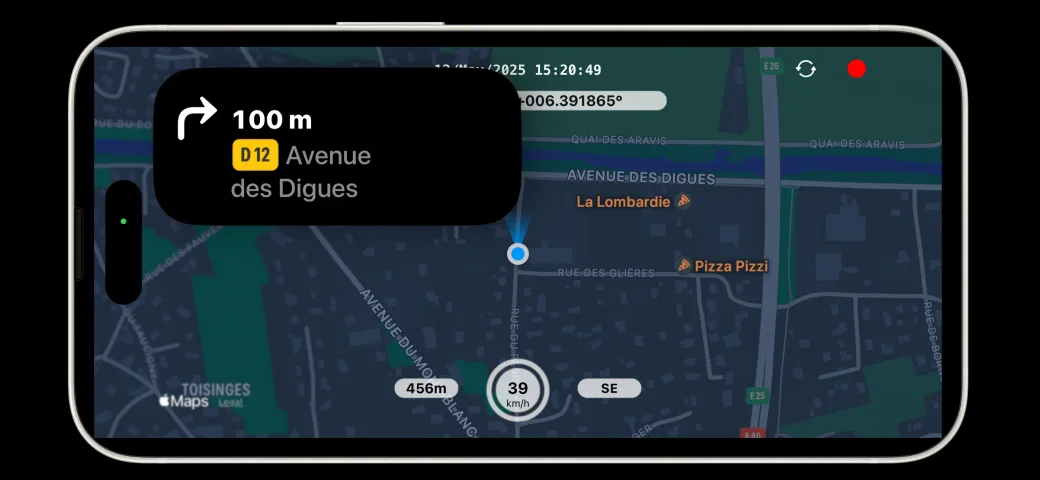
Continuously record video with GPS, speed, altitude, accelerometer, pitch & roll and date/time metadata.
Replay your drives on a map with the free iOS & macOS DashCam-Player apps.
Truly free – no ads, no subscriptions, no signups, no "pro" version.
Auto-start, loop recording, crash sensor, video compression, and driver focus mode for safe, reliable operation.
Why DashCam is different:
• High-quality video – stabilised recording at up to your device’s maximum resolution and frame rate
• Complete metadata – GPS location, speed, altitude, date and time, pitch & roll, accelerometer. Embed in an invisible track or as a watermark
• Replay and explore – view your drives on a map with the free macOS & iOS DashCam Player app
Key Benefits:
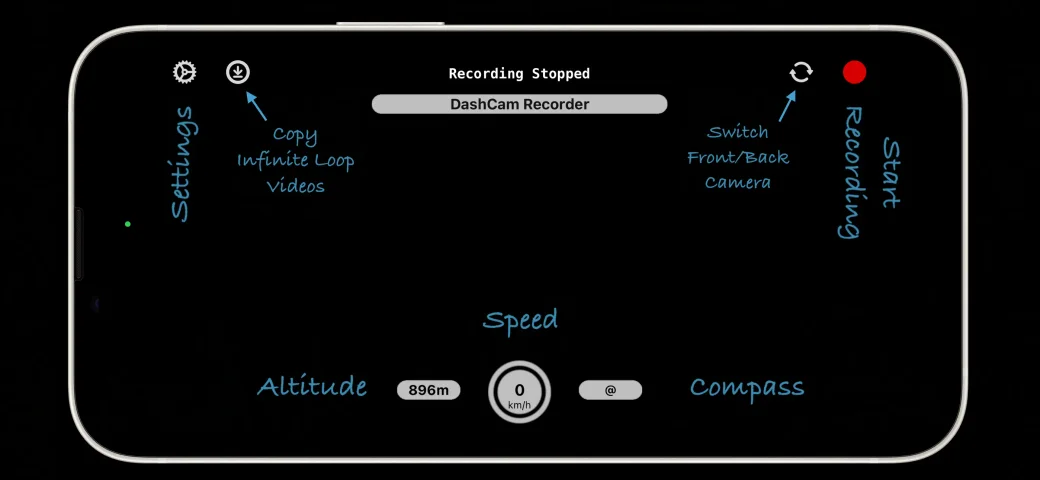
• Easy and reliable – start recording with one tap, auto-start, loop recording, and Driver Focus mode (screen off)
• Seamless integration – sync videos with iCloud and save directly to Photos. Works with Siri, Navigation, and Music in the background
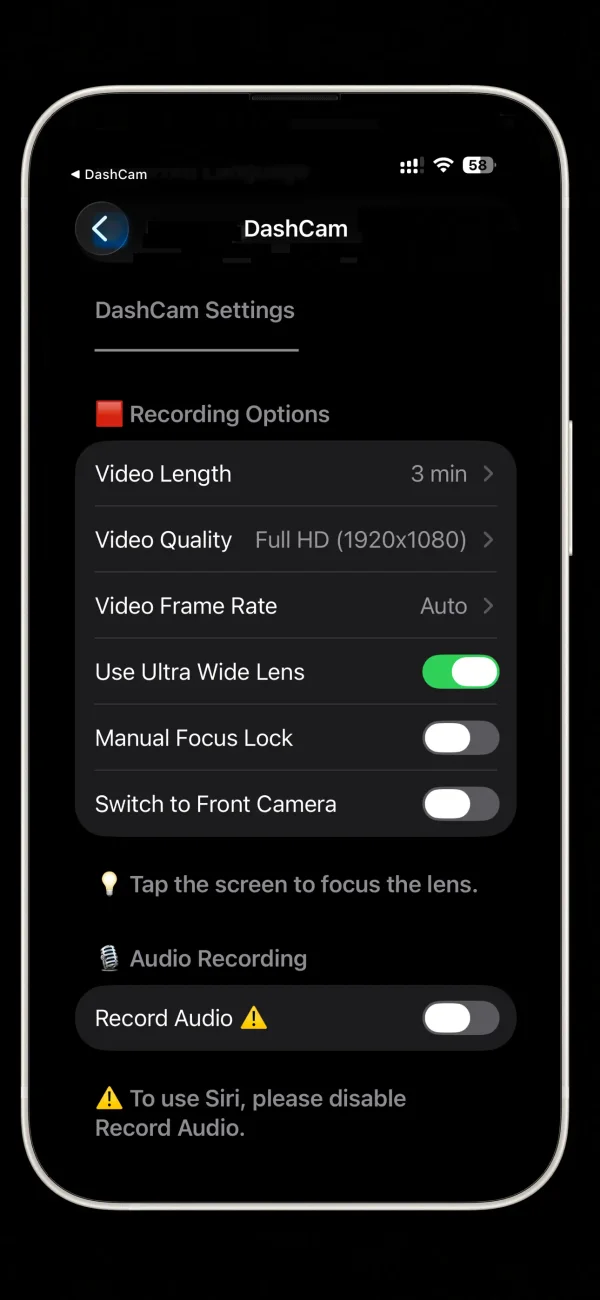
• Adjustable recording – set video length (1 to 15 minutes) and choose front or back camera, landscape or portrait
Why choose DashCam over a physical DashCam?
• High-quality video recording – with advanced stabilisation and ultra-wide camera support
• Enhanced privacy and security – recordings are protected with Face ID or Touch ID
• Easy access to your videos – via iCloud or AirDrop
• Use navigation and music apps in the background while recording
• Free to use – perfect for giving older iPhones a second life
Technical Highlights:
• Automatic and superb video stabilisation
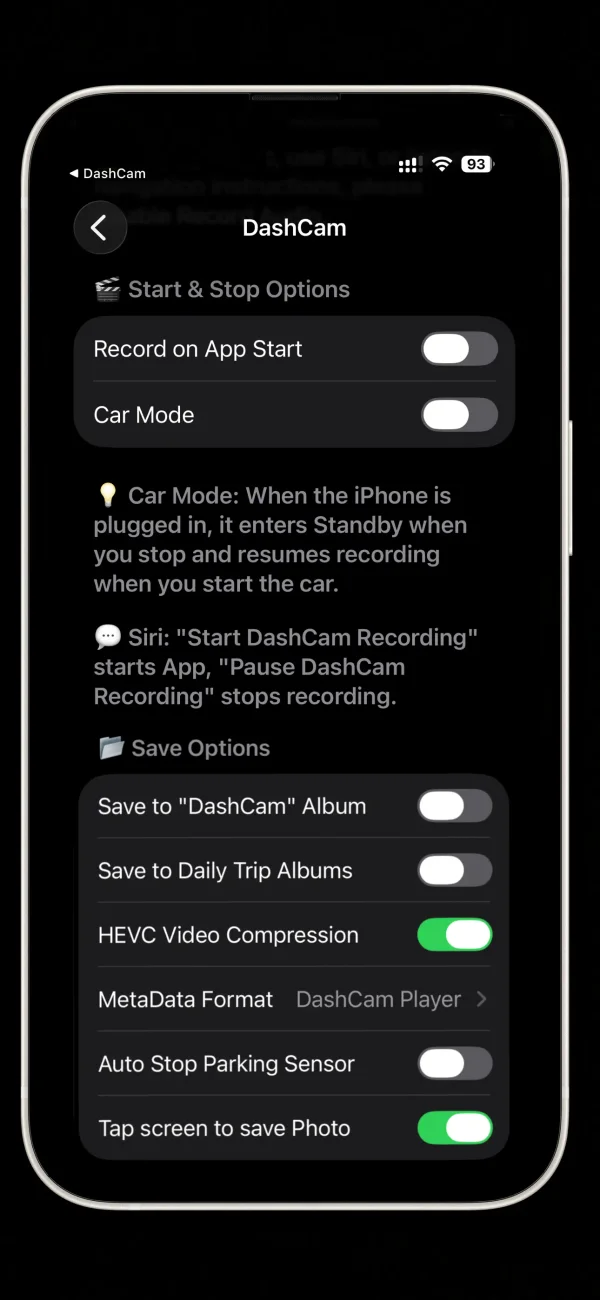
• HEVC video compression, same quality but 40% smaller file size
• Embed GPS, speed, altitude, pitch & roll, time, date and accelerometer as metadata
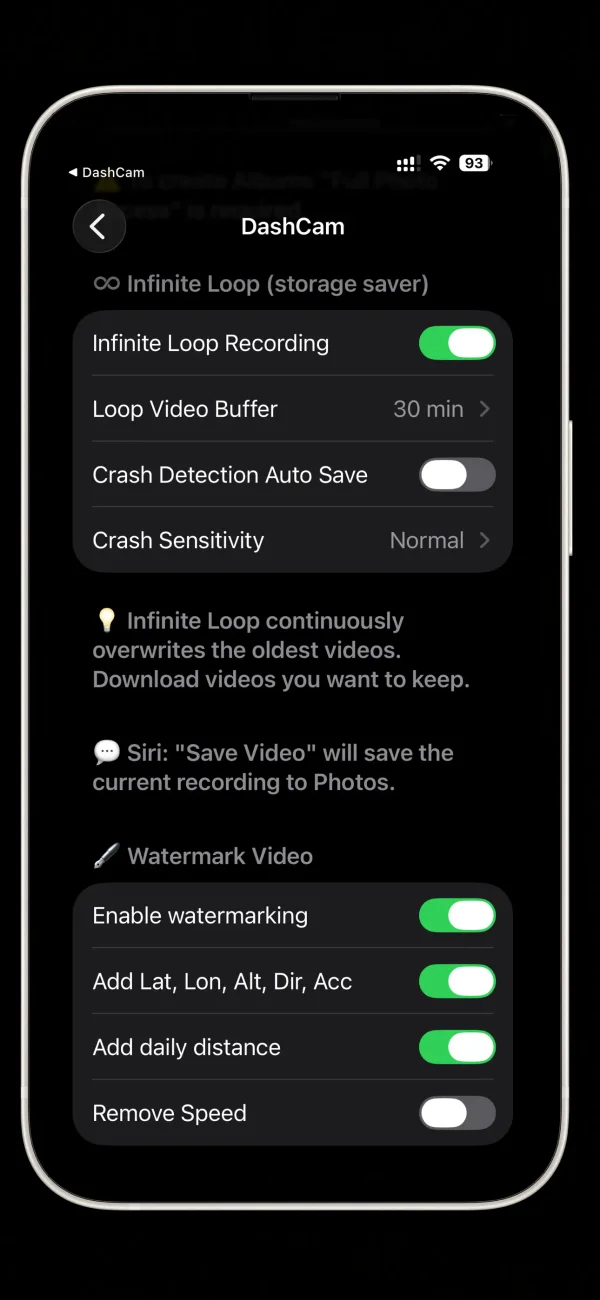
• Add a Watermark to the video with all data
• Save videos to daily trip albums, add daily driving distance to the Watermark
• Save a video instantaneously to Photos with Siri (iOS16+): "Save Video", start the App with "Start DashCam Recording"
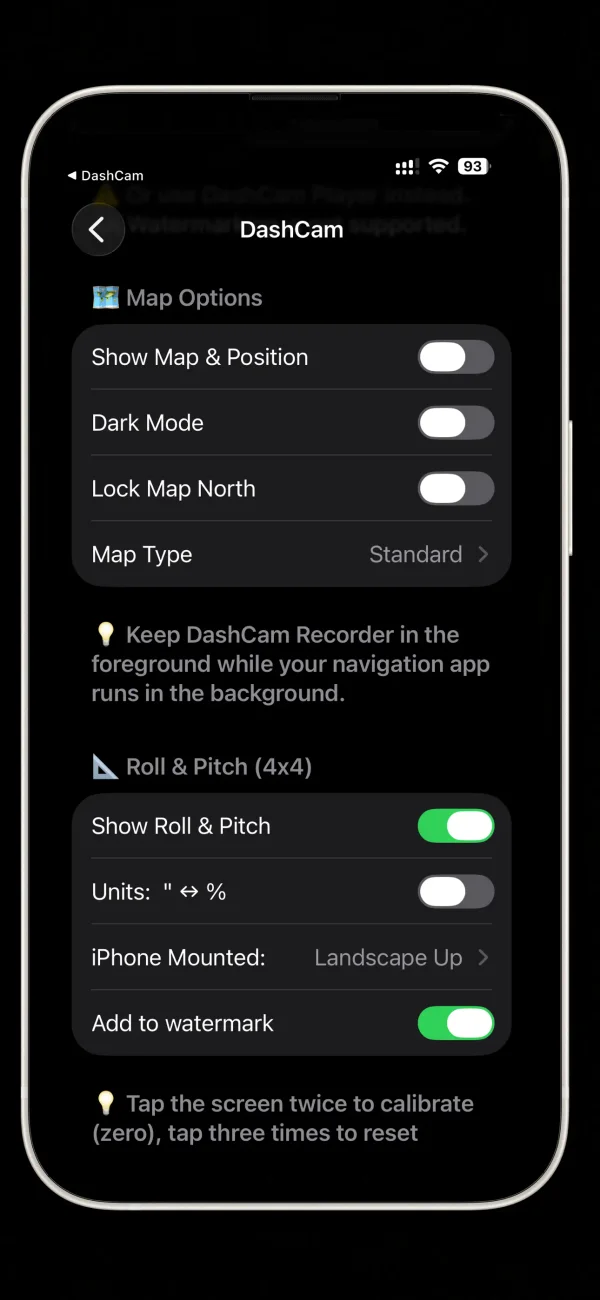
• Display a Map with your current position (use a Navigation App in the background for verbal instructions)
• Infinite loop recording with automatic saving of crash events
• Parking sensor – pause and resume recording automatically
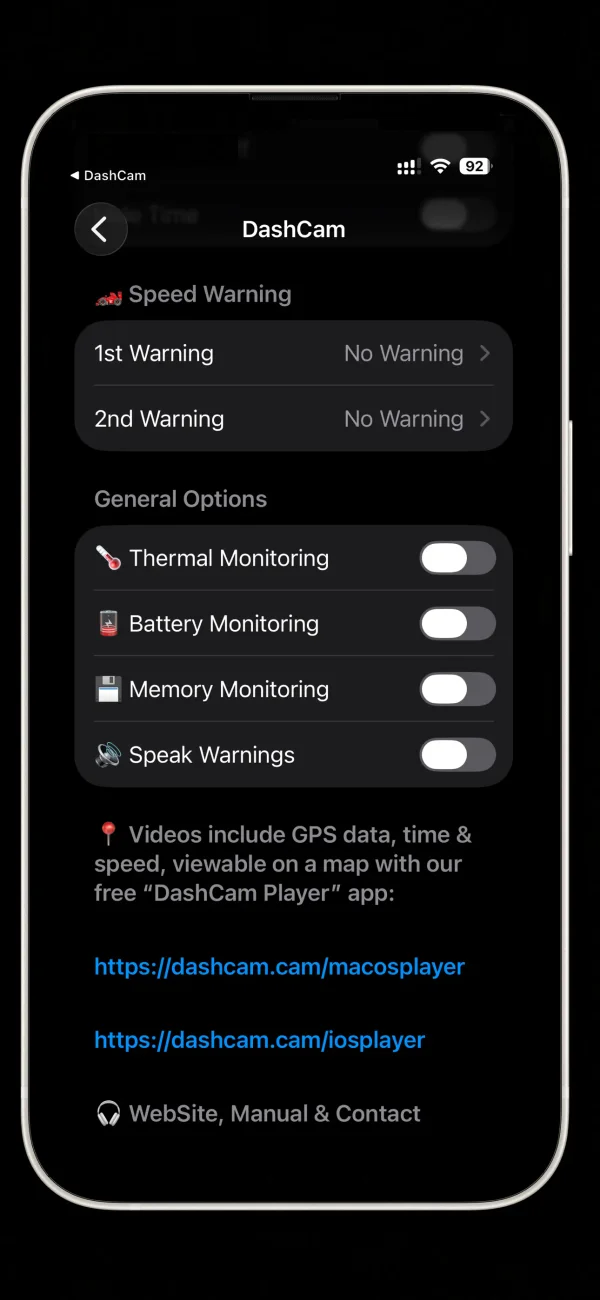
• Thermal and battery monitoring to protect your device
• Autostart - Start/Stop recording with your car (when plugged in)
• Snap a photo at any time by tapping the screen
• Pitch & Roll - Record your off-road trips
• Stable App, top rated crash free score
Tips and Notes:
• Use flight mode for uninterrupted recording
• Check local DashCam laws before use
• DashCam Player for iOS & macOS displays route, speed, and other metadata
Website and Support:
• https://dashcam.cam – manual, FAQs, and macOS app downloads
Do you like this app? Please rate it in the App Store !
And please check out our macOS app, ADS-B Radar, the most beautiful visualiser for your ADS-B receiver:
https://apps.apple.com/app/id1538149835
Disclaimer:
This app is provided for personal use only. Always operate your vehicle safely and in compliance with local laws. Do not interact with the app while driving. The developer is not responsible for any accidents, damages, or legal issues arising from use of the app.
Neue Funktionen
Version 3.2 · 09.06.2026
- Manual Focus Lock Option
- Audio Recording Improved
- Set Front (Face) Camera as Standard
- Multiple Languages (DE, ES, NL, FR, PT, IT, ZH)
App-Datenschutz
Was Jan Nutbroek im App Store zum Umgang dieser App mit Daten angibt.
-
Keine Daten erfasst
Der Entwickler erfasst keine Daten von dieser App.
Die Datenschutzpraktiken können variieren, zum Beispiel je nach den von Ihnen verwendeten Funktionen oder Ihrem Alter.
Informationen
- Anbieter
- Jan Nutbroek
- Kategorie
- Navigation
- Version
- 3.2
- Aktualisiert
- 09.06.2026
- Veröffentlicht
- 17.04.2024
- Größe
- 21,9 MB
- Erfordert
- iOS 12.0 oder neuer
- Altersfreigabe
- 4+
- Preis
- Kostenlos
- Sprachen
- Englisch, Niederländisch, Französisch, Deutsch, Italienisch, Portugiesisch, Vereinf. Chinesisch, Spanisch, Tradit. Chinesisch
- Copyright
- © 2024 JF Nutbroek
Das könnte Ihnen auch gefallen
-
 Driver: Dashcam & FahrtenbuchKI-Coaching + Cloud-Backup
-
 Dash Cam | Drive Guardian AINavigation
-
 Auto-Kamera DVRAuto Dashcam & GPS Blackbox
-
 CamCarDer LiteBindestrich Kamera für Auto
-
 Autokamera. HD dashcamGPS Fahrdaten & Videorecorder
-
 Dashcam - Unfall Video KameraGPS Auto Unfall Videorekorder
-
 Nexar ClassicNavigation
-
 Nexar ConnectNavigation
-
 DashMap: Smarte DashcamGPS-Navigation und 4K-Video
-
 DashCam : Car Camera RecorderNavigation