DeckForge: Board Game Creator
Game Prototyping & Playtesting
Entwickelt für iPhone, Mac, iPod touch
Kostenlos · In-App-Käufe
- Altersfreigabe4+
- KategorieProduktivität
- EntwicklerSamuel Harmon
- SprachenEnglisch
- Größe43,0 MB
Verlinkt auf die offizielle App Store-Seite
Download.org hostet keine Datei von DeckForge: Board Game Creator. Die Schaltfläche öffnet die App-Seite bei App Store, wo Samuel Harmon die App veröffentlicht. Eintrag zuletzt geprüft am 15.11.2026.
Screenshots
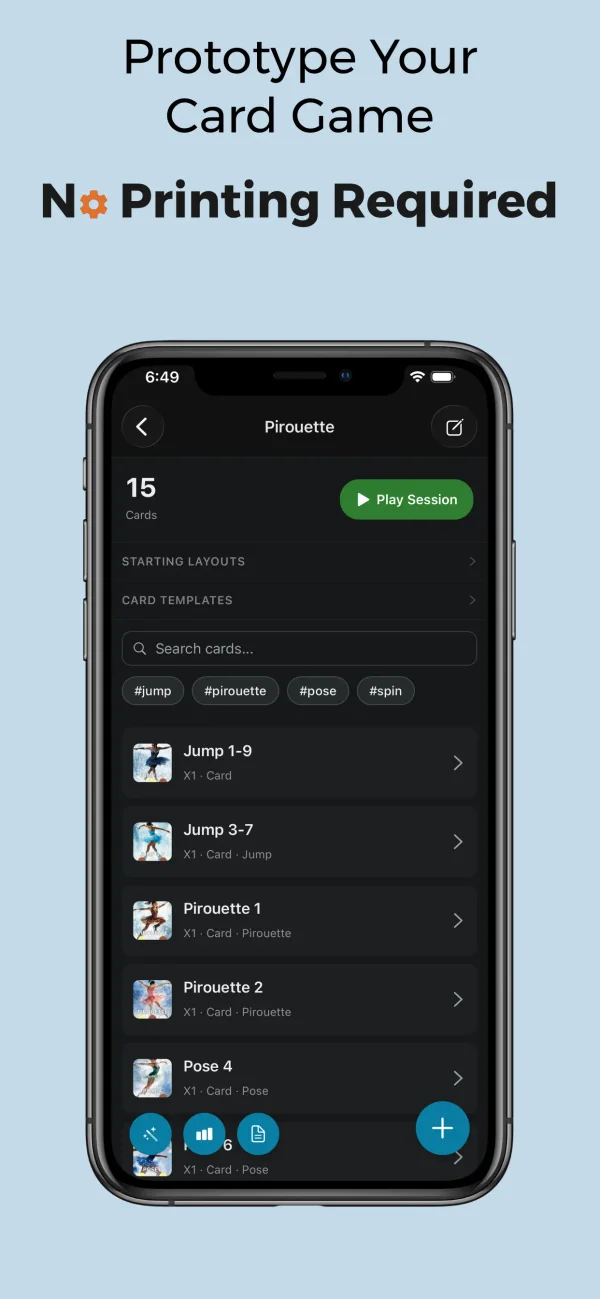
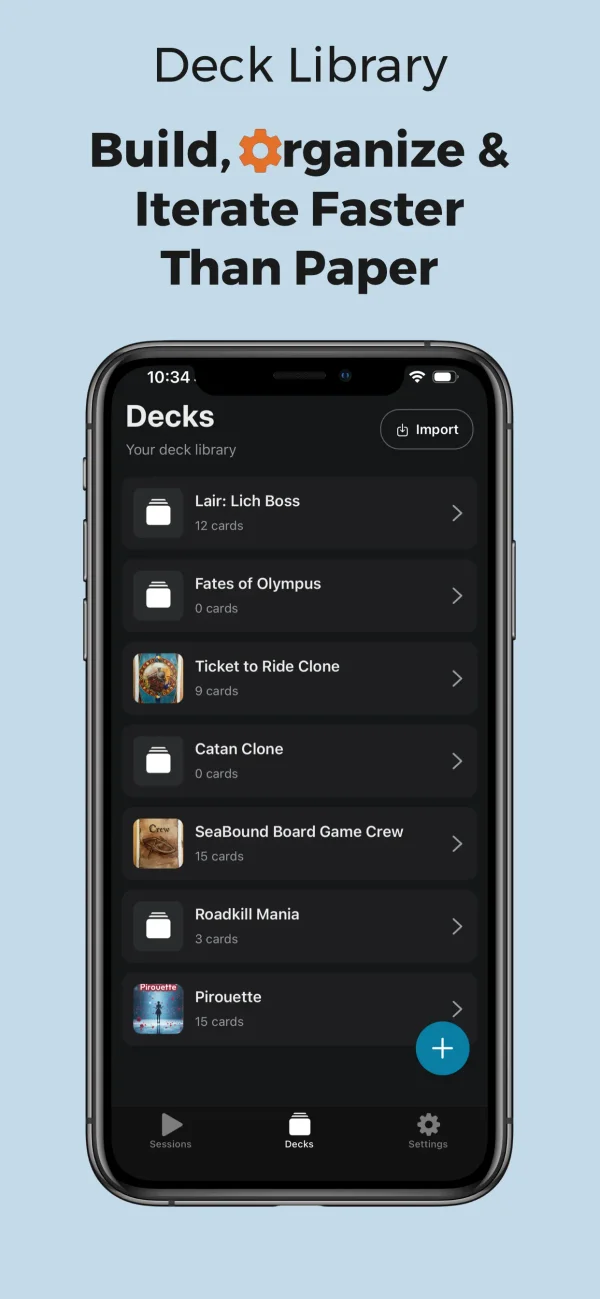
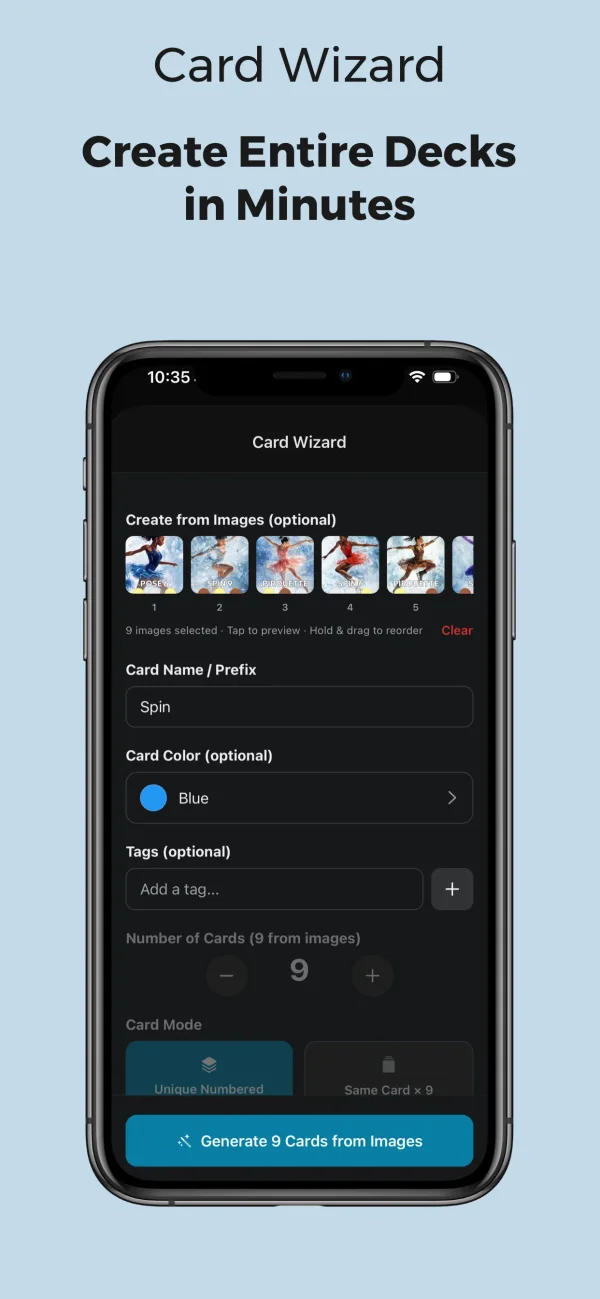
Info
Der Entwickler hat diesen Text nicht in Ihrer Sprache bereitgestellt.
Card Game Prototyping & Playtesting Tool
DeckForge is the fastest way to design, build, and playtest custom card games on your phone. Stop printing paper prototypes — create your entire tabletop deck digitally and start shuffling in minutes.
Whether you're a board game designer iterating on a new card game or a group of friends playtesting a homebrew, DeckForge gives you everything you need to go from idea to play session without cutting a single card.
**BUILD YOUR DECK**
Create cards individually or generate entire decks at once with the bulk card wizard. Set names, colors, tags, types (cards, tokens, tiles), quantities, and custom characteristics. Duplicate decks to branch your design without losing previous versions. Import and export decks as JSON to share with collaborators.
**DESIGN CUSTOM CARD LAYOUTS**
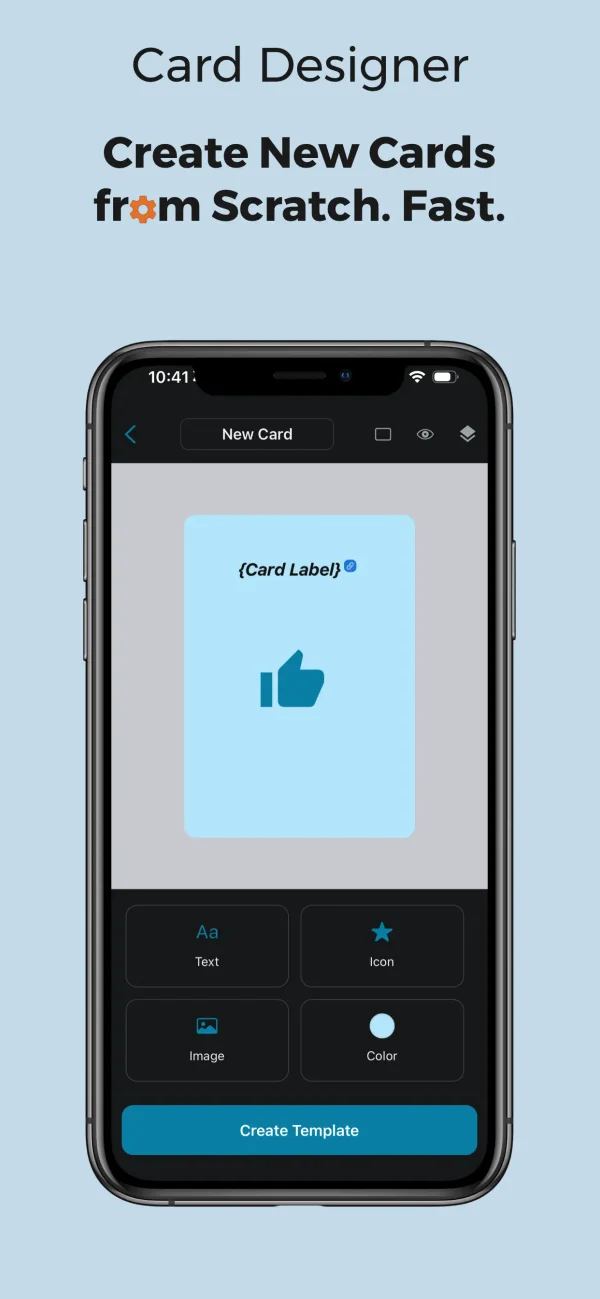
Use the drag-and-drop card designer to build visual templates for your cards. Place text, icons, and images anywhere on the canvas. Bind fields to card data so every card renders with its own stats. Design a custom card back for your deck. Apply templates to individual cards or entire sets in one tap.
**PLAY LIKE IT'S ON THE TABLE**
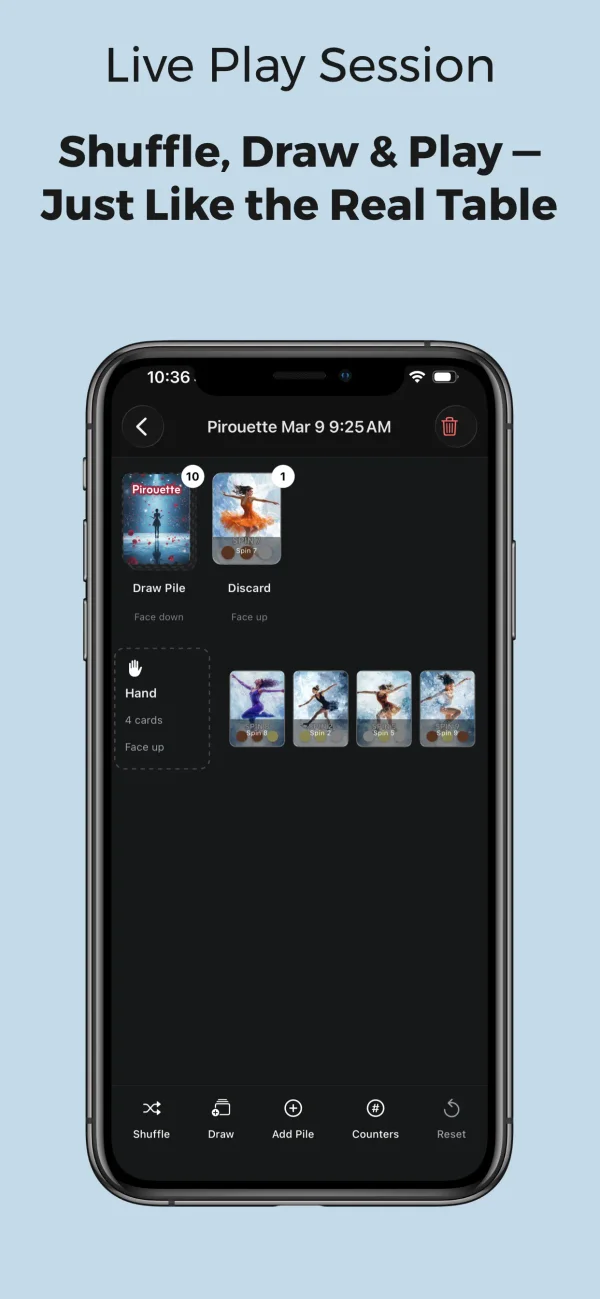
Shuffle, draw, discard, and flip cards with smooth animations and haptic feedback that feels like a real tabletop experience. Tap any card to inspect it, move it between piles, or trigger game actions. Pinch to zoom on card details. Create custom piles — draw decks, hands, discard piles, fields — to match any game's layout.
**THREE REALISTIC SHUFFLE ALGORITHMS**
Choose how your deck shuffles: Fisher-Yates for perfect randomization, Overhand for a casual table shuffle feel, or Riffle for authentic card-game shuffling. Configure pass and cut counts for the simulation style you want.
**LOCAL MULTIPLAYER — 2 TO 6 PLAYERS**
Pass the device and play with friends. DeckForge supports 2–6 players with custom names, color-coded turns, a privacy screen between handoffs, and an optional turn timer. A full action log tracks every draw, discard, and move so no one loses track of the game.
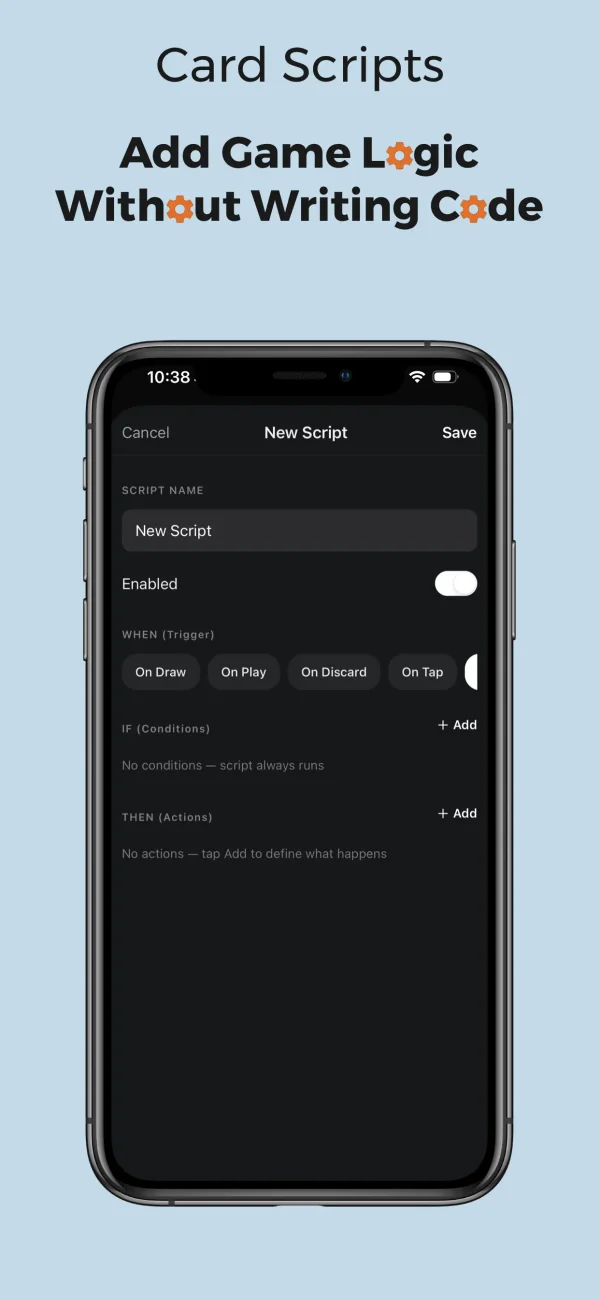
**ADD GAME LOGIC WITHOUT CODE**
Attach scripts to any card using a visual builder — no programming required. Set triggers (on draw, on play, on discard, on tap, on flip), add conditions, and define actions like drawing extra cards, moving cards between piles, shuffling, flipping, adjusting counters, or displaying messages. Your game rules run automatically during play.
**TRACK YOUR STATS**
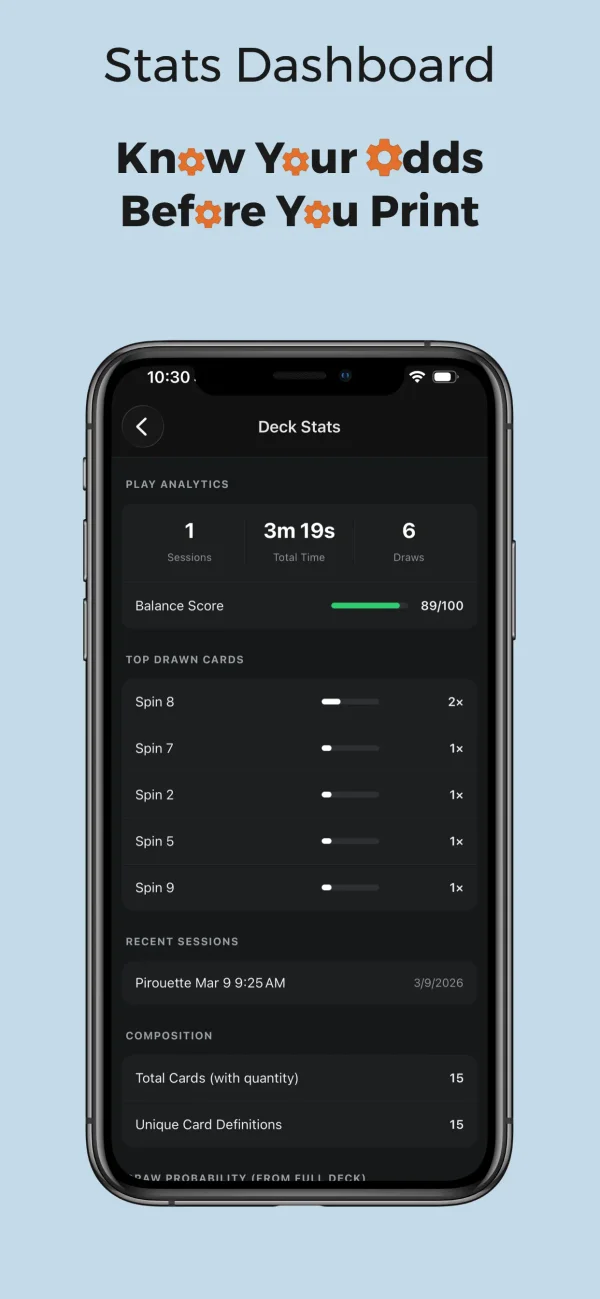
The statistics dashboard shows draw probabilities for every card, tag, and color in your deck. After playtesting, review balance scores, most-drawn cards, total playtime, and auto-generated insights to refine your game design.
**SESSION TEMPLATES**
Save starting layouts so you can replay the same setup instantly. Define which piles exist, how many cards each starts with, face-up or face-down orientation, and which piles are player-specific. Start a four-player game with a single tap.
**EXPORT FOR PRINT**
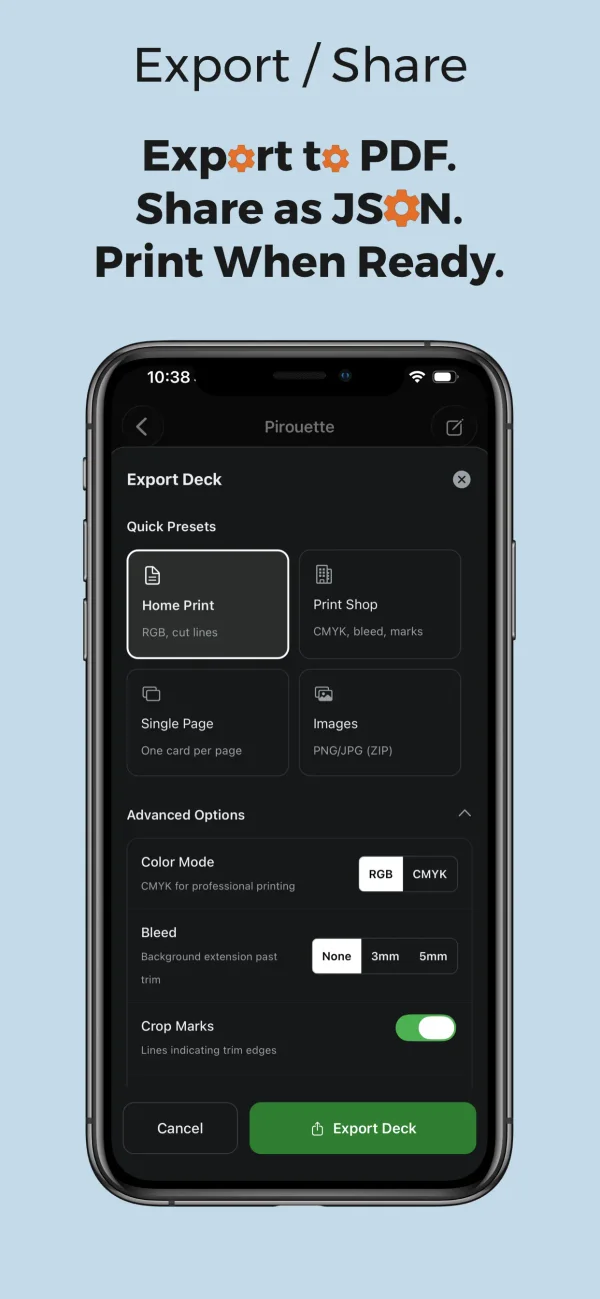
When your game is ready, export a print-ready PDF with crop marks, bleed, and CMYK color support. Home print and print-shop presets are built in. Printer Friendly option black/white grayscale.
Neue Funktionen
Version 1.0.6 · 11.05.2026
## Version 1.0.6
### Added
- Pixel-precise position editor for elements in the card template designer
- Font family selection for text elements in the card template designer
- Image storage management page in Settings to review and reclaim image space
- Roll analytics on the dice pool detail page showing distribution and totals (Pro)
- Per-die reroll during a live session
- Per-card backer detail editing on the card edit screen
### Fixed
- Bulk image assignment now uploads to S3 instead of storing local URIs, so cards no longer appear blank after assignment
- Dice-only session reset no longer pulls cards from the deck
- Card actions hidden in dice-only sessions where there is no deck to act on
- Tab bar no longer overflows on certain device sizes
- Dice face visibility improved in dark mode
- Rewind Here button on the undo timeline is now visible in dark mode
- Dice popup dark mode contrast issues
### Changed
- Dice pool roll analytics gated behind the Pro tier
- Settings screen now reads the app version dynamically from the build config
App-Datenschutz
Was Samuel Harmon im App Store zum Umgang dieser App mit Daten angibt.
-
Mit Ihnen verknüpfte Daten
Können erfasst und mit Ihrer Identität verknüpft werden.
- Käufe
- Kontaktinformationen
- Benutzerinhalte
- Kennungen
- Nutzungsdaten
- Diagnose
Die Datenschutzpraktiken können variieren, zum Beispiel je nach den von Ihnen verwendeten Funktionen oder Ihrem Alter.
Informationen
- Anbieter
- Samuel Harmon
- Kategorie
- Produktivität
- Version
- 1.0.6
- Aktualisiert
- 11.05.2026
- Veröffentlicht
- 13.03.2026
- Größe
- 43,0 MB
- Erfordert
- iOS 15.5 oder neuer
- Altersfreigabe
- 4+
- Preis
- Kostenlos
- In-App-Käufe
- Ja
- Sprachen
- Englisch
- Copyright
- © Samuel Harmon 2026
Das könnte Ihnen auch gefallen
-
 Whittle: InspirationProduktivität
-
 YostNotes: AI Notes & AudioProduktivität
-
 PixelWar-AI GeneratorProduktivität
-
 Gamify - RulebookProduktivität
-
 oshikigo — Apps mit KIim Gruppenchat mit Freunden
-
 Focus Writing App: Blind DraftProduktivität
-
 Blank AppsProduktivität
-
 ShellXProduktivität
-
 ANY CalculatorProduktivität
-
 AI App Builder : AppIslandProduktivität