
DeckPilot - Workflow Control
Workflows, Macros & Shortcuts
Entwickelt für iPhone, iPad
Kostenlos · In-App-Käufe
- Altersfreigabe4+
- KategorieProduktivität
- EntwicklerKeshav Kewlani
- SprachenEnglisch
- Größe21,4 MB
Verlinkt auf die offizielle App Store-Seite
Download.org hostet keine Datei von DeckPilot - Workflow Control. Die Schaltfläche öffnet die App-Seite bei App Store, wo Keshav Kewlani die App veröffentlicht. Eintrag zuletzt geprüft am 24.11.2026.
Screenshots

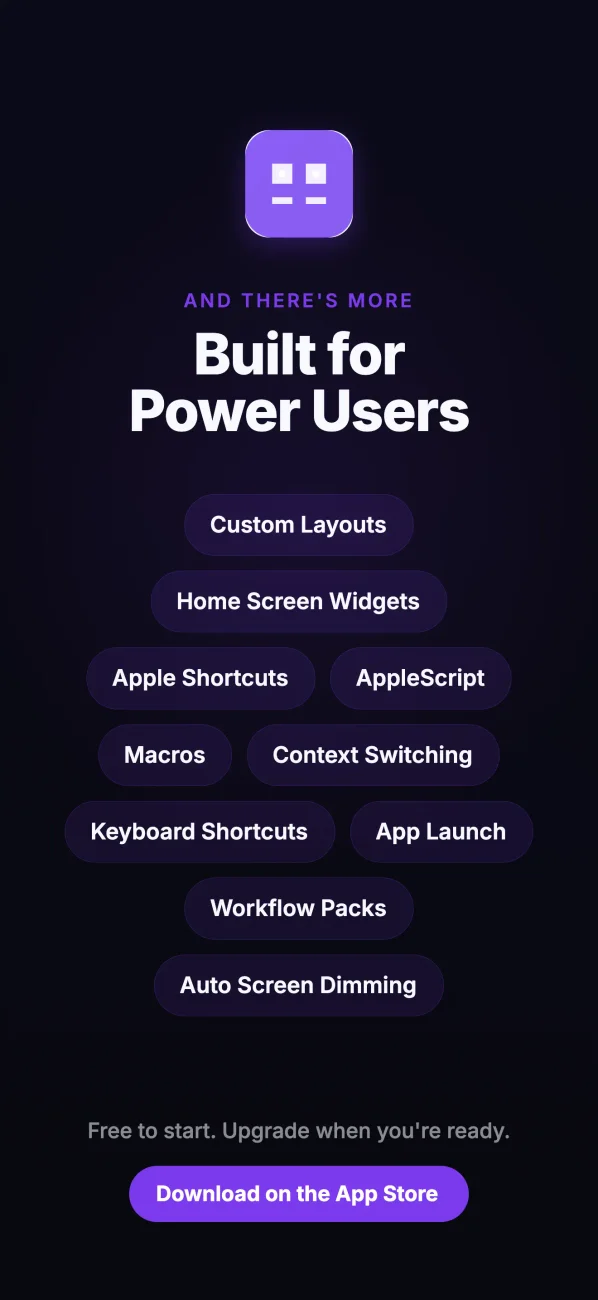
Info
Der Entwickler hat diesen Text nicht in Ihrer Sprache bereitgestellt.
Made for people who care about how they work with their Mac.
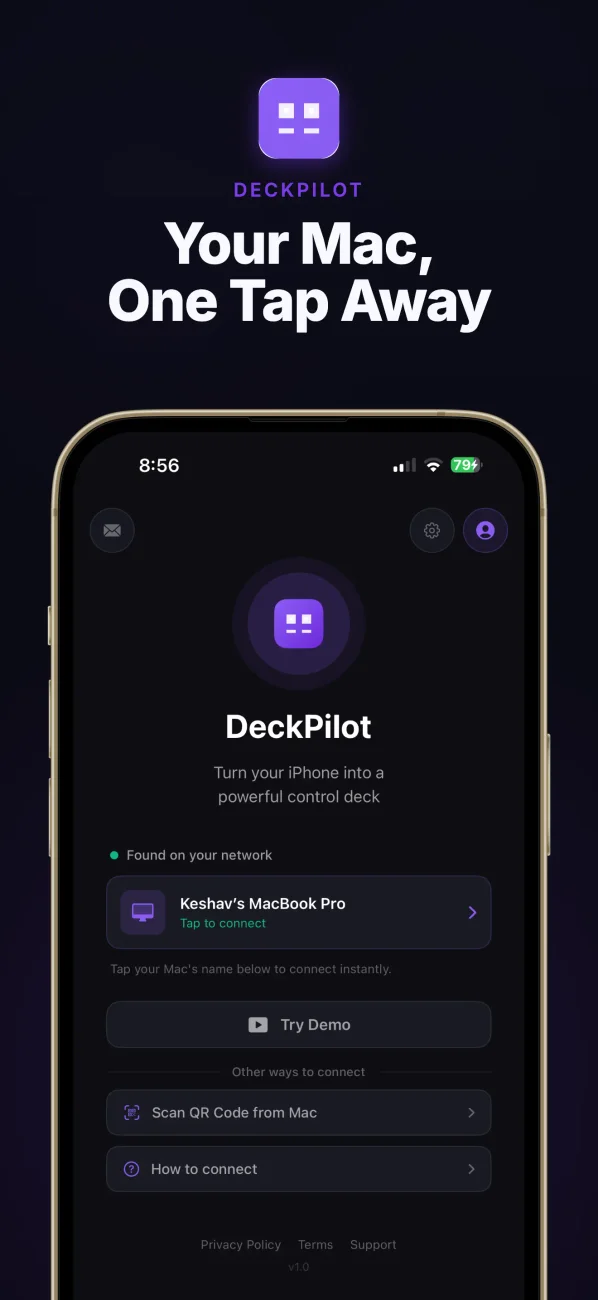
The keyboard, mouse, and trackpad shape how you reach into your Mac. There's another way. DeckPilot turns your iPhone, iPad, and Apple Watch into custom button decks that follow whichever app you're in. Logic, Xcode, Figma, Slack: the right buttons are always under your thumb.
Quick to set up
Install on your Mac and iPhone, connect once over Wi-Fi or USB. Auto-reconnects the way AirDrop does. No hardware to buy.
Buttons for everything
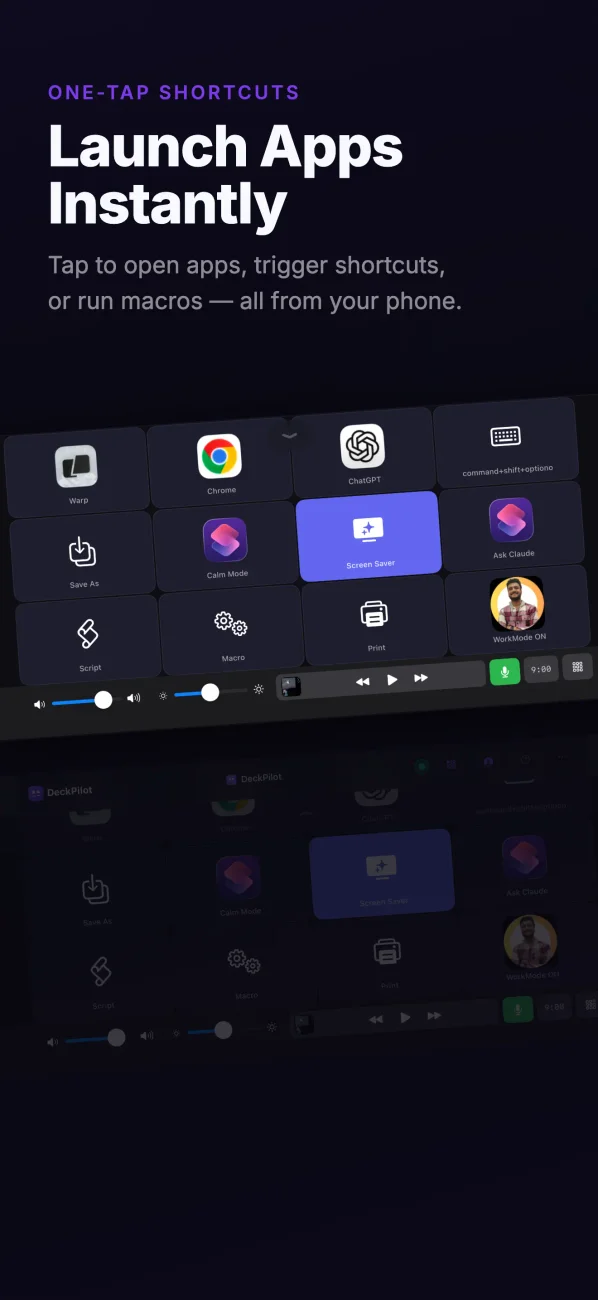
Tap to open Figma. Tap to mute Zoom. Tap to fire a 5-step macro. Build them from apps, files, websites, keyboard shortcuts, AppleScript, or Apple Shortcuts, and chain them together in a visual macro builder. 300,000+ icons, or bring your own.
One button, more than one move
Tap for one thing, double-tap for another, hold for a third. Or hold to open a submenu of buttons from one tile. One button can run your whole flow.
Buttons that know what's going on
A mute button that stays dim until you're actually muted. A music button that pulses while something is playing. Any button can light up when the thing it controls is on, whether that's your mic, Dark Mode, an app that's running, or something a short script checks for you. One glance at your phone and you know.
Your coding agents, on your deck (beta)
Running Claude Code or Codex on your Mac? Each session becomes a key on your phone, so you can see which one is working, which one is done, and which one is waiting on you. Approve the permission request, answer the question, or say what to do next, without going back to the keyboard.
Buttons you can feel
Every press lands with a real mechanical click and a tactile thump. Pick the feel, from a crisp keyboard to a soft, heavy thock, with sound and haptics you tune separately.
Your Mac's clipboard, on your phone
Everything you copy on your Mac lands in a searchable history on your phone. Pin what you reuse, see when you copied it, and send any snippet back with a tap. Images come through full-size.
Every workflow its own look
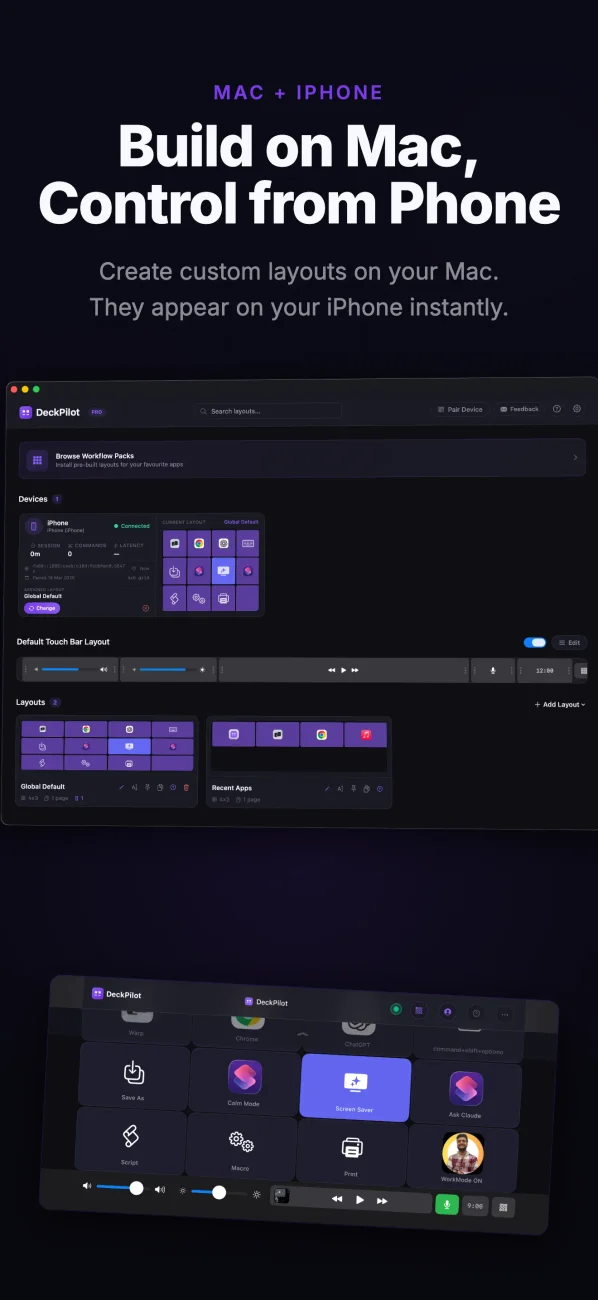
A teal gradient and big icons for your DAW. A tight grid with greyscale icons for your code editor. Pick from the community gallery or design your own.
Trackpad gestures you know
Two fingers down to minimize, two up to maximize, three across to switch spaces. Or bind any swipe to Apple Shortcuts, AppleScript, macros, or jumping decks.
Touch Bar, reborn
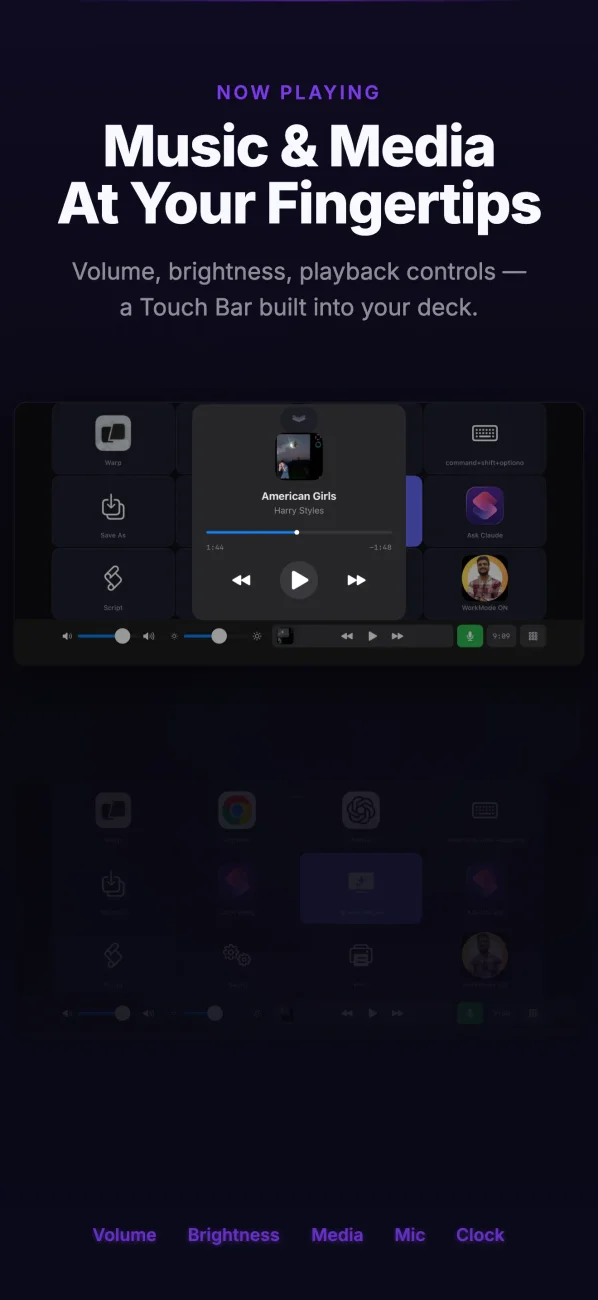
Apple's Touch Bar is gone. DeckPilot brings it back as a floating glass strip on your phone. Volume, brightness, media, mic mute, a clock, and live Battery, CPU, and Memory readouts.
Widgets on every screen
Home Screen widgets put your top buttons one tap away, and the Lock Screen widget shows your active deck without unlocking.
On your wrist, too
An Apple Watch deck with multiple pages and real app icons, Digital Crown for volume and brightness, complications for Mute and Play/Pause.
Built-in MIDI for any DAW
Faders, knobs, XY pads, velocity pads, and transport for Logic, GarageBand, Ableton, FL Studio, and anything that speaks MIDI.
Also good
- AppleScript editor with ten dark themes
- Auto-lock and OLED-safe auto-dim after a short idle
- Share .deckpacks, browse community templates, try Demo Mode without pairing
- Privacy-first. On your Wi-Fi nothing leaves your network; the optional relay for away from home only sees encrypted traffic
DeckPilot offers an optional Pro subscription. Pro: $7.99/month or $39/year, auto-renewable. Lifetime: $79 one-time. Pro adds multi-page decks, larger grids, MIDI, macros, AppleScript, app-aware switching, multi-launch buttons, advanced gestures, Apple Watch, per-deck themes, and Shortcuts.
Payment is charged to your Apple ID at confirmation. Subscriptions renew automatically unless canceled at least 24 hours before the end of the current period. Manage or cancel anytime in your App Store account settings.
Terms: https://deckpilot.co/terms
Privacy: https://deckpilot.co/privacy
Support: https://deckpilot.co/support
Neue Funktionen
Version 1.5.0 · 23.11.2026
This one is about buttons that tell the truth.
Live Keys
Until now a mute button looked the same whether you were muted or not. Now a button can light up when the thing it controls is actually on. Mute, your mic, whatever is playing, Dark Mode, an app that's running, a display that's plugged in. Set it up once in the editor on your Mac, and from then on a glance at your phone tells you where things stand.
Your coding agents, on your deck (beta)
If you spend your days in Claude Code or Codex, you know the drill: the agent stops, asks for permission, and waits for you to notice. Now every session shows up as a key on your phone. You can see which one is working, which one is done, and which one is waiting on you. Approve it, answer it, or dictate the next thing you want it to do, right from the deck. It stays off until you turn it on in the Mac app, and while it's off DeckPilot doesn't look at your terminals at all.
Connection help that actually helps
When your phone can't find your Mac, it now tells you why instead of leaving you guessing. A VPN hiding the Mac, Local Network permission switched off, the two devices on different networks, or the Mac app simply not running. You get the reason and a button that takes you to the fix.
Live Keys and Agents need DeckPilot for Mac 1.6.0 or later. On your Mac, choose Check for Updates.
App-Datenschutz
Was Keshav Kewlani im App Store zum Umgang dieser App mit Daten angibt.
-
Mit Ihnen verknüpfte Daten
Können erfasst und mit Ihrer Identität verknüpft werden.
- Käufe
- Kontaktinformationen
- Kennungen
- Nutzungsdaten
-
Nicht mit Ihnen verknüpfte Daten
Können erfasst werden, sind aber nicht mit Ihrer Identität verknüpft.
- Diagnose
Die Datenschutzpraktiken können variieren, zum Beispiel je nach den von Ihnen verwendeten Funktionen oder Ihrem Alter.
Informationen
- Anbieter
- Keshav Kewlani
- Kategorie
- Produktivität
- Version
- 1.5.0
- Aktualisiert
- 23.11.2026
- Veröffentlicht
- 21.03.2026
- Größe
- 21,4 MB
- Erfordert
- iOS 17.0 oder neuer
- Altersfreigabe
- 4+
- Preis
- Kostenlos
- In-App-Käufe
- Ja
- Sprachen
- Englisch
- Copyright
- © 2026 Keshav Kewlani
Das könnte Ihnen auch gefallen
-
 PhoneDeckProduktivität
-
 choclift: Workflow Sweetenerdesktop touch controls
-
 OverdeckProduktivität
-
 Anchor: Tagesplaner & KalenderTime Blocking, To-Do & Fokus
-
 MobilityControlProduktivität
-
 Pomodoro Timer: Tempo FocusFokus, Aufgaben & App-Blocker
-
 Rot StopProduktivität
-
 ShortcutStudio - AI ShortcutsProduktivität
-
 AI Calendar - Pocket CalProduktivität
-
 Gewohnheitstracker - DayriseStreaks, Routinen & Motivation