
Dental 3D
3D models, measures & notes
Entwickelt für iPhone, iPad, Mac
Kostenlos
- Altersfreigabe4+
- KategorieMedizin
- EntwicklerChris Gupta
- SprachenEnglisch+ 14 weitere
- Größe12,3 MB
Verlinkt auf die offizielle App Store-Seite
Download.org hostet keine Datei von Dental 3D. Die Schaltfläche öffnet die App-Seite bei App Store, wo Chris Gupta die App veröffentlicht. Eintrag zuletzt geprüft am 16.11.2026.
Screenshots
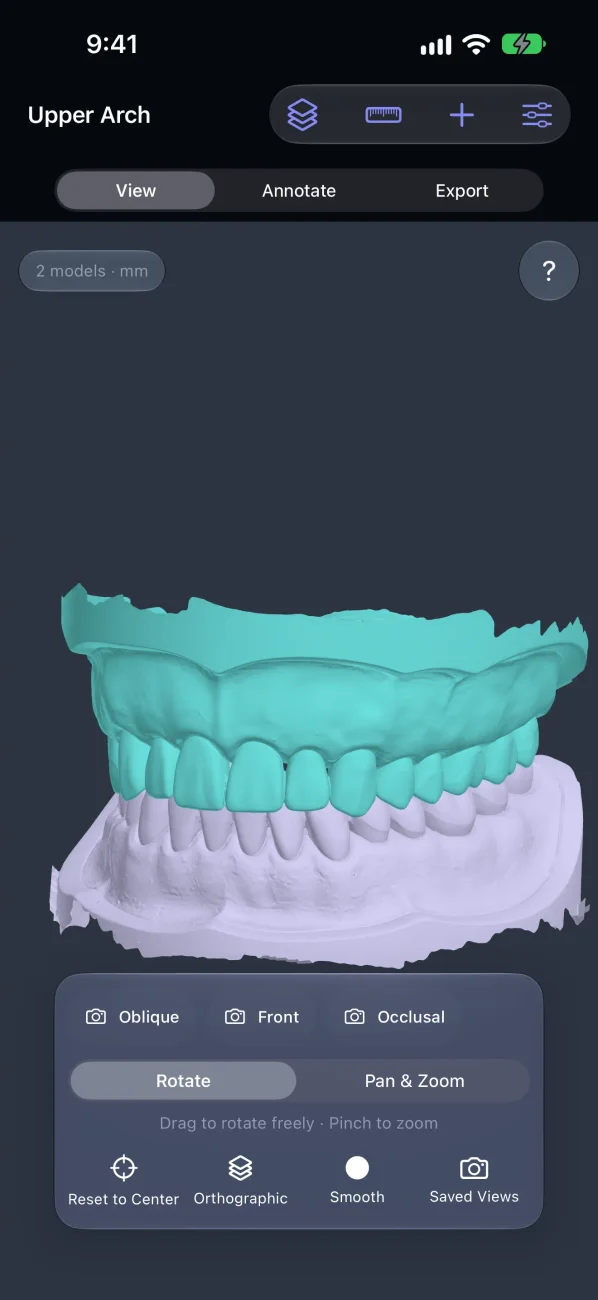
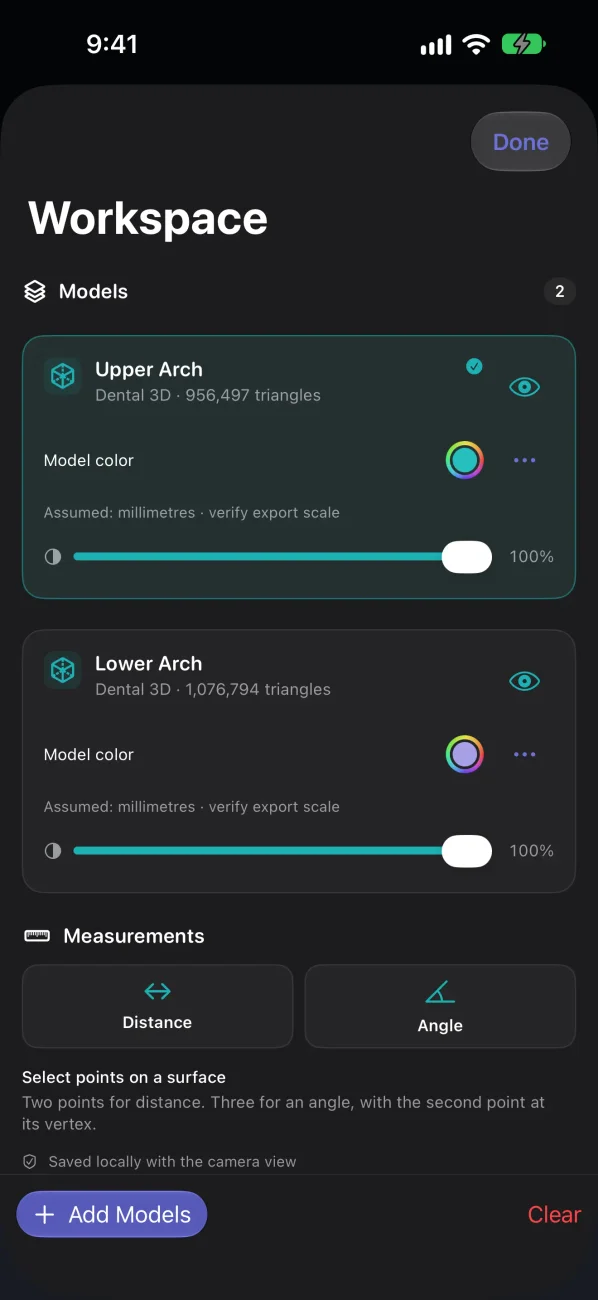
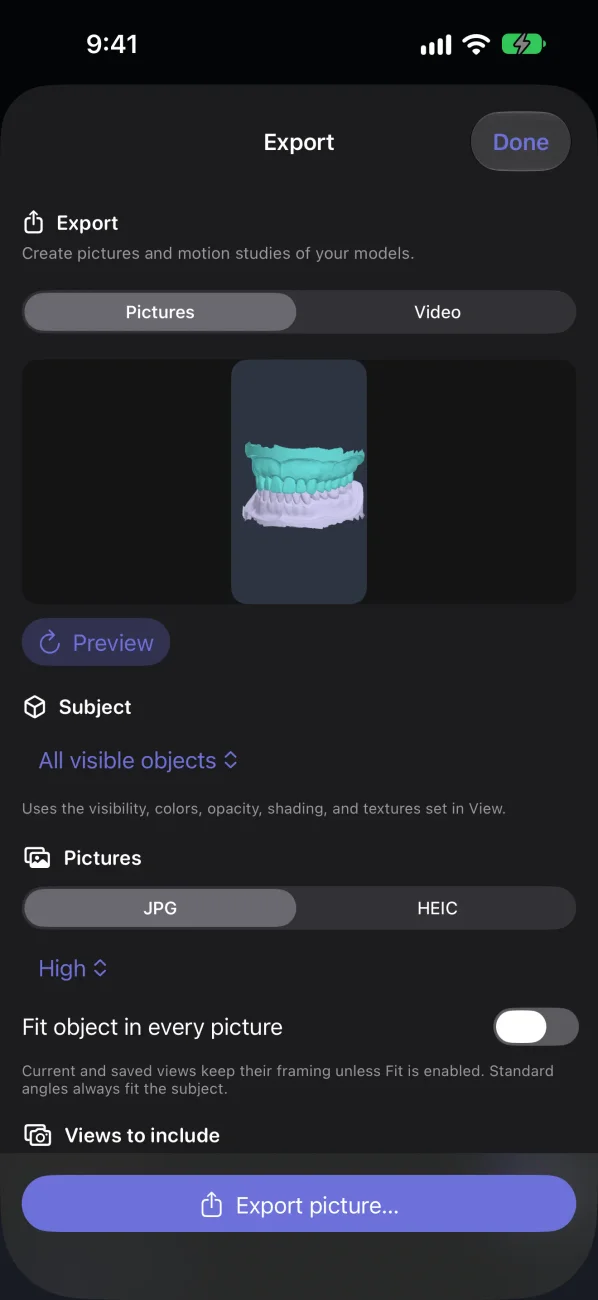
Info
Der Entwickler hat diesen Text nicht in Ihrer Sprache bereitgestellt.
Take a closer look at your 3D models. Dental 3D brings viewing, measurements, and annotations together in a simple workspace for Mac, iPad, and iPhone.
• Open the files you already use. Import STL, OBJ, PLY, supported 3MF, WRL, OFF, and point-cloud files. Open ZIP archives with models and their companion textures.
• See how models fit together. View several models at once, rotate and zoom, and adjust visibility, color, opacity, and shading while preserving their original alignment.
• Measure and revisit. Pick straight-line distances and three-point angles, save camera views, and return to the viewpoint of a saved measurement.
• Keep your observations with the model. Add labels and drawings, then save a Dental 3D project with your models, measurements, annotations, and views together.
• Share a useful view. Export pictures or silent videos using standard angles, saved views, and camera motions.
• Get help in context. Browse nine built-in guide topics, or use Siri and Shortcuts to open, read or search the public guide and reset a ready view. Private models and annotations stay outside the guide index.
• Open supported files your way. Follow the in-app instructions for choosing Dental 3D as the default opening app in Finder or on supported iPhone/iPad systems.
Your models are processed on your device. There is no account to create and no advertising. Files you open or save through iCloud Drive or another provider follow that provider's settings.
Check source scale and alignment before relying on measurements. Unitless models are read as millimetres, and Dental 3D does not align models automatically. Measurements require independent verification; the app does not provide a diagnosis. Supported format subsets and file-size limits apply. Mac requires Apple silicon.
Neue Funktionen
Version 2.0.1 · 27.10.2026
Dental 3D now supports iPhone Duo.
• The workspace adapts as you fold, unfold or rotate, and as you resize windows on iPad. When there's room, the tools sit beside your models; on narrower screens they open in a sheet.
• Your models, measurements, labels and camera view stay in place while the screen changes.
• An unfinished saved-view name is kept when the layout changes.
• At the largest text sizes, the export result buttons now scroll with the export settings, so every export control stays within reach.
App-Datenschutz
Was Chris Gupta im App Store zum Umgang dieser App mit Daten angibt.
-
Keine Daten erfasst
Der Entwickler erfasst keine Daten von dieser App.
Die Datenschutzpraktiken können variieren, zum Beispiel je nach den von Ihnen verwendeten Funktionen oder Ihrem Alter.
Informationen
- Anbieter
- Chris Gupta
- Kategorie
- Medizin
- Version
- 2.0.1
- Aktualisiert
- 27.10.2026
- Veröffentlicht
- 18.09.2026
- Größe
- 12,3 MB
- Erfordert
- iOS 17.0 oder neuer
- Altersfreigabe
- 4+
- Preis
- Kostenlos
- Sprachen
- Englisch, Arabisch, Französisch, Deutsch, Hindi, Indonesisch, Italienisch, Japanisch, Koreanisch, Portugiesisch, Vereinf. Chinesisch, Spanisch + 3 weitere
- Copyright
- © 2026 Sansar Gupta
Das könnte Ihnen auch gefallen
-
 BardiMedizin
-
 OsteoViewerMedizin
-
 Medeva EssenzaGesundheit und Fitness
-
 Fieberprotokoll: PinjiTemperaturtagebuch, Gesundheit
-
 Nutrimate: AI NutritionGesundheit und Fitness
-
 Dentcam – Die ZahnkameraKlinische Zahnfotografie
-
 Bolus: Anesthesia RecordMedizin
-
 Your Alli: Health CompanionGesundheit und Fitness
-
 DentAI: Dental Preview AILächeln-Simulation für Praxen
-
 D-CameraMedizin