Doc Vault - File Manager
Private offline document vault
Entwickelt für iPhone, iPad
Kostenlos
- Altersfreigabe4+
- KategorieProduktivität
- EntwicklerAhmed Althobaiti
- SprachenEnglisch+ 1 weitere
- Größe71,7 MB
Verlinkt auf die offizielle App Store-Seite
Download.org hostet keine Datei von Doc Vault - File Manager. Die Schaltfläche öffnet die App-Seite bei App Store, wo Ahmed Althobaiti die App veröffentlicht. Eintrag zuletzt geprüft am 23.11.2026.
Screenshots


Info
Der Entwickler hat diesen Text nicht in Ihrer Sprache bereitgestellt.
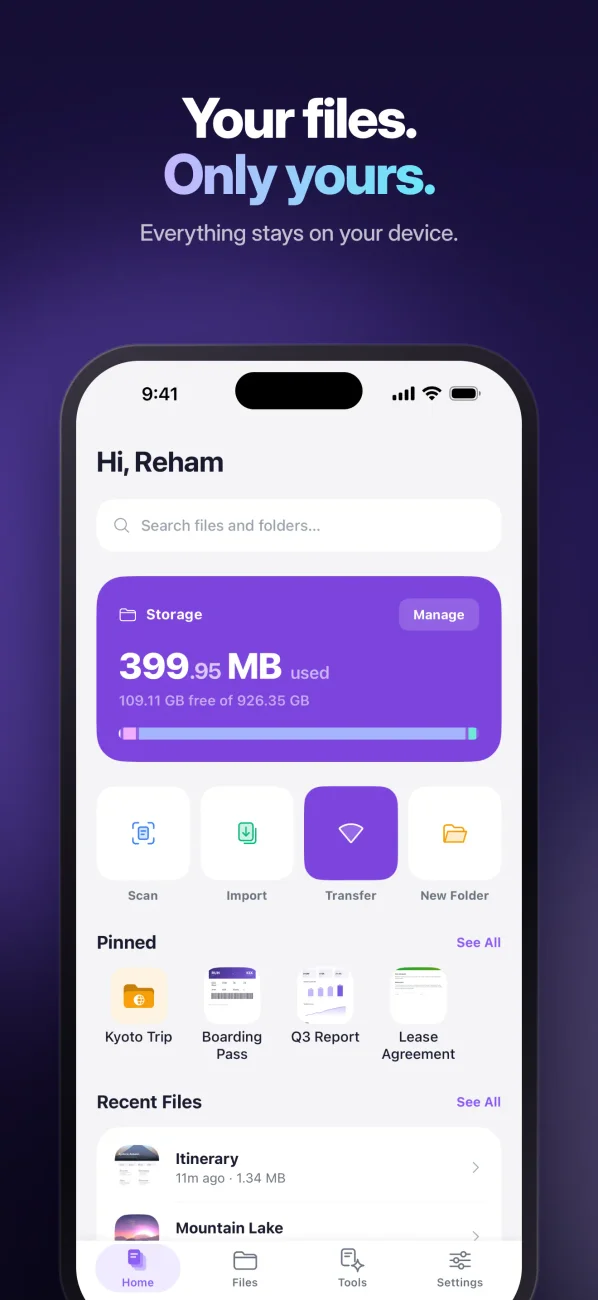
Doc Vault keeps your documents, photos, videos and music together on your iPhone or iPad, and nowhere else. No account, no cloud, no tracking.
LOCKED TO YOU
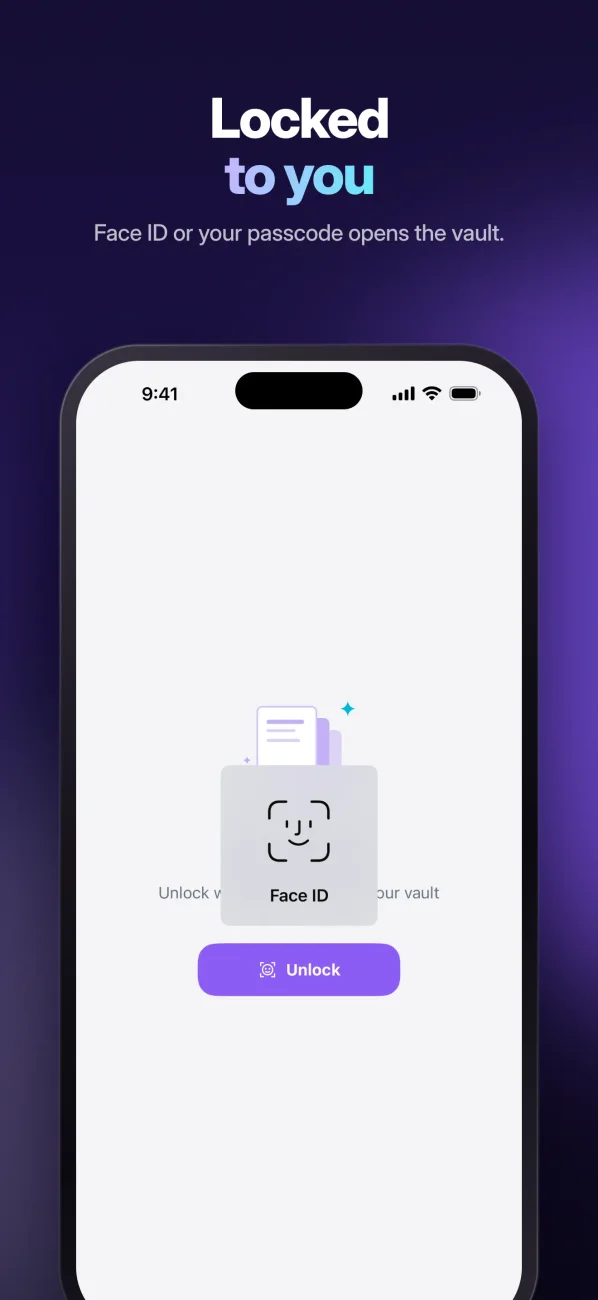
• App Lock with Face ID, Touch ID or your passcode
• A Hidden folder for private files: it opens with Face ID, Touch ID or your passcode, stays out of Files and search, and locks again when you leave
• Your screen stays hidden in the app switcher whenever App Lock is on
• Deleted something by mistake? Recently Deleted keeps it for 30 days
TOOLS FOR EVERY DAY
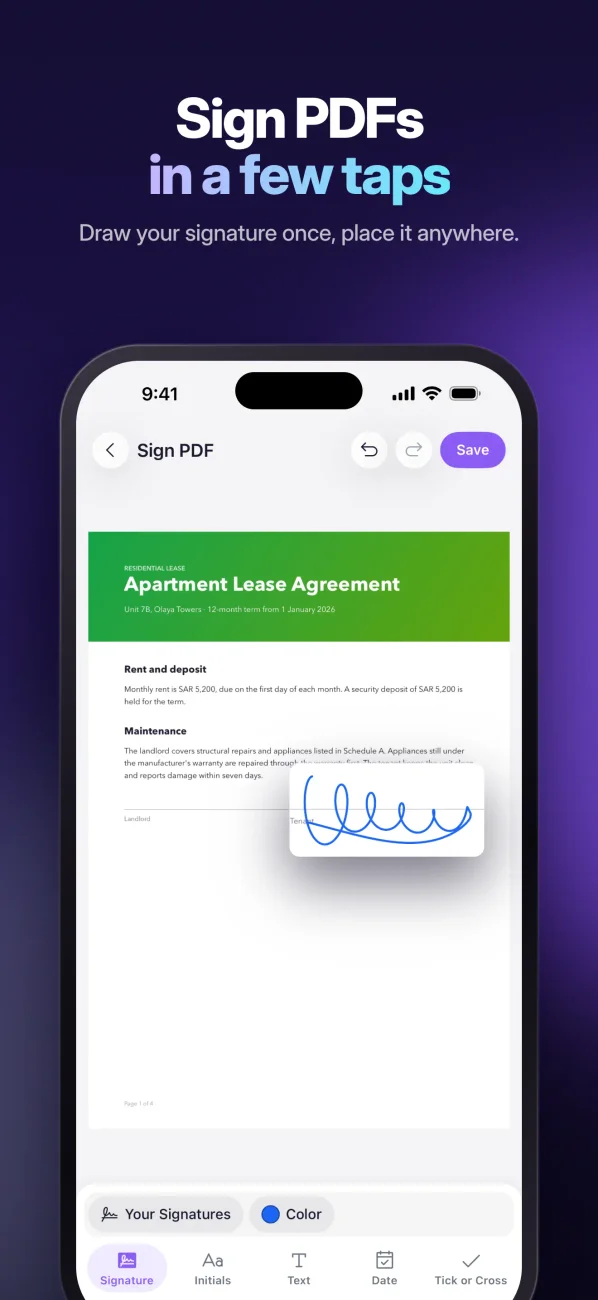
• Sign PDFs: draw your signature once, then add it, your initials, the date or a tick
• Merge PDFs, organize their pages, and turn PDFs into images or images into a PDF
• Mark up photos and PDFs with shapes, text and a highlighter, and redact what should stay private
• Scan documents and QR codes, create a QR code for a link or any text, and copy the text from photos and scans
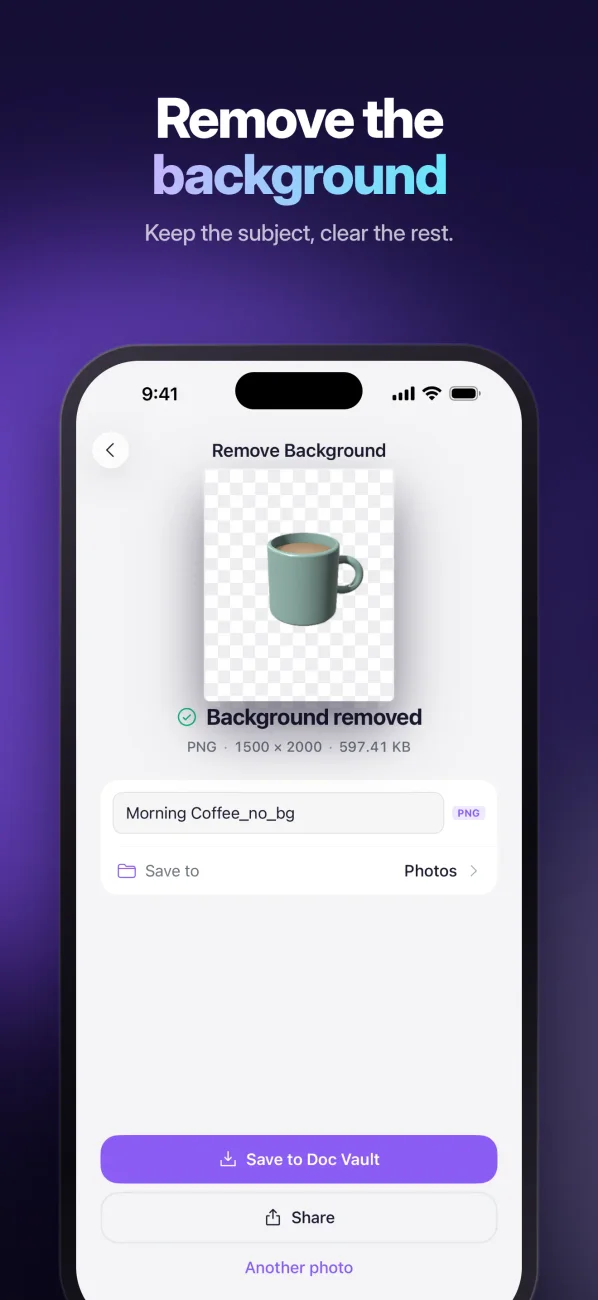
• Remove backgrounds, resize images and take out photo location before sharing
• Voice Recorder, Convert Media, Compress Video, Extract Audio and Batch Rename
• Wi-Fi Transfer: move files to and from your computer in its browser, with no cable and no app
FROM ANY APP
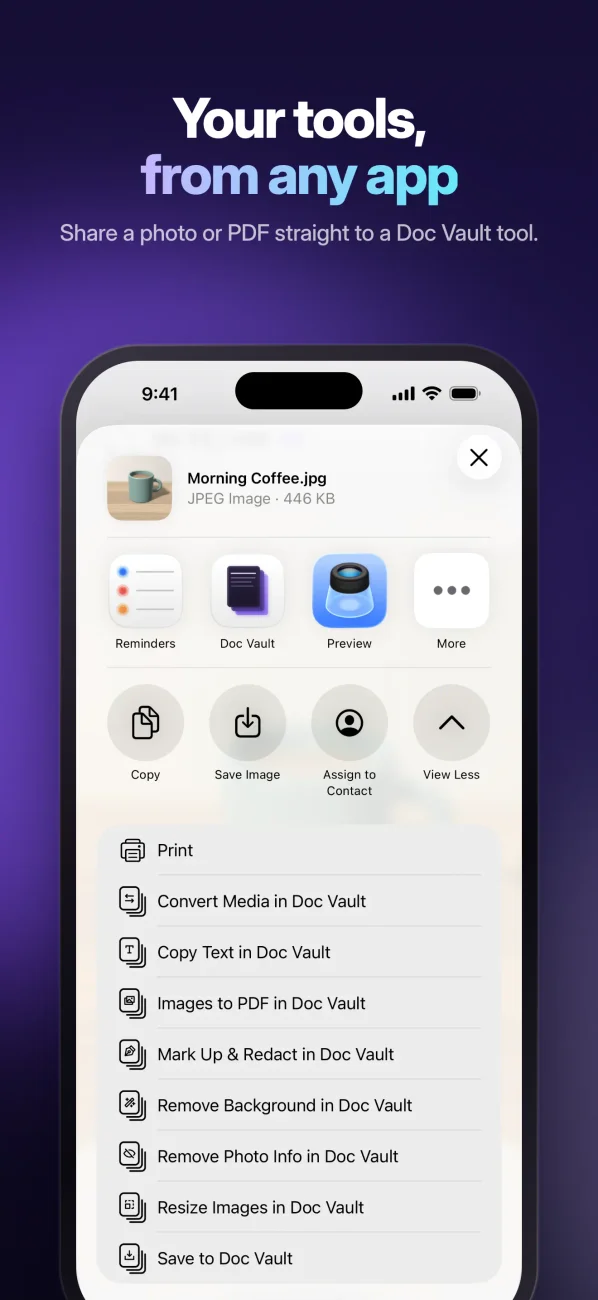
• Doc Vault's tools in the share sheet: Sign PDF, Remove Background, Copy Text and more, on the file you're sharing
• Siri, Shortcuts and quick actions on the Home Screen
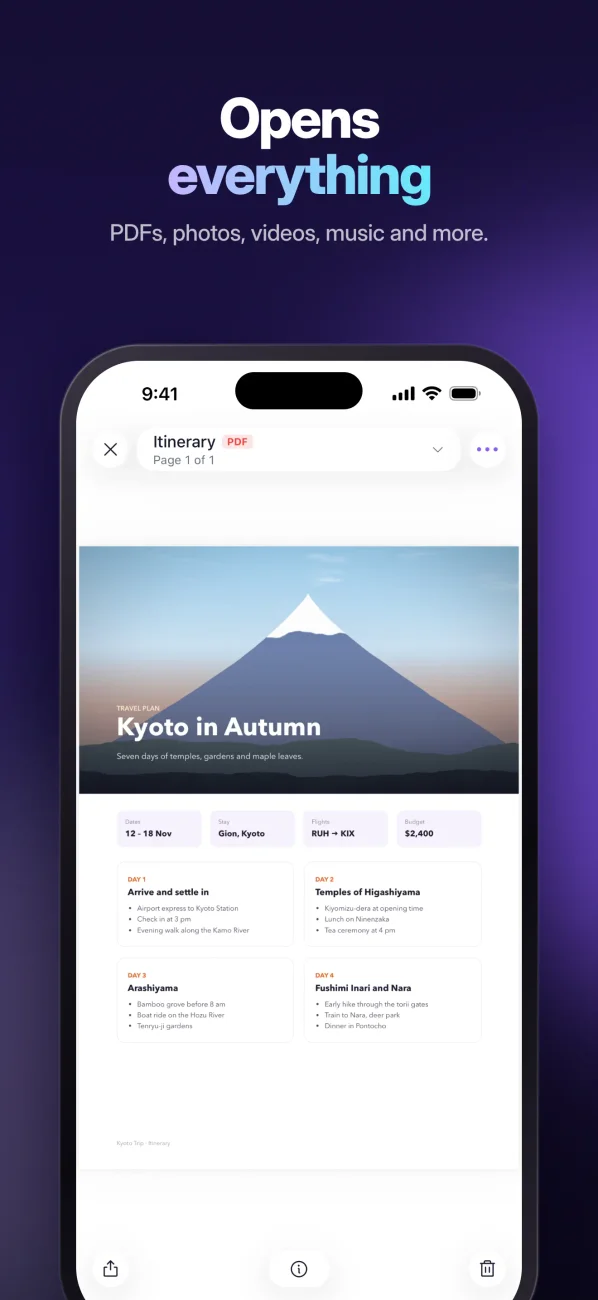
OPENS EVERYTHING
• PDFs, with search inside the document
• Photos, videos and music, plus Word, Excel and PowerPoint previews
• More than 30 text and code formats
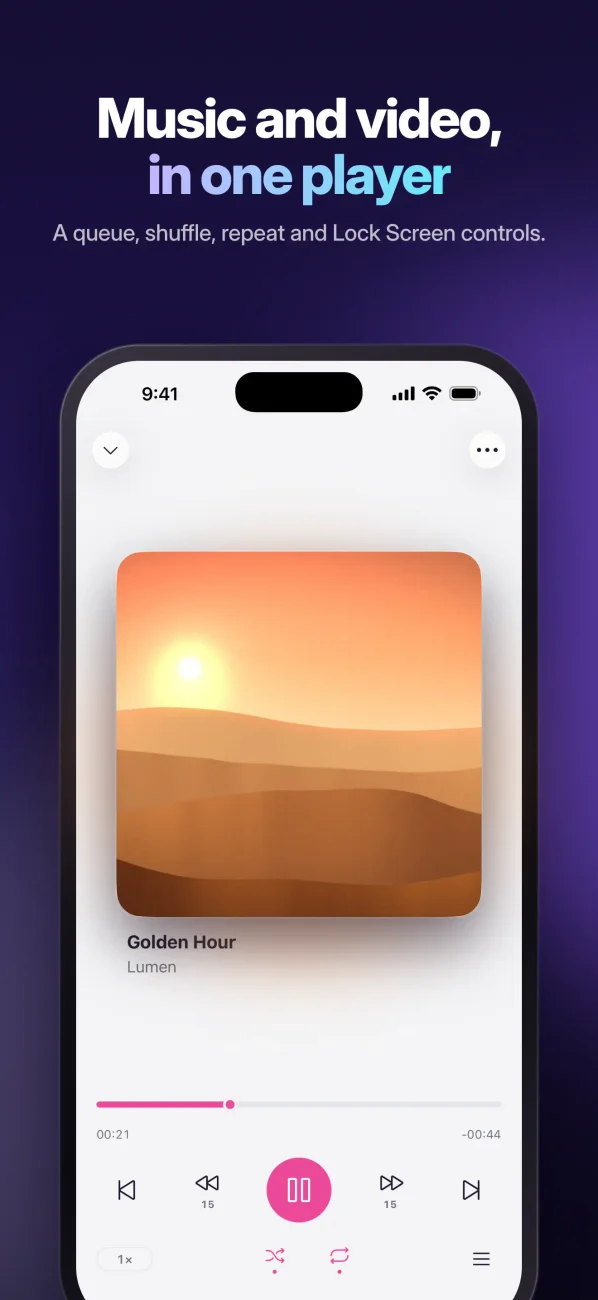
• A player with a queue, shuffle, repeat, Lock Screen controls and Picture in Picture
FINDS ANYTHING
Search by name or by the words inside your files. Doc Vault reads the text in PDFs, scans, notes and photos right on your device, so nothing is uploaded.
ORGANIZED YOUR WAY
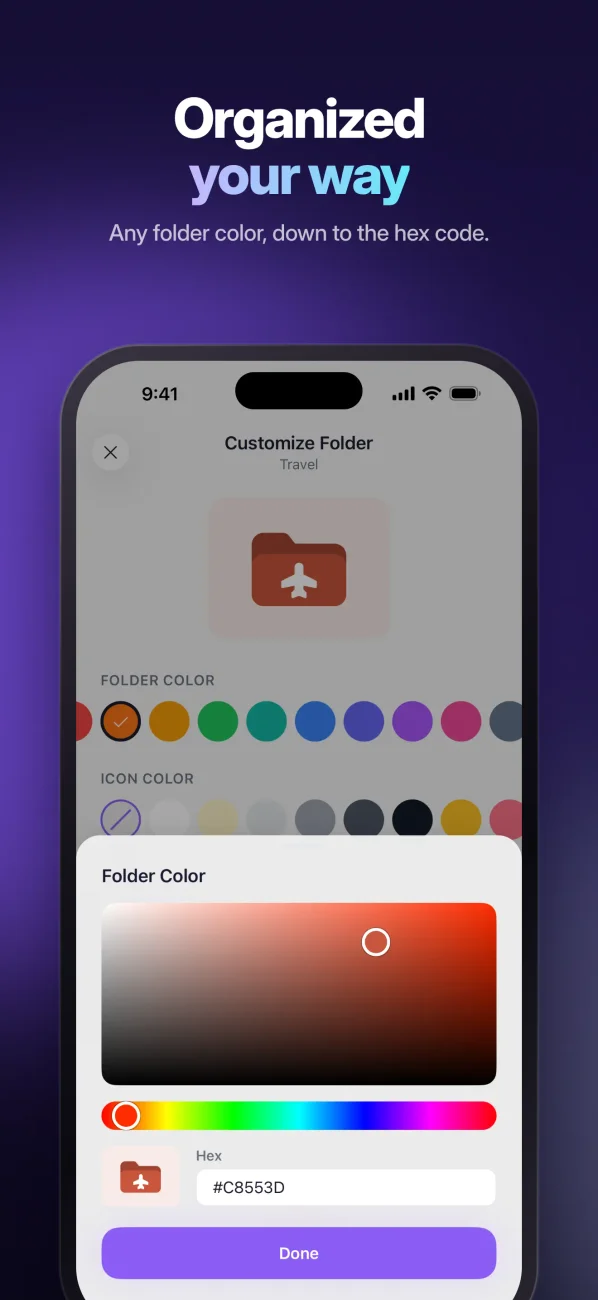
• Folders inside folders, in any color (down to the hex code) and with their own icon
• Pin files and folders to Home, and drag files onto a folder to move them
• Save web links beside your files: each shows its site's name and icon, and warns you before a risky address
• Grid or list, with sorting and filters
• Move, copy, duplicate, zip and share many files at once
• Share into Doc Vault from any app, or save out to Files
• Free up space in your vault: find large files and duplicates
EDIT WITHOUT LEAVING
• Crop, straighten, rotate and flip photos
• Trim videos and audio
• Edit text and Markdown
IN YOUR LANGUAGE
• Arabic and English, with full right-to-left support
• Light and dark mode, with three color themes
• iPhone and iPad, upright or sideways
PRIVATE BY DESIGN
Doc Vault has no servers, no accounts, no ads and no analytics. Your files stay on your device.
Neue Funktionen
Version 2.5.2 · 15.11.2026
Easier markup, clearer links and a new tool.
• Mark Up & Redact: every tool on one bar, with more shapes and text styles
• Links show their site's name and icon
• New tool: Create QR Code
• A dark mode that is easier on the eyes
• Fixes and improvements
App-Datenschutz
Was Ahmed Althobaiti im App Store zum Umgang dieser App mit Daten angibt.
-
Keine Daten erfasst
Der Entwickler erfasst keine Daten von dieser App.
Die Datenschutzpraktiken können variieren, zum Beispiel je nach den von Ihnen verwendeten Funktionen oder Ihrem Alter.
Informationen
- Anbieter
- Ahmed Althobaiti
- Kategorie
- Produktivität
- Version
- 2.5.2
- Aktualisiert
- 15.11.2026
- Veröffentlicht
- 12.01.2026
- Größe
- 71,7 MB
- Erfordert
- iOS 16.4 oder neuer
- Altersfreigabe
- 4+
- Preis
- Kostenlos
- Sprachen
- Englisch, Arabisch
- Copyright
- © 2026 Ahmed Althobaiti
Das könnte Ihnen auch gefallen
-
 DocVault: Doc Scanner & SignProduktivität
-
 Paperbox – Document ManagerProduktivität
-
 Foldered: File ManagerProduktivität
-
 Family DocVaultScannen, speichern & teilen
-
 Glazr Dateimanager ProSpeicher-Cleaner & Wi-Fi
-
 Digital Document OrganizerProduktivität
-
 Findr Docs - Doc OrganizerProduktivität
-
 Worklog ManagementProduktivität
-
 ctLibraryProduktivität
-
 Offllm: Private KI-ChatPrivate KI. Auf deinem Gerät.