DocAura: PDF Scanner & OCR
Scan Docs, ID & Passport Photo
Entwickelt für iPhone, iPad
- Altersfreigabe4+
- KategorieProduktivität
- EntwicklerBHASKER CHAURASIA
- SprachenEnglisch
- Größe4,3 MB
DocAura: PDF Scanner & OCR ist bei App Store derzeit möglicherweise nicht verfügbar
Bei unserer letzten Prüfung war der Store-Eintrag nicht erreichbar. Der Link führt weiterhin zur offiziellen App Store-Seite.
Screenshots

Info
Der Entwickler hat diesen Text nicht in Ihrer Sprache bereitgestellt.
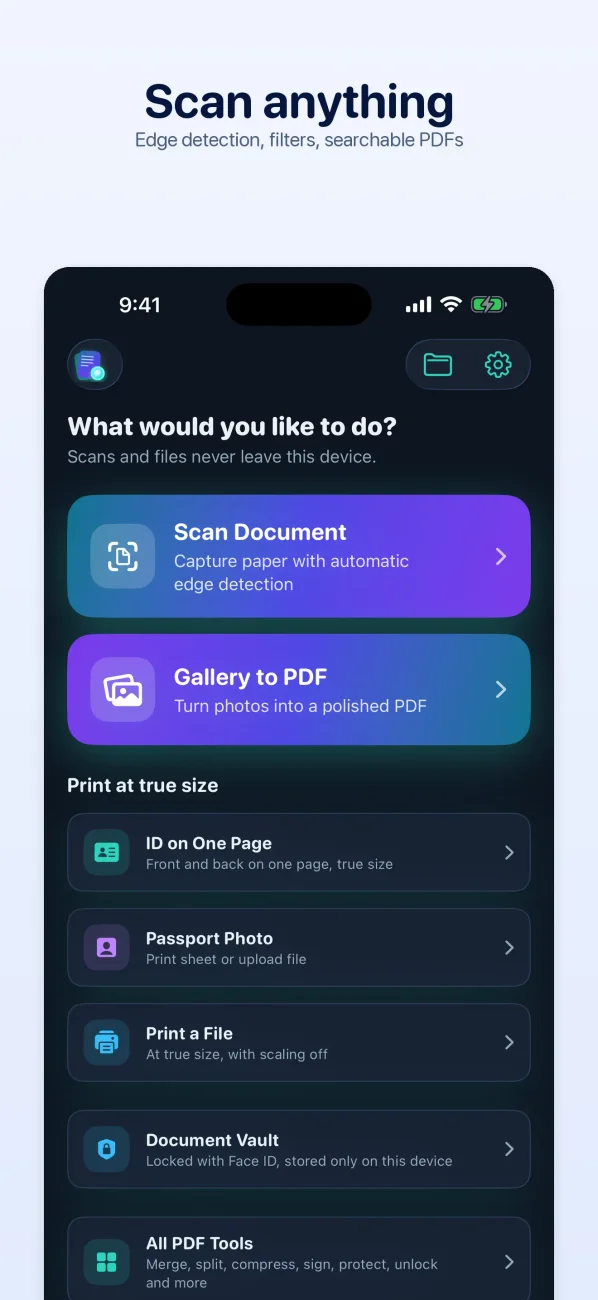
DocAura turns your iPhone into a private document scanner, PDF studio, and photo printing kit. Everything happens on your device — no accounts, no cloud, no tracking, no ads.
SCAN ANYTHING
Point your camera at a page and DocAura finds the edges, straightens the perspective, and cleans it up. One-tap filters make faded print sharp and readable. Reorder or remove pages before you save, and choose A4, US Letter, or the photo's own size.
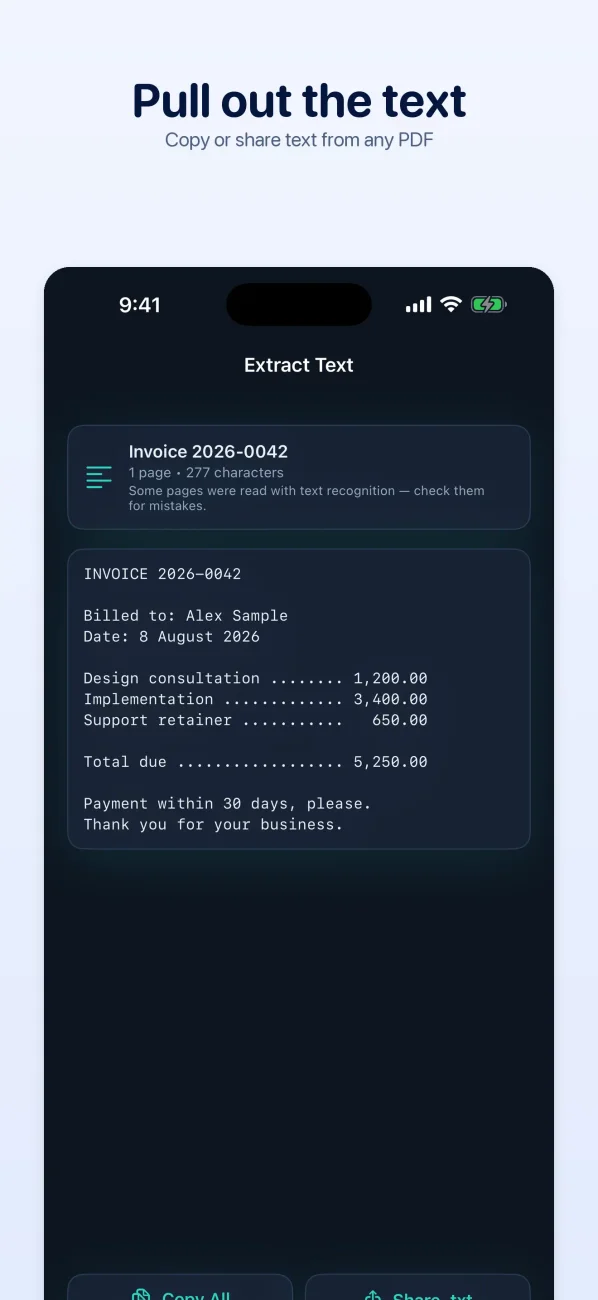
READ THE TEXT IN YOUR SCANS
On-device text recognition makes every scan searchable, so you can find a document later by what's written inside it. Open Extract Text on any PDF to pull the words out, copy them, or share them as a plain text file — useful for receipts, notes, forms, and letters. Text is recognized in English, French, German, Spanish, Portuguese, Italian, Russian, Chinese, Japanese, Korean and more.
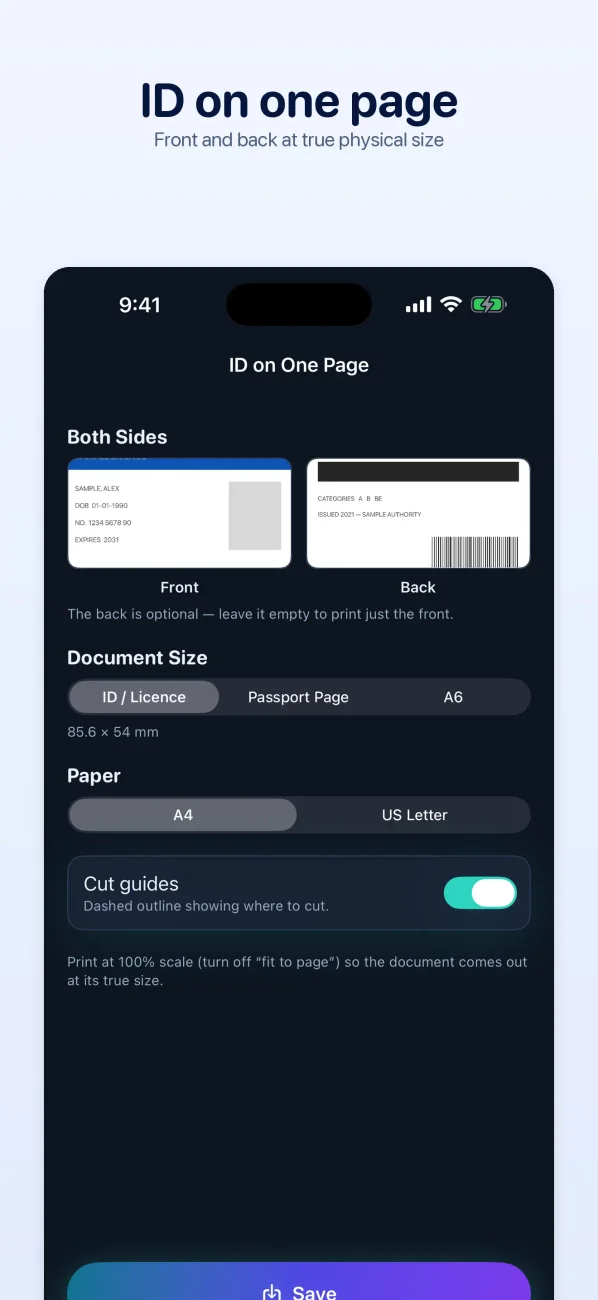
ID AND PASSPORT PAGES ON ONE SHEET
Print the front and back of a driving licence, ID card, or passport page together on a single page, at their true physical size. Sizes follow the published measurements — an ID card comes out 85.6 × 54 mm, exactly like the original.
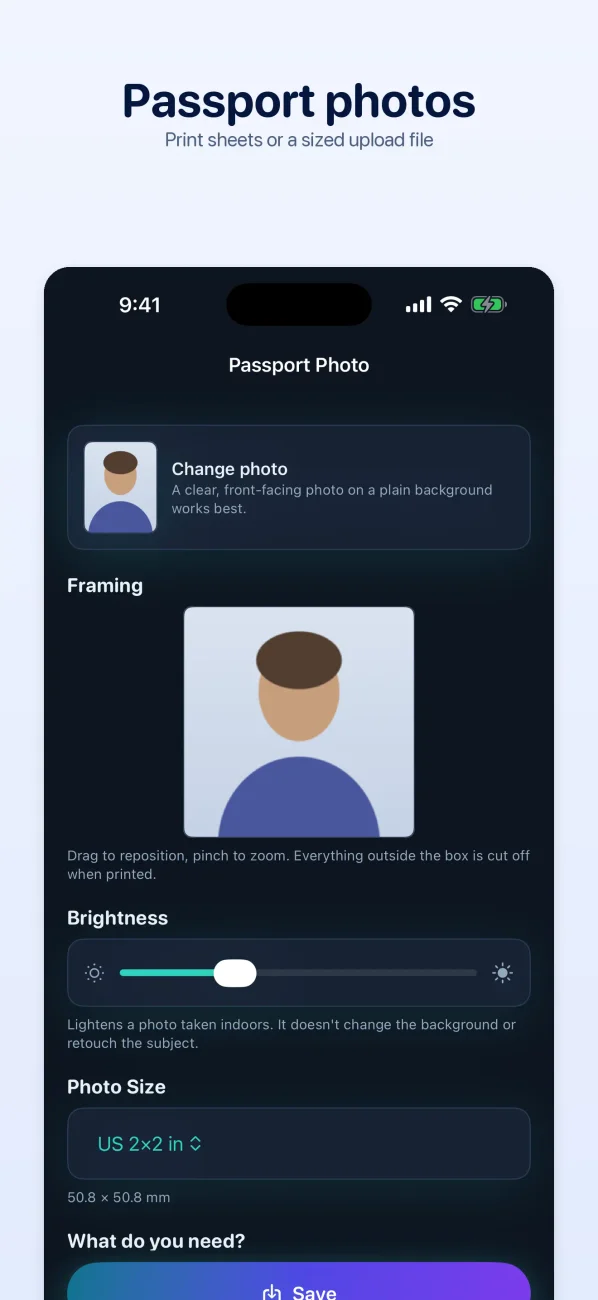
PASSPORT AND ID PHOTOS
Lay out a sheet of correctly sized photos to print and cut, with presets for US 2×2 in, UK and EU 35×45 mm, India 35×45 mm, Brazil 3×4 cm, and China 33×48 mm. Or produce a single photo file at exact pixel dimensions with a file size limit, for application forms that only accept an upload under a certain size. DocAura warns you if a photo is too low-resolution to print sharply.
KEEP YOUR IMPORTANT DOCUMENTS IN ONE PLACE
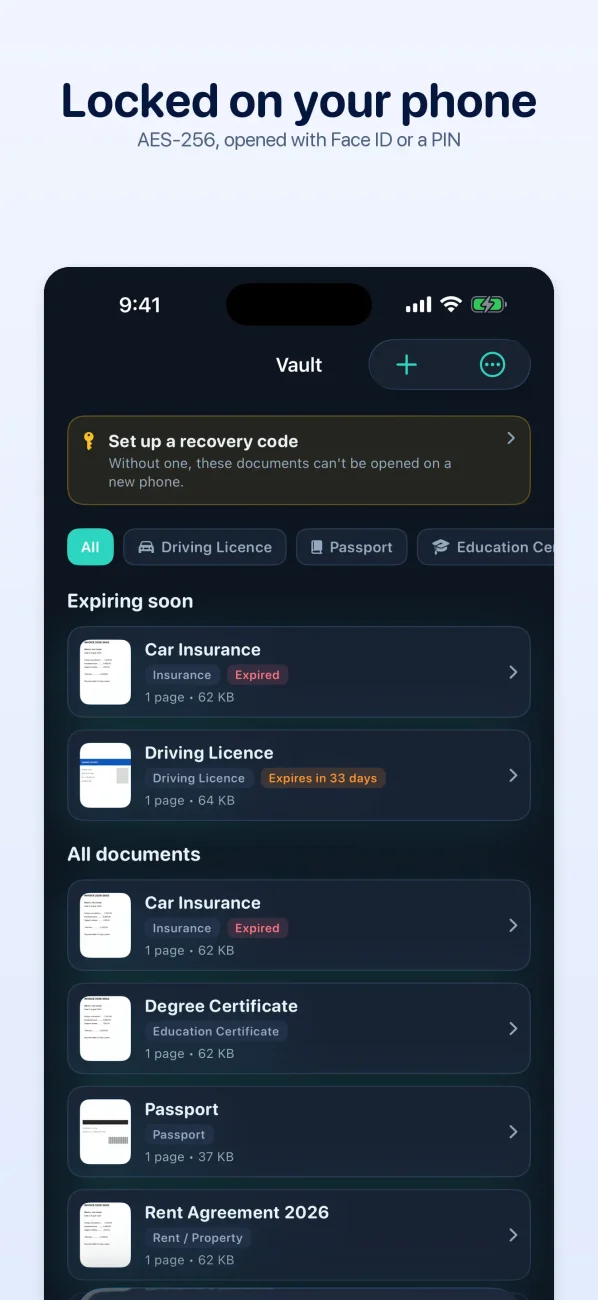
The Document Vault holds the papers you need and can't easily replace — driving licence, passport, school and degree certificates, rent agreement, insurance, tax and bank records. File each one by type, add an expiry date, and find any of them with one search. Documents expiring within 60 days are pinned to the top, so a licence never lapses because you forgot.
Everything in the vault is encrypted with AES-256 and unlocked with Face ID, Touch ID, or your passcode. The key is created on your iPhone and stays there: it is never synced to iCloud and never included in a backup, so nothing in the vault can be read on any other device — including by us. Because of that, the vault cannot move to a new iPhone. Use Export all before you switch phones.
A FULL PDF TOOLKIT
• Merge several PDFs into one
• Split out pages or page ranges
• Compress to shrink the file size, with an estimate before you commit
• Fill and sign — type into a form, tick boxes, add the date, and sign
• Protect a PDF with a password
• Watermark across every page
• Unlock a PDF when you already know its password
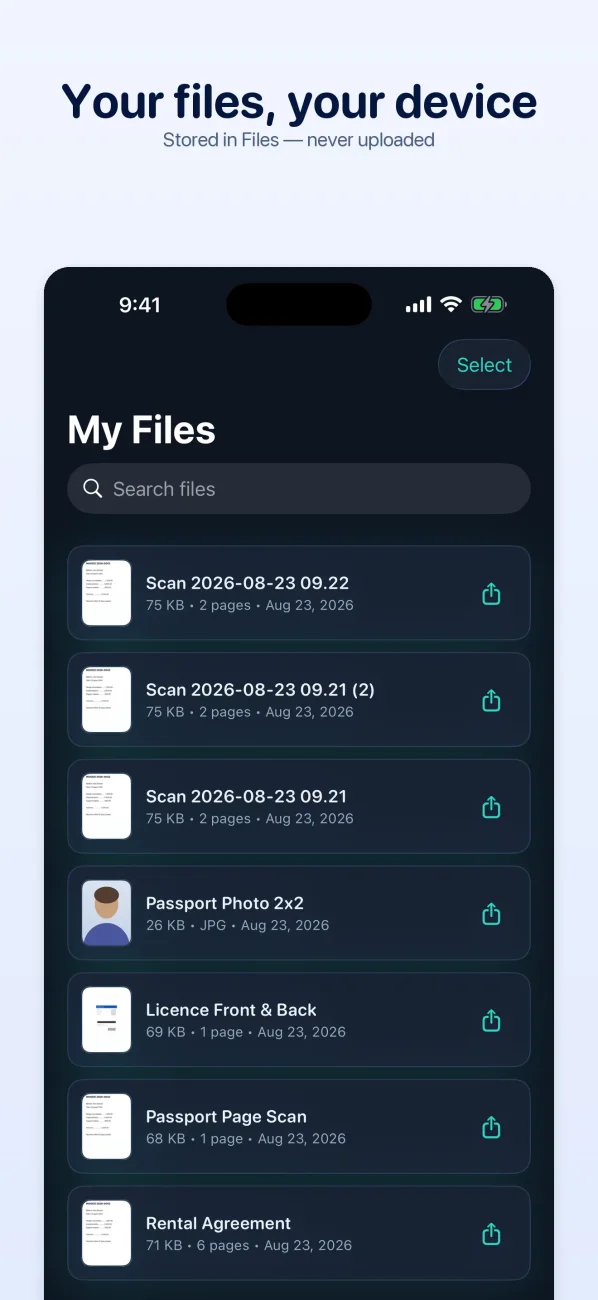
YOUR FILES, YOUR DEVICE
Saved documents live in the Files app, so you can move, back up, or share them however you like. Tap Share on a PDF or photo in Files, Mail, or any other app and choose DocAura to bring it straight into every tool. Documents DocAura creates carry a small footer. Files you merge, split, compress, sign, or watermark are never changed, and neither is a passport photo exported for an online form.
COMPLETELY PRIVATE
Your documents never leave your iPhone or iPad. There is no sign-in, no analytics, no advertising, and nothing is ever uploaded. DocAura makes exactly one network request: it asks the App Store whether a newer version exists, and it sends nothing about you or your files.
Free, with no in-app purchases.
Neue Funktionen
Version 1.9 · 20.10.2026
A SCAN NO LONGER DISAPPEARS BEFORE IT BECOMES A PDF
If DocAura was closed between scanning and tapping Create PDF — iOS ending it in the background, a phone call, a crash — the pages you had just scanned were gone without a word. Camera pages are now kept safe until the PDF is saved or you discard them, and the next time you open DocAura, Home offers them back so you can finish.
Unfinished scans are kept for seven days. Photos you picked from your library aren't copied, because the originals are still in Photos. Pages still inside the scanner, before you tap Save there, can't be recovered.
STILL ONLY ON YOUR DEVICE
The unfinished scan is stored on this iPhone or iPad only, locked while the device is locked, and left out of backups. It is deleted as soon as the PDF is saved or you tap Discard.
App-Datenschutz
Was BHASKER CHAURASIA im App Store zum Umgang dieser App mit Daten angibt.
-
Keine Daten erfasst
Der Entwickler erfasst keine Daten von dieser App.
Die Datenschutzpraktiken können variieren, zum Beispiel je nach den von Ihnen verwendeten Funktionen oder Ihrem Alter.
Informationen
- Anbieter
- BHASKER CHAURASIA
- Kategorie
- Produktivität
- Version
- 1.9
- Aktualisiert
- 20.10.2026
- Veröffentlicht
- 04.08.2026
- Größe
- 4,3 MB
- Erfordert
- iOS 16.0 oder neuer
- Altersfreigabe
- 4+
- Sprachen
- Englisch
- Copyright
- © 2026 Bhasker Chaurasia
Das könnte Ihnen auch gefallen
-
 Scanniq - PDF & Dok ScannerFoto & Beleg in PDF umwandeln
-
 Scanry: PDF Scanner & OCRScans komprimieren & senden
-
 AI Frame FixProduktivität
-
 Linkwise: KI Link ManagerSpäter lesen, KI Chat & Wissen
-
 ID2PDF - ID & Doc ScannerProduktivität
-
 OnlyScans: PDF & DokumentscanPrivat scannen & signieren
-
 Visaway: USCIS TrackerSicher, Privat, Meldungen
-
 PDF Merger 2025Produktivität
-
 SEO Rank Check & Keyword ToolProduktivität
-
 VivaDicta - Speech to TextProduktivität