DocScanner:PDF Scanner App
Document cam scanner converter
Entwickelt für iPhone, iPad, iPod touch
Kostenlos · In-App-Käufe
- Altersfreigabe+4
- KategorieProduktivität
- Entwickler广州蜂羽云科技有限公司
- SprachenEnglisch+ 4 weitere
- Größe5,9 MB
Verlinkt auf die offizielle App Store-Seite
Download.org hostet keine Datei von DocScanner:PDF Scanner App. Die Schaltfläche öffnet die App-Seite bei App Store, wo 广州蜂羽云科技有限公司 die App veröffentlicht. Eintrag zuletzt geprüft am 13.11.2026.
Screenshots
Info
Der Entwickler hat diesen Text nicht in Ihrer Sprache bereitgestellt.
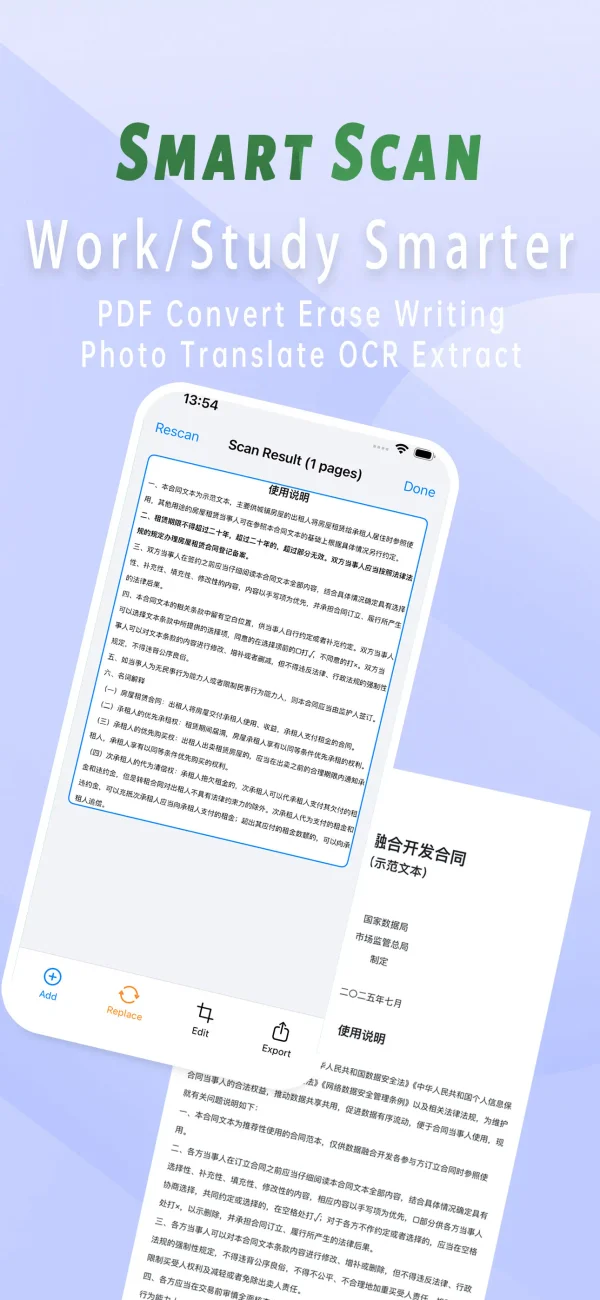
DocScanner:PDF Scanner App is an intelligent scanning software integrating file scanning, image and text extraction and recognition, photo translation, PDF tool, image tool, format conversion tool and other functions.
-Highlights of functions--
[Mobile phone scanner]
Mobile phones shoot paper documents, intelligently remove messy backgrounds and generate high-definition JPEG and PDF files. Automatic scanning by default, aiming at paper documents and taking photos automatically, freeing hands.
Support a variety of image optimization modes, manually adjust image parameters, and quickly turn paper documents into clear scanned documents.
[Picture Tool]
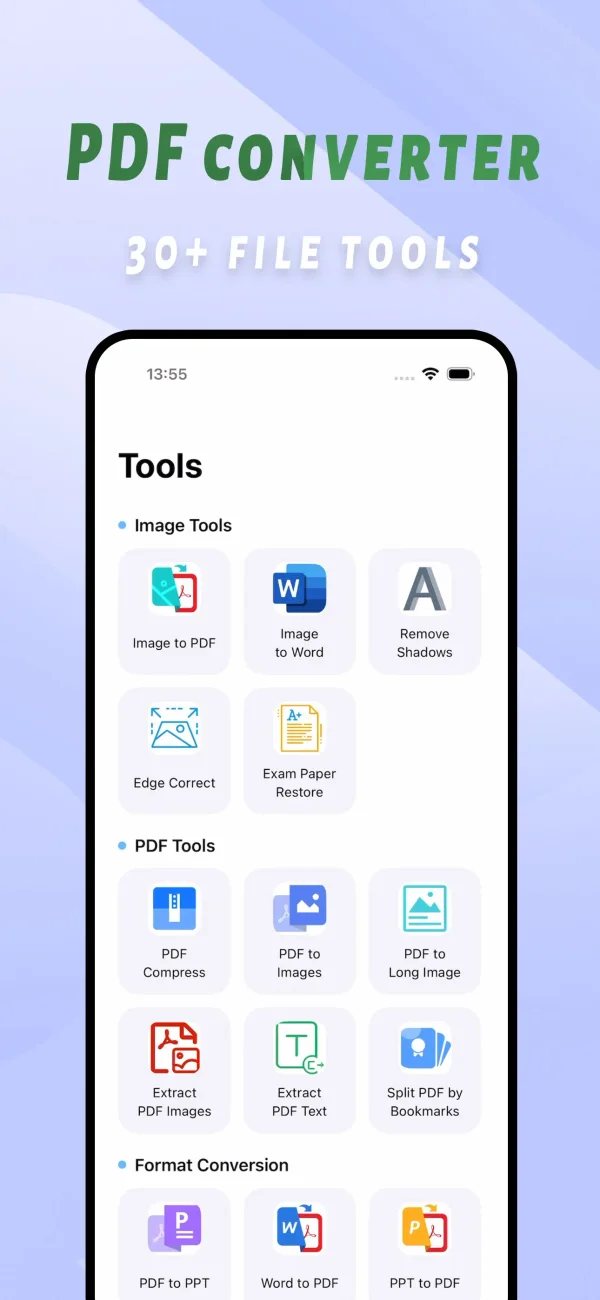
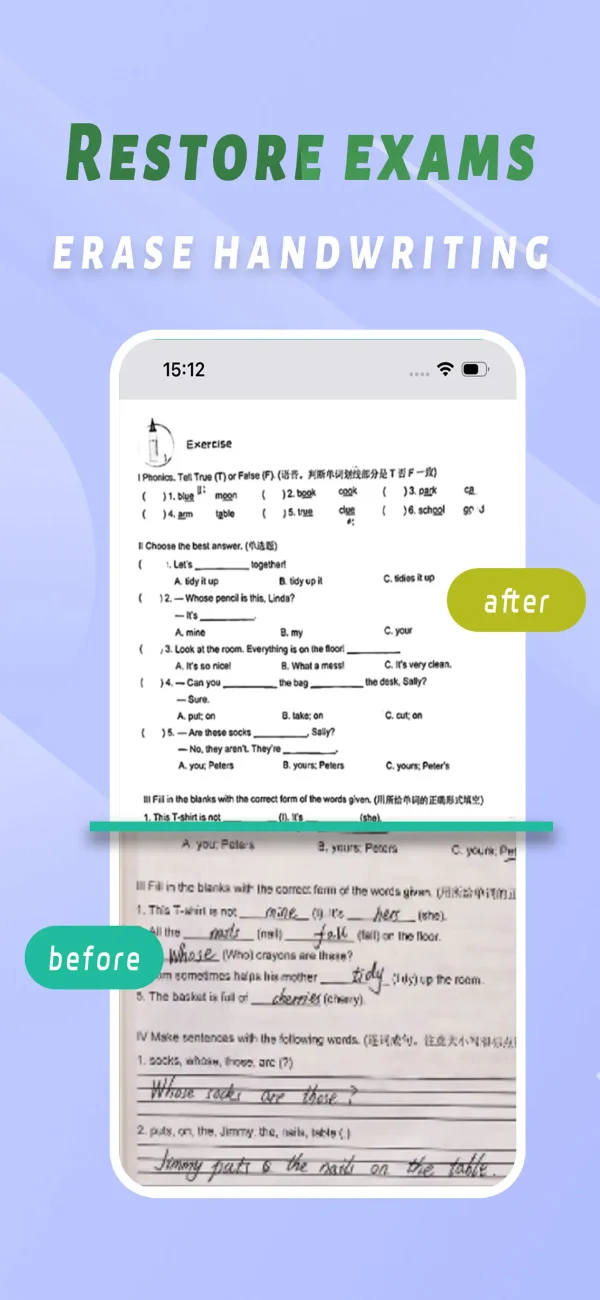
Picture to PDF, picture to word, document shadow removal, trimming correction, OCR text extraction.
[PDF Tool]
PDF to Image, PDF Compression, PDF to Long Image, PDF Extract Embedded Image, PDF Extract Text, PDF Split by Bookmark.
[Format Conversion Tool]
PDF to PPT, word to PDF, PPT to PDF, EPUB to PDF, PDF to EPUB, PDF to Excel, PDF to word.
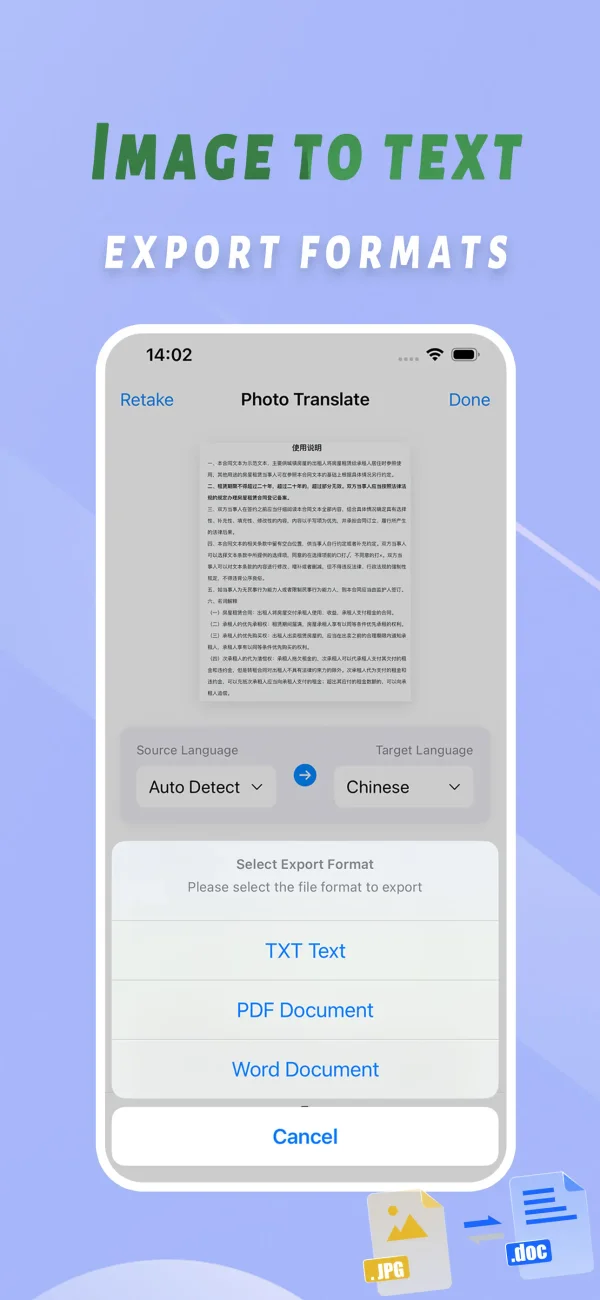
[Image-to-text weapon]
Intelligent OCR recognizes characters, and even if the search object is a picture, it can easily locate and highlight by inputting keywords.
Support the recognition of Chinese, English, Japanese, Korean, Russian, German, French and other languages, copy and edit the text on the picture with one click, and support the export to Word/PDF/TXT format.
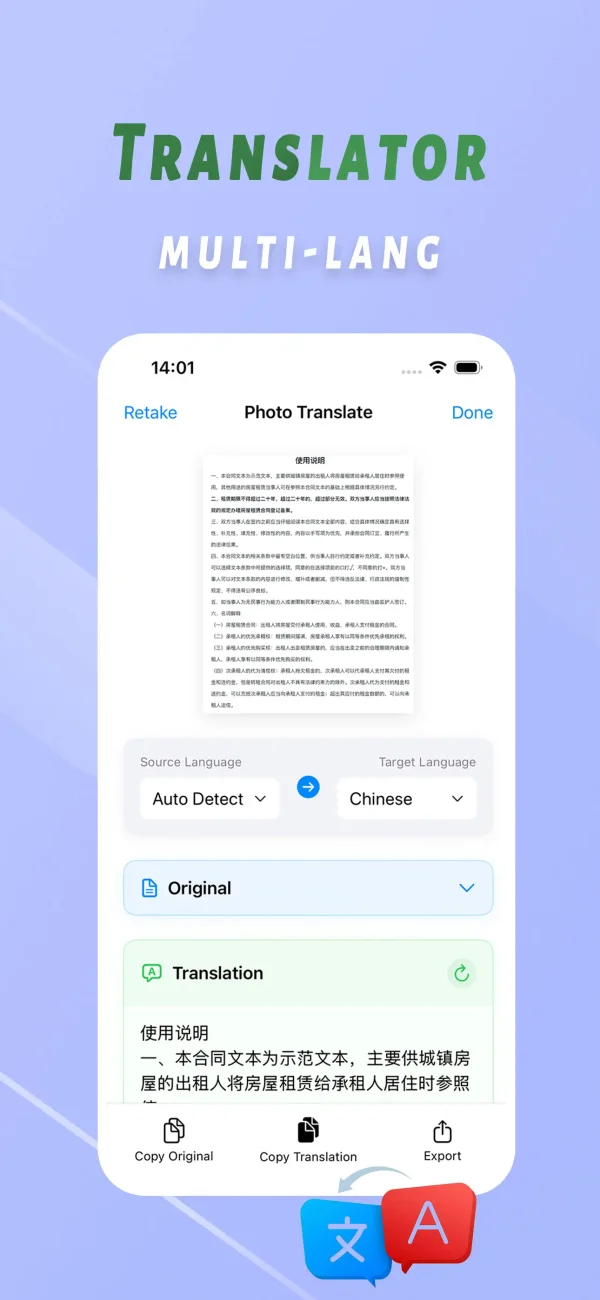
[Photo translation]
Intelligent OCR text recognition, which can complete translation by taking photos, supports recognizing and translating Chinese, English, Japanese, Korean, Russian, German, French and other languages, can copy and edit translated text with one click, and supports exporting to Word/PDF/TXT format.
To ensure that you can get a clear scan, please:
● Sufficient light, try to avoid jitter.
● Try to fill the shooting screen with pictures.
——Auto-Renewable Subscription——
Premium Benefits:
Unlimited document scanning, text extraction, and translation / Export to multiple formats including PDF, Word, and TXT / All exported files are watermark-free / Priority customer support and issue resolution / Early access to the app’s latest features;
Subscription Periods: 1 week, 1 month, 12 months
Subscription Price: Subject to in-app purchase (IAP) listing information
Payment: Payment will be charged to your App Store account upon confirmation of purchase.
Cancel Subscription: To cancel auto-renewal, manually turn off the auto-renew function in iTunes / Apple ID settings at least 24 hours before the end of the current subscription period.
Renewal: Your Apple ID account will be charged within 24 hours prior to the end of the current period. Upon successful payment, the subscription will be automatically extended for one additional period.
Free Trial: If you choose to renew or cancel during the free trial period, your free trial benefit will not be revoked — you may continue using the trial until its scheduled end date.
Terms of Use: https://privacy-policy.mocrew.com/document/com.mocrew.scanner/service_agreement
Privacy Policy: https://privacy-policy.mocrew.com/document/com.mocrew.scanner/privacy_policy
Membership Terms of Service: https://privacy-policy.mocrew.com/document/com.mocrew.scanner/membership_terms
Neue Funktionen
Version 2.7 · 22.10.2026
Optimized Features
App-Datenschutz
Was 广州蜂羽云科技有限公司 im App Store zum Umgang dieser App mit Daten angibt.
-
Keine Daten erfasst
Der Entwickler erfasst keine Daten von dieser App.
Die Datenschutzpraktiken können variieren, zum Beispiel je nach den von Ihnen verwendeten Funktionen oder Ihrem Alter.
Informationen
- Anbieter
- GUANG ZHOU FENG YU YUN Technology Co., Ltd
- Kategorie
- Produktivität
- Version
- 2.7
- Aktualisiert
- 22.10.2026
- Veröffentlicht
- 25.09.2025
- Größe
- 5,9 MB
- Erfordert
- iOS 15.0 oder neuer
- Altersfreigabe
- +4
- Preis
- Kostenlos
- In-App-Käufe
- Ja
- Sprachen
- Englisch, Japanisch, Koreanisch, Vereinf. Chinesisch, Tradit. Chinesisch
- Copyright
- © 2025 广州蜂羽云科技有限公司
Das könnte Ihnen auch gefallen
-
 Phone Transfer-Clone PhoneProduktivität
-
 FireDoneProduktivität
-
 PDF翻译 - 保留文档格式翻译、双语同屏对照、翻译、翻译器Produktivität
-
 团队任务-任务管理任务清单工作提醒工作安排工作日历打卡记考勤Produktivität
-
 HoverLingo - Screen TranslatorProduktivität
-
 Watermark Marker IDCard/PhotoProduktivität
-
 Unzip Extractor proProduktivität
-
 PDF to Word Assistant-ScannerProduktivität
-
 记账有钱-AI自动记账&家庭生活记账软件Produktivität
-
 手机优化管家-手机清理存储优化整理与相册视频压缩Produktivität