DocShelter — AI File Organizer
Scan, search & summarize
Entwickelt für iPhone, iPad
Kostenlos · In-App-Käufe
- Altersfreigabe4+
- KategorieProduktivität
- Entwickler海 姜
- SprachenEnglisch+ 4 weitere
- Größe724,9 MB
Verlinkt auf die offizielle App Store-Seite
Download.org hostet keine Datei von DocShelter — AI File Organizer. Die Schaltfläche öffnet die App-Seite bei App Store, wo 海 姜 die App veröffentlicht. Eintrag zuletzt geprüft am 23.11.2026.
Screenshots
Info
Der Entwickler hat diesen Text nicht in Ihrer Sprache bereitgestellt.
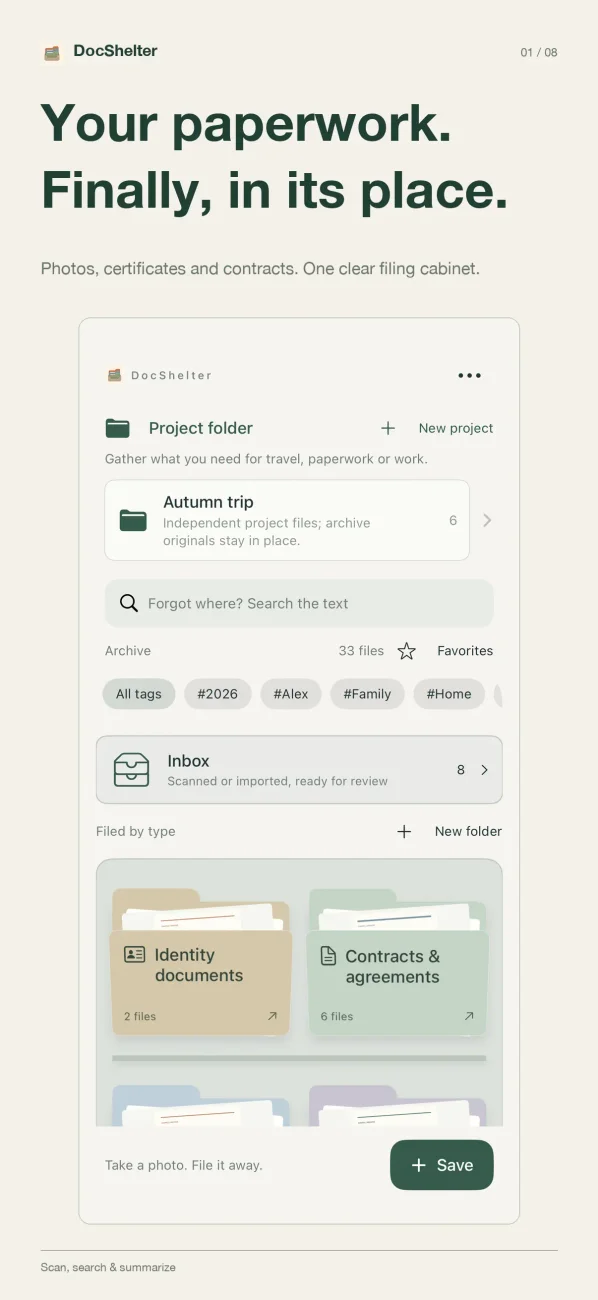
Your important documents. Together, and easy to find.
A certificate in Photos. A contract buried in a chat. Paperwork in a drawer. Give them a place you can remember—and search when you cannot.
DocShelter turns document photos, scans and everyday files into a personal filing cabinet. Name them, organize them and have them ready for life, school and work.
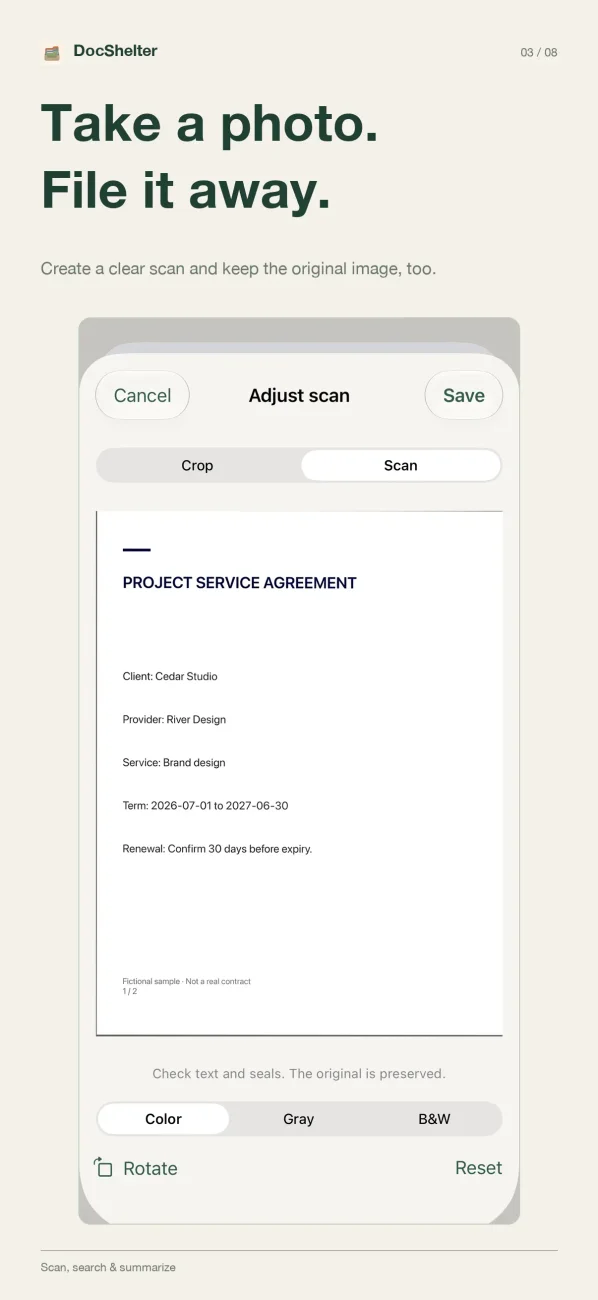
TURN A PHOTO INTO A DOCUMENT
Photograph paper records and create clear scans while keeping the original images. Import photos, PDFs, Word documents, spreadsheets, presentations and common text files. Saved documents have their own copies: deleting a source photo does not remove your archived copy.
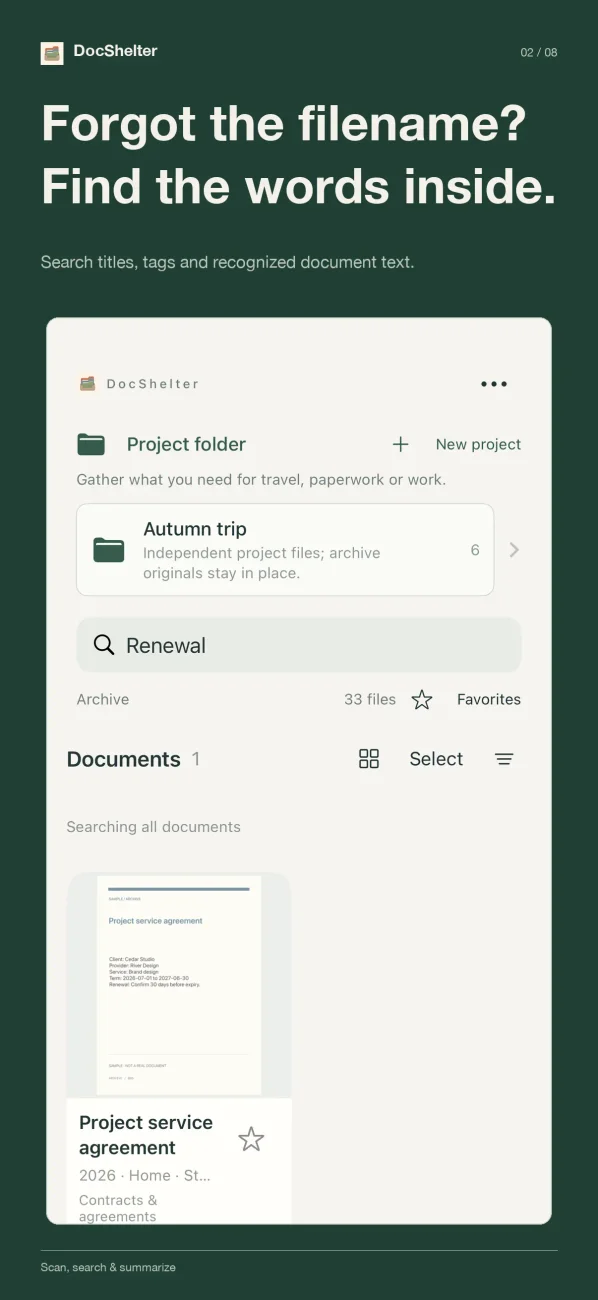
FIND THE WORDS INSIDE
Search titles, tags and recognized text. A phrase from a contract or an organization name can help you find a file even when you have forgotten its title. Combine folder, keyword, date and favorite filters, and save searches you use often.
A FILING CABINET THAT MAKES SENSE
Choose folder names, purpose notes, icons and colors. Flip through documents, see thumbnails in a grid or switch to a list. Select several items, adjust their order and favorite the ones you use often. Connect people, occasions and related documents with tags and notes.
SAVE IT WHEN IT ARRIVES
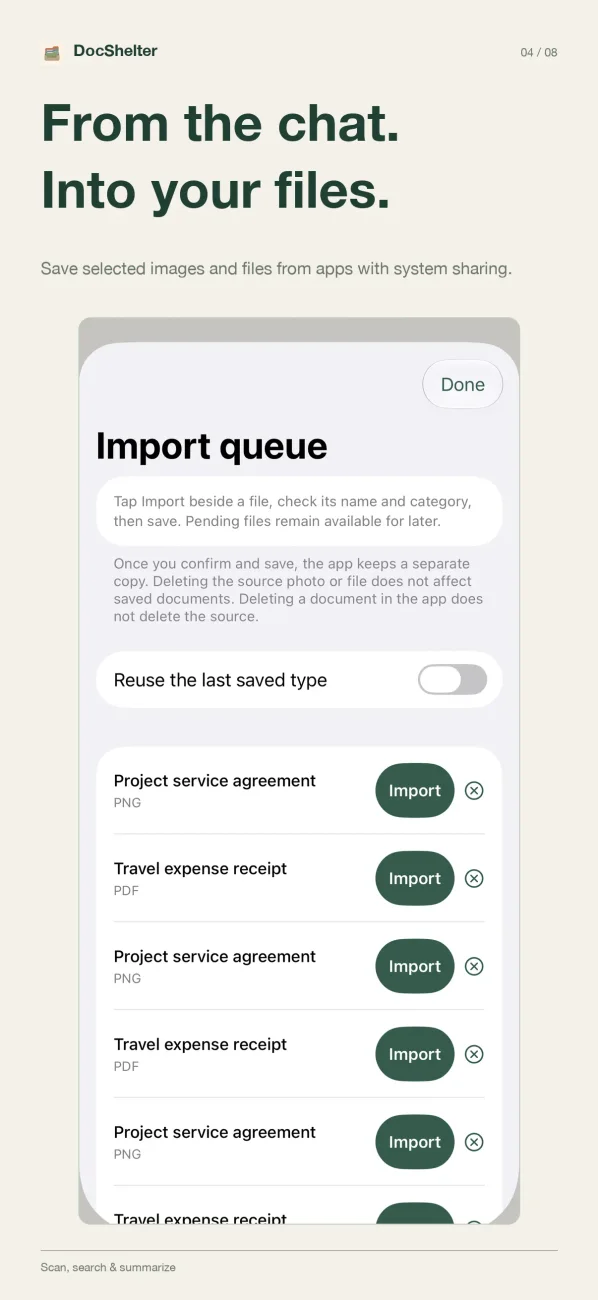
In chat and other apps that support the system share sheet, save selected images or files to DocShelter. Preview them, then confirm the details and file them away. Keep useful documents when they arrive, so you can find them without searching a conversation later.
REDISCOVER DOCUMENTS IN PHOTOS
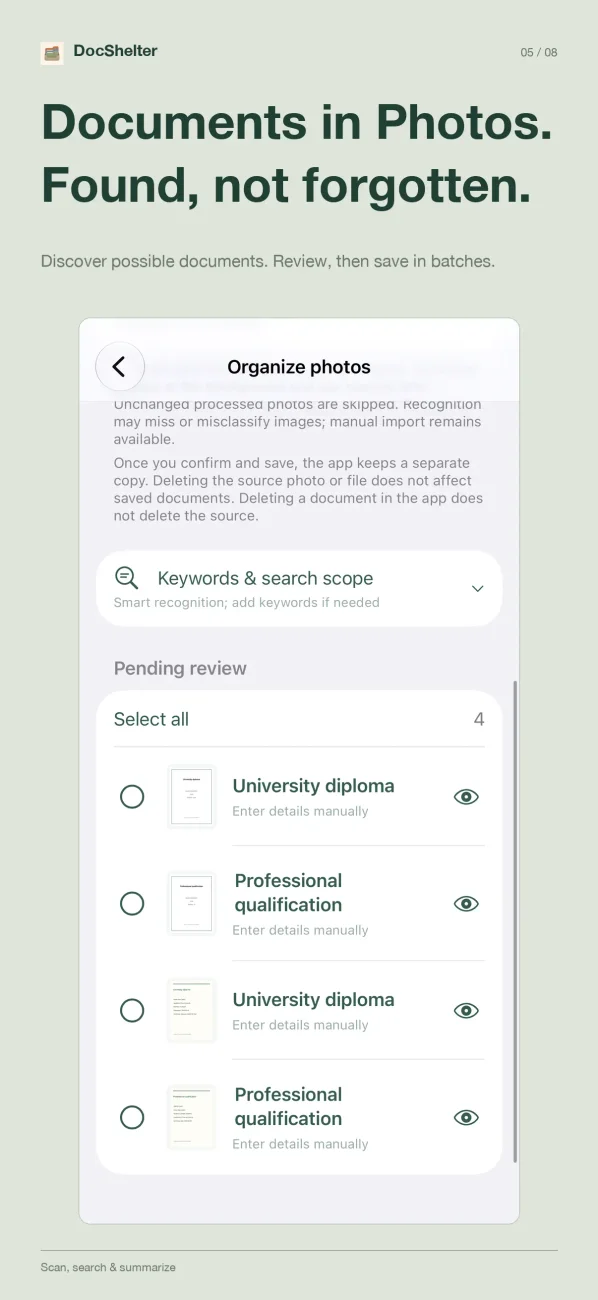
Scan the photos you authorize for possible certificates, contracts and receipts. Enable AI-assisted discovery for suggestions, review the candidates and save individually or in batches. You decide what enters your archive; the original photos stay in Photos.
AI HELPS ORGANIZE. FILES STAY ON YOUR DEVICE.
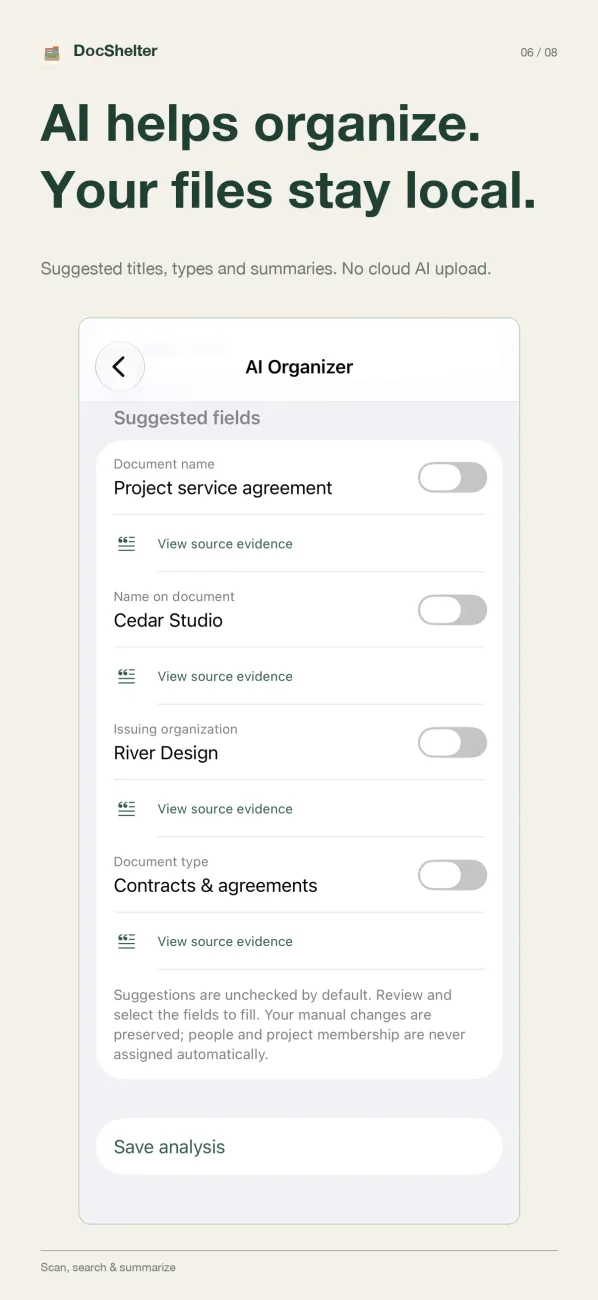
Get suggested titles and document types, key points and summaries. Check the original before applying suggestions. AI processing runs on your device, without sending document content to cloud AI. Documents are stored locally, with an optional app lock using Face ID on supported devices.
GATHER WHAT YOU NEED NEXT
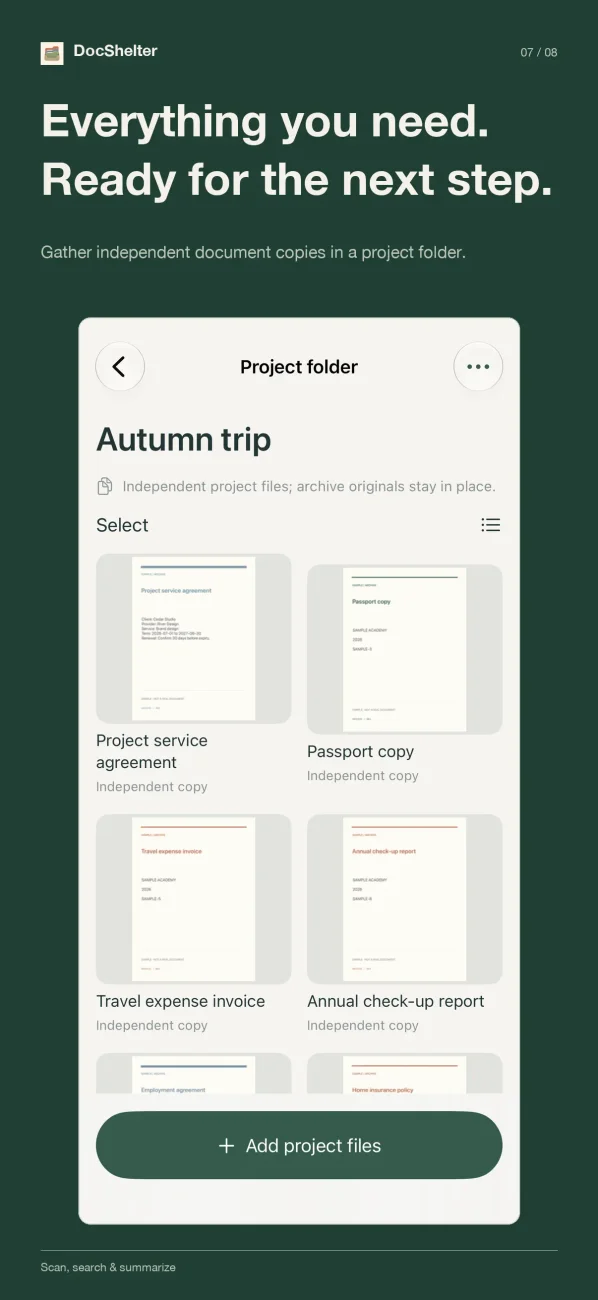
Create a project folder for a trip, an application or a handover. Make independent copies of existing documents and add project-specific files. Keep the task together, then file away or remove the copies when it is finished. Originals remain independent.
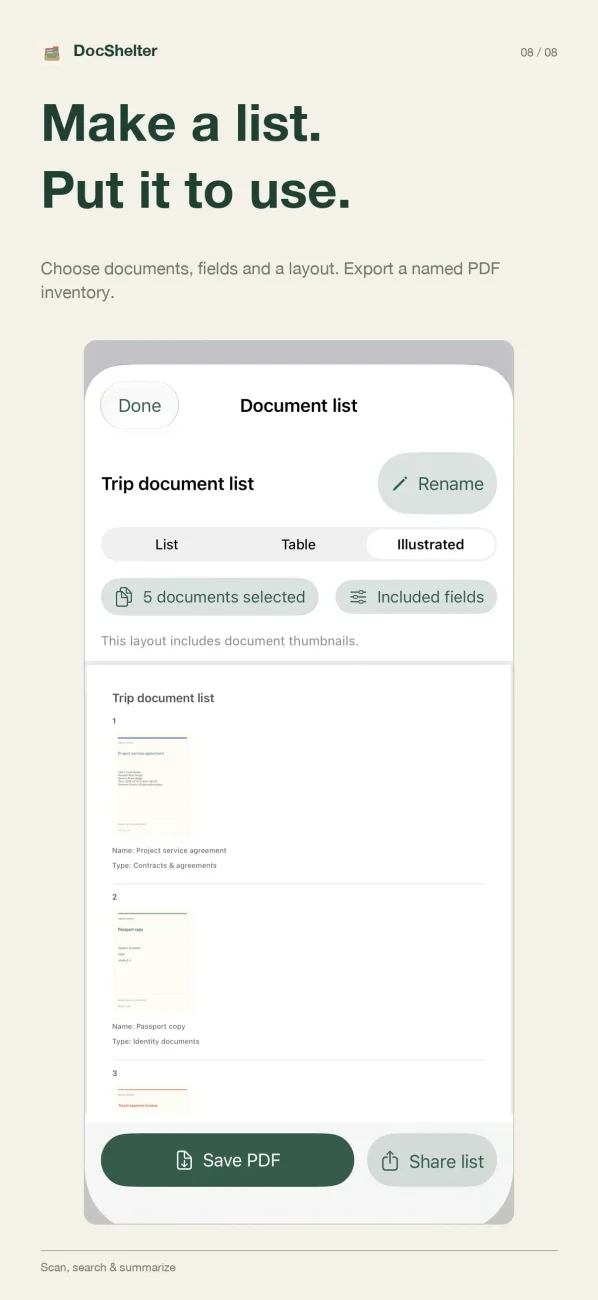
MAKE A LIST YOU CAN USE
Select documents to create a PDF inventory with your own title. Choose the fields, order and a simple, table or illustrated layout. Images and PDFs can also be shared as copies with watermarks or covered sensitive areas.
Add notes, voice memos up to 60 seconds, expiry dates and custom timed reminders. Record where a paper original is kept, attach a storage photo and reuse that location for other documents.
BACK UP WHEN YOU CHOOSE
Create an encrypted backup to migrate or restore your archive. Save it somewhere you control, including a manual backup to iCloud Drive.
Keep the paperwork. Lose the search.
Neue Funktionen
Version 0.24.0 · 09.11.2026
Meet your redesigned smart filing cabinet.
• Personalized folders with icons, colors and purpose notes, plus browsing, grids, selection and ordering.
• Project folders for independent document copies you need for a trip, application or handover.
• Connect people, tasks and related documents with tags and notes for easier searching.
• Import Word, Excel, PowerPoint and common text files. Readable text supports search and on-device AI organization.
• Clearer editing and reminder access, plus fixes for clipped tag edges and other interface details.
• New localized app names across all five languages.
App-Datenschutz
Was 海 姜 im App Store zum Umgang dieser App mit Daten angibt.
-
Keine Daten erfasst
Der Entwickler erfasst keine Daten von dieser App.
Die Datenschutzpraktiken können variieren, zum Beispiel je nach den von Ihnen verwendeten Funktionen oder Ihrem Alter.
Informationen
- Anbieter
- 海 姜
- Kategorie
- Produktivität
- Version
- 0.24.0
- Aktualisiert
- 09.11.2026
- Veröffentlicht
- 01.11.2026
- Größe
- 724,9 MB
- Erfordert
- iOS 17.0 oder neuer
- Altersfreigabe
- 4+
- Preis
- Kostenlos
- In-App-Käufe
- Ja
- Sprachen
- Englisch, Japanisch, Koreanisch, Vereinf. Chinesisch, Tradit. Chinesisch
- Copyright
- © 2026 DocShelter