
- Altersfreigabe17+
- KategorieProduktivität
- EntwicklerJohn Kasarda
- SprachenEnglisch
- Größe98,5 MB
DocuBox ist bei App Store derzeit möglicherweise nicht verfügbar
Bei unserer letzten Prüfung war der Store-Eintrag nicht erreichbar. Der Link führt weiterhin zur offiziellen App Store-Seite.
Screenshots

Info
Der Entwickler hat diesen Text nicht in Ihrer Sprache bereitgestellt.
DocuBox is the all-in-one file manager and document viewer built for people who need real control over their files. Browse, organize, edit, and share documents, media, code, and more all from one powerful app.
Whether you're managing work documents, browsing network drives, editing code on the go, or sharing files with nearby devices, DocuBox has you covered.
ORGANIZE YOUR WAY
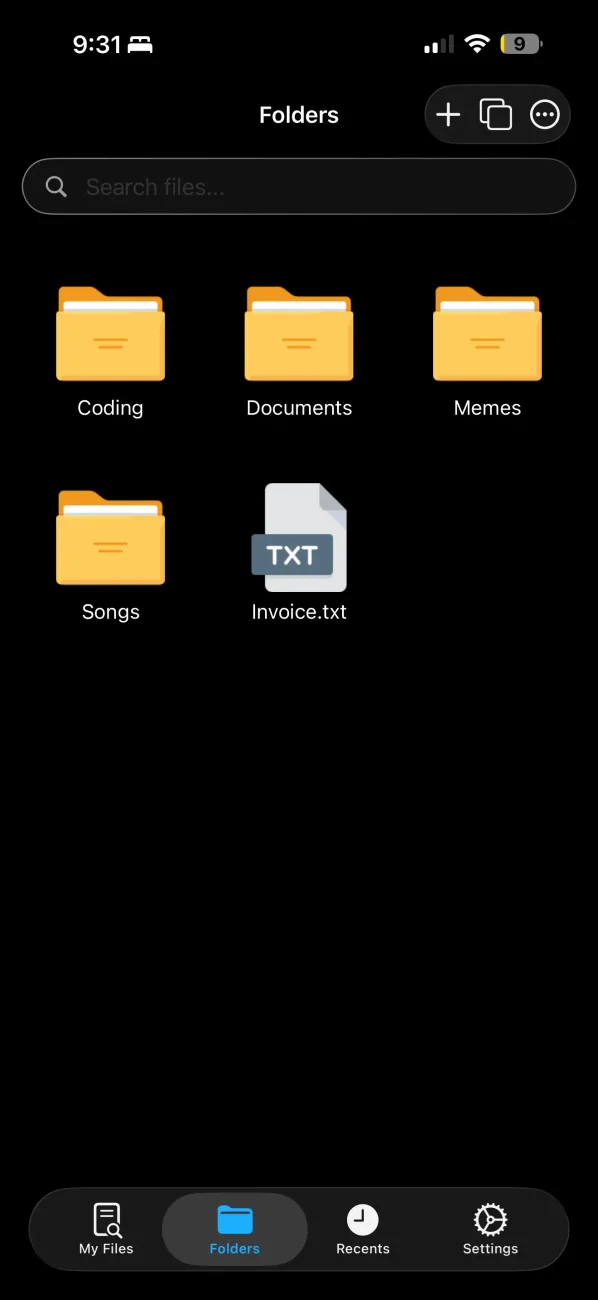
• Create folders, favorites, and custom file hierarchies
• Color-tag files with 7 labels for instant visual organization
• Find anything fast with full-text search across filenames and content
• Spotlight integration lets you search files right from your Home Screen
• Recents view keeps your most-used files within reach
• Trash with recovery — delete with confidence
VIEW ANYTHING, ANYWHERE
• PDF Viewer with highlight, draw, and text annotation tools
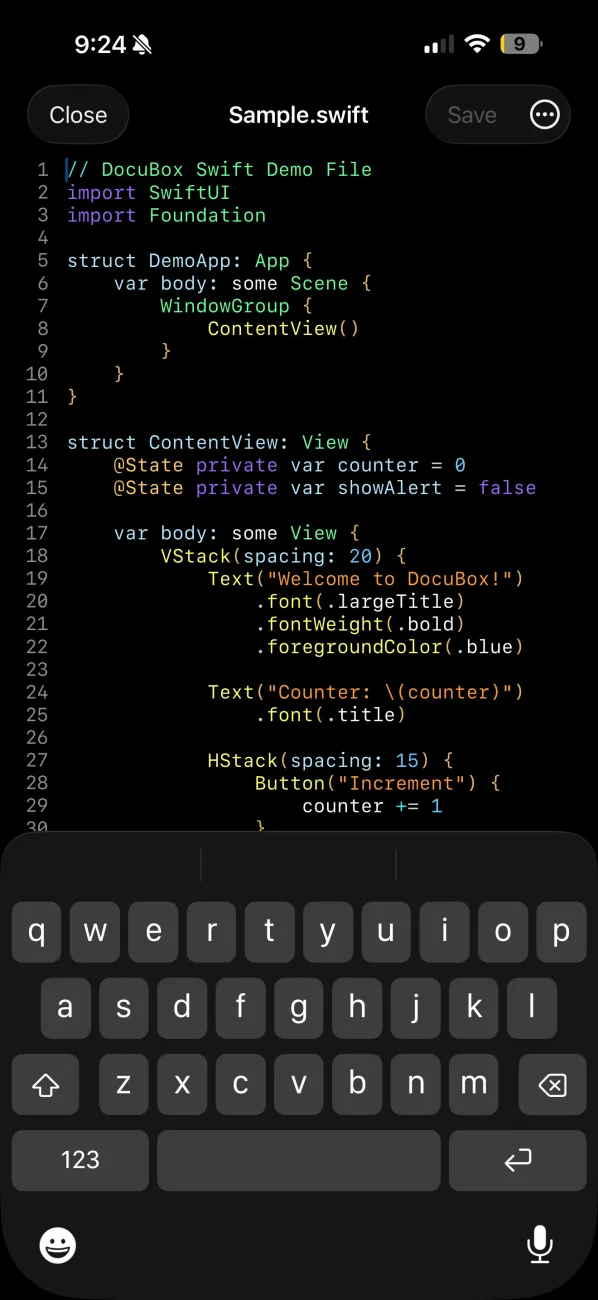
• Built-in code editor with syntax highlighting
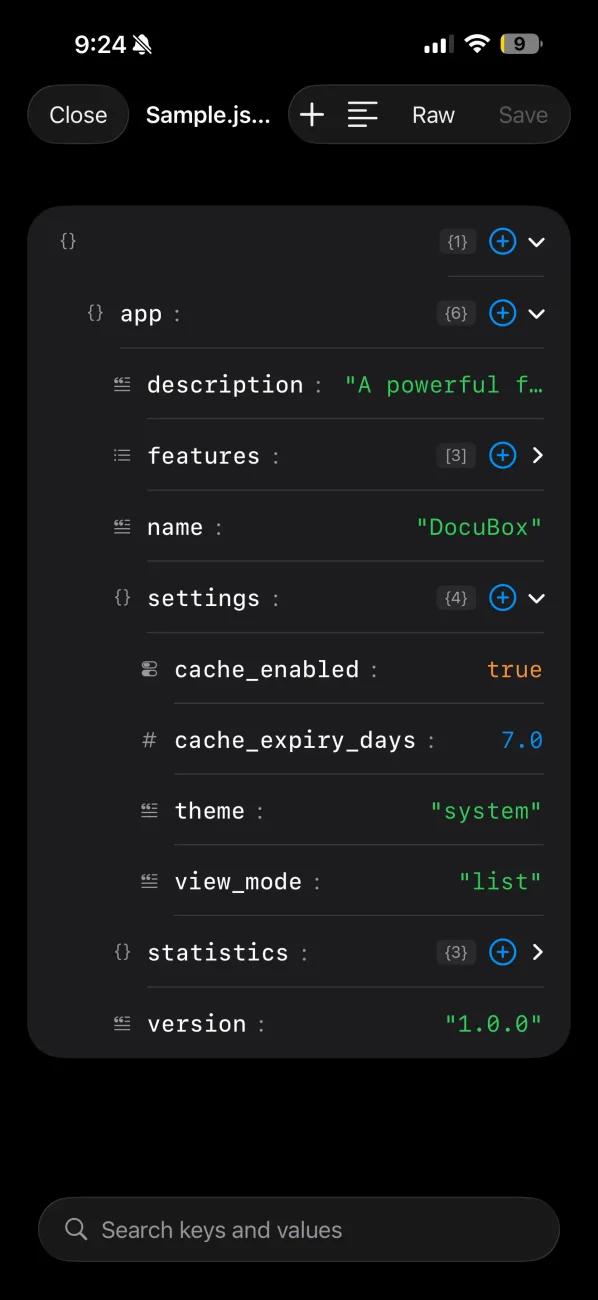
• JSON editor with tree view and validation
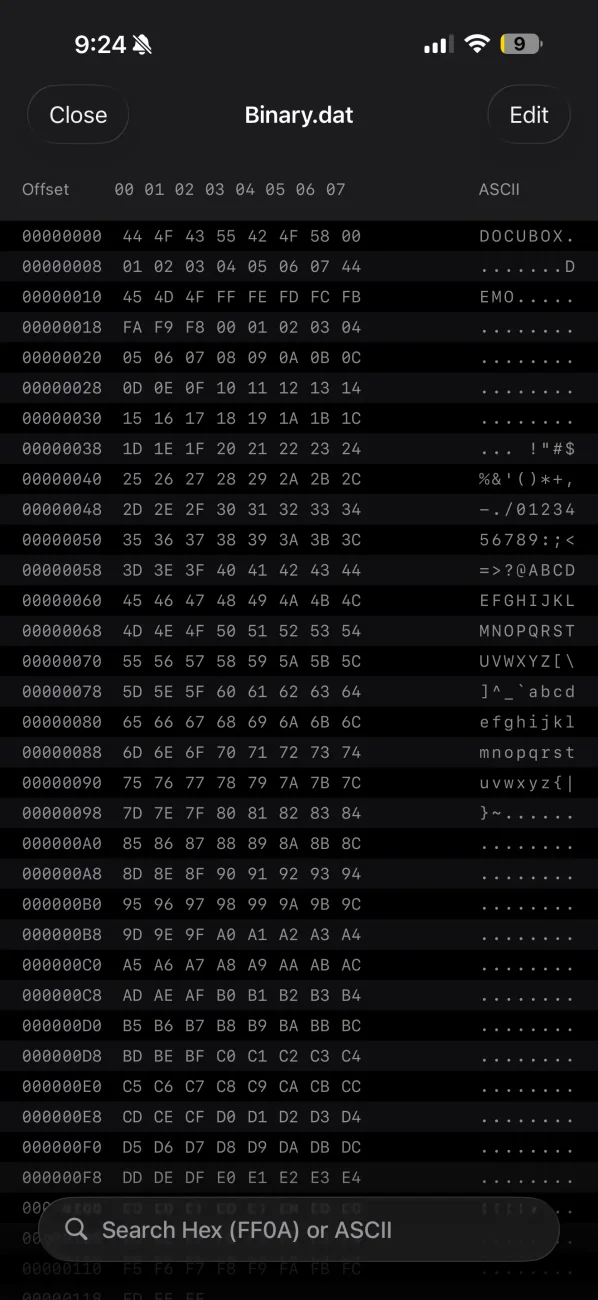
• Hex viewer for binary file inspection
• SQLite database browser for querying tables and schemas
• Image viewer with zoom, EXIF data, and gallery navigation
• Video player with skip controls, playlists, and thumbnail previews
• Audio player with Now Playing integration, album art, and queue management
CONNECT TO YOUR SERVERS
• Browse and transfer files over SMB (Samba) network shares
• Secure file access via SFTP with SSH encryption
• Save server connections for quick access
• Upload and download files to and from remote servers
SHARE WITH NEARBY DEVICES
• Discover and connect to nearby DocuBox users over local network
• PIN-based pairing for secure device-to-device transfers
• Transfer queue with real-time status tracking
• Live Activities show transfer progress right on your Lock Screen
KEEP YOUR FILES SECURE
• Lock folders with Face ID or Touch ID
• Locked folders are hidden from Recents, Spotlight, and previews
• Server credentials stored securely in Keychain
• Encrypted connections for all network transfers
BUILT-IN FILE TOOLS
• Extract ZIP, TAR, GZ, BZ2, and XZ archives
• Duplicate file finder powered by SHA-256 scanning
• Storage analytics with visual breakdown by file type
• Batch rename files across your library
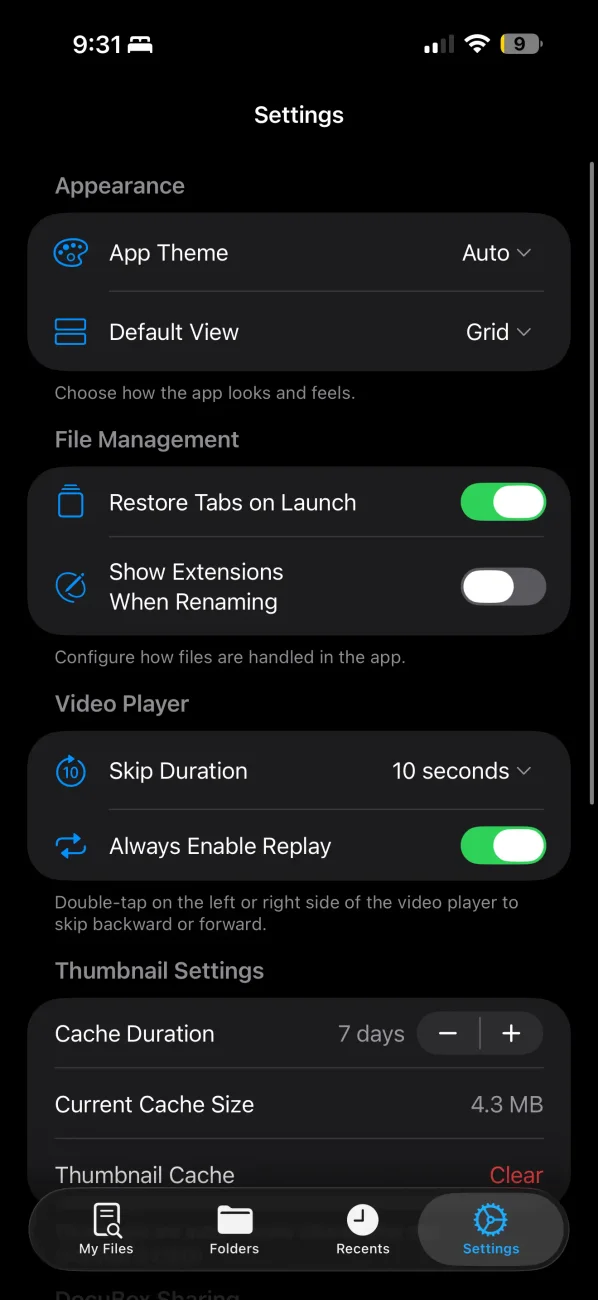
• Thumbnail caching with configurable expiry
WORK YOUR WAY
• Open multiple files in tabs
• List or grid view
• Light, Dark, or Auto theme
• iCloud sync for favorites, settings, and server metadata
• Home Screen widget for quick access to recent files
• iPad split-view support
SUPPORTED FILE TYPES
Documents: PDF, TXT, RTF, CSV, JSON, Markdown, and more
Code: Swift, Python, JavaScript, TypeScript, Java, C/C++, Go, Rust, Ruby, PHP, HTML, CSS, and 40+ more
Media: PNG, JPG, HEIC, WEBM, WebP, MP4, MKV, MOV, MP3, FLAC, WAV, AAC, and more
Data: SQLite databases, hex/binary files
Archives: ZIP, TAR, GZ, BZ2, XZ
Download DocuBox and take full control of your files.
Neue Funktionen
Version 1.3.0 · 16.11.2026
- UI improvements
- Your DocuBox folders now appear in the Files app
- Built-in web browser with tabs and bookmarks for downloading files into DocuBox
- Music library: browse by song, artist, and album, and build playlists
- Siri and Shortcuts can find, open, and save files and play your playlists
- Arrange My Files your way: reorder, hide, collapse, and pin sections, with colors and icons for folders and servers
- Nearby sharing requests arrive as notifications you can accept or decline from the Lock Screen
- Optional Face ID or Touch ID lock for the Trash
- SFTP and WebDAV now have thumbnails, streaming, and resumable transfers, plus SSH host key checks and an SMB3 encryption switch
- More Home Screen and Lock Screen widgets
- Improved iPad layout with multiple windows and keyboard shortcuts
- Layouts for foldable iPhones that keep content clear of the fold
- Stability, security, and performance improvements
App-Datenschutz
Was John Kasarda im App Store zum Umgang dieser App mit Daten angibt.
-
Keine Daten erfasst
Der Entwickler erfasst keine Daten von dieser App.
Die Datenschutzpraktiken können variieren, zum Beispiel je nach den von Ihnen verwendeten Funktionen oder Ihrem Alter.
Informationen
- Anbieter
- John Kasarda
- Kategorie
- Produktivität
- Version
- 1.3.0
- Aktualisiert
- 16.11.2026
- Veröffentlicht
- 06.08.2025
- Größe
- 98,5 MB
- Erfordert
- iOS 26.0 oder neuer
- Altersfreigabe
- 17+
- Sprachen
- Englisch
- Copyright
- © 2025 John Kasarda
Das könnte Ihnen auch gefallen
-
 Sotto - Offline Auto NotetakerProduktivität
-
 Desk - Carve your habitProduktivität
-
 Gratitude Forest — Good DaysProduktivität
-
 Web Canvas: Spatial BrowserProduktivität
-
 PortbaseClient für SQL und NoSQL
-
 Ordo: Brain DumpProduktivität
-
 Menu Bar Notes: Quick CaptureProduktivität
-
 Carbon - Calendar MirrorProduktivität
-
 HOAGuard: HOA Evidence LogProduktivität
-
 PUB Reader for MS PublisherProduktivität