- Altersfreigabe17+
- KategorieProduktivität
- EntwicklerAnkurman Shrestha
- SprachenEnglisch
- Größe4,6 MB
Verlinkt auf die offizielle App Store-Seite
Download.org hostet keine Datei von Donezo Inbox. Die Schaltfläche öffnet die App-Seite bei App Store, wo Ankurman Shrestha die App veröffentlicht. Eintrag zuletzt geprüft am 23.11.2026.
Screenshots


Info
Der Entwickler hat diesen Text nicht in Ihrer Sprache bereitgestellt.
Stop managing email. Start finishing work.
Your inbox is full of things that need your attention: conversations to answer, decisions to make, people to follow up with and messages you don't want to forget. Donezo Inbox helps you get through the email surrounding that work, so you can spend more time actually doing it.
Built for Gmail and Google Workspace, Donezo brings your inboxes together in a fast, thoughtful email experience with useful AI assistance, practical follow-up tools and less unnecessary organizing.
We're building what we call an Email Execution Workspace: an inbox designed around making progress, rather than simply collecting and sorting messages.
## Focus on what matters
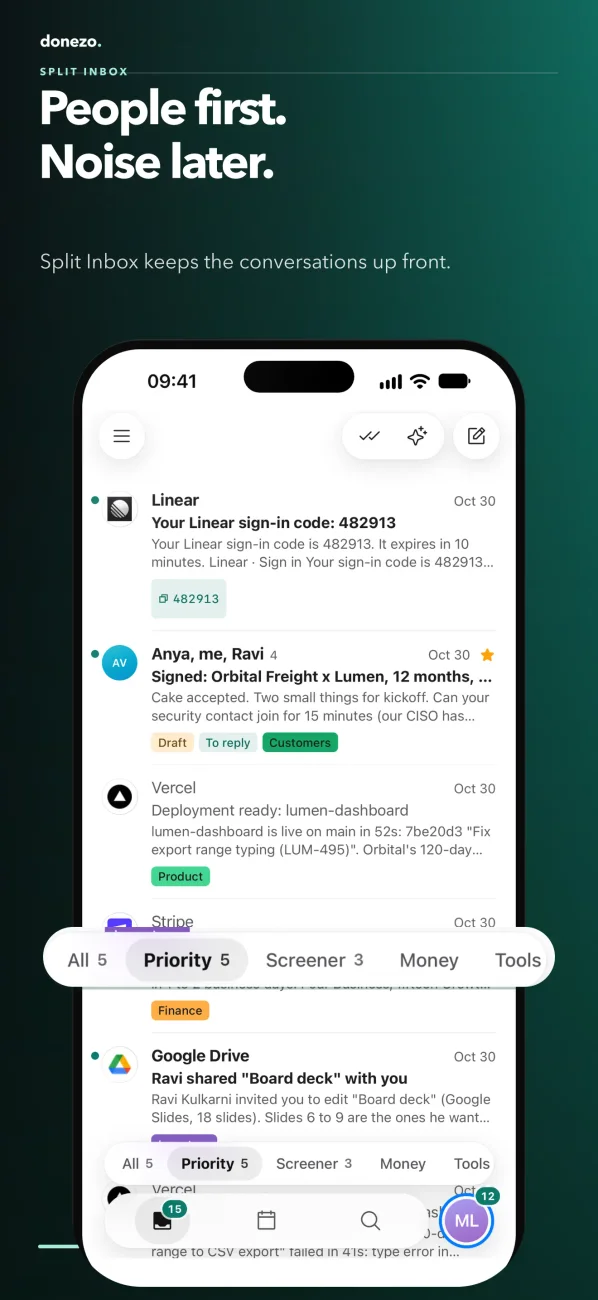
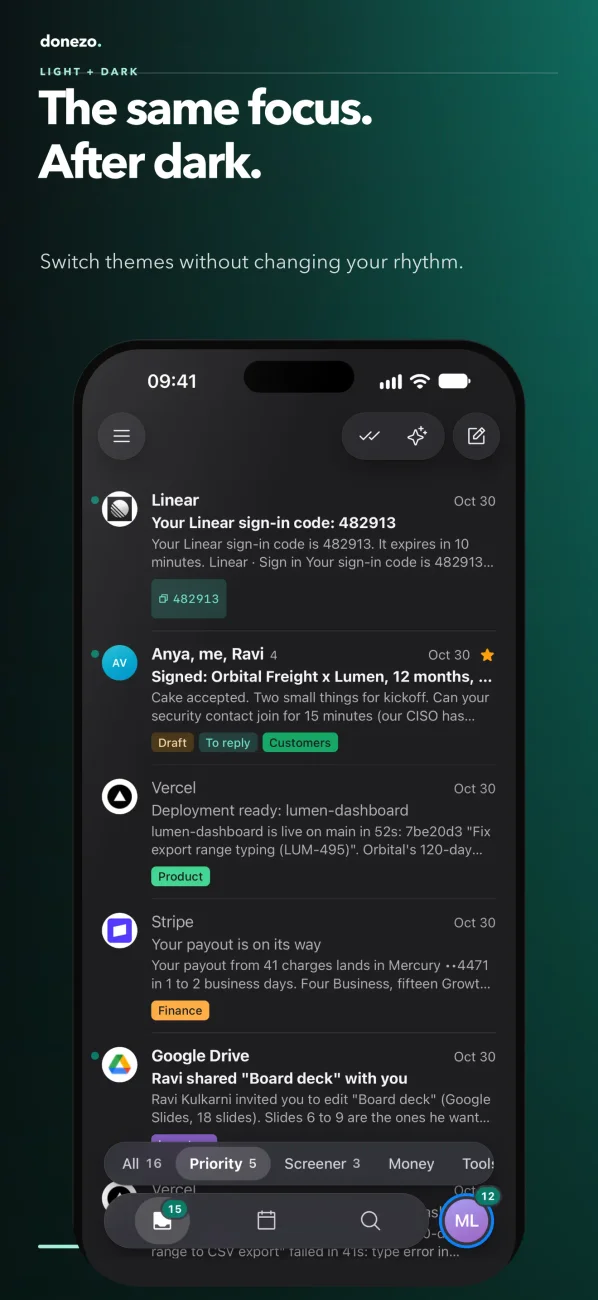
– People first. Your Priority inbox puts messages from real people up front, while newsletters and notifications stay out of the way until you're ready for them.
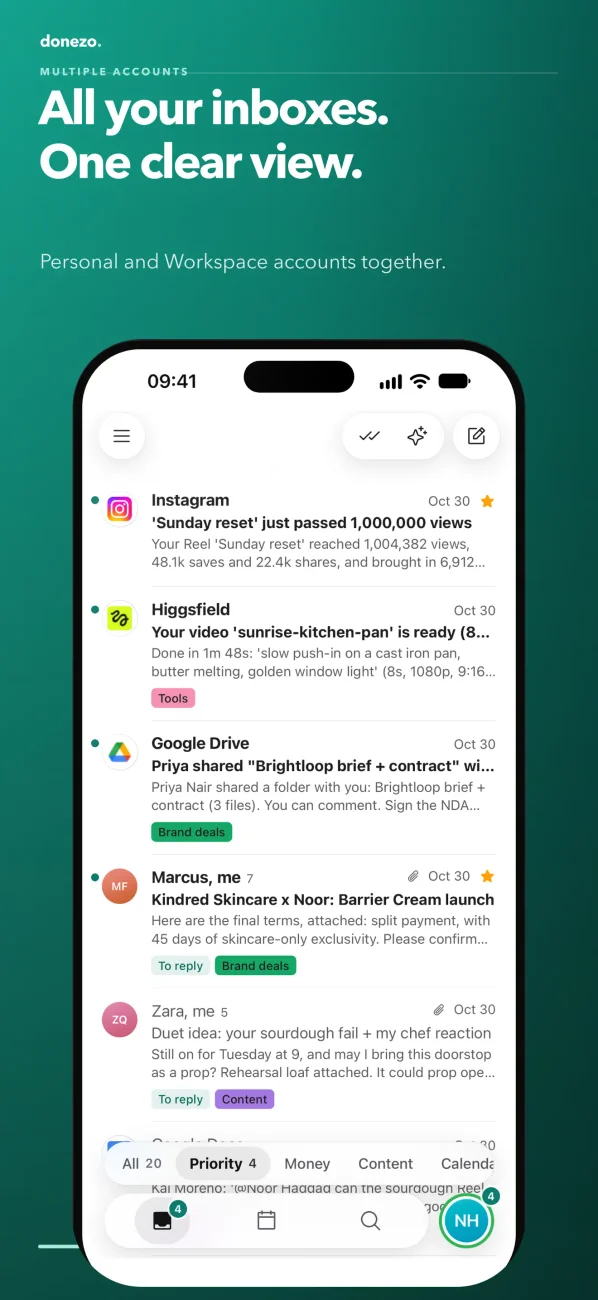
– All your inboxes together. Connect multiple Gmail and Google Workspace accounts, search across them and switch between accounts without juggling apps.
– Clear out the noise. Find unwanted senders, unsubscribe in bulk and clean up old messages without working through them individually.
## Keep conversations moving
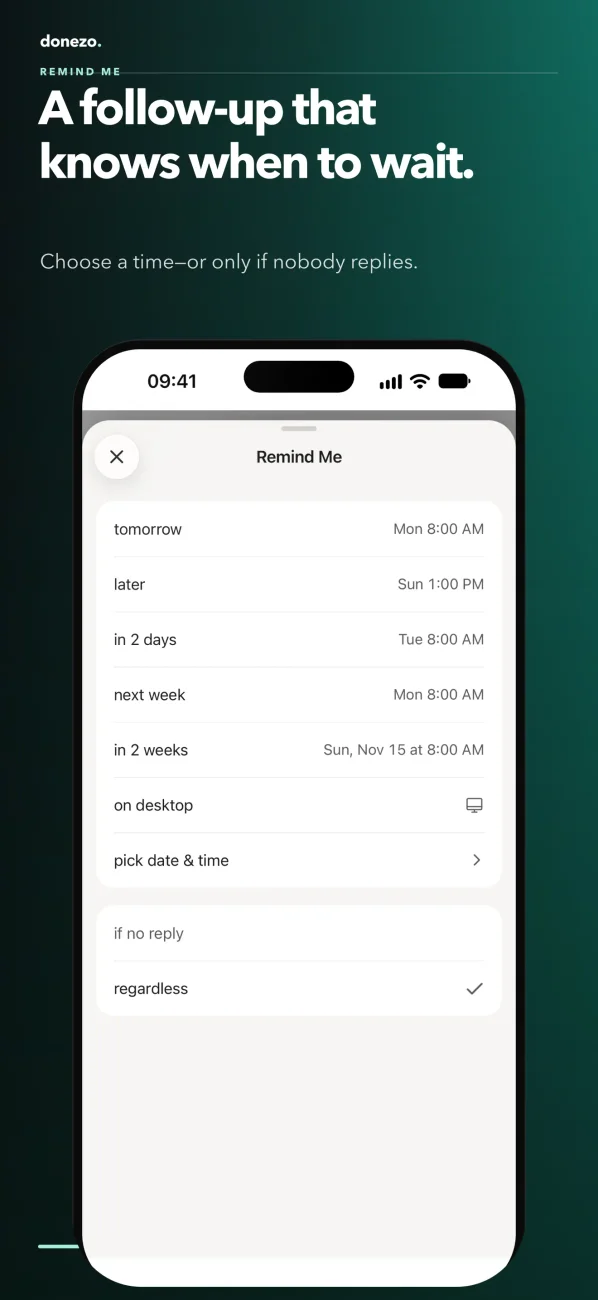
– Remind me later. Snooze an email with natural language. Type "Friday" and bring the conversation back when you need it.
– Send at the right time. Write a message now and schedule it for later, even when you're no longer using your phone.
– Follow up without remembering. Set a reminder that brings a thread back if nobody replies.
– Undo send. Give yourself up to 30 seconds to catch a mistake before a message goes out.
– Write less from scratch. Save frequently used replies as snippets, reuse them when needed and use AI assistance for supported writing tasks.
– Know when your message is opened. Enable read statuses when you want more visibility into a conversation.
## Be ready for what's next
Email often contains the context for the rest of your day. Donezo brings useful calendar information and meeting briefs closer to your conversations, helping you prepare without searching through old threads.
Supported AI-agent integrations can also help you work with your inbox through connected tools. Available actions depend on the client and permissions, with approval required for sensitive operations.
## Made for your iPhone
- Notifications with sender pictures and quick actions for replying, marking done, setting reminders or moving messages to Trash.
- Face ID, Touch ID or passcode protection for your inbox.
- Share links, photos and files into a new email from other apps.
- Home Screen and Lock Screen widgets for Priority unread messages and upcoming meetings.
- Light and dark mode.
## Your inbox stays yours
Donezo connects to Gmail using the permissions you grant. Sign-in tokens are encrypted, and we don't sell your data or display advertising. You can manage and delete your account data through Settings.
Sign in using your Google account, or explore Donezo through the demo mailbox without connecting your personal email.
The email isn't the work. It's where the work begins.
Questions or feedback? support@donezoinbox.com
Neue Funktionen
Version 1.0.2 · 13.11.2026
• Translate a message: when an email is in another language, tap "Translate to English" at the top. Turn it off, or change the language, in Settings → AI.
• Downloaded PDFs and attachments now open in a preview with Share, Save to Files, AirDrop and Print.
• Drafts delete properly: Delete in Drafts, Discard, and the draft left behind after you send.
App-Datenschutz
Was Ankurman Shrestha im App Store zum Umgang dieser App mit Daten angibt.
-
Mit Ihnen verknüpfte Daten
Können erfasst und mit Ihrer Identität verknüpft werden.
- Kontaktinformationen
- Benutzerinhalte
- Kennungen
- Nutzungsdaten
- Diagnose
Die Datenschutzpraktiken können variieren, zum Beispiel je nach den von Ihnen verwendeten Funktionen oder Ihrem Alter.
Informationen
- Anbieter
- Ankurman Shrestha
- Kategorie
- Produktivität
- Version
- 1.0.2
- Aktualisiert
- 13.11.2026
- Veröffentlicht
- 06.11.2026
- Größe
- 4,6 MB
- Erfordert
- iOS 17.0 oder neuer
- Altersfreigabe
- 17+
- Preis
- Kostenlos
- Sprachen
- Englisch
- Copyright
- © 2026 KMF Ventures LLC
Das könnte Ihnen auch gefallen
-
 OneInbox MailProduktivität
-
 Pockito - Save Your LinksProduktivität
-
 ProfitFloProduktivität
-
 MailgnificentDer Zero-Storage E-Mail-Client
-
 MailbuxProduktivität
-
 Bmail — Encrypted EmailProduktivität
-
 StartMail: Sichere E-MailsKeine Werbung, kein Tracking
-
 All Email Connect & Ai EmailProduktivität
-
 Slashy MailProduktivität
-
 Multiple Accounts Email AppProduktivität