
Drop Soundboard
Sound reactions for Messages
Entwickelt für iPhone, iPad
Kostenlos · In-App-Käufe
- Altersfreigabe4+
- KategorieUnterhaltung
- EntwicklerDidier Osias
- SprachenEnglisch
- Größe4,4 MB
Verlinkt auf die offizielle App Store-Seite
Download.org hostet keine Datei von Drop Soundboard. Die Schaltfläche öffnet die App-Seite bei App Store, wo Didier Osias die App veröffentlicht. Eintrag zuletzt geprüft am 15.11.2026.
Screenshots



Info
Der Entwickler hat diesen Text nicht in Ihrer Sprache bereitgestellt.
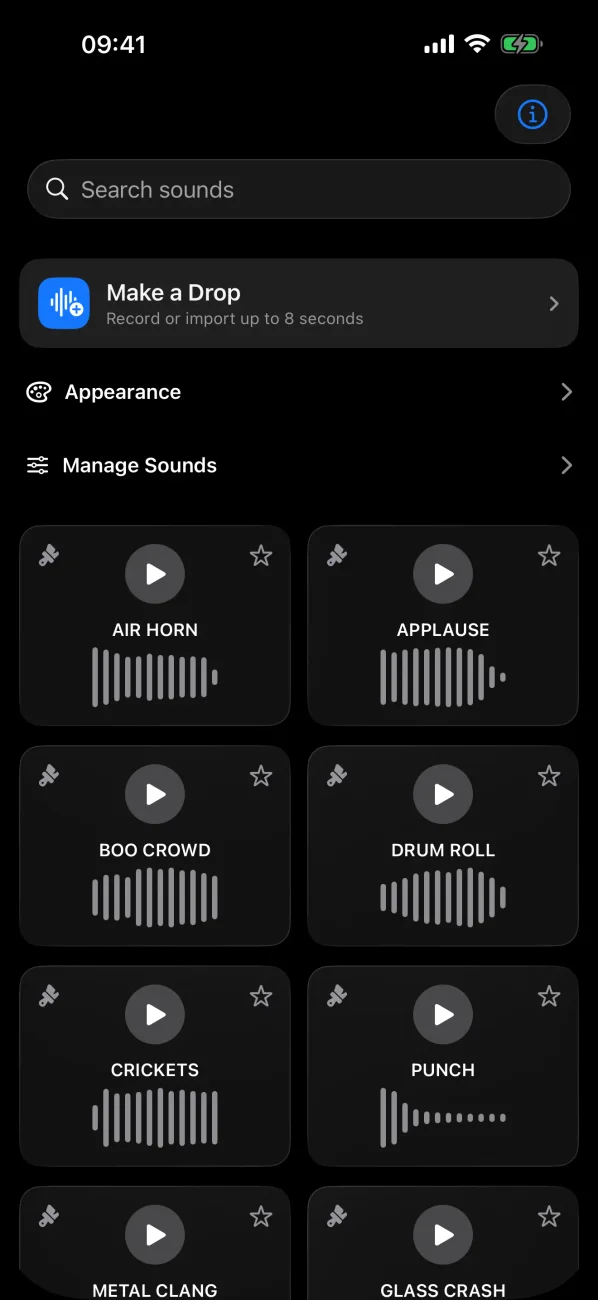
Drop Soundboard puts sound reactions inside Messages.
Preview a sound, stage it in the conversation, and send it when the group chat needs more than words. Start with 25 included sounds, or make your own.
MAKE FIVE CUSTOM DROPS FOR FREE
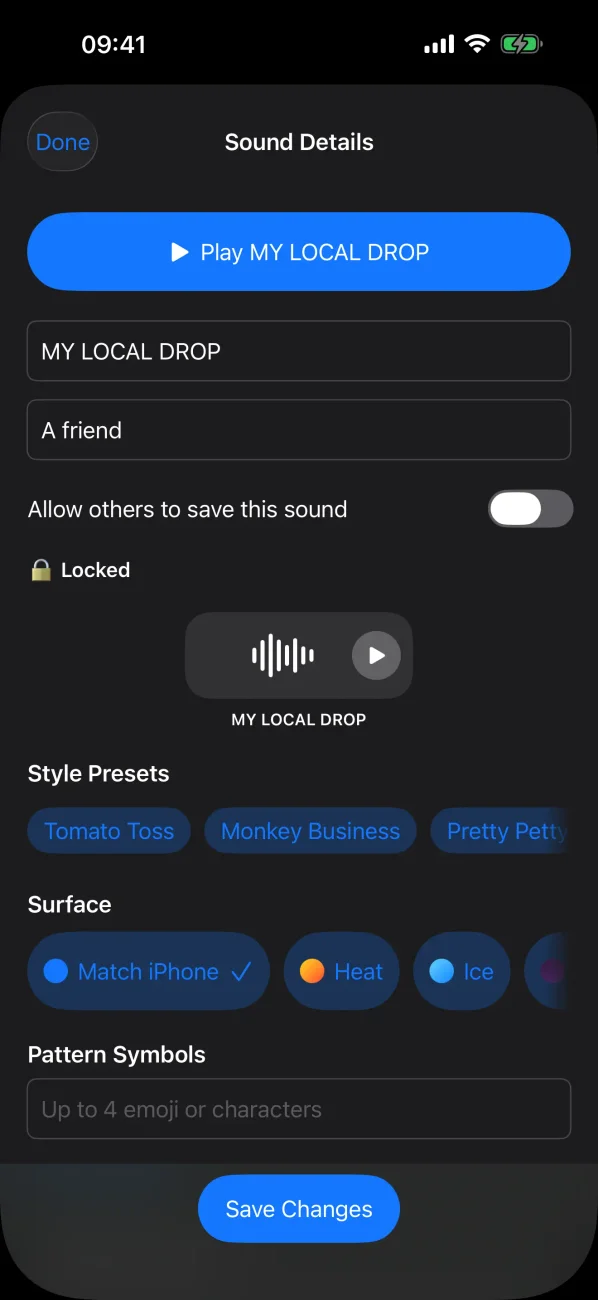
Record with the microphone or import audio or video from Files and Photos. Trim the moment to eight seconds or less, title it, add an author, and choose whether others can save it. Keep up to five custom Drops for free. Deleting one frees a slot for another. Included and received sounds do not use these five slots.
PLAY AND SEND
Listen in the app, open a sound's details, and choose Send in Messages. Choose a recipient and tap Send in Apple's message composer. Inside a Messages conversation, tap a Drop card to play it and queue it beside Apple's send arrow. The info button beside search explains how Drop works.
OPEN OR LOCKED
Open sounds can be saved by recipients when they have collection space. Locked sounds stay playable in the message, but recipients cannot save or resend them from Drop Soundboard. Authors can still send their own Locked sounds.
YOUR COLLECTION
Star your favorites to keep them at the top. Free users can keep up to 75 active sounds in total. A one-time Premium purchase expands the collection to 500 sounds, lets you create more custom Drops within that collection, and unlocks style editing for every sound and app appearance customization. No subscription.
PRIVATE BY DESIGN
No account, ads, analytics, tracking, or developer server. Your custom audio, credits, styles, and preferences stay on your device and in the app's local shared container. Apple Messages handles delivery; Apple StoreKit handles purchases.
Neue Funktionen
Version 1.1 · 19.09.2026
- Make and keep five custom Drops for free by recording or importing audio.
- Record on a dedicated screen with instructions, a live timer, and microphone levels, then trim your take.
- Send a sound directly from its details using Send in Messages.
- Tap a card in Messages to play and queue it without expanding the card.
- Find clearer sound controls, consistent detail actions, and help beside search.
- Customize any sound's style with Premium.
- Open the info button for a complete guide to playing, creating, sending, and saving sounds.
- Get a helpful sending tip after your first save.
App-Datenschutz
Was Didier Osias im App Store zum Umgang dieser App mit Daten angibt.
-
Keine Daten erfasst
Der Entwickler erfasst keine Daten von dieser App.
Die Datenschutzpraktiken können variieren, zum Beispiel je nach den von Ihnen verwendeten Funktionen oder Ihrem Alter.
Informationen
- Anbieter
- Didier Osias
- Kategorie
- Unterhaltung
- Version
- 1.1
- Aktualisiert
- 19.09.2026
- Veröffentlicht
- 03.09.2026
- Größe
- 4,4 MB
- Erfordert
- iOS 16.0 oder neuer
- Altersfreigabe
- 4+
- Preis
- Kostenlos
- In-App-Käufe
- Ja
- Sprachen
- Englisch
- Copyright
- © 2026 Osias Group LLC
Das könnte Ihnen auch gefallen
-
 Say Less – SoundboardUnterhaltung
-
 Sona by RipplewareUnterhaltung
-
 Haunted: Nightmare ConditionerUnterhaltung
-
 Party Spiele Box - OfflineWahrheit oder Pflicht, Werwolf
-
 Gun Sounds MIUnterhaltung
-
 DJ M8Unterhaltung
-
 Sounds for iMessageUnterhaltung
-
 Instant Sounds: SoundboardMemes, Effekte & Streiche
-
 Wilhelm Scream SoundSchreigeräusche
-
 My SoundboardUnterhaltung