Duty and Shift
Shift work schedule & calendar
Entwickelt für iPhone
Kostenlos · In-App-Käufe
- Altersfreigabe4+
- KategorieProduktivität
- EntwicklerSINWOO KIM
- SprachenKoreanisch+ 2 weitere
- Größe9,4 MB
Verlinkt auf die offizielle App Store-Seite
Download.org hostet keine Datei von Duty and Shift. Die Schaltfläche öffnet die App-Seite bei App Store, wo SINWOO KIM die App veröffentlicht. Eintrag zuletzt geprüft am 21.11.2026.
Screenshots



Info
Der Entwickler hat diesen Text nicht in Ihrer Sprache bereitgestellt.
What you work today. What you work tomorrow.
Duty and Shift shows only that.
Calendar
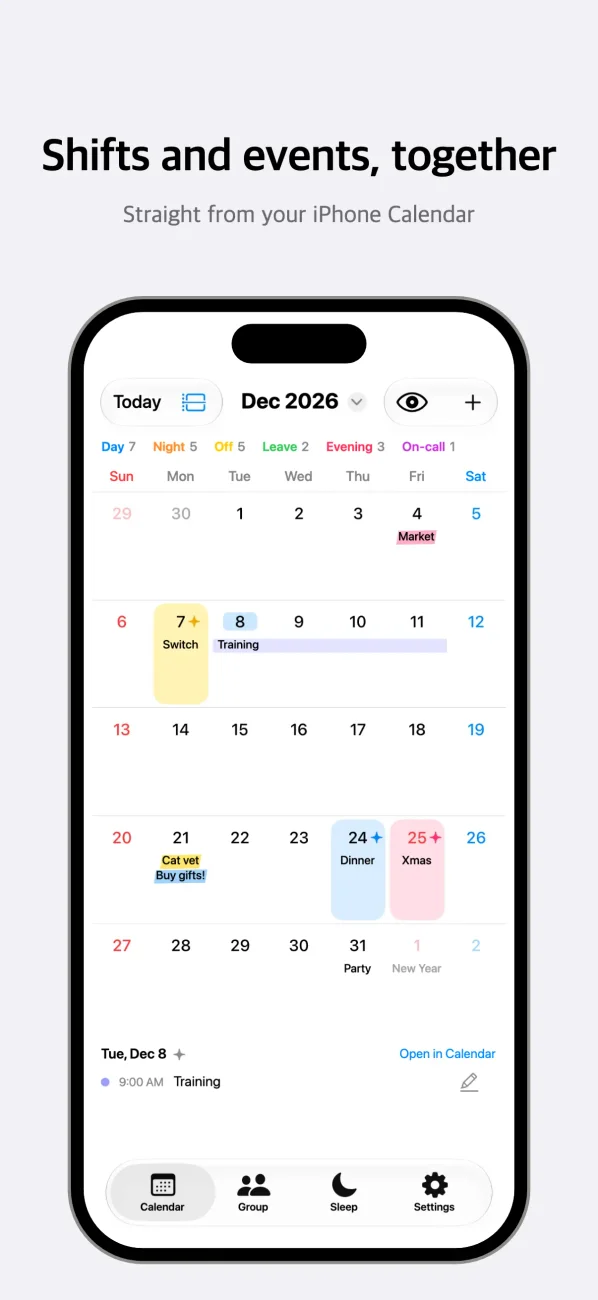
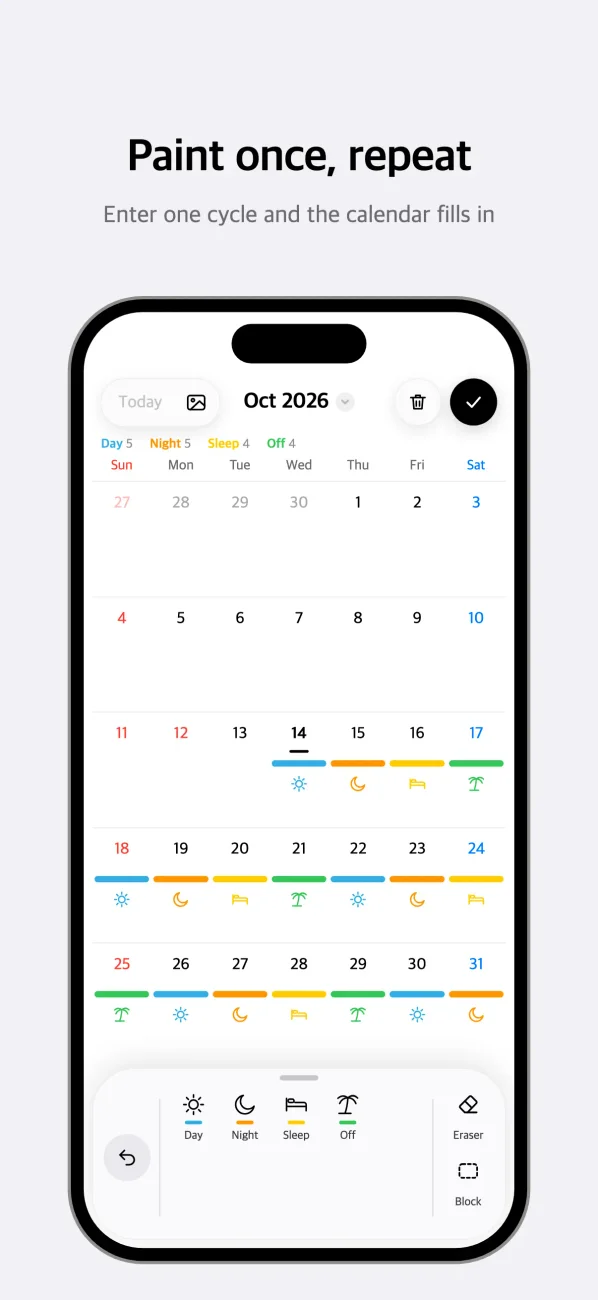
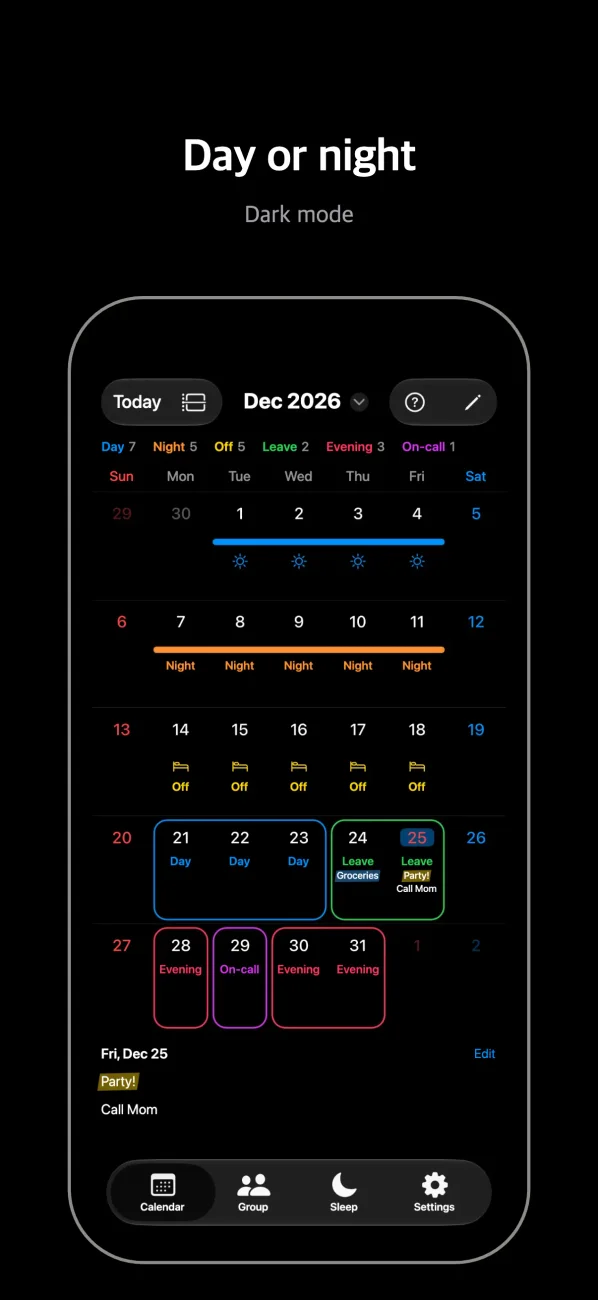
One screen, one calendar. The color bar under each date is that day's shift.
Setup
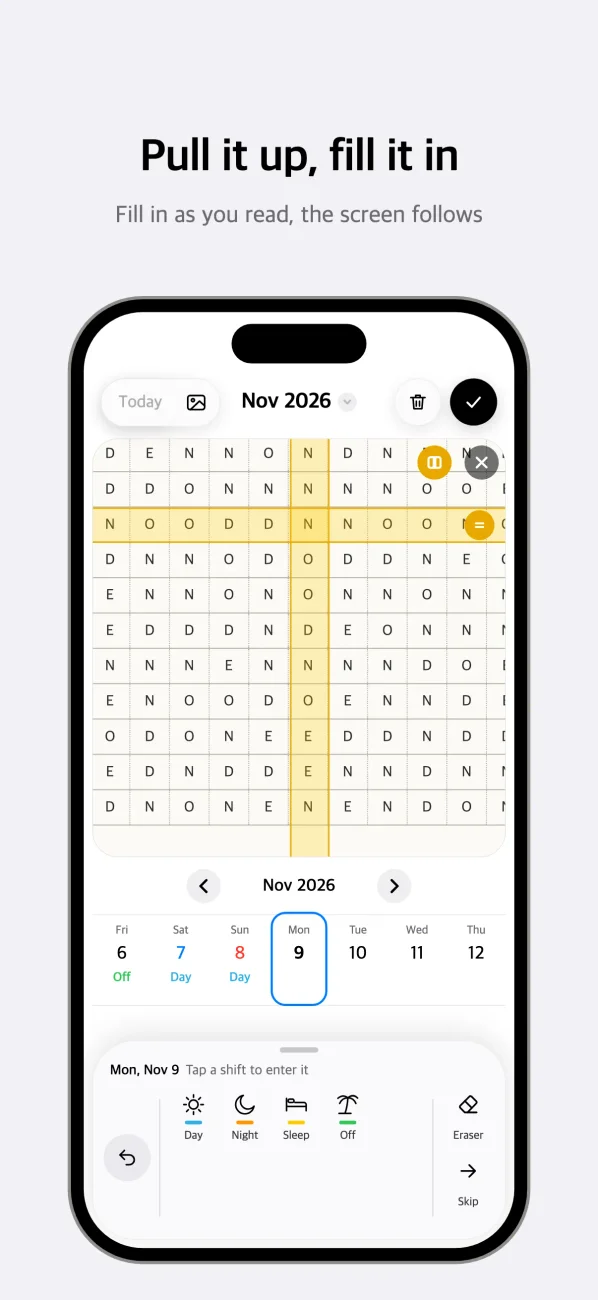
Paint one cycle and repeat it. That's all. When a day changes, change just that day.
Widgets
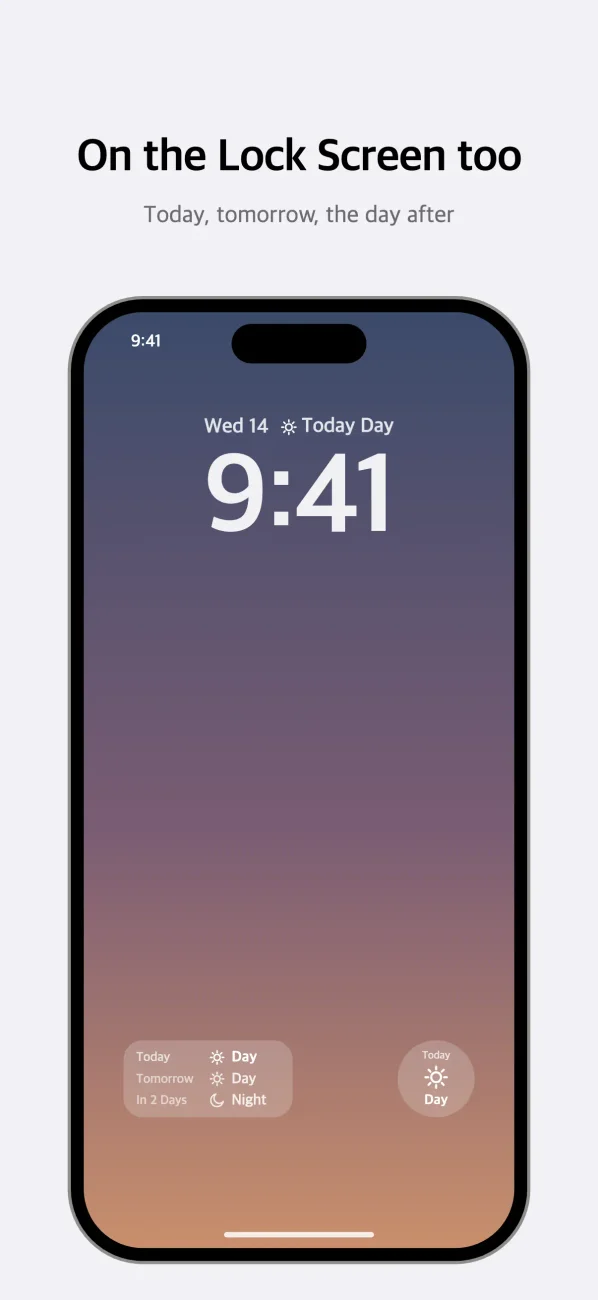
See your shifts on the Home Screen and Lock Screen without opening the app.
Backup
Saved to iCloud automatically. Your schedule stays on your device and in your own iCloud.
Wake-up Alarms (subscription or lifetime)
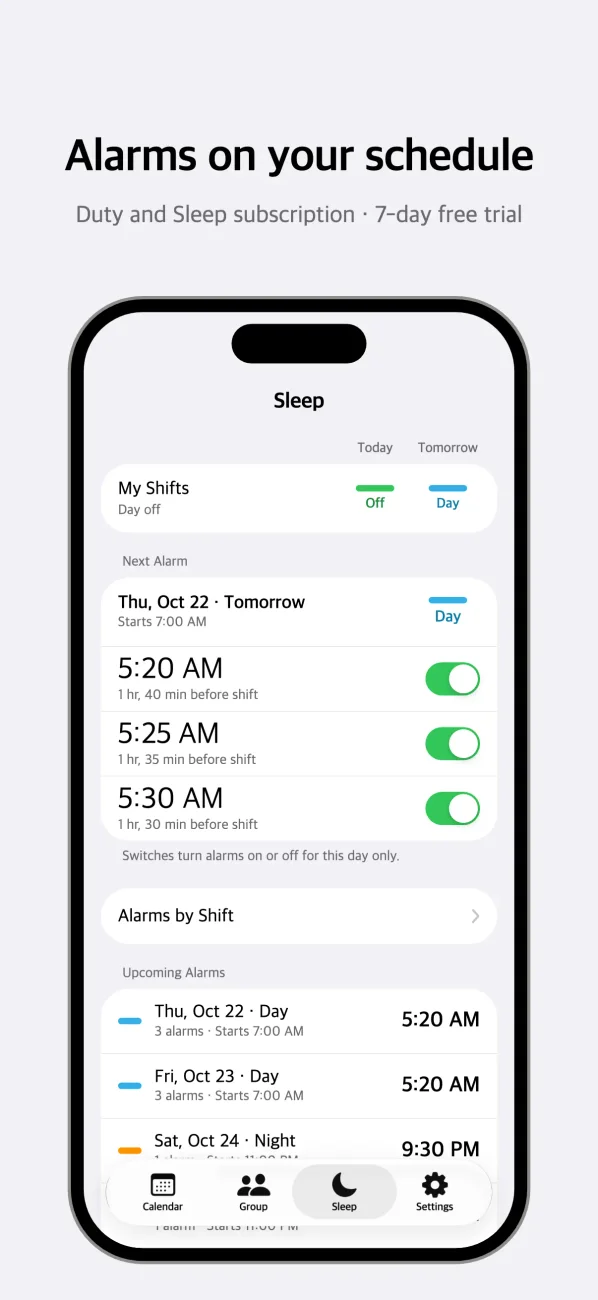
Wake-up alarms are set automatically from your schedule and move when your shifts or start times change. Requires iOS 26 or later and, in the Sleep tab, either the Duty and Sleep subscription (7-day free trial, then yearly or monthly, auto-renewing) or the one-time Lifetime purchase.
No sign-up. Just start.
Terms of Use: https://www.apple.com/legal/internet-services/itunes/dev/stdeula/
Privacy Policy: https://geunmupyo.vercel.app/privacy#en
Neue Funktionen
Version 1.7 · 19.11.2026
Change Shift
· Press and hold a date to change just that day’s shift. You can also note who you swapped with.
Enter from Excel or PDF
· While editing, tap the photo button and choose Files to keep an Excel or PDF schedule open as you enter your shifts.
· Got a schedule by message or email? Share it and tap ‘Duty and Shift’ to start editing right away.
Highlighters
· Highlight important notes and events. Notes can be reordered too.
· In the events calendar, tap the sparkle next to the date to color that day.
Calendar
· Tap the month and year above the calendar to jump straight to any month.
· See how many of each shift you have this month, right above the calendar. You can turn it off in Settings.
· With Show Events on, each day shows up to three events, and multi-day events run as a bar. Tap an event to edit it.
· New calendar style, Name + Notes: shows the shift name and notes together in each cell (Duty and Sleep subscription or Lifetime).
Wake-up Alarms
· Choose your alarm sound.
App-Datenschutz
Was SINWOO KIM im App Store zum Umgang dieser App mit Daten angibt.
-
Keine Daten erfasst
Der Entwickler erfasst keine Daten von dieser App.
Die Datenschutzpraktiken können variieren, zum Beispiel je nach den von Ihnen verwendeten Funktionen oder Ihrem Alter.
Informationen
- Anbieter
- SINWOO KIM
- Kategorie
- Produktivität
- Version
- 1.7
- Aktualisiert
- 19.11.2026
- Veröffentlicht
- 19.10.2026
- Größe
- 9,4 MB
- Erfordert
- iOS 18.0 oder neuer
- Altersfreigabe
- 4+
- Preis
- Kostenlos
- In-App-Käufe
- Ja
- Sprachen
- Koreanisch, Englisch, Japanisch
- Copyright
- © 2026 SINWOO KIM