
E: Expense Tracker
Spending Reports & iCloud Sync
Entwickelt für iPhone
Kostenlos · In-App-Käufe
- Altersfreigabe4+
- KategorieFinanzen
- EntwicklerWEI WEN MAH
- SprachenEnglisch
- Größe23,2 MB
Verlinkt auf die offizielle App Store-Seite
Download.org hostet keine Datei von E: Expense Tracker. Die Schaltfläche öffnet die App-Seite bei App Store, wo WEI WEN MAH die App veröffentlicht. Eintrag zuletzt geprüft am 19.11.2026.
Screenshots
Info
Der Entwickler hat diesen Text nicht in Ihrer Sprache bereitgestellt.
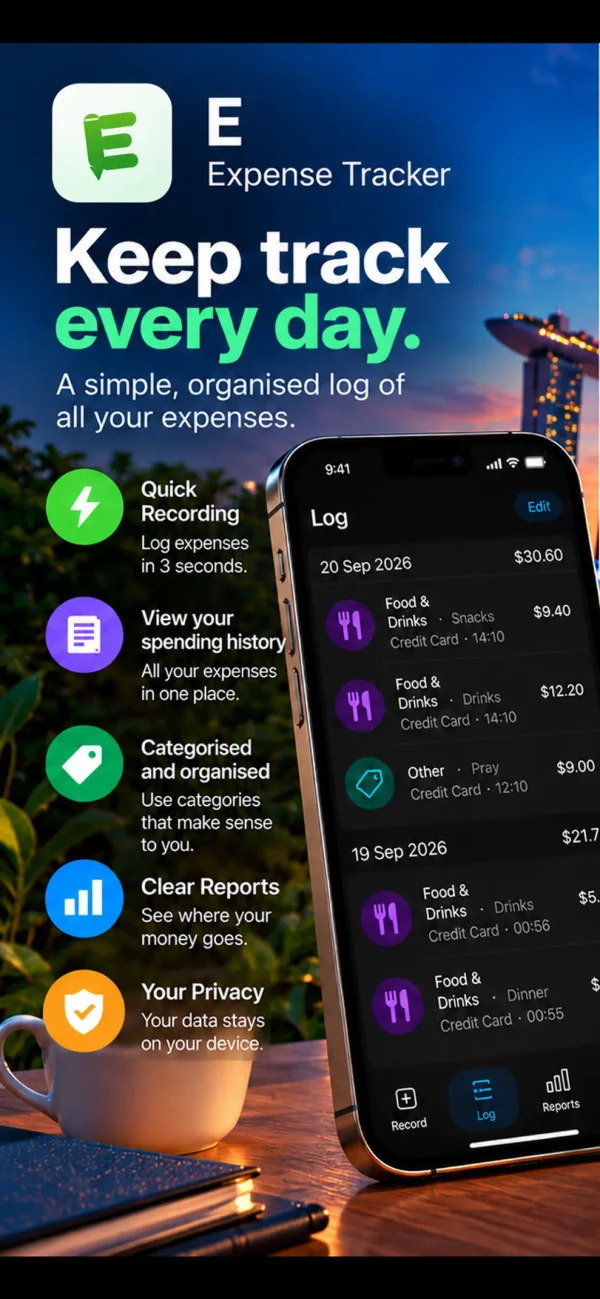
Record expenses in seconds, understand where your money goes, and keep a clear spending history—without advertising or a separate account. E is a focused, private expense tracker designed for quick daily use.
FAST EXPENSE RECORDING
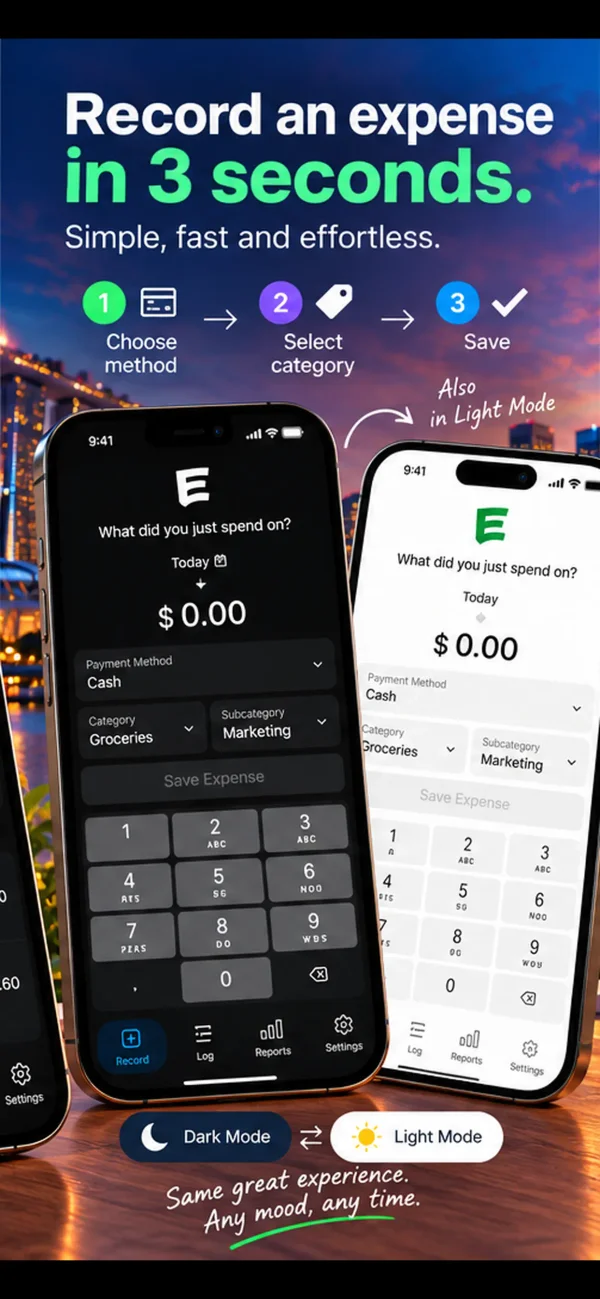
• Enter an amount in seconds
• Choose a payment method, category and optional subcategory
• Add optional comments to saved expenses for instalments and extra details with E Supporter
• Edit past entries whenever needed
• Keep a clean, chronological spending log
CREDITS AND RECONCILIATION
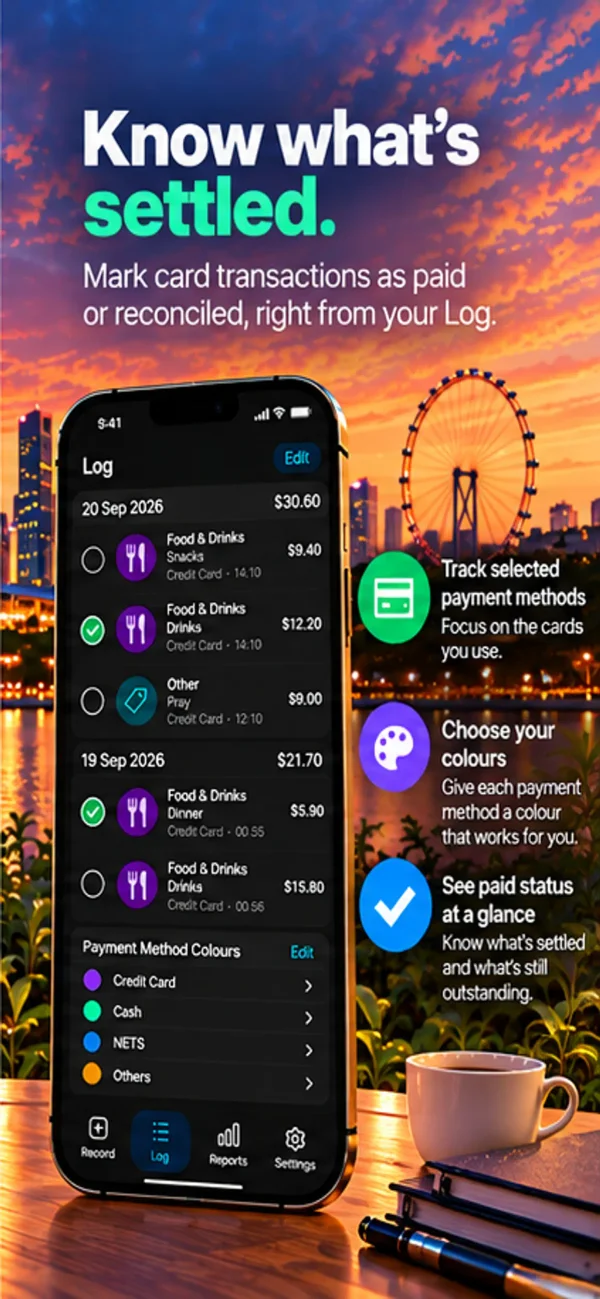
• Record refunds, reimbursements, cashback, repayments, rebates or corrections as Credits
• Give every Credit your own label
• Credits reduce spending totals instead of being treated as income
• Mark selected payment-method transactions as paid or reconciled
REPORTS THAT EXPLAIN YOUR SPENDING
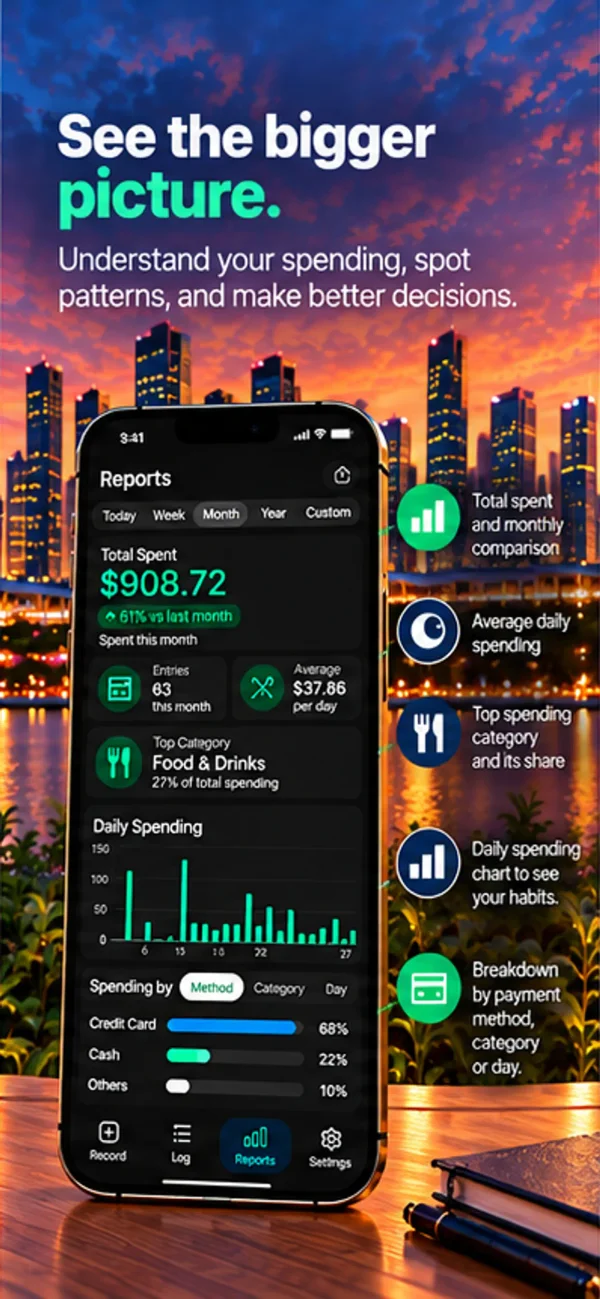
• Today, week, month, year and custom date-range views
• Swipe between weeks or use the week navigation controls
• Compare spending with the previous equivalent period
• See daily or monthly spending trends
• Break spending down by payment method, category or day
• Tap through to the expenses behind each total
FLEXIBLE EXPORTS
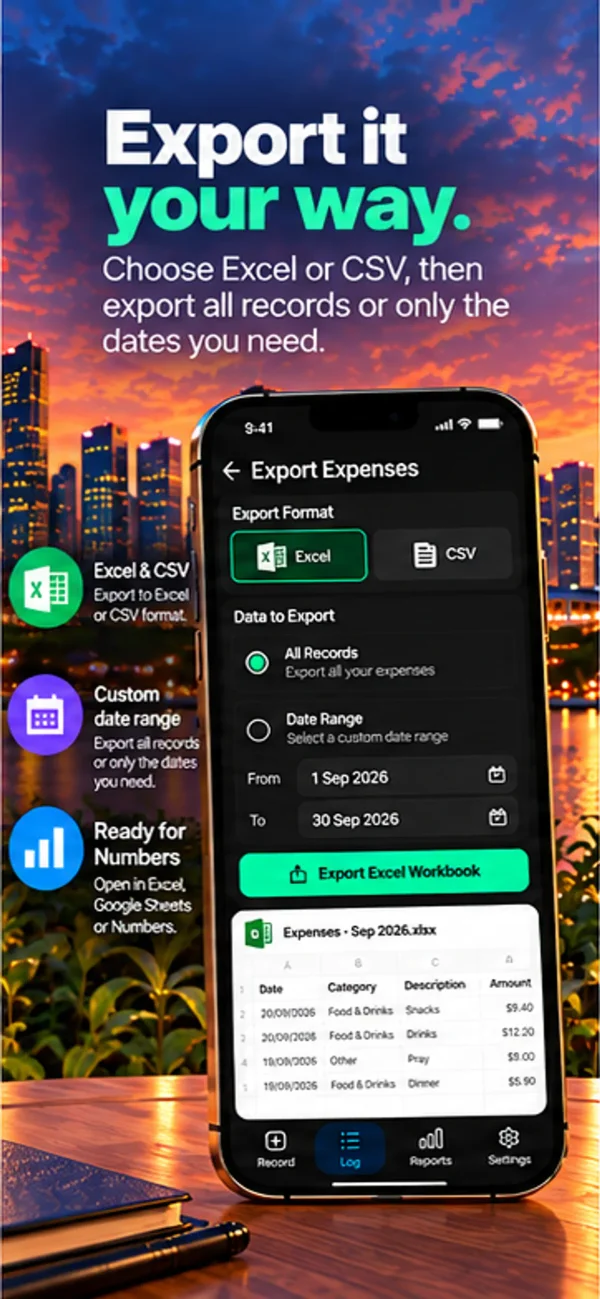
• Export all records or a custom date range
• Choose Excel or CSV
• Include comments in Excel and CSV exports
• Open exported workbooks in Excel, Numbers or Google Sheets
PRIVATE BY DESIGN
• No separate account required
• No advertising trackers
• Expense data remains local by default
• Optional multi-device sync uses your private iCloud account
OPTIONAL ICLOUD SYNC
Active monthly E Supporters can enable Multi-Device Sync to keep entries current across iPhones and E on a compatible Mac signed in to the same Apple Account. If monthly support ends, syncing pauses while entries already stored on each device remain available.
E Supporter also unlocks eligible supporter extras including subcategories, expense comments and expense export.
Payment is charged to your Apple Account. Auto-renewable subscriptions renew unless cancelled at least 24 hours before the end of the current period. Manage or cancel subscriptions in your Apple Account settings.
Privacy Policy: https://kethj.com/privacy
Terms of Use: https://www.apple.com/legal/internet-services/itunes/dev/stdeula/
Neue Funktionen
Version 1.7.1 · 29.10.2026
This critical update improves expense notes and Money account management.
• Monthly E Supporters can optionally enable a Comments button beside Save Expense
• A new information preview explains how expense comments work
• The Comments button stays out of the way during the Undo countdown
• Money compartments now have a clear delete control with confirmation
• Existing expenses, accounts, balances and compartments remain in place when updating
App-Datenschutz
Was WEI WEN MAH im App Store zum Umgang dieser App mit Daten angibt.
-
Keine Daten erfasst
Der Entwickler erfasst keine Daten von dieser App.
Die Datenschutzpraktiken können variieren, zum Beispiel je nach den von Ihnen verwendeten Funktionen oder Ihrem Alter.
Informationen
- Anbieter
- WEI WEN MAH
- Kategorie
- Finanzen
- Version
- 1.7.1
- Aktualisiert
- 29.10.2026
- Veröffentlicht
- 03.09.2026
- Größe
- 23,2 MB
- Erfordert
- iOS 18.0 oder neuer
- Altersfreigabe
- 4+
- Preis
- Kostenlos
- In-App-Käufe
- Ja
- Sprachen
- Englisch
- Copyright
- © 2026 Edmund Mah
Das könnte Ihnen auch gefallen
-
 Budget | Savings & AssetsFinanzen
-
 Despesas: Expense TrackerFinanzen
-
 GelirGider: BudgetplanerBudget, Sparen & Vermögen
-
 CardTally: Wealth & PortfolioFinanzen
-
 Tanda: Ausgaben TrackerBudget per Sprache, ohne Bank
-
 Expense & Budget Tracker AppFinanzen
-
 Finpra: Haushaltsbuch & BudgetAusgaben, Finanzen & Sparen
-
 SpendFlex: Spending TrackerFinanzen
-
 BudgetAlly: KI-HaushaltsbuchBudgetplaner, Ausgaben, Sparen
-
 Yula: Abo-Tracker & BudgetAusgaben, Finanzen & Sparen