
E-Log - Log Camera & LUTs
Cinematic video made easy
Entwickelt für iPhone
Kostenlos · In-App-Käufe
- Altersfreigabe4+
- KategorieFoto und Video
- EntwicklerDANIELE CAPRIOGLIO
- SprachenEnglisch+ 1 weitere
- Größe294,6 MB
Verlinkt auf die offizielle App Store-Seite
Download.org hostet keine Datei von E-Log - Log Camera & LUTs. Die Schaltfläche öffnet die App-Seite bei App Store, wo DANIELE CAPRIOGLIO die App veröffentlicht. Eintrag zuletzt geprüft am 24.11.2026.
Screenshots
Info
Der Entwickler hat diesen Text nicht in Ihrer Sprache bereitgestellt.
E-Log is the app for anyone who creates content on iPhone. Photo, video and post-production, for beginners and pros alike.
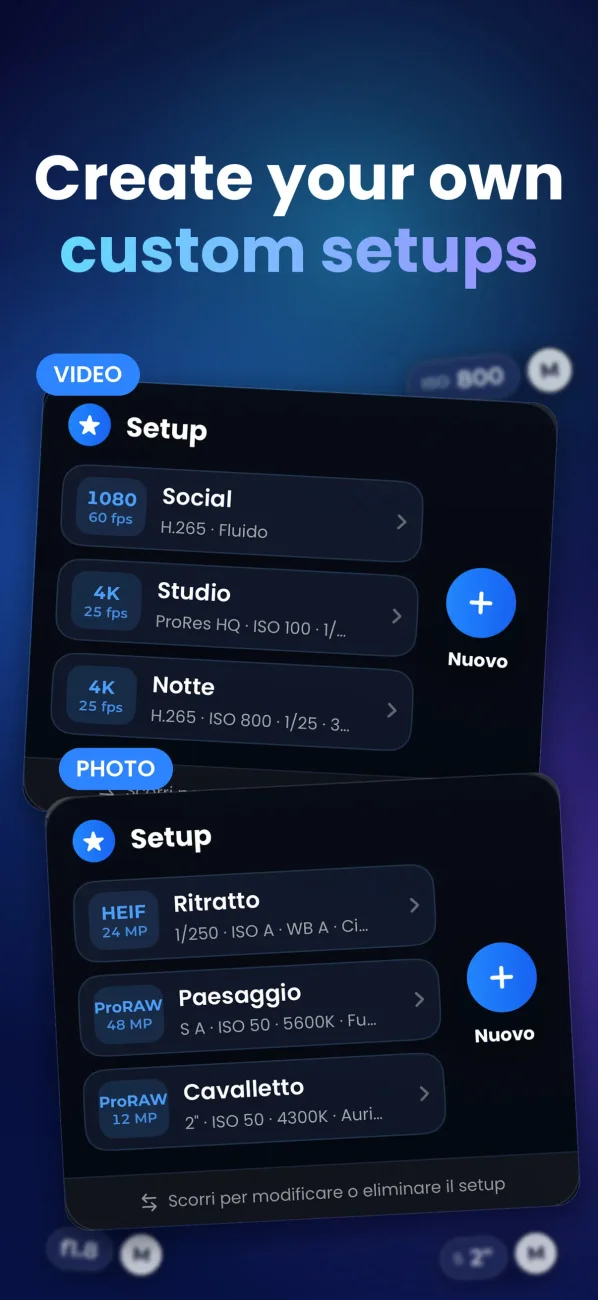
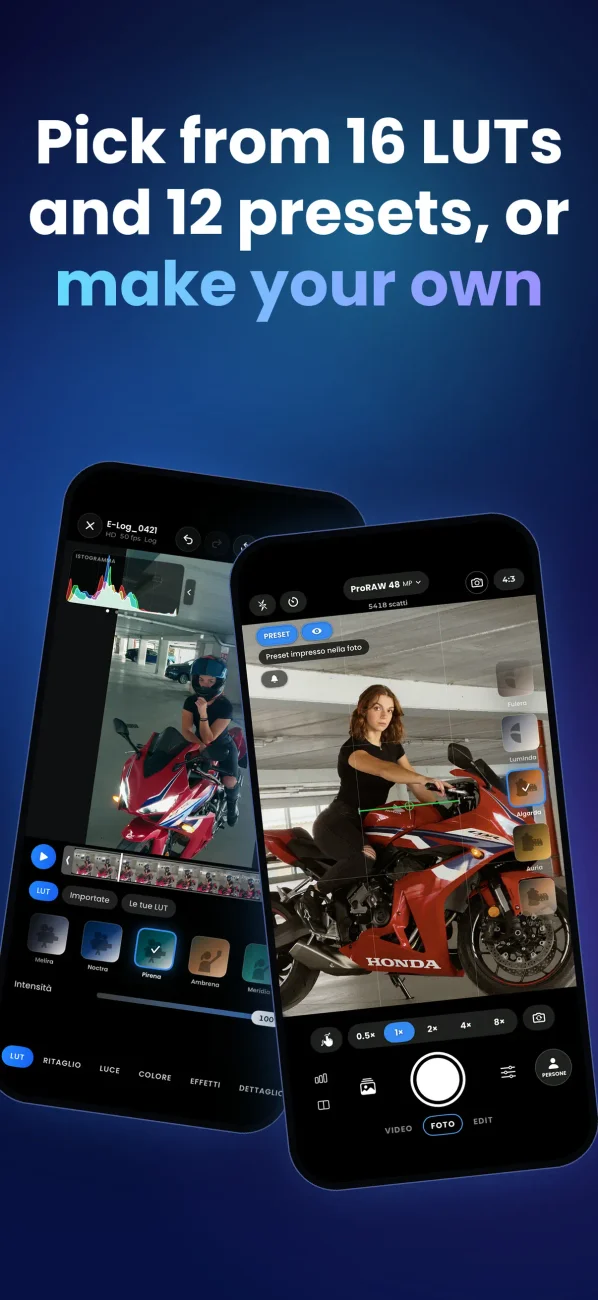
Choose from ready-to-use LUTs and presets, or create your own.
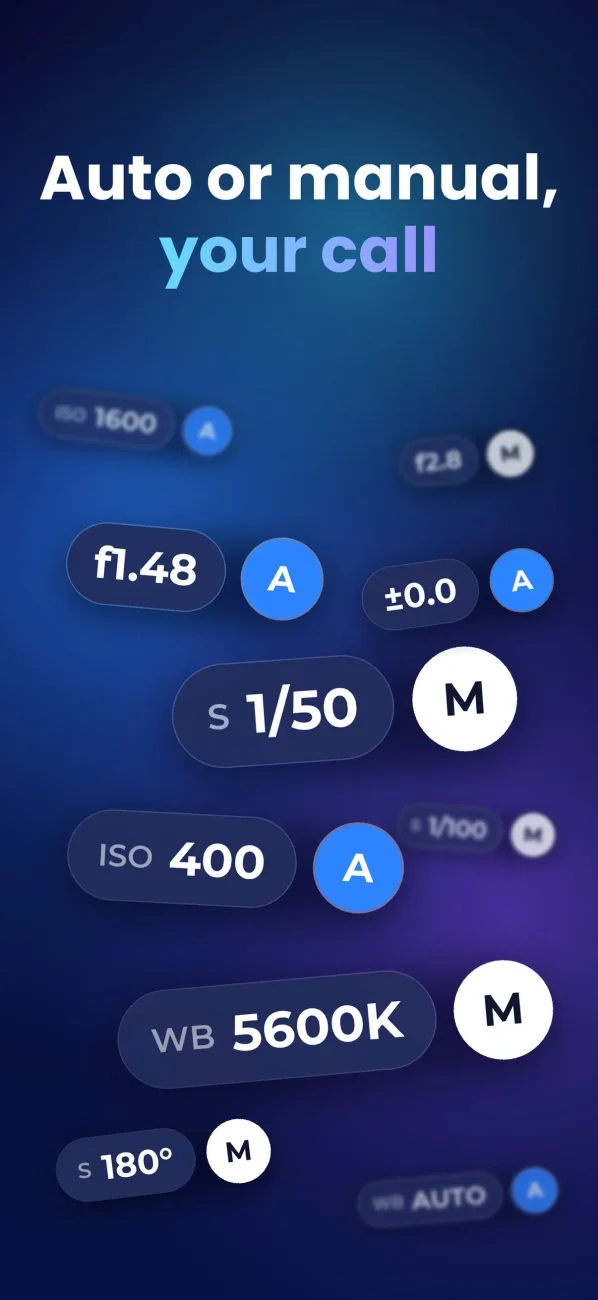
Leave everything on auto or take control of what you need.
Post-produce your content like a pro, without leaving the app.
Apple Log, HLG, RAW, HEIC and JPG.
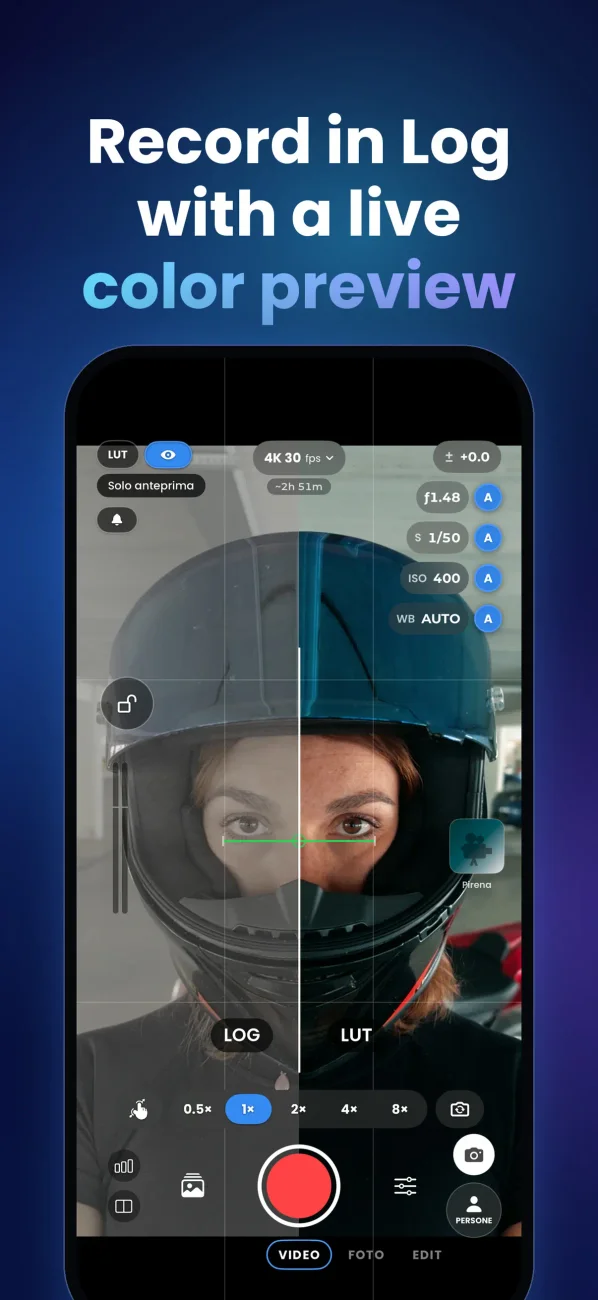
Log keeps all the light and colour the sensor can see, but it looks flat and washed out until someone grades it. E-Log puts the grade on the monitor, live, while you shoot. You frame what you'll actually publish, not a grey approximation of it.
WHAT YOU CAN DO
• See your look live. Turn on the eye and the monitor shows the finished image. The file stays raw.
• Or bake it in. One button and the clip comes out already graded, ready to publish with no edit.
• Both, on the same take. Preview one look, export with another. Nothing is decided at the moment you press record.
• Bring your own looks. Import any .cube LUT built for Apple Log.
PHOTO, WITH THE SAME CONTROL
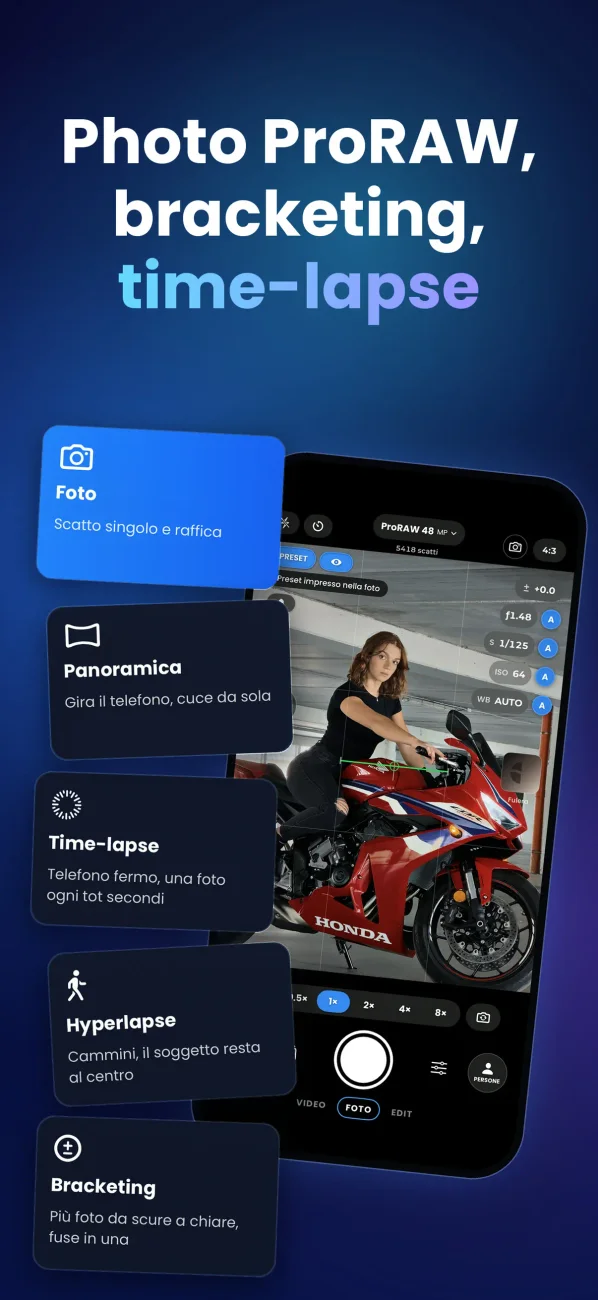
Shoot RAW, ProRAW, HEIF or JPEG with manual shutter, ISO and focus. Bracketing, time-lapse and hyperlapse. Automatic shutter that avoids flicker under artificial light.
EDIT ON YOUR PHONE
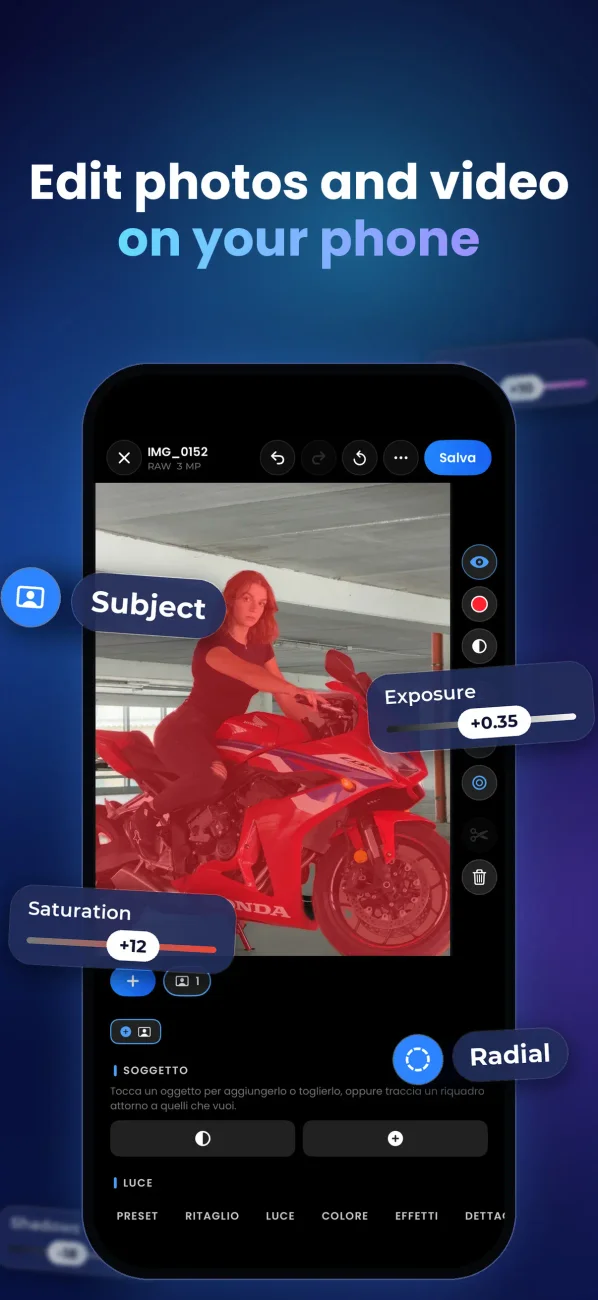
Edit photos and videos with masks, presets and LUTs, or build your own. One export screen, with your LUT baked in.
FULL CONTROL, ONLY WHEN YOU WANT IT
Shutter, ISO and white balance in auto, manual, or any mix of the two. Shutter angle or speed. Automatic limits so auto never picks something you'd never pick.
WHAT YOU NEED TO JUDGE AN EXPOSURE
Waveform and histogram · zebra on highlights or midtones · focus peaking · framing guides for 9:16, 2.39 and more · horizon level. None of them is ever recorded into the file.
YOUR CLIPS STAY YOURS
Takes live in the app's own library, not in Photos: they are 10-bit files and the system would compress them. Export whatever you want, wherever you want, in Log or already graded.
REQUIREMENTS
E-Log works on iPhone 12 and later. It records in Apple Log on iPhone Pro models from the 15 Pro onwards, and in 10-bit HLG on the other iPhones from the 12 onwards. The app checks your device at first launch and tells you straight away if it can't.
SUBSCRIPTION
E-Log is a subscription. Yearly and Monthly include exactly the same features (recording in Log, looks on the monitor, and exporting clips with the look baked in, photo capture and editing), and Yearly comes with a free trial. Cancel anytime in one tap.
Downloading the .cube files themselves, to take your looks into DaVinci, Premiere or another camera, is a separate one-time purchase available to any subscriber once the free trial has ended.
Terms of Use (EULA): https://www.apple.com/legal/internet-services/itunes/dev/stdeula/
Privacy Policy: https://reddani.net/privacy
Neue Funktionen
Version 1.4.4 · 23.11.2026
• A new guided tour that shows you every tool in a few minutes
• Much faster exports: time-lapses and 48 MP photos with masks, a Stop button that really stops, and very large exports split into parts
• Gallery: favourites, filters by LUT, length, size and preset, and a preview that stays open while you hold a clip
• Intermediate apertures on the 1× lens
• Remove: send a photo to Apple Photos and erase objects with Clean Up
• Your photos now appear next to your clips in the Mac Finder
• LUTs look right on iPhones without Log, plus many fixes for recording safety
App-Datenschutz
Was DANIELE CAPRIOGLIO im App Store zum Umgang dieser App mit Daten angibt.
-
Nicht mit Ihnen verknüpfte Daten
Können erfasst werden, sind aber nicht mit Ihrer Identität verknüpft.
- Käufe
- Kennungen
- Nutzungsdaten
Die Datenschutzpraktiken können variieren, zum Beispiel je nach den von Ihnen verwendeten Funktionen oder Ihrem Alter.
Informationen
- Anbieter
- DANIELE CAPRIOGLIO
- Kategorie
- Foto und Video
- Version
- 1.4.4
- Aktualisiert
- 23.11.2026
- Veröffentlicht
- 16.09.2026
- Größe
- 294,6 MB
- Erfordert
- iOS 18.0 oder neuer
- Altersfreigabe
- 4+
- Preis
- Kostenlos
- In-App-Käufe
- Ja
- Sprachen
- Englisch, Italienisch
- Copyright
- © 2026 Daniele Caprioglio
Das könnte Ihnen auch gefallen
-
 Pocket Log CameraFoto und Video
-
 Log Cam: RAW 4K Video CameraFoto und Video
-
 Loga - Log Still CamFoto und Video
-
 Log Cam: Open Gate by RAW CamFoto und Video
-
 Mavis Camera: Pro-AufnahmeAufnehmen, live streamen, LUTs
-
 Cinema P3 Pro CameraFoto und Video
-
 Color Grade Video - PeekLutFarbkorrektur, LUTs & Filmlook
-
 LUT Studio: Video Effekte AppColor Grading & Photo Filters
-
 2Shoot: Photo & Video EditorFoto und Video
-
 Protake - Mobile Cinema CameraFoto und Video