
- Altersfreigabe17+
- KategorieDienstprogramme
- EntwicklerKRISHDTECH ONE, LLC
- SprachenEnglisch
- Größe688,0 KB
Edgewide ist bei App Store derzeit möglicherweise nicht verfügbar
Bei unserer letzten Prüfung war der Store-Eintrag nicht erreichbar. Der Link führt weiterhin zur offiziellen App Store-Seite.
Screenshots

Info
Der Entwickler hat diesen Text nicht in Ihrer Sprache bereitgestellt.
MORE PAGE. YOUR WAY.
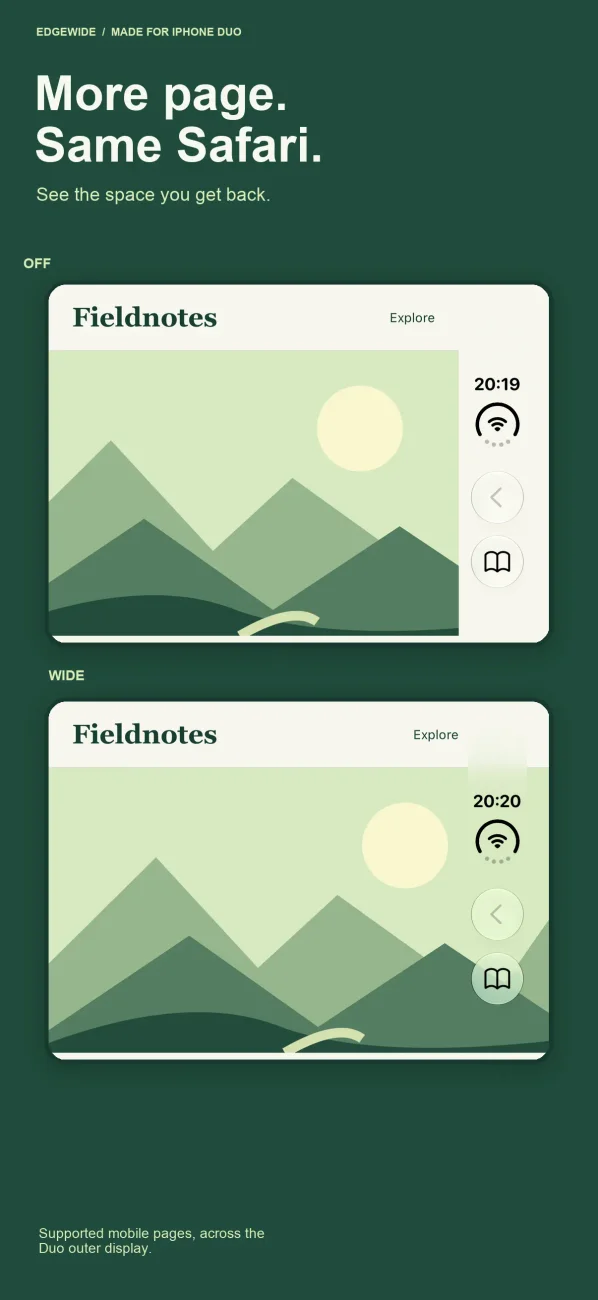
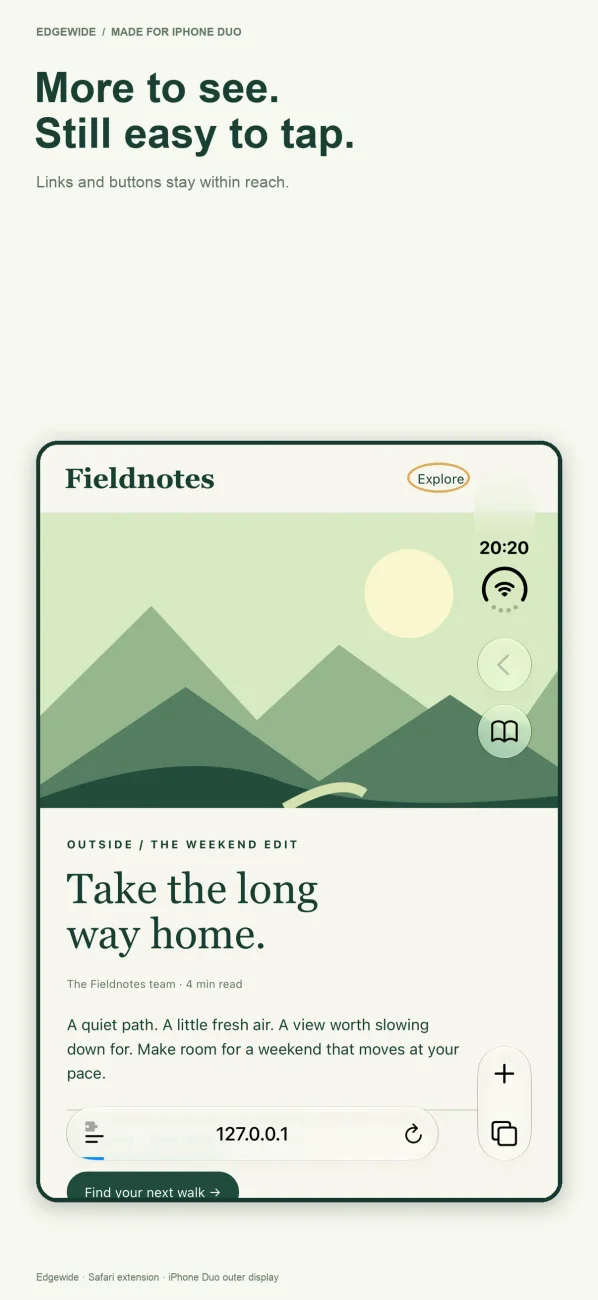
Give your iPhone Duo’s outer display room to breathe. Edgewide lets supported webpages stretch beneath Safari’s side controls, while adjusting links and buttons to keep them within reach.
YOUR SITES. YOUR SETTINGS.
Wide with Blur on one website. The original layout on another. Site Profiles let you save Wide/Off, Blur, and control-side preferences for each site, so your saved choices return when you visit again.
Start with shared default settings, then make exceptions that suit the way you browse. Delete one profile or clear them all from Edgewide’s Safari popup.
TRY A CHANGE. CHOOSE WHAT STAYS.
Adjust a saved site’s settings and see the change immediately on supported pages. Then choose:
• Save for future visits — remember the new settings for that site.
• Use only this visit — try the change without overwriting your saved profile. It ends when you reload or leave the page.
Prefer automatic saving? Select “Don’t ask again for this site.” You can turn save prompts back on later.
SAVED ON YOUR PHONE. NOT SENT TO US.
No account. No ads. No analytics. No extension network requests.
Site Profiles store only the website’s hostname and your selected settings locally on your device. They do not store full URLs, page titles, search terms, or a browsing-history log. Temporary choices stay in the current webpage’s memory. Edgewide does not send your profiles, browsing history, or webpage contents to us, and does not sync profiles to a cloud service.
MORE ROOM IN THE DETAILS
• Choose Wide or Off from Safari’s page menu.
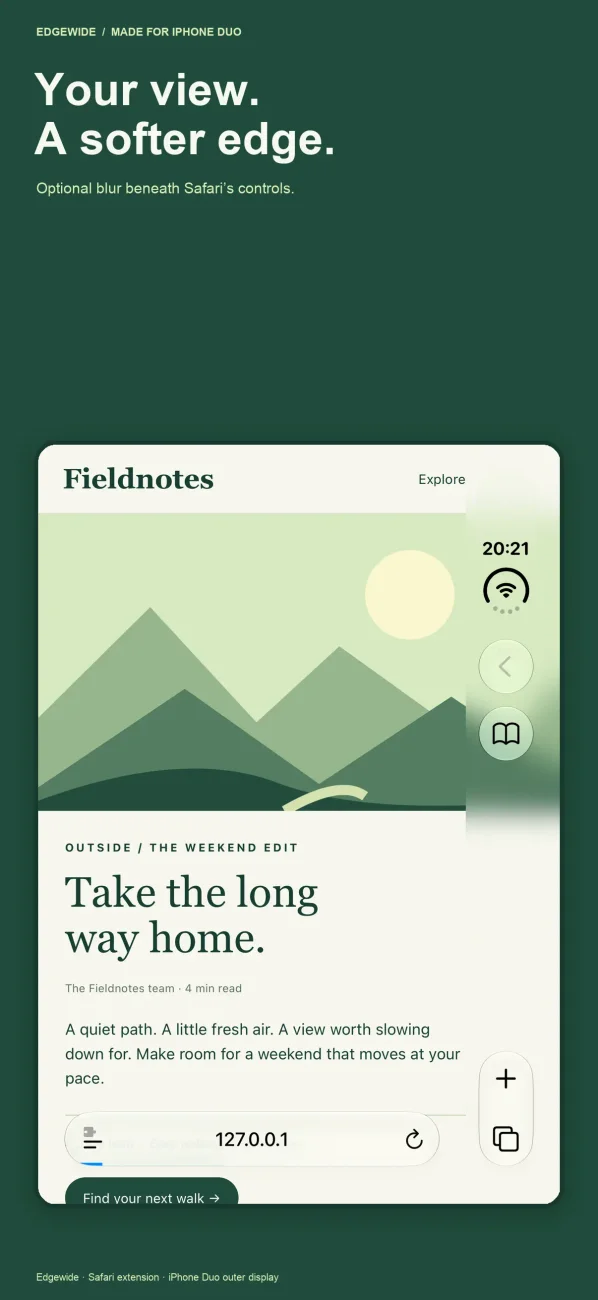
• Add optional blur beneath Safari’s side controls.
• Let automatic side detection follow screen rotation, or choose Left or Right yourself.
• Browse at your preferred size with Safari Page Zoom support.
• Leave an individual site unchanged whenever its original layout works better.
GET STARTED
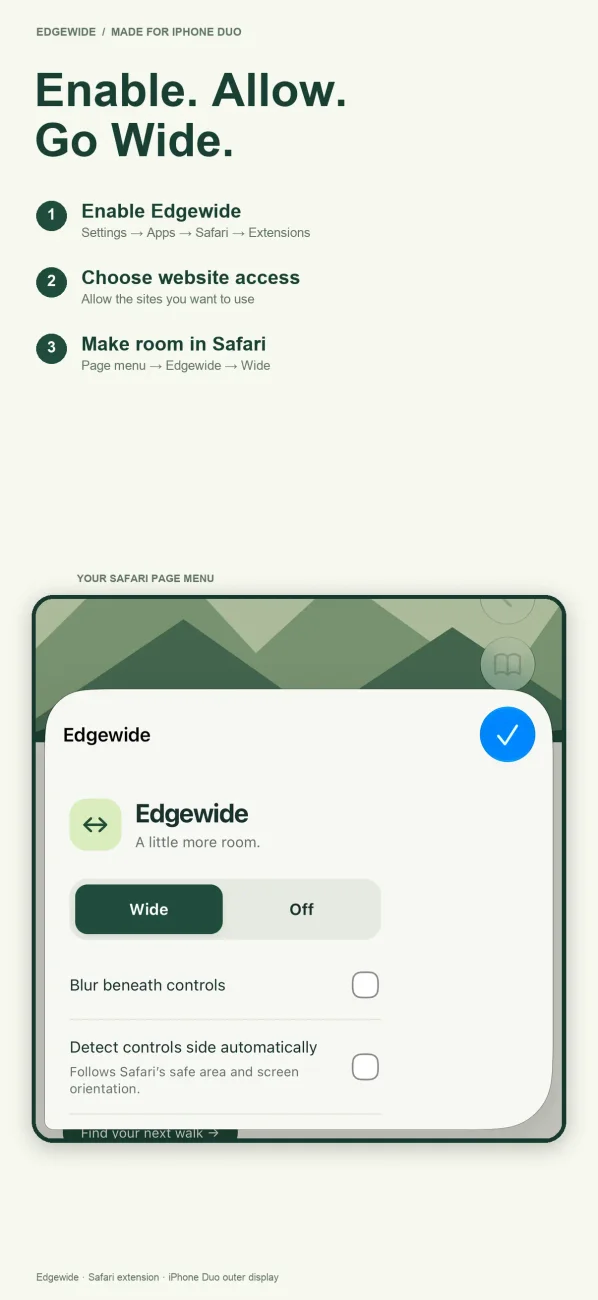
1. Enable Edgewide in Settings → Apps → Safari → Extensions.
2. Allow access to the websites you want to use.
3. In Safari’s page menu, open Edgewide and choose Wide. Open Site Profiles to save settings for the current website.
Designed for the iPhone Duo outer display.
Support: https://www.edgewideapp.com
Privacy Policy: https://www.edgewideapp.com/privacy
Terms of Use: https://www.apple.com/legal/internet-services/itunes/dev/stdeula/
Neue Funktionen
Version 1.2.1 · 11.11.2026
- Fix an issue with Safari’s advanced protection setting.
App-Datenschutz
Was KRISHDTECH ONE, LLC im App Store zum Umgang dieser App mit Daten angibt.
-
Keine Daten erfasst
Der Entwickler erfasst keine Daten von dieser App.
Die Datenschutzpraktiken können variieren, zum Beispiel je nach den von Ihnen verwendeten Funktionen oder Ihrem Alter.
Informationen
- Anbieter
- KRISHDTECH ONE, LLC
- Kategorie
- Dienstprogramme
- Version
- 1.2.1
- Aktualisiert
- 11.11.2026
- Veröffentlicht
- 08.11.2026
- Größe
- 688,0 KB
- Erfordert
- iOS 17.0 oder neuer
- Altersfreigabe
- 17+
- Sprachen
- Englisch
- Copyright
- © 2026 KRISHDTECH ONE, LLC
Das könnte Ihnen auch gefallen
-
 CabinViewDienstprogramme
-
 DAWNBLOOM BrowserDienstprogramme
-
 Wayline BrowserDienstprogramme
-
 Happy Browser by WokCodeDienstprogramme
-
 Waypoint Web BrowserDienstprogramme
-
 WikBrowserDienstprogramme
-
 Capsule BrowserDienstprogramme
-
 HoralumeAnimierte Nachtuhr & Wecker
-
 Plop BrowserDienstprogramme
-
 Koga BrowserDienstprogramme