
EmailTasker
AI secretary for your day
Entwickelt für iPhone
Kostenlos · In-App-Käufe
- Altersfreigabe4+
- KategorieProduktivität
- EntwicklerAbdullah Alzuwayed
- SprachenEnglisch
- Größe33,7 MB
Verlinkt auf die offizielle App Store-Seite
Download.org hostet keine Datei von EmailTasker. Die Schaltfläche öffnet die App-Seite bei App Store, wo Abdullah Alzuwayed die App veröffentlicht. Eintrag zuletzt geprüft am 17.11.2026.
Screenshots


Info
Der Entwickler hat diesen Text nicht in Ihrer Sprache bereitgestellt.
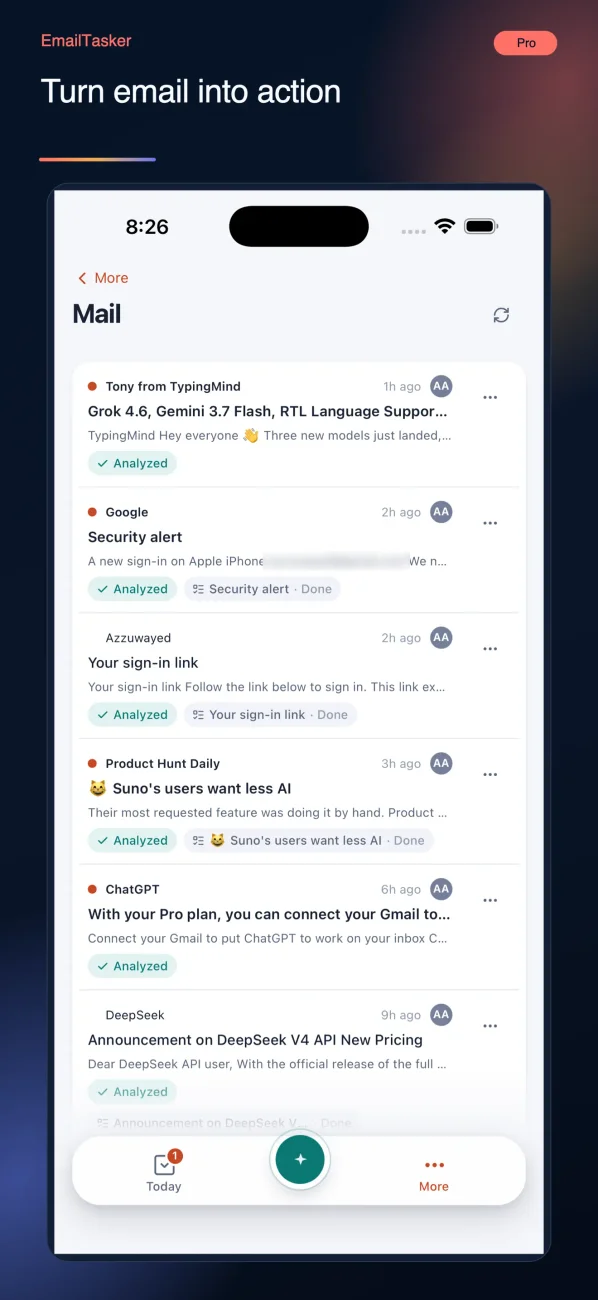
EmailTasker is an AI secretary that turns important Microsoft email into clear tasks and keeps Today focused on work planned or due today.
YOUR DAY
• Needs Attention — missed plans and passed hard deadlines stay visible until you handle them.
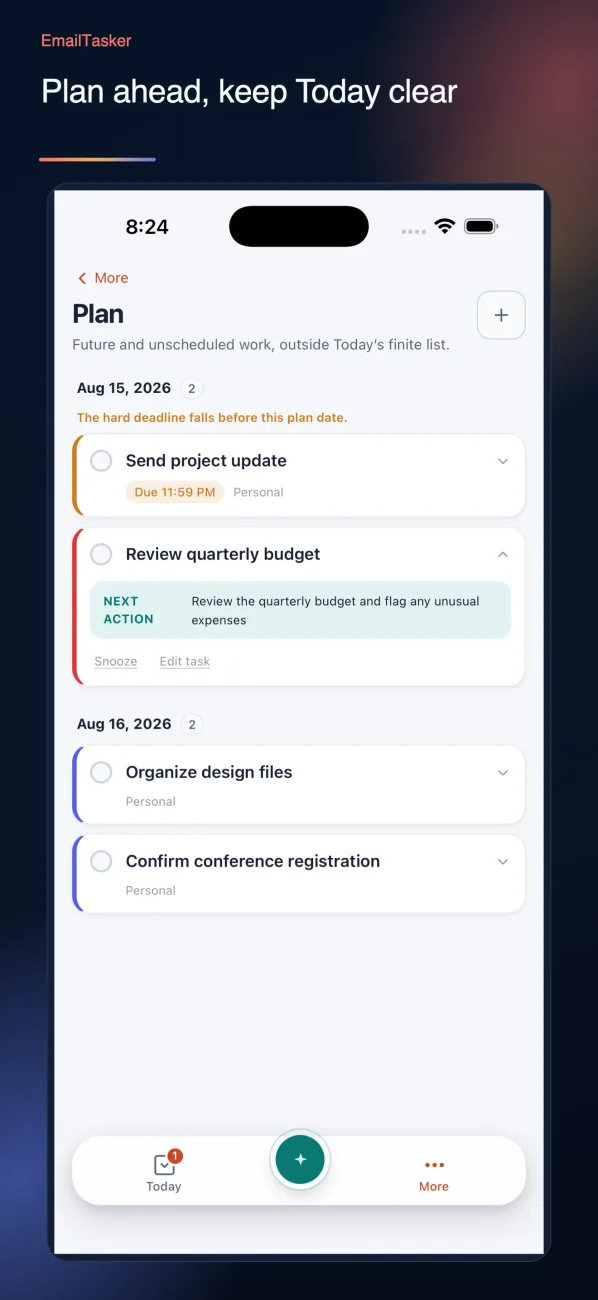
• Today — only work planned for today or genuinely due today. Add, complete, snooze, and undo.
• Plan — schedule future work or keep it unscheduled without crowding Today.
• Calendar — an agenda of what is coming, with events you can create and edit.
FROM EMAIL TO TASKS
• Connect a Microsoft mailbox directly and turn actionable messages into tasks.
• Open a task's source message when you need the original context.
• Review mailing lists before you unsubscribe. On iPhone, inspect each sender and request unsubscribe in one tap.
• On Mac, optionally archive reviewed existing messages, with history and Undo.
YOUR AI SECRETARY
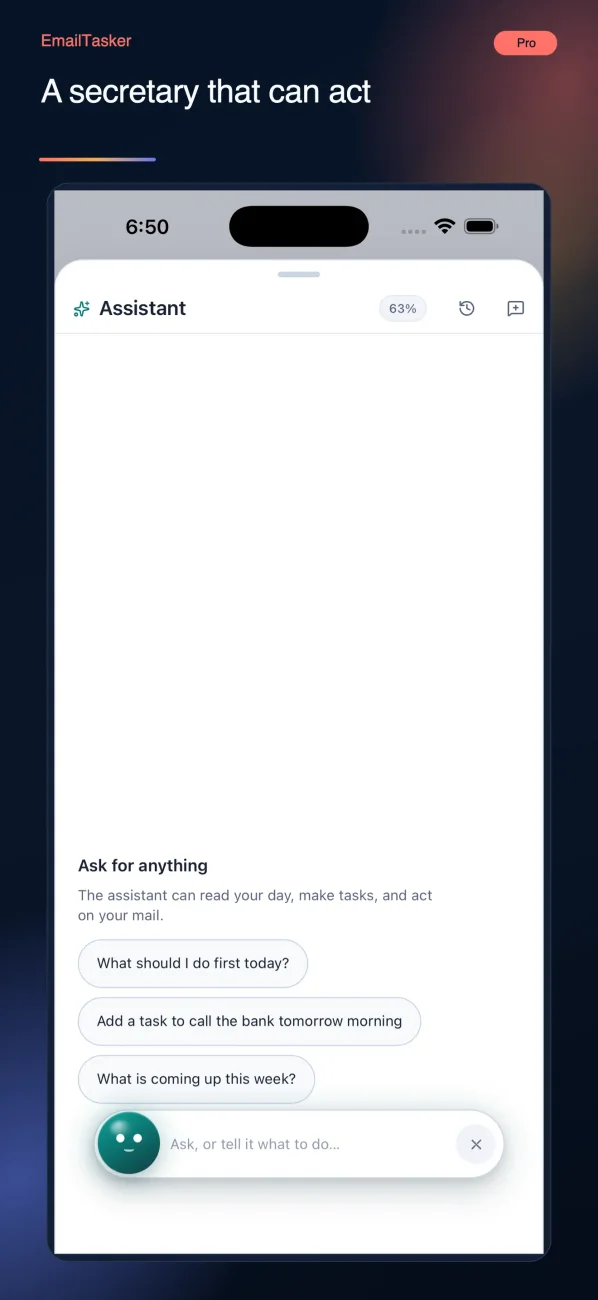
• Ask what needs attention, what belongs Today, or what you can plan ahead.
• Let the assistant create and update tasks in plain language, with visible action history and Undo.
• Reversible actions include Undo; sending or permanently deleting starts with a short countdown you can cancel.
• Before the assistant starts, you see exactly what it shares, and you can withdraw at any time in Privacy & Data.
WHAT'S FREE, WHAT'S PRO
• Free: tasks and calendar on this device.
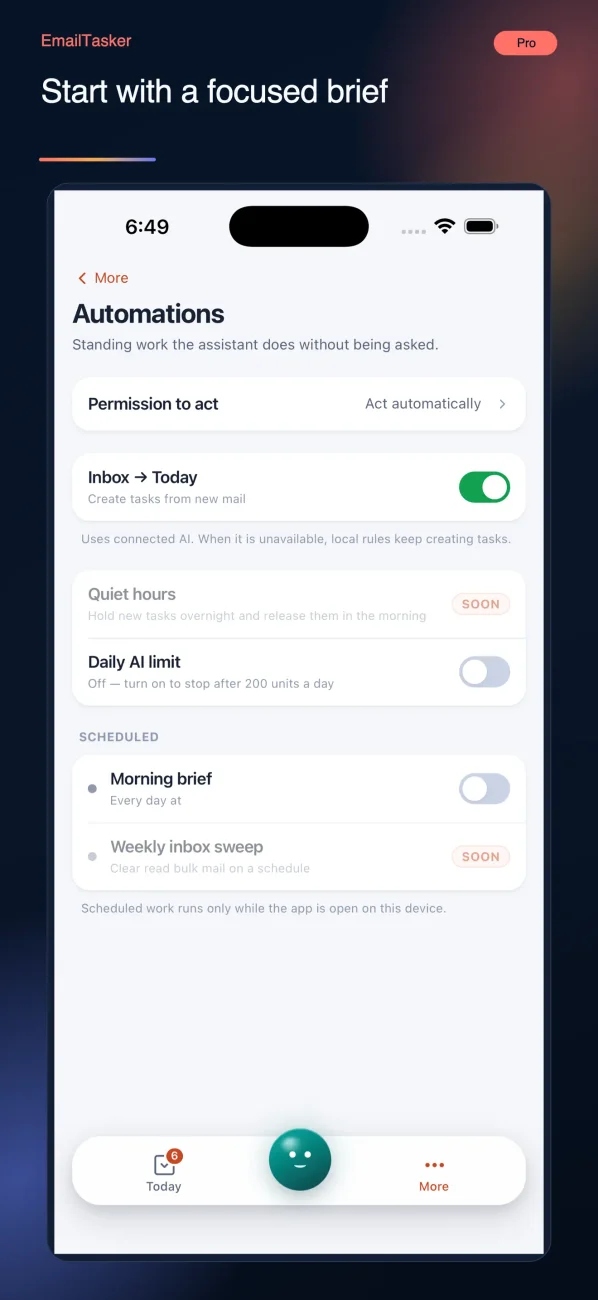
• Pro adds Microsoft mail, Mailing Lists, the assistant, Morning Brief, and automatic email-to-task extraction.
• On iPhone, subscribe to Pro or buy AI Units through Apple. Existing Pro and AI Units already on your EmailTasker account are also recognized.
TERMS AND PRIVACY
• Terms of Use (EULA): https://www.apple.com/legal/internet-services/itunes/dev/stdeula/
• Privacy Policy: https://azzuwayed.com/en/privacy
Neue Funktionen
Version 1.5 · 05.11.2026
• After updating, sign in once more: your account now uses a stronger, app-specific connection. Your tasks and settings stay on your iPhone.
• Account and membership screens now use Azzuwayed Platform and Azzuwayed Pro consistently.
• Set your Morning Brief time and choose the daily automatic AI-unit limit from your iPhone.
• Choose whether task cards show priority, deadline, and category. Open a linked task directly from Mail or its message.
• Beta members can choose Chat or Work in the assistant, read saved results, and cancel ongoing work.
• Act on a task reminder without opening the app: snooze it for 10 minutes, an hour, or until tomorrow morning, or mark it done right from the notification. Meeting reminders open from the notification too. Changes show in Activity with Undo the next time you open the app.
• Setting a reminder now turns on notifications for it automatically. If permission is needed, the app asks when you save; if alerts are blocked, it helps you open system settings.
• Turn on local reminders for task deadlines and meetings, with lead times you pick from a list or enter yourself, sound controls, and a test notification. Each alert names the task or meeting and says when it is due; your Show Previews setting decides what the lock screen shows. Choose alerts for Morning Brief, account reconnection, and automation failures.
• Restore Purchases now tells you when Apple found nothing to restore, when you closed Apple's sign-in, and when Apple couldn't be reached, and offers Restore again instead of a credit check. Anything restored before a problem still counts.
• When a test purchase adds nothing, the copied purchase details now give the reason and the same next step the screen shows.
• If a mailbox cannot refresh, your saved work stays visible. The affected account shows the reason and its last successful update when available.
• Choose any calendar date and return to Today with one tap. Events you added on this device remain visible beyond the loaded mailbox calendar dates, with a note when provider dates are not loaded yet.
• Before resetting or restoring data, the app waits for ongoing work to finish and shows recovery progress.
• Keeps sign-in links working when the app opens from a closed state.
• Improves account reconnection and sign-out reliability when the connection is interrupted.
• Save a password-protected backup of your work and move it between iPhone and Mac. Review a backup before replacing your account’s saved data. After restoring, follow the close-and-reopen instruction, reconnect mail accounts, and review automations.
• The Face assistant now follows your typing with its eyes, looks thoughtful while it works, and occasionally daydreams in ones and zeros.
App-Datenschutz
Was Abdullah Alzuwayed im App Store zum Umgang dieser App mit Daten angibt.
-
Mit Ihnen verknüpfte Daten
Können erfasst und mit Ihrer Identität verknüpft werden.
- Käufe
- Standort
- Kontaktinformationen
- Benutzerinhalte
- Kennungen
- Nutzungsdaten
- Diagnose
Die Datenschutzpraktiken können variieren, zum Beispiel je nach den von Ihnen verwendeten Funktionen oder Ihrem Alter.
Informationen
- Anbieter
- Abdullah Alzuwayed
- Kategorie
- Produktivität
- Version
- 1.5
- Aktualisiert
- 05.11.2026
- Veröffentlicht
- 19.08.2026
- Größe
- 33,7 MB
- Erfordert
- iOS 17.0 oder neuer
- Altersfreigabe
- 4+
- Preis
- Kostenlos
- In-App-Käufe
- Ja
- Sprachen
- Englisch
- Copyright
- © 2026 Abdullah Alzuwayed
Das könnte Ihnen auch gefallen
-
 راقProduktivität
-
 Sigmix OneProduktivität
-
 SaudiGPTProduktivität
-
 Montblanc HubProduktivität
-
 GenMail: AI Email AssistantProduktivität
-
 Dou KI - ChatBotKI Chat bot Assistent
-
 RSSHub RadarProduktivität
-
 Adel - Your legal assistantProduktivität
-
 Mom Clock: Routinen & FokusHabit-Tracker & App-Blocker
-
 MunsitAIProduktivität