
Encrypt Handoff
Send passwords by encrypted QR
Entwickelt für iPhone, iPad
Kostenlos · In-App-Käufe
- Altersfreigabe4+
- KategorieDienstprogramme
- EntwicklerLicht Element Science INC.
- SprachenEnglisch+ 1 weitere
- Größe1,5 MB
Verlinkt auf die offizielle App Store-Seite
Download.org hostet keine Datei von Encrypt Handoff. Die Schaltfläche öffnet die App-Seite bei App Store, wo Licht Element Science INC. die App veröffentlicht. Eintrag zuletzt geprüft am 07.11.2026.
Screenshots


Info
Der Entwickler hat diesen Text nicht in Ihrer Sprache bereitgestellt.
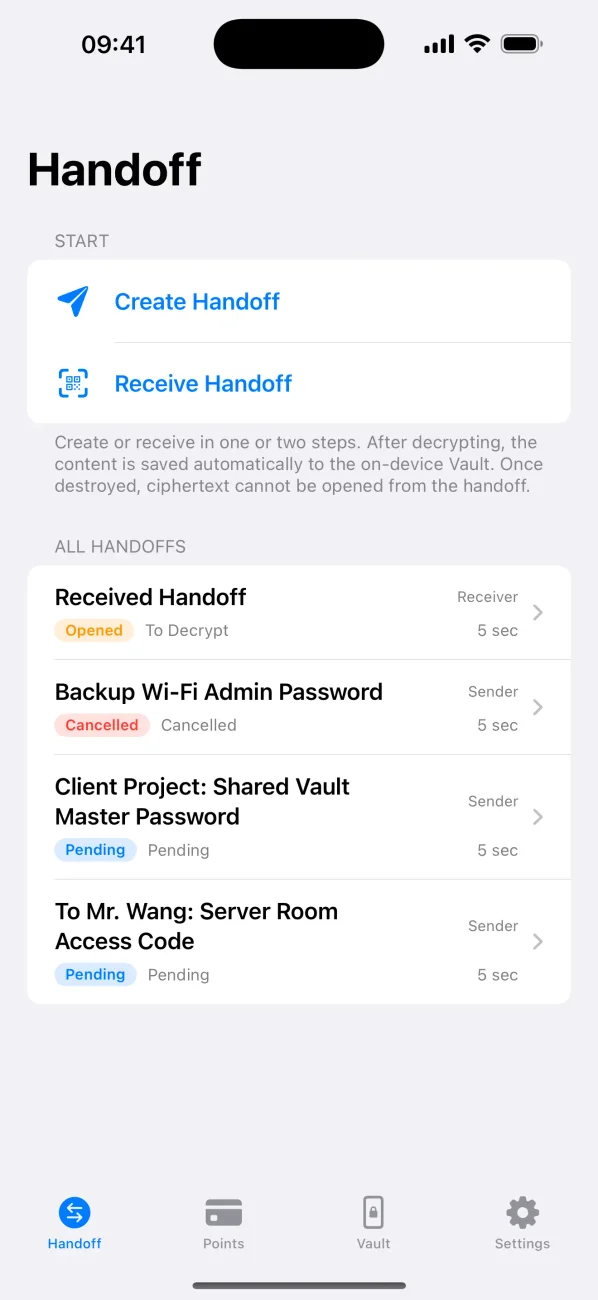
Stop pasting passwords into chat threads. Encrypt Handoff passes a temporary password, door code, license key or short note to one specific person, encrypted so only the receiver's device can decrypt it.
HOW IT WORKS
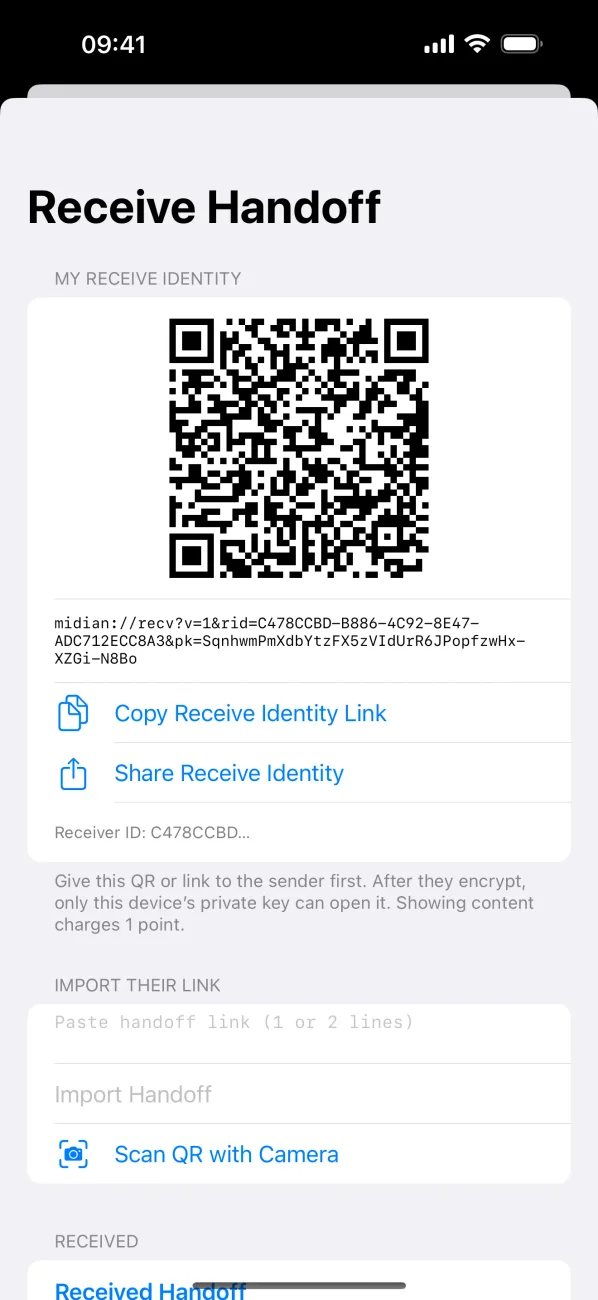
1. Receive: the receiver opens Receive Handoff and shows their receive identity as a QR code or link.
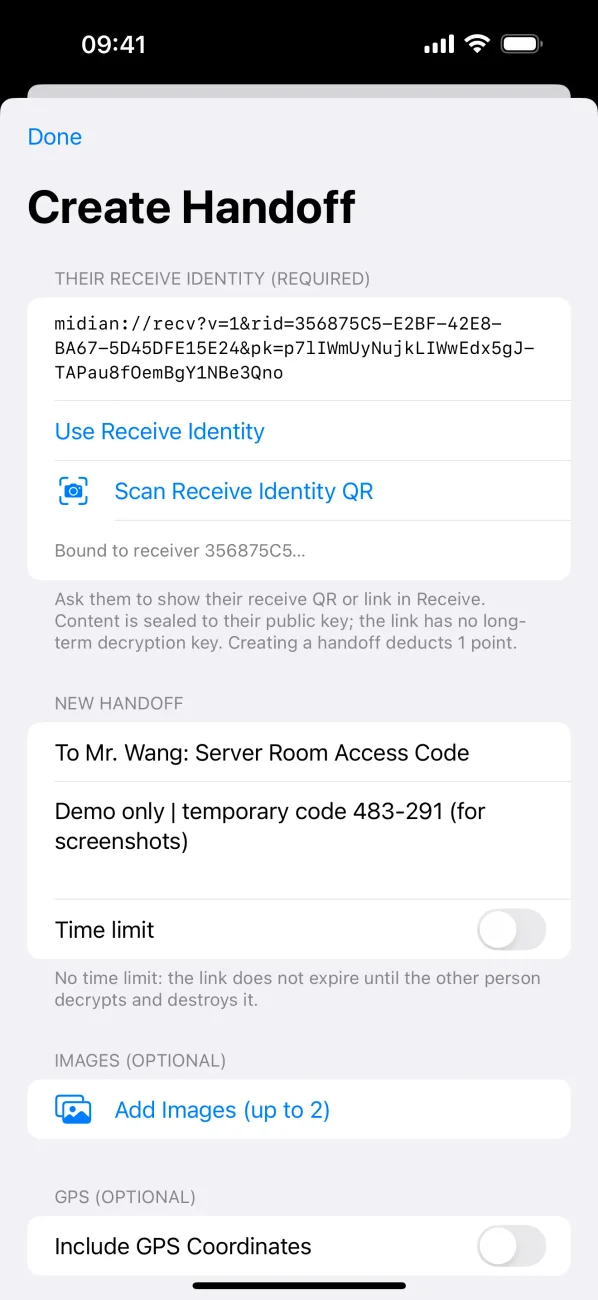
2. Create: the sender scans or pastes that identity, adds a title and content (optionally up to 2 images, GPS coordinates and a 1–72 hour time limit), and taps Encrypt and Create Link.
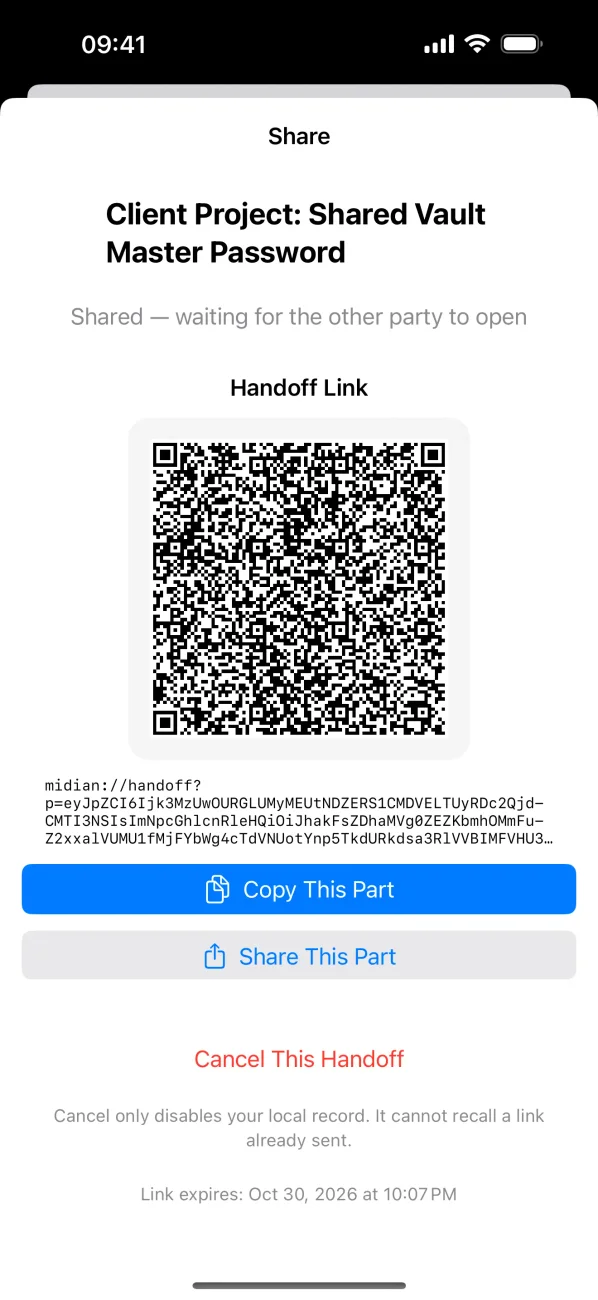
3. Share: text and GPS become an encrypted link or QR code (longer content is split into up to 6 QR codes). A handoff with images becomes an encrypted .midian file that you send via AirDrop, LINE or email.
4. Decrypt: the receiver scans the QR, opens the link, or picks the .midian file with Open from Files, then spends 1 credit to decrypt. The content is saved to their Vault, locked; they can then destroy the ciphertext.
FEATURES
• On-device end-to-end encryption with Apple CryptoKit: Curve25519 key agreement (ECDH) and AES-GCM with a 256-bit key.
• Sealed to one receiver: the receiver's private key stays in their device's Keychain, never in the link or file. A forwarded link or file can't be decrypted on another device.
• Optional time limit: choose 1–72 hours. The deadline is encrypted with the content, so it can't be removed or changed. After it passes, the app refuses to open the handoff and charges no credit (checked against the receiver's device clock).
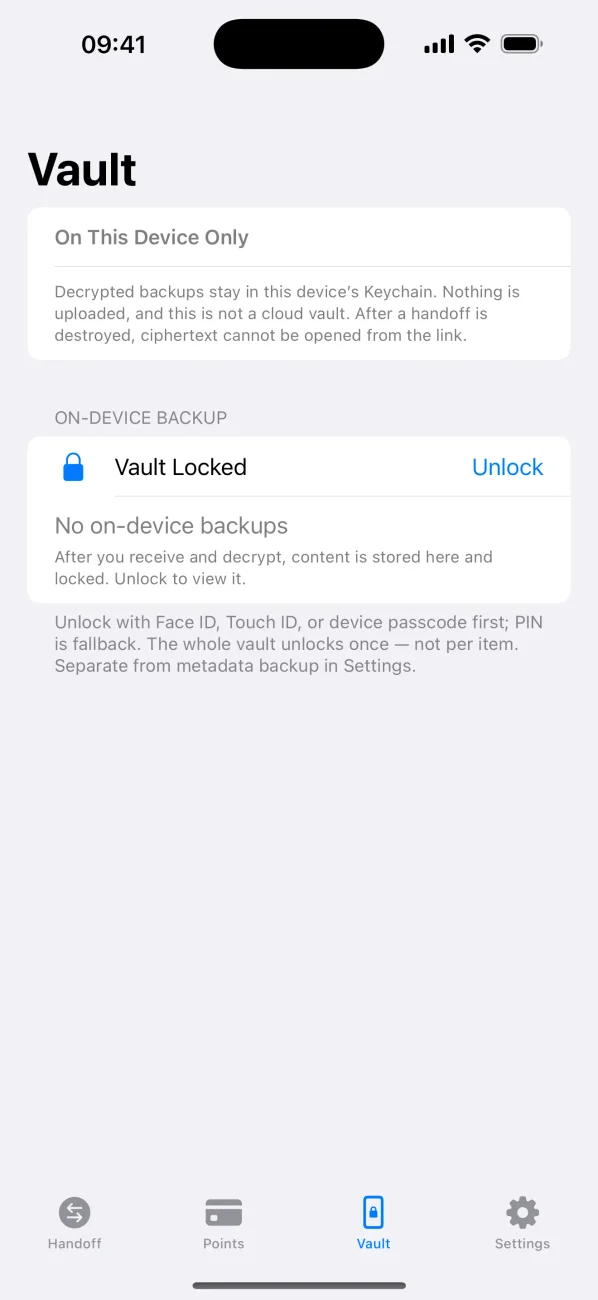
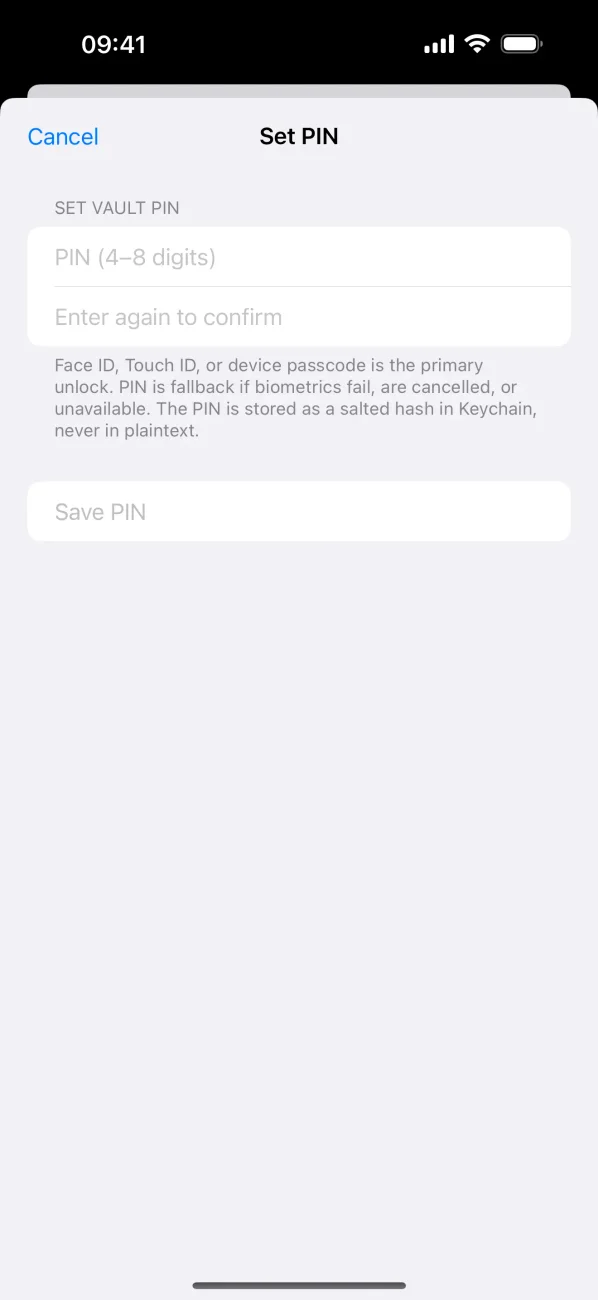
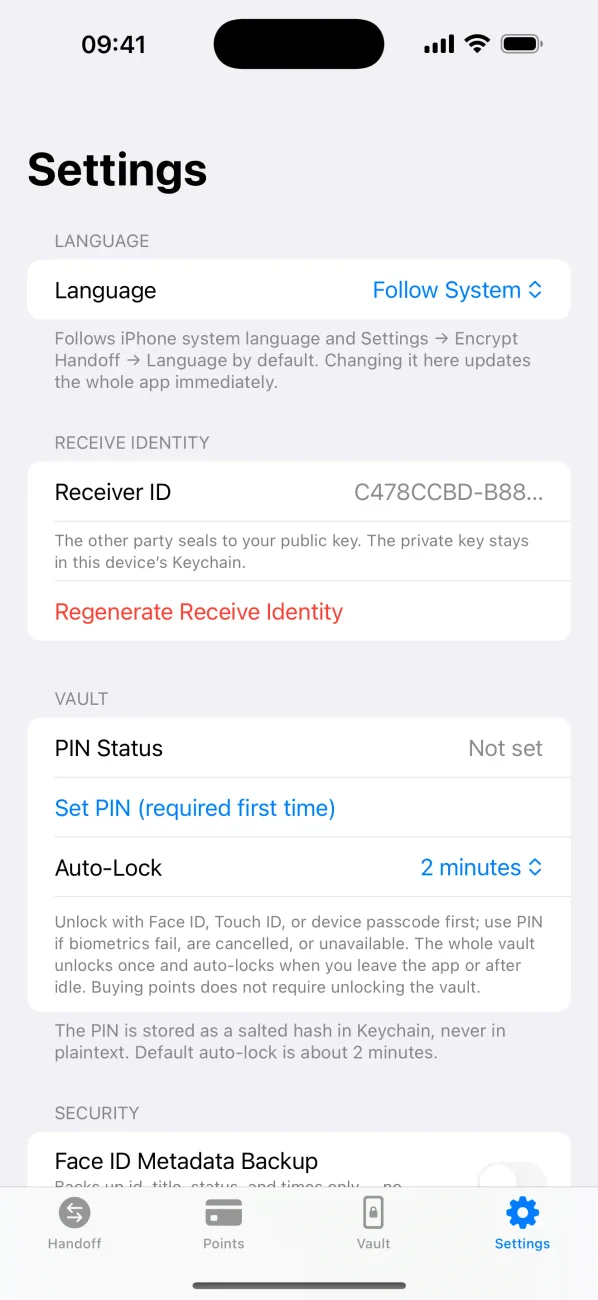
• Vault: decrypted content is stored encrypted on this device only. Unlock with Face ID, Touch ID or your device passcode, with a 4–8 digit app PIN as a fallback. The Vault locks as soon as you leave the app and after 1–5 minutes of inactivity. Repeated wrong PINs add increasing waits; changing or resetting the PIN requires verifying it's you.
• Photos and GPS: attach up to 2 photos plus GPS coordinates to one handoff, encrypted together, to record where private items are kept. Type coordinates (DD, DMM or DMS) or tap Use Current Location (used only on request). The app does not read location (EXIF) data from your photos.
• Decrypted photos open full screen with pinch to zoom; they are not saved to your photo library.
• English and Traditional Chinese; switch any time in Settings.
CREDITS (NO SUBSCRIPTION)
• New users get 2 free trial credits on first install (once per device; deleting and reinstalling the app does not add more).
• Sender: 1 credit for each handoff link or file created.
• Receiver: 1 credit the first time a handoff is decrypted. If decryption fails, the credit is refunded.
• Destroying the ciphertext costs nothing. An expired handoff is refused before decryption and costs nothing.
• Credits come in packs of 3 Credits, 10 Credits or 30 Credits (consumable in-app purchases; shown as points).
• Credits are stored securely in this device's Keychain and are kept if you delete and reinstall the app on the same device. They are not synced via iCloud.
PRIVACY
• No account, no sign-in, no server. Encrypted content travels only inside the link, QR code or .midian file you share; the developer can't see, recover or delete it.
• The handoff title stays on the sender's device and is not included in the link or file.
• No tracking, no ads, no third-party analytics. The app goes online only for App Store in-app purchases.
GOOD TO KNOW
• Both people need Encrypt Handoff. Receivers need 1.1 or later for time limits and 1.1.1 or later for .midian files.
• Cancelling a handoff only closes your own record. It can't recall a link or file you have already sent.
• The app can't stop screenshots or note-taking by the receiver, or revoke a handoff after it is decrypted.
• Please do not use the app to send illegal, infringing or harassing content.
Privacy Policy: https://licht.com.tw/privacy/?lang=en#encrypt-handoff
Support: Licht@licht.com.tw
Terms of Use: Apple Standard EULA https://www.apple.com/legal/internet-services/itunes/dev/stdeula/
Neue Funktionen
Version 1.1.2 · 02.11.2026
• Credits are now stored more securely on this device, so your points are kept if you delete and reinstall the app
• Stability improvements
App-Datenschutz
Was Licht Element Science INC. im App Store zum Umgang dieser App mit Daten angibt.
-
Keine Daten erfasst
Der Entwickler erfasst keine Daten von dieser App.
Die Datenschutzpraktiken können variieren, zum Beispiel je nach den von Ihnen verwendeten Funktionen oder Ihrem Alter.
Informationen
- Anbieter
- Licht Element Science INC.
- Kategorie
- Dienstprogramme
- Version
- 1.1.2
- Aktualisiert
- 02.11.2026
- Veröffentlicht
- 27.10.2026
- Größe
- 1,5 MB
- Erfordert
- iOS 17.0 oder neuer
- Altersfreigabe
- 4+
- Preis
- Kostenlos
- In-App-Käufe
- Ja
- Sprachen
- Englisch, Tradit. Chinesisch
- Copyright
- © 2026 Licht Element Science INC.
Das könnte Ihnen auch gefallen
-
 FortVaxDienstprogramme
-
 AI-KwunDienstprogramme
-
 TallySplit: Rechnung teilenBeleg scannen, Kosten teilen
-
 車牌辨識Dienstprogramme
-
 NFC Scanner, Reader & WriterDienstprogramme
-
 DeltaSolarDienstprogramme
-
 TSLA Keyfob - Handy-SchlüsselPer Bluetooth, ohne Internet
-
 Drone Map - 無人機行動服務Dienstprogramme
-
 俥酷iParking X iCharging充電Dienstprogramme
-
 PIX4Dcatch: 3D scanner3D models from images & LiDAR