
- Altersfreigabe4+
- KategorieFoto und Video
- EntwicklerLucas Messias Valerio
- SprachenEnglisch+ 2 weitere
- Größe61,5 MB
Verlinkt auf die offizielle App Store-Seite
Download.org hostet keine Datei von Enquadrado. Die Schaltfläche öffnet die App-Seite bei App Store, wo Lucas Messias Valerio die App veröffentlicht. Eintrag zuletzt geprüft am 15.11.2026.
Screenshots


Info
Der Entwickler hat diesen Text nicht in Ihrer Sprache bereitgestellt.
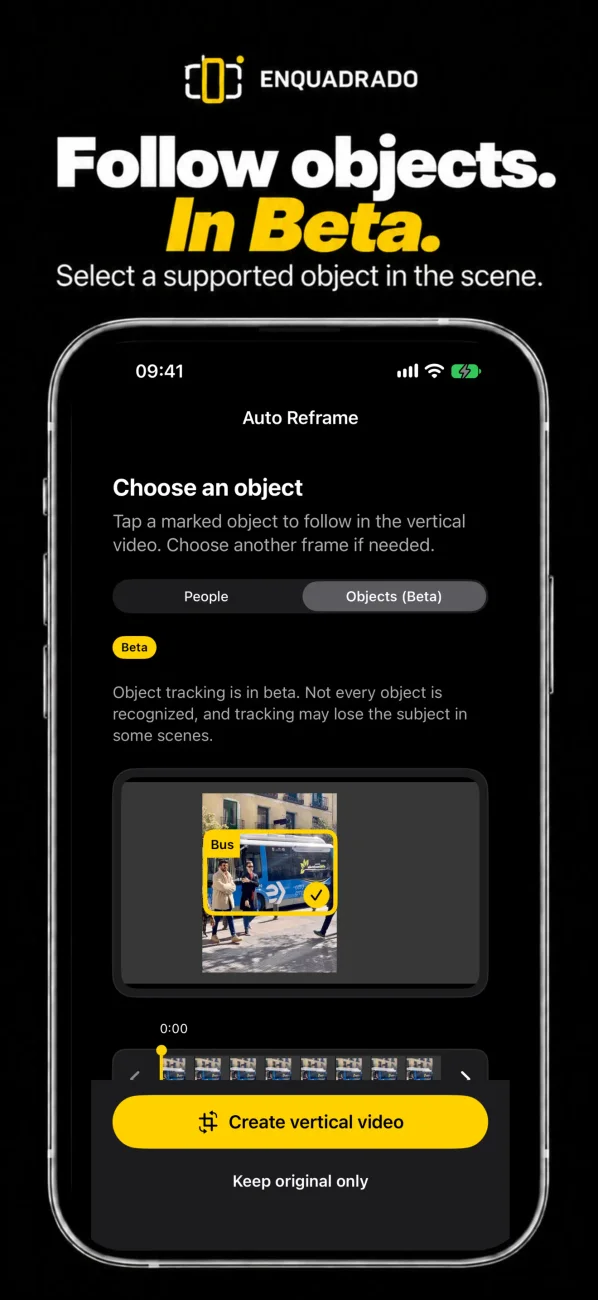
Record a new video or use a landscape video you already have. With Auto Reframe, choose a person or a supported object (beta) and create a vertical 9:16 version that follows your selection while preserving the original.
OBJECT TRACKING IN BETA
Objects has a yellow Beta badge. Recognition is limited to supported categories, and tracking can lose the subject or fail in some scenes. Try another frame, switch to People, or use centered framing. A progress bar shows analysis and vertical export progress.
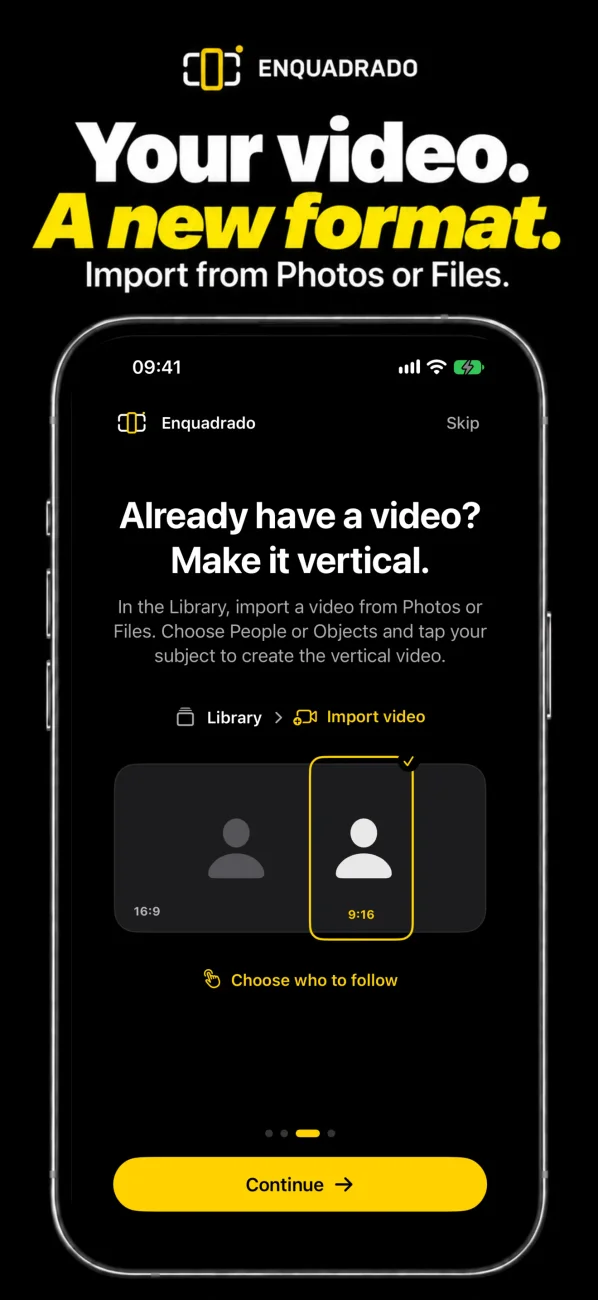
IMPORT AND MAKE IT VERTICAL
Open the Library and tap Import video to choose a video from Photos or Files, including iCloud Drive. The app shows loading feedback, then opens People or Objects (Beta) selection. Tap inside the box around the person or supported object you want to follow. If needed, scrub through the thumbnail strip to another moment. Tap Create vertical video to create a take with the original and vertical version.
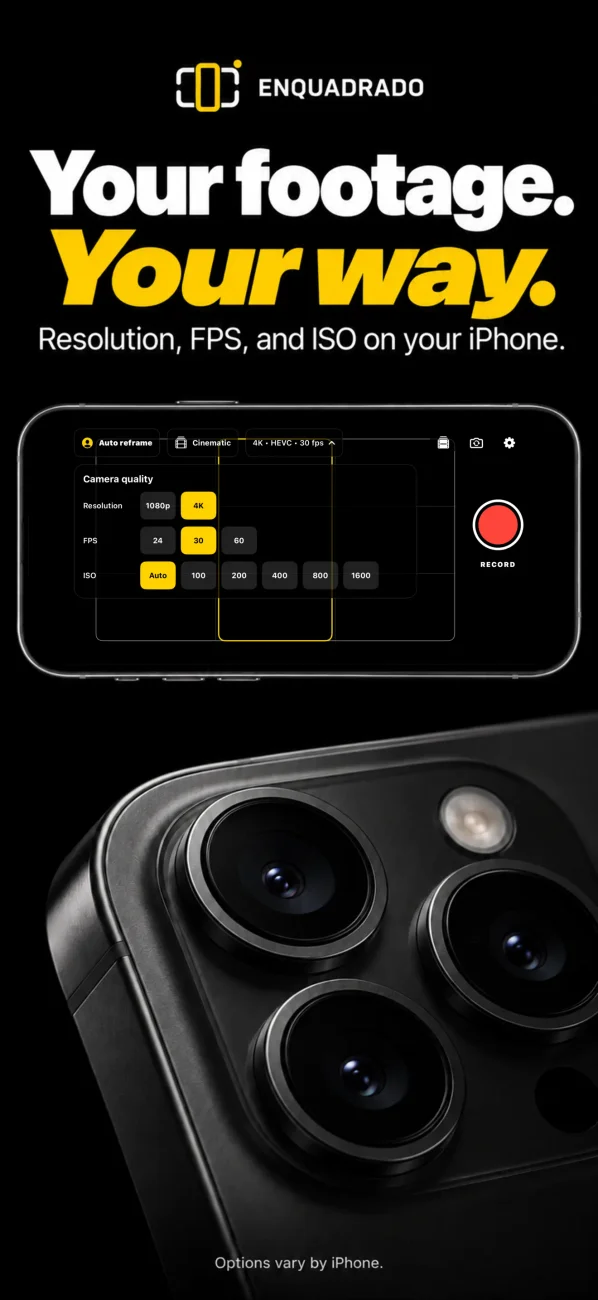
RECORD WITH MORE CONTROL
Switch between front and rear cameras before recording. Adjust zoom in the viewfinder, including while recording, and use the lens marks available on the active camera.
Choose 1080p or 4K and up to 60 FPS, depending on your iPhone, camera, and format. Adjust ISO and exposure compensation, tap to focus, and return to automatic controls whenever you want.
Enable native Cinematic mode on supported cameras. Use the 16:9 and 9:16 guides and optional grid.
With Auto Reframe on, choose a person or supported object (beta) after recording and create the vertical version, or keep only the original. If no subject is found, create a centered vertical crop. With Auto Reframe off, the app uses a centered vertical crop.
YOUR MUSIC KEEPS PLAYING
Listen to music from other apps while recording, including with headphones.
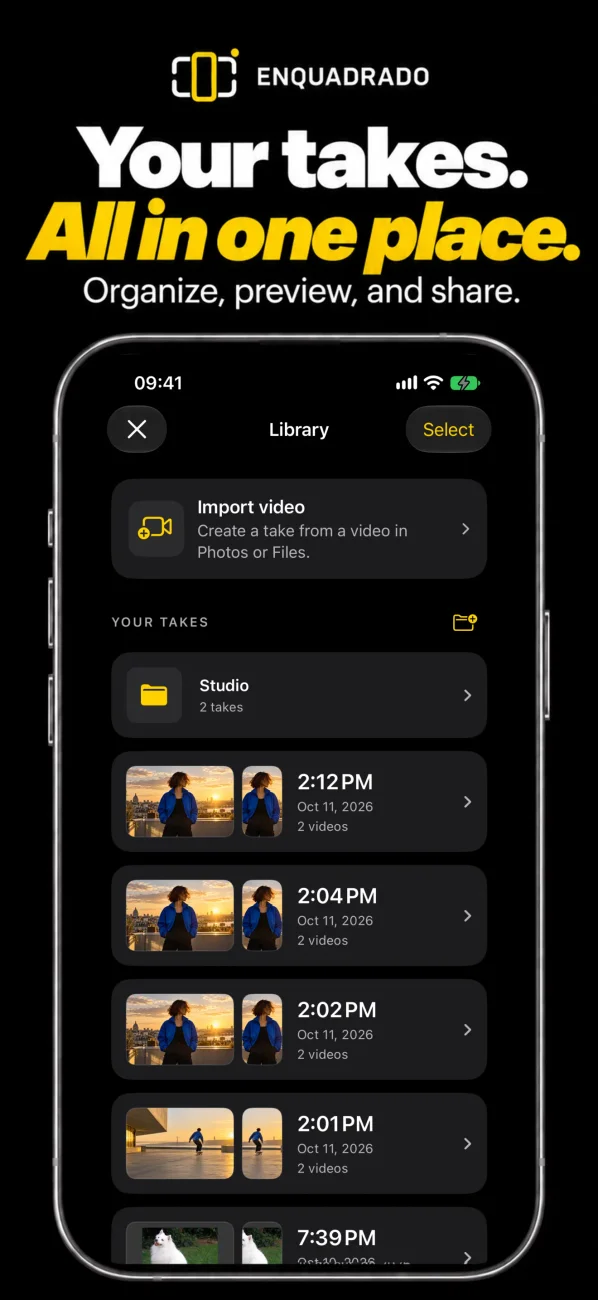
YOUR TAKES IN THE LIBRARY
Local recordings and imported videos are organized as takes inside the app. Find them by thumbnail and time, open the landscape and vertical versions to watch, and save to Photos or share only what you choose.
Create folders, drag takes to organize them, or select several to move and delete. Deleting a folder also deletes its takes and videos after confirmation.
After your vertical-video choice and processing, the camera is ready for the next recording. The original is preserved while the vertical is prepared.
RECORD TO A USB-C SSD
Choose a connected SSD in Settings. The app creates an Enquadrado folder at the drive root and a folder for each take, with the landscape video and the vertical version when generated. Files stay on the SSD, and its takes appear in the Library while it is connected and authorized. In Cinematic mode, both the rendered landscape video and editable source are preserved.
QUALITY AND COMPATIBILITY
Vertical export preserves the original frame timing and adapts resolution to avoid unnecessary upscaling. This does not remove blur already present in the recording.
Requires iPhone with iOS 26 or later. Recording requires camera and microphone access. Cinematic, 4K, 60 FPS, lenses, manual controls, and SSD support depend on the device and configuration; the app shows compatible options. Exports run in the foreground, and long videos may take time.
Videos are processed on iPhone and are not uploaded to soumessias servers.
Access requires a monthly or annual subscription. Apple shows pricing, eligible trials, and renewal terms at purchase. Manage or cancel through your Apple Account, and restore purchases in the app.
Terms of Use: https://soumessias.com/enquadrado/terms
Privacy Policy: https://soumessias.com/enquadrado/privacy
Terms of Use (EULA): https://www.apple.com/legal/internet-services/itunes/dev/stdeula/
Neue Funktionen
Version 1.3.1 · 02.11.2026
Improved person detection and tracking. The algorithm now recovers the selected person more reliably when lighting or posture changes, helping maintain tracking throughout the video.
This update also includes bug fixes and stability improvements.
App-Datenschutz
Was Lucas Messias Valerio im App Store zum Umgang dieser App mit Daten angibt.
-
Keine Daten erfasst
Der Entwickler erfasst keine Daten von dieser App.
Die Datenschutzpraktiken können variieren, zum Beispiel je nach den von Ihnen verwendeten Funktionen oder Ihrem Alter.
Informationen
- Anbieter
- Lucas Messias Valerio
- Kategorie
- Foto und Video
- Version
- 1.3.1
- Aktualisiert
- 02.11.2026
- Veröffentlicht
- 16.09.2026
- Größe
- 61,5 MB
- Erfordert
- iOS 26.0 oder neuer
- Altersfreigabe
- 4+
- Preis
- Kostenlos
- In-App-Käufe
- Ja
- Sprachen
- Englisch, Portugiesisch, Spanisch
- Copyright
- © 2026 soumessias
Das könnte Ihnen auch gefallen
-
 Dual Recorder: DuoShot CameraFoto und Video
-
 FilmLab ProFoto und Video
-
 Rabbit Cam: Manual CameraFoto und Video
-
 Ody: AI Video Editing AgentFoto und Video
-
 OneTake: Vertical & HorizontalDual-Kamera, kein Beschnitt
-
 2Shoot: Photo & Video EditorFoto und Video
-
 Content Editor: Video CaptionsFoto und Video
-
 Ferrey – Film CameraFoto und Video
-
 DualShot: Dual Camera RecorderPortrait + Landscape Videos
-
 ContentCam: DoppelkameraHochformat+Querformat, 1 Dreh