
- Altersfreigabe4+
- KategorieProduktivität
- EntwicklerARGO 34, INC.
- SprachenEnglisch
- Größe8,8 MB
Verlinkt auf die offizielle App Store-Seite
Download.org hostet keine Datei von Event Alarm Sync. Die Schaltfläche öffnet die App-Seite bei App Store, wo ARGO 34, INC. die App veröffentlicht. Eintrag zuletzt geprüft am 27.11.2026.
Screenshots


Info
Der Entwickler hat diesen Text nicht in Ihrer Sprache bereitgestellt.
Turn upcoming Calendar events and dated Reminders into alarms you can manage from your iPhone.
Event Alarm Sync reads the calendars you select, builds a clear timeline of upcoming events and alarm times, and delivers alarms through AlarmKit by default, or through standard notifications when you choose Respect Silent Mode. The app processes Calendar and Reminder content locally.
PLAN ALARMS AROUND YOUR SCHEDULE
• Use reminder times already attached to Calendar events
• Apply a default minutes-before offset
• Create custom reminder offsets for individual events
• Include incomplete Reminders that have due dates
• Create a one-time alarm on this iPhone or add a Calendar event from Home
• Choose App Reminder Only timing without changing Calendar alerts
STAY IN CONTROL
• Choose which calendars can create alarms
• Filter all-day, tentative, and declined events
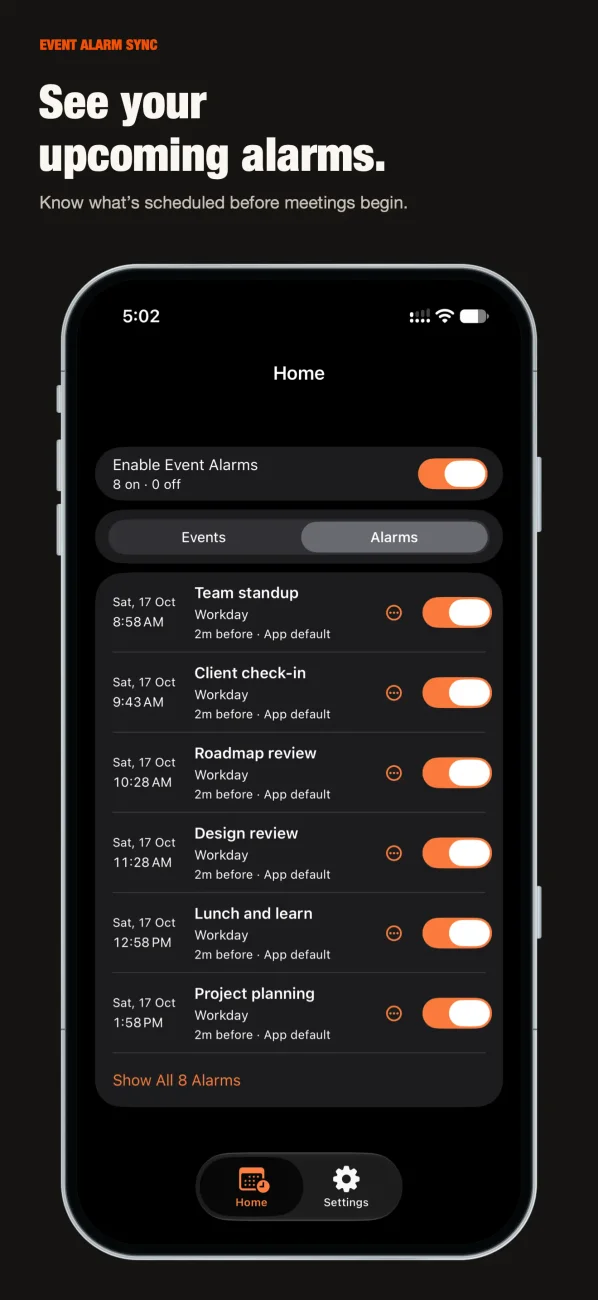
• Silence or restore individual alarms
• Confirm deletion of eligible writable Calendar events or Reminders
• Separately replace eligible Calendar alerts after verified app delivery, with a conditional restore option
• Turn all event alarms off with one master control
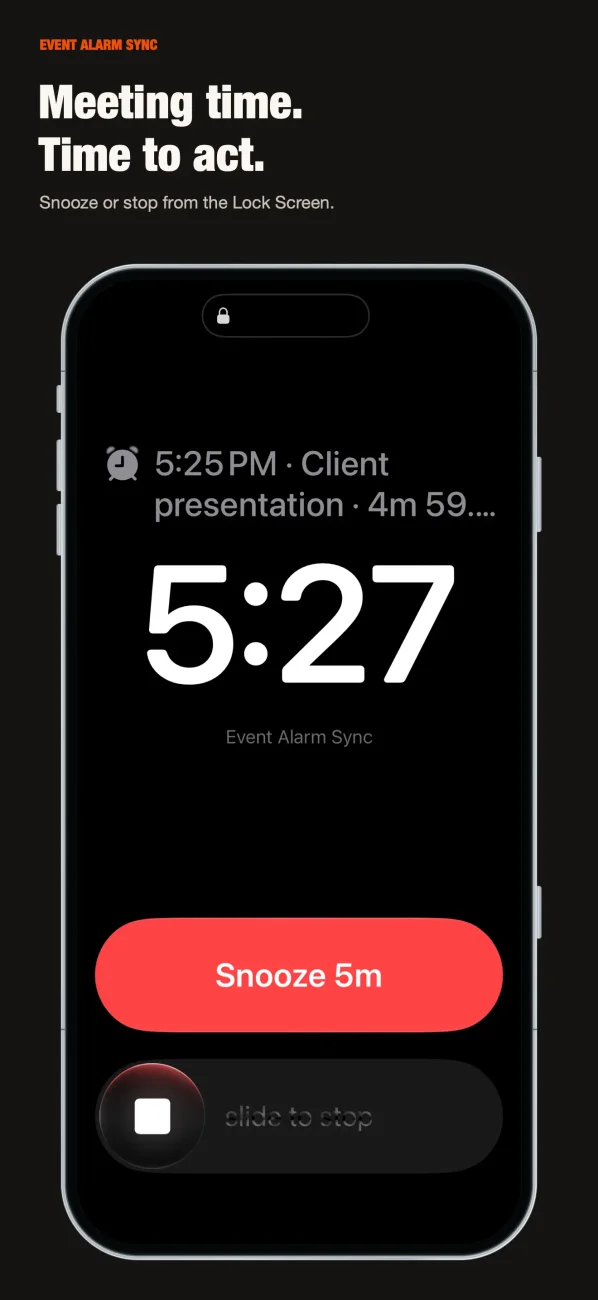
• Choose a fixed snooze time or open a meeting link when available
CHOOSE HOW ALARMS ARRIVE
• Always Sound uses the iOS alarm screen and system Stop control
• Respect Silent Mode uses standard notifications that Silent Mode, Focus, Scheduled Summary, or notification settings may mute or delay
• Tap a notification to open Stop, Snooze, or Join in the app; standard notifications do not show a full-screen alarm
• Respect Silent Mode requires Notifications, Alerts, and Sounds access and room for no more than 48 pending notifications for this app. If a later schedule exceeds the budget, the app can return to Always Sound and show the change in Settings.
PERSONALIZE EACH ALERT
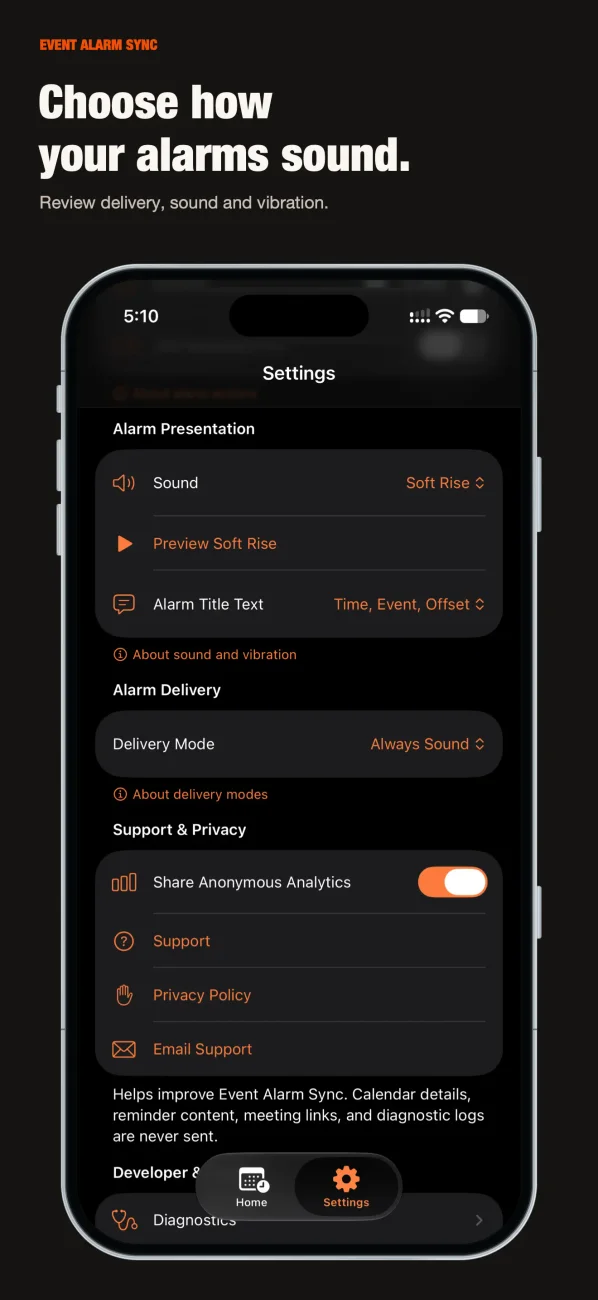
• Select from the system alarm sound or five included sounds
• Choose how much event information appears in the alarm title
• Preview included sounds before scheduling
CHECK WHAT IS NEXT
• Review upcoming Events and Alarms in the app
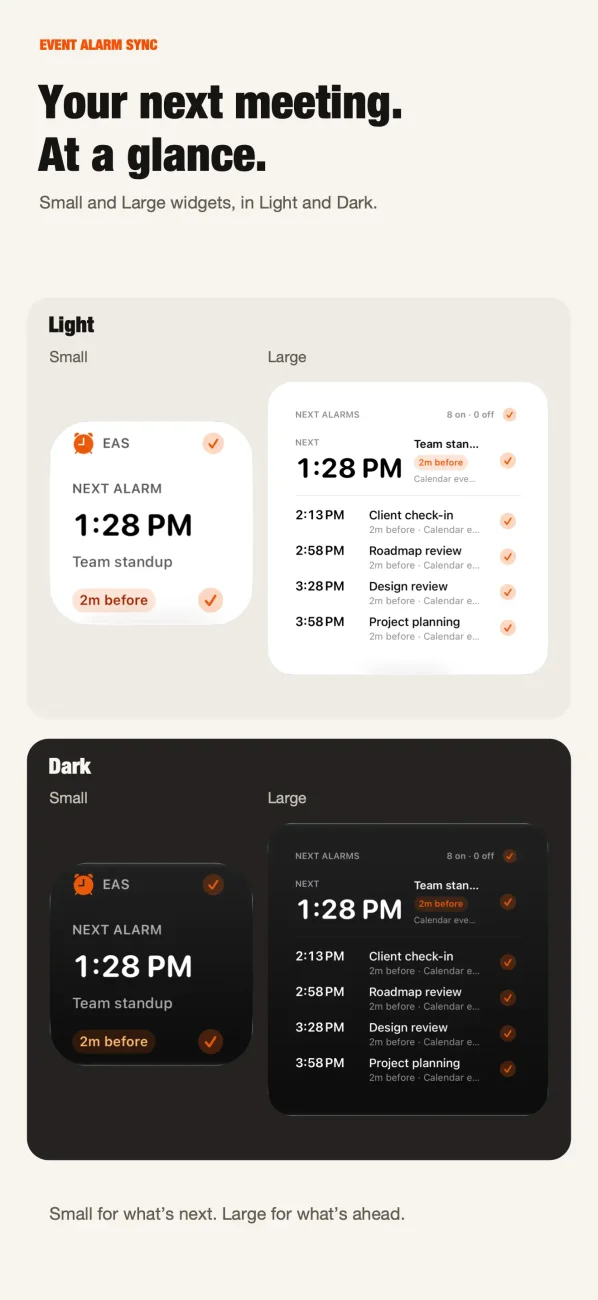
• Add Home Screen widgets in small, medium, or large sizes. The Event Alarms master control supports both delivery modes; individual alarm controls in Respect Silent Mode open the app.
• See alarms due in the next 24 hours in widgets
• Add an accessory widget to the Lock Screen
• Keep alarm state synchronized between the app and its widgets
PRIVACY BY DESIGN
Core calendar, reminder, alarm, settings, widget, and diagnostic data is processed locally. When Share Anonymous Analytics is enabled, Event Alarm Sync sends a small allowlisted set of anonymous usage and sanitized reliability data. Turn it off at any time in Settings. Calendar or reminder content, meeting links, alarm times, and local diagnostic logs are never sent. The app has no account system, advertising, or cross-app tracking.
Requires iOS 26 or later. Sound, vibration, notification presentation, and background calendar refresh timing depend on iOS settings and system behavior. Manual delivery-mode changes are blocked when an alarm or Snooze is due within 15 minutes. Settings reports when delivery cannot be verified.
Neue Funktionen
Version 1.0.8 · 26.11.2026
Create a one-time alarm or add a Calendar event right from Home.
Widgets show alarms due in the next 24 hours, with clearer layouts at larger text sizes. We also improved advance scheduling and fixed a missed-alarm warning that could appear for an alarm you had already snoozed.
The new Alarm Activity & Privacy screen explains anonymous alarm activity and lets you turn sharing off.
App-Datenschutz
Was ARGO 34, INC. im App Store zum Umgang dieser App mit Daten angibt.
-
Nicht mit Ihnen verknüpfte Daten
Können erfasst werden, sind aber nicht mit Ihrer Identität verknüpft.
- Kennungen
- Nutzungsdaten
- Diagnose
Die Datenschutzpraktiken können variieren, zum Beispiel je nach den von Ihnen verwendeten Funktionen oder Ihrem Alter.
Informationen
- Anbieter
- ARGO 34, INC.
- Kategorie
- Produktivität
- Version
- 1.0.8
- Aktualisiert
- 26.11.2026
- Veröffentlicht
- 19.08.2026
- Größe
- 8,8 MB
- Erfordert
- iOS 26.0 oder neuer
- Altersfreigabe
- 4+
- Preis
- Kostenlos
- Sprachen
- Englisch
- Copyright
- © 2026 Argo34 Inc.
Das könnte Ihnen auch gefallen
-
 Cal2Alarm: Alarm from CalendarProduktivität
-
 Calendar Alarm: PealoProduktivität
-
 Calarmi: Wecker & ErinnerungenGeburtstage und Termine mit KI
-
 MeetAlarmProduktivität
-
 AnyDay: Kalender & WeckerWecker für jedes Datum
-
 Call to Meet: Meeting WeckerMeeting-Alarm, der klingelt
-
 Call AlarmsEchte Alarme vor jedem Termin
-
 Timely: Calendar AlarmsProduktivität
-
 KeyAlarm: Kalender-WeckerTermin-Wecker auch auf lautlos
-
 OnTimer – Nie zu spätKalender Alarm & Erinnerungen