
Expense Collector
Tax Receipts & Reimbursements
Entwickelt für iPhone, iPod touch
Kostenlos · In-App-Käufe
- Altersfreigabe4+
- KategorieFinanzen
- EntwicklerLifeng Chen
- SprachenEnglisch
- Größe37,4 MB
Verlinkt auf die offizielle App Store-Seite
Download.org hostet keine Datei von Expense Collector. Die Schaltfläche öffnet die App-Seite bei App Store, wo Lifeng Chen die App veröffentlicht. Eintrag zuletzt geprüft am 17.11.2026.
Screenshots



Info
Der Entwickler hat diesen Text nicht in Ihrer Sprache bereitgestellt.
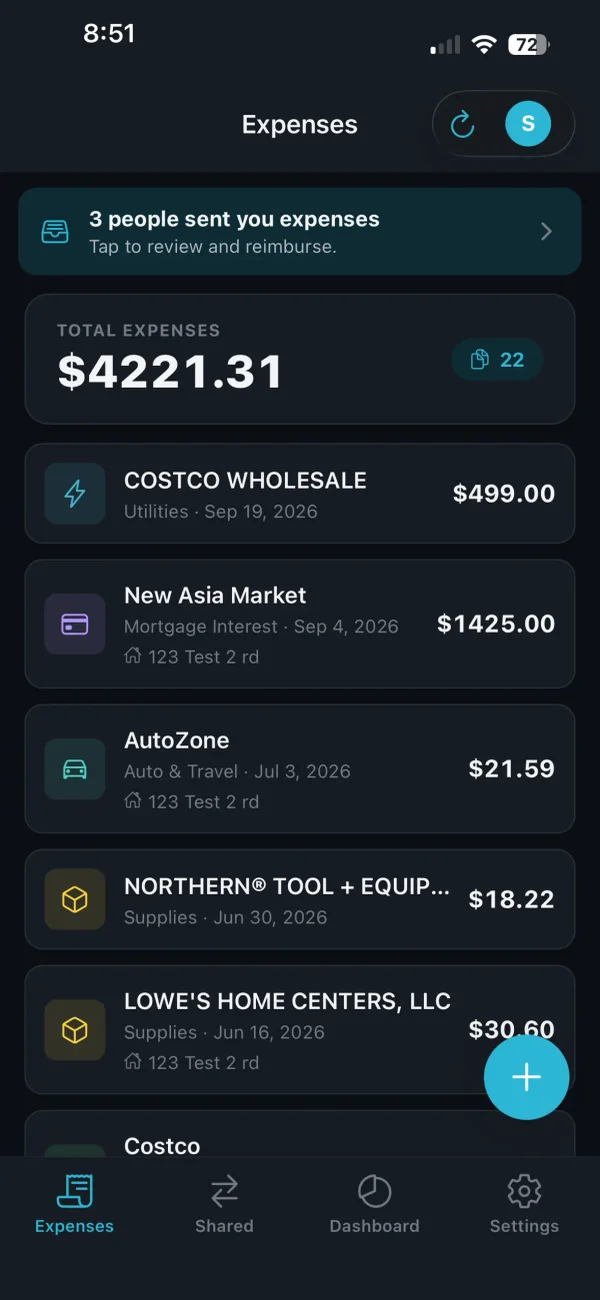
Expense Collector turns a pile of receipts into a tax-ready report — and now into a reimbursement claim you can actually track.
Snap or import a photo or file. The AI reads the merchant, amount, date and the right tax category, so your deductions are organised all year instead of the night before they are due. Use it for daily spending too — analyse where the money goes, and keep the receipt for a return, a refund, or an IRS audit.
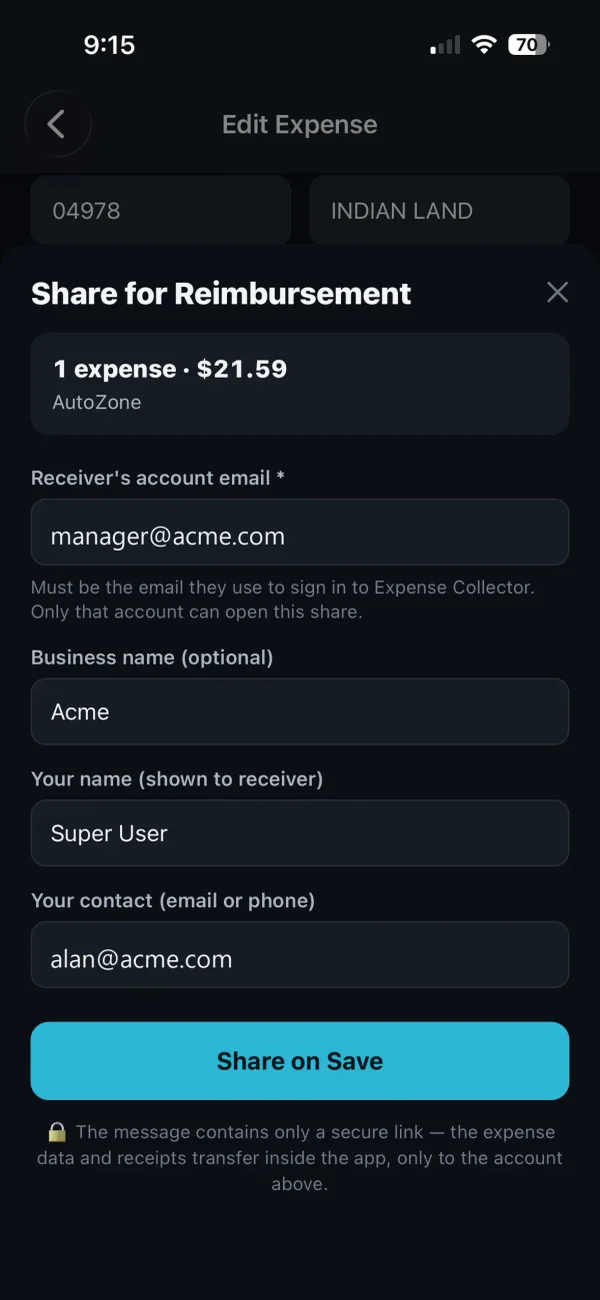
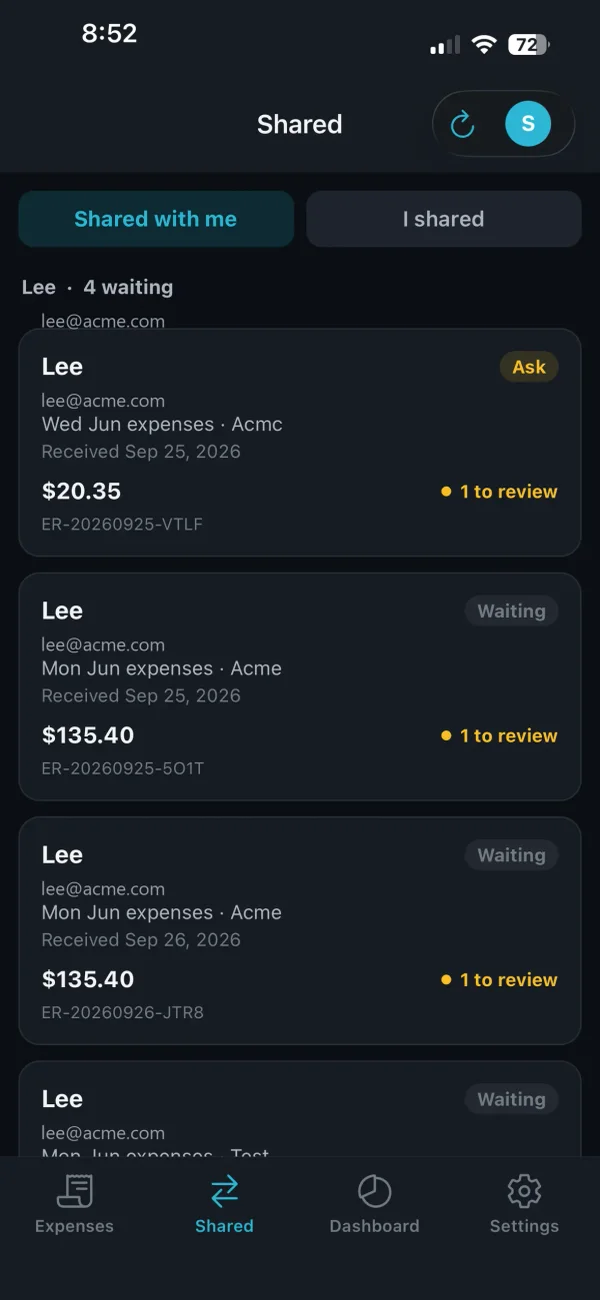
NEW IN 3.0 — SHARE EXPENSES FOR REIMBURSEMENT
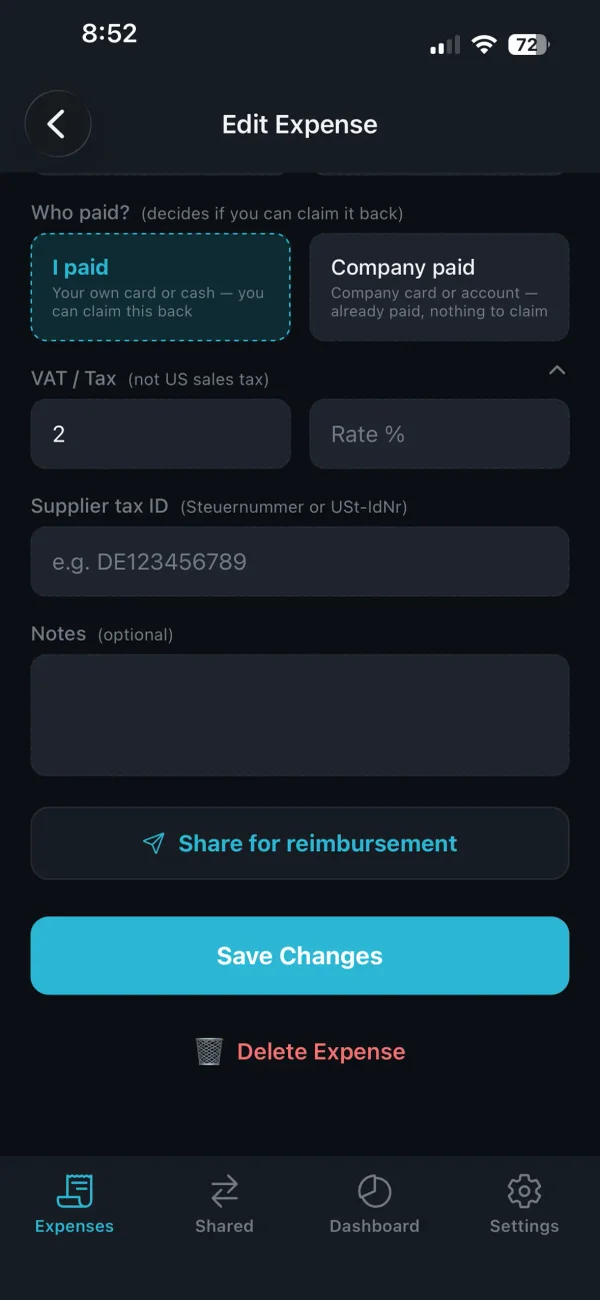
• Send expenses to your manager, employer or accountant from inside the app.
• They approve, decline, ask for more information, or mark an expense reimbursed.
• You see the answer on the expense itself — not buried in an email thread.
• Asked for more detail? Edit the expense and it goes straight back to them.
• Withdraw a report you sent by mistake. The expense stays yours.
• One status, one meaning, on both sides: Waiting, Approved, Rejected, Ask, Reimbursed.
BUILT FOR TAX DEDUCTIONS
• Schedule C (business / self-employed): advertising, supplies, office, mileage, meals, contract labor and more — each mapped to its IRS Schedule C line.
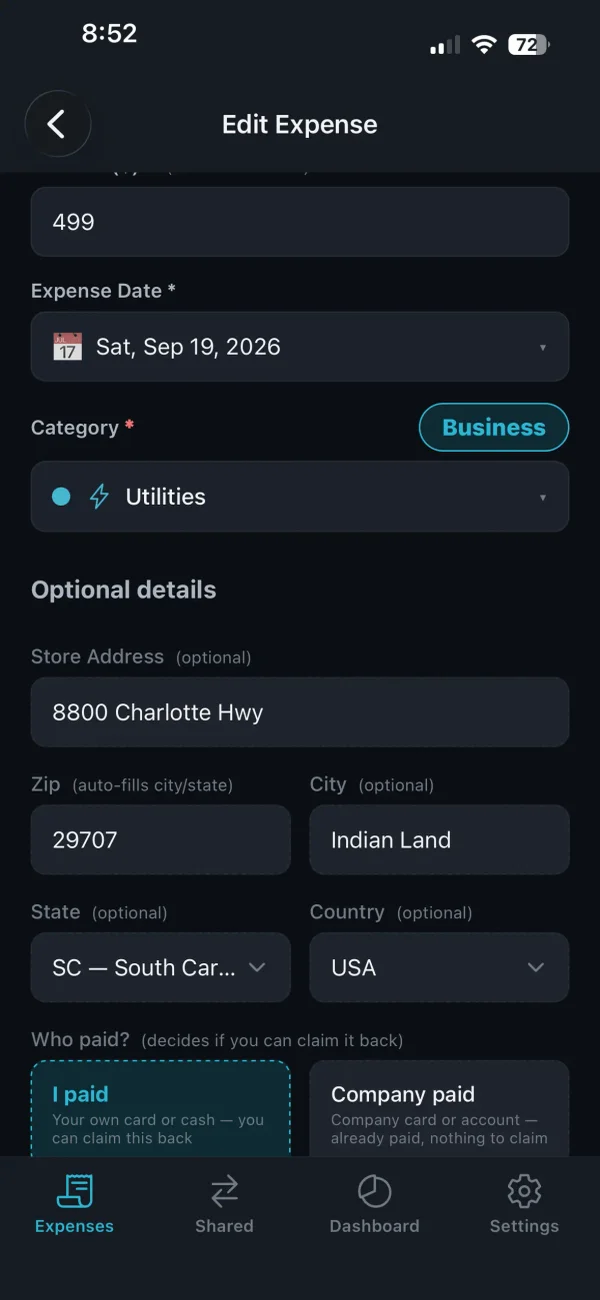
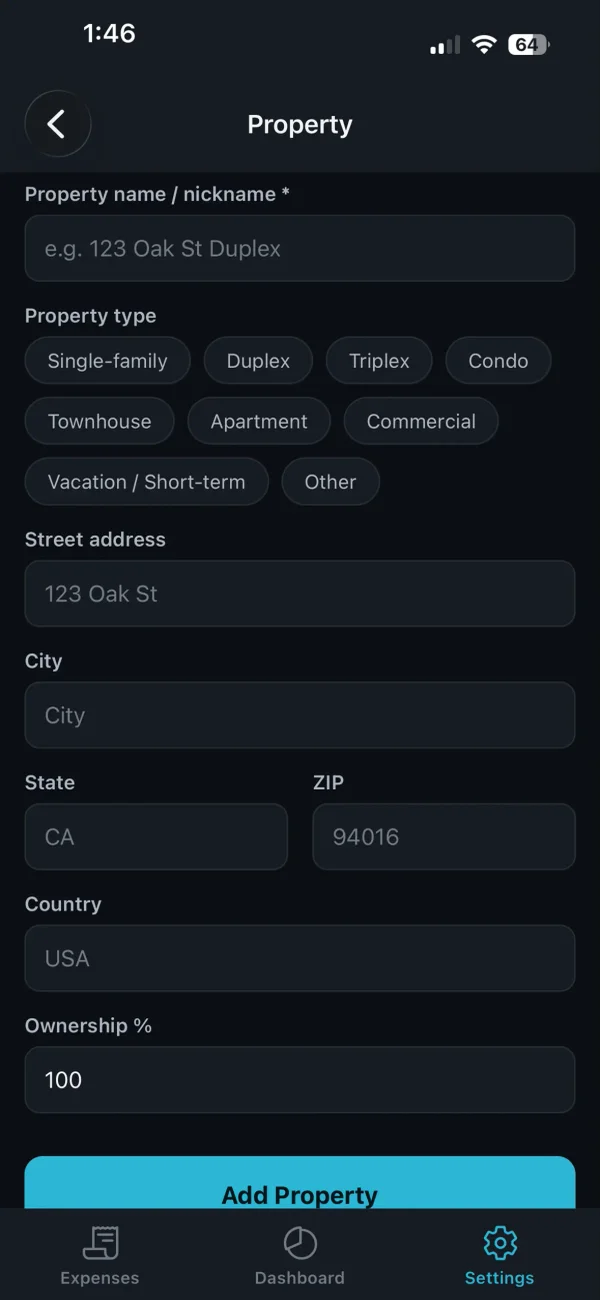
• Schedule E (rental real estate): tie every expense to a specific property — repairs, cleaning, management fees, insurance, mortgage interest, utilities — mapped to its Schedule E line.
• Every export names the exact schedule and line, so you or your CPA know where each dollar goes.
• Business categories that work outside the US, for anyone claiming expenses without a US tax form.
RECEIPTS THAT HOLD UP
• Multi-page receipts and invoices, captured as one expense.
• Business purpose and attendees recorded where the IRS expects them.
• VAT, tax rate and merchant tax ID for non-US receipts.
• Refunds and credit notes read correctly, including a trailing minus on the total.
• Who paid — you or the company — recorded on every business expense, so nothing is reimbursed twice.
EXPORTS YOUR ACCOUNTANT CAN USE
• CSV, Excel and PDF, with the tax schedule, IRS line, who paid and the claim status on every row.
• QIF and QFX for Quicken.
• Filter by year, period, category or property before you export.
WORKS WHEN YOUR SIGNAL DOES NOT
• Capture receipts offline; they upload when you are back online.
• Nothing reaches a reviewer until its receipt has safely uploaded.
PRIVATE BY DEFAULT
• Your expenses are yours. Nothing is shared until you choose to share it, with whom, and which expenses.
• A share can be withdrawn.
• Receipt images are processed to read the text on them. The privacy policy lists every processor.
SUBSCRIPTION
Expense Collector Premium costs $4.99 per month and starts with a 5-day free trial. Payment is charged to your Apple Account at confirmation of purchase. The subscription renews automatically unless it is cancelled at least 24 hours before the end of the current period, and you can manage or cancel it any time in your Apple Account settings.
Terms of Use (EULA): https://expense-collector-api.onrender.com/terms
Privacy Policy: https://expense-collector-api.onrender.com/privacy
Expense Collector is not tax advice. Tax line mapping is a starting point for your own review or your accountant's — verify against the current year's forms.
Neue Funktionen
Version 3.0.0 · 09.10.2026
SHARE EXPENSES FOR REIMBURSEMENT
Send expenses to your manager, employer or accountant from inside the app. They can approve, decline, ask for more information, or mark an expense reimbursed — and you see the answer on the expense itself.
• Ask for more detail and the submitter can fix it and send it straight back
• Withdraw a report you sent by mistake — the expense stays yours
• One set of statuses, meaning the same thing on both sides
• Approved expenses lock, so a decision cannot be quietly changed afterwards
ALSO IN THIS RELEASE
• Business expense categories for claiming outside the US
• Refund and credit receipts read correctly, including a trailing minus on the total
• Who paid and claim status now appear in CSV, Excel and PDF exports
• Business purpose and attendees now reach your exports
• Dashboard shows which expenses are shared, and the Business category group
• Faster, more reliable receipt scanning
App-Datenschutz
Was Lifeng Chen im App Store zum Umgang dieser App mit Daten angibt.
-
Mit Ihnen verknüpfte Daten
Können erfasst und mit Ihrer Identität verknüpft werden.
- Käufe
- Finanzinformationen
- Kontaktinformationen
- Benutzerinhalte
- Kennungen
Die Datenschutzpraktiken können variieren, zum Beispiel je nach den von Ihnen verwendeten Funktionen oder Ihrem Alter.
Informationen
- Anbieter
- Lifeng Chen
- Kategorie
- Finanzen
- Version
- 3.0.0
- Aktualisiert
- 09.10.2026
- Veröffentlicht
- 18.06.2026
- Größe
- 37,4 MB
- Erfordert
- iOS 15.1 oder neuer
- Altersfreigabe
- 4+
- Preis
- Kostenlos
- In-App-Käufe
- Ja
- Sprachen
- Englisch
- Copyright
- © 2026 L Chen