FaceRef Studio
3D head reference for artists
Entwickelt für iPhone, iPad, iPod touch
5,99 €
- Altersfreigabe4+
- KategorieGrafik und Design
- EntwicklerNamson Digital
- SprachenEnglisch
- Größe115,4 MB
Verlinkt auf die offizielle App Store-Seite
Download.org hostet keine Datei von FaceRef Studio. Die Schaltfläche öffnet die App-Seite bei App Store, wo Namson Digital die App veröffentlicht. Eintrag zuletzt geprüft am 08.11.2026.
Screenshots
Info
Der Entwickler hat diesen Text nicht in Ihrer Sprache bereitgestellt.
Study the human head from every angle.
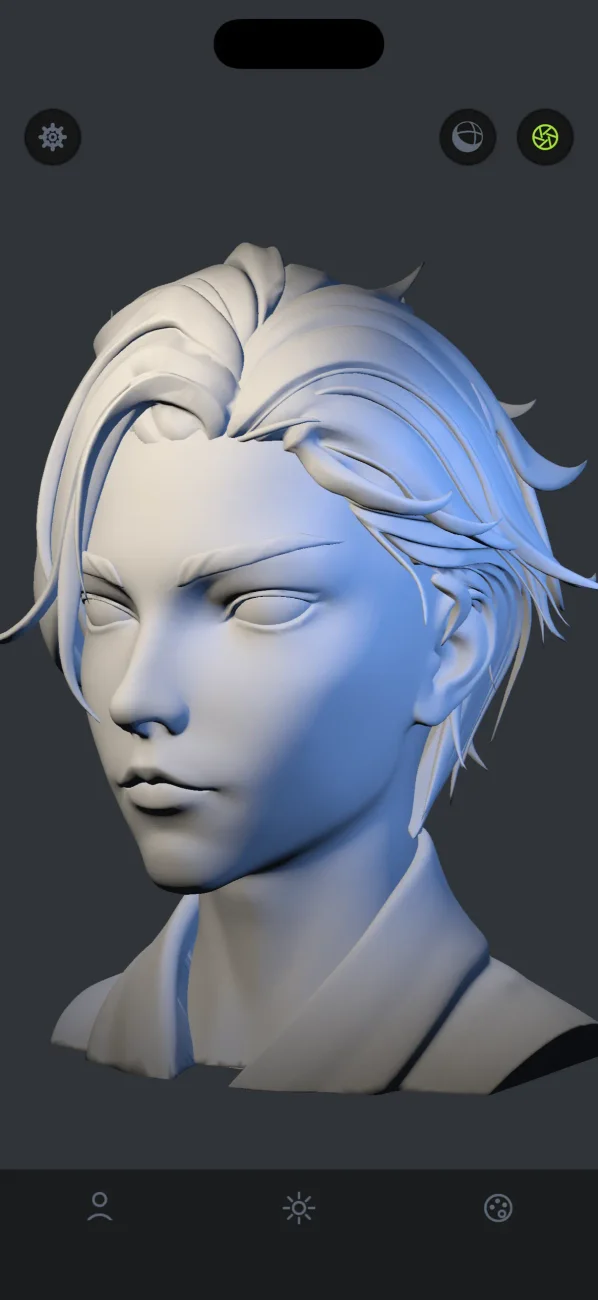
FaceRef Studio puts a 3D head on your desk while you draw. Rotate it with one finger, pinch to zoom, and light it the way you need - then get back to your paper or tablet.
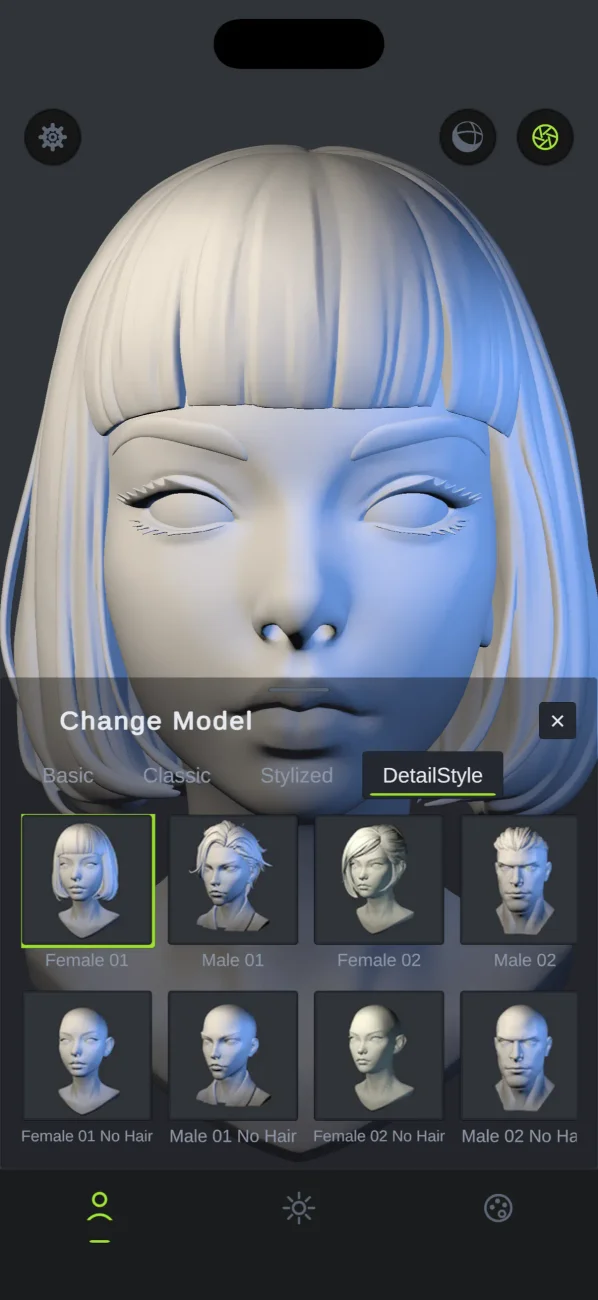
25 MODELS ACROSS 4 CATEGORIES
Basic - two plane-broken heads, plus sphere, cube, cone and cylinder for blocking out forms
Classic - the Asaro head in simple and detailed versions, and a skull
Stylized - male, female and teen sculpts
Detailed - realistic male and female heads, with and without hair
LIGHT IT YOURSELF
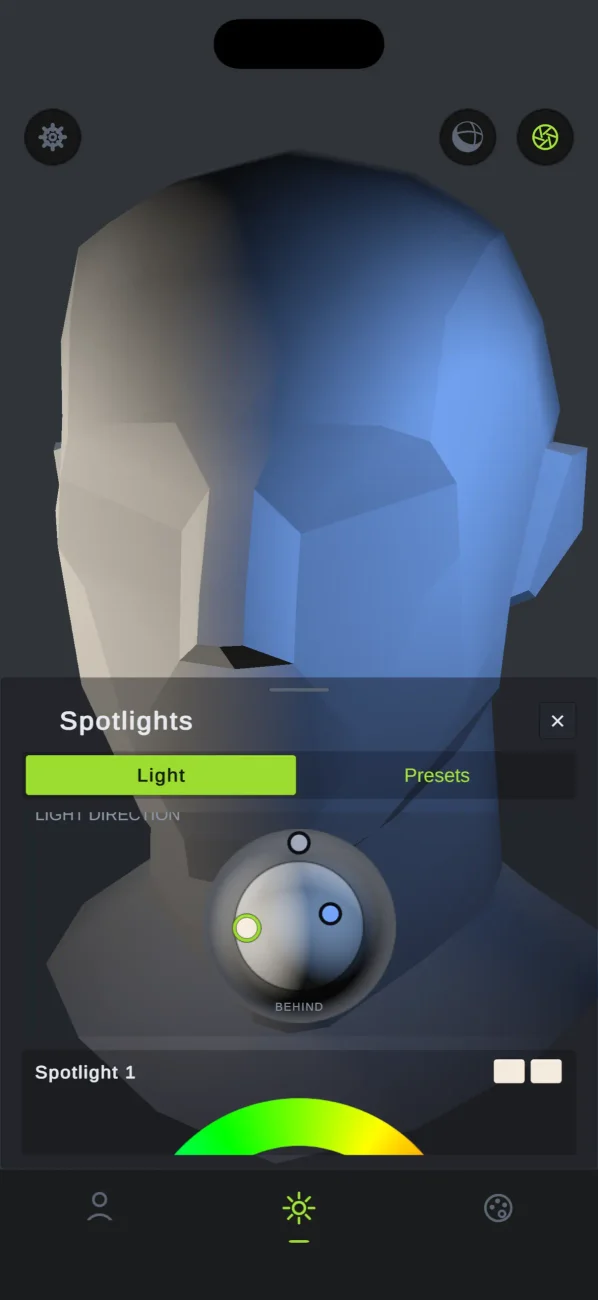
Three spotlights you can move, dim and recolour. Drop a key light from above, kick in a rim from behind, and watch the planes of the face resolve the way they do in life.
SEE THE FORM
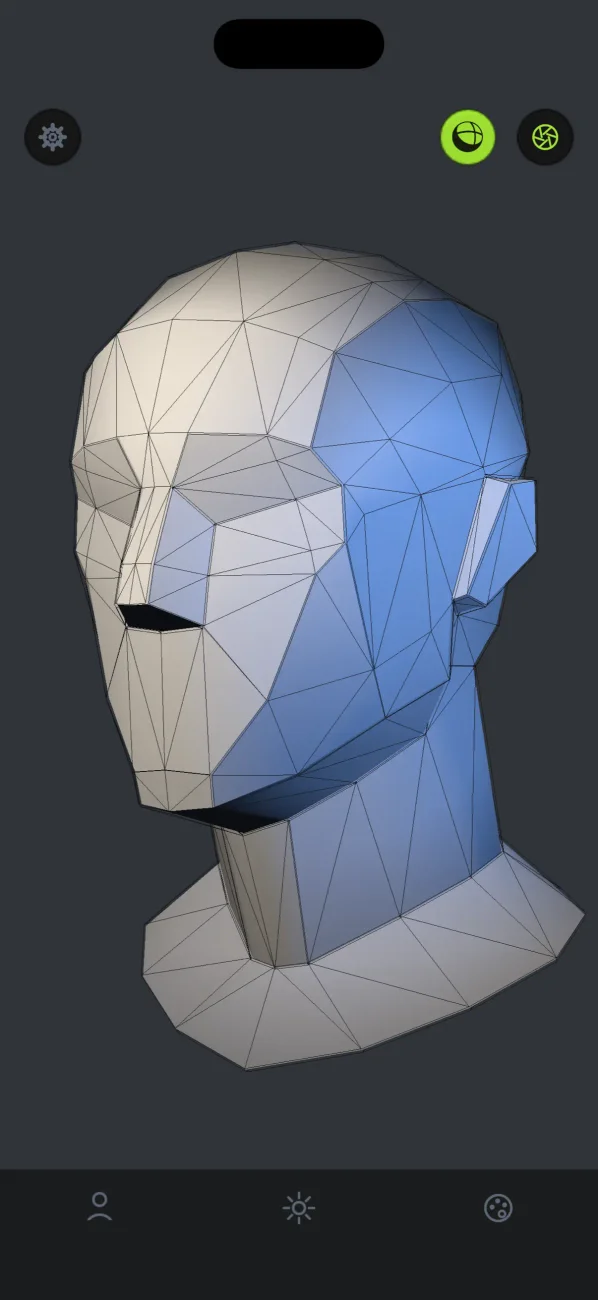
Switch on the wireframe to read the topology underneath - useful when you are working out how one plane turns into the next. Tint the model to any colour to take the guesswork out of a value study.
KEEP WHAT YOU FIND
Tap the shutter to save a clean shot of the model straight to your photo library. No interface in the frame, just the reference.
BUILT TO STAY OUT OF THE WAY
No account. No ads. No internet connection required - the app never goes online, so nothing you do here leaves your device.
Neue Funktionen
Version 1.0.1 · 19.10.2026
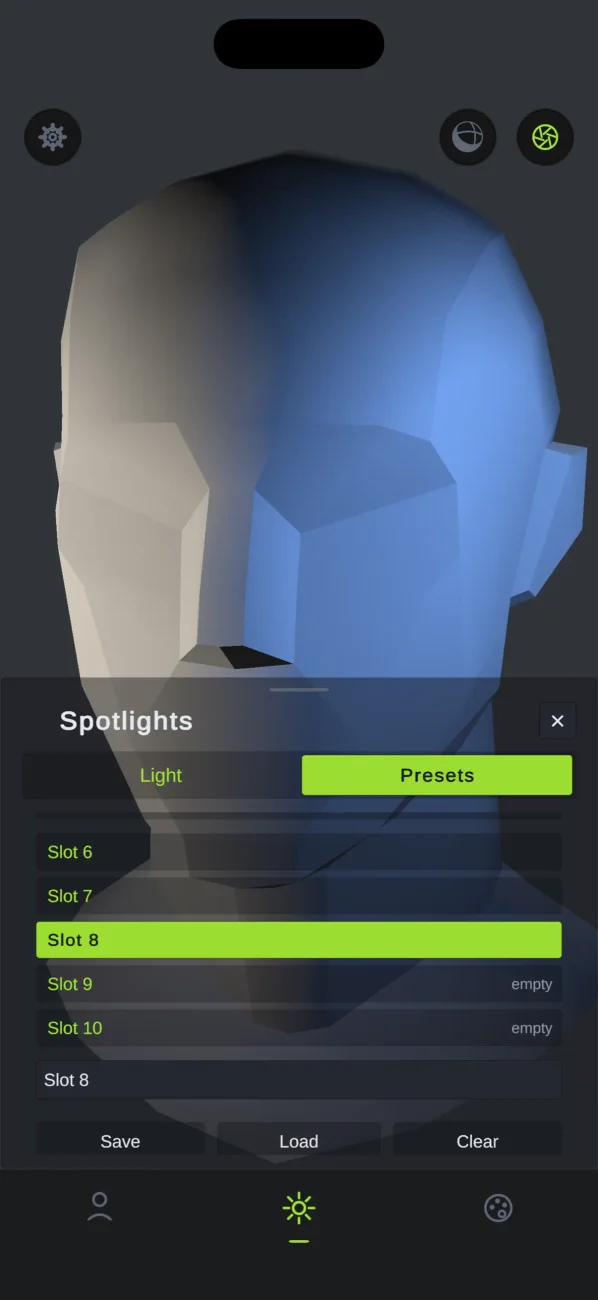
Lighting presets
Ten slots to save a whole three-light setup at once - the colour, brightness and
direction of every light. Name a slot, load it back whenever you need it, and it
stays on your device between sessions. The first row puts every light back to the
lighting the app ships with, so a setup that has wandered off is always one tap
from a known start.
A new way to aim a light
Each light's direction is now set by dragging its dot around a shaded ball
instead of three sliders. The ball previews the lighting on a sphere as you move,
and the outer ring reaches round behind the model for rim and back light.
Built for fingers
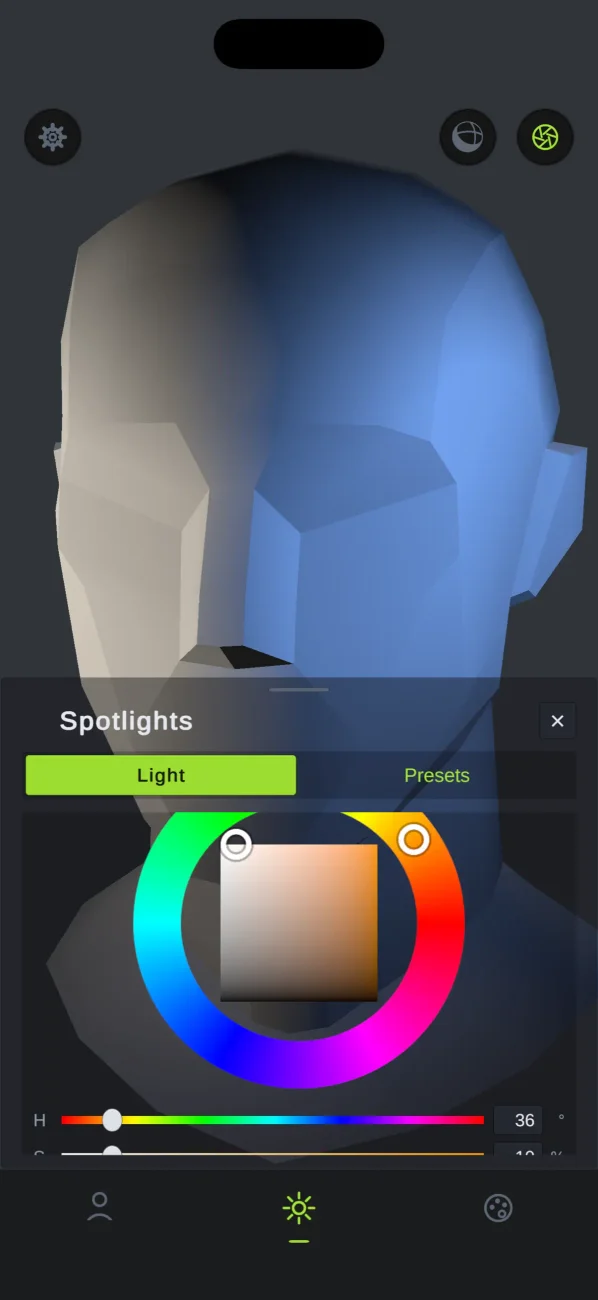
Dragging the light ball or the colour wheel now moves the handle by how far your
finger travels, so the point you are choosing is never hidden under your
fingertip. A tap still picks the spot you tapped. Handles and light dots are
sized to stay comfortable on a phone screen.
Also in this version
- The Lighting tab is split into Light and Presets, and the colour wheel now
stays open instead of hiding behind a swatch.
- The hue ring picks the colour under your finger. It used to measure the angle
from the top of the wheel, so the handle landed away from where you pressed.
- Taps on high-density screens are no longer mistaken for tiny drags, which
stopped the colour wheel from picking the point you tapped.
- The panel rises above the on-screen keyboard while you type a preset name,
instead of the keyboard covering the field.
- Set as default and Reset light have been replaced by presets and the App
default row, which do both jobs for all three lights at once.
App-Datenschutz
Was Namson Digital im App Store zum Umgang dieser App mit Daten angibt.
-
Keine Daten erfasst
Der Entwickler erfasst keine Daten von dieser App.
Die Datenschutzpraktiken können variieren, zum Beispiel je nach den von Ihnen verwendeten Funktionen oder Ihrem Alter.
Informationen
- Anbieter
- NAMSON DIGITAL COMPANY LIMITED
- Kategorie
- Grafik und Design
- Version
- 1.0.1
- Aktualisiert
- 19.10.2026
- Veröffentlicht
- 22.09.2026
- Größe
- 115,4 MB
- Erfordert
- iOS 15.0 oder neuer
- Altersfreigabe
- 4+
- Preis
- 5,99 €
- Sprachen
- Englisch
- Copyright
- © 2026 Namson Digital Company Limited
Das könnte Ihnen auch gefallen
-
 ChromaSpaceGrafik und Design
-
 Bristol · Digital BlackbookGrafik und Design
-
 Holo.Draw: Bildschirm-SkizzenAuf PC vom Handy zeichnen
-
 Holo.Pen: Virtuelles TabletPC-Kunst vom Tablet zeichnen
-
 Paper: 3D Drawing StudioGrafik und Design
-
 tamga - 3D-Bildhauereiformen, malen, posen, zeichnen
-
 autoTween AnimateGrafik und Design
-
 Infinite Zoom Drawing CanvasGrafik und Design
-
 Abduzeedo AppGrafik und Design
-
 Denrim: ForgeGrafik und Design