
Family Command Central
Shared Calendar & Organizer
Entwickelt für iPhone, iPad, iPod touch
Kostenlos · In-App-Käufe
- Altersfreigabe4+
- KategorieProduktivität
- Entwicklerlumingon DWC-LLC
- SprachenEnglisch+ 3 weitere
- Größe86,4 MB
Verlinkt auf die offizielle App Store-Seite
Download.org hostet keine Datei von Family Command Central. Die Schaltfläche öffnet die App-Seite bei App Store, wo lumingon DWC-LLC die App veröffentlicht. Eintrag zuletzt geprüft am 27.11.2026.
Screenshots



Info
Der Entwickler hat diesen Text nicht in Ihrer Sprache bereitgestellt.
Family Command Central is a family organizer for every kind of home: parents and children, couples, single parents, a wedding or a baby on the way, and the pets too. A shared family calendar, grocery and shopping lists, tasks and chores, and a family chat, together in one calm place. Free to start, with one small ad for parents only; Pro removes it, adds much more and starts with a 7-day free trial.
TODAY
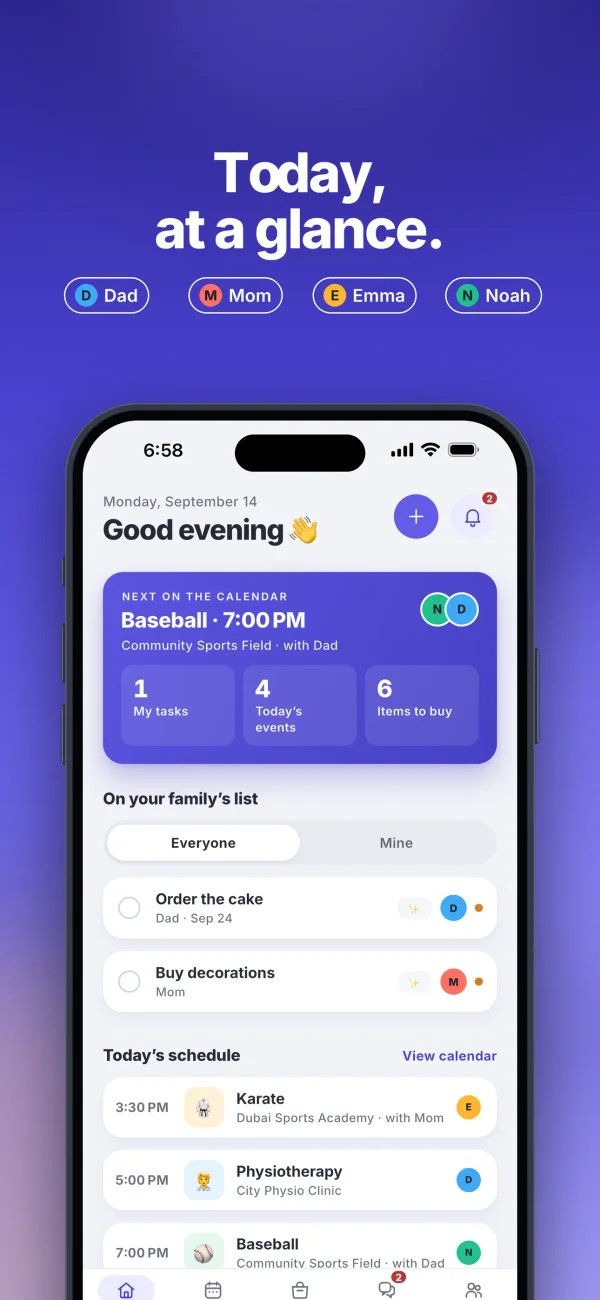
Open the app and see what matters right now: today's events, what needs attention, the countdown to a wedding or a baby's due date, and a quick way to add a task, event, item or project. Ready-made routines get a new family going in minutes.
SHARED FAMILY CALENDAR
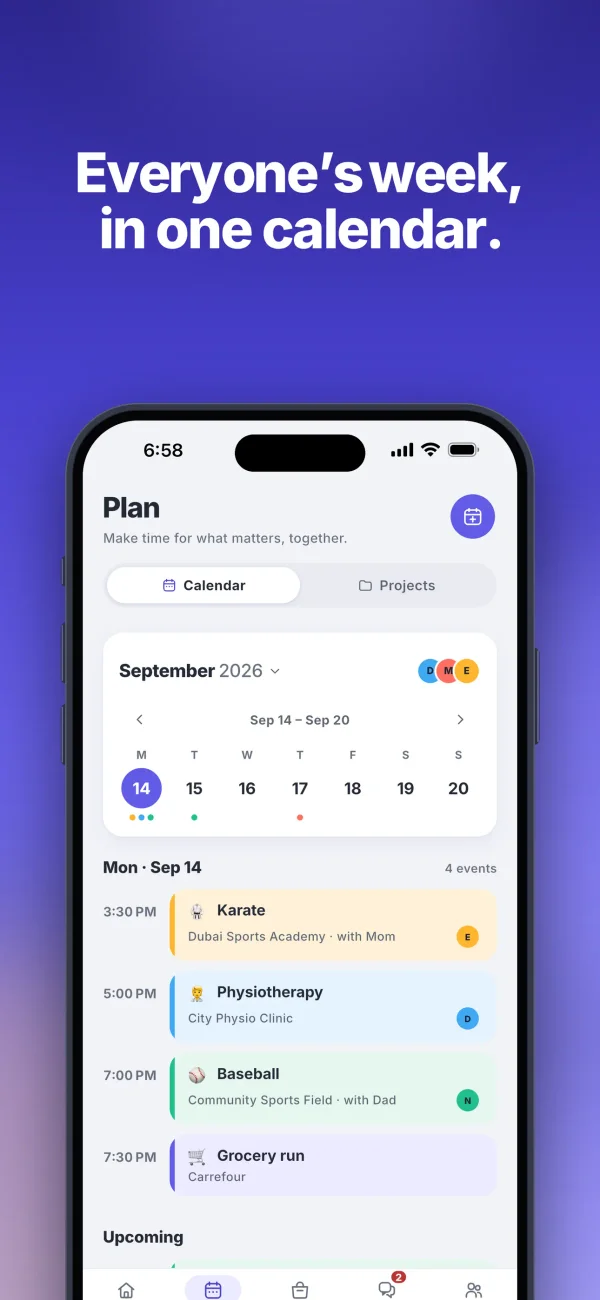
Practice, appointments, birthdays and school runs on one family planner. Events can repeat, run over several days and include more than one person, each in their own colour. Parents can bring in their Google, iCloud or Outlook calendars, and everyone else sees only when they're busy. The family's events can show in Google, Apple or Outlook calendars too.
GROCERY & SHOPPING LISTS
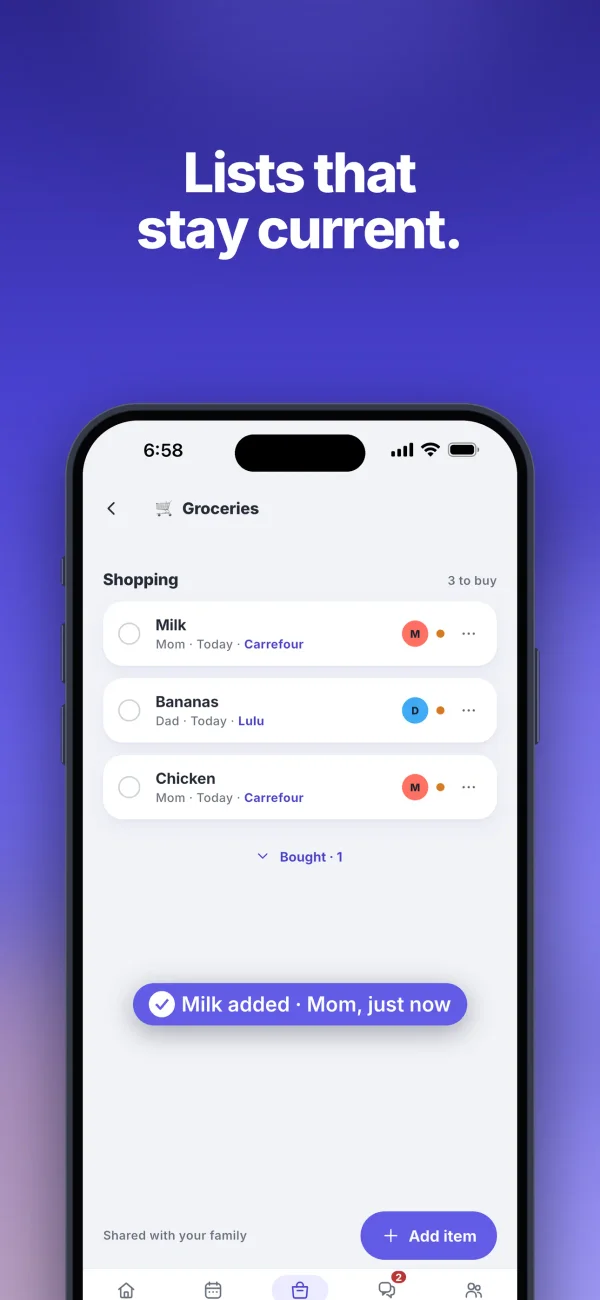
Grocery and to-buy lists the whole family keeps up to date: add a whole list in one go, check things off in the store, and everyone sees it instantly.
RECIPES & MEAL PLANNER
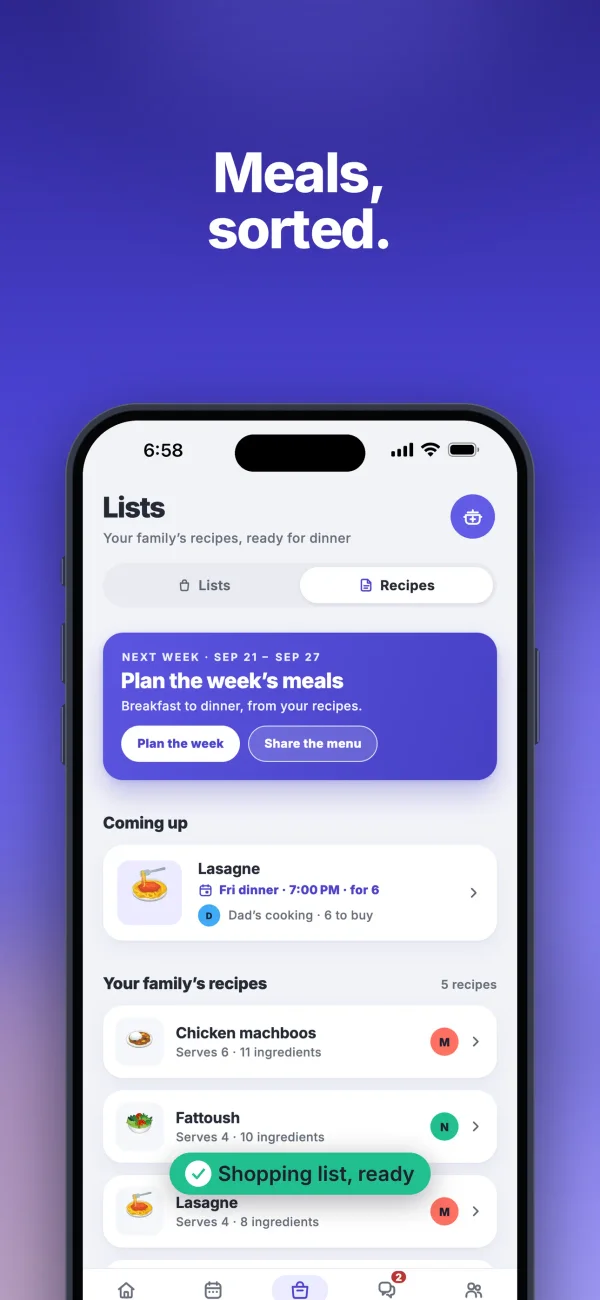
Write a recipe, add one from a website's link, or find one with AI by typing what you fancy or snapping a photo. No recipes yet? Start with everyday dinners the app suggests. Plan a meal, or the whole week at once, and the ingredients go onto the shopping list, scaled for everyone at the table.
CHORES & TO-DO LISTS
Give a chore or a to-do to whoever handles it: a chore chart the whole family sees. Turn any chat message into a task, an event or a shopping item with one tap.
CHATS & PROJECTS
A daily family chat with photos and videos, custom chats for the grown-ups or the siblings, and Family Projects (a trip, a birthday, a move), each with its own chat, tasks, shopping and dates. Surprise projects stay hidden from the person they're for.
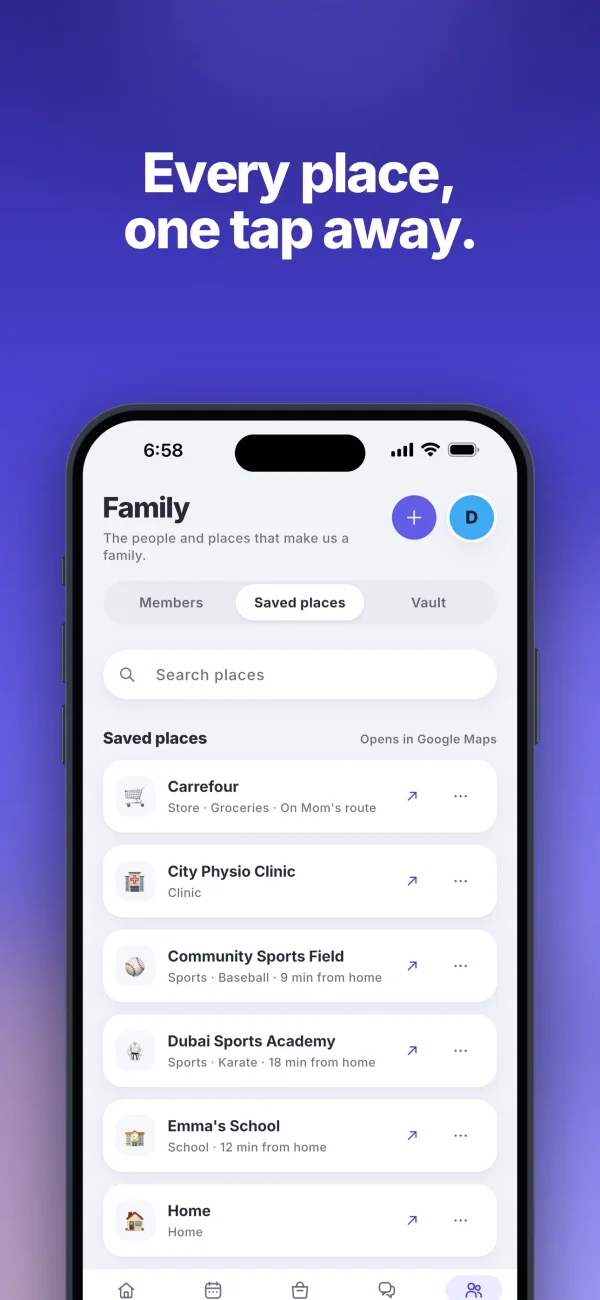
PLACES
Save the pitch, the dentist, grandma's house, and attach them to events and lists.
FAMILY
Invite everyone with a code or QR, and each person says who they are to the family: mom, dad, partner, fiancé, child. One owner runs it with the admins they choose. Anyone 13 or older can have their own account; young children and pets are profiles the family looks after, on the calendar and the lists without an account.
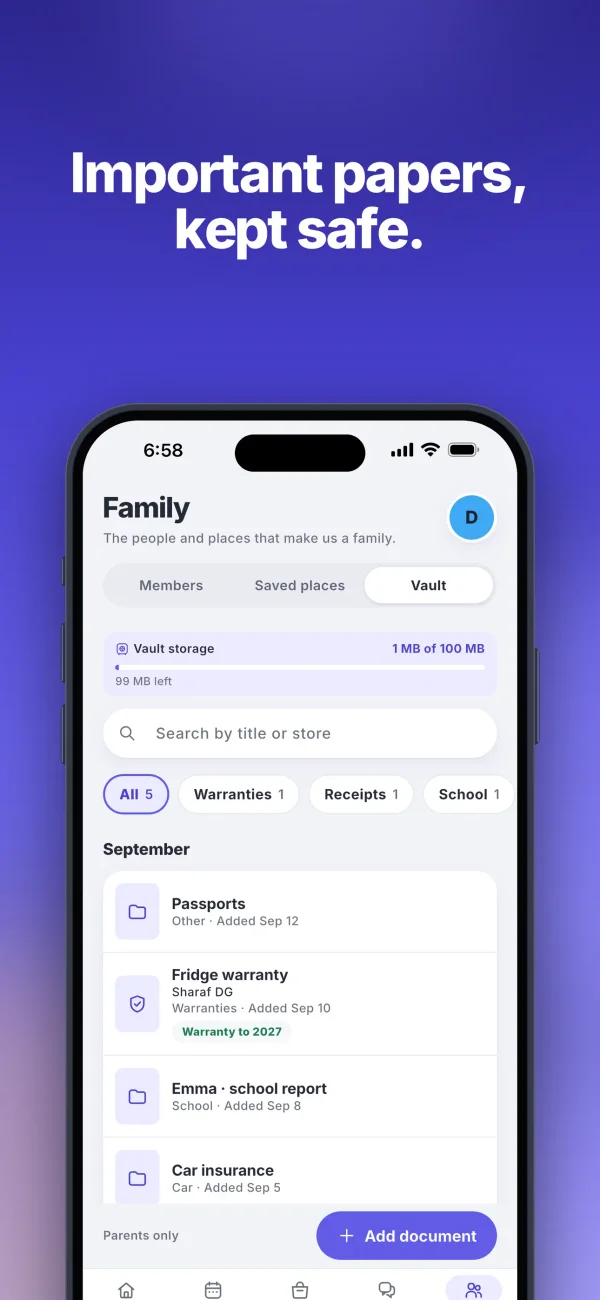
VAULT (parents only)
A private place for household paperwork (warranties, receipts, school letters) that children never see. On Pro, the app suggests a document's details for you to review, and reminds you before a warranty runs out.
WIDGETS & NOTIFICATIONS
Home-screen widgets show your family's day at a glance, and you choose what reaches your phone and when.
FAMILY SCREENS (Pro)
Put your family's day on an iPad in the kitchen or on Apple TV in the living room: what's next, the week, open jobs and the shopping list, big enough to read across the room. Children can tick off their own jobs, and night mode dims it and shows tomorrow. A screen never shows chats or the Vault.
PLANS
One subscription covers the whole family. Free: up to 5 members, the calendar 13 months ahead, 3 lists, 2 projects, 10 saved places, 10 recipes, the family chat, and 2 AI credits and 2 Vault documents a month, with one small ad for parents (never for children). Pro: up to 20 members, the calendar 13 months ahead plus the past year, unlimited projects, lists, places and recipes, custom chats, 200 AI credits a month for recipes and the Vault, a 5 GB Vault, warranty reminders, up to 5 Family Screens and no ads. Pro starts with a 7-day free trial for new subscribers, then renews automatically at the shown price unless cancelled at least 24 hours before the end of the period. Manage or cancel any time in your App Store account settings.
Terms of Use: https://familyccapp.com/terms
Neue Funktionen
Version 4.2.0 · 26.11.2026
Routines and dinners, ready when you are.
• Routines for every family: the school run, bins out, laundry day, family movie night and more, added in a tap and repeating on the calendar.
• Occasions coming up where you live, like Ramadan, Diwali or Christmas, show on Today two weeks ahead, with a plan ready to add.
• No recipes yet? Plan the week with everyday dinners, and they’re saved as your family’s recipes.
• On any meal of the week, write your own recipe or add one from a link.
• Small fixes, and a tidier back button.
App-Datenschutz
Was lumingon DWC-LLC im App Store zum Umgang dieser App mit Daten angibt.
-
Mit Ihnen verknüpfte Daten
Können erfasst und mit Ihrer Identität verknüpft werden.
- Käufe
- Standort
- Kontaktinformationen
- Benutzerinhalte
- Suchverlauf
- Kennungen
- Diagnose
-
Nicht mit Ihnen verknüpfte Daten
Können erfasst werden, sind aber nicht mit Ihrer Identität verknüpft.
- Standort
- Kennungen
- Nutzungsdaten
- Diagnose
Die Datenschutzpraktiken können variieren, zum Beispiel je nach den von Ihnen verwendeten Funktionen oder Ihrem Alter.
Informationen
- Anbieter
- lumingon DWC-LLC
- Kategorie
- Produktivität
- Version
- 4.2.0
- Aktualisiert
- 26.11.2026
- Veröffentlicht
- 07.10.2026
- Größe
- 86,4 MB
- Erfordert
- iOS 15.0 oder neuer
- Altersfreigabe
- 4+
- Preis
- Kostenlos
- In-App-Käufe
- Ja
- Sprachen
- Englisch, Arabisch, Japanisch, Spanisch
- Copyright
- © 2026 lumingon DWC-LLC
Das könnte Ihnen auch gefallen
-
 Apliom Family: OrganizerProduktivität
-
 Saam: family planner & choresProduktivität
-
 Family Central: OrganizerProduktivität
-
 BettrDo: Tasks & ReminderProduktivität
-
 ScriniScreenshots mit KI sortieren
-
 Peekdo: To-do-Liste & AufgabenPrioritäten am Sperrbildschirm
-
 Fly Notes: SprachnotizenSprachmemos, Erinnerungen, KI
-
 Squared Away - Inventory MagicProduktivität
-
 Homie Family OrganizerProduktivität
-
 Prepr: Your Digital VaultProduktivität