
- Altersfreigabe4+
- KategorieProduktivität
- EntwicklerRalston Instruments, LLC
- SprachenEnglisch
- Größe79,6 MB
Verlinkt auf die offizielle App Store-Seite
Download.org hostet keine Datei von FieldLab Mobile. Die Schaltfläche öffnet die App-Seite bei App Store, wo Ralston Instruments, LLC die App veröffentlicht. Eintrag zuletzt geprüft am 15.11.2026.
Screenshots

Info
Der Entwickler hat diesen Text nicht in Ihrer Sprache bereitgestellt.
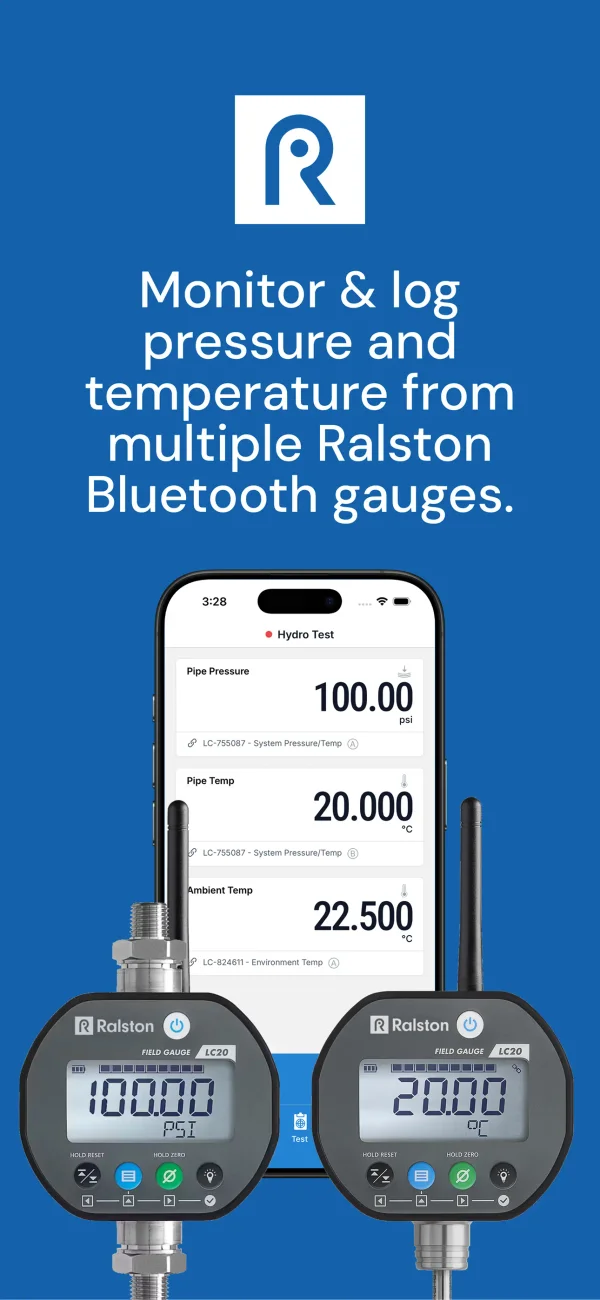
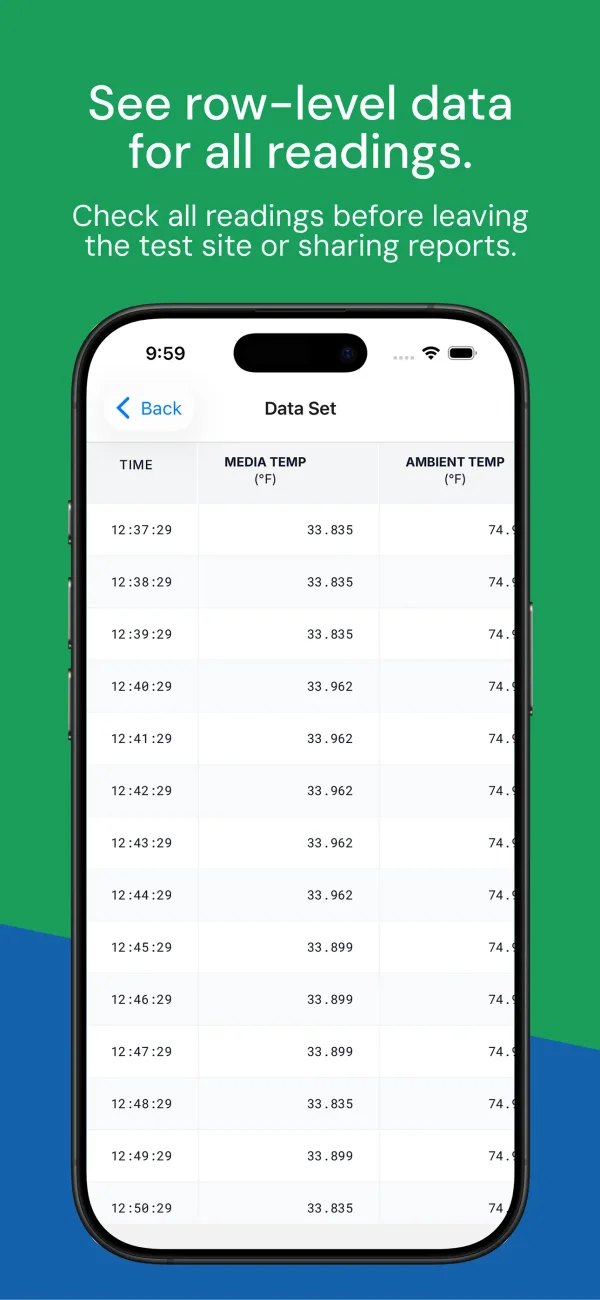
FieldLab Mobile is a powerful test-and-measurement app compatible with Ralston Instruments Gauges. Connect one or more Ralston Gauges to your iPhone or iPad via Bluetooth and perform tests and monitor live pressure and temperature readings.
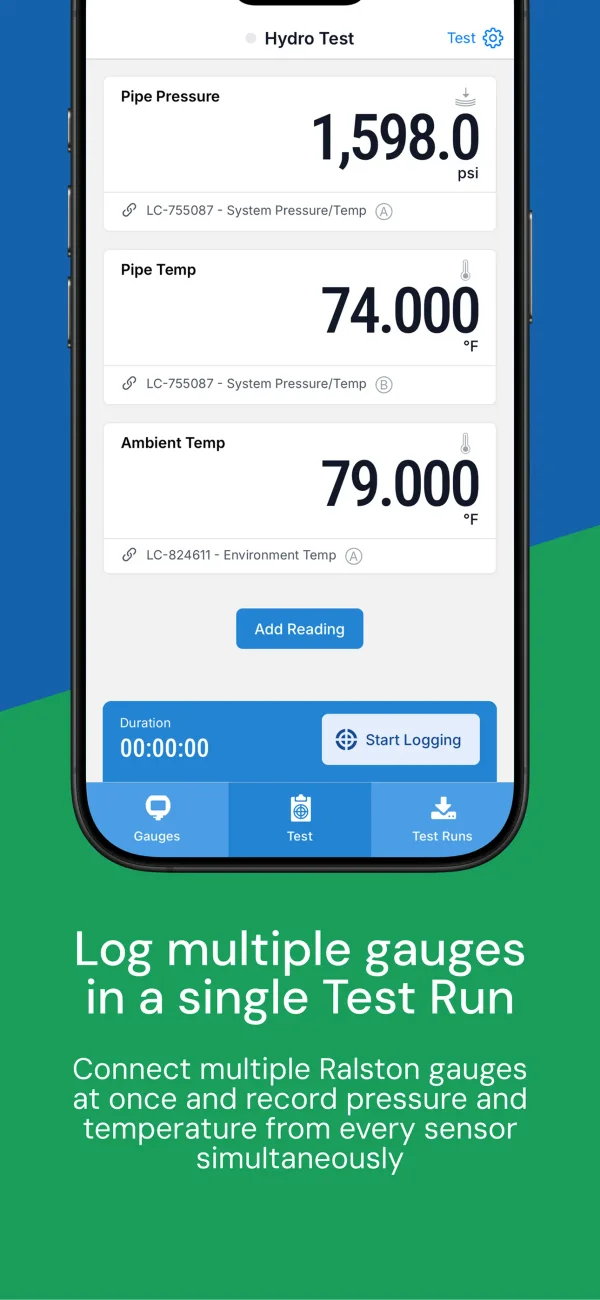
LOG MULTIPLE GAUGES IN A SINGLE TEST RUN
Connect multiple Ralston gauges at once and record pressure and temperature from every sensor simultaneously. Each reading is logged with a precise timestamp, so your complete test data lives in one place.
VIEW ALL READINGS ON ONE GRAPH
All test readings appear on a single, time-based pressure and/or temperature chart. View multiple pressure and temperature trends together to spot correlations and pinpoint exactly when changes occurred during your test.
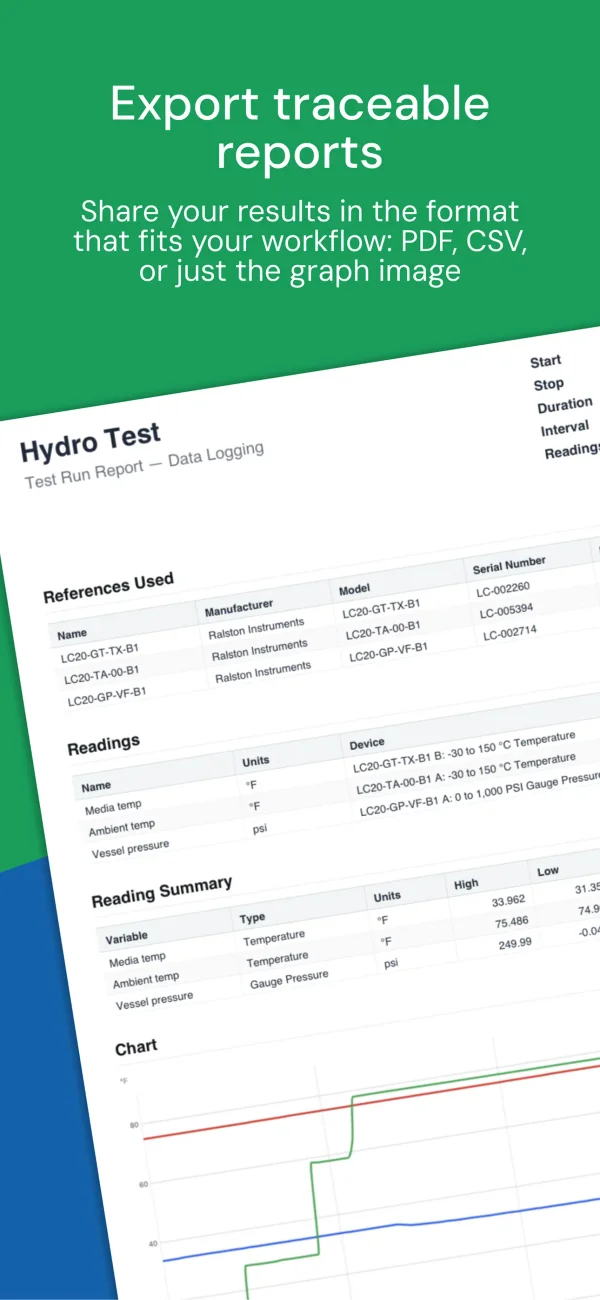
EXPORT TRACEABLE REPORTS
Every export includes detailed information about the gauges used in the test: Manufacturer, model, and serial number, so your records meet traceability requirements. Share your results in the format that fits your workflow:
• PDF: A formatted test report with a reading summary showing high, low, and average values, the full chart, and a complete data table. Ready to email, print, or file for regulatory records.
• CSV: The full test run in a spreadsheet-compatible format for further analysis.
• Graph image: A simple color PNG image of the test run graph showing all readings, pressure, and/or temperature axis.
EDITABLE TEST RUN TITLES, REFERENCES & READING NAMES
Name your Test Run outputs to match work orders, customers or any SOP. Assign custom names to each pressure and temperature readings before or after a test. Label readings by location, function, or whatever makes sense for the job. When you review the graph or share the report, every data point is clearly identified. Name your gauges for asset tracking, nicknames, or any reference to help with traceability requirements.
WORK FROM A SAFE DISTANCE
Bluetooth connectivity lets you monitor tests from a safe distance while maintaining full visibility of live readings on your device, even from the cab of your truck or job-site trailer. Test data is logged on the gauge, so even if you lose connection, your data will be collected back to the FieldLab Mobile App when you reconnect.
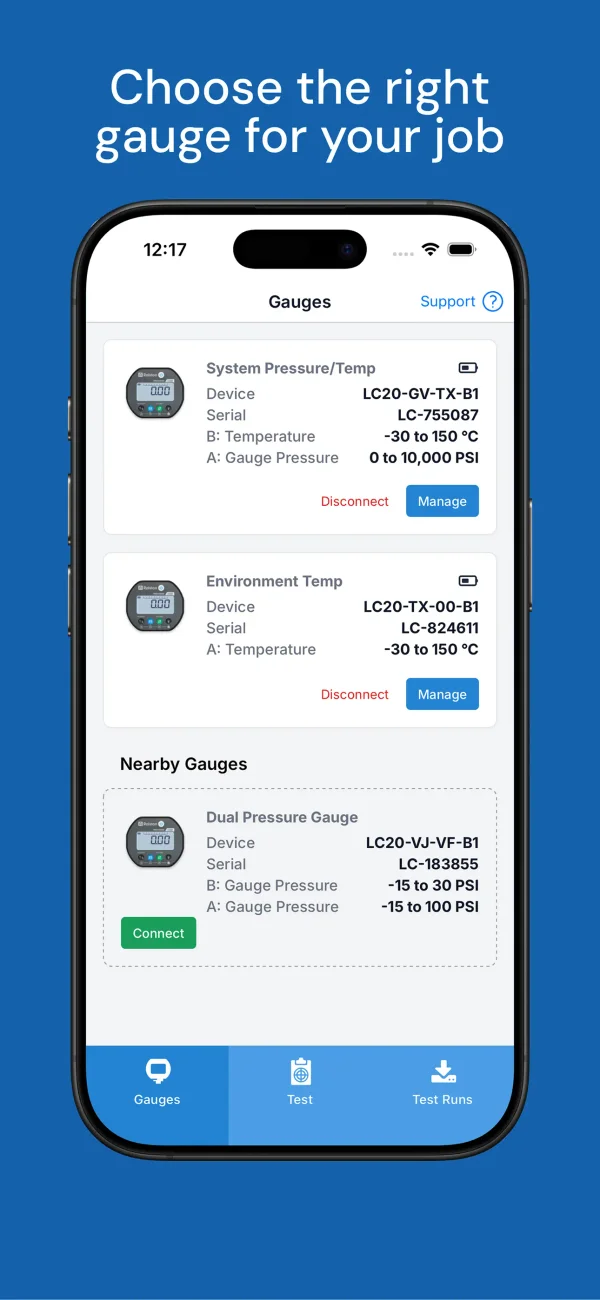
CHOOSE THE RIGHT GAUGE FOR YOUR APPLICATION
Ralston offers a wide range of Bluetooth-equipped gauges, all compatible with FieldLab Mobile:
• Pressure gauges in ranges from vacuum to 30,000 PSI
• Dual pressure gauges with two independent sensors in a single unit
• Dual pressure + temperature gauges with temp measurement up to 302 F (150 C)
• Temperature-only gauges with temp measurement up to 302 F (150 C)
All models feature +/-0.1% full-span accuracy, a rugged IP67-rated housing that's dustproof and waterproof up to 1-meter submersion, and are powered by replaceable AA batteries. The gauges log data independently, so even if you walk out of Bluetooth range during a test, your test continues to log without interruption on the gauges and remains safe there until you reconnect.
Find the model that fits your needs at www.ralstoninst.com.
Neue Funktionen
Version 2.1.1 · 07.11.2026
New in 2.1.0
- Calibration dates: Gauge Detail now shows each gauge's Last Calibration and Next Calibration dates. Every saved test run also records the Last Calibration date of each reference gauge at the time of the test. That date appears in the PDF report and the CSV export, so a report always stays tied to the calibration it was run with. You set the dates, and whether they're shown, in FieldLab Desktop.
- Bluetooth firmware updates: You can now update a gauge's Bluetooth firmware from inside the app, on supported gauges. If an update gets interrupted, a Resume Update banner lets you pick up where it stopped.
Improved in 2.1.0
- Faster, more reliable connecting and reconnecting. A gauge that drops out during a test now reconnects on its own when it's back in range, even with the phone locked.
- Fewer pairing prompts and clearer help when a gauge's pairing is out of date.
- Many fixes for custom units and Unit Mismatch prompts.
- "Damping" is renamed "Display Damping" to make clear it only affects the gauge's screen, not the readings it records.
- General speed and stability improvements.
New in 2.1.1
- Bug fixes and bluetooth connectivity improvements
App-Datenschutz
Was Ralston Instruments, LLC im App Store zum Umgang dieser App mit Daten angibt.
-
Nicht mit Ihnen verknüpfte Daten
Können erfasst werden, sind aber nicht mit Ihrer Identität verknüpft.
- Benutzerinhalte
- Kennungen
- Diagnose
Die Datenschutzpraktiken können variieren, zum Beispiel je nach den von Ihnen verwendeten Funktionen oder Ihrem Alter.
Informationen
- Anbieter
- Ralston Instruments, LLC
- Kategorie
- Produktivität
- Version
- 2.1.1
- Aktualisiert
- 07.11.2026
- Veröffentlicht
- 28.11.2022
- Größe
- 79,6 MB
- Erfordert
- iOS 16.4 oder neuer
- Altersfreigabe
- 4+
- Preis
- Kostenlos
- Sprachen
- Englisch
- Copyright
- © 2026 Ralston Instruments, LLC
Das könnte Ihnen auch gefallen
-
 EWN MobileProduktivität
-
 PipefitterRohrleitungsbau: Etage & Bogen
-
 Fluke ConnectProduktivität
-
 Brady Express-EtikettenProduktivität
-
 Empower, by ISNProduktivität
-
 EventsentialProduktivität
-
 ArcGIS Field MapsProduktivität
-
 Milwaukee® ONE-KEY™Produktivität
-
 MaintainX - CMMS & EAMProduktivität
-
 pCloud - Cloud StorageProduktivität