FileFlip Document Converter
Convert, Scan, Sign PDFs
Entwickelt für iPhone, iPad
In-App-Käufe
- Altersfreigabe4+
- KategorieProduktivität
- EntwicklerVictoriia Koshelivska
- SprachenEnglisch+ 4 weitere
- Größe5,2 MB
FileFlip Document Converter ist bei App Store derzeit möglicherweise nicht verfügbar
Bei unserer letzten Prüfung war der Store-Eintrag nicht erreichbar. Der Link führt weiterhin zur offiziellen App Store-Seite.
Screenshots
Info
Der Entwickler hat diesen Text nicht in Ihrer Sprache bereitgestellt.
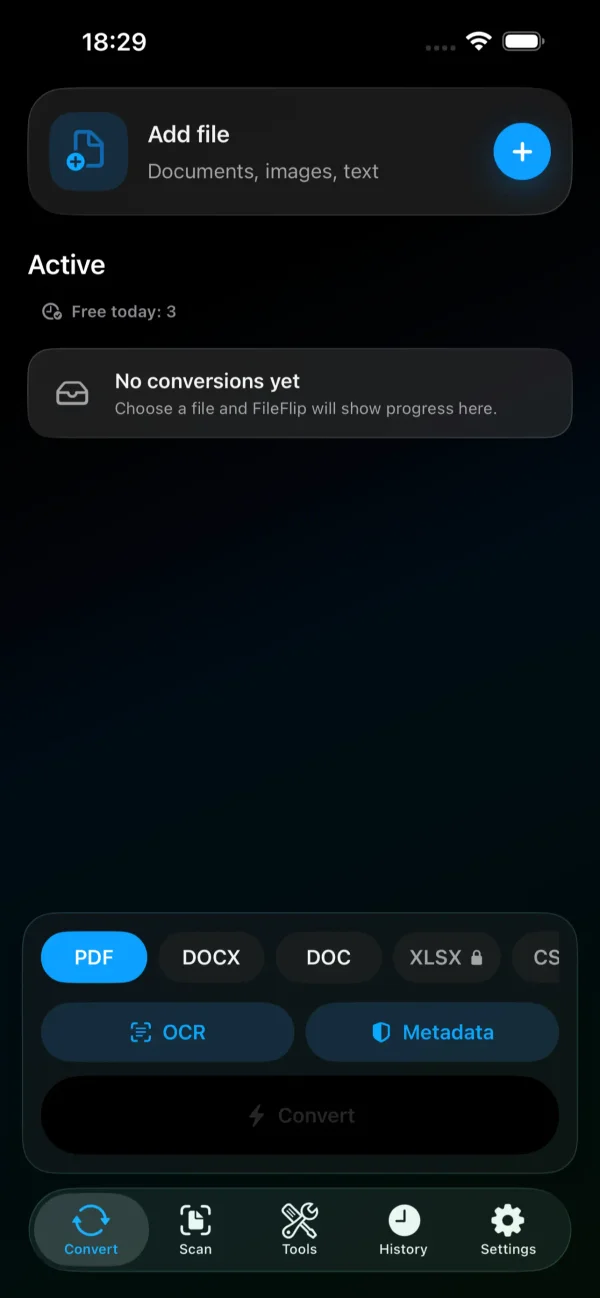
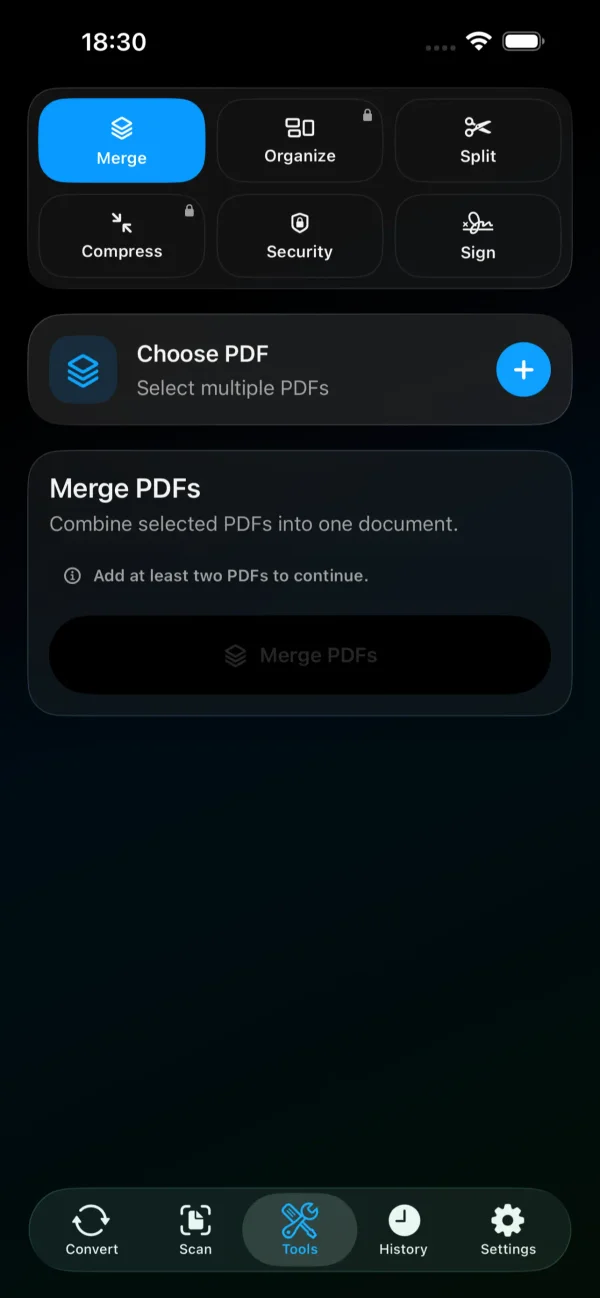
FileFlip is a fast document converter and PDF toolbox for everyday work with files. Convert documents, scan paper pages, recognize text with OCR, sign PDFs, organize pages, compress files, protect documents and export results in the formats you need.
Convert between popular formats:
PDF, DOC, DOCX, XLSX, CSV, PPTX, PNG, JPG, TXT, EPUB, HTML and Markdown.
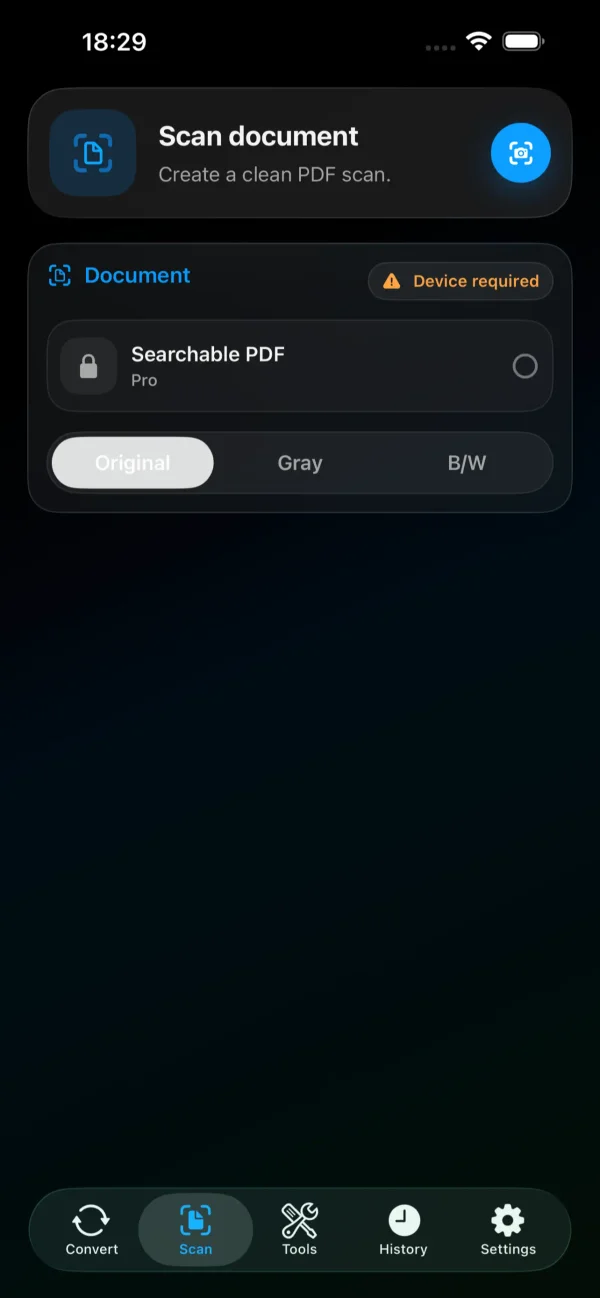
Scan documents with your iPhone or iPad camera and save clean PDF files. Use OCR to make scanned text searchable and easier to copy, store and reuse.
Work with PDF files in one place:
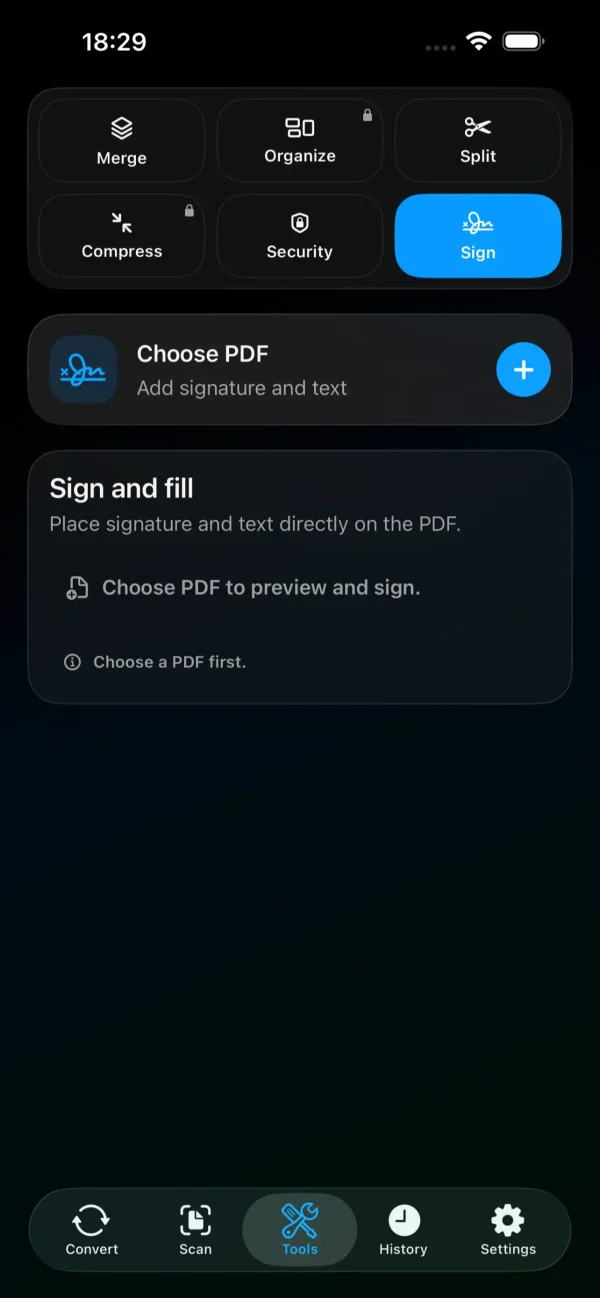
Merge PDFs, split pages, organize page order, compress large files, add signatures and text, protect documents with a password and save the finished file to your device.
FileFlip is built for quick document tasks:
• Convert files to the format you need
• Scan paper documents into PDF
• Recognize text with OCR
• Sign and fill PDF documents
• Merge multiple PDFs
• Split or extract pages
• Reorder PDF pages
• Compress large PDF files
• Protect PDF files with a password
• Remove metadata when needed
• Save, share and keep conversion history
FileFlip is useful for contracts, forms, invoices, reports, scanned papers, office files, images, ebooks and web documents.
The app is designed for a clean iOS experience with a simple workflow: choose a file, select the output format or tool, process it and save the result.
Some advanced features and higher limits may require FileFlip Pro
Terms of Use (EULA): https://fileflip.cloud/terms
Privacy Policy: https://fileflip.cloud/privacy
App-Datenschutz
Was Victoriia Koshelivska im App Store zum Umgang dieser App mit Daten angibt.
-
Keine Daten erfasst
Der Entwickler erfasst keine Daten von dieser App.
Die Datenschutzpraktiken können variieren, zum Beispiel je nach den von Ihnen verwendeten Funktionen oder Ihrem Alter.
Informationen
- Anbieter
- Victoriia Koshelivska
- Kategorie
- Produktivität
- Version
- 1.0
- Aktualisiert
- 07.07.2026
- Veröffentlicht
- 07.07.2026
- Größe
- 5,2 MB
- Erfordert
- iOS 17.0 oder neuer
- Altersfreigabe
- 4+
- In-App-Käufe
- Ja
- Sprachen
- Englisch, Französisch, Deutsch, Russisch, Spanisch
- Copyright
- © DuckPoweR.LLC
Das könnte Ihnen auch gefallen
-
 Image Converter: Batch & PDFConvert HEIC JPG PNG EXIF WebP
-
 Intelligenter Drucker App ⁺App für kabelloses Drucken
-
 EasyChat - Frag die KI AllesAlle fortschrittlichen Modelle
-
 KI Chatbot - JarvisKI Sprachassistent & Chat
-
 PDF Reader & Datei-KonverterDokumente lesen, Bilder in PDF
-
 All PDF ReaderProduktivität
-
 Clever AI Hub - Pro KI AgentenKI-Assistent und Kunst Tool
-
 Merfi AI: Text to Speech, TTSProduktivität
-
 Banana Pro - AI Photo EditorProduktivität