
- Altersfreigabe9+
- KategorieWirtschaft
- EntwicklerFiliocorp
- SprachenEnglisch
- Größe243,7 MB
Verlinkt auf die offizielle App Store-Seite
Download.org hostet keine Datei von Filio. Die Schaltfläche öffnet die App-Seite bei App Store, wo Filiocorp die App veröffentlicht. Eintrag zuletzt geprüft am 15.11.2026.
Screenshots

Info
Der Entwickler hat diesen Text nicht in Ihrer Sprache bereitgestellt.
Filio is an AI-powered construction photo documentation and field reporting platform for contractors, inspectors, and engineering teams.
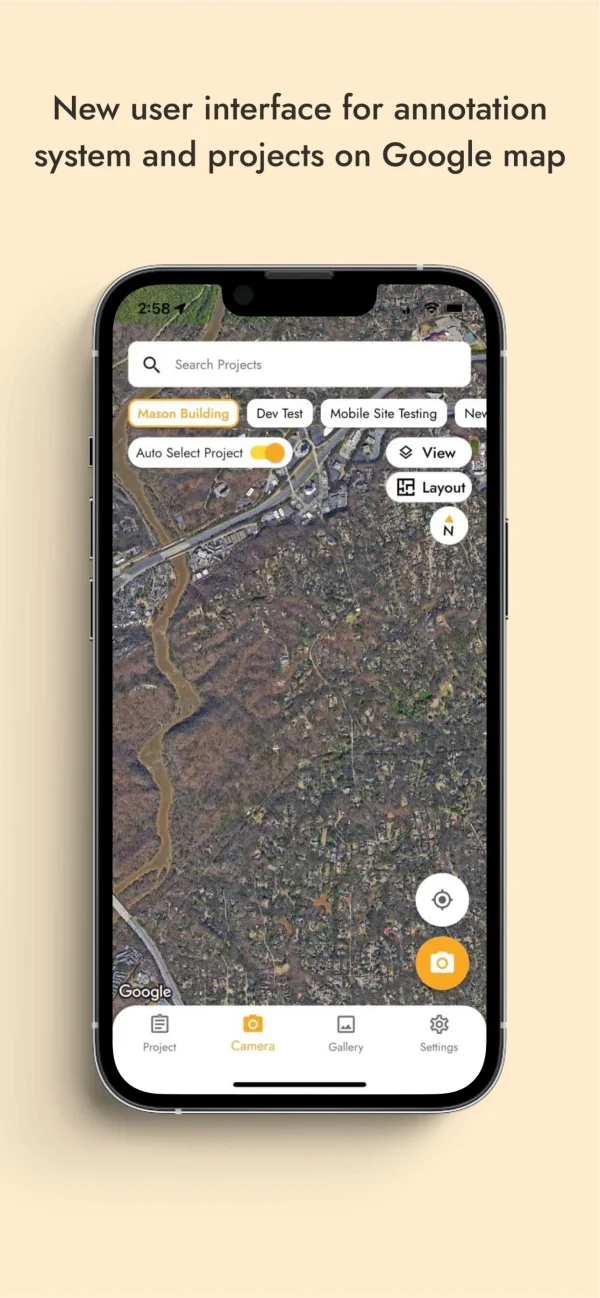
Capture geotagged photos, videos, scans, annotations, measured visuals, and 360 media on plan sheets, blueprints, or maps, then turn them into searchable, report-ready jobsite records. Filio preserves the field context that matters, including GPS location, date and time, bearing, elevation, weather, and captured-by details.
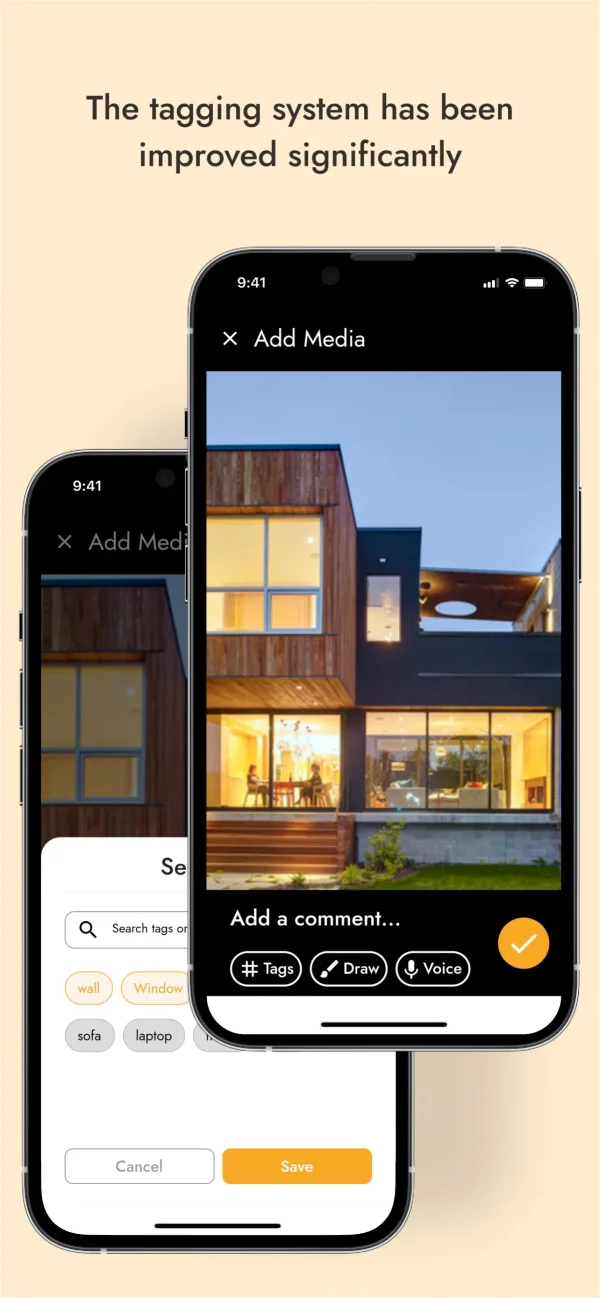
Use Filio for progress tracking, inspections, QA/QC, closeouts, punch lists, engineering observations, and evidence packages. AI captions, AI labels, tags, and custom fields make project media easier to organize, search, and retrieve when it matters most.
With Filio, teams can:
- Capture jobsite media in the mobile Field Data Collector app
- Document directly on plan sheets and map views
- Keep records searchable with AI captions, AI labels, tags, and metadata
- Review projects by media library, map, plan sheet, and timeline
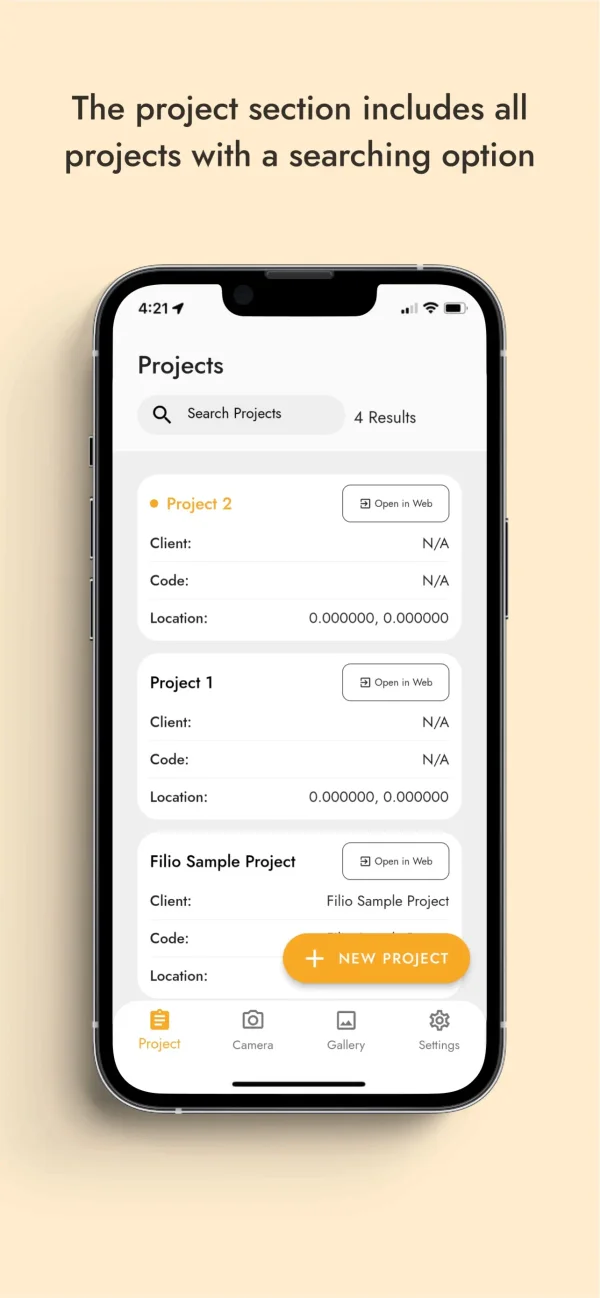
- Manage teams, projects, groups, offices, stakeholders, and permissions in the Web Console
- Generate professional PDF and Word reports with repeatable templates
Built for real field workflows, Filio supports offline-friendly capture and reliable sync so teams can keep working even when connectivity is limited. Replace scattered camera rolls, folders, and manual reporting with a faster, more defensible jobsite documentation system.
Neue Funktionen
Version 5.0.0 · 04.11.2026
Capture the work. Show the progress. Keep the context.
Filio 5.0 brings new ways to document construction sites, inspect spaces, and connect field photos to the places they belong.
WALKING — PHOTOS THAT FIND THEIR PLACE
Turn your site walkthrough into visual project documentation. After guided calibration, Walking uses visual SLAM and augmented reality to track your movement and automatically place photos on your plan sheet—even offline. Review recorded photo locations and viewing directions alongside your floor plans and site drawings.
BEFORE & AFTER — MAKE PROGRESS VISIBLE
Use an earlier photo as your reference, follow AI-assisted capture guidance, and compare site conditions with an interactive slider. Keep a clear visual record of construction progress, repairs, and changes between visits.
INTERIOR SCAN — CAPTURE SPACES IN 2D AND 3D
Scan indoor spaces on compatible LiDAR-equipped iPhones and iPads. Review 2D floor plans and 3D room models, then save the results to your project for continued documentation.
MEASURE LATER — CAPTURE NOW, REVIEW DIMENSIONS LATER
Save depth information with photos on supported devices so you can measure distances and areas afterward. Keep approximate measurements connected to the visual record.
MORE CONNECTED FIELD CAPTURE
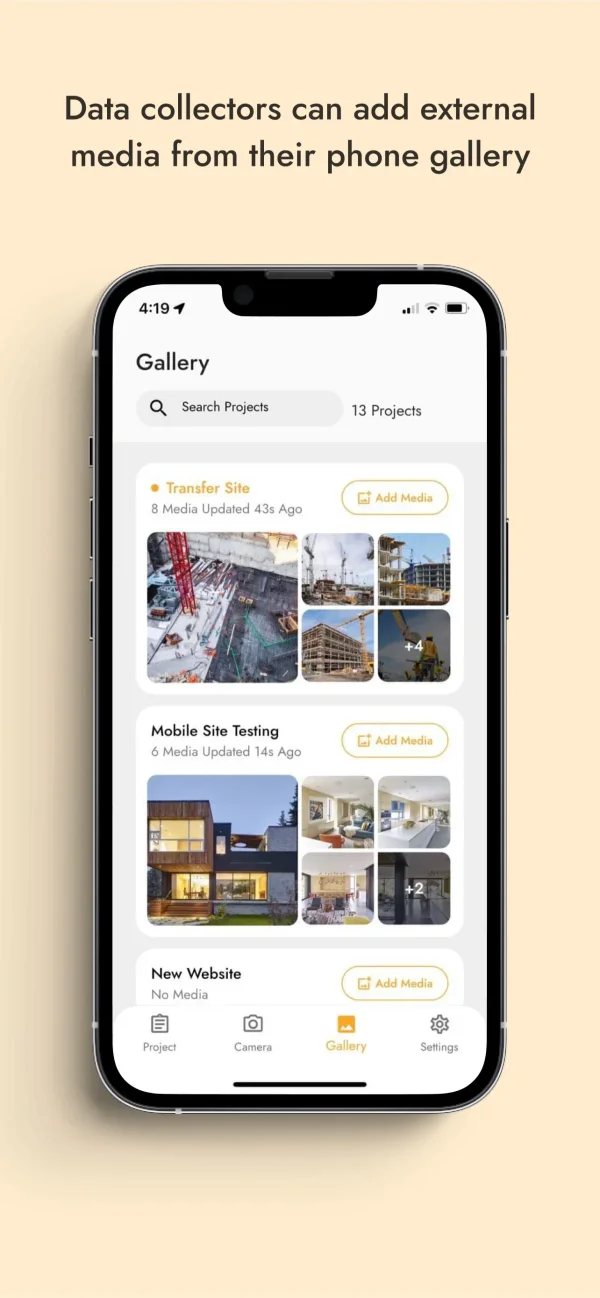
• Import shared photos and videos from other apps.
• Reach the Camera workspace from the first navigation tab.
• Improved Walking video recording and calibration startup.
• Improved Manual photo direction markers.
• Reduced gallery memory usage and improved project sync reliability.
From construction progress photos to interior inspections, Filio helps your team keep visual evidence organized and connected to the project.
Interior Scan and depth capture require compatible hardware. Measurements are approximate.
App-Datenschutz
Was Filiocorp im App Store zum Umgang dieser App mit Daten angibt.
-
Mit Ihnen verknüpfte Daten
Können erfasst und mit Ihrer Identität verknüpft werden.
- Diagnose
-
Nicht mit Ihnen verknüpfte Daten
Können erfasst werden, sind aber nicht mit Ihrer Identität verknüpft.
- Nutzungsdaten
Die Datenschutzpraktiken können variieren, zum Beispiel je nach den von Ihnen verwendeten Funktionen oder Ihrem Alter.
Informationen
- Anbieter
- Filio Corp
- Kategorie
- Wirtschaft
- Version
- 5.0.0
- Aktualisiert
- 04.11.2026
- Veröffentlicht
- 29.10.2018
- Größe
- 243,7 MB
- Erfordert
- iOS 16.0 oder neuer
- Altersfreigabe
- 9+
- Preis
- Kostenlos
- Sprachen
- Englisch
- Copyright
- © Filio Corp