FleetDispatch
Fleet dispatch & maintenance
Entwickelt für iPhone, iPad, Mac
Kostenlos
- Altersfreigabe4+
- KategorieWirtschaft
- EntwicklerCHENG-YU CHEN
- SprachenEnglisch+ 8 weitere
- Größe43,3 MB
Verlinkt auf die offizielle App Store-Seite
Download.org hostet keine Datei von FleetDispatch. Die Schaltfläche öffnet die App-Seite bei App Store, wo CHENG-YU CHEN die App veröffentlicht. Eintrag zuletzt geprüft am 18.11.2026.
Screenshots


Info
Der Entwickler hat diesen Text nicht in Ihrer Sprache bereitgestellt.
FleetDispatch brings trip logging, maintenance, and analytics together in one app for small fleets, company cars, and anyone managing more than one vehicle. Version 8.0 has an all-new design, consistent across iPhone, iPad, and Mac. It works offline and keeps your data on your device and in your own iCloud by default.
WHAT YOU CAN DO
A consistent new design
- A deep-navy instrument look with fine lines, monospaced readings, and every status spelled out in words. Tab bar on iPhone, sidebar on iPad and Mac. Light, Dark, or Auto, with text that follows your system size. Change the app language right in the app.
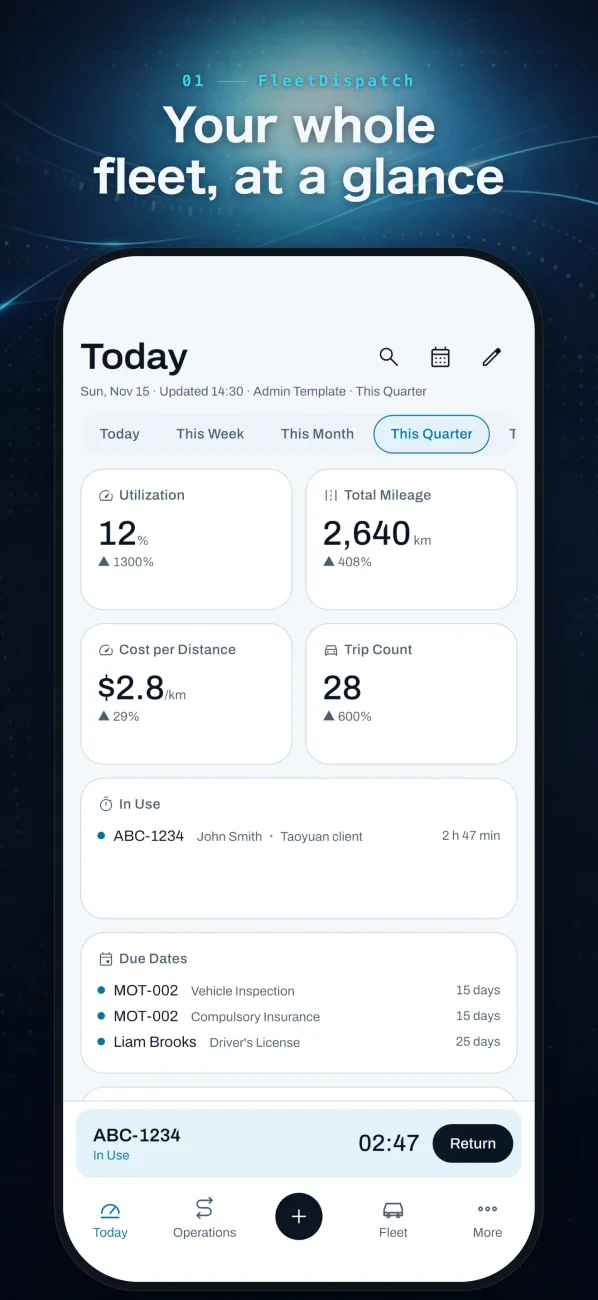
Today Dashboard
- Combine 28 metrics and set a period and comparison for each card. Start from 5 templates; your layout syncs through iCloud.
Dispatch, return & trip records
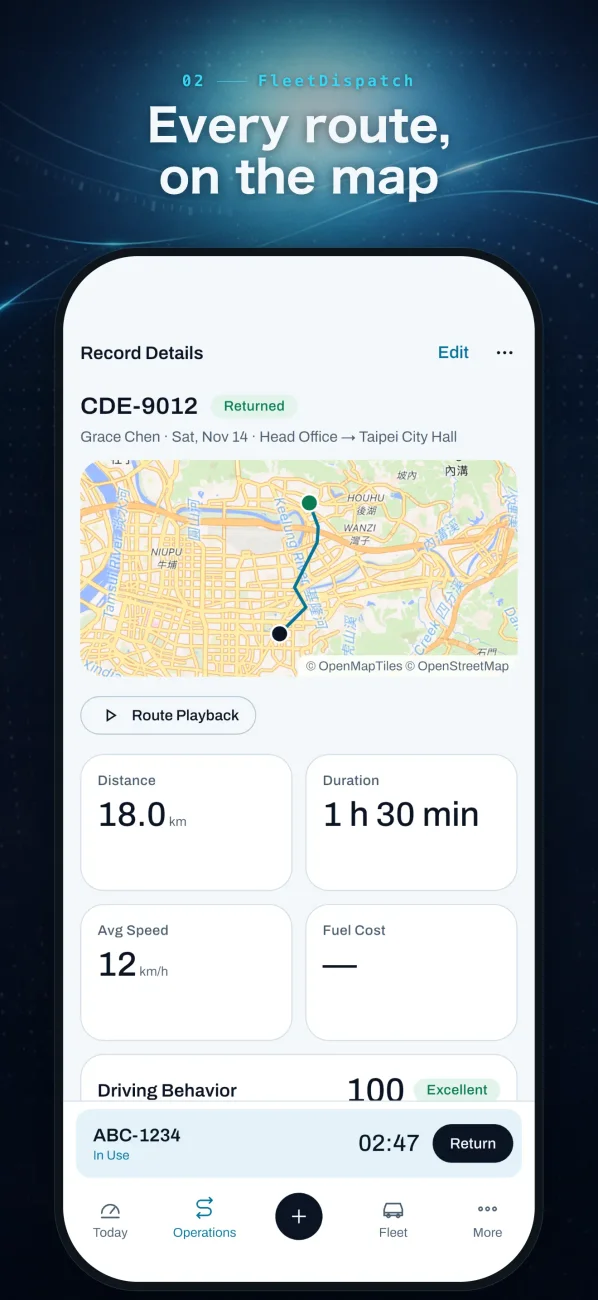
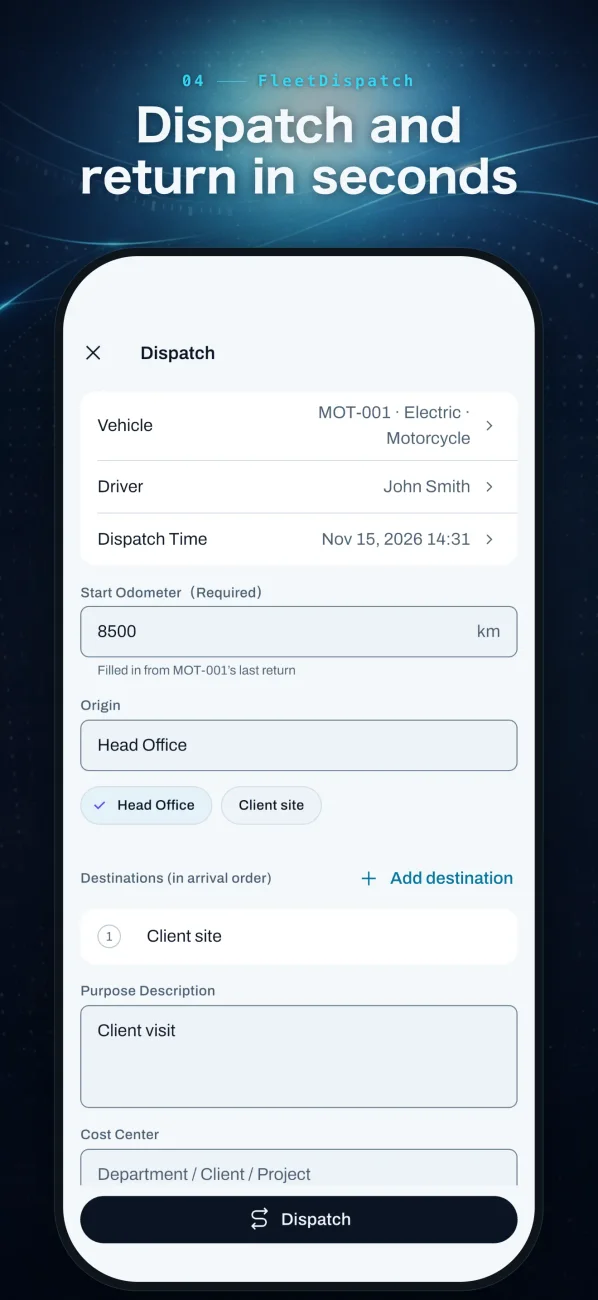
- Log the odometer (carried over from the last trip), driver, multiple destinations, cost center, fuel, tolls, parking, and battery swaps. Conflicts for the same vehicle are flagged before you dispatch. Trip details show the route on a map, with playback at up to 64x and driving behavior analysis.
Vehicle Status Center & Reminder Center
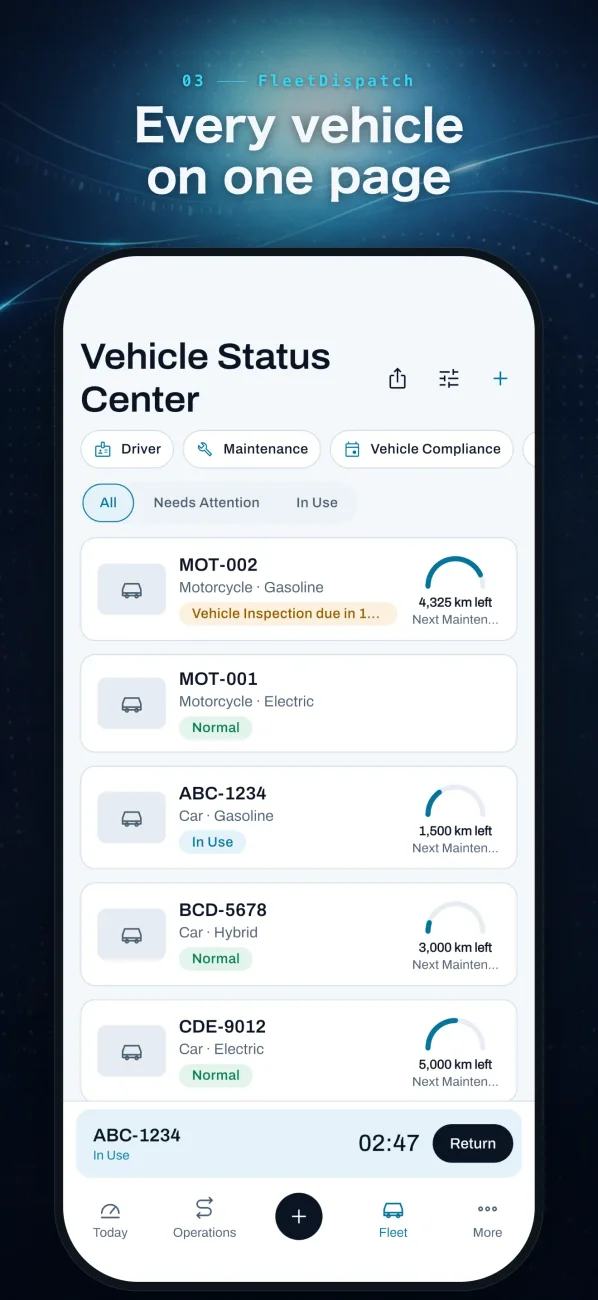
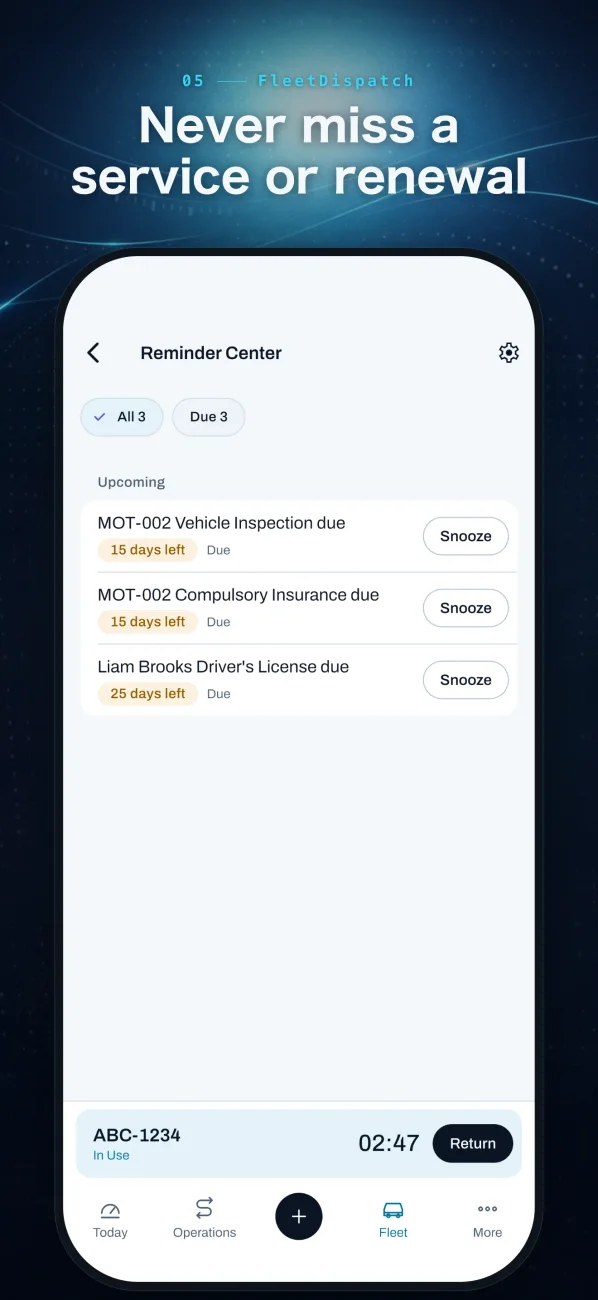
- Everything about a vehicle on one page, and everything that needs attention in one list: due dates, maintenance, overdue returns, pending approvals, and fuel efficiency anomalies.
Search & Dispatch Timeline
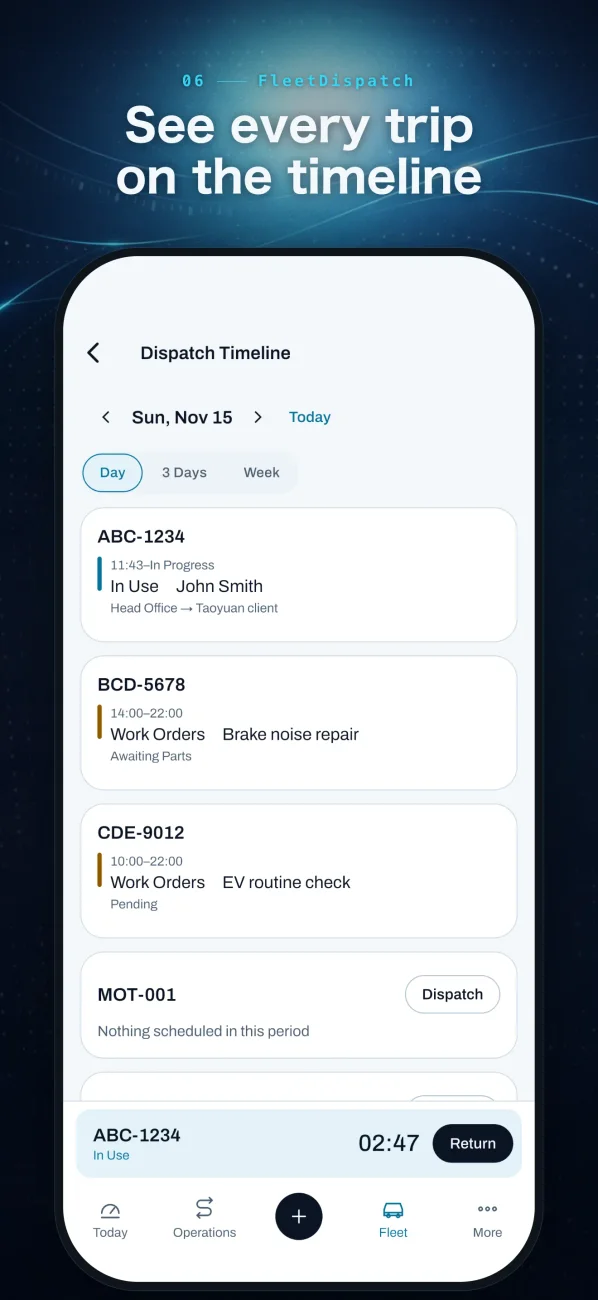
- Search vehicles, drivers, locations, trips, work orders, and parts at once. On iPad and Mac, the Dispatch Timeline shows vehicles across time with conflicts marked.
Work orders, inspections, parts & approvals
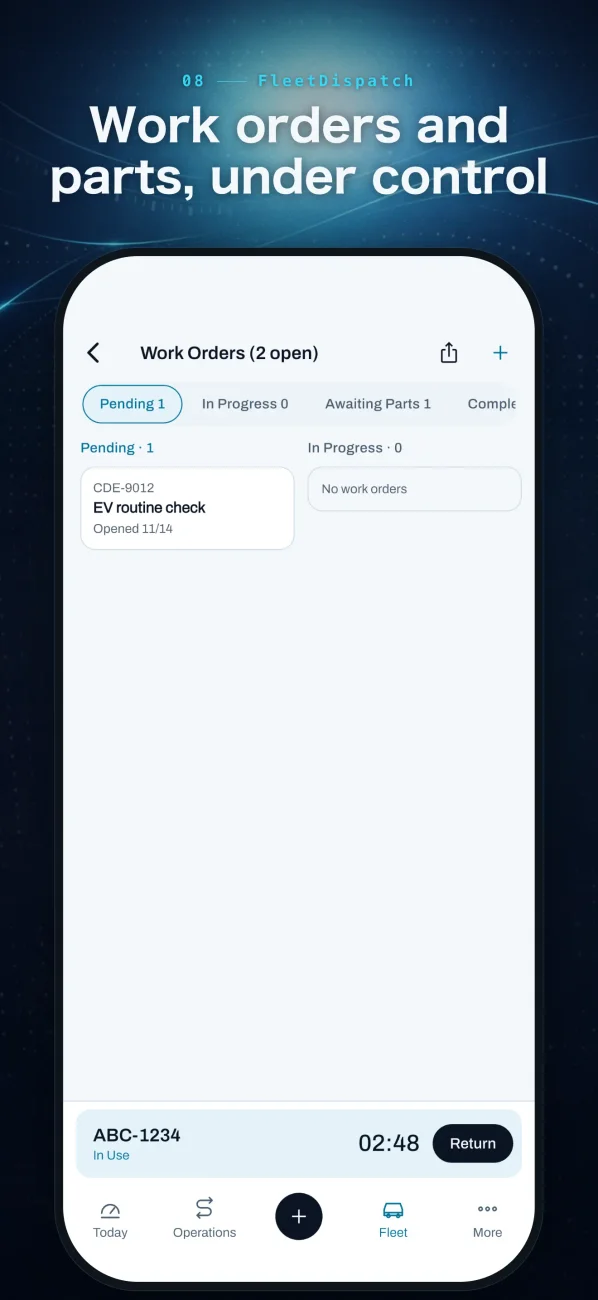
- A work order board, driver vehicle inspections (DVIR), and parts inventory. Completing a work order deducts stock and creates a maintenance record. Drivers submit trip requests; admins approve them.
Analytics & reports
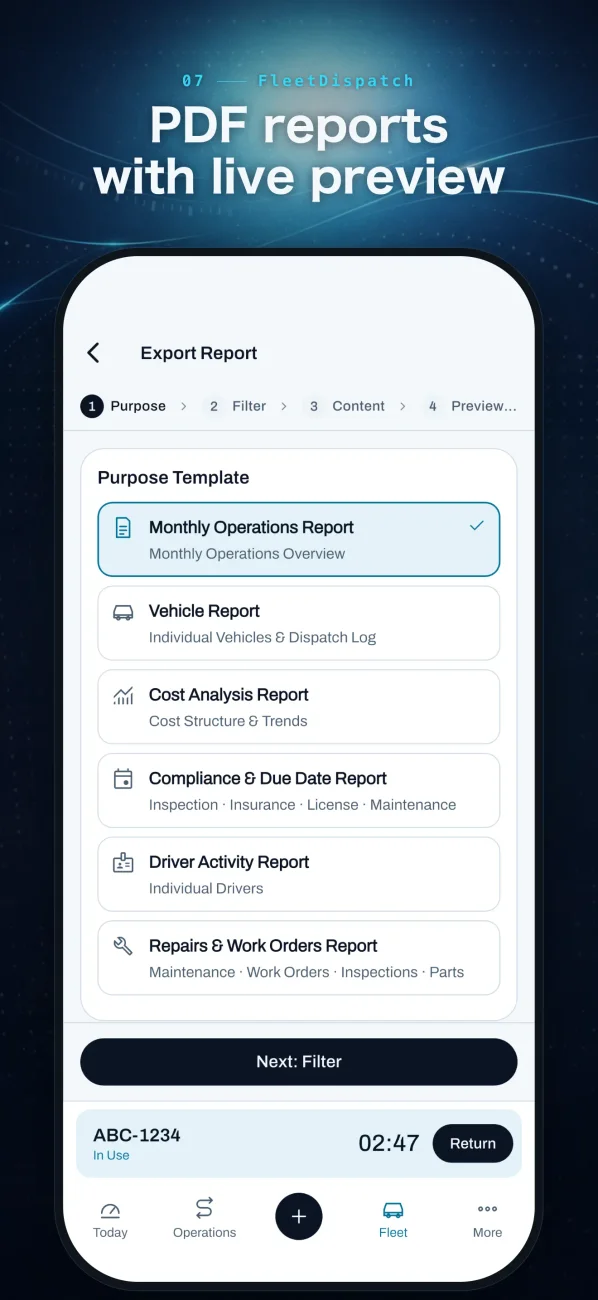
- Mileage, fuel, and cost trends and rankings. Preview reports, then export an A4 PDF with repeated headers or a re-importable CSV. Export routes as KML or GeoJSON.
In the car
- In cars that support CarPlay, see trips in progress, dispatch quickly, check to-dos, and navigate to saved locations with a maps app. No typing in the car; enter the end odometer on iPhone after you park.
Widgets, Live Activities & Siri
- Metric and Lock Screen widgets, plus a Quick Depart control in Control Center. During a trip, the Lock Screen Live Activity has a Return button. Ask Siri to log a dispatch or end a trip.
Apple Watch
- Today, To Do, and a timer for the trip in progress. Dispatch, return, and approve quickly; your iPhone provides the data and carries out the actions.
Mac
- Table views, a menu bar panel for active trips and pending approvals, menu commands, and keyboard shortcuts.
Team sync
- Pair an office host (iPad or Mac) with mobile clients over your local network using a security code and a 6-digit PIN; 7.0 and 6.0 devices still work alongside. Or sync from anywhere through your own FleetDispatch Server (open source; Cloudflare, PHP + MySQL, or Docker). Encrypted, with Admin, Driver, and Viewer roles, an offline queue, and live location during trips.
iCloud sync & backup
- Sync across your Apple devices, with automatic backups in iCloud Drive. Export password-encrypted backups (compatible with 7.0) and import CSV or JSON.
Sample Mode & Help Center
- Try everything with sample data kept separate from yours. Help Center articles come from instw.org, with an offline copy built in.
More
- The Fleet Pulse sound with settings for each notification type, App Lock with Face ID or Touch ID, OBD-II diagnostics (Beta) with a Bluetooth ELM327 adapter, 10 languages, and metric or imperial units.
PRIVACY
Your data lives on your device and in your own iCloud by default. LAN sync is a direct device-to-device connection; with a custom host, data goes only to the host you set up. Map screens download OpenStreetMap tiles from OpenFreeMap, and the Help Center loads articles from instw.org; neither receives your fleet data. We do not sell your data.
Neue Funktionen
Version 8.1 · 15.11.2026
FleetDispatch 8.1 makes everyday tasks smoother and team sync more reliable.
- Shortcuts on Today: pin the features, vehicles, and drivers you use most at the top, drag to reorder, apply a template, or restore the defaults.
- Settings are now organized into 9 categories, with settings search and frequently used settings.
- Going back is more natural: swipe from the left edge or use Back to return to the previous screen, and forms ask before discarding unsaved changes.
- Dispatch now records the starting location with its accuracy and time. If a location isn't available, dispatch isn't blocked, and the first location point fills it in later.
- More reliable route recording in the background and in Low Power Mode, and trip details list any gaps in the recording and why.
- Deactivate vehicles and drivers: they no longer appear in dispatch, assignments, or reminders, while past trips, maintenance, and work orders are kept. You can reactivate them anytime.
- New Edit History: in Settings > Backup, Import & Export, see additions, edits, and deletions made on this device, with the values before and after.
- More reliable Custom Host sync: nothing is lost or duplicated when the network drops or a send is retried. Changes that can't be sent are kept in Sync Diagnostics for retry or export, and if another device changed the same record, you choose whether to keep the host's version or overwrite it with yours.
- When you use a Custom Host, iCloud sync turns off automatically so the same data doesn't sync two ways (your data in iCloud is kept).
- On a foldable iPhone, layouts fit both the folded and unfolded screens.
- Fixes an hour offset in period comparisons across daylight saving time changes, and the Return screen not closing after a return, among others.
Thanks for using FleetDispatch. We read your feedback and keep improving.
App-Datenschutz
Was CHENG-YU CHEN im App Store zum Umgang dieser App mit Daten angibt.
-
Keine Daten erfasst
Der Entwickler erfasst keine Daten von dieser App.
Die Datenschutzpraktiken können variieren, zum Beispiel je nach den von Ihnen verwendeten Funktionen oder Ihrem Alter.
Informationen
- Anbieter
- CHENG-YU CHEN
- Kategorie
- Wirtschaft
- Version
- 8.1
- Aktualisiert
- 15.11.2026
- Veröffentlicht
- 30.04.2026
- Größe
- 43,3 MB
- Erfordert
- iOS 26.0 oder neuer
- Altersfreigabe
- 4+
- Preis
- Kostenlos
- Sprachen
- Englisch, Französisch, Indonesisch, Japanisch, Koreanisch, Vereinf. Chinesisch, Thai, Tradit. Chinesisch, Vietnamesisch
- Copyright
- © 2026 YucDu. All rights reserved.