
Flick - Video Player
Play MKV, Streams & DLNA
Entwickelt für iPhone, iPad
Kostenlos · In-App-Käufe
- Altersfreigabe4+
- KategorieFoto und Video
- EntwicklerNeue Software
- SprachenEnglisch
- Größe42,3 MB
Verlinkt auf die offizielle App Store-Seite
Download.org hostet keine Datei von Flick - Video Player. Die Schaltfläche öffnet die App-Seite bei App Store, wo Neue Software die App veröffentlicht. Eintrag zuletzt geprüft am 24.11.2026.
Screenshots



Info
Der Entwickler hat diesen Text nicht in Ihrer Sprache bereitgestellt.
Flick is a simple, fast media player for iPhone, iPad and iPhone Duo. Open a file, paste a link or pick a media server on your network, and it plays. No account, no ads, no tracking.
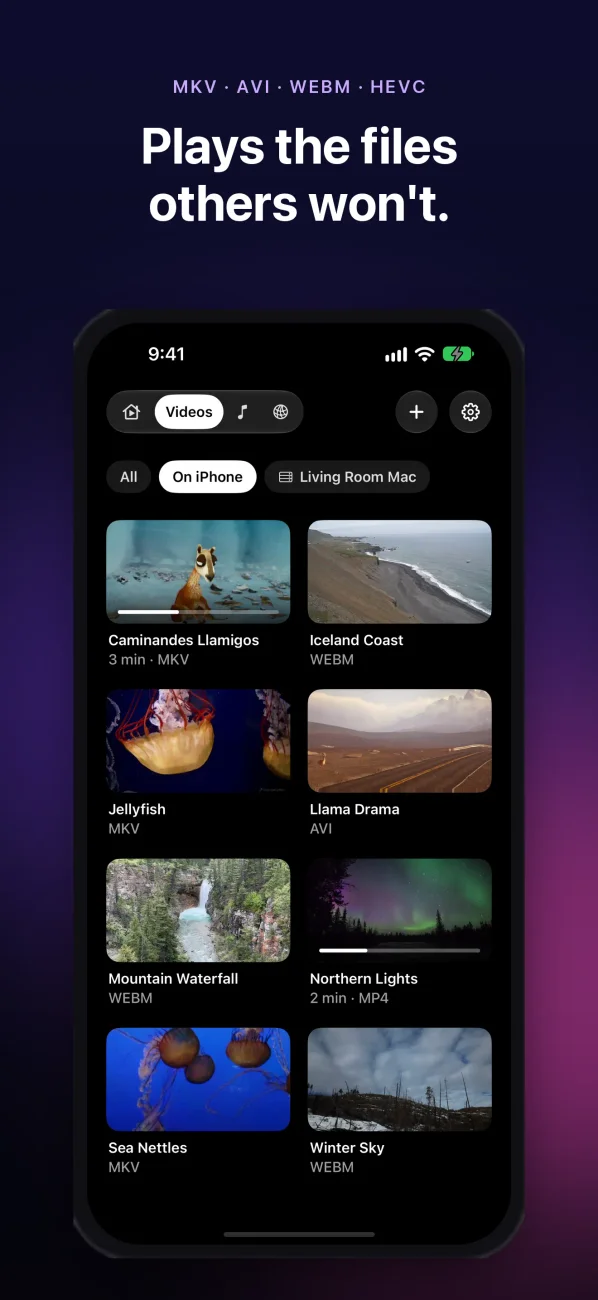
PLAYS ALMOST ANYTHING
• MP4, MOV and HLS play with Apple's hardware decoding, Picture in Picture and AirPlay
• MKV, AVI, WebM and other formats play with a built-in second engine based on libVLC
• If a file doesn't play the first way, Flick tries the other one by itself
• Network streams: HTTP and HTTPS files, HLS (m3u8), RTSP, RTMP and more
YOUR MEDIA SERVERS
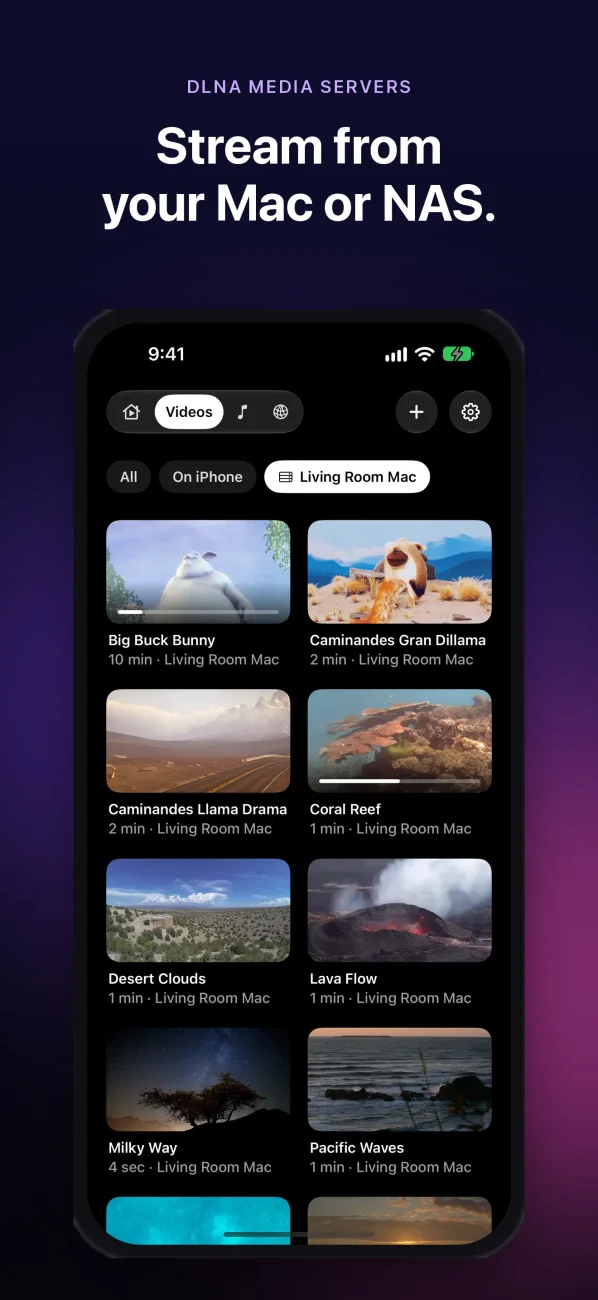
• Finds DLNA / UPnP media servers on your Wi-Fi, such as the ones built into many NAS drives and routers
• Add a server by its address, including a Tailscale or VPN address, to watch away from home
• Videos and music from your servers show up in your library next to your own files
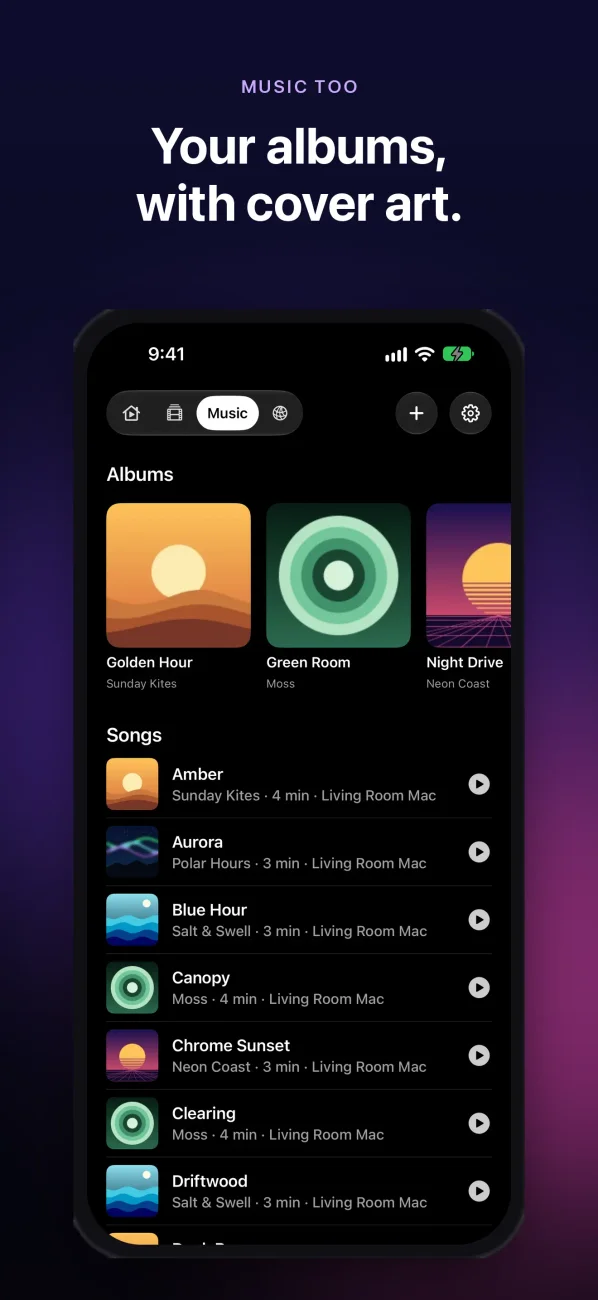
• Browse server folders, albums and cover art
SUBTITLES DONE RIGHT
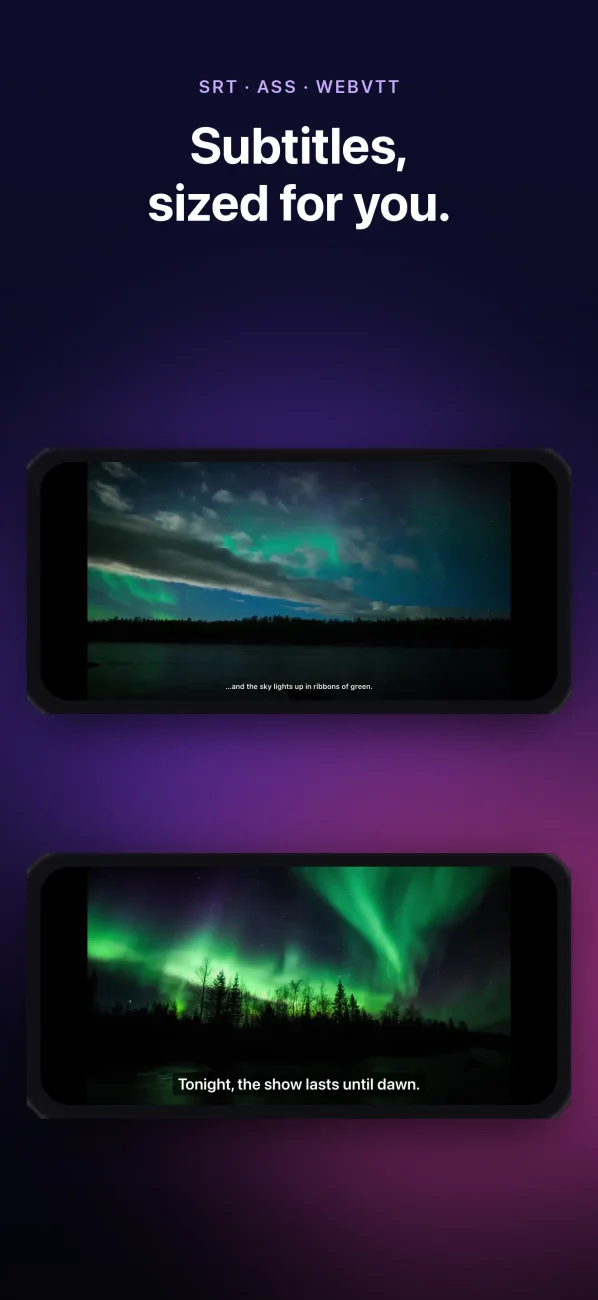
• SRT, WebVTT and ASS/SSA files in any text encoding
• Subtitle files named like the video (Movie.srt, Movie.en.srt) are found automatically
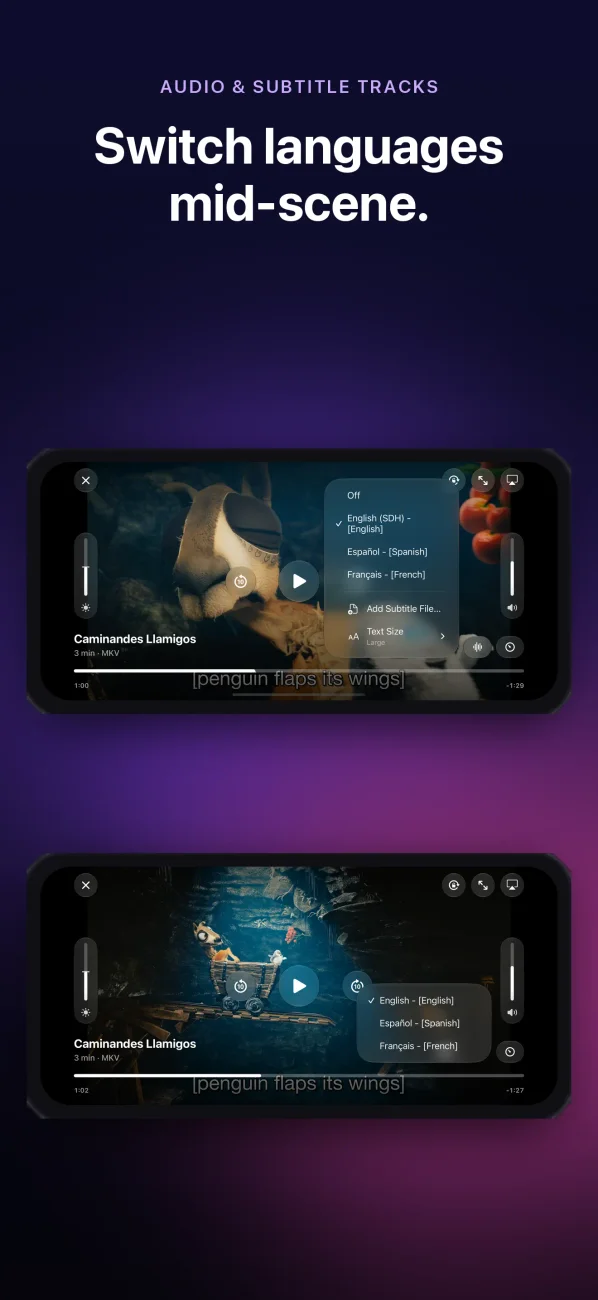
• Embedded subtitle tracks, delay adjustment, text size and background
• Pick your preferred audio and subtitle languages once, and Flick picks matching tracks for you
CONTROLS YOU KNOW
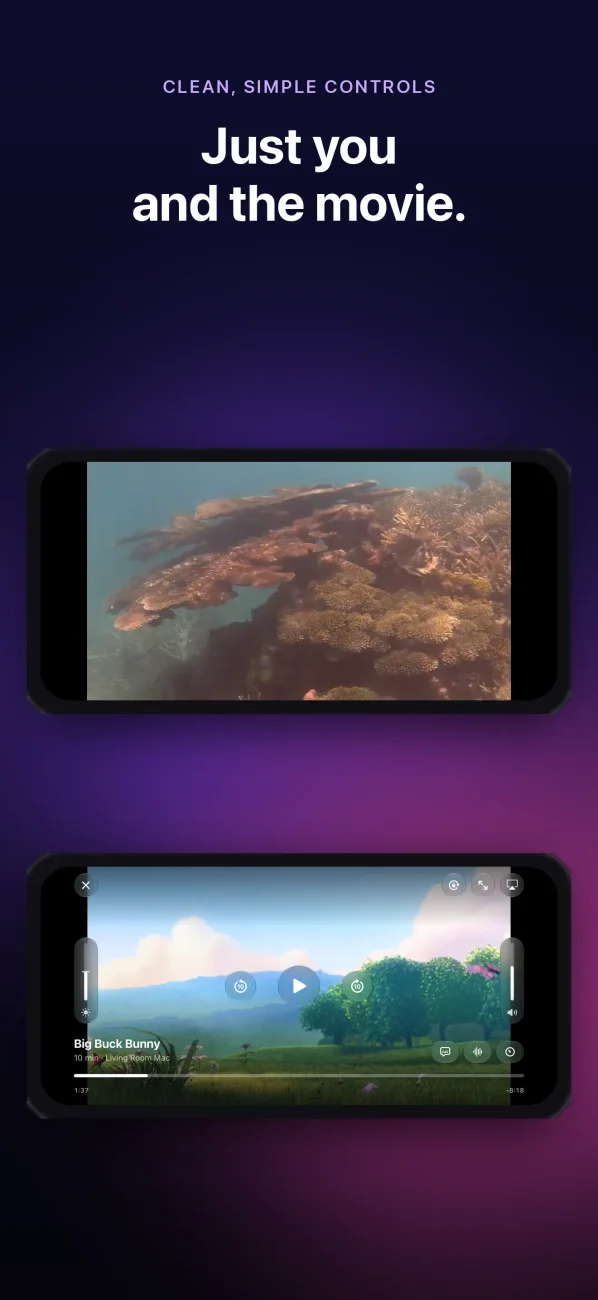
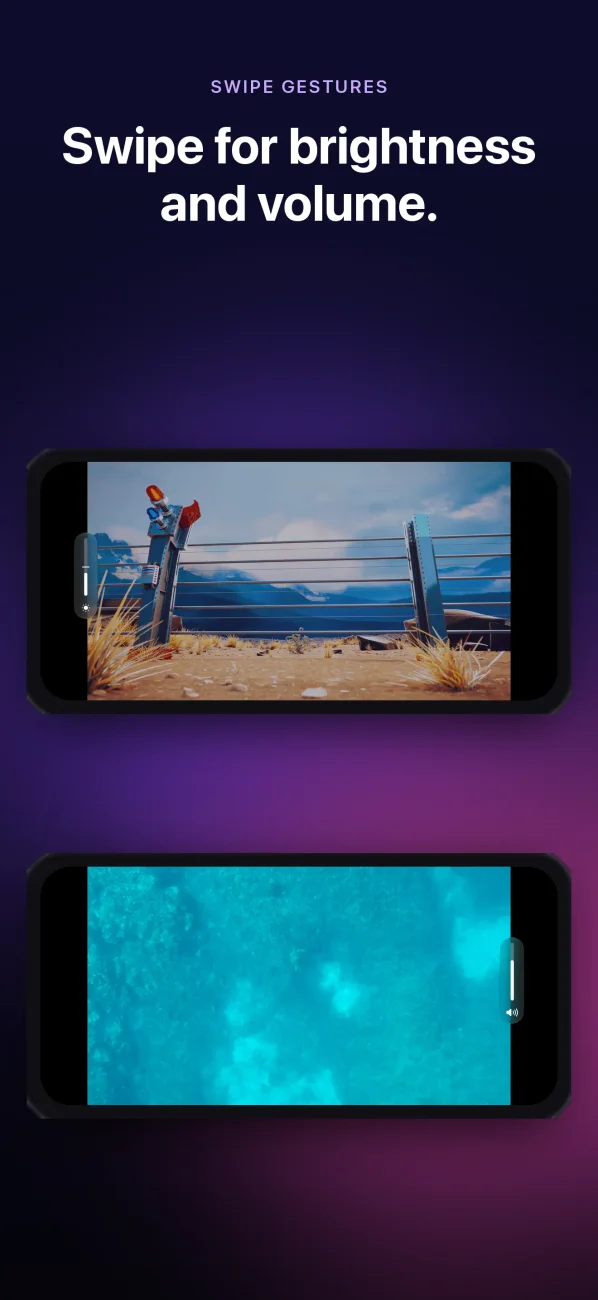
• Swipe up or down on the left side for brightness and on the right side for volume
• Skip back and forward, playback speed from 0.5× to 2×, fit or fill
• Rotation lock in the player
• Resume where you left off, on every video
• Keep listening in the background, with controls on the Lock Screen
YOUR LIBRARY
• Import from the Files app, or open videos in place without copying them
• Copy videos from a Mac in Finder (Files tab) straight into Flick
• Home, Videos, Music and Network tabs in a dark, cinematic design
• Poster frames for your videos, cover art for your music
MADE FOR IPHONE DUO
Flick supports iPhone Duo with layouts for every way you hold it:
• On the cover screen, the tabs sit in the side column next to the system bar
• Unfolded, videos fill the big screen
• Half open, the video sits above the fold and the controls sit on the lower half
IPAD
• The full library and player on the big screen, in any orientation
FLICK PRO
Flick plays MP4, MOV and HLS from your files and links for free. Flick Pro adds:
• MKV, AVI, WebM and every other format, with the built-in VLC engine
• Playback from DLNA / UPnP media servers, at home or over a VPN
Choose monthly, yearly (starts with a 3-day free trial) or a one-time lifetime unlock.
PRIVATE BY DESIGN
Flick has no account, analytics or ads. Your library stays on your iPhone. Flick only connects to the links and servers you choose and to media servers on your own network.
Flick doesn't include any videos or music. It plays media you already have or can access.
Flick uses VLCKit (libVLC) under the GNU LGPL 2.1. See Settings > Acknowledgements.
SUBSCRIPTION TERMS
Flick Pro Monthly and Yearly renew automatically unless cancelled at least 24 hours before the end of the current period. Payment is charged to your Apple Account at confirmation of purchase, or when the free trial ends. Manage or cancel in Settings > Apple Account > Subscriptions. Any unused part of a free trial ends when you buy a subscription.
Terms of Use: https://www.apple.com/legal/internet-services/itunes/dev/stdeula/
Privacy Policy: https://www.neue.my/flick/privacy-policy
Neue Funktionen
Version 1.3 · 23.11.2026
Music now plays like a music app. Songs keep going while you browse, with a mini player at the bottom of every screen. Tap it for Now Playing, where you can shuffle, repeat and see what's up next.
Make your own playlists and add songs from any song's long-press menu. Songs you heart collect in Liked Songs.
Most song formats now play straight from one track into the next with no gap.
Flick now reads the song details stored in your own music files, so your albums show up properly.
Import videos from the Photos app with the + button.
Media servers at home can now be found over Tailscale and other VPNs.
Short clips you stop partway now show up in Continue Watching.
App-Datenschutz
Was Neue Software im App Store zum Umgang dieser App mit Daten angibt.
-
Keine Daten erfasst
Der Entwickler erfasst keine Daten von dieser App.
Die Datenschutzpraktiken können variieren, zum Beispiel je nach den von Ihnen verwendeten Funktionen oder Ihrem Alter.
Informationen
- Anbieter
- Neue Software Studio
- Kategorie
- Foto und Video
- Version
- 1.3
- Aktualisiert
- 23.11.2026
- Veröffentlicht
- 10.11.2026
- Größe
- 42,3 MB
- Erfordert
- iOS 26.0 oder neuer
- Altersfreigabe
- 4+
- Preis
- Kostenlos
- In-App-Käufe
- Ja
- Sprachen
- Englisch
- Copyright
- © 2026 Neue Software
Das könnte Ihnen auch gefallen
-
 GridPlayer | Multi Video PlayFoto und Video
-
 IPTV Player ARV – XtreamXtream IPTV: Live TV in 4K
-
 Negative - Film Look Filter.Foto und Video
-
 ArabicWallsFoto und Video
-
 DWARFLABSmarte Teleskop-Ära
-
 Ente FotosVerschlüsselter Fotospeicher
-
 T CastFoto und Video
-
 Ricoh Recipes — JPEG SettingsFoto und Video
-
 Raheeb: DateimanagerSichern, abspielen, ordnen
-
 Video Downloader : DownloadFoto und Video