Flotogram
Time Kaleidoscope
Entwickelt für iPhone, iPad
Kostenlos · In-App-Käufe
- Altersfreigabe4+
- KategorieFoto und Video
- EntwicklerLucky Bulldozer Limited
- SprachenEnglisch
- Größe42,2 MB
Verlinkt auf die offizielle App Store-Seite
Download.org hostet keine Datei von Flotogram. Die Schaltfläche öffnet die App-Seite bei App Store, wo Lucky Bulldozer Limited die App veröffentlicht. Eintrag zuletzt geprüft am 13.11.2026.
Screenshots


Info
Der Entwickler hat diesen Text nicht in Ihrer Sprache bereitgestellt.
Floto leaves your photos right where you take them.
Look slowly round the room, tap the red button, and the photo stays there. Take a step to the side. It kept its shape. Take another and another and you've got a stack of photos hanging in the air, yours to walk round.
WALK AND TAKE
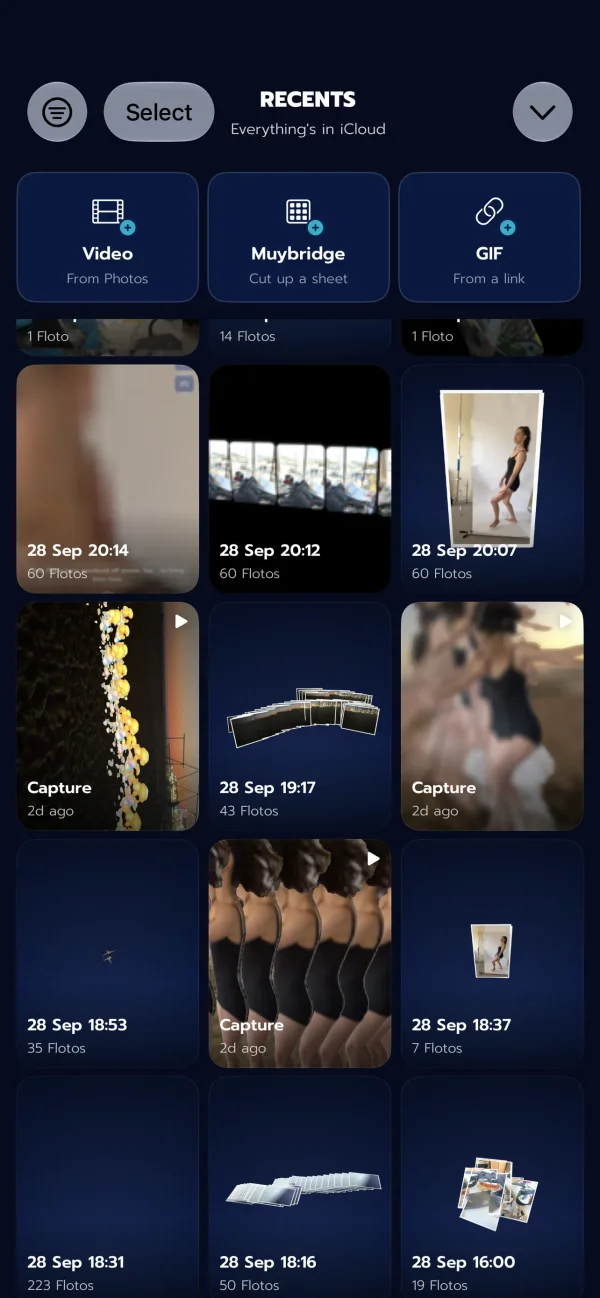
Switch on distance mode and just walk. Floto takes a photo every half metre or so, and lays them out behind you like a trail. Or hold the red button and it films, at whatever frame rate you like, and turns the video into a stack.
PLAY IT BACK
Press Play and your wave happens again, right where it happened. Forwards, backwards, or ping-pong it over and over. Slow it right down, or speed it up to 60 frames a second.
MOVE THEM
Drag one with a finger. Pinch to size it, twist to turn it, two fingers up to raise it. Hold and drag to pull off a copy. Drag one into a bottom corner to bin it, and Undo brings it back.
LIFT SOMETHING OUT OF THE ROOM
Hold your finger on a mug, a plant or your other hand. Floto lifts it off as a cut-out with real depth, sitting right on top of the original. Slide it off to the side.
MAKE IT LOOK LIKE SOMETHING
Put your photos on paper: Polaroid, thin borders, plain, semi-gloss, worn. Choose how thick they are and how they cast shadows.
MAKE A SHAPE OF THEM
Turn a stack into a line, a panorama, a carousel, or the path you walked. Trim every photo at once, front to back.
FLY ROUND IT
Swap your camera for a virtual room and orbit your photos with a finger. No walking required.
KEEP IT
Everything you make is saved as you go and backed up to your own private iCloud, so a new phone brings it all back. Capture a scene as a video to share.
THE FEED
Post a stack to the Feed and see what other people have left in their rooms. You can report a post, block someone, or delete your own whenever you like.
FLOTOS
Everyone starts with 500 free Flotos and every feature. A Floto is one photo in the room. After that you get 50 a day, and Captures carry a small Floto mark. Your first post to the Feed each day adds another 50. One purchase unlocks Floto for good, with no subscription and no ads.
If you bought Floto when it was a paid app, it's already unlocked. Nothing to do.
Floto works best on an iPhone with LiDAR (the Pro models), and still works without, with less detail in 3D.
Floto is called Flotogram on the App Store. Same app.
Questions: support@flotogram.com
Neue Funktionen
Version 2.3.2 · 06.10.2026
Floto is free now, and there's a lot more of it.
Photos now stay where you leave them. Hold your finger on something in the room and lift it out with real depth. Film something moving, with its sound, and play it back right where it happened, forwards, backwards or ping-pong. On an iPhone with LiDAR, play a take back as a point cloud and walk round it in 3D.
Bring in videos from Photos, Muybridge sheets and GIFs.
Print your photos on Polaroid, semi-gloss, paper or worn stock, with thin or torn borders, or cut out just the people. Turn a stack into a panorama, a carousel or the path you walked. Fly round it in a virtual room.
Your scenes, Captures and videos back up to your own iCloud, and a new phone brings them back.
There's a Feed to post to, and a short tour to start you off. The first 500 Flotos are free. If you paid for Floto before, it's all yours, and stays that way.
App-Datenschutz
Was Lucky Bulldozer Limited im App Store zum Umgang dieser App mit Daten angibt.
-
Mit Ihnen verknüpfte Daten
Können erfasst und mit Ihrer Identität verknüpft werden.
- Benutzerinhalte
- Kennungen
-
Nicht mit Ihnen verknüpfte Daten
Können erfasst werden, sind aber nicht mit Ihrer Identität verknüpft.
- Diagnose
Die Datenschutzpraktiken können variieren, zum Beispiel je nach den von Ihnen verwendeten Funktionen oder Ihrem Alter.
Informationen
- Anbieter
- Lucky Bulldozer Limited
- Kategorie
- Foto und Video
- Version
- 2.3.2
- Aktualisiert
- 06.10.2026
- Veröffentlicht
- 02.11.2017
- Größe
- 42,2 MB
- Erfordert
- iOS 16.0 oder neuer
- Altersfreigabe
- 4+
- Preis
- Kostenlos
- In-App-Käufe
- Ja
- Sprachen
- Englisch
- Copyright
- © LuckyBulldozer 2026.
Das könnte Ihnen auch gefallen
-
 MetaClean: GPS EXIF CleanerFoto und Video
-
 Cambler: Y2K Retro-KameraDigicam, VHS & Datumsstempel
-
 KondoboxFoto und Video
-
 POCKLO: Photo ScrapbookFoto und Video
-
 ProperImage: HEIC zu JPG, PDFBilder komprimieren, Bildgröße
-
 Memory Camera: FotomarkenCollagen & private Sammlungen
-
 PickPix - Photo CleanupFoto und Video
-
 Dual Shot Recorder・Dual CameraVideo Recorder: Reels & Vlog
-
 Photo Stamps - KitteFoto und Video
-
 MemoMarkFoto und Video