
FTPReceiver
FTP Photo Transfer for Cameras
Entwickelt für iPhone, iPad
Kostenlos · In-App-Käufe
- Altersfreigabe4+
- KategorieFoto und Video
- EntwicklerYoshiharu Aoki
- SprachenEnglisch+ 1 weitere
- Größe824,0 KB
Verlinkt auf die offizielle App Store-Seite
Download.org hostet keine Datei von FTPReceiver. Die Schaltfläche öffnet die App-Seite bei App Store, wo Yoshiharu Aoki die App veröffentlicht. Eintrag zuletzt geprüft am 23.11.2026.
Screenshots

Info
Der Entwickler hat diesen Text nicht in Ihrer Sprache bereitgestellt.
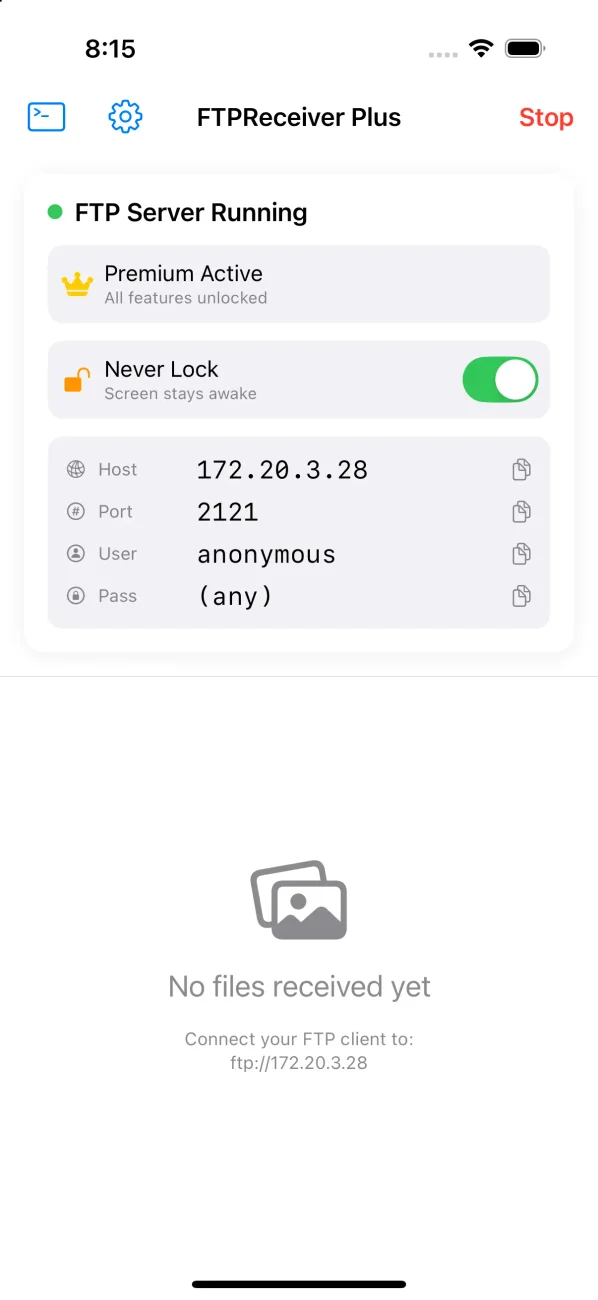
FTPReceiver is a dedicated app that receives FTP transfers from FTP-enabled mirrorless cameras to your iPhone via Wi-Fi hotspot.
Photos taken with your camera are instantly transferred to your iPhone and automatically saved to a dedicated "FTP Receiver" album in the Photos app — perfect for instant sharing on social media or on-the-go backup.
【Key Features】
• FTP reception from FTP-enabled cameras (PASV mode supported)
• Auto-save received images to a dedicated Photos album
• Direct connection via iPhone hotspot
• "Never Lock" mode to keep the screen awake during transfers
• Real-time FTP server log display
• Thumbnail list view of received files
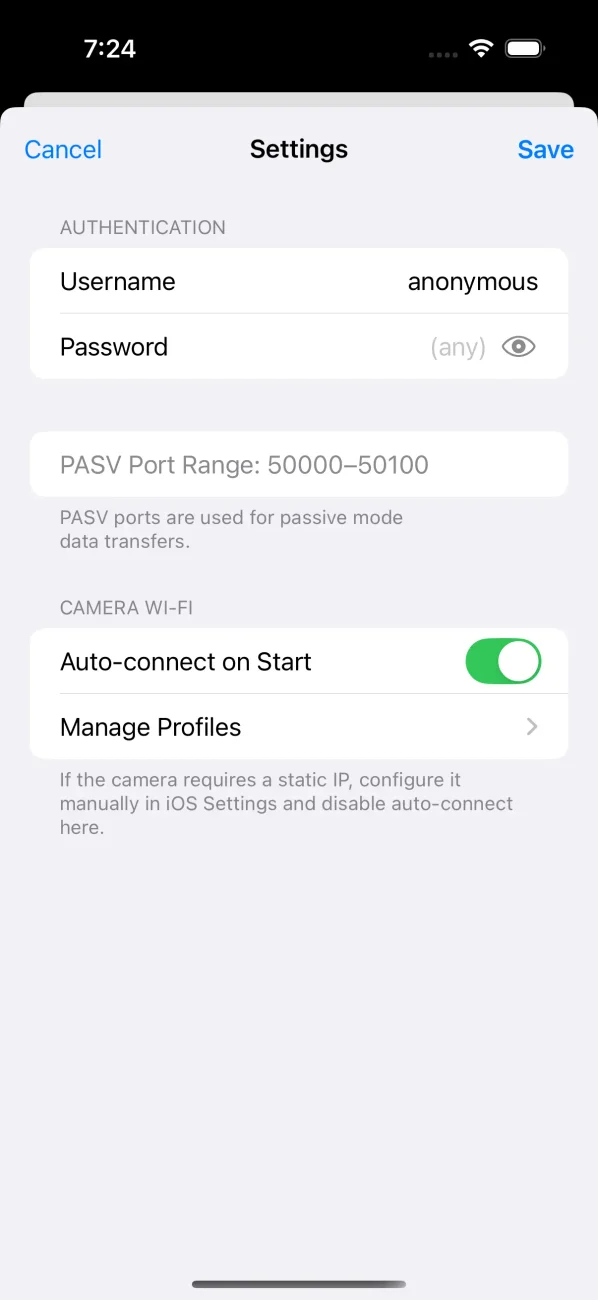
• Username and password authentication settings
• Voice Tag Support — Cameras that record a voice memo alongside a photo
(Voice Tag) are fully supported. The audio is paired with its photo in
the file list, playable directly in the app, and shared together as a
pair when you use the Share button. Note: Due to iOS limitations, Voice
Tags are not preserved when photos are saved to the Photos app. Audio
is stored separately within FTPReceiver.
• Japanese and English language support
【How to Use】
1. Enable Personal Hotspot on your iPhone
Or create an FTP connection profile on your camera and connect directly (skip step 3 in that case)
2. Launch the app and tap "Start"
3. Connect your camera to the iPhone's Personal Hotspot
4. Start FTP transfer on your camera
5. Photos are automatically saved to your Photos album
【Compatible Cameras】
Compatible with DSLR cameras, mirrorless cameras that support FTP transfer.
[Note]
Please be aware that MakerNote metadata
may be lost if you edit photos using the
iOS Photos app.
If editing is required, we recommend
editing on a separate device rather than
on iOS.
【Subscription】
• Monthly Plan: $0.99/month (7-day free trial)
• Yearly Plan: $9.99/year (7-day free trial)
• Subscription automatically renews after the free trial ends
• Cancel anytime in App Store settings
【Support】
Download camera connection settings, guides, and support:
https://halaoki.github.io/app-support/
Support: r1ftpreceiver@outlook.com
Terms of Use (EULA): https://www.apple.com/legal/internet-services/itunes/dev/stdeula/
Privacy Policy: https://halaoki.github.io/r1ftpreceiver-privacy/
Neue Funktionen
Version 1.8 · 21.11.2026
• Added automatic Wi-Fi connection to your camera's access point. The app can now switch to the camera's Wi-Fi automatically when you tap Start, so you no longer need to manually switch networks in iOS Settings.
• Added a Cancel button during Wi-Fi connection. If the connection attempt stalls, tap Cancel and then Start again to retry — this resets the iOS Wi-Fi state and usually connects immediately.
App-Datenschutz
Was Yoshiharu Aoki im App Store zum Umgang dieser App mit Daten angibt.
-
Keine Daten erfasst
Der Entwickler erfasst keine Daten von dieser App.
Die Datenschutzpraktiken können variieren, zum Beispiel je nach den von Ihnen verwendeten Funktionen oder Ihrem Alter.
Informationen
- Anbieter
- Yoshiharu Aoki
- Kategorie
- Foto und Video
- Version
- 1.8
- Aktualisiert
- 21.11.2026
- Veröffentlicht
- 21.07.2026
- Größe
- 824,0 KB
- Erfordert
- iOS 17.6 oder neuer
- Altersfreigabe
- 4+
- Preis
- Kostenlos
- In-App-Käufe
- Ja
- Sprachen
- Englisch, Japanisch
- Copyright
- © 2026 Yoshiharu Aoki
Das könnte Ihnen auch gefallen
-
 AlphaFTPFoto und Video
-
 PhotakaFoto und Video
-
 UPhoto - Event Photo TransferFoto und Video
-
 Camera Port - Hintergrund FTPHintergrund-FTP & PTP-Server
-
 Waifu2x - AI Image UpscalerFoto und Video
-
 TetherDropFoto und Video
-
 Culpix - Fotos aufräumenDuplikate, Bildauswahl, RAW
-
 Photo Triager: RAW CullingFoto und Video
-
 ApolloOne GO: BildauswahlRAW-Viewer für SD-Karten
-
 CloudTetherKamera-Tethering in die Cloud